
Our readers keep the lights on and the weekend projects moving. As an Amazon Associate, I earn from qualifying purchases.
Specs are compiled from manufacturer listings and verified buyer reviews and can change over time — please confirm the key details on the product page before buying.
You want a blistering gaming rig without roasting your bank account. The trick is knowing where to spend — the CPU is the only part that bottlenecks everything else, and the wrong choice means leaving frames on the table no matter how beefy your graphics card is. This guide cuts through the numbers to the nine processors that actually deliver killer 1080p and 1440p performance without requiring a second mortgage.
I’m Rikta — the founder and writer behind FitlyFast. This guide is built by comparing the manufacturers’ published specifications and the patterns across verified customer reviews, so you get each pick’s real strengths and trade-offs instead of marketing spin.
Whether you are upgrading an older AM4 rig or building fresh on LGA1700, these are the processors that give you the biggest performance-per-dollar punch for your next gaming PC — the definitive budget cpu for gaming lineup you can buy right now.
Our Picks at a Glance


How To Choose The Best Budget CPU For Gaming
Picking a gaming CPU on a budget means learning to ignore marketing fluff and focus on the specs that actually move your frame counter. You do not need a 16-core monster — most modern games rely on strong single-core performance and enough threads to keep background tasks from stuttering your match.
Core Count vs. Clock Speed
A 6-core processor is still the balance for pure gaming at 1080p and 1440p. More cores help if you stream, edit video, or run a virtual machine while you play, but they rarely add frames to your average shooters and RPGs. What matters more is the boost clock speed — look for CPUs that push past 4.4 GHz for a smooth ride in titles like Cyberpunk 2077 and Call of Duty.
Platform & Upgrade Path
Your CPU choice locks your motherboard socket. AM4 (AMD’s older platform) is dirt cheap and gives you a huge upgrade path from a Ryzen 5 1600 all the way up to a 5800X3D. LGA1700 (Intel) is faster at the high end but the socket is effectively dead — you cannot drop a next-gen Intel chip in it. AM5 (AMD’s newest) costs more upfront for the motherboard and DDR5 RAM, but sets you up for future generations. Your budget dictates which door you walk through.
Thermal Design Power (TDP) & Cooling Costs
A CPU rated at 65W can often run quietly on the included stock cooler, saving you -. A 125W part demands a tower air cooler or a liquid AIO, eating into your budget. If you are pinching pennies, a low-TDP chip like the Ryzen 5 5600 (65W) or the Core i5-12400F (65W) lets you spend that cooler cash on a better graphics card instead.
Quick Comparison
| Model | Best For | Cores / Threads | Max Boost Clock | Cache (L2+L3) | Amazon |
|---|---|---|---|---|---|
| AMD Ryzen 5 5600★ Best Overall | Best Overall Value | 6 / 12 | 4.4 GHz | 35 MB | Amazon |
| Intel Core Ultra 5 225FTop Performer | High-FPS 1080p | 10 / 14 | 4.9 GHz | 22 MB | Amazon |
| Intel Core i5-12400FProven Champion | Reliable Proven Performer | 6 / 12 | 4.4 GHz | 18 MB | Amazon |
| AMD Ryzen 5 5600X | AM4 Performance King | 6 / 12 | 4.6 GHz | 35 MB | Amazon |
| Intel Core i5-12600KF | Best open up Hybrid | 10 / 16 | 4.9 GHz | 20 MB | Amazon |
| Intel Core i5-14400 | Built-In Graphics | 10 / 16 | 4.7 GHz | 20 MB | Amazon |
| Intel Core i5-14600KF | Multi-Threading Monster | 14 / 20 | 5.3 GHz | 152 MB | Amazon |
In‑Depth Reviews
1. AMD Ryzen 5 5600
The processor that convinced a generation of gamers that you do not need to spend big to play hard.
The real appeal of this CPU is its 35 MB of total cache — that pool of ultra-fast memory right on the chip that feeds data to the cores faster than RAM can. The result is that CPU-heavy titles like Counter-Strike and Valorant feel snappier, with fewer micro-stutters. Buyers report overclocking it safely to 4.4GHz with a decent aftermarket cooler, and the included Wraith Stealth cooler handles the 65W TDP just fine for stock speeds.
The single performance gap worth noting: the 6-core count matches the i5-12400F, but the 5600’s 35 MB of cache is nearly double the i5-12400F’s 18 MB, which gives it an edge in simulation and strategy games. Against the pricier Ryzen 5 5600X, you lose 200 MHz of boost clock — 4.4 GHz vs. 4.6 GHz — but that amounts to maybe 3-5 frames in most titles, while the price difference is significant.
The Crowd Loves
- Massive 35 MB cache for smooth gaming.
- Runs cool and quiet on the included stock cooler.
- Drop-in upgrade for any AM4 motherboard.
The Fine Print
- No integrated graphics — you need a dedicated GPU.
- Stock cooler is adequate but gets noisy under load.
Your best bet if: you want the highest frame-rate-per-dollar on the AM4 platform and plan to stick with DDR4.
Think twice if: you prefer a newer platform (AM5) or need integrated graphics for a no-GPU build.
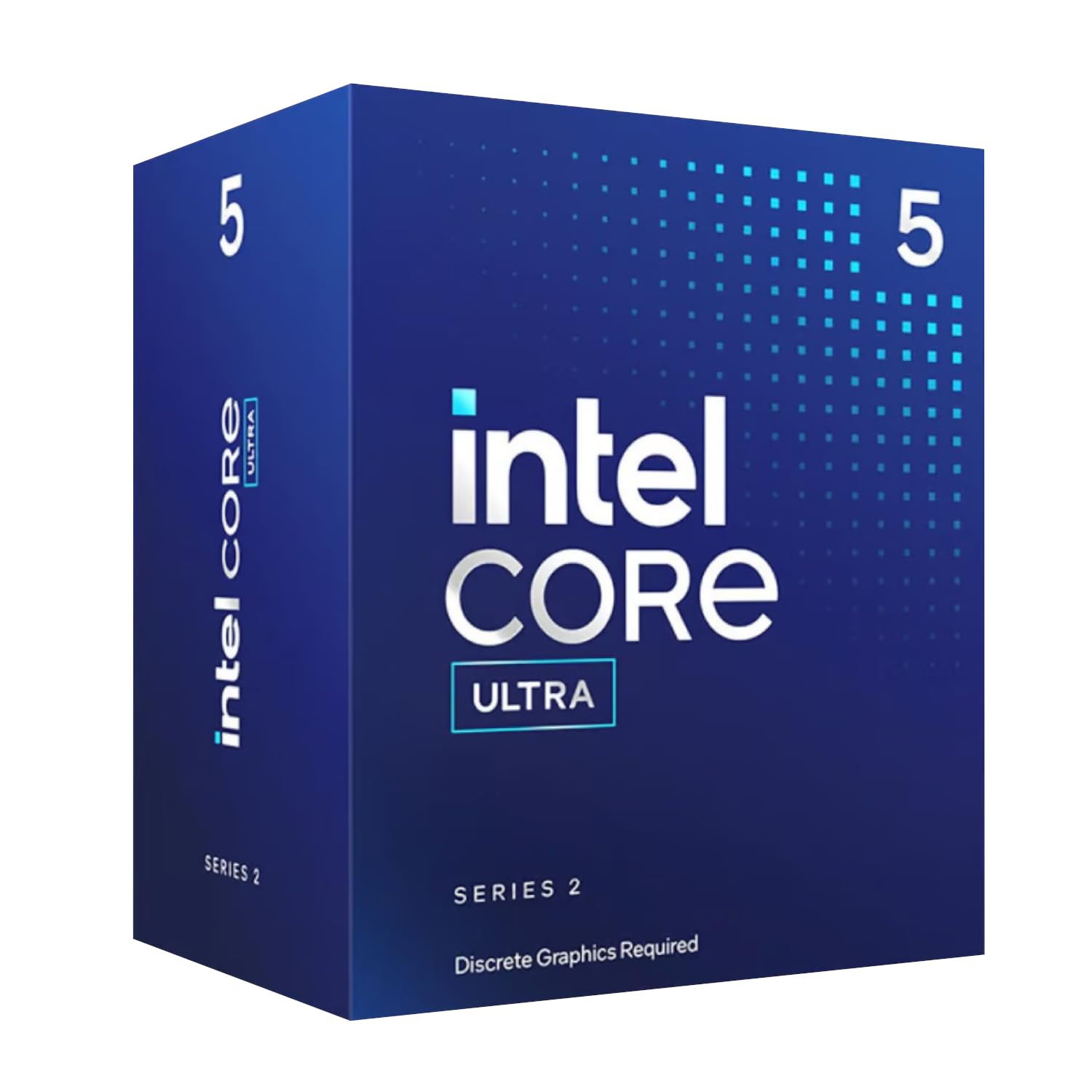
2. Intel Core Ultra 5 225F
The new kid on the block that punches way above its weight class in 1080p gaming.
This 10-core chip (6 Performance-cores + 4 Efficient-cores) hits up to 4.9 GHz and owners mention it delivers 270-300 FPS in CS2 and 170-200 FPS in Call of Duty Black Ops 6 at 1080p — numbers you would expect from chips costing twice as much. The 14 threads handle background tasks without stuttering, and the performance hybrid architecture intelligently routes your game to the fast P-cores while Windows and Discord ride the E-cores.
The catch is you need an Intel 800-series motherboard (LGA 1851), which is a brand-new socket with no cheap boards yet. And since the “F” suffix means no integrated graphics, you will need a discrete GPU just to see the BIOS screen. The 22 MB cache is smaller than the Ryzen 5 5600’s 35 MB, but the raw clock speed advantage often compensates in shooters.
The gate all around transistor is amazing: the thermals are almost too good — customers note “it’s almost impossible to get this CPU hot,” even under load with a modest 6650 XT at 1440p.
Perfect for: the builder who wants the newest architecture and high FPS in competitive shooters without spending premium money.
Not for: anyone on a budget that cannot also afford a new LGA 1851 motherboard.
3. Intel Core i5-12400F
A three-year-old warrior that still delivers the best bang-for-your-buck on the LGA1700 platform.
The i5-12400F has aged like fine wine. Its 6 P-cores and 12 threads, paired with a 4.4 GHz boost clock, is still more than enough for smooth 1080p gaming — the customer consensus is unanimous that it runs all games at over 60fps with ease. The 65W TDP is the real star here: you can run it on the stock cooler without thermal throttling, saving you the – a tower cooler would cost. One long-term buyer put it plainly after three years: power usage is low for the performance it gives.
Compared to the Ryzen 5 5600, the i5-12400F has a smaller cache at 18 MB versus 35 MB, but it edges ahead in single-core-heavy games because of Intel’s slightly tighter memory latency. Its LGA1700 socket also supports both DDR4 and DDR5, giving you flexibility if you want to reuse old RAM or jump to a new standard later.
The Verdict
- Extremely low power draw for the performance.
- Runs cool on the boxed cooler.
- LGA1700 supports DDR4 or DDR5.
The Trade-off
- Only 6 P-cores — no E-cores for background multitasking.
- No integrated graphics (the “F” suffix).
Reach for this if: you are building a no-fuss, reliable 1080p gaming rig and want to budget for a better GPU instead.
Look elsewhere if: you want a future-proof platform — LGA1700 is a dead socket for future CPU upgrades.
4. AMD Ryzen 5 5600X

The 6-core that defined a generation — and it still delivers 100+ FPS without breaking a sweat.
The 5600X launched the Zen 3 era and remains among the most loved gaming CPUs ever made. Its 4.6 GHz max boost clock and 35 MB of cache push frame rates past 100 FPS in popular games, and the 65W TDP means it sips power. Buyers who upgraded from a Ryzen 5 2600 describe it as a “major performance upgrade,” and the single-core performance benchmarks — Cinebench R23 scores around 1600 single, 11000 multi — still compete with modern chips. The included Wraith Stealth cooler works fine at stock, though owners recommend stepping to an aftermarket cooler if you plan to overclock.
Many owners feel the 5600 delivers 95% of the same gaming experience for significantly less. You are paying a premium for the “X” badge and slightly better binning, which does help overclocking headroom.
Performance is the thing everyone raves about: over 640 owners single it out — it handles modern games smoothly and consistently, even at 1440p with a decent GPU.
Best for: AM4 builders who want the fastest 6-core without moving to AM5, and plan to overclock.
skip it if: pure value is your goal — the non-X 5600 saves real money with a negligible frame-rate difference.
5. Intel Core i5-12600KF

The 10-core open up beast that runs cooler than chips half its wattage rating would suggest.
This processor uses Intel’s big.LITTLE-style hybrid architecture: 6 high-performance P-cores and 4 efficient E-cores, totaling 16 threads. The P-cores boost up to 4.9 GHz, making it a monster for gaming, while the E-cores handle your streaming, Discord, and browser tabs without stealing resources. The open up multiplier means you can overclock it — reviewers point out undervolting it by 0.050V for even better thermals. One 79-year-old builder built three PCs for his grandkids using this chip, calling it stable and proven.
At 125W TDP, this chip does need a decent cooler — a budget air tower like the Peerless Assassin keeps it in the low 60s°C under load, which is surprisingly cool. The “KF” suffix means no integrated graphics, so a dedicated GPU is mandatory. Compared to the Ryzen 7 7700X, the 12600KF is older but nearly as fast in gaming and typically costs less for the motherboard.
Why Owners Love It
- Excellent overclocking headroom for the price.
- Runs very cool with a decent air cooler.
- Compatible with both DDR4 and DDR5 motherboards.
One Thing to Note
- LGA1700 socket is a dead end — you cannot upgrade to a next-gen CPU later.
Choose this if: you want the best open up hybrid performance on LGA1700 and plan to keep the build for years without upgrading the CPU.
Pass if: you want a more energy-efficient chip or a future-proof platform like AM5.
6. Intel Core i5-14400

The only budget gaming CPU that still includes Intel UHD Graphics 730 — perfect for troubleshooting or a media PC.
The i5-14400 gives you 10 cores (6P+4E) and 16 threads with a 4.7 GHz boost clock, plus integrated graphics. That iGPU is a lifesaver if your dedicated GPU decides to die or you are building a small media server that does not need a graphics card. The 20 MB cache and DDR5 support mean it pairs well with modern components — shoppers say zero bottlenecking when paired with an RTX 5070.
Thermals are the one area that gets mixed feedback. A few owners note it runs hotter than expected for a mid-range chip, although the included RM1 cooler handles typical gaming loads. If you are building a compact ITX rig, you may want to budget for a better cooler. The 14400 also supports both DDR4 (on 600-series boards with a BIOS update) and DDR5, giving you flexibility.
One long-term take: it is still the best sub- chip on the market that supports DDR4, making it a crucial component for those extending the life of their old RAM.
Grab this for: a versatile build that might double as a media center or a backup machine without a dedicated GPU.
Avoid if: thermals are a top concern or you need every last frame — the i5-12600KF is cheaper and faster in pure gaming.
7. AMD Ryzen 7 5800XT

14 cores and 20 threads at a price that makes workstation-level performance feel like a budget steal.
The 14600KF is the most processor you can get without crossing into i7 territory. Its 6 P-cores boost to 5.3 GHz for gaming, while the 8 E-cores handle 30 Chrome tabs, OBS, Discord, and Spotify all without a single stutter, as owners mention. The 152 MB total cache — yes, 152 MB — is massive for this class, reducing load times and smoothing frame delivery in open-world games.
Thermals are surprisingly manageable for a chip this dense. Owners say it runs fine with a 240mm AIO, and some even keep their existing air cooler without seeing thermal throttling. The “KF” suffix means no integrated graphics, and the LGA1700 socket requires a BIOS update on most 600-series boards. If you want the absolute highest multi-threaded score for the price, this is it — though its single-core speed slightly trails the Ryzen 7 7700X in pure gaming benchmarks.
Where It Shines
- Unbelievable 152 MB cache for smooth performance.
- 14 cores handle heavy multitasking without breaking a sweat.
- DDR4 and DDR5 support for budget flexibility.
What to Watch
- Requires a BIOS update on most 600-series boards.
- No graphics chip — a dedicated GPU is mandatory.
Best for: the gamer who also streams, edits, or runs virtual machines — the extra E-cores are a lifesaver for multitasking.
Skip if: you are purely a gamer looking for the best single-core performance — the Ryzen 7 7700X inches ahead in raw frame-rate consistency.
Understanding the Specs
Cache Memory
Cache is ultra-fast memory built into the CPU that stores frequently used data so the processor does not have to fetch it from your main RAM. A larger cache — like the 35 MB on the Ryzen 5 5600 or the gigantic 152 MB on the i5-14600KF — means fewer delays, smoother frame rates, and better performance in simulation and strategy games that constantly crunch numbers.
Core Count & Threads
A core is a single processing unit; threads allow each core to handle two tasks simultaneously. Six cores and 12 threads is the balance for budget gaming — it runs any modern game plus Discord, Spotify, and a browser without stuttering. More cores (8, 10, or 14) help if you stream, render video, or run multiple heavy apps while gaming.
Boost Clock Speed
This is the maximum speed a single core can reach under load, listed in GHz. A higher boost clock — 4.6 GHz, 4.9 GHz, or 5.4 GHz — directly improves frame rates in games that rely on a few fast cores, like Valorant or CS2. Look for at least 4.4 GHz for smooth 1080p gaming.
Thermal Design Power (TDP)
TDP tells you how much heat the CPU generates and, roughly, how powerful a cooler you need. A 65W chip (like the Ryzen 5 5600) can run on a free stock cooler. A 125W chip (like the i5-12600KF) needs a – tower air cooler or a liquid AIO. Lower TDP saves money on cooling and electricity.
FAQ
Can I use the stock cooler from a Ryzen 5 5600 for gaming?
Does the Intel Core i5-12400F work with DDR5 RAM?
Is the Ryzen 7 7700X worth it over the Ryzen 5 5600 for gaming?
What motherboard do I need for the Intel Core Ultra 5 225F?
Do any of these budget CPUs come with a cooler included?
Can I overclock the Intel Core i5-12400F?
Is the Ryzen 7 5800XT a good upgrade from a Ryzen 5 3600?
What is the difference between the Ryzen 5 5600 and 5600X?
Does the Intel Core i5-14600KF need a BIOS update?
Which of these CPUs is best for streaming while gaming?
Final Thoughts: The Verdict
For the majority of shoppers, the budget cpu for gaming winner is the AMD Ryzen 5 5600 because it delivers 95% of the 5600X’s frame rates, includes a stock cooler, and runs on cheap AM4 boards. If you want the newest architecture and high FPS in competitive shooters, grab the Intel Core Ultra 5 225F. And for pure multitasking muscle on a budget, the Intel Core i5-14600KF is the one to reach for.
How We Picked
We do not accept paid placement. Every pick is matched to a real buyer and a real use-case; we do not hands-on test units.
Sources & Methodology
Specifications: manufacturer listings and product documentation. Review insights: verified customer reviews, as of July 2026. Pricing: not shown on this page (it changes often); check the current price via the retailer link.
As an Amazon Associate, FitlyFast earns from qualifying purchases. This does not affect which products we feature.