
Our readers keep the lights on and the weekend projects moving. As an Amazon Associate, I earn from qualifying purchases.
Specs are compiled from manufacturer listings and verified buyer reviews and can change over time — please confirm the key details on the product page before buying.
Finding a genuinely good curved gaming monitor while staying affordable is a tougher hunt than it should be. You want the rich wrap of a 1500R screen (a curve that forms a 1500mm-radius circle, so the edges feel closer to you), smooth gameplay from a fast refresh rate, and sharp 1080p visuals — but you also want a price that does not feel like a second mortgage on your rig. This guide cuts through the marketing noise to show you five curved monitors that deliver real gaming chops without the premium price tag.
I’m Rikta — the founder and writer behind FitlyFast. This guide is built by comparing the manufacturers’ published specifications and the patterns across verified customer reviews, so you get each pick’s real strengths and trade-offs instead of marketing spin.
Every monitor here wraps the action around you with a curved screen, and they all keep their prices in check. After comparing refresh rates, response times, color accuracy, and real-world buyer feedback, these are the top contenders for your next budget curved gaming monitor.
Our Picks at a Glance

How To Choose The Best Budget Curved Gaming Monitor
A curved gaming monitor is a big purchase even on a budget, so it helps to know which specs genuinely affect your gameplay and which ones are just marketing decoration. Here is what to focus on when comparing options.
Refresh Rate and Response Time — The Smoothness Duo
The refresh rate, measured in Hertz (Hz), tells you how many new frames the screen draws each second. A 165Hz monitor refreshes 165 times per second, which already looks much smoother than a standard 60Hz display. Jumping to 240Hz or 280Hz makes fast-moving scenes in shooters and racers feel even more fluid. The response time (often listed as 1ms MPRT (Moving Picture Response Time) or 1ms GTG (gray-to-gray)) describes how quickly a pixel changes color — lower numbers mean less ghosting behind fast objects. Both numbers together determine whether your game looks crisp or smeary during motion.
Curvature and Panel Type — How the Screen Wraps Around You
Most budget curved monitors use a 1500R curvature, meaning the screen forms a circle with a 1500mm radius. This curvature pulls the edges of the display toward you, making the image feel more rich than a flat panel. The panel type here is almost always VA (Vertical Alignment), which delivers deeper blacks and higher contrast ratios (often 3500:1 or more) than IPS panels at the same price. This makes dark game scenes look richer and more detailed.
Adaptive Sync — Your Shield Against Screen Tearing
Screen tearing happens when your graphics card sends frames faster than the monitor can display them, creating a horizontal split across the image. Adaptive Sync technologies like AMD FreeSync or FreeSync Premium sync the monitor’s refresh rate to your GPU’s frame rate, eliminating that tearing entirely. All five monitors in this guide support some form of adaptive sync, so stutter-free gameplay is the standard here — not a bonus.
Quick Comparison
| Model | Best For | Refresh Rate | Response Time | Contrast Ratio | Amazon |
|---|---|---|---|---|---|
| KTC 32″ 165Hz (H32S17C)★ Best Overall | Solid Entry-Level Curved Gaming | 165Hz | 1ms (MPRT) | 3500:1 | Amazon |
| ASUS TUF Gaming 27″ (VG27VQM1B)Top Performer | Ultra-Fast Competitive Play | 280Hz | 1ms (GTG) | 1000:1 | Amazon |
| ASUS TUF Gaming 32″ (VG32VQM5AZ) | High-Speed + Big Screen | 240Hz | 0.5ms (GTG) | 100000000:1 | Amazon |
| acer Nitro XZ270 | All-Around Gaming with Ergonomics | 280Hz | 1ms (VRB) | 100,000,000:1 | Amazon |
| KTC 32″ 240Hz (H32S17F) | Ultra-Smooth on a Budget | 240Hz | 1ms (MPRT) | 3500:1 | Amazon |
In‑Depth Reviews
1. KTC 32 Inch Curved Gaming Monitor (H32S17C)
The sensible starter curved monitor that still looks the part.
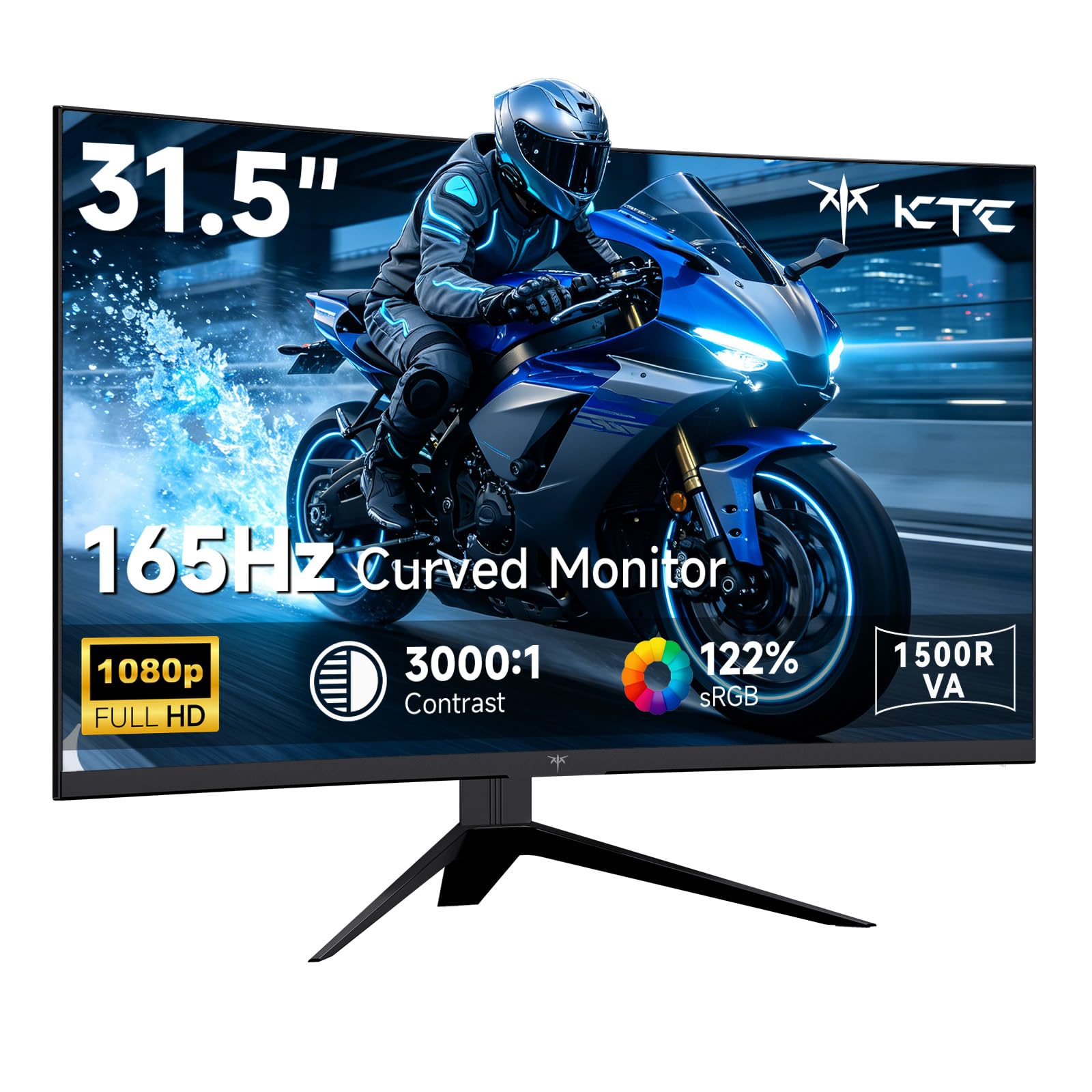
If you are new to curved gaming monitors or your budget is tighter, this KTC is a straightforward entry point without feeling like a compromise. The 165Hz refresh rate is still a huge upgrade from a standard 60Hz office monitor — you will notice the difference immediately in games, with smoother camera pans and less stutter. The 1ms MPRT (Moving Picture Response Time) response time keeps motion blur minimal for the price, and Adaptive Sync (compatible with FreeSync Premium and G-Sync) prevents tearing across both AMD and Nvidia GPUs.
The 122% sRGB color gamut is close to the 125% on the pricier KTC 240Hz model, so colors look vibrant on this monitor without paying extra for the higher refresh rate. The 3500:1 contrast ratio is the same as that model, giving solid black levels for a VA panel in this price range. The 1500R curve wraps around you well on the 32-inch screen, and the 350 nits brightness keeps the image visible in a sunny room.
Where you feel the budget is in the ergonomics — the stand only tilts (-5° to 15°), so you will need to buy a VESA mount (100x100mm) if you want height or swivel adjustments. The built-in GamePlus features (crosshairs overlay, black equalizer, and a timer) are genuinely useful for FPS gaming without needing third-party overlays. Customers note that the 165Hz experience feels buttery smooth coming from older hardware, and the monitor works well for both gaming and office productivity thanks to its large screen and eye-care features that reduce flicker and blue light.
The Smart Starter
- 165Hz is a massive jump from standard 60Hz monitors
- 122% sRGB delivers vibrant colors for the price
- FreeSync Premium and G-Sync compatible for no-tear gaming
The Cost-Cutting
- Only tilt adjustment on the stand
- 165Hz is the lowest refresh rate in this roundup
Best for: gamers on a tight budget who want a large curved screen with solid colors and smooth 165Hz gameplay.
Think twice if: you plan to play fast competitive shooters at a high level and want the extra headroom of 240Hz or 280Hz.
2. ASUS TUF Gaming 27” 1080P Curved Monitor (VG27VQM1B)
The 27-inch speed demon that leaves screen tearing in the dust.
This monitor is built for players who live in fast-paced shooters and want every frame to count. The 280Hz refresh rate (280 frames per second) gives you a huge smoothness advantage — it is the fastest refresh rate you will find in this budget roundup. That extra headroom means motion in a game like Valorant or Apex Legends feels almost impossibly smooth, and the 1ms GTG (gray-to-gray, a consistent pixel-change measurement) response time keeps fast-moving objects from turning into a blurry smear.
ASUS includes its Extreme Low Motion Blur (ELMB) tech, which further reduces ghosting by strobing the backlight between frames. You also get FreeSync Premium, which syncs the monitor’s refresh rate with your graphics card so you do not see any tearing during play. The 1500R curve is subtle enough for daily desktop use but wraps the image around your peripheral vision nicely when you are locked into a game.
One area where this monitor gives ground to the acer Nitro XZ270 is its contrast ratio of 1000:1, which is noticeably lower than that acer’s 100,000,000:1 rating. Dark scenes in horror games or shadowy corridors will appear less deep as a result. The 300 nits brightness is decent for indoor use but not exceptional for a brightly lit room. Buyers report the Shadow Boost feature helps pull details out of dark areas without washing out bright spots — a handy tool for spotting enemies hiding in shadows.
The Speed Edge
- 280Hz refresh rate — fastest in this budget roundup
- ELMB tech cuts ghosting for cleaner motion
- Shadow Boost reveals hidden detail in dark game areas
The Trade-Offs
- 1000:1 contrast ratio is less dramatic than VA-panel rivals
- 300 nits brightness is adequate but not standout
Pick this for: competitive gamers who want the highest refresh rate on a budget, especially for fast shooters.
Look elsewhere if: deep blacks in dark games matter more to you than raw speed.
3. ASUS TUF Gaming Series 5 32” 1080P Curved Monitor (VG32VQM5AZ)
A 32-inch bruiser that pairs a huge screen with blinding speed.
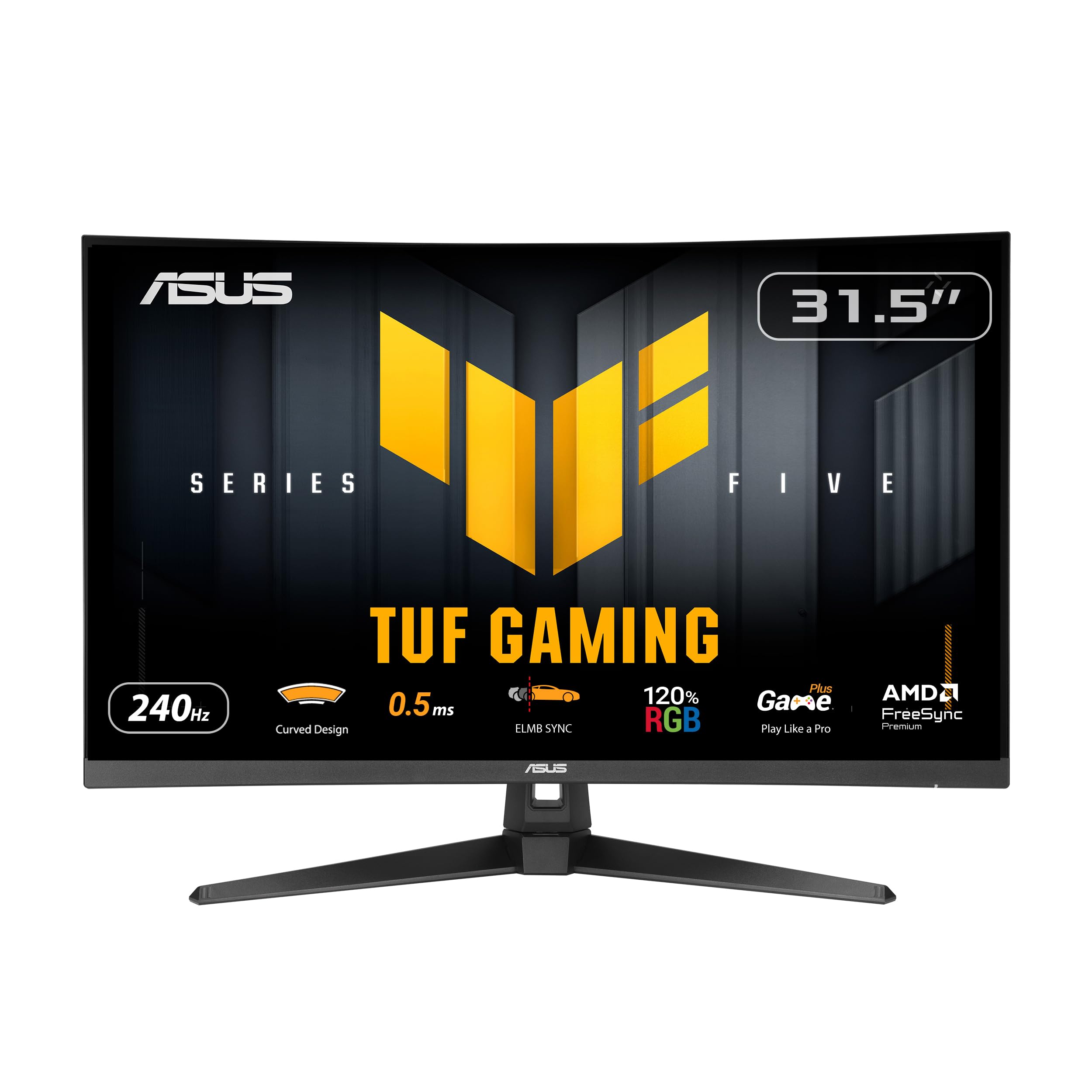
If you want a bigger canvas without losing a competitive edge, this ASUS hits a balance. It packs a 240Hz overclocked refresh rate and a 0.5ms GTG (gray-to-gray) response time — the fastest response time in this whole lineup. That half-millisecond speed means motion blur and ghosting are essentially eliminated, giving you razor-sharp clarity during fast camera swings or explosions.
The VA panel delivers a contrast ratio of 100,000,000:1, which is a massive leap over the 1000:1 you get on the 27-inch ASUS model. Black levels are deep and inky, making HDR content and dark game environments look far more cinematic. The 1500R curve feels more pronounced on the bigger screen, pulling the edges of the 32-inch display toward you for a genuinely rich feel. ASUS includes its Extreme Low Motion Blur Sync (ELMB Sync) technology, which combines backlight strobing with adaptive sync, so you get reduced ghosting without the flicker that normally comes with strobing.
Reviewers appreciate the built-in speakers, which save you from having to plug in external ones for casual play. The DisplayWidget Center software lets you tweak brightness, contrast, and game modes using your mouse rather than fiddling with hidden buttons on the monitor bezel. Note that the brightness spec in the data reads 1027.8 — this likely refers to a different unit (such as candela or a luminous intensity rating) rather than standard nits, so treat the brightness as comparable to typical monitors in this range rather than a standout number.
The Big-Screen Speed Combo
- 240Hz with 0.5ms GTG — fastest response in this group
- 100,000,000:1 contrast ratio for deep, rich blacks
- Built-in speakers and DisplayWidget software for convenience
The Honest Catch
- 32-inch at 1080p means lower pixel density (less sharp text)
- Brightness spec is ambiguous — not an outlier in real use
Best for: gamers who want a large rich screen with elite speed and contrast for both competitive and cinematic gaming.
skip it if: you sit close to the monitor and prefer sharper 1440p or higher pixel density.
4. acer Nitro 27 Inch 1500R Curved Zero-Frame Full HD Gaming Monitor (XZ270)

The all-rounder that treats your neck as well as your K/D ratio.
Most budget monitors force you into a fixed, tilting-only stand — not this Acer. The Nitro XZ270 gives you a full ergonomic stand with -5° to 20° tilt, ±15° swivel, and 3.93 inches of height adjustment. That height range alone makes a huge difference if you use a standing desk or just want to align the top of the screen with your eye level for long gaming sessions. The ZeroFrame design (nearly no bezel) makes the 27-inch screen feel even larger, and it makes multi-monitor setups look smooth.
On the performance side, you get a 280Hz refresh rate that ties the ASUS 27-inch model for the fastest in the roundup. The 1ms VRB (Visual Response Boost) response time cuts through ghosting in fast scenes, and the 100,000,000:1 contrast ratio — compared to the ASUS VG27VQM1B’s 1000:1 — delivers deep blacks that make dark rooms in games look moody and detailed. The 99% sRGB color gamut is a touch behind the KTC 240Hz model’s 125%, but colors still look vibrant and accurate for most gaming and media use.
Owners mention that the built-in speakers are handy for casual gaming and YouTube browsing, though they lack the punch of dedicated desktop speakers. The VA panel and 1500R curvature combine for good immersion, and the included HDMI and DisplayPort cables mean you can plug in right from the start. The response time is listed as 1ms (VRB), which can introduce some overshoot artifacts in certain modes — most players will not notice, but enthusiasts who obsess over pixel transitions may want to stick with the 1ms GTG standard on the ASUS models.
The Most Adjustable Pick
- Full ergonomic stand with height, tilt, and swivel adjustments
- 280Hz and 100,000,000:1 contrast ratio for smooth, rich visuals
- Near-bezel ZeroFrame design for rich multi-monitor setups
The Few Downsides
- 1ms VRB can cause slight overshoot artifacts in some game modes
- Built-in speakers are functional but not impressive for music or movies
Reach for this if: you value ergonomic adjustments and high contrast for both work and play.
Consider something else if: the slight overshoot from VRB technology bothers your eyes during competitive play.
5. KTC 32 Inch 240Hz Curved Gaming Monitor (H32S17F)
A 240Hz 32-inch screen that brings high refresh to the value crowd.
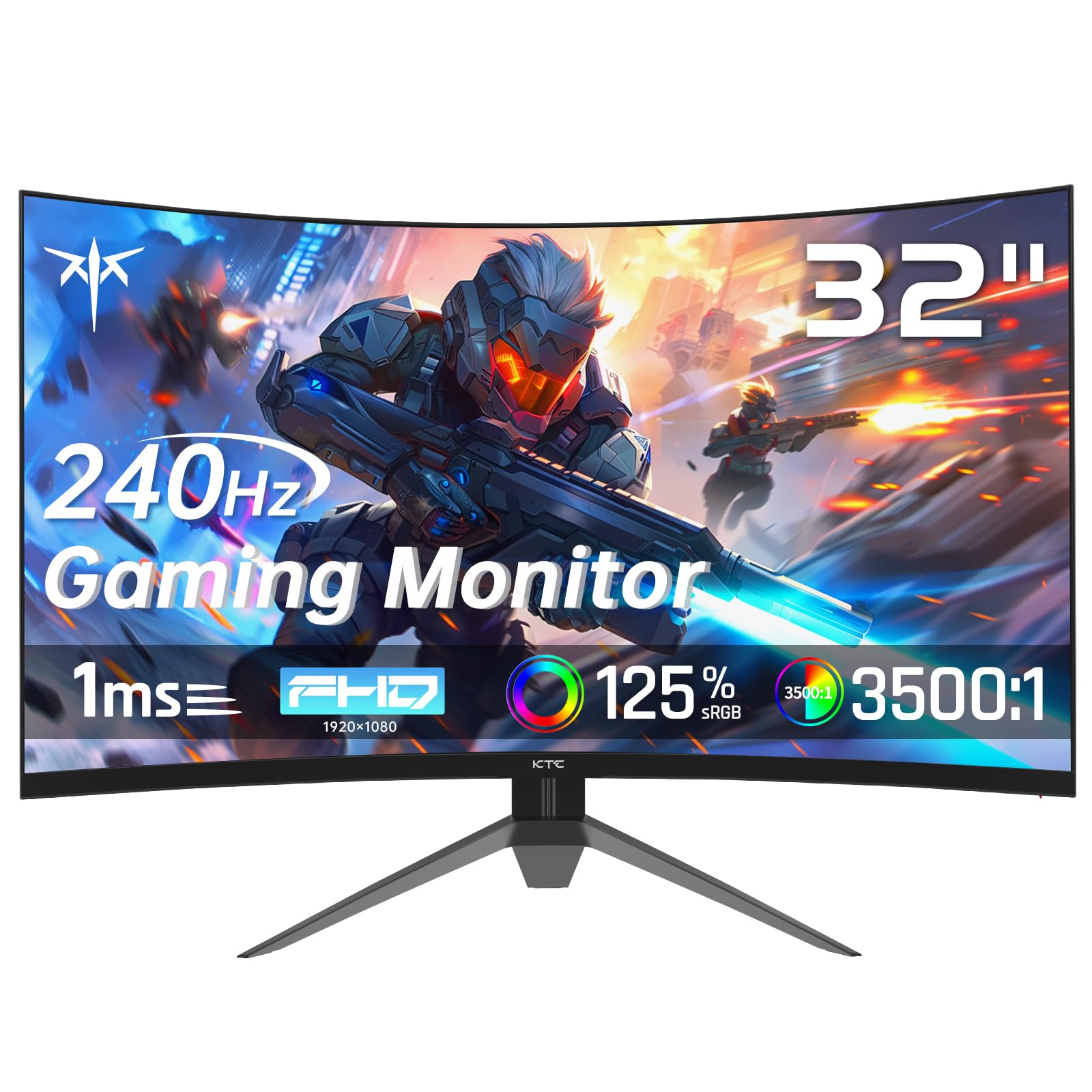
If the idea of a 240Hz monitor sounds like a premium luxury, KTC proves otherwise. This 32-inch model runs at 240Hz with a 1ms MPRT (Moving Picture Response Time) response time, giving you the same smoothness as the ASUS 32-inch for a lower entry cost. The VA panel offers a 3500:1 contrast ratio — decent for blacks, though the acer and ASUS 32-inch both go much higher with their 100,000,000:1 ratings.
Where this KTC pulls ahead is color vibrancy. The 125% sRGB color gamut volume beats the acer Nitro’s 99% by a noticeable margin. This means in-game environments, HUD elements, and character skins look richer and punchier right from the start. The 1500R curve on a 32-inch panel gives you a similar rich wrap to the ASUS 32-inch, and the 350 nits brightness is enough for most indoor lighting conditions without washing out contrast.
One thing reviewers appreciate is the connectivity — you get two HDMI 2.0 ports and a DisplayPort 1.4 (a modern display cable standard that supports higher bandwidth), plus a USB 2.0 port for connecting peripherals or firmware updates. The stand only offers tilt adjustment (-5° to 15°), so if you need height or swivel, you will need a VESA mount (100x100mm — a standard mounting pattern for monitor arms). FreeSync and G-Sync compatibility both work, giving you adaptive sync no matter which GPU brand you use, which is a nice bonus at this price point.
The Color Advantage
- 240Hz refresh rate at a budget-friendly value
- 125% sRGB makes games look vivid and punchy
- Compatible with both FreeSync and G-Sync
The Short List
- Stand only tilts — no height or swivel without a VESA mount
- 3500:1 contrast is fine but not as deep as the 100,000,000:1 rivals
Grab this for: colorful, high-refresh gaming on a 32-inch screen without paying a premium.
Pass if: you need a fully adjustable stand or deep blacks for dark-room gaming sessions.
Understanding the Specs
Refresh Rate & Response Time
The refresh rate (measured in Hz) tells you how many times the screen redraws the image each second. A 165Hz monitor shows 165 frames per second, which is smooth enough for most games. Jumping to 240Hz or 280Hz noticeably reduces motion blur in fast-paced shooters and racing games. Response time (listed as 1ms MPRT (Moving Picture Response Time) or 1ms GTG (gray-to-gray)) measures how fast a pixel changes color. A 1ms GTG rating is generally more consistent than 1ms MPRT, which can introduce slight artifacts in some modes.
VA Panel & Contrast Ratio
All five monitors here use VA (Vertical Alignment) panels, which are known for deep blacks and high contrast ratios. A standard VA monitor offers around 3000:1 to 3500:1 contrast, while some premium VA panels boast 100,000,000:1 through dynamic dimming. Higher contrast makes dark scenes in games look richer and more cinematic — you will notice the difference in horror games or shadowy environments compared to an IPS panel at the same price.
FAQ
Is 1080p still good for a 32-inch curved gaming monitor?
What does 1500R curvature mean in real terms?
Can I use a curved monitor for work and productivity?
Do I need a special graphics card to run 280Hz or 240Hz?
What is the difference between FreeSync and FreeSync Premium?
Does a curved monitor cause glare or reflections?
Will a budget curved monitor work with a PS5 or Xbox Series X?
How important is HDR10 on a budget curved monitor?
Final Thoughts: The Verdict
For most buyers, the budget curved gaming monitor winner is the ASUS TUF Gaming 32″ (VG32VQM5AZ) because it combines a large 32-inch 1500R screen, a fast 240Hz refresh rate, a blazing 0.5ms response time, and a deep 100,000,000:1 contrast ratio into one value-packed package. If you want the absolute highest refresh rate and ergonomic adjustments in a more compact size, grab the ASUS TUF Gaming 27″ (VG27VQM1B) or the acer Nitro XZ270. And for a colorful entry into curved gaming at the lowest entry cost, the KTC 32″ 165Hz (H32S17C) is a reliable starter that still looks great.
How We Picked
We do not accept paid placement. Every pick is matched to a real buyer and a real use-case; we do not hands-on test units.
Sources & Methodology
Specifications: manufacturer listings and product documentation. Review insights: verified customer reviews, as of July 2026. Pricing: not shown on this page (it changes often); check the current price via the retailer link.
As an Amazon Associate, FitlyFast earns from qualifying purchases. This does not affect which products we feature.