
Our readers keep the lights on and the weekend projects moving. As an Amazon Associate, I earn from qualifying purchases.
Specs are compiled from manufacturer listings and verified buyer reviews and can change over time — please confirm the key details on the product page before buying.
A budget e-reader should feel like a paperback, not a tablet. The real buying trap isn’t the price tag — it’s picking a closed ecosystem that locks you out of library books, or a screen that strains your eyes at night. This guide sorts the genuinely good value picks from the ones that look cheap on paper and feel cheaper in your hand.
I’m Rikta — the founder and writer behind FitlyFast. This guide is built by comparing the manufacturers’ published specifications and the patterns across verified customer reviews, so you get each pick’s real strengths and trade-offs instead of marketing spin.
We break down the best budget e-reader choices by storage, battery life, and file flexibility so you can pick the right one and start reading tonight.
Our Picks at a Glance


How To Choose The Best Budget E-Reader
Budget e-readers are not all the same under the hood. The cheapest option might have a low-resolution screen, while a mid-range pick could offer waterproofing that saves you from a ruined device. Focus on what actually changes your reading experience day to day.
Storage capacity matters more than you think
An 8GB e-reader holds thousands of plain-text novels, which is plenty if you read fiction. But if you download comics, graphic novels, or PDFs, those files are much larger. A 32GB model gives you a 4x storage gap — that’s the difference between carrying a few series and your whole library.
The front light is your night-reading friend
A front light shines light toward the screen, not into your eyes like a phone backlight. Look for adjustable brightness and, ideally, color temperature control so you can shift to a warm amber tone at night. Dark mode inverts the screen to black with white text, which helps in dim rooms.
File format support decides your freedom
EPUB is the open standard most libraries use, and PDF support matters for documents. Some brands lock you into their own store, while others let you load files from your computer or borrow from your local library. A device that supports many formats — MOBI, TXT, DOC — gives you more ways to get books cheaply.
Quick Comparison
| Model | Best For | Storage | Battery Life | Waterproof | Amazon |
|---|---|---|---|---|---|
| Nook Glowlight 4e (Renewed)★ Best Overall | Entry-level value hunters | 8 GB | Mixed reports | — | Amazon |
| Nook Glowlight 4 (Renewed)Library Favorite | Library borrowers on a budget | 32 GB | Weeks, per maker | — | Amazon |
| Kindle 16 GB | Amazon ecosystem fans | 16 GB | Up to 6 weeks | — | Amazon |
| PocketBook Verse Lite | Comic and manga readers | 8 GB (est.) | Up to 2 months | — | Amazon |
| PocketBook Verse | Format-flexible power users | 8 GB | 1 month | — | Amazon |
| Kobo Clara BW | Waterproof commuters | 16 GB | 7 hours | IPX8 | Amazon |
| Kobo Libra Colour | Comics and note-takers | 32 GB | 4 weeks | IPX8 | Amazon |
In‑Depth Reviews
1. Nook Glowlight 4e 6″ Touchscreen (Renewed)
The lightest way into Nook’s bookstore without spending premium money.
Physical page-turn buttons are the standout feature here — you can tap the screen or press the buttons, whichever feels natural. The soft-touch finish makes it comfortable to grip during long sitting sessions, and the adjustable front light keeps reading easy on your eyes in dim rooms.
At 8 GB of storage, this holds thousands of standard novels, and the lightweight frame is genuinely pleasant to hold. The catch is reliability: this is a renewed (refurbished) unit, and the review pages carry real reports of units freezing or failing to reset after a few months. Owners find the readability excellent — as buyers report, seeing the font clearly is what brings people back to physical reading.
What Wins People Over
- Physical page buttons plus touchscreen for flexible page turns
- Adjustable front light for comfortable low-light reading
- Books you buy are owned, not rented
Honest Trade-offs
- Refurbished units carry a real freeze-or-fail risk
- Mixed battery life reports from owners
- 8 GB fills up fast if you load comics or PDFs
Pick this for: first-time buyers who want the cheapest way into a dedicated reading device without tablet distractions.
Think twice if: you want a device you can trust for years — the renewed reliability reports suggest occasional lemons.
2. Nook Glowlight 4 32GB (Renewed)
A 300-dpi screen that looks crisp, with 32GB of storage versus 8GB on its little sibling.
This is the Nook to pick if you borrow from libraries. It supports EPUB sideloading. Owners mention downloading free books from their library’s online database to a computer, then transferring them over — a clear advantage over locked-down rivals that make this harder. The high-resolution 300-dpi screen (300 dots per inch, meaning text edges are sharp, not fuzzy) delivers a paper-like reading feel.
That 32 GB of storage is a solid 32GB versus 8GB on the Glowlight 4e, so you can carry a much deeper library without worrying about space. The physical page-turn buttons get consistent praise for their responsiveness, which is a relief if you’ve ever mis-tapped a touchscreen mid-sentence. The recurring complaint is battery life — customers note it can struggle to hold a charge properly, so this one may need more frequent top-ups than the maker’s “weeks on a single charge” promise suggests.
Why Owners Love It
- Sharp 300-dpi e-ink display for crisp, paper-like text
- 32 GB holds a massive library — 4x the 4e’s storage
- Library book transfer works well, per owners
- Physical page buttons are responsive and comfortable
What to Watch
- Battery life is the main recurring gripe
- No instant library sync — manual computer transfer needed
Reach for this if: your reading life revolves around free library downloads and you want sharp text plus plenty of space.
Look elsewhere if: you need a battery that reliably lasts weeks — the reports here are mixed.
3. Amazon Kindle 16 GB (Newest Model)

The most portable Kindle yet — tiny, adorable, and engineered for one-hand reading anywhere.
You can read in the dark without straining your eyes, thanks to a front light that is 25% brighter at max setting than before, plus a higher contrast ratio and faster page turns. It’s the lightest and most compact Kindle the maker has built, so you can slip it into a purse or pocket and take it everywhere — over a thousand owners call out its size as the top perk. With 16 GB of storage, you can carry thousands of books, and the battery lasts up to 6 weeks on a single charge, so you can forget about charging it for over a month.
This is the crowd favorite for good reason, holding a 4.6-star average across more than 19,000 owners — the strongest all-round reputation on this list. The 6″ glare-free screen means no reflections even in bright sun, and dark mode helps at night. The honest trade-off: you’re buying into Amazon’s ecosystem, so library borrowing and EPUB files don’t work the same way they do on a Nook or Kobo.
What Makes It Great
- Lightest, most compact Kindle — truly one-hand holdable
- Up to 6 weeks of battery on a single charge
- 16 GB holds thousands of books
- Distraction-free — no messages, emails, or social media
The Trade-off
- Locked into Amazon’s ecosystem for store purchases
- No native EPUB or direct library borrowing support
Best for: anyone who wants a featherlight, dependable reader and doesn’t mind buying books from Amazon.
skip it if: you borrow from your local library or already own EPUB files — you’d fight the ecosystem.
4. PocketBook Verse Lite 6″ E-Ink Carta

A format-hungry e-reader that devours PDFs, MOBI, and EPUB without conversion fuss.
Manga and comic readers, this one is for you. The versatile format support means you can load files without converting them first, which owners confirm is a genuine relief compared to locked ecosystems. The built-in frontlight keeps low-light reading comfortable, and the 6-inch E-Ink Carta display (a paper-like screen tech) stays glare-free even in direct sunlight. The battery is the standout spec — up to 2 months between charges, so this is one less thing to think about.
At 328 grams (about 11.6 ounces) it’s heavier than a Kindle, but that weight sits comfortably in your hands. The real catch: there’s no Amazon, Barnes & Noble, or Bookshop.org support, and the PocketBook store leans heavily German. One owner found the screen flickers between regular and dark mode and runs slowly — a reminder that not every unit is flawless, though most reviewers point out a distraction-free reading experience. Also note the modest storage means heavy manga collections can fill it up fast.
Versatility wins: 25+ supported formats including EPUB, PDF, MOBI, and Adobe DRM make this the least restrictive pick here.
The fit note: ideal for readers with their own file collections, less ideal if you live inside Amazon or Barnes & Noble stores.
5. PocketBook Verse 6″ E-Ink Carta HD
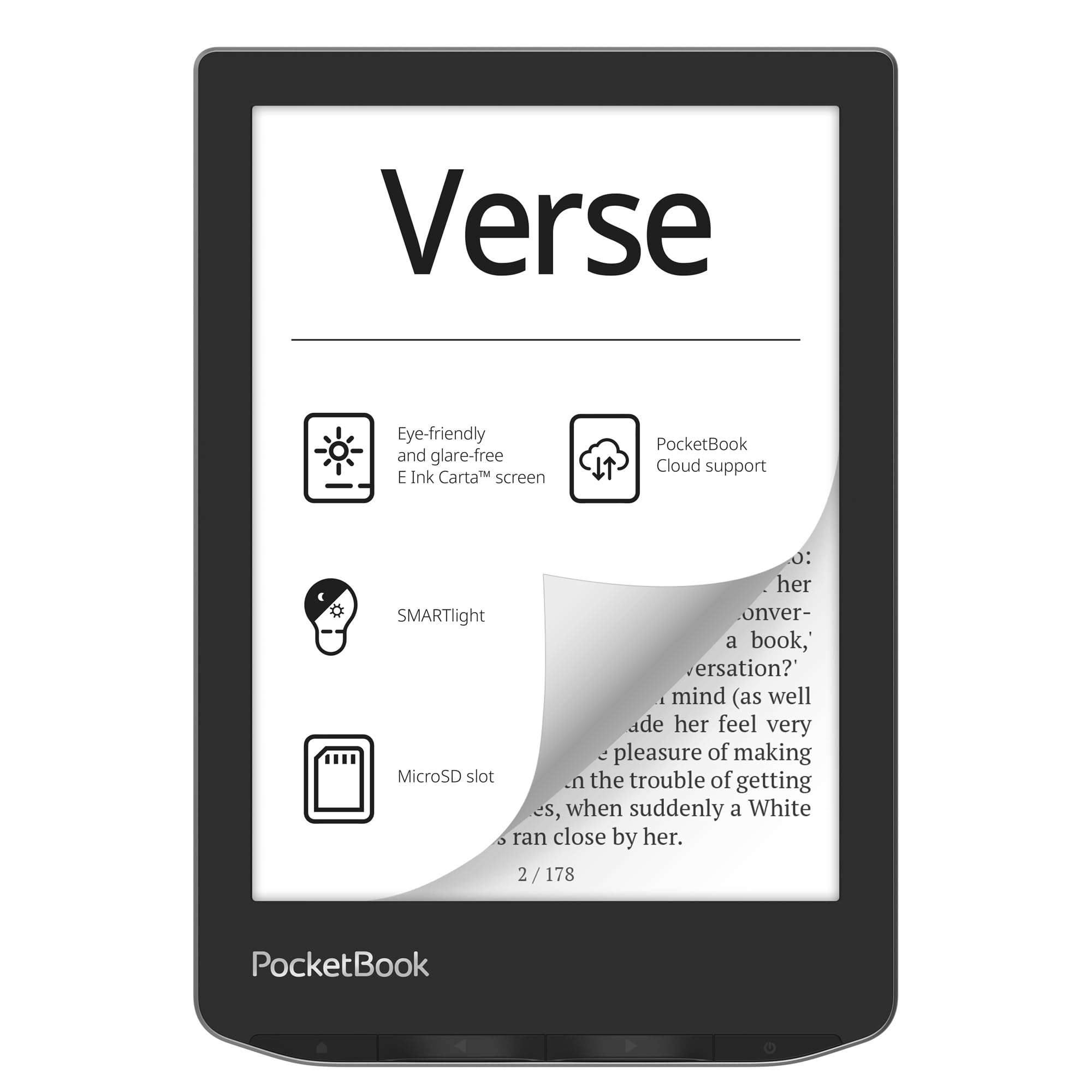
An expandable, language-learner’s dream with a warm-to-cool light you can actually tune.
Two features make this PocketBook stand out. First, the SMARTlight lets you adjust not just brightness but color temperature — shift from a cool daylight tone to a warm amber at night, which is easier on your eyes before bed. Second, the memory card slot accepts up to 128 GB on top of the built-in 8 GB, so storage anxiety disappears entirely. Owners have loaded 5000+ EPUB books without breaking a sweat, with one noting the battery is exceptional — roughly a year on just two charges with Wi-Fi off.
It supports 25 formats including CBR, CBZ, DJVU, and JPEG, making it a genuine all-format workhorse, plus 11 pre-installed dictionaries (with 42 more language combos available) — a real boon for language learners. At just 182 grams (6.4 ounces), it’s featherlight for one-handed bedtime reading. The mixed feedback lands on highlighting, which owners find frustrating and unreliable, and the PocketBook Cloud service has reliability questions. The 212ppi screen is acceptable but not class-leading.
Storage freedom: the 128 GB SD card slot means you’ll never delete a book to make room.
The honesty note: the highlighting tool frustrates — treat annotation features as a bonus, not a reason to buy.
6. Kobo Clara BW 6″ eReader

The waterproof commuter’s companion that shrugs off pool splashes and rain.
You can read by the pool or in the bath without worry, because this reader has an IPX8 rating (meaning it survives up to 60 minutes submerged in up to 2 meters of water, about 6.5 feet). It holds up to 12,000 eBooks or 75 audiobooks on 16 GB of storage, and the battery lasts up to 7 hours on a single charge. The ComfortLight PRO lets you adjust brightness and reduce blue light, so you can wind down at night without the sleep-disrupting glow of a phone.
Owners rave about the crisp screen and how it fits in a pocket, calling it a “Kindle-Killer.” You can load PDFs and EPUBs via USB with no subscription, integrate it with the Calibre library software, and truly own your files. It’s lighter than a Kindle Paperwhite, and it offers warm light and water resistance without ads, at a comparable price. The downsides are minor: some shoppers say occasional crashes, and dark mode causes a brief menu flash.
What Owners Rave About
- IPX8 waterproof — survives 60 minutes in 2 meters of water
- crisp 6″ E Ink Carta 1300 HD screen
- Loads EPUB/PDFs via USB with no subscription
- Warm ComfortLight PRO for better sleep
Minor Gripes
- Occasional performance crashes reported
- Dark mode shows a brief menu flash
Choose this if: you read by the pool, in the bath, or on rainy commutes and want a clear screen without ads.
Pass if: you need physical page-turn buttons — the Clara is touchscreen only.
7. Kobo Libra Colour 7″ eReader

A color e-ink screen that brings comic covers to life while keeping your eyes comfortable.
The 7″ color E Ink Kaleido 3 display is the defining upgrade — book covers, comics, graphic novels, and illustrations all render in full color, with no glare in sunlight. Color is the most-praised aspect by a wide margin, with owners loving that highlights and notes appear in color too. The ergonomic design includes physical page-turn buttons, left/right screen rotation, and landscape mode, making it comfortable for long sessions.
Storage is generous at 32 GB — enough for up to 24,000 eBooks or 150 audiobooks — and you get weeks of battery life. It’s also IPX8 waterproof and made with recycled and ocean-bound plastic. Owners note it supports Google Drive, OverDrive, and Dropbox integration, and even offers PIN security and zero ads — a genuinely more “elegant experience than Kindle,” as one owner put it. The trade-offs: it’s too big for one-hand use if you have small hands, the color is less vivid than a tablet, and there’s no expandable memory. Most importantly for a budget guide — this is the premium splurge, worth it only if color comics are your thing.
Why It’s Worth It
- Color E Ink for comics, covers, and color-coded notes
- Physical page-turn buttons with rotation and landscape modes
- 32 GB for up to 24,000 eBooks
- IPX8 waterproof and ad-free
Consider First
- Too large for one-handed use with small hands
- Color is washed out compared to a tablet screen
- No expandable memory — 32 GB is the ceiling
Splurge on this if: comics and graphic novels are your primary reading and you want color annotations with a stylus.
pass on it if: you read mostly plain text — a monochrome reader gives you the same sharpness for less.
Understanding the Specs
Storage capacity (8GB vs 32GB)
An e-reader’s storage determines how many books you can carry at once. 8 GB holds several thousand plain-text novels, which is plenty for most fiction readers. But if you load comics, manga, or PDF documents, files balloon in size — a single graphic novel can eat hundreds of megabytes. A 32 GB model gives you 32GB versus 8GB of space (like the Nook Glowlight 4 vs the 4e), so you can store your whole series without deciding what to delete.
Battery life (weeks, not hours)
E-readers use E-Ink screens that only draw power when the page changes, so batteries last weeks instead of hours. A Kindle promises up to 6 weeks, a PocketBook Verse claims 1 month, and the Verse Lite stretches to 2 months. Real-world battery depends on your brightness setting and whether Wi-Fi is on — reading in dark mode or keeping Wi-Fi off stretches that number significantly.
Waterproof rating (IPX8)
The IPX8 rating is the gold standard for e-readers — it means the device survives submersion in up to 2 meters (6.5 feet) of water for up to 60 minutes. This is a genuine safety net for poolside or bath-time reading. If a device lacks this rating, treat water as an instant-kill risk and keep it dry.
File format support (EPUB, PDF, MOBI)
The formats a reader supports decide your freedom. EPUB is the open standard used by most libraries and non-Amazon stores. PDF support matters for documents and academic papers. MOBI is an older Amazon format. PocketBook leads here by supporting 25+ formats including CBR and CBZ for comics — meaning you rarely need to convert files before loading them.
FAQ
Can I borrow library books on a budget e-reader?
How many books can fit in 8GB of storage?
Is a refurbished e-reader worth buying?
How long does an e-reader battery actually last?
Is a waterproof e-reader worth the extra cost?
What’s the difference between a front light and a backlight?
Can I use a budget e-reader for audiobooks?
Is 300 dpi noticeably sharper than 212 ppi?
What does dark mode do on an e-reader?
Should I buy an e-reader if I already have a tablet?
Final Thoughts: The Verdict
For most people, the budget e-reader worth buying is the Kindle 16 GB — it’s the lightest and most compact here, with a 25% brighter front light and up to 6 weeks of battery, plus the strongest owner satisfaction on this list. If you want free library downloads and quadruple the storage, the renewed Nook Glowlight 4 gives you a 300-dpi screen for less. And for poolside reading, the waterproof Kobo Clara BW is the one to reach for.
How We Picked
We do not accept paid placement. Every pick is matched to a real buyer and a real use-case; we do not hands-on test units.
Sources & Methodology
Specifications: manufacturer listings and product documentation. Review insights: verified customer reviews, as of August 2026. Pricing: not shown on this page (it changes often); check the current price via the retailer link.
As an Amazon Associate, FitlyFast earns from qualifying purchases. This does not affect which products we feature.