
Our readers keep the lights on and the weekend projects moving. As an Amazon Associate, I earn from qualifying purchases.
Specs are compiled from manufacturer listings and verified buyer reviews and can change over time — please confirm the key details on the product page before buying.
An enclosed 3D printer wraps the hot nozzle and moving parts inside a protective shell, which means you can print high-temperature materials like ABS without warping and keep curious hands away from danger. The real question for most buyers is which one delivers reliable prints without demanding a steep learning curve or a big budget. This guide sorts out that balance of safety, speed, and value for you.
I’m Rikta — the founder and writer behind FitlyFast. This guide is built by comparing the manufacturers’ published specifications and the patterns across verified customer reviews, so you get each pick’s real strengths and trade-offs instead of marketing spin.
You will see how a fully enclosed chamber protects kids, which models print fastest, and where auto-leveling saves you time, all to find the best budget enclosed 3d printer for your home or classroom.
Our Picks at a Glance

How To Choose The Best Budget Enclosed 3D Printer
Before you buy your first enclosed printer, think about what you’ll print, who will use it, and how much you want to tinker. A fully enclosed design is a must if kids are around, and it also lets you print materials like ABS that an open-frame machine can’t handle well.
Match the printer to the user
If the printer is for a child, look for a fully assembled model with a cool-touch exterior, a magnetic build plate, and a simple app with a built-in model library. A hobbyist or engineer with more experience will care less about the welcome screen and more about hotend temperature, build volume, and material support.
Speed only matters if quality holds up
A 600mm/s max speed sounds impressive, but a printer that hits that speed while maintaining consistent layer quality is worth far more than a fast machine that fails mid-print. Serious buyers also weigh the print volume in millimeters, since that number decides the largest object you can create in one piece.
Quick Comparison
| Model | Best For | Max Speed | Build Volume | Weight | Amazon |
|---|---|---|---|---|---|
| Magic Jimmy★ Best Overall | Kids & beginners | 400mm/s | Compact | 8.8 pounds | Amazon |
| Creality K1CTop Performer | Fast printing | 600mm/s | Mid-size | 27.3 pounds | Amazon |
| Flashforge Adventurer 5M Pro | Quiet operation | 600mm/s | 220x220x220mm | 32.1 pounds | Amazon |
| Bambu Lab P1S | Reliability | 500mm/s | Mid-size | 38.9 pounds | Amazon |
| Anycubic Kobra S1 Combo | Multi-color | 600mm/s | 250x250x250mm | 56 pounds | Amazon |
| AOSEED X-MAKER AI+ | Kids & classroom | 400mm/s | Compact | 24 pounds | Amazon |
| QIDI Q2 | Advanced materials | 600mm/s | 270x270x256mm | 39.8 pounds | Amazon |
In‑Depth Reviews
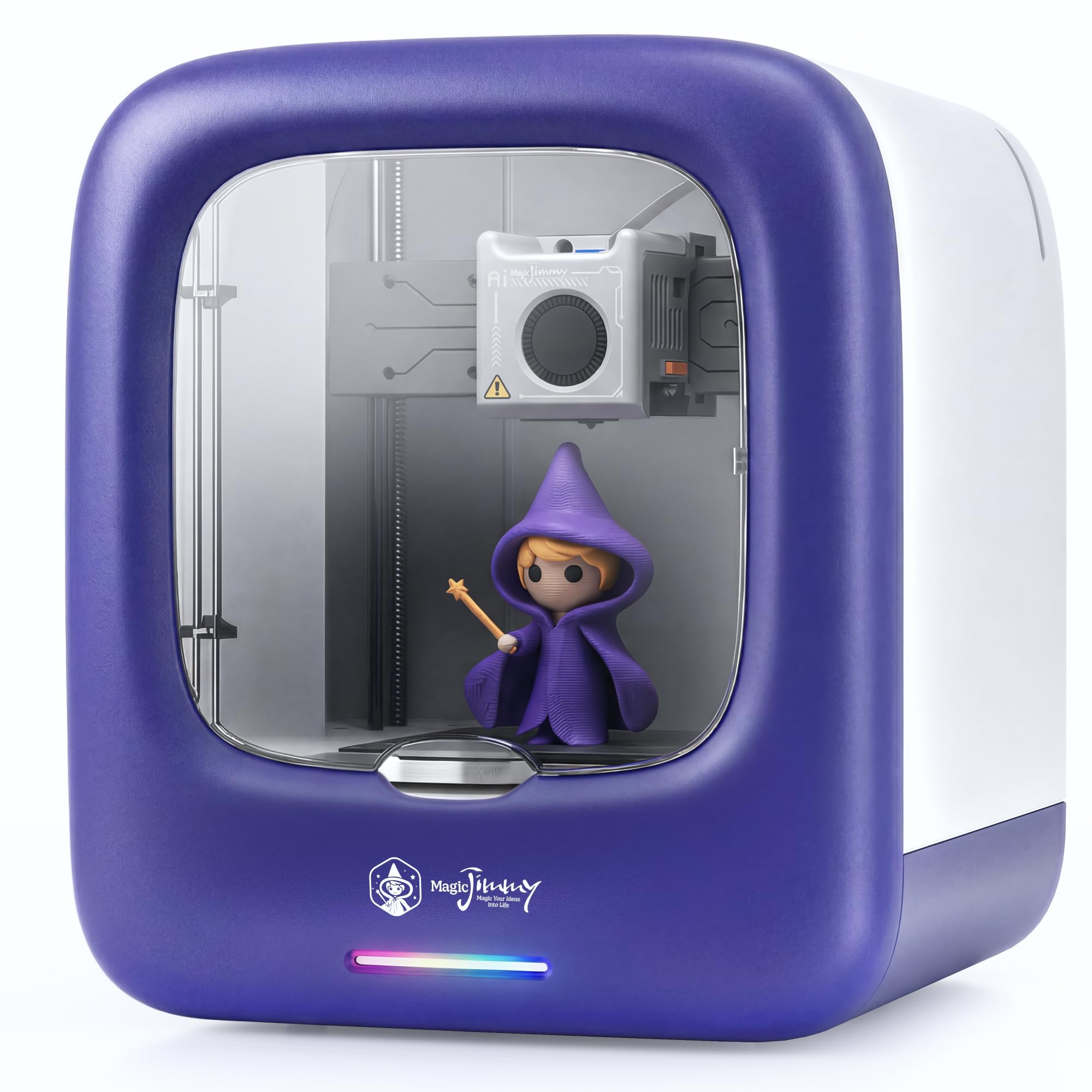
1. Magic Jimmy 3D Printer for Kids
A child-safe, fully assembled printer that turns screen time into hands-on creation in minutes.
This machine is the rare pick that is genuinely ready the moment the box opens — no tools, no manual assembly, just connect to WiFi, load the included white PLA, and go. The enclosed chamber keeps all hot components and moving parts out of reach, and the cool-touch exterior plus magnetic build plate make print removal safe and simple for small hands. It weighs just 8.8 pounds, ; the Creality K1C weighs 27.3 pounds, so it sits easily on a desk or classroom shelf.
The AI tools are the standout here: AI Craft turns sketches or text into printable 3D models, and AI MiniMe transforms a photo into a cartoon figurine. Owners consistently praise the print quality — it is the single most-discussed aspect, with 11 buyers calling it out — and the suitability for beginners follows close behind with 10 mentions. Small models complete in as little as 20 minutes, most library prints land between 1 and 3 hours, and the built-in camera records a time-lapse so kids can watch their creation take shape.
The one honest caveat is that this is a walled garden: it prints non-toxic PLA filament only, and the app is the main control path, with AI features sitting behind paid credits. An experienced user called it a novelty buy with restrictions compared to more versatile options. For a family with young makers, though, the trade-off is easy to accept.
What wins families over
- Fully enclosed child-safe design with a cool-touch exterior
- 8,000+ free toy models plus one-tap printing from the app
- AI camera records a time-lapse of every print
Know before you buy
- Non-heated plate means PLA only, no TPU or high-temp materials
- AI features require paid credits after the start
- App-integrated only, so WiFi is required to use it
Best for: Families and classrooms with kids aged roughly 6 to 12 who want a safe, zero-assembly first printer.
Think twice if: You want to print engineering materials or tinker with advanced settings — this one is deliberately locked down.
2. Creality K1C
A speed demon with a clog-free extruder built for carbon-fiber filaments.
The K1C is the fastest machine on this list, hitting a max 600mm/s with 20000mm/s² acceleration on its CoreXY frame. The direct extruder uses a steel-tipped copper nozzle with a titanium alloy heatbreak designed to resist clogs, and the 300°C hotend open up carbon-fiber filaments like PLA-CF, PA-CF, and PET-CF. A single tap triggers hands-free auto leveling with dynamic fan balancing that cuts down on ringing and ghosting for cleaner high-speed prints.
It is noticeably quieter than the Flashforge Adventurer 5M Pro, running at ≤45dB versus ≤50dB. The built-in AI camera monitors for foreign objects and malfunctions during prints and enables time-lapse recording. Quality is the most-praised aspect by a wide margin — 76 owners single it out — with ease of use at 28 mentions behind it.
The reliability story is mixed, and owners say so plainly: quality and speed are outstanding, but the software can throw cryptic errors that demand power cycles. Buyers report “K1C failed after 3 months—consistent mid-print failures at same height” in one case, though support eventually solved it. Setup involves more tuning than a kids’ machine — silent mode needs travel speed adjustment, and a filament dryer is recommended for best results. This is a fast, capable workhorse for someone willing to learn.
What earns the praise
- Clog-free direct extruder with a tri-metal “Unicorn” nozzle
- 300°C hotend handles carbon fiber and wear-resistant filaments
- ≤45dB silent mode for low-noise printing
Where it asks patience
- Software setup and troubleshooting can frustrate beginners
- Reliability reports are mixed, with some mid-print failures
- At 27.3 pounds, it is a hefty desktop fixture
Reach for this if: You are a hobbyist or maker who wants carbon-fiber capability and 600mm/s speed without paying premium-tier money.
Look elsewhere if: You want a true plug-and-play experience — this one rewards a bit of tinkering.
3. Flashforge Adventurer 5M Pro
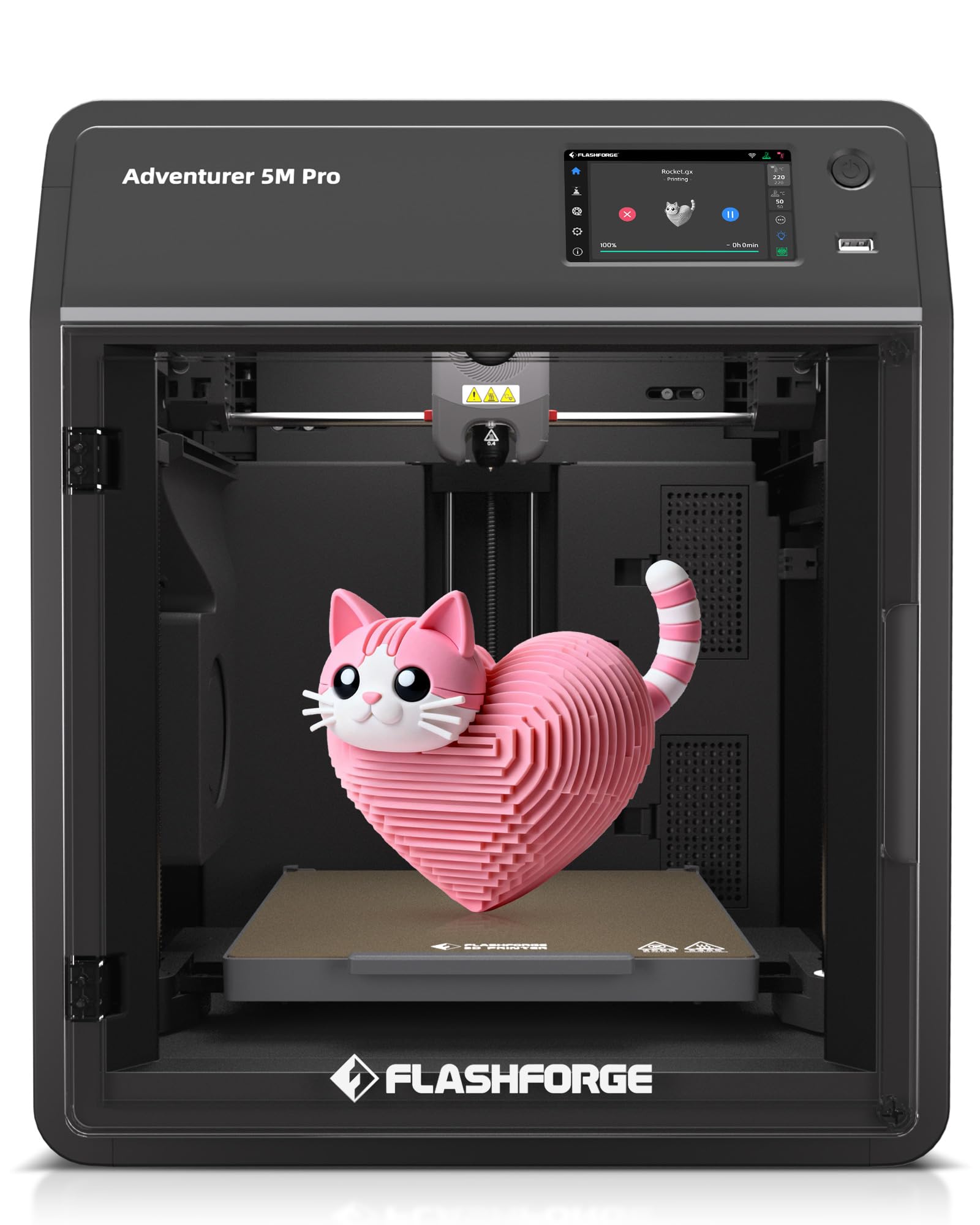
A beginner-friendly workhorse that is ready to print from the start in under ten minutes.
The Adventurer 5M Pro matches the Creality K1C’s 600mm/s top speed, but its enclosed body adds a dual filtration system that blocks 99% of particles and VOCs (volatile organic compounds, the fumes that smell like hot plastic) — so the air stays cleaner in a home, office, or classroom. One-click auto bed leveling gives you a precise first layer without manual tweaks, and the all-metal design, filament runout sensor (which pauses the print when filament runs out), and power-loss recovery save both time and plastic. The 280°C direct extruder heats to 200°C in just 35 seconds, so it melts filament completely even at high speeds.
Owners call it “ready to print from the start” — run the auto-level, load the filament, and you’re printing. A long-time hobbyist with three other printers calls it their favorite, saying it prints PETG (a tough, slightly flexible plastic) smoothly, fast, and quiet, and “rivals Bambu at half price.” The recurring gripes are minor: the back-mounted filament spool is awkward for some, the HD camera is weak and often replaced with a third-party unit, and the desktop app requires re-login each print.
It runs at ≤50dB, which is noticeably quieter than many open-frame machines, and the 220x220x220mm build volume holds a standard 3D printer size. Material support is wide — PLA, ABS, PETG, ASA, TPU, PC, plus high-speed and carbon-fiber reinforced variants. The print-quality story is genuinely mixed across owners: some get fantastic results, others face failing prints, so expect a learning curve refining settings per filament.
Why it stands out
- Set up in under 10 minutes with one-click auto leveling
- Dual filtration blocks 99% of particles and VOCs
- 280°C hotend with a 32mm³/s high-flow design
The honest trade-offs
- Back-mounted filament spool draws complaints
- Built-in camera quality disappoints many owners
- Print quality reports vary widely by user
Grab it if: You are a first-time buyer who wants easy setup, quiet operation, and a wide filament range straight from the start.
skip it if: A sharp built-in camera matters to you, or you expect zero calibration — some tuning is normal here.
4. Bambu Lab P1S

The dependable CoreXY workhorse that makes high-quality prints feel almost easy.
The P1S is the machine owners describe as a “great FDM workhorse” — set up takes under 30 minutes, auto bed leveling handles the first layer, and the fully enclosed CoreXY frame (a design where the print head moves on two belts for speed and stability) delivers consistent, fast, accurate prints at 500mm/s with 20000mm/s² acceleration. The enclosed design improves performance with advanced filaments like ABS and ASA (both strong, heat-resistant plastics), and automatic leveling makes quality prints feel automatic. Owners say it “buries my previous printer” and even outperforms machines costing far more.
Print quality is the most-discussed aspect with 54 mentions, followed by ease of use at 44, and both are firmly positive. Reliability earns 39 mentions, all positive, which is a rare clean sweep on this list. An 11-year-old was printing within 5 minutes of unboxing, per one owner. The ecosystem matters too: Bambu Studio software and the MakerWorld model library streamline the whole workflow from file to finished part.
The realistic caveats are small but real. TPU struggles on this machine, so flexible prints need patience, and PLA prints best with the door open to avoid clogs. The multi-color AMS unit is a separate purchase, and owners note the machine produces plastic “poop” waste during color changes. The P1S excels at PLA, PETG, TPU, PVA, ABS, and ASA — but Bambu recommends against carbon or glass fiber reinforced polymers, so it is less capable with advanced composites than the QIDI Q2 below.
The core strengths
- Auto bed leveling and filament pause/resume for smooth prints
- Enclosed chamber helps ABS and ASA print cleanly
- Fast 500mm/s speed with sharp, minimal-layer detail
What holds it back
- TPU printing is finicky and can struggle
- Multi-color needs the separate AMS unit
- At 38.9 pounds, it is a substantial desktop presence
Choose it for: A reliable daily driver with an easy software ecosystem, ideal for printing functional parts in PLA, PETG, and ABS.
Pass on it if: Carbon-fiber composites or flexible TPU are your main materials — other picks handle those better.
5. Anycubic Kobra S1 Combo

A fully enclosed multi-color machine with a built-in filament dryer for serious creative projects.
The Kobra S1 Combo is the pick for color lovers: it prints 4-color right from the start, and pairing two ACE Pro units open up a max of 8 colors. The ACE Pro does active drying while printing, using dual PTC heating and 360° hot air circulation to keep filaments dry for stable extrusion. The 600mm/s speed comes from a fully enclosed CoreXY build, and the 320°C hotend with a 120°C heated bed handles ABS, ASA, and other high-temp materials with ease.
The 250x250x250mm build volume is the largest on this list below the QIDI Q2, and the built-in camera adds AI monitoring plus belt tension checks to catch problems early. Owners who get a good unit are thrilled, describing 300 hours with no failed prints and build quality that “equals Bambu Labs.” The printer itself earns consistent praise for its coreXY stability and consistent high-speed output — the issue, several owners mention, is the ACE Pro (the automatic filament loading system).
The multi-color unit is the weak link: owners describe filament reading errors, jams, and even a buffer that exploded, with two ACE Pros failing before one full print completed. Setup takes hours, and the initial firmware had connectivity issues and typos. At 56 pounds it is the heaviest machine here by a wide margin. The printer is excellent when working, but the color system demands patience and a dose of luck.
Why it shines
- 4-color printing from the start, expandable to 8 colors
- Active filament drying while you print
- 320°C hotend handles ABS, ASA, and more
Where it stumbles
- ACE Pro multi-color unit has reliability complaints
- Assembly and initial setup take hours, not minutes
- Heaviest pick at 56 pounds
Best for: Makers who want vibrant multi-color prints and value a built-in drying system for consistent filament.
Not ideal if: You need a dependable workhorse — the color unit is the risk you accept for the creative payoff.
6. AOSEED X-MAKER AI+
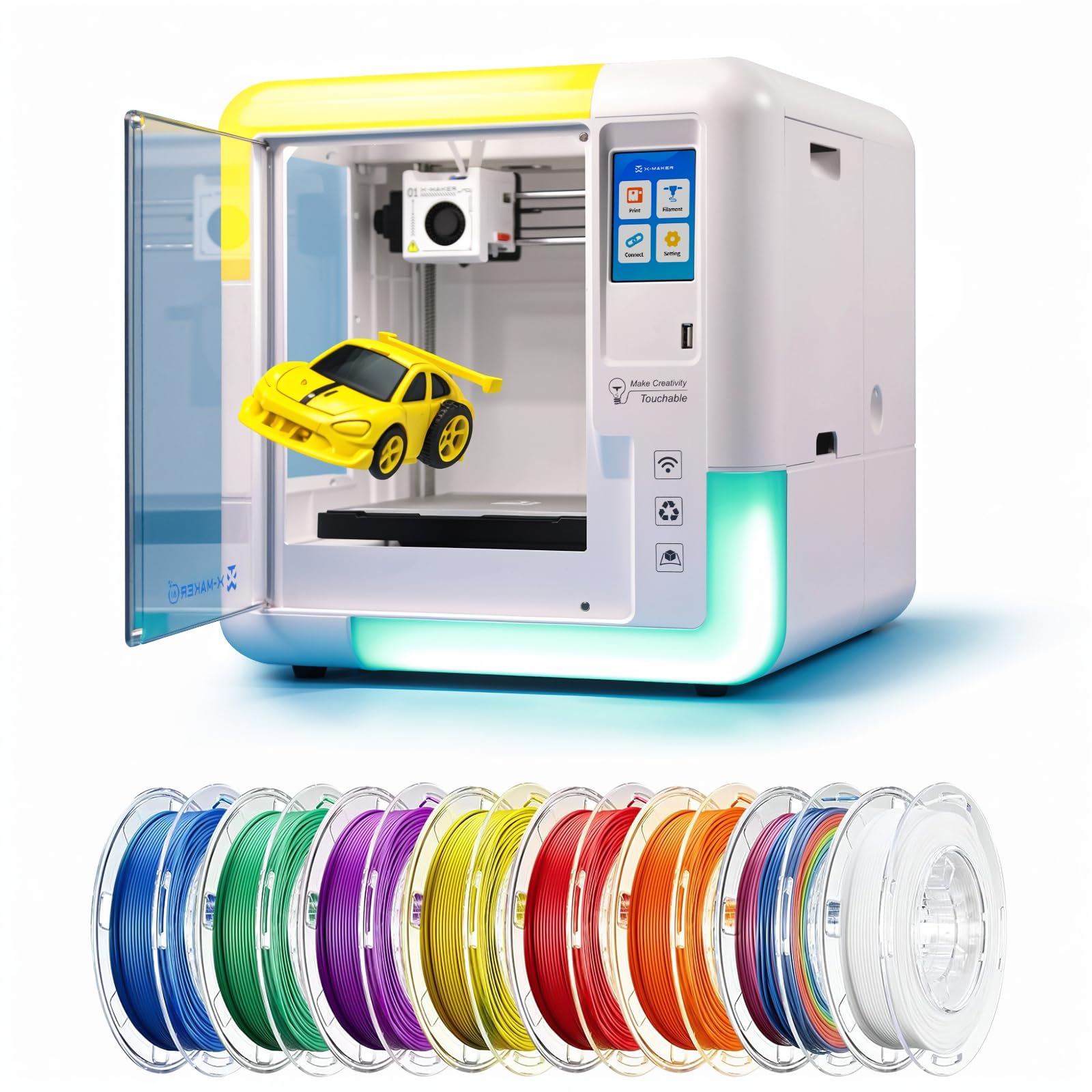
A one-tap WiFi printer with a 1,500+ model library built for kids aged 9 to 16.
The X-MAKER AI+ turns a home into a mini toy factory, with a digital catalog of 1,500+ toys plus a customizer tool and 15+ mini modules for hands-on STEM learning. The fully enclosed design protects hands from moving parts and the hot nozzle, and it ships with 8 TÜV-tested PLA rolls so you can start creating immediately. A 3.5-inch touchscreen, power-loss recovery, magnetic build plate, and one-touch nozzle replacement round out the kid-friendly feature set.
Suitability for kids is the most-praised aspect with 8 mentions, and ease of use follows at 7 — owners note their children can print independently, a whole lot of models live in the app, and you can even design your own to play with. The AI tools mirror the Magic Jimmy: AI Doodle generates models from voice, text, or images, AI MiniMe turns photos into cartoons, and a built-in AI assistant guides kids through the process. It prints at 220–250mm/s normally, up to 400mm/s max, with precision down to 0.1/0.05mm (layer height, so fine details stay crisp).
The honest weakness is reliability: it is the most-discussed aspect at 13 mentions, and Amazon flags it as mixed. The app crashes frequently, several customers note, and there are stories of firmware failure after months with poor support response. Owners also note it can only use one color at a time, though you can paint models later. The under-50dB operation is quiet as normal conversation, which suits classrooms and shared spaces.
What families love
- 1,500+ model library with one-tap WiFi printing
- Fully enclosed with 8 TÜV-tested PLA rolls included
- 3.5-inch touchscreen and power-loss recovery
What to watch
- App reliability is the top-reported concern
- Only single-color printing at a time
- Firmware failures have occurred after months of use
Pick it if: You want a safe, enclosed STEM printer with a huge built-in model library and AI design tools for a child aged 9 to 16.
Think twice if: Long-term reliability worries you — the app and firmware track record is the trade-off here.
7. QIDI Q2

A heated-chamber specialist that open up PPS-CF and other pro-grade engineering filaments.
The QIDI Q2 is the most advanced machine here, and the reason is its 65°C heated chamber and 370°C nozzle. Together they open up PPS-CF (a high-temperature, carbon-fiber-reinforced plastic) and carbon or glass-fiber composites that cheaper printers simply cannot melt properly. The upgraded 1.5GT synchronous belt reduces vibration artifacts for ultra-smooth surfaces, and the 270x270x256mm build volume is the largest of any pick in this guide. Setup is genuinely fast — “unbox to print in 10 min,” though reviewers point out about 20 minutes to an hour in practice.
Print quality is the runaway most-praised aspect with 65 mentions, followed by setup at 21. Owners describe “warp-free ABS” and flawless first prints, with the nozzle acting as the leveling sensor for class-leading first-layer accuracy. The triple filtration system uses a G3 pre-filter, H12 HEPA (a high-efficiency particulate air filter), and activated carbon to reduce odors and harmful particles, plus a flame-retardant chamber for safe indoor use. The QIDI BOX accessory adds up to 16-color multi-material printing with drying.
The reliability story is mixed at 45 mentions — shoppers say some sensor false alarms (spaghetti detection stopped prints when nothing was wrong) and occasional hardware warnings, though customer support is described as excellent, with responses under 24 hours. A riser is needed for taller brittle filaments like Nylon CF, and the PTFE tube (the white tube that guides filament) can rub against the cover. This is a serious machine for a serious maker, but it rewards the investment with pro-level capability.
Why it leads on capability
- 370°C nozzle handles PPS-CF and glass-fiber composites
- 65°C heated chamber prevents warping on ABS and nylon
- Nozzle-based auto-leveling delivers perfect first layers
Where it asks compromise
- AI spaghetti detection has false-positive stops
- Riser needed for tall brittle filaments
- Heavier and larger than most picks at 39.8 pounds
Reach for it if: You print engineering materials like carbon-fiber composites and want pro results without paying pro-brand prices.
Pass if: You only print PLA toy models — this is more machine than a casual hobbyist needs.
Understanding the Specs
Print Speed (mm/s)
A printer’s max speed in millimeters per second tells you how fast the nozzle can move, but it is not the whole story. A 600mm/s machine that needs constant babysitting prints slower than a 400mm/s machine that just works. Look for consistent, reliable output at a speed you actually need — most beginners will never push the maximum.
Build Volume
This number, usually in millimeters, defines the largest single object you can print in one piece. A 250x250x250mm volume handles most practical projects, while larger volumes like the QIDI’s 270x270x256mm open up bigger functional parts. Measure your intended projects before you buy to avoid discovering a size limit too late.
FAQ
What makes a 3D printer “enclosed” and why does it matter?
Is an enclosed printer safer for kids than an open-frame one?
What is auto bed leveling and do I really need it?
Can I print multiple colors on a budget enclosed printer?
What filaments can a heated chamber print that an open printer cannot?
How loud is a budget enclosed 3D printer during operation?
How long does each print actually take?
What is the difference between 400mm/s and 600mm/s print speed in real use?
Final Thoughts: The Verdict
For most families, the budget enclosed 3d printer winner is the Magic Jimmy because it combines a fully child-safe enclosure, zero assembly, and a massive toy library at a price that fits a holiday budget. If you want raw speed and carbon-fiber capability, grab the Creality K1C instead. And for serious makers printing engineering materials, the QIDI Q2 is the one to reach for — its 370°C nozzle and heated chamber put pro-grade filaments within reach. The crowd favorite overall is the Bambu Lab P1S, with 4.5 stars across 300+ owners, making it the safest bet for a reliable daily workhorse.
How We Picked
We do not accept paid placement. Every pick is matched to a real buyer and a real use-case; we do not hands-on test units.
Sources & Methodology
Specifications: manufacturer listings and product documentation. Review insights: verified customer reviews, as of August 2026. Pricing: not shown on this page (it changes often); check the current price via the retailer link.
As an Amazon Associate, FitlyFast earns from qualifying purchases. This does not affect which products we feature.