
Our readers keep the lights on and the weekend projects moving. As an Amazon Associate, I earn from qualifying purchases.
Specs are compiled from manufacturer listings and verified buyer reviews and can change over time — please confirm the key details on the product page before buying.
A muddy mic is the fastest way to lose a clutch round — your teammates miss calls, your stream sounds hollow, and every “What did you say?” kills the momentum. The fix doesn’t have to cost a stack of cash; the best budget gaming mic skips the frills and delivers voice clarity where it counts: in the middle of a firefight, during a podcast, or on a long Discord call.
I’m Rikta — the founder and writer behind FitlyFast. This guide is built by comparing the manufacturers’ published specifications and the patterns across verified customer reviews, so you get each pick’s real strengths and trade-offs instead of marketing spin.
This roundup of the best budget gaming mic options focuses on what actually matters — clear audio, solid build, and the right features without fluff — whether you are upgrading from a headset mic or building your first streaming setup.
Our Picks at a Glance

How To Choose The Best Budget Gaming Mic
Picking a mic under fifty bucks means balancing a few key trade-offs. Most condenser mics in this range use a cardioid (heart-shaped) pickup pattern that focuses on sound directly in front and rejects noise from the sides and rear, which is your first line of defense against a rattling keyboard. The audible noise spec — measured in decibels (dB) — tells you how much hiss the mic itself generates; lower is better, and anything under 20 dB is impressively quiet for this budget tier. A tap-to-mute sensor or dedicated mute button is the quality-of-life feature you will use every single session, so do not settle for a mic that forces you to alt-tab mid-game. Finally, decide if you need a boom arm or if a compact desktop stand works — the included mount can save you forty dollars versus buying one separately.
Condenser vs. Dynamic Capsules
Nearly every budget gaming mic uses a condenser capsule because it is more sensitive: you get detailed voice capture without needing to eat the mic. That same sensitivity means it will pick up your mechanical switches and your chair squeak if the noise cancellation is weak. Dynamic microphones, like the TONOR TD510 Air S H+, handle background rejection better naturally, but they usually cost more and need an XLR interface to shine. For a pure USB plug-and-play game, a condenser with a cardioid pattern is the safer bet.
Quick Comparison
| Model | Best For | Pickup Pattern | Audible Noise | Extra Features | Amazon |
|---|---|---|---|---|---|
| TONOR TC310★ Best Overall | First streaming setup | Cardioid | 30 dB | RGB, tap-mute, gain dial | Amazon |
| InnoGear Gaming MicNoise Killer | Noise-heavy rooms | Cardioid | 20 dB | Noise cancellation, RGB, touch-mute | Amazon |
| KingSom Boom Arm MicArm Included | Flexible positioning | Cardioid | 25 dB | Boom arm, pop filter, RGB | Amazon |
| FIFINE K669B | Long-term durability | Cardioid | 16 dB | Metal build, volume knob | Amazon |
| Aisryntek XM58 | Studio-quality on a budget | Cardioid | — | 96kHz/24-bit, headphone jack, RGB | Amazon |
| ZealSound BKD-11 PRO | Multi-device creators | Cardioid | — | Boom arm + tripod, Lightning adapter, 96 kHz | Amazon |
| TONOR TD510 Air S H+ | Future upgrade path | Dynamic (cardioid) | — | USB + XLR, AI noise cancel, RGB | Amazon |
| Razer Seiren V3 Mini | Compact, clean desk | Supercardioid | 20 dB | Tap-to-mute, shock absorber, Synapse app | Amazon |
| HyperX SoloCast 2 | Plug-and-play simplicity | Cardioid | — | Built-in pop filter, shock mount, NGENUITY software | Amazon |
In‑Depth Reviews
1. TONOR TC310
Desktop-ready from the start with a clean cardioid pickup that silences the room behind you.
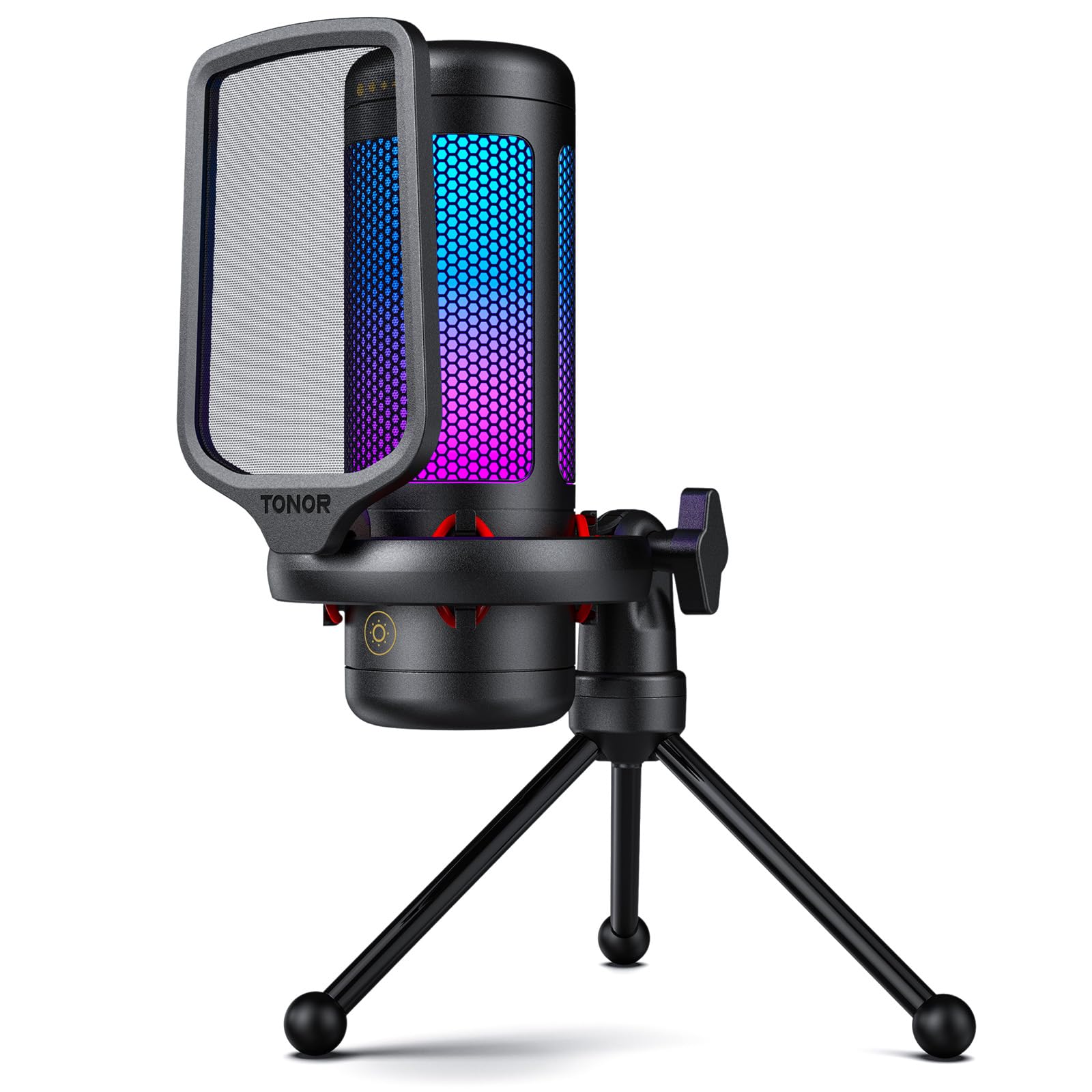
The TONOR TC310 skips the guesswork: plug the USB into your PC or PS5, and the cardioid capsule zeroes in on your voice while dumping side noise. The audible noise rating sits at 30 dB, which is higher than some rivals, but buyers report it still delivers “clear, crisp cardioid audio, no background noise” — the built-in pop filter and shock mount do real work here. Four RGB modes let you match the vibe of your build without opening a software menu, and the tap-to-mute on top is satisfyingly responsive mid-stream.
A dedicated gain dial on the top of the mic body gives you real-time level control, though a single owner found the gain confusing to dial in at first. The 200 cm cable is generous for routing behind a desk, and the included stand feels sturdy enough to survive regular repositioning. Compared to the InnoGear mic below, the TC310 runs a touch noisier on paper, but the overall package — including a solid shock mount and pop filter — makes it the most complete starter bundle at this price.
What wins people over
- Complete bundle: mic, stand, shock mount, and pop filter included
- Four RGB modes with brightness control for mood setting
- Plug-and-play with PC, Mac, PS4, and PS5
The honest trade-off
- Audible noise at 30 dB is higher than budget alternatives; quiet rooms expose a faint hiss
- Gain dial placement on top takes a session to memorize
Reach for this if: you want a ready-to-go desktop mic with RGB flair and zero driver hassle for streaming, Discord, or PS5 chats.
The catch: if background hiss bothers you, the InnoGear or FIFINE below offer quieter circuits for the same money.
2. InnoGear Gaming USB Mic
Aggressive noise cancellation that blocks dog paws and distant room sounds.
The InnoGear stands out because of its 20 dB audible noise floor — a full 10 dB quieter than the TONOR TC310 above, which is a 50% improvement in the mic’s self-noise. Buyers confirm the noise cancellation “blocks dog paws and sounds >3ft,” making it a strong pick for shared living spaces or rooms with a rattly AC unit. The cardioid condenser capsule amplifies voice clarity by up to 600% per the spec, and the large gain knob at the base is easy to find without looking.
The trade-off: the included stand is functional but cheap, and some owners note the mic loosens on its mount over time, requiring a periodic retightening. The USB-C interface and 6.56-foot cable keep the connection modern, but it is not compatible with Xbox. What the build lacks in premium feel, the audio performance more than makes up for — the consensus is that it “outperforms pricier mics for voice pickup.” At this price, the noise rejection alone justifies the spot.
This mic’s main trick — killing background rumble — is the same thing that makes it a fit for streamers with loud mechanical keyboards or roommates.
Who it beats: the TONOR TC310 on pure noise rejection and audio clarity, though it loses the shock mount and has a less sturdy stand.
Your best bet if: you game or stream in a room with ambient noise — fans, footsteps, street sounds — and want the quietest circuit in this budget tier.
Look elsewhere if: you need a bombproof metal mount or plan to use the mic on Xbox.
3. KingSom Boom Arm Mic
The rare budget kit that delivers a proper boom arm instead of a flimsy tripod.
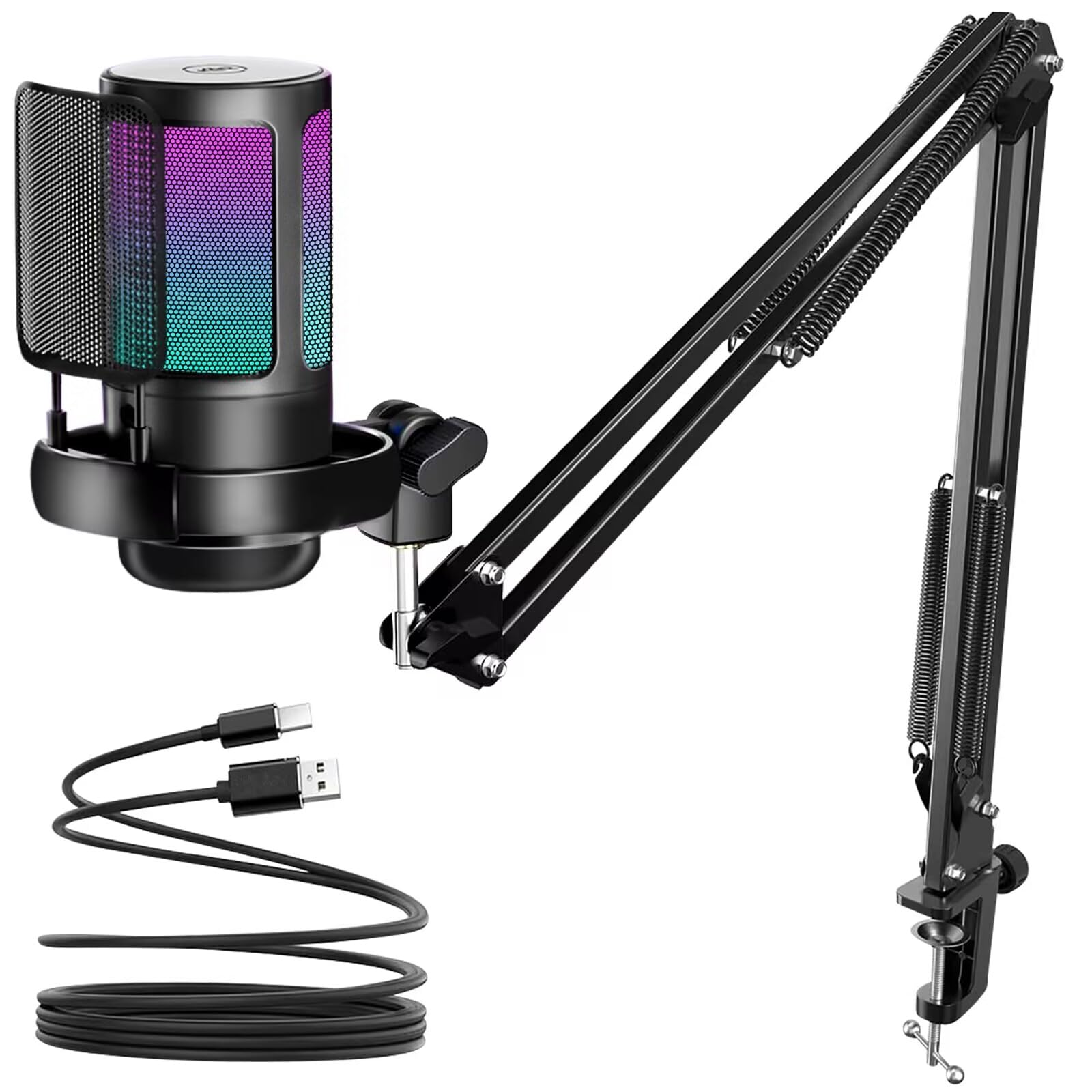
The KingSom skips the desktop tripod entirely and ships with a scissor boom arm, a desk clamp, a shock mount, and a removable pop filter — parts that usually force you to spend another thirty dollars. The cardioid capsule runs at 25 dB audible noise, slotting between the TONOR and the InnoGear in self-noise, and owners praise its “very clear and amazing” sound quality for gaming and Discord. The mute button sits on top for quick taps, and the gradient RGB cycles through colors automatically without needing software.
The weak point is the tightening mechanism: the arm does not cinch down fully without significant muscle, and the cord could stand to be longer for tall desks. The gain knob lives on the bottom, which keeps the profile clean but makes mid-game adjustments a reach. Still, for anyone building a streaming setup from scratch, getting a functional boom arm in the box saves a whole separate purchase. Compared to the FIFINE K669B below, the KingSom gives you placement flexibility that a desktop stand simply cannot match.
Bundle value
- Boom arm, desk clamp, shock mount, and pop filter all included
- Clear voice capture with decent noise rejection for the price
- Automatic gradient RGB adds stream-ready looks
Build quirks
- Boom arm requires a firm hand to tighten; may loosen during repositioning
- Cable length is shorter than ideal for large desks
Best fit: a gamer or streamer who wants a boom arm setup on day one without buying extra hardware.
skip it if: you prefer a simple desktop mic or need a sturdy arm that stays locked in one position for months.
4. FIFINE K669B

The lowest self-noise in the lineup and a metal chassis that survives drops.
The FIFINE K669B is the quietest mic in this budget group with an audible noise spec of just 16 dB — that is so low you will not hear the mic itself over a normal room. Owners confirm it delivers “crisp” sound and holds up after five years of use, with a metal stand and a thick polymer body that handle bumps without rattling. The cardioid pickup focuses on your voice and, while placement matters (speak too close and the proximity effect kicks in), the volume knob on the body gives you quick gain control without software.
The biggest caveat is the connector: it uses an older USB-B to USB-A cable, though the package includes a USB-A to USB-C adapter for modern laptops. It also lacks RGB and a mute button, so you will be reaching for your system volume or a software toggle. That stripped-back approach is exactly why it works as a no-nonsense mic for remote work, podcasts, and singing games on PS4/PS5. The crowd — with thousands of ratings backing it — treats this as the gold standard for reliability at this price.
The honest trade-off: you trade flashy features (no RGB, no mute button) for the quietest circuit and a build that outlasts everything else in this list.
Choose this for: a durable, near-silent desktop mic that sounds great for calls, recordings, and light gaming — no frills, just function.
Not for you if: you want RGB lighting, a dedicated mute button, or a boom arm included in the box.
5. Aisryntek XM58
Studio-grade sampling rates at a budget price, including zero-latency headphone monitoring.
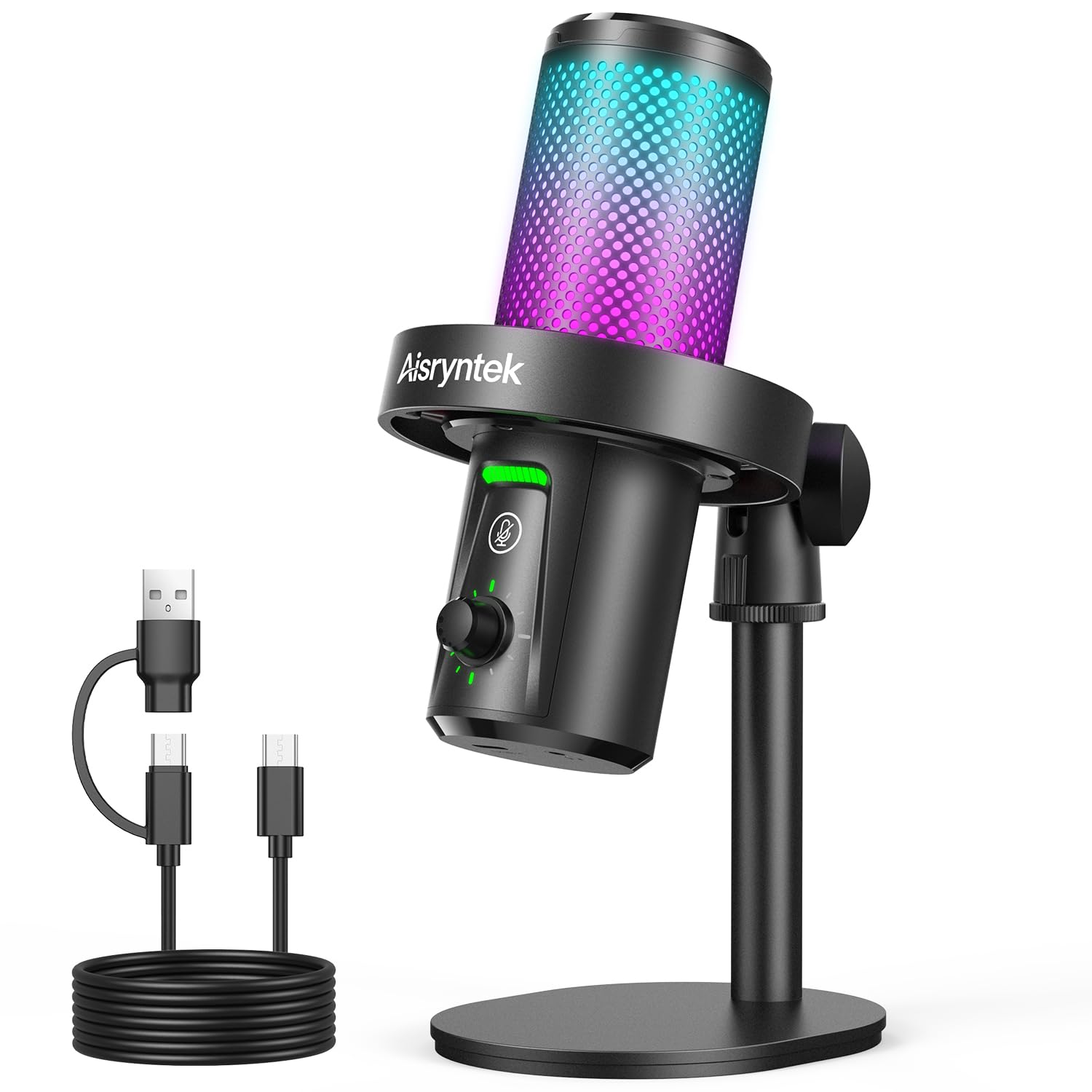
The Aisryntek XM58 brings 96kHz/24-bit audio resolution to the budget conversation — a spec usually reserved for mics that cost twice as much. That high sampling rate captures subtleties in your voice that lower-bit microphones smooth over, and the 3.5mm headphone jack lets you monitor your own audio with zero delay, so you catch plosives and room echo before they hit the stream. The aluminum enclosure feels dense and premium in the hand, and the RGB lighting cycles through 3 dynamic modes with over 10 colors.
The trade-off is that the XM58 is not compatible with macOS, which rules it out for Apple-centric setups. The included mount is non-removable and made of low-grade plastic, and the small internal magnet limits absolute audio fidelity compared to a full-size studio condenser. For a Windows PC streaming rig, though, the sound quality “honestly surprised” owners — friends could hear the upgrade from a headset mic immediately. It beats the FIFINE on raw resolution, but loses on plug-and-play simplicity across platforms.
Ideal for: a Windows gamer or podcaster who wants higher-resolution audio and real-time monitoring without jumping to a mic.
Think twice if: you use a Mac, want a removable mount for a boom arm, or need Xbox compatibility.
6. ZealSound BKD-11 PRO

One kit that works on PC, Mac, iPhone, and iPad right from the start.
The ZealSound BKD-11 PRO is the Swiss Army knife of budget mics: it includes both a scissor boom arm and a foldable tripod, a shock mount, a pop filter, and — uniquely — a Lightning-compatible adapter plus a USB-C adapter in the box. Plug it into a PC for streaming, then swap it to an iPhone for TikTok voiceovers without hunting for dongles. The 96 kHz sampling rate with a built-in noise reduction chip delivers clean speech, and the 3.5mm zero-latency monitoring jack lets you hear yourself in real time.
The 30.8-inch boom arm rotates 360 degrees and clamps onto surfaces up to 1.8 inches thick, which covers nearly all desks. The gain control lives on the bottom, keeping accidental bumps rare, and the tap-to-mute button flashes a clear red indicator when you are off-air. A few owners note that the included tripod is functional but basic — you will likely stick with the boom arm for daily use. The ZealSound feels like a complete mobile creator kit in a way no other mic in this list matches, and it backs the package with a 3-year support promise.
Full creator kit
- Both boom arm and tripod included for flexible placement
- Lightning and USB-C adapters work with iPhones, iPads, and Android devices
- 96 kHz sampling with effective noise reduction
Minor gripes
- Tripod stand feels basic compared to the arm
- Gain knob on the bottom is less convenient than front-facing controls
A perfect match for: content creators who record on a PC desktop but also need a mobile mic for phone-based streaming, podcasting, or TikTok.
Not ideal if: you only need a simple USB desktop mic and have no use for the arm, tripod, or mobile adapters.
7. TONOR TD510 Air S H+

A dynamic mic with dual USB and XLR outputs for a clear upgrade path.
The TONOR TD510 Air S H+ is the only dynamic microphone in this budget roundup, which means it naturally rejects more background noise than condenser mics before any electronics kick in. On top of that, it adds triple AI noise cancellation that specifically targets keyboard clatter. The dual USB and XLR outputs mean you can plug it straight into a PC today with USB, then later connect it to an audio interface with an XLR cable — without buying a new mic. Owners confirm the AI noise canceling “works well” and the sound quality is “professional.”
The bundled boom arm is sturdy for a round-edge desk, and the RGB lighting is controllable to match your setup. The caveat is that this mic leans toward mid-level performance rather than professional-grade; the physical settings have minimal effect, and the arm requires careful positioning to avoid bulkiness. If you are seriously considering moving to a full XLR rig later, the TD510 saves you from buying a second microphone. Against the Razer Seiren V3 Mini below, the TONOR loses on compactness but wins on future flexibility.
Its niche is clear: you get a dynamic mic with AI noise cancellation today, and an XLR port waiting for you tomorrow — no other mic under offers that dual path.
Go for this if: you plan to eventually upgrade to a professional audio interface and want a mic that grows with you.
pass on it if: you just want a simple USB plug-and-play mic for Discord and never plan to use XLR gear.
8. Razer Seiren V3 Mini

A palm-sized supercardioid condenser that frees up desk space without sacrificing clarity.
The Razer Seiren V3 Mini packs a tighter supercardioid pickup pattern — not just cardioid — which gives it an edge over the competition in suppressing room noise, including typing and mouse clicks from the sides. At 8.32 ounces and just over 6 inches tall, it is the smallest mic here, and the built-in shock absorber dampens accidental desk knocks. The tap-to-mute sensor on top with an LED indicator is the most satisfying implementation in this list: one tap and the red light tells you the mic is dead, no alt-tabbing required.
Razer Synapse software open up studio-level sample rates and separate volume mixes for playback and audience, which is deeper customization than any other budget mic offers. The trade-off is that the background noise dampener is less effective from the start and needs software tuning, and there are no physical sensitivity or volume controls on the body. A professional audio engineer who reviewed the mic called it “excellent value” for its sound quality and durability. Against the HyperX SoloCast 2 below, the Seiren V3 is smaller and more portable, but the SoloCast has a built-in pop filter and shock mount that the Razer lacks.
Small footprint, big sound
- Supercardioid pattern rejects more side noise than standard cardioid mics
- Extremely compact and lightweight at 8.32 ounces
- Razer Synapse offers deep software customization
What you lose
- No physical gain knob or mute button — all controls are on-screen or via tap
- Background noise dampener needs software tweaking to work well
The right mic for: a minimalist desk setup where every inch counts, and for gamers who want Razer Synapse integration for fine-grained audio control.
Not ideal if: you need a physical volume knob or you prefer mic controls without opening software.
9. HyperX SoloCast 2

A refined all-in-one USB mic with built-in shock mount, pop filter, and tap-to-mute.
The HyperX SoloCast 2 takes everything you need and builds it into the body: a foam pop filter, an internal suspension system that delivers shock-mount benefits without a separate cage, and a tiltable weighted base that stays planted. The 24-bit/96kHz recording captures studio-quality audio, and the cardioid polar pattern focuses on your voice while rejecting typical gaming-room noise. The tap-to-mute with LED indicator turns red the moment you are live, and a green light when muted — the opposite of most mics, which some owners prefer for clarity.
The audible noise spec is listed at 79 dB, which is unusually high on paper, yet buyers consistently call the audio “crisp clear” and “professional.” That reading may be a measurement anomaly rather than real-world hiss. The NGENUITY software gives you high-pass, low-pass, and voice enhancement filters saved directly to the mic. The USB-C connection on the lower back is a weak point — it can unplug with accidental movement — and the mic is sensitive enough to pick up background noise even with suppression active. Against the Razer Seiren V3, the SoloCast 2 offers a richer out-of-box package with the built-in pop filter and shock mount, but loses on compact footprint.
The polished pick: HyperX earned its reputation here by packing every convenience into the mic body so you need zero accessories for clean recording — just plug, position, and talk.
Best for: a gamer who wants a complete, fuss-free desktop mic with professional audio quality and the flexibility of NGENUITY filters.
Consider alternatives if: you need a USB-C port that locks securely, or you want a smaller mic for a tight desk.
Understanding the Specs
Audible Noise (dB)
This is the amount of hiss or static the microphone itself produces when no one is speaking. A lower number means a cleaner signal: 16 dB (like the FIFINE K669B) is near-silent, while 30 dB (like the TONOR TC310) introduces a faint floor noise you might hear in quiet scenes. Anything under 20 dB is excellent for a budget condenser mic.
Pickup Pattern: Cardioid vs. Supercardioid
A cardioid pattern picks up sound from the front in a heart shape and rejects the sides and rear, which naturally cuts keyboard and fan noise. Supercardioid (used by the Razer Seiren V3 Mini) is even tighter, rejecting more from the sides but adding a small rear lobe. For a typical gamer sitting in front of the mic, cardioid is the balance; supercardioid demands more precise positioning but rewards you with cleaner audio.
Sample Rate (kHz) and Bit Depth
Standard USB mics record at 48kHz/16-bit, which is fine for voice chat and streaming. The jump to 96kHz/24-bit (as in the Aisryntek XM58 and HyperX SoloCast 2) captures higher frequencies and more dynamic range — useful if you also record vocals, acoustic instruments, or want headroom for audio editing. For pure gaming comms, 48kHz is enough; the upgrade matters most for content creation.
Condenser vs. Dynamic Microphones
Condenser capsules are the default in budget gaming mics because they are sensitive and pick up voice detail easily. That same sensitivity means they catch background noise too, which is why noise cancellation circuits matter. Dynamic mics (like the TONOR TD510 Air S H+) handle background rejection physically before the electronics, so they naturally sound cleaner in noisy rooms, but they often cost more and may need an XLR interface for best results.
FAQ
Will a budget gaming mic work with my PlayStation or Xbox?
Can I use these mics with a Mac or Chromebook?
Do I need a separate boom arm for a budget gaming mic?
What does the audible noise spec mean for my stream quality?
Is a dynamic mic better than a condenser for gaming?
How important is the mute button on a gaming mic?
What is the difference between RGB and no-RGB mics?
Will a budget mic pick up my keyboard and mouse clicks?
How long do budget gaming mics typically last?
Do I need a pop filter for a gaming mic?
Final Thoughts: The Verdict
Across the board, the budget gaming mic winner is the TONOR TC310 because it delivers a complete starter bundle — shock mount, pop filter, RGB, and a solid cardioid capsule — at a price that undercuts everything else with similar features. If you want the quietest noise floor and a metal build that will outlast your next two PC upgrades, grab the FIFINE K669B. And for those who stream in a noisy room and need aggressive noise rejection, the InnoGear Gaming USB Mic is the one to reach for.
How We Picked
We do not accept paid placement. Every pick is matched to a real buyer and a real use-case; we do not hands-on test units.
Sources & Methodology
Specifications: manufacturer listings and product documentation. Review insights: verified customer reviews, as of July 2026. Pricing: not shown on this page (it changes often); check the current price via the retailer link.
As an Amazon Associate, FitlyFast earns from qualifying purchases. This does not affect which products we feature.