
Our readers keep the lights on and the weekend projects moving. As an Amazon Associate, I earn from qualifying purchases.
Specs are compiled from manufacturer listings and verified buyer reviews and can change over time — please confirm the key details on the product page before buying.
If you are shopping for a gaming TV on a budget, the one number that predicts your whole experience is the refresh rate. A panel that runs at 120Hz or higher keeps a fast racing game or a frantic shooter looking smooth instead of smeared, and this guide focuses on sets that genuinely deliver that — or a serious gaming feature like variable refresh rate — without pushing into premium flagship pricing. The trade-offs shift from raw specs to things like smart TV software, brightness, and speaker quality, which is where most budget models quietly win or lose your day-to-day enjoyment.
I’m Rikta — the founder and writer behind FitlyFast. This guide is built by comparing the manufacturers’ published specifications and the patterns across verified customer reviews, so you get each pick’s real strengths and trade-offs instead of marketing spin.
budget gaming tv picks that hold input lag and motion clarity in check so your next console session feels smooth.
Our Picks at a Glance



How To Choose The Best Budget Gaming TV
Gaming on a budget no longer means playing on an old bedroom TV with visible screen tears. The current crop of value-focused panels brings genuinely great performance, and knowing which three or four specs to weigh makes the difference between a set that feels like a steal and one that leaves you fiddling with menus every match.
Refresh rate is the heart of the matter
Look for a panel with a 120Hz or 144Hz native refresh rate. That figure is how many times the screen redraws its image each second, and at 120Hz or above, fast camera pans and quick character movement stay crisp instead of blurring. At 60Hz (the old standard), the same scenes can smear and stutter, which is exactly what budget gaming buyers are trying to escape. Some listings quote a “motion rate” that sounds impressive, but the native panel rate in hertz is the honest number to trust.
Variable refresh rate stops the tearing
Variable Refresh Rate (VRR) lets the TV sync its refresh rate to the frame output of your console or PC in real time. When the frame rate dips during a heavy scene, the TV adjusts on the fly, so you do not see the horizontal “tear” line slicing across the screen. FreeSync Premium Pro and G-Sync are the two certification names you will see attached to this feature, and they matter most to gamers who want a flaw-free experience without adjusting picture settings manually.
Low input lag and auto game mode
Input lag is the delay between you pressing a button and the action appearing on screen, measured in milliseconds. Auto Low Latency Mode (ALLM) is the feature that switches the TV into its lowest-lag game preset automatically the moment it detects a console signal. Without ALLM, you are stuck digging through the settings menu to find game mode every time you switch from streaming to gaming — a small annoyance that adds up fast.
Quick Comparison
| Model | Best For | Refresh Rate | Panel Type | Size | Amazon |
|---|---|---|---|---|---|
| TCL Q65 QLED★ Best Overall | Overall value & color | — | QLED | 55″ | Amazon |
| Sony BRAVIA 2PS5 Pick | PS5 owners | — | LED | 43″ | Amazon |
| Hisense E7Speed Pick | Native 144Hz gaming | 144Hz | Mini-LED | 50″ | Amazon |
| TCL T7 | 120Hz & multi-console | 120Hz | QLED | 55″ | Amazon |
| iFFALCON 55U85 | High-refresh on a budget | 144Hz | Mini-LED | 55″ | Amazon |
| Amazon Fire TV Omni | Brightness & Alexa | 144Hz | Mini-LED | 55″ | Amazon |
| Sony BRAVIA 3 | PS5 + premium processing | 120Hz | LED | 43″ | Amazon |
| Roku Pro Series | Streamers & gamers | 120Hz | QLED | 55″ | Amazon |
In‑Depth Reviews
1. TCL 55-Inch Q65 QLED 4K UHD Smart TV
The crowd favorite that convincingly answers the budget-buyer question: what does 55 inches of satisfying picture cost?
This TCL sits at the top because it covers the essentials so well that owners describe it as feeling like a far pricier set. The 4K panel renders four times the detail of 1080p, and the QLED quantum dot layer pushes colors across nearly the entire DCI-P3 color space, which is the gamut used in professional film mastering — so game worlds and nature documentaries both look rich and saturated. A TCL AIPQ processor with deep learning AI tweaks color, contrast, and clarity scene by scene, which is the automatic tuning you usually expect only from expensive flagships.
For PS5 owners specifically, the Auto Game Mode (ALLM) is the feature that counts. It flips the TV into its lowest-input-lag preset the moment a console signal arrives, so you do not need to touch the settings to get responsive play. Buyers report that the set handles 1440p at 120Hz comfortably for sim rigs and that game motion stays clear, while Dolby Atmos and DTS Virtual:X audio give the built-in speakers some spatial presence — though pairing a soundbar is the upgrade most owners end up making.
The trade-off worth knowing is the software. The Google TV interface has its fans and its critics in equal measure: owners praise the smooth, responsive menus and built-in free live TV, but one camp finds the OS clunky for search and casting, with one buyer suggesting a Roku stick as a workaround. If you are willing to work with or around Google TV, the picture quality and value win the day.
What Wins People Over
- Vivid QLED color across near the full DCI-P3 gamut
- Auto Game Mode (ALLM) for low-lag console play
- Owners call it the best bang for the buck at this screen size
Where It Falters
- Google TV casting and search get mixed owner reviews
- Built-in audio is decent; a soundbar is the common upgrade
Reach for this if: you want the biggest, most colorful all-round picture your budget allows and you game on a modern console.
Look elsewhere if: you loathe smart-TV operating system quirks and want the simplest interface possible.
2. Sony 43 Inch BRAVIA 2 II LED 4K HDR Smart Google TV
The smaller-screen specialist that pairs natively with a PlayStation 5 and upscales old content toward 4K.
The headline here is the exclusive PlayStation 5 integration. Auto HDR Tone Mapping and Auto Genre Picture Mode talk directly to the console and tune picture settings for gaming without any manual calibration, so your PS5 games arrive with accurate brightness and color out of the gate. The 4K Processor X1 handles the heavy lifting of producing a lifelike image full of rich colors and sharp details, and 4K X-Reality PRO upscales streaming and older content to near-4K so even non-4K sources look clean.
Where this set stands out is motion. Motionflow XR keeps fast-moving sports and action sequences blur-free, and the panel supports the HDR formats that matter for gaming. At 43 inches it is the smallest screen in this list, which is a genuine plus for a bedroom or a desk setup where a 55-inch monster will not fit — and it is noticeably more compact than the TCL Q65 above. Buyers consistently praise the image, calling the motion and colors first-rate, though the 4.2-star crowd across 600+ owners does note the smart system can occasionally be a hurdle.
The honest catch is twofold. Some owners find the Google TV interface too clever for their liking — as one put it, the TV was “to smart for me,” requiring a younger friend to handle the setup — and a minority report units that stop working after six months. The 43-inch size also means you sacrifice the rich scale of a 55-inch panel, so weigh desk-space needs against screen presence before committing.
The Strong Suit
- PS5 exclusive Auto HDR Tone Mapping for instant optimal settings
- 4K X-Reality PRO upscaling sharpens non-4K content
- Motionflow XR keeps fast action free of blur
The Trade-Off
- Smart TV setup has a learning curve, per owner feedback
- 43-inch screen is small vs the 55-inch leaders
Best suited to: PS5 owners in a bedroom or office who want console-native features and easy streaming.
Think twice if: you want maximum screen size for the money or you dislike fussy smart-TV setup.
3. Hisense 50″ E7 Cinema Series Hi-QLED Mini-LED 4K UHD Smart Fire TV
A native 144Hz panel that keeps fast motion fluid, wrapped in a Mini-LED display with deep black levels.
The defining spec here is the native 144Hz Game Mode, which out-specs the 120Hz panels on this list and keeps fast gameplay and live sports buttery and blur-free. That headroom is a real edge for competitive shooters, where a slightly higher refresh ceiling can feel tangibly smoother. The Hi-QLED Mini-LED backlight uses thousands of precise light zones to enhance contrast, revealing deeper shadows and brighter highlights, and buyers single out the deep blacks and vibrant colors as the reason they upgraded.
Picture quality is the most-praised trait across owner reviews, with well over 50 buyers calling it sharp and vivid. The AI Picture system analyzes content scene by scene and adjusts brightness, contrast, and color automatically, so you get a well-tuned image without touching the menus; AI Sports Mode even detects sports and boosts crowd audio for a more stadium-like feel. Dolby Vision IQ and HDR10+ Adaptive cover the major HDR formats, and the Fire TV interface gets credit for being quick and simple to navigate.
The one serious caveat is reliability, not performance. A small number of owners mention software glitches like Wi-Fi drops and freezing that required unplugging and resets. That pattern is not universal — most customers note smooth, lag-free daily use — but it is loud enough that long-term confidence here is slightly less certain than with the top pick.
Why It Excels
- Native 144Hz Game Mode for exceptionally smooth motion
- Mini-LED zones produce deep blacks and vivid color
- AI Picture auto-tunes the image scene by scene
The Risk
- Occasional owner reports of Wi-Fi drops and freezes
- Fire TV interface is not everyone’s favorite OS
Choose it for: a speed-first setup where the 144Hz refresh ceiling and Mini-LED contrast do the heavy lifting.
Pass if: you prioritize proven long-term reliability over raw refresh-rate specs.
4. TCL 55″ T7 4K QLED Google TV with 120Hz Gaming
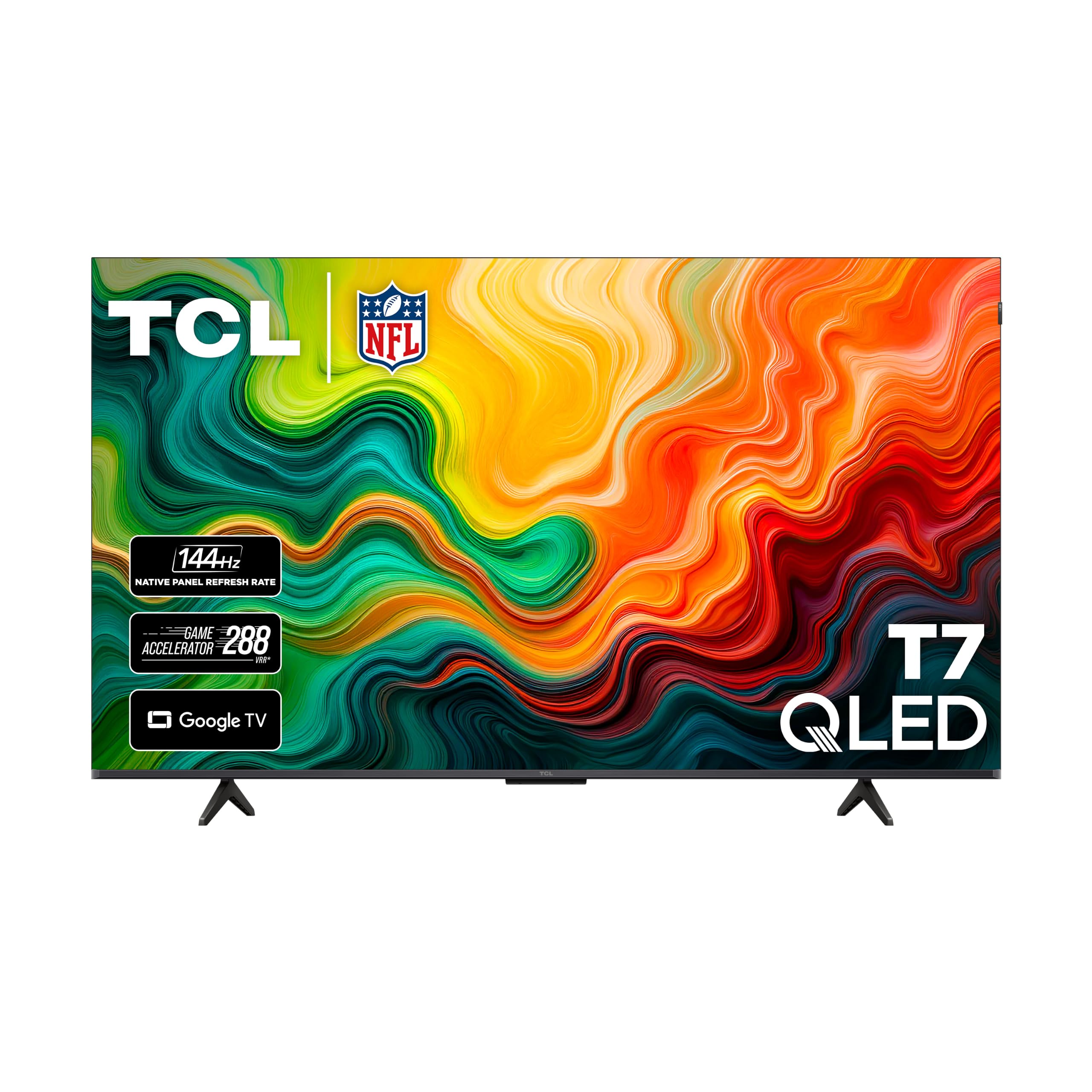
A 120Hz QLED panel with four HDMI ports that owners say holds hundreds of dollars’ worth of picture quality.
The T7 leads with a 120Hz panel refresh rate, which is the smooth-motion gateway for action movies, live sports, and fast-paced games alike. The QLED quantum dot layer pushes colors across nearly the entire DCI-P3 color space for lively, saturated images, and the TCL AIPQ Pro processor tune color, contrast, and clarity for 4K HDR sources. Owners describe the picture as bright, colorful, and sharp, with deep contrast from the Mini-LED-plus-QLED combination, and several call it hundreds of dollars cheaper than comparable sets.
Gamers get genuine extras here. The four HDMI inputs include one with eARC, so you can connect a gaming console, set-top box, and AV receiver without juggling cables, and Auto Game Mode (ALLM) drops you straight into low-lag play. Reviewers point out flawless, lag-free gaming sessions on both PS5 and PC, with one owner praising crisp 4K disc playback on titles like Blade Runner. The built-in sound earns solid marks, though one owner pairs it with a Bose soundbar for louder rooms.
The honest catch is the remote design. One owner is vocal about a mute button sitting where the power button usually lives, calling it frustrating enough to plan a universal-remote replacement. If you can adjust your thumb habits or swap the remote, the picture-to-price ratio here is tough to beat.
The Appeal
- 120Hz panel plus ALLM for smooth, low-lag play
- Four HDMI inputs including eARC for multi-device rigs
- Shoppers say flawless PS5 and PC gaming sessions
The Gripes
- Remote button layout frustrates some owners
- Bright rooms produce minor screen glare
Pick this if: you run several consoles or a PC and want a smooth 120Hz QLED without paying flagship prices.
skip it if: you cannot tolerate a quirky remote or you need the brightest image for a sunny living room.
5. iFFALCON 55″ 4K MiniLED Smart TV

A TCL sibling that stuffs pro-grade gaming specs — 144Hz refresh with VRR and four HDMI 2.1 ports — into a budget box.
This iFFALCON model is essentially the value play from TCL’s sub-brand, and it delivers some of the most aggressive gaming specs on this list. The native 144Hz panel supports Variable Refresh Rate from 4K at 48Hz up to 240Hz, with FreeSync Premium Pro certification that reduces screen tearing and lowers input lag during intense matches. Add up to 1000 nits of bright HDR luminance, local dimming, and a 6000:1 contrast ratio, and you have a gaming TV that owners call stunning for both dark scenes and bright detail.
The port layout is where it really flexes. Four HDMI 2.1 ports let you connect a PS5, Xbox, PC, and a soundbar all at once — two run 4K at 144Hz for next-gen consoles and gaming PCs, while the other two handle 4K at 60Hz for streaming boxes or Blu-ray players. Auto Low Latency Mode (ALLM) switches the TV into game mode instantly with no menu diving. A 2.1-channel, 50W audio system with a dedicated woofer rounds it out, and buyers praise the rich sound and the deep blacks of the Mini-LED panel.
Temper expectations on reliability though. The majority of owners are thrilled, calling it the best value-for-money Mini-LED they have found, but a small subset hit a defective unit that bricked after a few hours and reported frustrating support. As with any electronics purchase, the return policy is your safety net here.
The Spec Sheet Wins
- Native 144Hz with VRR up to 240Hz and FreeSync Premium Pro
- Four HDMI 2.1 ports for a full console-and-PC setup
- Up to 1000 nits and 6000:1 contrast for punchy HDR
The Risk
- Defective-unit reports and support frustrations are real but rare
- Slightly thicker build than ultra-thin premium panels
Best for: the multi-platform gamer who wants future-proof HDMI 2.1 and high refresh without the premium sticker.
Steer clear if: you want maximum confidence on build quality and after-sales support.
6. Amazon Ember 55″ Mini-LED Series with Fire TV

The 144Hz, 1400-nit Mini-LED that brings near-OLED blacks and hands-free Alexa to a mid-range price.
For brightness and contrast, this Amazon Ember series is a serious contender. The 4K QLED Mini-LED panel delivers over a billion lifelike colors with up to 1400 nits of peak brightness, which is the figure that makes HDR highlights pop in brightly lit rooms. With 512 dimming zones, contrast is higher and more captivating, adding depth and detail even in the smallest areas of the screen — and owners describe the black levels as near-OLED quality.
Gamers get a lightning-fast 144Hz mode that is AMD FreeSync Premium Pro certified, which means tear-free, fluid motion during intense gameplay. The Fire TV Intelligent Picture processor auto-tunes the image scene to scene and adapts to your room’s light and color. A 2.1 Dolby Atmos audio system with a built-in subwoofer delivers dramatic bass, and buyers report that the sound is genuinely “like a built-in soundbar” — a real bonus if you are not ready to buy external speakers.
The catch is software behavior, which owners describe in mixed terms. Picture quality is the clear star, praised by well over 100 owners, but reliability and latency receive mixed feedback: some report a lag-free, flawless experience while others hit app crashes and a cluttered home screen full of Amazon ads. If you are deep in the Alexa ecosystem and want hands-free control, this is a strong fit; if you want a clean, minimal interface, the Roku below is more your speed.
What Stands Out
- Up to 1400 nits and 512 dimming zones for high-impact HDR
- 144Hz mode with FreeSync Premium Pro certification
- Built-in 2.1 Dolby Atmos sound with real bass
What To Watch
- Software reliability and latency get mixed owner feedback
- Home screen carries Amazon ads and recommendations
Grab this if: you live in the Alexa/Fire TV world and want a bright, high-contrast panel with strong built-in audio.
Look elsewhere if: you want a clutter-free smart interface and maximum software stability.
7. Sony 43 Inch BRAVIA 3 II LED 4K HDR Smart Google TV with Gemini

The compact 43-inch Sony with an XR Processor, 4K/120 gaming, and Gemini smart features built for PS5 purists.
This BRAVIA 3 II takes the PS5-first approach of its sibling and sharpens it. The 120Hz refresh rate pairs with HDMI 2.1 features — 4K/120, VRR, and ALLM — to deliver smooth, responsive gameplay, while Sony’s exclusive Auto HDR Tone Mapping and Auto Genre Picture Mode tune picture for PS5 content automatically. The XR Processor uses AI scene recognition to fine-tune color, contrast, and clarity in every frame, and XR Triluminos Pro reproduces over a billion real-world colors.
The upgrade over the BRAVIA 2 is meaningful. The processor is smarter, the refresh rate is higher at 120Hz, and the X-Balanced Speakers deliver deeper bass with improved sound resolution. Buyers are genuinely taken by the image — one long-time owner, 69 and a self-described TV veteran, called it the best picture they had ever encountered. For a desk or bedroom setup where 43 inches is the right footprint, this is the most refined picture on this list.
The cost of that refinement is two-fold. First, it is the most expensive 43-inch set here, so you are paying for the processor and brand. Second, a small number of owners hit software annoyances — one reported the TV resetting its audio output back to TV speakers after being off for a couple of hours, and network compatibility gets mixed feedback. Picture and audio quality are consistently praised; smart-system polish is the variable.
The Premium Case
- XR Processor with AI scene recognition for refined images
- HDMI 2.1 with 4K/120, VRR, and ALLM for smooth PS5 play
- X-Balanced Speakers add deeper bass
The Cost
- Highest price on this list for a 43-inch screen
- Occasional software glitches and mixed network reports
Worth it for: the PS5 owner who wants the sharpest possible picture in a compact 43-inch package and is happy to pay for the processor.
Not for: buyers who want the biggest screen their budget allows or want zero software quirks.
8. Roku Smart TV – 55-Inch Pro Series 4K QLED RokuTV

The 120Hz QLED that pairs a class-leading smart interface with side-firing sound and tear-free gaming.
The Roku Pro Series earns its premium spot on this budget list for one standout reason: the interface. Roku’s operating system is widely considered the easiest smart TV platform to use, and owners rave about how fast and intuitive it is compared to the competition. Picture quality is the most-praised trait by a wide margin, with nearly 200 buyers calling it stunning and sharp, buoyed by Dolby Vision IQ and thousands of mini-LEDs that direct light precisely for vivid highlights and deeper darks.
Gamers are covered too. The 120Hz refresh rate keeps live sports and fast action smooth, and automatic game mode drops you straight into play. Freesync Premium Pro, ALLM, and VRR work together to deliver tear-free gaming, and the backlit, rechargeable voice remote with hands-free controls is a genuine step up from the basic remotes on other sets. Owners frequently mention the impressive built-in sound with side-firing speakers and Dolby Atmos, describing it as a TV you do not immediately need a soundbar for.
The honest drawbacks are price and rarity of defects. It is the most expensive set on this list, so it fits the “budget” label only in a stretch sense. A very small number of owners mention issues like audio sync problems or screen spots, and one mentioned a long shipping wait, but the overwhelming consensus is that this is the best TV system they have ever purchased. If you can stretch the budget, this is the most polished, frustration-free everyday experience here.
The Highlights
- top-tier Roku interface that owners call fast and simple
- 120Hz with Freesync Premium Pro, ALLM, and VRR
- Side-firing speakers deliver strong built-in Dolby Atmos sound
The Drawbacks
- Highest price on this list, pushing past strict budget territory
- Rare defect reports and long shipping times for some owners
Reach for it if: you value a clean, fast interface and strong built-in sound more than saving every last dollar.
Consider the others if: your absolute ceiling on spend is firmly in the budget zone and you cannot stretch for this one.
Understanding the Specs
Refresh Rate (Hz)
Refresh rate is how many times per second the screen redraws the entire image. A 120Hz or 144Hz panel refreshes twice as often as an older 60Hz set, which makes fast camera pans and quick motion appear smooth instead of blurry. For modern consoles that can output 120 frames per second, this is the single most important gaming spec on the box.
VRR & ALLM
Variable Refresh Rate syncs the TV to your console’s frame output in real time, eliminating screen tearing when frame rates fluctuate. Auto Low Latency Mode auto-switches the TV to its lowest-input-lag game preset the moment a console signal arrives. FreeSync Premium Pro and G-Sync are certification names for VRR implementations you will see on the spec sheet.
QLED vs Mini-LED
QLED is a panel layer that broadens the color gamut for richer, more saturated colors. Mini-LED is a backlight technology that uses many small, individually controlled zones to boost contrast — deeper blacks and brighter highlights in the same scene. Many budget gaming TVs now combine both, giving you vivid color and improved contrast without OLED pricing.
Input Lag
Input lag is the delay between you pressing a controller button and the corresponding action appearing on screen, measured in milliseconds. Lower is better, and game mode or ALLM is what drops the TV into its fastest response preset. It is the difference between a game that feels responsive and one that feels laggy behind your inputs.
FAQ
Is 120Hz refresh rate worth it for gaming?
Can my PS5 or Xbox use VRR on a budget TV?
What does ALLM actually do on a gaming TV?
Is QLED better than regular LED for gaming?
How much input lag is too much for gaming?
Will a 43-inch TV work for a bedroom gaming setup?
Does FreeSync Premium Pro make a difference for console gaming?
What HDR formats should a budget gaming TV support?
Do I still need a soundbar with a modern budget TV?
Final Thoughts: The Verdict
If you want one dependable pick, the budget gaming tv winner is the TCL Q65 because it delivers the most satisfying overall balance of vivid color, console-friendly gaming features, and screen size at a price that still feels budget-friendly. If you want a higher refresh ceiling and are willing to gamble on reliability, grab the Hisense E7 for its native 144Hz panel. And for a PS5-first experience in a compact size, the Sony BRAVIA 2 is the one to reach for. The one nudge worth noting: the Roku Pro Series below