
Our readers keep the lights on and the weekend projects moving. As an Amazon Associate, I earn from qualifying purchases.
Specs are compiled from manufacturer listings and verified buyer reviews and can change over time — please confirm the key details on the product page before buying.
You want smooth 1080p gaming without blowing your build budget, but every cheap card hides a trade-off you might not spot until it is too late. The real challenge is finding a card that delivers usable frame rates in the games you actually play and keeps working beyond the return window. This guide picks the cards that earn their keep, cutting through the marketing noise to the specs that matter.
I’m Rikta — the founder and writer behind FitlyFast. This guide is built by comparing the manufacturers’ published specifications and the patterns across verified customer reviews, so you get each pick’s real strengths and trade-offs instead of marketing spin.
After combing through the specs and thousands of owner experiences, here are the best cards currently competing for the title of best budget graphics card.
Our Picks at a Glance



How To Choose The Best Budget Graphics Card
Buying a low-cost GPU means navigating cut-down specs and confusing model names. Focus on these three things, and you will land on a card that actually works for your setup.
VRAM: The 8GB Rule
Modern games eat video memory. A card with 4GB of VRAM (video random access memory — the dedicated memory your GPU uses to store textures and frame data) will struggle with newer titles, even at 1080p. Aim for 8GB if you want to play anything released in the last few years without constant texture pop-in or stuttering. Cards with 6GB can work for esports titles, but 8GB gives you breathing room.
Core Clock vs. Shader Count
Two cards with the same GPU name can perform differently. The core clock speed (measured in megahertz) tells you how fast the chip processes instructions, but the number of shader units (also called stream processors or SPs) determines how many tasks it can handle at once. A card like the RX 580 2048SP has a high core clock and many shaders, which helps it punch above its weight class in older games. A newer architecture with fewer shaders but faster memory — like the Intel Arc A310 — may win in media tasks but fall behind in gaming.
The Power Supply Trap
Many budget GPUs require a dedicated power connector (6-pin or 8-pin PCIe power cable) that older or pre-built office PCs do not have. Before you buy, open your case and check if your power supply unit (PSU) has a spare cable for the graphics card. Some cards, like the GIGABYTE RTX 3050, are designed to draw all their power from the motherboard slot — making them a safe bet for upgrading an old Dell or HP desktop.
Quick Comparison
| Model | Best For | VRAM | GPU Clock | Memory Type | Amazon |
|---|---|---|---|---|---|
| Kelinx AISURIX RX 580★ Best Overall | 1080p Budget Gaming | 8GB GDDR5 | 1750 MHz | GDDR5 | Amazon |
| ASRock Intel Arc B570Multi-Monitor Workhorse | 1440p Entry / Premium Budget | 10GB GDDR6 | 2600 MHz | GDDR6 | Amazon |
| ASRock Intel Arc A580Top Performer | 1080p High-Settings Gaming | 8GB GDDR6 | 2000 MHz | GDDR6 | Amazon |
| maxsun AMD Radeon RX 580 | Multi-Monitor Workstations | 8GB GDDR5 | — | GDDR5 | Amazon |
| Sparkle Intel Arc A310 ECO | Media Server Transcoding | 4GB GDDR6 | 1000 MHz | GDDR6 | Amazon |
| ZER-LON GTX 1660 Super | 1080p Esports / Starter Builds | 6GB GDDR6 | 1530 MHz | GDDR6 | Amazon |
| GIGABYTE RTX 3050 | Low-Power PC Upgrades | 6GB GDDR6 | 1477 MHz | GDDR6 | Amazon |
| MSI RTX 3050 Ventus | Plug-and-Play Upgrades | 6GB GDDR6 | 1.49 GHz | GDDR6 | Amazon |
In‑Depth Reviews
1. Kelinx AISURIX RX 580 Graphics Card (2048SP, 8GB)
The card that stuffs 8GB of VRAM and a 1750 MHz core into a budget price bracket.
The 8GB of GDDR5 memory means you can run modern game textures without stuttering, and the 256-bit interface (a wide data highway between the chip and its memory) moves that data fast. This Kelinx AISURIX RX 580 is built on the 14 nm Polaris architecture and packs 2048 stream processors (SPs) — the units that handle parallel calculations for game graphics. The 1750 MHz memory clock feeds that memory. The result is a card that handles 1080p gaming with confidence, especially in titles that do not demand the very latest architecture. The dual-fan setup includes a semi-automatic intelligent fan system: the fans stop spinning entirely when the GPU is cool or under light load, which means zero noise during desktop work and a longer lifespan for the bearings.
The thing people praise most is the raw performance — 95 owners highlight it, and 26 more call out the cost-effectiveness. Buyers report that the “replacement works but frame rate fluctuates (1% lows ~30 FPS, avg 100+),” which tells you that the card can hit high averages but may hitch during demanding scenes. It draws power from a single 8-pin PCIe connector, with a maximum draw of 185W, so make sure your power supply has that cable. An occasional unit arrives with screen artifacts, but the consensus is that this is the best value for under.
The 8GB Advantage
- 8GB GDDR5 memory handles modern game textures without stuttering
- 1750 MHz memory clock and 256-bit interface for solid data throughput
- Intelligent fan stop for silent desktop use
- Supports up to 4K display output via HDMI and DisplayPort
The Catch
- Frame rate can dip to around 30 FPS in 1% lows during demanding scenes
- Requires an 8-pin power connector — not for basic office PCs
- Some owners mention early failure with screen artifacts
Get it for: 1080p gaming on a tight budget where 8GB of VRAM non-negotiable.
Think twice if: you need a card that runs on motherboard power alone, or you want a guarantee of flawless AAA performance at max settings.
2. ASRock Intel Arc B570 Challenger 10GB OC
A 10GB budget card with a 2600 MHz boost clock that feels anything but cheap.
The 10GB of GDDR6 memory is more than any other card in this budget roundup, giving you room for high-resolution textures and smoother performance at higher resolutions. The ASRock Intel Arc B570 Challenger packs that memory running at 19 Gbps across a 160-bit bus, which delivers 380 GB/s of bandwidth. The 2600 MHz GPU clock is the highest in this lineup by a significant margin. The dual-fan cooler uses 0dB Silent Cooling, so the fans stop completely when temperatures are low. A metal backplate stiffens the PCB (printed circuit board) and gives the card a premium look that belies its price point. It also includes DisplayPort 2.1 with UHBR13.5 support, future-proofing for high-refresh-rate monitors.
Owners call this “the budget king that actually feels premium.” It handles 1440p gaming at 75-100 fps in titles like Cyberpunk and Apex when paired with XeSS 2 (Intel’s upscaling technology). The 10GB of VRAM is a genuine advantage over the 8GB cards that dominate this tier — as customers note, “the 10GB of vram really help out quite unlike the big boys 8GB cards.” A minority mention that older games may require the “Precompiled Shaders” setting enabled in Intel’s software to avoid stuttering, but driver support continues to improve.
The VRAM King
- 10GB GDDR6 memory exceeds every other card in this budget roundup
- 2600 MHz GPU clock is the fastest among these picks
- Silent 0dB fan cooling under low load
- DisplayPort 2.1 for future monitor compatibility
The Consideration
- Intel Arc drivers are still maturing — some older titles need tweaks
- Requires a modern motherboard with PCIe 4.0 for best performance
Best for: the budget builder who wants 1440p capability and the most VRAM for the money.
skip it if: you only play decade-old games that run better on mature Nvidia or AMD drivers.
3. ASRock Intel Arc A580 Challenger 8GB OC
Factory overclocked to 2000 MHz right from the start, with 0dB fans for silent sessions.
The 2000 MHz factory overclock means you get extra performance without touching a single setting. This ASRock Intel Arc A580 Challenger is a purpose-built 1080p gaming card. It uses Intel’s Xe HPG architecture with 384 XMX engines (the dedicated AI accelerators that power Intel’s XeSS upscaling). The 8GB of GDDR6 memory runs on a 256-bit interface at 16 Gbps, delivering exactly the kind of bandwidth that 1080p high-settings gaming demands. The dual-fan cooler uses striped axial fans and an ultra-fit heatpipe, keeping the card at 64-68°C under modern game loads — a temperature range that buyers consistently confirm.
What wins people over is the combination of “excellent quality price” and smooth 1080p performance — reviewers point out at least 60 FPS in high or ultra graphics settings in most games. The 0dB Silent Cooling is a genuine advantage: the fans stop completely when the GPU is idle, making this a great card for an office PC that doubles as a gaming rig. The catch is power: it needs 2 x 8-pin PCIe connectors and a recommended 650W power supply, which rules out upgrades for older pre-built computers. It is also a 2.4-slot card at 271mm long, so measure your case clearance.
Plug-and-play 1080p: This card delivers consistent 60+ FPS at high settings in modern games with quiet cooling, but its power appetite and size make it a better fit for a fresh build than a compact office upgrade.
4. Sparkle Intel Arc A310 ECO, 4GB GDDR6

A single-slot, low-profile card built for media servers, not gaming marathons.
The 50W TBP (typical board power) means this card draws all its power directly from the PCIe slot with no external cables needed — perfect for a low-power server. The Sparkle Intel Arc A310 ECO is not your typical gaming GPU. It uses Intel’s Xe HPG architecture with 4GB of GDDR6 memory on a 64-bit interface, which is a narrow data path but perfectly adequate for video transcoding. The card includes one HDMI 2.0 and two mini DisplayPort outputs. It supports AV1, HEVC, and Quick Sync video encoding — technologies that accelerate video conversion for media server software like Plex or Jellyfin. The single-slot, low-profile design with an included short bracket makes it fit in compact server cases.
The thing everyone raves about is the media server performance — 31 owners single out its transcoding ability. As the review pages sum it up, this is a “top tier transcoding for NAS/Jellyfin” card that handles 4K HEVC encodes flawlessly on Linux. Shoppers say it is “silent under load” during video tasks. The fan, however, has a “terrible droning and constant ramping” issue under certain conditions — a firmware update can help but may not fully eliminate it. This is not a gaming card; it can run games at low settings, but its 1000 MHz GPU clock and 4GB VRAM limit it to very light titles.
A specialist tool: If you run a media server and need a silent, low-power, single-slot transcoding accelerator with AV1 support, this is class-leading at the price. If you want to game, look at the RX 580 or Intel A580 instead.
5. ZER-LON GeForce GTX 1660 Super 6GB

The Nvidia veteran that still delivers high frame rates in Fortnite, Valorant, and CS:GO.
For competitive shooters, the 6GB of GDDR6 memory on a 192-bit bus is a balance that feeds frame rate consistency. The ZER-LON GTX 1660 Super 6GB is a 12 nm Turing architecture card that skips ray tracing cores but focuses on raw rasterization performance. It runs at a 1530 MHz base clock and boosts higher under load. The memory runs at 14000 MHz effective speed, giving it strong bandwidth for 1080p gaming. The dual-fan cooling system uses copper powder sintered composite heat pipes that make direct contact with the GPU die. The card supports up to 8K display output through its HDMI, DisplayPort, and DVI ports, and it carries Nvidia VRWorks support for virtual reality headsets.
Performance is the standout — 78 owners praise it, and 28 more highlight the value. Buyers consistently confirm it is an “excellent value for 1080p gaming” that runs high frame rates in esports titles. A long-term report notes it ran “PalWorld, random games, hosted 24/7 ARK server for 8 months, now Roblox” with no performance or temperature issues. The fan is very quiet, stopping entirely under light load. The downsides are a box with no accessories (no plugs, guides, or driver disks) and the card’s lack of ray tracing hardware, which is irrelevant for the esports crowd but limits it in modern AAA titles that lean on ray tracing effects.
The Proven Choice
- 6GB GDDR6 on a 192-bit bus is a balance for 1080p gaming
- Very quiet operation with fan stop under light load
- Nvidia driver ecosystem offers broad game compatibility
- Supports 8K output and VR headsets
The Limitation
- No ray tracing cores — newer AAA titles miss visual effects
- Generic packaging with no included accessories
- Requires an 8-pin power connector
Perfect for: a kid’s starter PC, a secondary streaming machine, or anyone who plays competitive shooters at 1080p.
Look elsewhere if: ray tracing in the latest single-player titles is important to you.
6. GIGABYTE GeForce RTX 3050 WINDFORCE OC V2 6G

The RTX 3050 that slips into an old Dell without needing a new power supply.
The board limit of 75W means this card draws all its power from the PCIe slot — no 6-pin or 8-pin cable required. That makes the GIGABYTE GeForce RTX 3050 WINDFORCE OC V2 6G the card you buy when your pre-built office PC has no spare power cables. It uses Nvidia’s Ampere architecture with 2nd generation ray tracing cores and 3rd generation tensor cores (the dedicated hardware for AI tasks like DLSS upscaling). It is a dual-fan card using GIGABYTE’s WINDFORCE cooling design, and it measures 7.5 inches long, which fits most standard mid-tower and many small-form-factor cases. The memory is 6GB of GDDR6 on a 96-bit interface, which is narrow, but sufficient for 1080p gaming at medium settings.
Buyers report this card is the “best RTX card with no external power connection” and call it an “excellent value for entry-level gaming.” It runs “basic 1080p gaming with ray tracing” in titles like Minecraft without breaking a sweat. The dual WINDFORCE fans keep temperatures in check, and the card operates very quietly. The 96-bit memory interface is the primary bottleneck — the card cannot push high frame rates at 1440p or handle texture-heavy modern games at ultra settings. But for upgrading a low-power Dell or HP desktop for light gaming and media, it is the safest option available.
The office PC savior: No power cable required, 75W board power draw, and ray tracing cores for basic visual effects. The 96-bit memory limits its ceiling, but for entry-level 1080p gaming, it delivers exactly what it promises.
7. MSI GeForce RTX 3050 Ventus 2X 6G OC
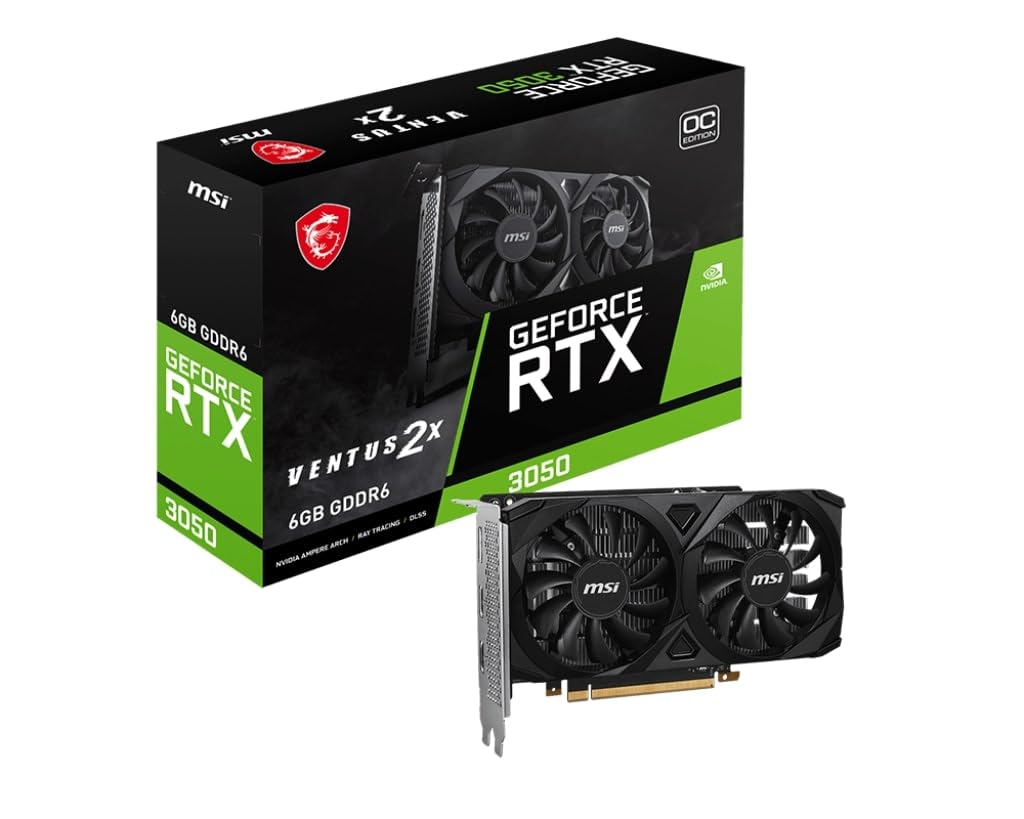
A low-profile RTX 3050 that slides into an HP Pavilion without any case modification.
The 6GB of GDDR6 memory offers a genuine step up from the 4GB cards common in pre-built PCs. The MSI GeForce RTX 3050 Ventus 2X 6G OC is the twin of the GIGABYTE card above, but with its own cooling design and a slightly different clock speed. It uses the same Nvidia Ampere architecture with a GPU clock speed of 1.49 GHz. The Ventus 2X cooler uses two fans with a low-profile design that specifically fits pre-built office PCs from HP, Dell, and Lenovo. One owner confirmed it dropped into an “hp pavilion (tp-01 25xx) model” without issues. It does not require external power, drawing everything from the PCIe slot.
The user consensus is that this card “works great” and provides a solid upgrade path for older systems. It handles Fortnite at better quality than a console, and one owner uses it to run basic machine learning tasks for a home server. The card is very quiet — owners mention they “almost forget it’s there.” The main trade-off is the same as the GIGABYTE: the 96-bit memory interface limits its ability to push high resolutions or ultra texture packs, so this is strictly a 1080p medium-settings card for modern games. A minority mention needing to update drivers after the initial installation.
The pre-built PC specialist: Plug-and-play installation, quiet operation, and no external power needed make this the least risky upgrade for a family desktop. The 6GB VRAM is a real upgrade over integrated graphics, but do not expect 1440p gaming.
8. maxsun AMD Radeon RX 580 8GB 2048SP (White)

A white-themed RX 580 that drives six monitors for trading floors and stock charts.
The 8GB of GDDR5 memory and three video outputs let you drive up to six monitors without any add-on adapters. The maxsun AMD Radeon RX 580 2048SP is visually distinct — the white PCB and white shroud are designed for builders who want a clean, monochromatic theme. Under the hood, it is the same Polaris 20 XL chip with 8GB of GDDR5 memory on a 256-bit interface. This card uses three digital video outputs — HDMI, DisplayPort, and a legacy DVI port — so you can run multi-monitor setups from the start. The maximum resolution it can push is 7680×4320, which is 8K territory, though gaming at that resolution is unrealistic. The card is a standard dual-slot design weighing 623 grams, and it requires a 6-pin or 8-pin power connector.
This card finds its true calling in workstation multi-monitor setups. One buyer runs six monitors on a trading workstation “flawlessly,” with the card running “16 charts, 3 watchlists, other programs with temps only a few degrees above idle.” The performance in gaming is adequate for 1080p — it hits 144 FPS in Fortnite, Valorant, and CS:GO, and 60 FPS in AAA games with lowered settings. The 17 owners who highlight value for money consider it a strong budget pick. However, the data shows mixed feedback on reliability — some units have reportedly failed after a few weeks with screen artifacts, and a few owners suspect temperature sensor irregularities. This makes it a card for the budget-conscious who are comfortable with some risk.
Best for multi-monitor work: The white aesthetic and proven six-monitor capability are unique in this price range. If gaming is your primary goal and you want lower risk, the Kelinx RX 580 or ASRock Arc A580 are safer bets.
Understanding the Specs
VRAM (Video Random Access Memory)
This is the dedicated memory your graphics card uses to store textures, frame buffers, and shading data. More VRAM means the card can handle higher resolution textures and larger game worlds without stuttering. For 1080p gaming today, 6GB is the minimum, 8GB is comfortable, and 10GB gives you room for high-resolution texture packs. The type of memory — GDDR6 versus GDDR5 — also matters: GDDR6 is faster and more power-efficient, so it can move data to the GPU chip more quickly.
GPU Clock Speed (MHz / GHz)
Measured in megahertz or gigahertz, this is how fast the graphics processor core operates. A higher clock speed generally means more calculations per second, which translates to higher frame rates. A card running at 2000 MHz will process instructions faster than one at 1530 MHz, all else being equal. However, the architecture matters more: a newer chip with a lower clock speed can outperform an older chip with a higher one because it does more work per clock cycle.
Memory Interface (Bit Width)
Think of this as the number of lanes on a highway between the GPU chip and its video memory. A 256-bit interface can move data twice as much per clock cycle as a 128-bit interface. Cards with a 256-bit bus (like the RX 580) excel at high-resolution textures, while cards with a 64-bit bus (like the Intel Arc A310) are better suited for non-gaming tasks where massive data throughput is not required. A wider bus is one of the best indicators of raw gaming performance potential.
Power Draw (TDP / TBP)
Thermal Design Power or Typical Board Power tells you how much heat the card generates and how much power it needs. A card with a 50W TBP can run on motherboard power alone — great for upgrading old office PCs. A card with a 185W TBP requires a dedicated power cable from the PSU and a power supply with enough headroom. Always check the manufacturer’s recommended PSU wattage before buying. A 650W power supply is often recommended for modern mid-range cards.
FAQ
Will an RX 580 work with my older motherboard?
Can I use the Intel Arc A310 for gaming?
Do I need a separate power supply for these budget graphics cards?
What does 2048SP mean on the RX 580?
Is GDDR6 always better than GDDR5?
How long do budget graphics cards typically last?
Can I use an Intel Arc card with an AMD CPU?
Which card from this list handles 1440p gaming best?
Final Thoughts: The Verdict
If you want one dependable pick, the budget graphics card winner is the Kelinx AISURIX RX 580 because it delivers 8GB of VRAM and a 1750 MHz clock at a price that leaves room in your build for other components. If you want a card that handles 1440p gaming and offers 10GB of GDDR6, grab the ASRock Intel Arc B570 Challenger. And for upgrading an older office PC without buying a new power supply, the GIGABYTE RTX 3050 is the one to reach for.
How We Picked
We do not accept paid placement. Every pick is matched to a real buyer and a real use-case; we do not hands-on test units.
Sources & Methodology
Specifications: manufacturer listings and product documentation. Review insights: verified customer reviews, as of July 2026. Pricing: not shown on this page (it changes often); check the current price via the retailer link.
As an Amazon Associate, FitlyFast earns from qualifying purchases. This does not affect which products we feature.