
Our readers keep the lights on and the weekend projects moving. As an Amazon Associate, I earn from qualifying purchases.
Specs are compiled from manufacturer listings and verified buyer reviews and can change over time — please confirm the key details on the product page before buying.
If you want to start engraving wood signs, acrylic gifts, or leather keychains without spending thousands, the real challenge isn’t the machine—it’s picking the right wattage and work area before you buy. The best budget laser cutter for most beginners balances enough power to cut thin plywood with a large enough bed for real projects. This guide breaks down nine affordable diode lasers, comparing speed, precision, and work area so you can start your first burn with confidence.
I’m Rikta — the founder and writer behind FitlyFast. This guide is built by comparing the manufacturers’ published specifications and the patterns across verified customer reviews, so you get each pick’s real strengths and trade-offs instead of marketing spin.
Diode laser engravers below the premium tier still deliver sharp detail, but the right choice depends on your project size and material goals — this budget laser cutter guide weighs speed, power, and workspace to match your first machine.
Our Picks at a Glance
How To Choose The Best Budget Laser Cutter
Buying a budget laser cutter means focusing on the three specs that actually change your results: laser power, work area, and engraving speed. Power dictates whether you cut or only mark, work area sets your project limits, and speed determines how long you wait.
Laser Power: The Cut vs. Engrave Divide
Laser power, measured in milliwatts (mW), is the single biggest buying decision. A 5W machine engraves beautifully on wood, leather, and coated metal but struggles to cut thick materials. Step up to 10W and you can slice through plywood and acrylic in multiple passes. If cutting is your goal, don’t settle for 5W — budget for at least 10W output.
Work Area: Your Project Ceiling
Your work area, measured in millimeters (mm), is the size of the bed your laser can reach. Smaller machines like the ACMER S1 with a 130×130mm bed handle coasters and small tags. Mid-size machines with 300×300mm beds fit signs and larger crafts. If you plan to sell items or engrave tumblers, aim for a 400×400mm area to avoid splitting designs into multiple runs.
Engraving Speed and Precision
Speed is measured in millimeters per minute (mm/min), and precision in millimeters (mm) for the laser spot size. Faster machines like the LONGER Ray5 at 24,000mm/min complete jobs quicker, letting you produce more items per hour. Precision around 0.01mm keeps fine details like logos and cursive text crisp. Balance speed against your budget — faster usually costs more.
Quick Comparison
| Model | Best For | Power | Work Area | Speed | Amazon |
|---|---|---|---|---|---|
| ACMER S1★ Best Overall | Compact first-time engraving | 6000mW | 130×130mm | 10,000mm/min | Amazon |
| LONGER Ray5 5WBig Bed | High-speed home use | 5000mW | 400×400mm | 24,000mm/min | Amazon |
| K15 Pro 10WBest Value | Upgradeable beginner cutting | 10000mW | 300×200mm | 15,000mm/min | Amazon |
| Creality Falcon 10W | One-pass acrylic cutting | 10W Output | 17″ x 16″ | 10,000mm/m | Amazon |
| Woxcker L2 5.5W | Tool-free beginner setup | 5500mW | 300×300mm | 20,000 mm/min | Amazon |
| ACMER S2 12W | Thick wood cutting on a budget | 12000mW | 300×300mm | 10,000 mm/min | Amazon |
| LE400PRO 5.5W | Large-area beginner value | 5500mW | 400×400mm | 6000mm/min | Amazon |
| LONGER Ray5 10W | Powerful cutting with big bed | 10W Output | 400×400mm | 24,000 mm/min | Amazon |
| ATOMSTACK A20 Pro V2 | Semi-pro engraving & cutting | 20000mW | — | 400mm/s | Amazon |
In‑Depth Reviews
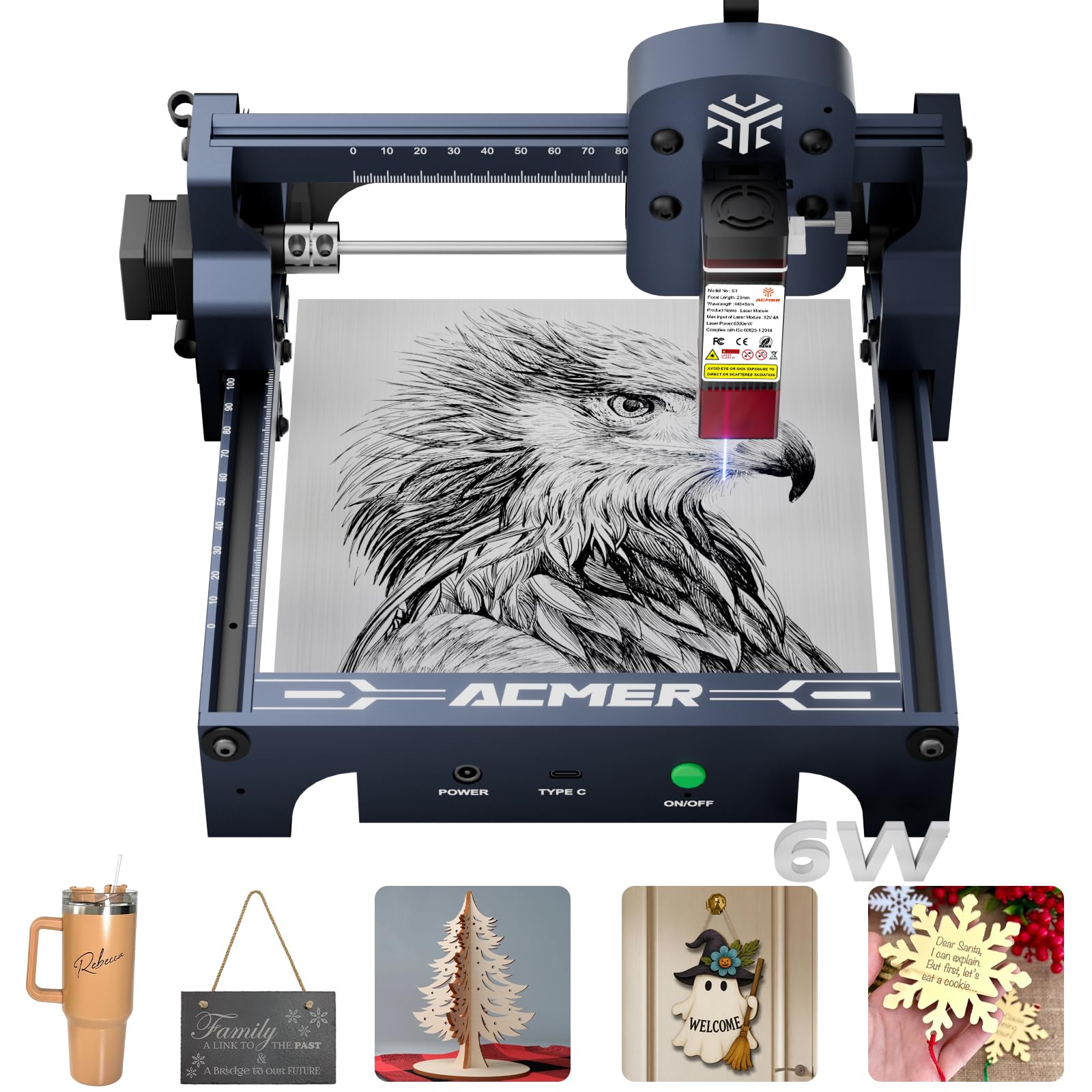
1. ACMER S1 Laser Engraver
The pint-sized first engraver that delivers sharp detail without a cnc-level learning curve.
Your first engraving project—a wooden gift tag or a leather bookmark—doesn’t need a garage-sized machine. The ACMER S1 packs 6000mW of laser power into a 9.84 x 9.84 x 6.38-inch frame that weighs just 4.2 pounds, so it sits neatly on a desk and tucks into a shelf. That compact footprint makes it a 2.5x smaller footprint than the LONGER Ray5 5W., which spans 24.5 inches long.
Speed matters when you’re waiting on a job, and here the S1 hits 10,000mm/min — exactly the same pace as the larger ACMER S2 above, but at a friendlier price. The 0.04mm fine laser spot keeps engraving crisp on wood, bamboo, leather, and even PCB boards, per the maker. It arrives 99% preassembled, with only a 1-minute laser head install separating you from your first burn.
The one thing to know before buying: you’ll likely need the paid LightBurn software if you’re on a Mac, since the free option is Windows-focused. Buyers report the engraving quality on wood is “sharp and detailed,” and the free Acmerstudio software includes AI tools that turn text prompts into designs. Given the crowd favorite status — 4.0 stars across 293 ratings — this is the budget pick that skips the setup dread.
What wins people over
- Runs at 10,000mm/min for fast first projects
- 4.2-pound aluminum build is easy to carry and store
- Includes free Acmerstudio plus LightBurn and LaserGRBL support
- Arrives 99% assembled for a 1-minute start
Honest trade-offs
- 130×130mm bed limits you to small crafts like coasters and tags
- Mac users face extra software cost for full control
- An occasional unit arrives with a power failure after light use
Reach for it if: you want the lowest-friction path into engraving for small crafts, gifts, and DIY projects — the 4.2-pound size and quick setup make it a true desktop start.
Look elsewhere if: your plans involve cutting larger plywood sheets or you work exclusively on a Mac without wanting to pay for LightBurn.
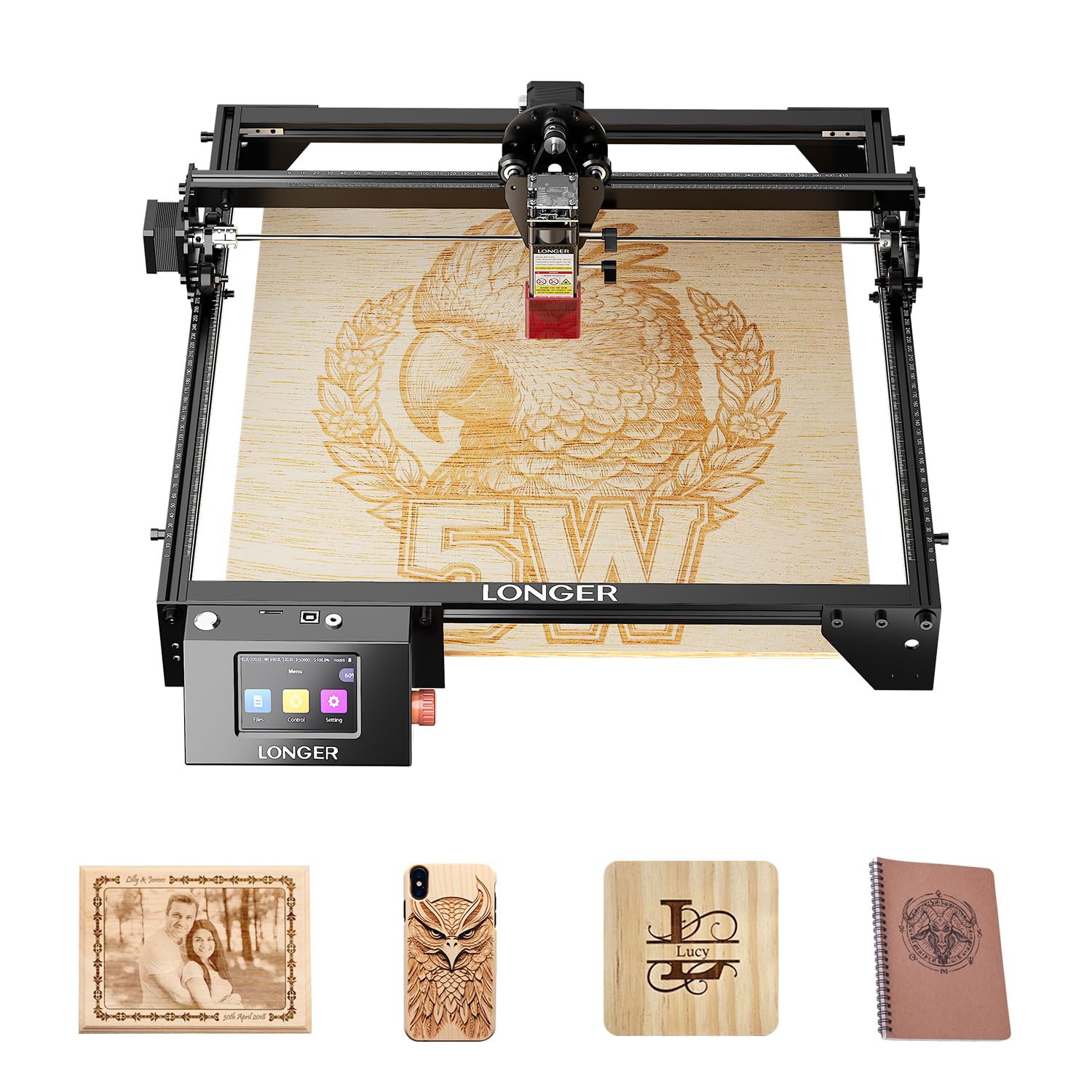
2. LONGER Ray5 5W Laser Engraver
A 5W engraver that races at 24,000mm/min across a bed big enough for real projects.
If you’re tired of cramming designs into a tiny 130×130mm square, the LONGER Ray5 5W opens up a 400×400mm work area — that’s roughly 9.5x more surface than the ACMER S1 above. You can engrave a large wooden sign or a batch of keychains in one run instead of splitting and re-aligning jobs. The trade-off is physical: at 24.5 x 12 x 5 inches and 9.33 pounds, it’s a 2.2x heavier and 2.5x longer machine. that needs dedicated bench space.
The defining spec here is raw speed. This Ray5 reaches 24,000mm/min, which is a 2.4x faster pace than the ACMER S1’s 10,000mm/min — so a detailed portrait that takes an hour on the S1 finishes in about 25 minutes here. Its 0.08×0.08mm laser spot pairs with a 240MHz ESP32 chipset to hold 0.01mm accuracy, keeping edges clean even at that pace.
It runs on USB, TF card, WiFi, or the LONGER app for offline use, and pairs with LaserGRBL and LightBurn. Owners are quick to note the 3.5-inch touch screen and safety extras like emergency stop and overheat detection. Just set your expectations on footprint: as buyers put it, the machine “came on time but not as large as I thought it would be” — meaning the 400×400mm area is generous, but the unit itself reads as a compact tool, not a workshop centerpiece.
Speed champion: at 24,000mm/min it is the fastest 5W unit in this lineup — a real edge if you batch-engrave items for friends or a side hustle.
Space check: the 9.33-pound, 24.5-inch-long frame demands a permanent spot, so it suits a dedicated hobby desk, not a kitchen counter that gets cleared nightly.
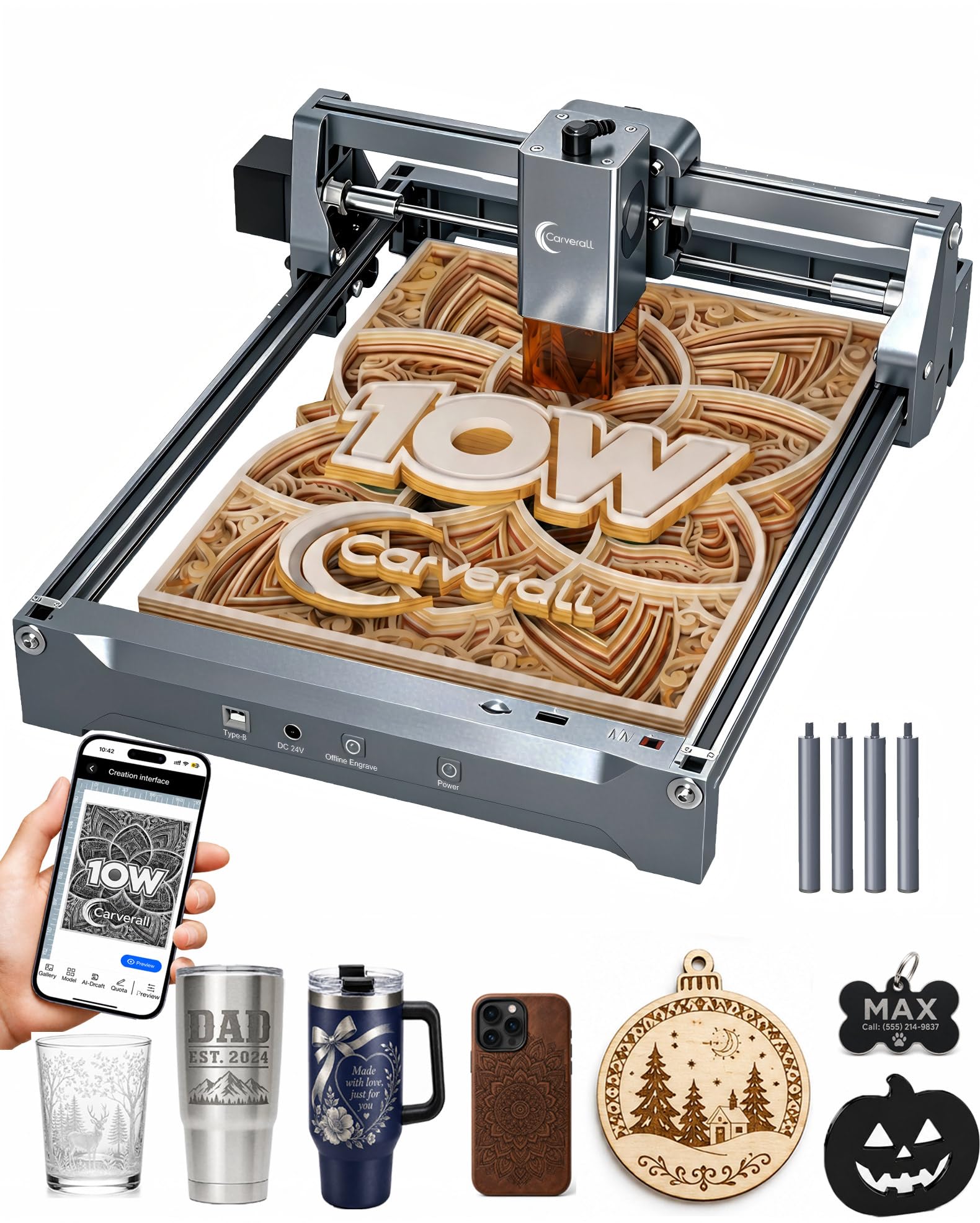
3. K15 Pro Laser Engraver 10W
A genuine 10W cutter that grows with you, from first wood sign to small-business tumbler orders.
Most budget machines top out at 5W, which means they engrave but can’t truly cut. The K15 Pro jumps to a verified 10.36–10.58W output, letting it cleanly slice 12mm plywood and 8mm acrylic — the kind of cutting power you’d expect from a pricier unit. Its dual-fan diode module reduces heat buildup by 50%., so long batch jobs don’t degrade mid-run.
The work area lands at 11.8×7.9 inches (roughly 300×200mm), Its A4 footprint covers 98% of daily projects. yet stays compact enough to slide under a desk. Four heightening columns let you lift the gantry for tall items like gift boxes or skateboards without extra accessories. Owners praise it for 4K clarity at 0.01mm precision and a one-touch focus that removes the guesswork.
Setup is a 3-minute job with 6 screws, and the free CutLabX software runs on computers, tablets, and phones with AI design tools. The real kicker for beginners is the upgrade path — add an optional 1W IR laser head later to engrave bare stainless steel. As owners put it: “Works great although there is a learning curve to using a laser engraving equipment in general,” and the thing everyone raves about is how well it functions for the money. With 500,000+ users in the community and a 1-year warranty, you’re never troubleshooting alone.
Why it earns the value badge
- True 10W cuts 12mm plywood and 8mm acrylic cleanly
- One-touch focus and smart memory for repeat jobs
- A4-sized bed fits daily projects without hogging a desk
- Upgradeable with IR head, rotary roller, and air assist later
What to watch
- The 300×200mm area is smaller than the LONGER Ray5’s 400×400mm
- Free app is decent but most owners prefer LightBurn
- A rare unit can stop working within weeks — check return policies
Best for: the hobbyist who wants one machine that starts with wood engraving and can grow into small-batch cutting and metal marking — the upgrade path protects your investment.
skip it if: you need to engrave full-size signs larger than A4 in a single pass.
4. Creality Laser Engraver 10W
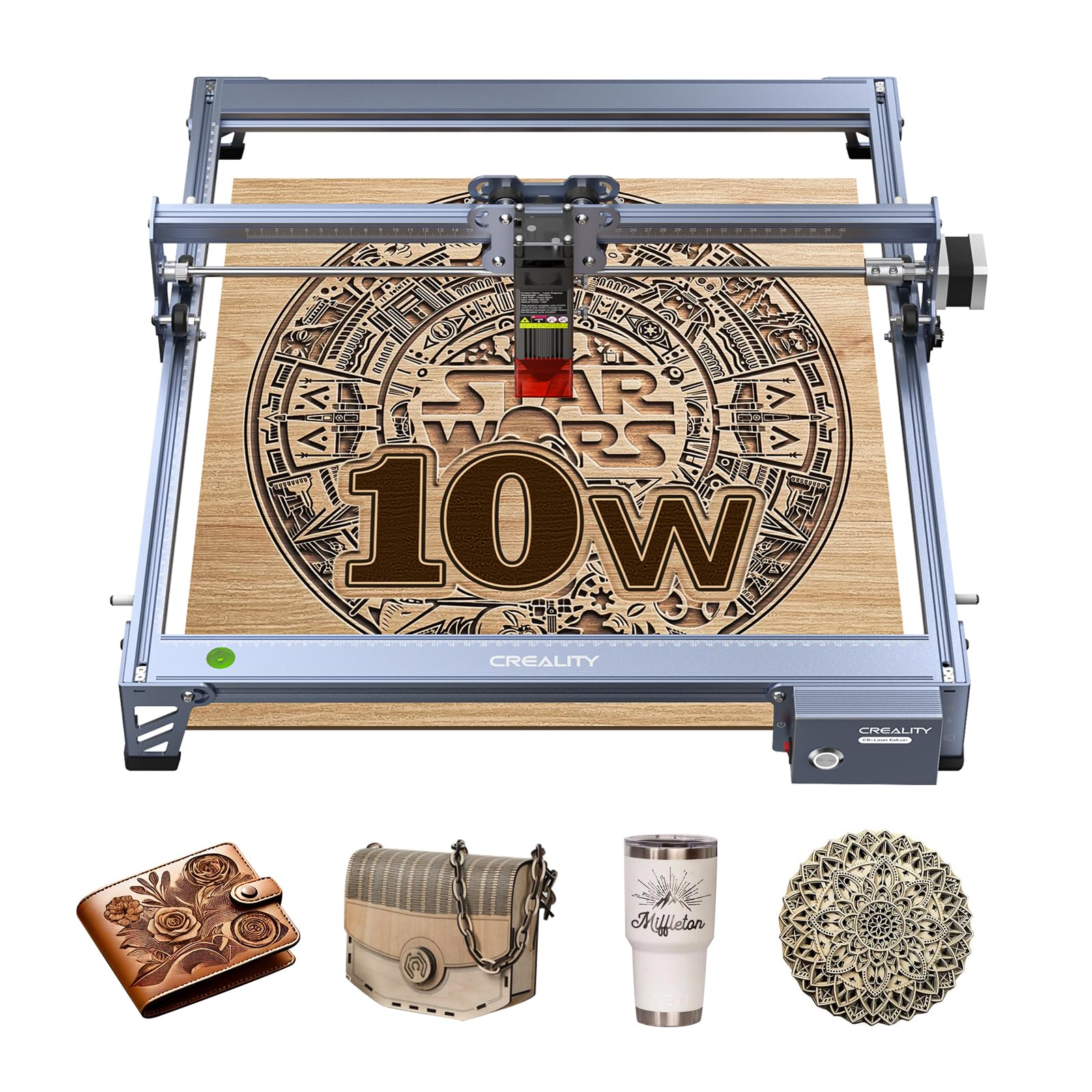
A 10W cutter that slices 5mm basswood in a single pass, built on a rigid all-aluminum frame.
Cutting speed is where the Creality Falcon 10W shines. Its 72,000mW machine power and 10W output cut a 5mm basswood board or 3mm black acrylic in ONE pass at up to 10,000mm/m — no repeated slow burns to babysit. Buyers describe it slicing through materials “like butter,” which is exactly the experience you want when producing signs or prototypes. The all-aluminum alloy frame with a steel shaft wheel guide rail keeps the 0.06×0.06mm spot stable for precision within 0.004 inches.
The 17″ x 16″ work area is genuinely large for this price tier, comfortably handling bigger signage than the K15 Pro’s A4 bed. It’s also one of the safest picks here: the anti-UV acrylic cover filters 97% of UV rays. Setup runs 10–20 minutes, and the new laser head includes a focusing plate so you can adjust focus without tools — a genuine convenience over screw-and-measure designs.
Connectivity is flexible with Wi-Fi, USB cable, and SD card, plus one-button management. LightBurn handles Windows, Mac, and Linux; LaserGRBL supports older Windows systems. The main caveat from the review trail is mixed assembly feedback — some owners find it simple, others confusing, so plan to watch the tutorial video rather than rely on paper instructions. Creality backs it with 1-year free parts replacement and permanent technical service.
One-pass cutter: the 10W output and rigid frame make this the pick for buyers who want clean cuts on basswood and black acrylic without waiting through multiple passes.
Assembly reality: the paper manual divides opinion — a quick video watch before you start saves real frustration.
5. Woxcker L2 5.5W Laser Engraver
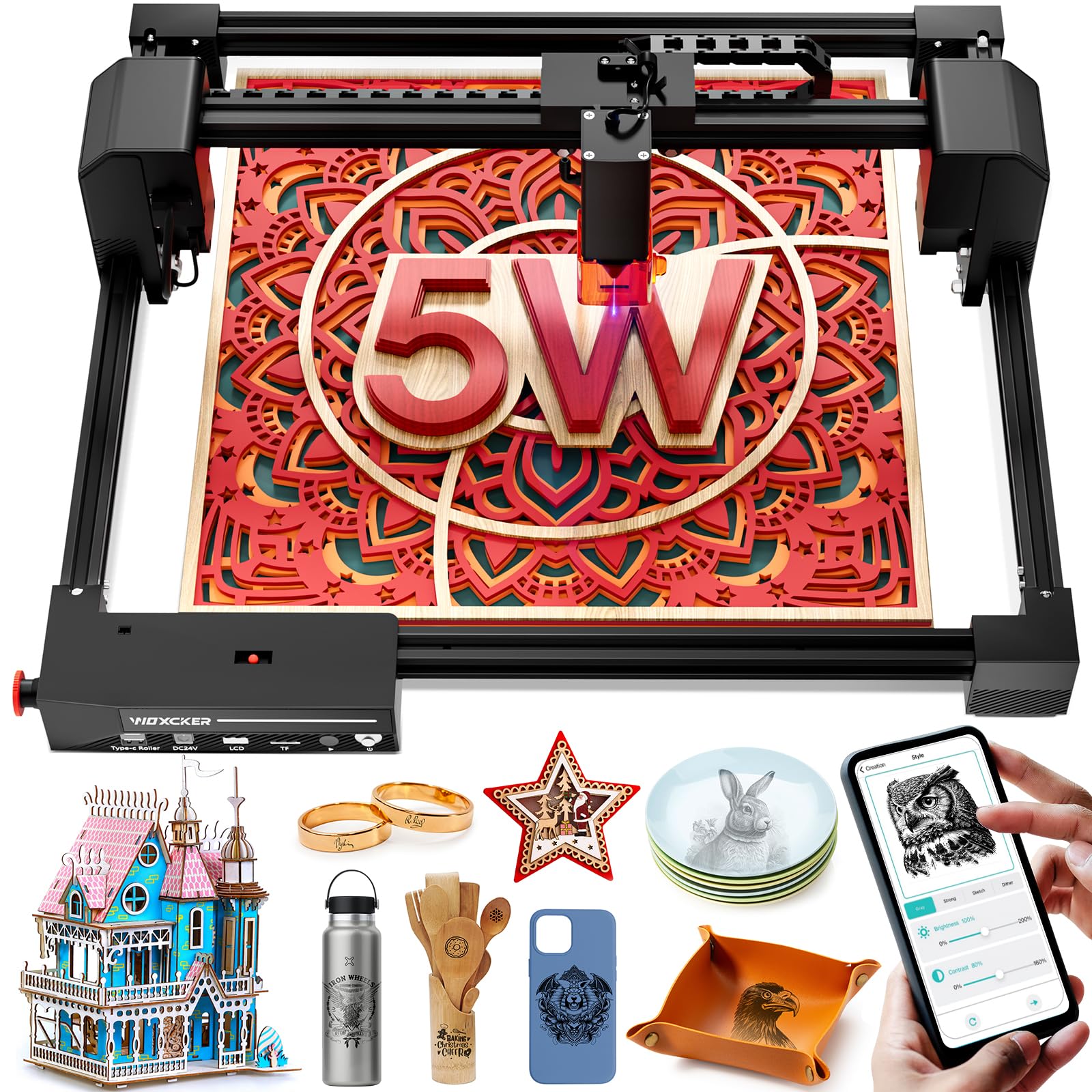
Tool-free assembly with a 97% UV-blocking shield makes this the safest first engraver for a home.
Setup anxiety is the biggest barrier for new engraver owners, and the Woxcker L2 attacks it head-on. Its modular design has just 5 main pieces that assemble visually — no tools, no belt tensioning, no axis calibration. You can go from cardboard box to first engraving in under 15 minutes, which owners confirm with reports of a first engraving within the hour. The 3.08-pound weight makes it the lightest mid-size unit here.
The 300×300mm work area fits one oversized 12″×12″ sign or four 150×150mm projects in a single batch, a real productivity boost for weekend sellers. Speed reaches 20,000 mm/min, and its 0.01mm ultra-fine square focus produces smooth edges on wood, leather, acrylic, and glass. The maker claims the precision is about 1/5 of a human hair wide — which explains why owners mention “consistently clean results.”
Safety is the standout story. The laser protection cover blocks 97% of UV rays and auto-stops the job if opened, great for homes with kids or pets. A flame sensor kills power on unusual heat, the emergency stop sits where your hand lands, and a 15° tilt auto-pause protects the machine. It works with LightBurn, LaserGRBL, and Cutlabx over Wi-Fi, USB, mobile app, or offline TF card. The honest caveat: at 5.5W this is an engraving workhorse, not a thick-material cutter — stick to marking and light cutting.
What owners love
- Tool-free, 5-piece assembly in under 15 minutes
- 300×300mm bed fits four small projects in one batch
- Six safety layers, including UV cover and flame sensor
- 3.08-pound frame is genuinely portable for craft shows
Before you buy
- 5.5W power limits you to engraving and light cutting only
- One owner hit a glitch after assembly, though support resolved it quickly
Pick this if: you want a first engraver that’s ready in minutes and safe enough to run in a living space — the 97% UV shield is the clincher for homes.
Reconsider if: cutting thick plywood is on your roadmap; you’ll want a 10W machine for that.
6. ACMER S2 Laser Engraver 12W
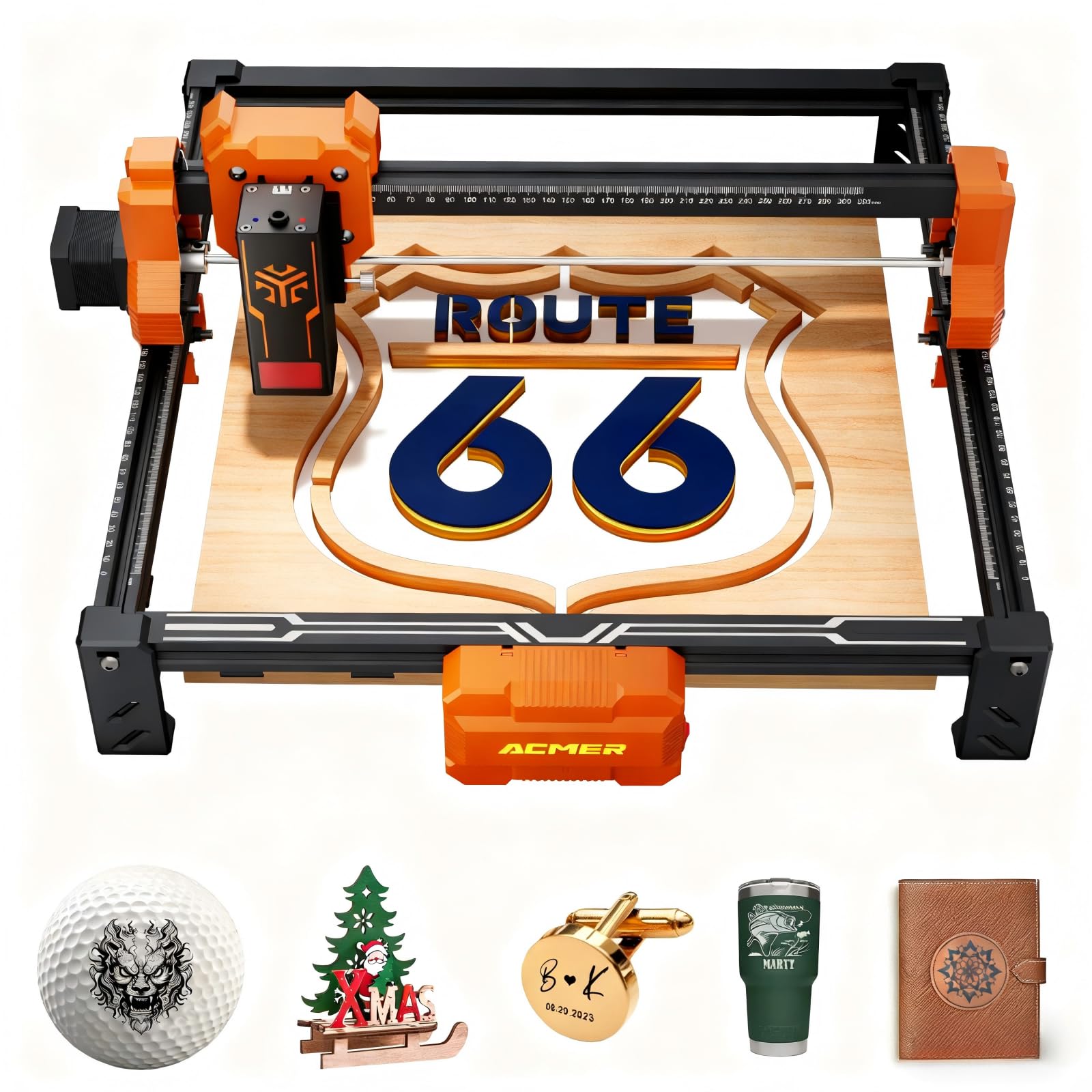
A true 12W head that cuts 15mm paulownia wood, putting serious cutting power into budget hands.
Here’s where the budget ceiling lifts. The ACMER S2 carries a true 12W laser head with 72W total system power — a significant step up from the 10W machines in this list. That extra power translates to cutting up to 15mm paulownia wood and 12mm black acrylic in multiple passes, the kind of material handling typical 10W machines can’t manage. Owners confirm it cuts 1/16″ and 1/8″ basswood cleanly, calling it a “great little machine” with plans to buy a backup.
The 300×300mm workspace matches the K15 Pro’s footprint while adding more headroom for thicker stock. It engraves over 100 different materials per the maker, and an advanced 32-bit chip holds speed up to 10,000 mm/min. The unit weighs 7.88 pounds — a middle ground between the featherweight S1 and the hefty LONGER Ray5, and physically smaller at 12.6 x 12.6 x 7.8 inches.
Setup is genuinely beginner-friendly, with non-tech users reporting easy assembly and quick first burns. The safety suite includes an anti-UV acrylic cover, safety goggles, and auto-pause if movement is detected mid-engraving. It’s upgradeable too, supporting laser heads from 4W to 12W. The recurring complaint from the review trail is Mac compatibility — the CH340 driver can be blocked on newer Macs, so Windows or Linux users get the smoothest experience.
Power-per-dollar: the 12W head at this price is the strongest cutting value in the lineup — 15mm paulownia and 12mm black acrylic are beyond any 10W unit here.
Platform note: plan to run this on Windows or Linux; Mac users may hit driver friction that requires workarounds.
7. KENTOKTOOL LE400PRO 5.5W

A 5.5W engraver with a 400×400mm bed that fits full-size signs, not just coasters.
Work area is the story here. The LE400PRO offers a 400×400mm engraving surface at a 5.5W power level, matching the big-boy bed of the LONGER Ray5 10W while keeping the sticker price firmly in budget territory. That means one full-size wooden sign or a large batch of projects in a single run — a major upgrade from the 130×130mm starter machines. The trade-off is speed: at 6000mm/min, it’s the slowest unit in this lineup, so detailed large designs take patience.
It uses 0.08mm square ultra-fine focus with point compression technology, which the maker claims is “twice as thin” as ordinary spots for sharper detail. Customers note sharp, precise engraving on wood and soft metals, consistent results across multiple projects, and solid all-metal build quality. The 12.87-pound weight reflects that durable construction, steadying the gantry for accurate movement along X and Y axes marked with precise tick marks.
The magnetic protective cover filters 97% of UV rays and detaches any time, while the knob design adjusts focus without tools. It supports GRBL and LightBurn across Windows XP through 10 and Mac, with file formats including NC, BMP, JPG, PNG, and DXF. A power switch acts as a convenient emergency stop. The honest caveat: a few owners found the learning curve steeper than expected, and there’s no printed instruction manual — you’ll watch external videos to get started.
The big-bed advantage
- 400×400mm bed fits large signs and batch jobs
- All-metal 12.87-pound frame keeps motion stable
- Magnetic 97% UV-blocking cover with tool-free focus knob
- Consistent engraving quality reported across projects
Slower pace
- 6000mm/min is the slowest speed in this comparison
- No printed manual — plan to learn from video tutorials
Choose it for: large-format engraving on a budget — the 400×400mm bed is the defining feature, not the modest 5.5W power.
Pass if: you’ll batch many small items daily; the slow speed will frustrate you.
8. LONGER Ray5 10W Upgrade

A 10W dual-beam cutter that handles 20mm wood and expands to a massive 850×400mm bed.
This is the flagship of the budget-turned-pro tier. The LONGER Ray5 10W uses dual-beam technology to reach 24,000 mm/min while cutting 0.8″ (20mm) thick wood and 1.2″ (30mm) thick acrylic — the most impressive cutting spec in this entire lineup. Owners running it daily report clean cuts through 5mm plywood in multiple passes and accurate complex shapes. It’s the machine that grows with you from hobby to serious side business.
The expandable bed is the headline feature. Buy the extension kit and the standard 400×400mm area grows to 850×400mm (33.46″ x 15.75″), expanding your workspace by 200%. — that’s a 15.75-inch wide path that stretches nearly three feet. The 32-bit core motherboard handles the extra size smoothly, with four data transfer methods: Wi-Fi, USB cable, APP, and TF card for fully offline operation.
The 3.5-inch touch screen makes it genuinely pleasant to operate, and the protective cover plus glasses handle eye safety while an abnormal shaking program auto-stops the machine. Assembly is straightforward with included tools and guides. The recurring gripe, per owners, is the flame sensor can trigger in direct sunlight — waste a bit of wood before you realize the room needs shading. Support is responsive, with sellers actively helping owners resolve sensor issues, which is the kind of backup that matters at this level.
Cutting king: the 20mm wood and 30mm acrylic cutting capacity at 24,000 mm/min makes this the most capable cutter under the premium tier — a genuine “great budget option” as owners call it.
Environment watch: the flame sensor is sensitive to bright daylight, so position the machine away from direct sun to avoid wasted materials.
9. ATOMSTACK A20 Pro V2

A 20W powerhouse with commercial-grade depth for the buyer who outgrew entry-level machines.
When engraving turns into a business, 5W machines start feeling slow. The ATOMSTACK A20 Pro V2 delivers 20,000mW of output power — 4x the entry-level units here — with engraving speeds up to 400mm/s across wood, acrylic, and metal. It’s the machine owners reach for when they’re producing personalized gifts, business cards, and branded merchandise for actual customers. The 13.42-pound aluminum alloy frame with an integrated linear guide keeps that power stable.
Precision comes from dot compression technology producing 0.08 x 0.1mm dots, with built-in limit switches and a cross-line light holding 0.01mm engraving accuracy. The independent motherboard delivers what owners describe as a powerful 20W with sharp engraving and solid build quality. A removable magnetic protective cover, safety glasses, and a tilt angle safety beep (>15°) round out the safety package. The maker rates the laser lifespan at up to 10,000 hours, backed by 24/7 service and lifetime technical support..
It connects via Type-C or USB stick and works with the ATOMSTACK App/PC software, Lightburn, and LaserGRBL. One owner notes it’s “a piece of cake” with LightBurn, though accuracy on very large items is belt-limited rather than screw-perfect. The honest assessment from reviews: instructions get mixed feedback — some find them unclear — and there’s zero user documentation included, so plan to learn from videos. For the semi-pro who wants real cutting power without jumping to a CO2 laser, this is the ceiling of the budget tier.
Commercial-grade power
- 20,000mW output at 400mm/s for fast production work
- 0.08 x 0.1mm dots for sharp, detailed engravings
- Aluminum frame with linear guides for durability
- Free replacement parts and lifetime technical support
Not for total beginners
- No printed user documentation — expect a video-based learning curve
- Belt-driven motion limits accuracy on very large pieces
- One of the heaviest units at 13.42 pounds
Worth it for: the maker selling personalized goods who needs speed and depth — 20W is the difference between a hobby and a production line.
pass on it if: you’re brand new to lasers; the K15 Pro or Woxcker offer gentler on-ramps at a lower price.
Understanding the Specs
Laser Power (mW and W)
Laser output is measured in milliwatts (mW) or watts (W), where 1000mW equals 1W. This number decides whether you can cut or only engrave. A 5W to 5.5W machine engraves beautifully on wood, leather, and coated metal, but it will struggle to cut through anything thicker than thin plywood. Jump to 10W and you can slice through 8-12mm plywood and acrylic in multiple passes. Go to 20W and you’re cutting 20mm wood with confidence. Match the power to your material list before you match it to your budget.
Work Area (mm)
The work area, stated in millimeters (mm), defines the maximum size of material your laser can reach. A compact 130×130mm bed handles coasters, pet tags, and small crafts. A 300×300mm area fits signs and larger batches of small items. A 400×400mm bed accommodates full-size signs and batch production. Measure your largest intended project before buying — splitting a design into two runs wastes material and time.
Engraving Speed (mm/min)
Speed, measured in millimeters per minute (mm/min), tells you how fast the laser head travels. Faster machines like those at 24,000mm/min complete detailed jobs in a fraction of the time of 10,000mm/min units. If you’re producing items to sell, speed directly affects your hourly output. If you’re a weekend hobbyist, a slower 6000mm/min machine will still finish most projects comfortably.
Precision and Laser Spot Size (mm)
Precision, often stated as 0.01mm accuracy, refers to how exactly the laser positions itself. Laser spot size is the width of the focused beam — smaller spots like 0.04mm or 0.08mm produce finer detail and smoother edges. A smaller spot matters for intricate logos, fine text, and detailed line art. For bold, large designs, spot size is less critical.
FAQ
What is the difference between 5W and 10W laser engravers?
Can a budget laser cutter cut metal?
Do I need special software to run these lasers?
Is it dangerous to use a laser engraver at home?
What materials can a budget laser engraver handle?
How long does a budget laser engraver last?
What does offline TF card mode mean?
Is an air assist or honeycomb bed necessary?
What size working area do I need for tumblers or bottles?
Final Thoughts: The Verdict
For the majority of shoppers, the budget laser cutter winner is the ACMER S1 because its 4.2-pound compact frame, 6000mW power, and 99% pre-assembled setup give you the quickest path from unboxing to a sharp first engraving — and it’s the crowd favorite with a 4.0-star average across hundreds of owners. If you want genuine cutting power to slice 12mm plywood, grab the K15 Pro 10W, which grows with you via its IR head and accessory upgrades. And for large-format projects on a budget, the 400×400mm bed of the LONGER Ray5 10W is the one to reach for — it cuts 20mm wood and expands to a massive 850×400mm workspace when you’re ready to go bigger.
How We Picked
We do not accept paid placement. Every pick is matched to a real buyer and a real use-case; we do not hands-on test units.
Sources & Methodology
Specifications: manufacturer listings and product documentation. Review insights: verified customer reviews, as of August 2026. Pricing: not shown on this page (it changes often); check the current price via the retailer link.
As an Amazon Associate, FitlyFast earns from qualifying purchases. This does not affect which products we feature.