
Our readers keep the lights on and the weekend projects moving. As an Amazon Associate, I earn from qualifying purchases.
Specs are compiled from manufacturer listings and verified buyer reviews and can change over time — please confirm the key details on the product page before buying.
A budget laser engraver sounds like a fast way to turn wood into art—until the beam wobbles, the software crashes, or the lid switch fails. The real trick isn’t finding the cheapest option; it’s finding the one that actually delivers sharp lines, safe operation, and consistent power without emptying your wallet. This guide cuts through the noise around the best budget laser engraver, pitting nine entry-level and mid-range machines against each other using published specs and real buyer experiences so you know exactly what works at each price tier.
I’m Rikta — the founder and writer behind FitlyFast. This guide is built by comparing the manufacturers’ published specifications and the patterns across verified customer reviews, so you get each pick’s real strengths and trade-offs instead of marketing spin.
Whether you are a hobbyist looking to personalize leather goods or a small-business owner needing consistent output, the following reviews focus on the key specs that matter — laser power, engraving area, precision, and safety features — to help you find the right budget laser engraver for your workshop.
Quick Picks
- M1 Mini Laser Engraver, 5W Laser Cutter — Best Overall
- WAINLUXPRO 5W Laser Engraver — Ultra Portable
- Twotrees TTS-55 Pro Laser Engraver 5500mW — Speed Demon
- Creality Falcon 10W Laser Engraver Machine — Big Bed Champ
- SCULPFUN S6 Pro Laser Engraver, 5500mW Output — Builder’s Choice
- AlgoLaser 5W Laser Engraver Machine — Touchscreen Genius
- Longer RAY5 Laser Engraver, 10W High-Precision — Thick Material Cutter
- Laser Engraver, LE400PRO 50W Laser Engraving — Massive Bed, Quiet Run
- Twotrees TTS-20 Pro Laser Engraver, 20000mW — Large Format Pro
How To Choose The Best Budget Laser Engraver
Picking your first laser engraver means wading through misleading wattage claims and confusing safety ratings. Here are the three specs that separate a reliable tool from a frustrating paperweight.
Laser Power (The Real Wattage)
Many budget machines advertise “50W” or “20W” in the title, but check the fine print: the actual optical output is often around 5W to 10W. That headline number is the electrical draw, not the laser power that does the cutting. A 5.5W diode laser will engrave wood and cut thin basswood, but it is not going to slice through thick acrylic in one pass. For a budget laser engraver, focus on the optical output wattage — that is the number that tells you what the beam can actually handle.
Engraving Area
The work area dictates what you can fit under the beam. Compact machines like the WAINLUXPRO K10-5W offer an 80x80mm area — fine for keychains, coasters, and pet tags. Machines like the Creality Falcon 10W give you 400x415mm, which means you can engrave a full-size cutting board or a wooden sign in one go. Measure your typical project before you buy; you cannot work around a small bed without time-consuming tiling.
Safety and Enclosure
Budget diode lasers fall into two safety camps. Class 1 machines (like the M1 Mini) have a fully enclosed body that filters out laser light, so you do not need goggles and the laser auto-stops if the lid opens. Open-frame Class 4 lasers (like the SCULPFUN S6 Pro) require dedicated safety glasses for everyone in the room and a well-ventilated space. For home use, a Class 1 enclosure is a huge peace-of-mind advantage.
Quick Comparison
| Model | Best For | Laser Output | Engraving Area | Weight | Amazon |
|---|---|---|---|---|---|
| M1 Mini 5W | First-time users wanting plug-and-play safety | 5W | 100x100mm | 9.61 lbs | Amazon |
| WAINLUXPRO K10-5W | Ultra-portable engraving on small blanks | 5W | 80x80mm | 6.78 lbs | Amazon |
| Twotrees TTS-55 Pro | Fast, large-area engraving on a tight budget | 5.5W | 300x300mm | 8.23 lbs | Amazon |
| Creality Falcon 10W | Big projects and material versatility | 10W | 400x415mm | — | Amazon |
| SCULPFUN S6 Pro | Hobbyists willing to assemble and learn LightBurn | 5.5W | — | 10.08 lbs | Amazon |
| AlgoLaser Pixi 5W | Touchscreen simplicity, no computer needed | 5W | — | 8.33 lbs | Amazon |
| Longer RAY5 10W | Thick material cutting and large-area work | 10W | 400x400mm | 9.43 lbs | Amazon |
| LE400PRO 50W | Quiet, precise large-bed engraving for rookies | 5.5W | 400x400mm | 12.87 lbs | Amazon |
| Twotrees TTS-20 Pro | Large-format production with metal engraving | 20W | — | 10.18 lbs | Amazon |
In‑Depth Reviews
1. M1 Mini Laser Engraver, 5W Laser Cutter Portable Desktop Laser Engraving
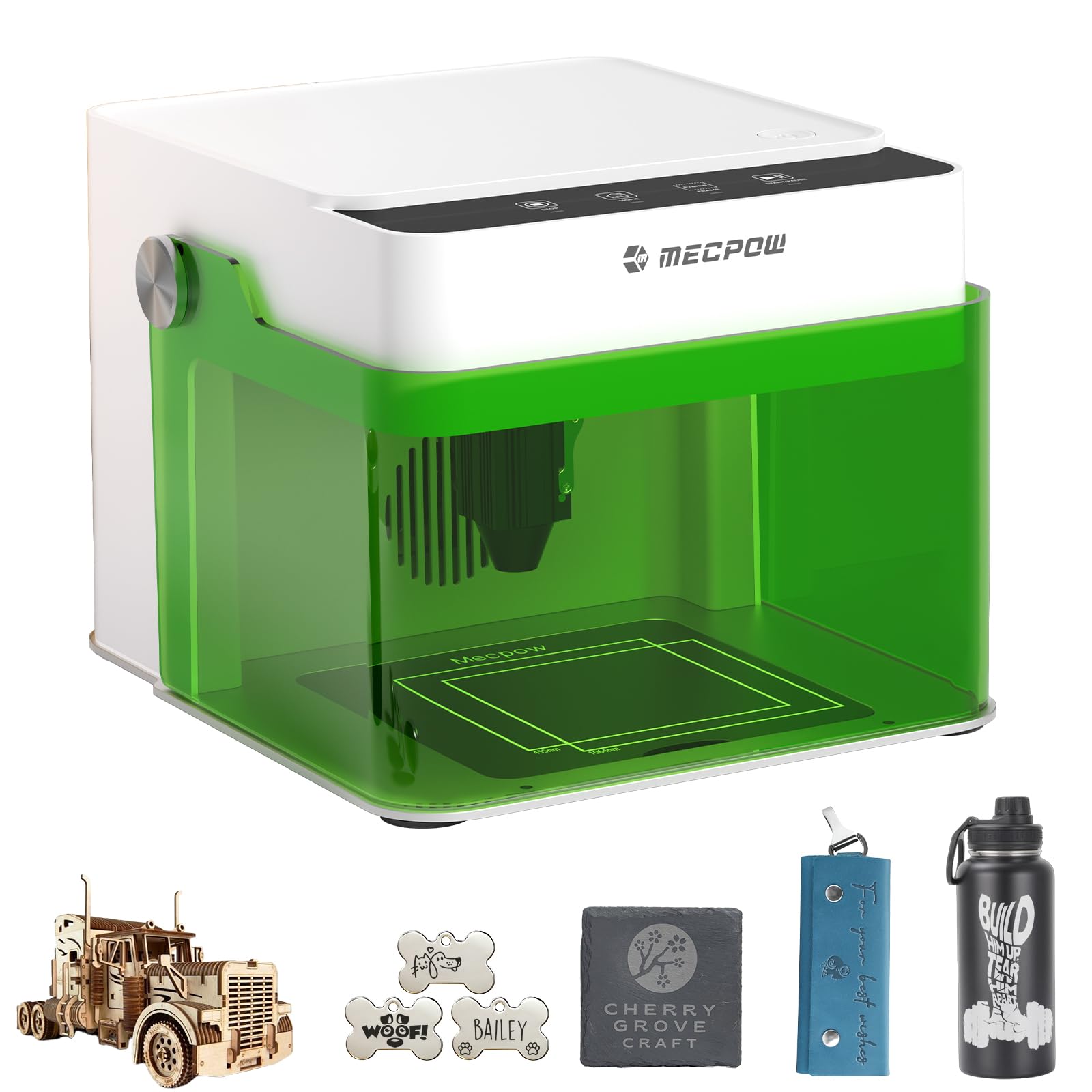
The fully enclosed starter that puts safety first without sacrificing detail.
Right from the start, this machine earns its place at the top of the list because it is the only budget entry that combines a Class 1 safety certification — meaning its enclosure filters 99% of laser light so you do not need goggles — with a 0.01mm accuracy versus the Twotrees TTS-55 Pro’s 0.1mm. Buyers report they “had it running in about 5 minutes with the proprietary software,” and the pre-assembled design means you skip the 20-minute build most open-frame lasers require.
The trade-off is the compact 100x100mm engraving area, smaller than the 300x300mm on the TTS-55 Pro. You can engrave a coaster or a mug (with the optional rotary add-on), but you cannot do a full wooden sign or a laptop cover in one pass. At 9.61 pounds, it is heavier than the portable WAINLUXPRO at 6.78 pounds.
Why it works for beginners
- Class 1 safety enclosure means the laser auto-stops if you open the lid — no goggles needed
- 0.01mm accuracy captures tiny text and intricate patterns without blurring
- Compatible with LightBurn, LaserGRBL, and CutLabX so you are not locked into one app
The small-bed reality
- 100x100mm work area forces you to tile designs larger than a standard coaster
- At 9.61 pounds it is heavier than the WAINLUXPRO, less portable than the spec suggests
Grab it when: you want your first laser to be a safe, fuss-free experience with no assembly and good precision for small gifts and samples.
Think twice if: you need to engrave large boards or cutting boards in one shot — the 100x100mm area will slow you down.
2. WAINLUXPRO 5W Laser Engraver, Portable Engraving Machine for Wood Leather Glass
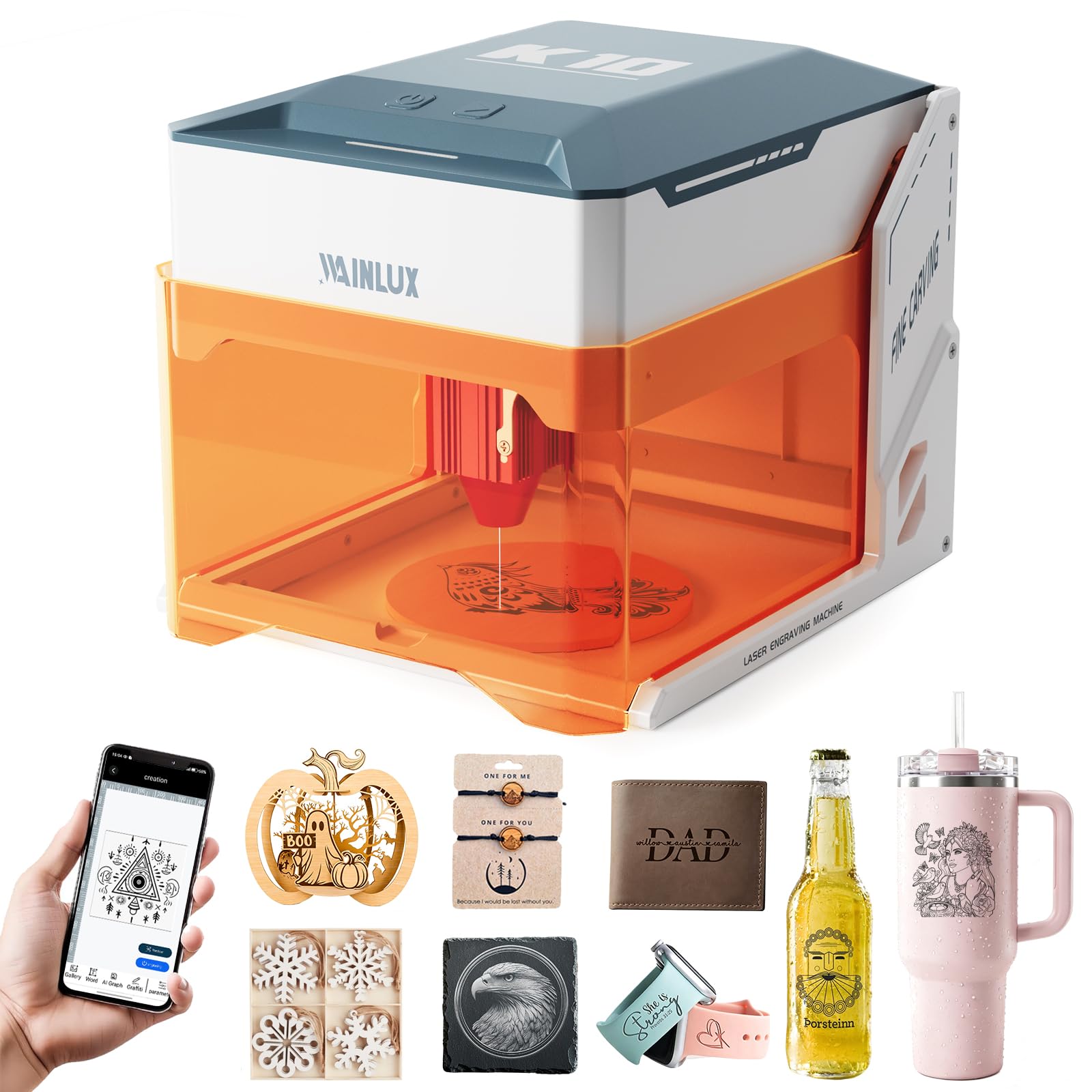
A featherweight that fits in a backpack but comes with a durability warning.
This machine’s standout spec is its weight: at 6.78 pounds it is lighter than the M1 Mini at 9.61 pounds, making it the most portable Class 1 laser in this lineup. The 80x80mm work area is the smallest among the picks — even tighter than the M1 Mini’s 100x100mm — so it is purpose-built for keychains, dog tags, and coasters, not cutting boards. Buyer feedback is split sharply here: some call it a “great laser engraver for small DIY projects,” but one verified owner reported “it stopped turning on 6 months later,” raising real questions about long-term reliability despite the 12-month warranty.
A 0.01mm precision and a 5000mm/min engraving speed sound solid on paper, though that top speed is slower than the Twotrees TTS-55 Pro’s 30,000mm/min. The CutLabX app is free and beginner-friendly, but multiple users flag that it crashes frequently and throws false safety warnings like “door open” when the door is closed.
What travels well
- 6.78 pounds is the lightest machine here, easily moved room to room or to a craft fair
- Pre-installed design — no tools, no assembly, engrave within minutes of unboxing
- Auto-stop tilt sensor cuts the laser if the unit tips 13 degrees
What holds it back
- 80x80mm area feels cramped — cannot fit a phone case or a full-size cutting board
- Reliability question from multiple reviews: one buyer’s unit died after 6 months
Ideal for: ultra-portable needs — craft fairs, classroom demos, or engraving small items on the go where every pound matters.
skip it if: you expect it to be your main daily driver for more than a year, or if you want to engrave anything bigger than a standard coaster.
3. Twotrees TTS-55 Pro Laser Engraver 5500mW
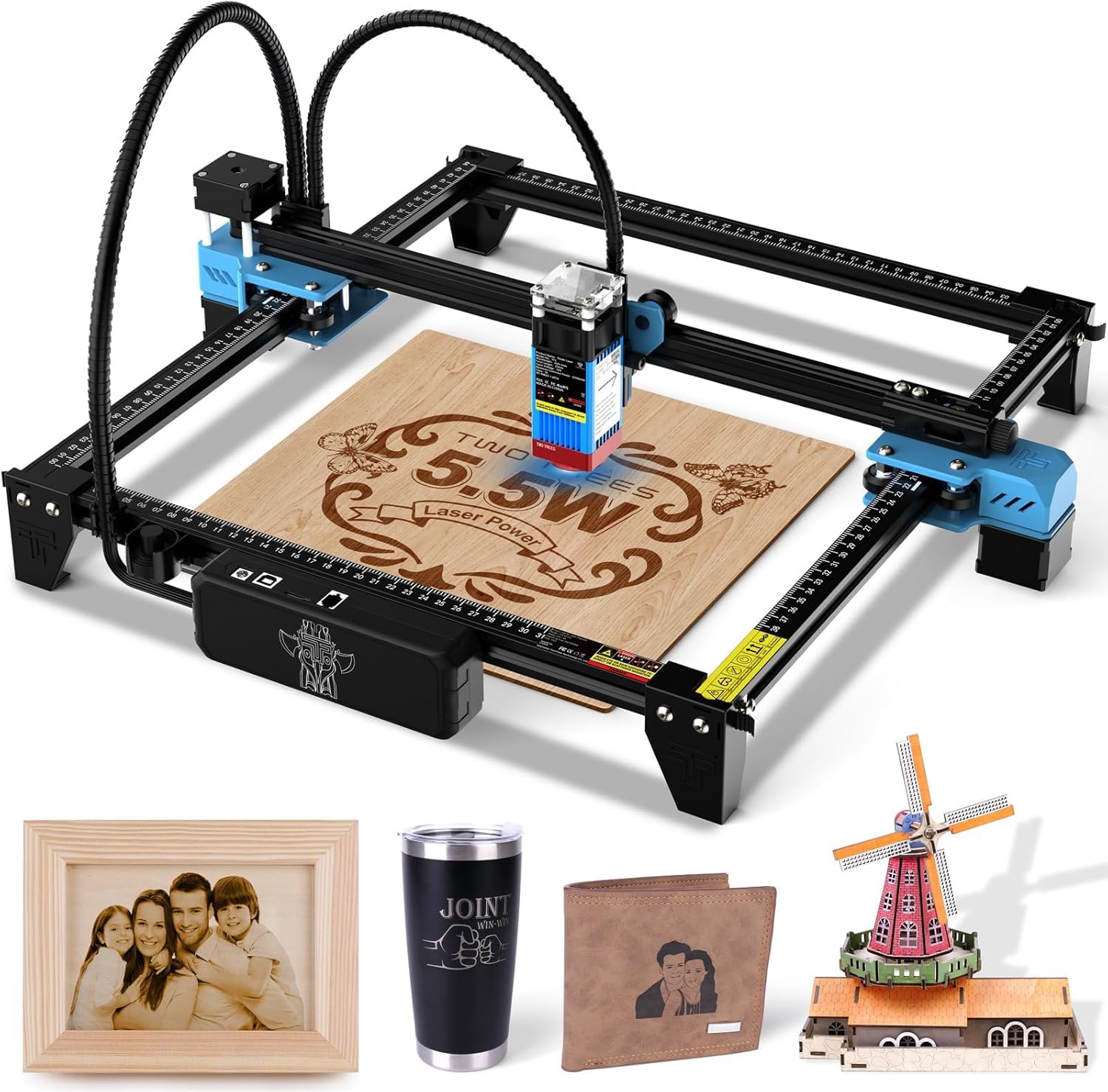
The wide-bed sprinter that races through large designs but asks for assembly time.
If engraving speed matters most, this is your pick. The TTS-55 Pro claims a max engraving speed of 30,000mm/min, compared to the WAINLUXPRO’s 5,000mm/min — . The 300x300mm work area is larger than the M1 Mini’s 100x100mm bed, giving you room for signs, laptop covers, and larger wooden panels without tiling.
The catch is that this is an open-frame Class II laser (not a fully enclosed Class 1 safety unit), so you need dedicated safety glasses and a well-ventilated space. Owners mention the assembly is straightforward but warn that “the instructions while in a very nice book are lacking on some information.” At 19 x 6 x 6 inches, its dimensions are larger than the WAINLUXPRO — meaning it eats up more desk space. The 0.1mm accuracy is serviceable for most projects but coarser than the 0.01mm on the M1 Mini.
Fast and wide
- 30,000mm/min engraving speed is the fastest in this roundup by a wide margin
- 300x300mm work area fits large wood panels and signs in a single pass
- Users praise customer service: “the sellers are also very helpful if you were to have an issue”
Assembly and safety trade-offs
- Open-frame Class II laser requires dedicated goggles and good ventilation
- Dimensions of 19 x 6 x 6 inches need more desk real estate than compact models
Reach for this if: you prioritize raw speed and a large work area, and you already have protective eyewear and a ventilated workshop.
Look elsewhere if: you want a turnkey, fully enclosed safety experience for a home office or living-room desk.
4. Creality Falcon 10W Laser Engraver Machine

Budget-king of large-format engraving with genuine 10W cutting power.
The Creality Falcon is the only machine in this sub- range that delivers a true 10W optical laser output — 10W optical output compared to the 5W of similar-priced units — paired with a 400x415mm work area, the largest in this group tied with the Longer RAY5. That combination means you can engrave a full-size baking sheet or cut through 5mm wood in a single pass, while the TTS-55 Pro’s 5.5W laser would need multiple passes on the same material. The 10,000mm/min speed is balanced, not the fastest, but practical for the large bed.
One deal-breaker appears in the reviews: a buyer reports “this is the second purchase, neither of the engravers worked.” That is a worrying quality-control flag, though other owners call it “amazing laser that actually works great” and praise the pre-assembled design. The anti-UV filter acrylic on the laser module reduces 97% of ultraviolet rays, giving a layer of eye protection without a full enclosure.
Large-scale performance
- 10W optical power cuts and engraves faster than any 5W diode in this price tier
- 400x415mm bed handles big projects like serving trays and laptop covers in one shot
- Works with over 200 materials including wood, leather, acrylic, and coated metal
Quality inconsistency
- Multiple verified reviews report units that arrived dead or failed quickly
- Customer support described as unresponsive after purchase
Buy it for: the huge bed and double the laser power of similarly priced machines, if you are willing to risk a potential quality-control issue.
Steer clear if: you want a machine you can rely on from the start with no chance of a DOA unit.
5. SCULPFUN S6 Pro Laser Engraver, 5500mW Output
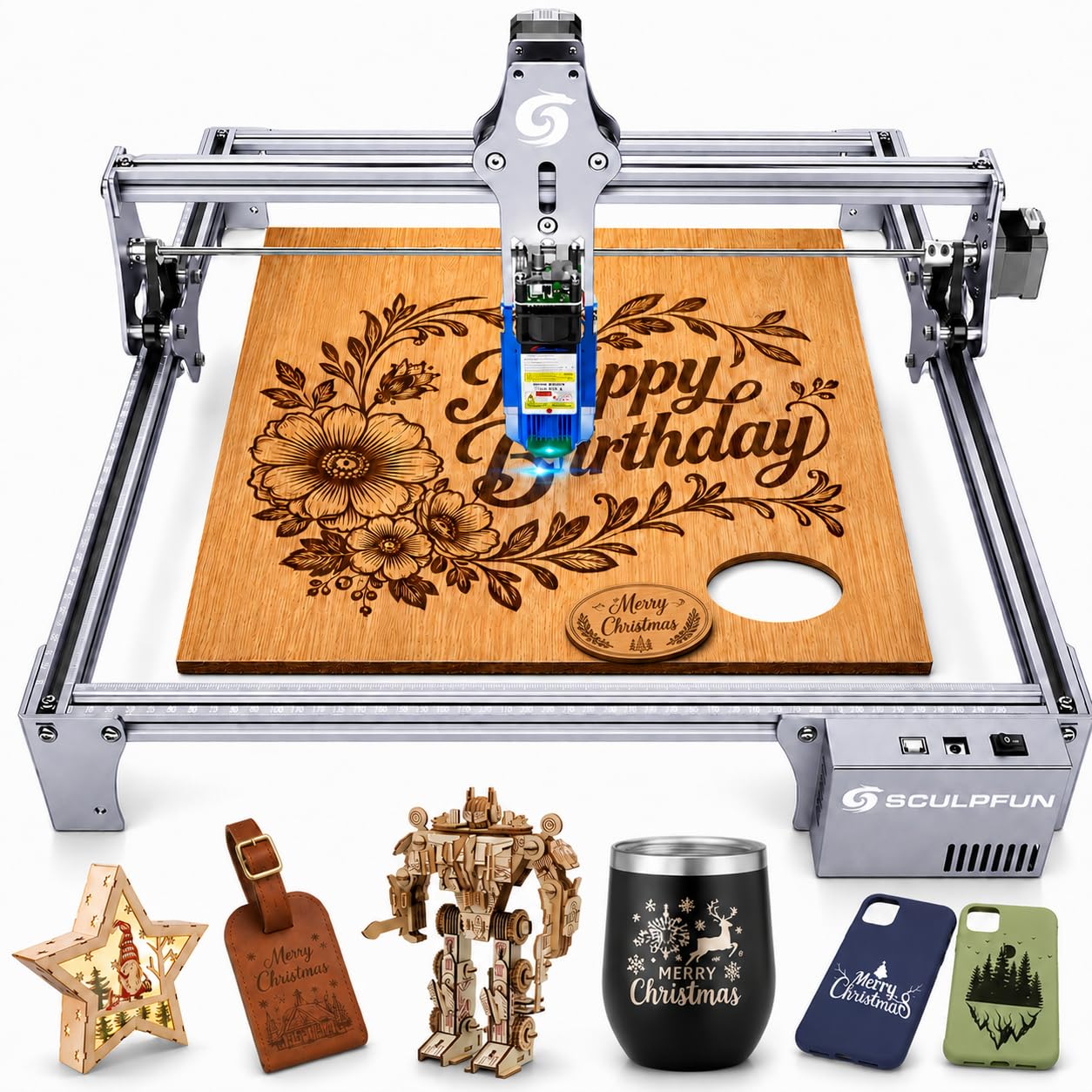
The open-frame tinkerer’s laser with proven longevity if you survive the learning curve.
The S6 Pro uses a 5500mW diode spot compression laser with a 0.08mm square focus, making it a solid choice for detailed engraving on wood and leather. One buyer reports the machine is still running strong after 2 years — a durability track record most budget lasers cannot claim. But this is a Class 4 open-frame laser, meaning there is no safety enclosure; the included laser filter cover blocks 98% of UV light, but you still need proper safety glasses for everyone nearby.
Assembly takes 10-20 minutes, and you will need a laptop or computer to run it — there is no offline operation or touchscreen. The free LaserGRBL software is limited, and the full-featured LightBurn license costs extra. One buyer’s laser head stopped firing after 2 months, though the seller sent a replacement quickly. Unlike the Creality Falcon’s 10W, the S6 Pro’s 5.5W is strictly an entry-level engraver — buyers confirm it “does not cut metal” despite what some listing titles suggest.
Proven track record
- Several customers note the machine still working after 2 years
- 0.08mm spot focus delivers detailed engraving on wood, leather, and coated ceramics
- Seller responsive to defects: one buyer received a free replacement laser head quickly
Not for the casual user
- No offline mode — you must have a computer connected at all times
- Open-frame Class 4 laser requires safety glasses and a ventilated workspace
Best for: hobbyists who enjoy the setup process and want a proven, repairable open-frame laser with good seller support.
Not for: someone who wants a plug-and-play enclosed machine or who works in a shared living space without ventilation.
6. AlgoLaser 5W Laser Engraver Machine with 3.5″ Touch Screen
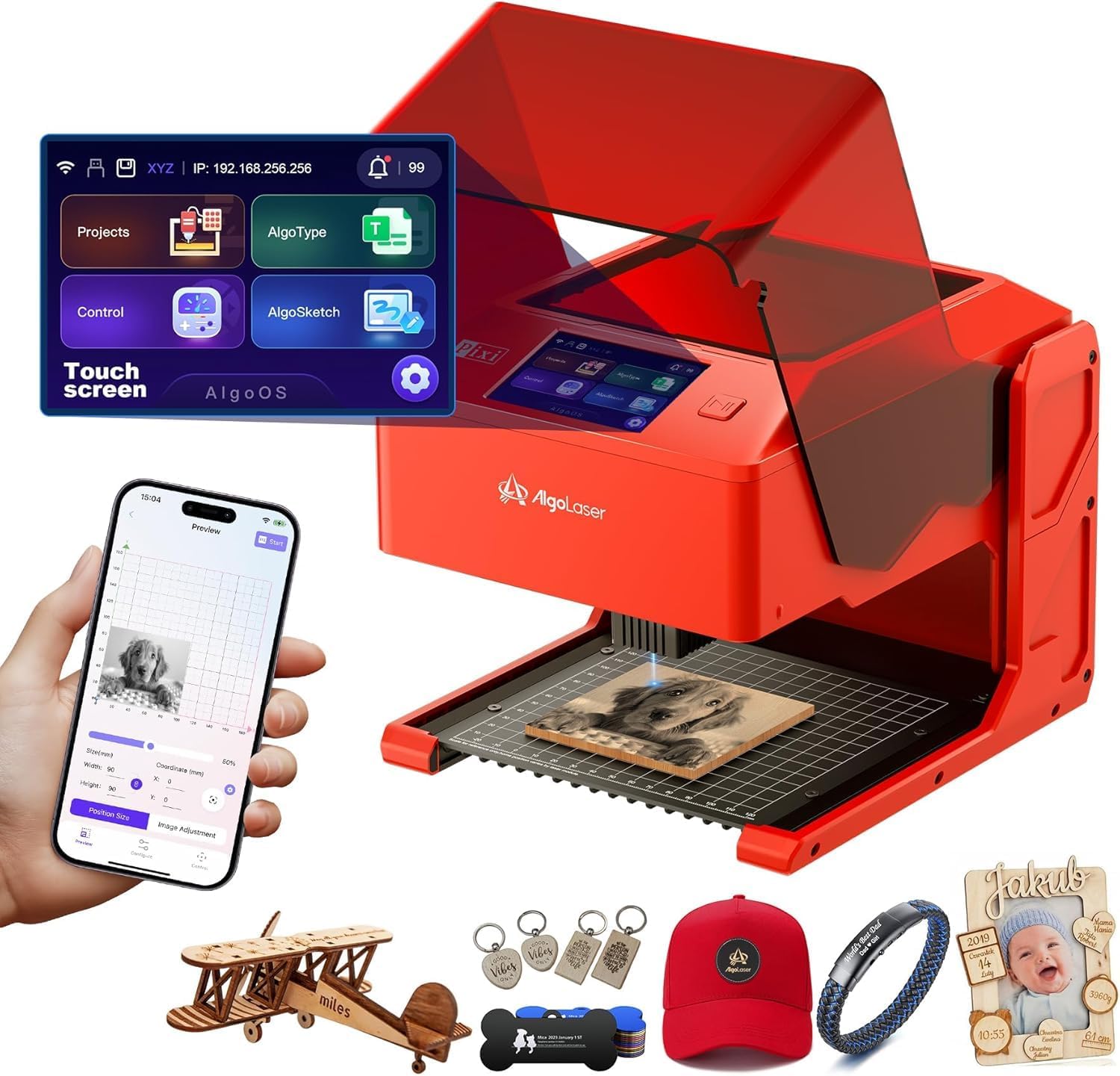
Draw your design on the screen itself — no laptop, no phone required.
The AlgoLaser Pixi is the only machine here that lets you draw or type your design directly on its built-in 3.5-inch touchscreen using the proprietary AlgoOS system. You do not need a computer, a phone, or any design software — just sketch or type, place your material, and engrave. The Class 1 safety certification includes an auto-pause door that stops the laser the instant the lid lifts, which is a genuine safety plus for home use.
One buyer warns the door interlock is unreliable, saying the “laser fires with shield open” — a serious safety red flag if true. Other owners call it a “smart, safe, and beautifully designed” machine with crisp results on wood and leather. Without a published engraving area spec, it is hard to say what size projects it fits. The 5W optical output is standard entry-level power, not enough for cutting thick materials.
Unique workflow
- Built-in touchscreen with AlgoOS means you can design and engrave without any external device
- Class 1 safety with auto-pause door for safer home operation
- Compact 10.5 x 8.5 x 7.7-inch footprint fits on a small desk
Safety and usability concerns
- Some reviewers point out the safety interlock failing, with the laser firing while the lid is open
- AlgoOS is a proprietary system; if you want to use LightBurn, you are out of luck
Great for: educators, crafters, or entrepreneurs who want the simplest possible workflow — draw, place, engrave — without learning LightBurn.
Pass on it if: you need proven safety interlocks, want LightBurn compatibility, or require a large engraving area.
7. Longer RAY5 Laser Engraver, 10W High-Precision
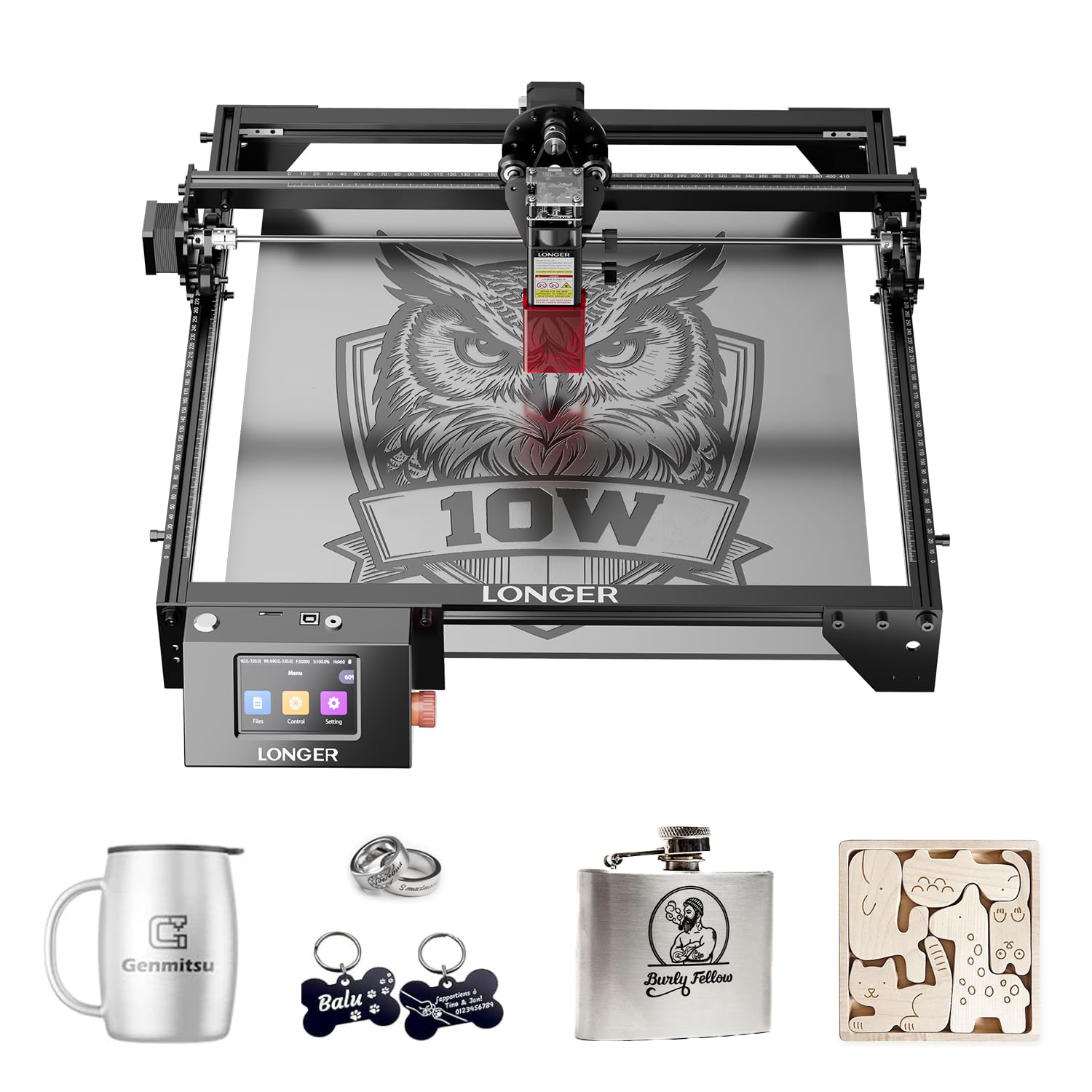
Cuts 20mm wood and 30mm acrylic — real thickness from a 10W diode.
The Longer RAY5 punches above its price with genuine 10W optical power that cuts through 0.8-inch (20mm) thick wood and 1.2-inch (30mm) thick acrylic, according to the manufacturer. That is significantly thicker than the 5.5W TTS-55 Pro can handle. The 400x400mm work area is tied for the largest in this group alongside the Creality Falcon, and the 0.06mm x 0.06mm spot size delivers finer detail than the SCULPFUN S6 Pro’s 0.08mm dot.
Users consistently praise the build quality and LightBurn compatibility, but note the machine lacks integrated air assist — you will need to buy a separate air pump and honeycomb bed, which one owner estimates adds around to the total cost. The 3.5-inch touchscreen makes offline operation possible, but the extended accessory cost means the final price is higher than the sticker suggests.
Cutting power
- 10W optical output cuts 20mm wood and 30mm acrylic in one pass
- 400x400mm engraving area fits large-format projects without tiling
- 0.06mm x 0.06mm spot gives fine detail for intricate designs
Hidden costs
- No included air assist or honeycomb bed — expect to spend ~ more on add-ons
- Open-frame machine (not Class 1 enclosed) so you need a ventilated workspace
Choose this if: you need to cut thick materials regularly and are comfortable sourcing your own air assist and enclosure accessories.
pass on it if: your budget is fixed and you cannot stomach the extra in mandatory add-ons for safe, smoke-free operation.
8. Laser Engraver, LE400PRO 50W Laser Engraving Machine for Beginners

A big, quiet workhorse with a 400x400mm bed and a deceptive wattage label.
The LE400PRO’s title shouts “50W,” but the fine print reveals a 5.5W optical output (Class 1 output is 5500mW) — same real power as the TTS-55 Pro. What it does offer is a huge 400x400mm engraving area, matching the Longer RAY5 and Creality Falcon, in a machine that buyers consistently describe as “quiet” and “consistent.” The maker claims a service life of 15,000 hours, which is high for a diode laser at this price point.
Setup takes 10-20 minutes and the all-metal frame keeps the gantry stable. One user notes the “extremely limited” included software and recommends switching to LightBurn immediately, and the lack of printed instructions means you will rely on YouTube tutorials. At 12.87 pounds, it is the heaviest machine in this lineup — solid for stability, but not portable.
Quiet and steady
- 400x400mm bed is one of the largest in this budget group
- Buyers praise the quiet operation and consistent results across materials
- All-metal construction and 15,000-hour claimed lifespan suggest good durability
Wattage confusion
- “50W” in the title is marketing — the actual optical output is 5.5W (5500mW)
- No printed instructions; beginners need to find tutorials on their own
Best for: beginners who want a big work area and a quiet, stable machine for detailed engraving on wood and acrylic.
Not for: anyone expecting true 50W cutting power or a machine that works well with the stock software.
9. Twotrees TTS-20 Pro Laser Engraver, 20000mW

Four times the optical power and a massive bed for serious production work.
The TTS-20 Pro is the most powerful laser in this lineup with a genuine 20W optical output (20000mW) — 20W optical output compared to the 5W of the M1 Mini and the 10W of the Creality Falcon. That power lets you cut thicker materials and engrave faster. Its 27.4-inch x 23.4-inch (approx 696x594mm) work area is the largest here, dwarfing the 300x300mm of the TTS-55 Pro and the 400x400mm of the Longer RAY5. Built-in WiFi means you can send files wirelessly from your phone or computer, and it is compatible with both LightBurn and LaserGRBL.
The catch is that this machine does not include a honeycomb panel or air pump — those are separate purchases that add to the cost. At 29 x 25.5 x 6.5 inches, its footprint is massive, requiring a dedicated table. Reviews mention the assembly is straightforward, but you will need a longer USB cable if your computer is not right next to the machine. Shoppers say it is “easy to learn” and recommend it to anyone starting out.
Serious power and size
- 20W optical output cuts through thick wood and acrylic faster than any 5W or 10W machine here
- 27.4 x 23.4-inch work area handles large-scale production and oversized panels
- Built-in WiFi for wireless control from any device on your network
Add-on costs and footprint
- Honeycomb panel and air pump sold separately — not ready for smoke-free operation from the start
- 29 x 25.5 x 6.5-inch dimensions require a large, dedicated workspace
Invest in this if: you are running a small business and need the raw power and huge bed for production-scale engraving and cutting.
Pass on it if: you are a casual hobbyist with limited space or a tight budget that does not accommodate the required add-ons.
Understanding the Specs
Optical Output Power (Real Wattage)
This is the actual laser power that hits your material, measured in watts (W) or milliwatts (mW). A 10W diode laser will cut through 5mm wood faster and cleaner than a 5W diode. Ignore the inflated “input power” numbers some brands put in the product title — a “50W” machine that outputs only 5.5W (5500mW) is still a 5.5W laser for your projects. For a budget laser engraver, 5W to 10W optical output is the realistic range for hobby engraving and light cutting.
Engraving Area and Precision
The work area (measured in millimeters or inches) tells you the maximum single-pass size of your engraving. A compact 80x80mm area works for keychains, while 400x400mm fits a full-size wooden sign. Precision is measured in spot size (0.06mm to 0.1mm on these budget units) — smaller spots produce sharper detail. Higher accuracy (0.01mm) is excellent for tiny text and intricate patterns, but the practical difference between 0.1mm and 0.01mm is only visible on very fine designs.
FAQ
What is the difference between a Class 1 and Class 4 laser engraver for home use?
Can a 5W budget laser engraver cut through wood?
How big of an engraving area do I need as a beginner?
Does the 20W Twotrees TTS-20 Pro need a special electrical outlet?
How long does a diode laser engraver typically last?
Can I engrave metal with a budget laser engraver?
What software do I need to run a budget laser engraver?
Does the WAINLUXPRO K10-5W have a real warranty?
Can I use the AlgoLaser Pixi without a smartphone or computer?
Is the M1 Mini Laser Engraver safe to use in a small apartment?
Final Thoughts: The Verdict
For the majority of shoppers, the budget laser engraver winner is the M1 Mini 5W because its Class 1 safety enclosure, 0.01mm precision, and 5-minute out-of-box setup make it the safest, least frustrating intro to laser engraving. If you want a huge work area and 10W cutting power, grab the Creality Falcon 10W. And for heavy production work with a 20W laser and the largest bed in the bunch, the Twotrees TTS-20 Pro is your pick.
How We Picked
We do not accept paid placement. Every pick is matched to a real buyer and a real use-case; we do not hands-on test units.
Sources & Methodology
Specifications: manufacturer listings and product documentation. Review insights: verified customer reviews, as of July 2026. Pricing: not shown on this page (it changes often); check the current price via the retailer link.
As an Amazon Associate, FitlyFast earns from qualifying purchases. This does not affect which products we feature.