
Our readers keep the lights on and the weekend projects moving. As an Amazon Associate, I earn from qualifying purchases.
Specs are compiled from manufacturer listings and verified buyer reviews and can change over time — please confirm the key details on the product page before buying.
The quickest upgrade to your desk isn’t a new keyboard — it’s getting that monitor off the surface and onto an arm. A good budget arm lifts your screen to eye level, clears space for your coffee and notes, and stops you from hunching over a stand. The trade-off is sorting through dozens of arms that look identical but differ wildly in how far they reach, how much weight they hold, and how smoothly they stay put.
I’m Rikta — the founder and writer behind FitlyFast. This guide is built by comparing the manufacturers’ published specifications and the patterns across verified customer reviews, so you get each pick’s real strengths and trade-offs instead of marketing spin.
Find the best budget monitor arm that clears desk space without wobbling, sagging, or breaking the bank.
Our Picks at a Glance


How To Choose The Best Budget Monitor Arm
Before you pick any arm, flip your monitor over and note two things: the diagonal size of the screen and the pattern of the four screw holes on the back. That pattern is called VESA, and nearly every arm you’ll consider fits the two standard sizes of 75×75mm and 100×100mm.
Match the size and weight limits to your screen
Every arm lists a range of screen sizes and a maximum weight it can hold. An arm rated for a 32-inch screen at 22 pounds will hold your 27-inch monitor easily, but the same arm strained by a 40-inch ultrawide will sag and drift. Check both numbers against your monitor before you commit.
Check your desk before you check out
Arms mount two ways — a C-clamp that squeezes the edge of the desk, or a grommet mount that bolts through a hole in the surface. Clamps need a clean, flat edge with nothing in the way. Desks with thick support beams, crossbars, or curved edges can block the grip, so measure the desktop thickness against the arm’s published clamp range.
Decide how much motion you genuinely need
Tilt swings the screen up and down to fight glare, while swivel turns it side to side and rotation flips it into portrait mode. An arm with full motion lets you pull the screen closer for detail work and push it back for video calls. If you rarely move the monitor once it’s set, a simpler arm with fewer joints will serve you fine.
Quick Comparison
| Model | Best For | Max Screen Size | Max Weight | Max Tilt | Amazon |
|---|---|---|---|---|---|
| Amazon Basics Single Monitor Stand★ Best Overall | Simple, budget single-screen setups | 30 inches | 22 lbs | -15° to +85° | Amazon |
| NB SmooVex Monitor MountSmooth Operator | Smooth mechanical spring motion | 32 inches | — | -25° to 90° | Amazon |
| WALI Single Monitor MountBudget Champion | Heavy-duty stability on a budget | 32 inches | 22 lbs | ±15° | Amazon |
| VIVO Dual Monitor Desk Mount | Two screens on one budget mount | 30 inches each | 22 lbs each | +90° to -90° | Amazon |
| Acer Single Monitor Mount | Tall reach with gas spring lift | 34 inches | 19.8 lbs | -60° to +90° | Amazon |
| MOUNTUP Extra Long Monitor Arm | Bringing the screen across a wide desk | 32 inches | 19.8 lbs | +90°/-90° | Amazon |
| VIVO Premium Ultrawide Mount | Large and ultrawide single displays | 40 inches | 26.4 lbs flat / 24.2 lbs curved | +90° to -90° | Amazon |
| HUANUO FlowLift Dual Monitor Mount | Two screens with one-hand adjustment | 32 inches each | 19.8 lbs each | +85°/-50° | Amazon |
| HUANUO Triple Monitor Mount | Full three-screen racing setups | 27 inches each | 19.8 lbs each | ±45° | Amazon |
In-Depth Reviews
1. Amazon Basics Single Computer Monitor Stand
The no-fuss steel arm that wins on sturdiness and sheer value, with fans numbering in the tens of thousands.
This is the arm the crowd rallies behind — a 4.4-star favorite among 18,000+ owners. It clamps to desks 0.8 to 3.9 inches thick and lifts screens from 13 to 30 inches weighing up to 22 pounds, which covers the vast majority of home setups. The horizontal arm rides a pole that adjusts from 7.9 to 14.2 inches high, letting you raise the screen to a more natural eye level.
What wins people over is the sturdiness — it’s the most-praised trait by far (over 200 owners single it out), with owners noting it holds a 27-inch Dell well and keeps a 32-inch 4K screen perfectly steady. The easy assembly and clear instructions get plenty of love too. One owner sums up the experience: “Sturdy arm, holds 27″ Dell well, smooth extension.”
The honest trade-off is in the motion. Tilt ranges from -15 to +85 degrees, but a fair number of owners find the arms don’t always stay exactly where they put them, and a few note the height tops out below eye level for taller users. For a static, one-screen setup at a normal desk height, this is all you need — and it’s backed by a limited 1-year warranty.
Why owners love it
- Detachable VESA plate fits 100×100mm and 75×75mm patterns
- Cable-management system routes cords through the arm and pole
- All hardware and tools included in the box
The trade-offs
- Stability of the arm’s position earns mixed feedback
- Height range suits average desks, not sit-stand workstations
Reach for this if: you want a proven, durable single-monitor arm at a rock-bottom entry price and you rarely reposition the screen once it’s set.
Look elsewhere if: you need the screen to hover well above eye level for standing work or you’re mounting a screen heavier than 22 pounds.
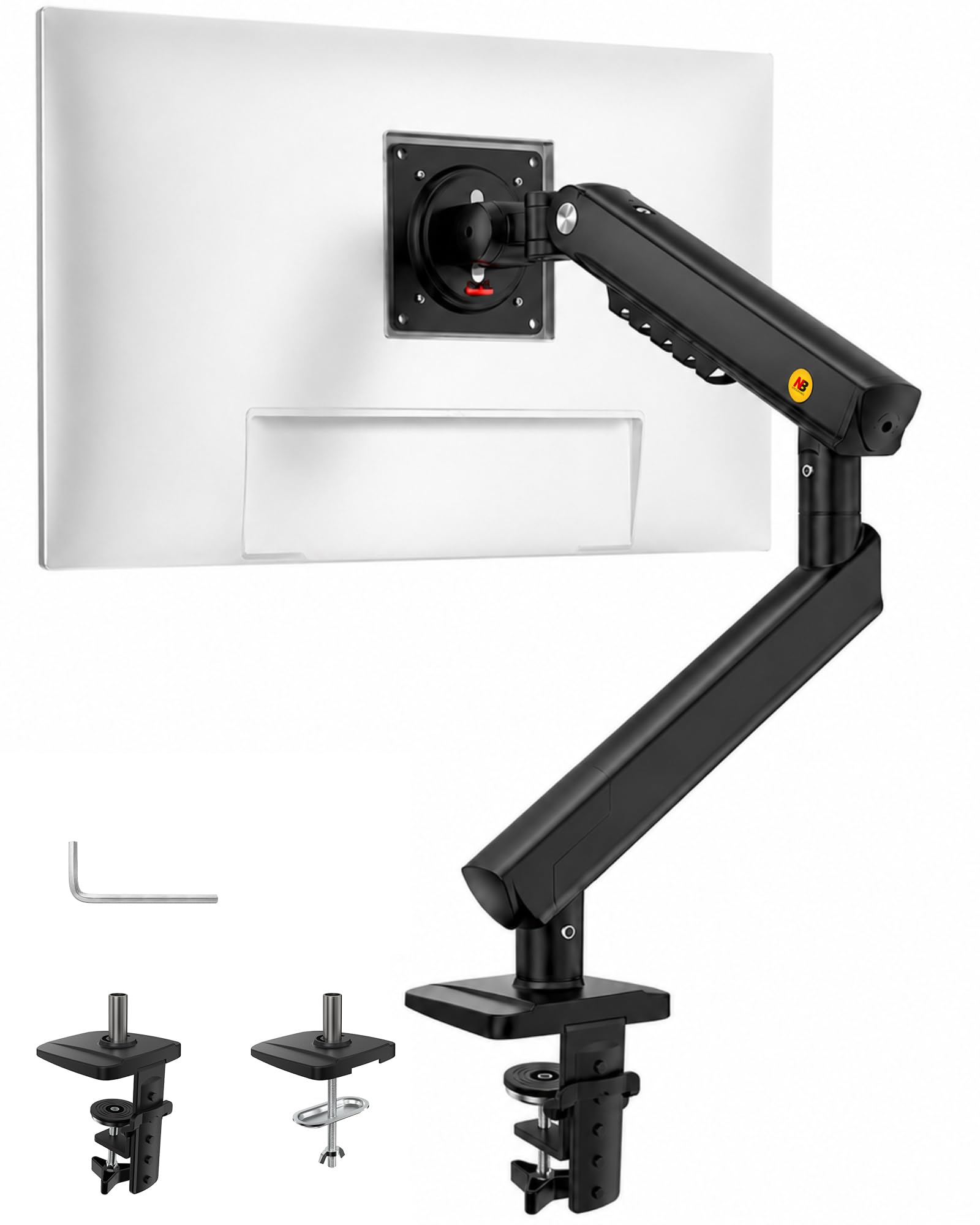
2. NB SmooVex Monitor Mount
A mechanical spring arm that tilts a full 90 degrees and stays put without the usual gas-spring sag.
Most budget arms rely on a gas spring that can slowly leak and droop over the years. The SmooVex swaps that for a precision mechanical spring — a genuine upgrade that owners say holds position firmly with no sag. It’s built for flat and curved screens up to 32 inches on standard VESA 75×75mm and 100×100mm patterns.
The flexible range is the headline: ±90° rotation, tilt from -25° to 90°, and 230mm of height travel. That 90-degree maximum tilt is a full 6.0x gap over the WALI’s 15 degrees, making this the more versatile arm for angling the screen down toward a low seat or up for standing work. The slim aluminum profile also frees up desk space without the bulky look of some mounts.
You’ll spend about 10 minutes mounting this arm, and buyers report the instructions are clear and every screw and spacer fits exactly as it should. One owner put it plainly: “Installed in 10 mins, clear instructions, all screws/spacers fit.” Before you buy, check that the clamp will fit your desk — a few reviewers found the clamp too short for desks with a 2×4 support underneath and had to cut a custom notch.
Why it makes the list: the mechanical spring removes the single biggest long-term complaint about cheap arms — gas leakage — while giving you double the tilt range of the WALI.
Who should pass: anyone with a thick, reinforced desktop edge who can’t confirm the clamp will reach around it.
3. WALI Single Monitor Mount
The heavy-duty budget arm whose stability on standing desks has won over a huge fanbase.
Assembly is the thing everyone raves about here — 856 owners single it out as the highlight, calling the instructions easy and the build solid. The WALI holds screens from 13 to 32 inches and up to 22 pounds, and owners mention it handles a 33-inch monitor plus a 27-inch without a hint of drooping. The heavy-duty clamp keeps everything rock-steady, even on sit-stand desks that get jostled through the day.
You get a 16-inch height pole, a +/-15° tilt and +/-90° swivel, plus 360° rotation to flip the screen into portrait mode. That tilt is modest next to the SmooVex’s 90 degrees, so this is an arm for leveling a screen you rarely angle, not for dramatic repositioning. The trade-off is noted honestly: a fair number of owners find the range of motion stiff and the alignment tricky to get perfectly level.
It’s a clean, two-stage locking system that adapts to a 3.5-inch C-clamp or a 3-inch grommet base, and the mount plates detach and adjust for both 75×75mm and 100×100mm VESA holes. Owners describe it simply: “Easy assembly, extremely stable, supports 33″ monitors plus 27″ between.” For a single screen at a fixed height, it’s tough to beat at this price.
What stands out
- US-based support available seven days a week
- Heavy-duty metal build that owners say never sags
- Mount plates adapt to both standard VESA hole patterns
Worth knowing
- 15-degree tilt is limited for angled viewing
- Alignment adjustments take a little patience
Best for: anyone who wants a bulletproof single-screen mount they’ll install once and never touch again — especially on a standing desk.
skip it if: you plan to tilt the screen down toward a low chair or frequently flip between portrait and landscape.
4. VIVO Dual Monitor Desk Mount

The dual-screen workhorse with a 3-year warranty and a 60,000-owner stamp of approval.
This is the most-reviewed arm on our list by a wide margin, and the consensus is clear: it’s sturdy, well-built, and excellent value for two screens. Each arm holds a display from 13 to 30 inches weighing up to 22 pounds, on VESA 75×75mm or 100×100mm patterns. Customers note it keeps two 27-inch curved monitors rock solid with zero shaking.
Motion is generous — +90° to -90° tilt, 180° swivel, 360° rotation, plus height adjustment along the center pole — so you can run both screens in portrait or landscape. The heavy-duty C-clamp fits desks up to 3.25 inches thick, with an optional grommet mount as backup. A 3-year manufacturer warranty and friendly tech support back the sturdy steel design.
The honest catch is individual height adjustment. Owners note that fine-tuning each screen’s height independently is limited — one described the per-monitor adjustment as roughly a quarter-inch without a washer trick — and aligning two big screens perfectly takes patience. For a static dual-screen setup at a fixed height, this remains exceptional value.
Why it’s a crowd favorite
- Detachable VESA plates make mounting each screen simple
- Cable-management clips run along the arms and center pole
- Owners describe the build as superior and buy it a second time
Plan around this
- Individual screen height adjustment is limited
- Arms may extend past the edge of a narrow desk
Grab it if: you’re running two similar-sized monitors and want them off the desk with room to move them around.
Think twice if: you need each screen at a distinctly different height — this arms fine-tunes position, not dramatic height differences.
5. Acer Single Monitor Mount
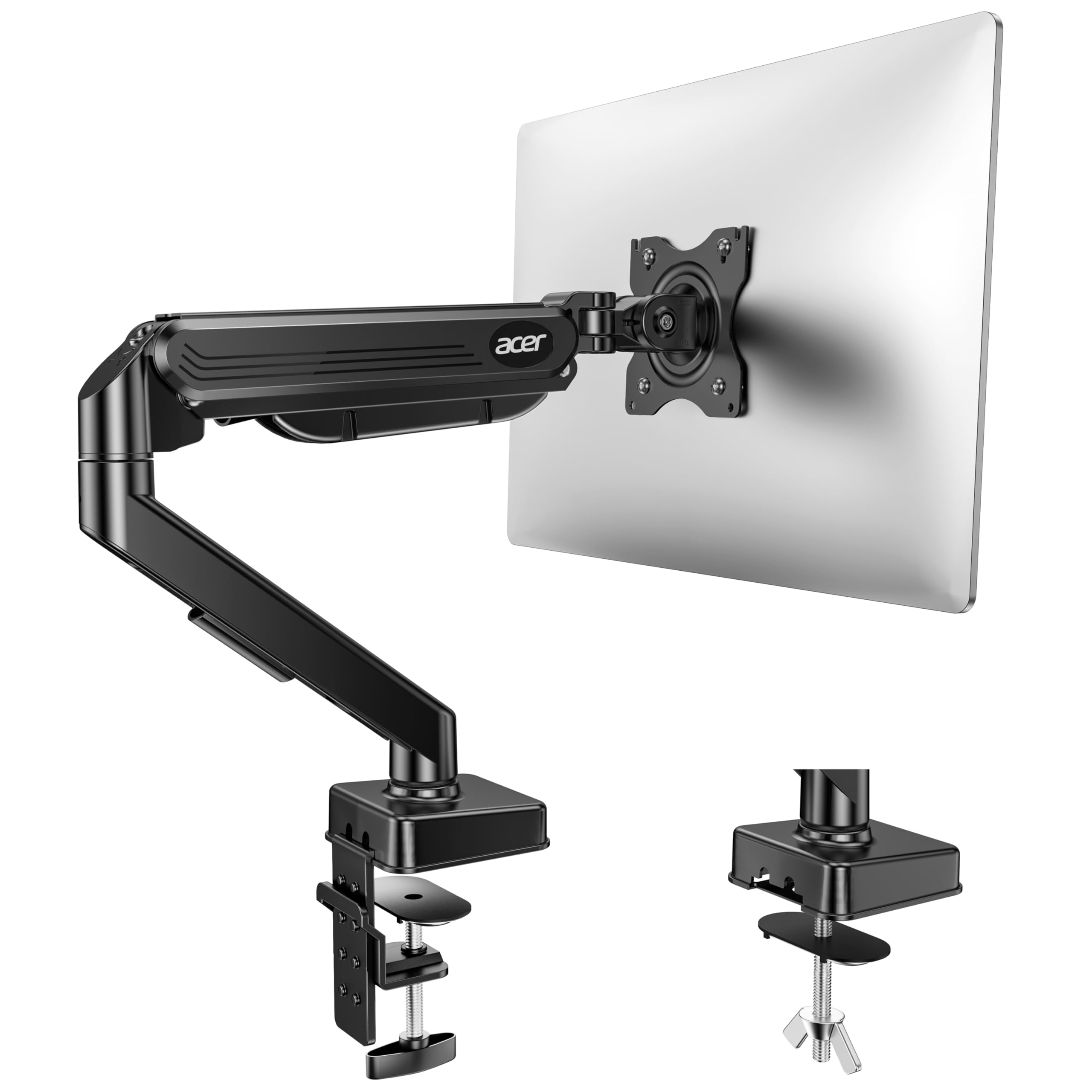
A brand-name gas spring arm that reaches high — up to 18.1 inches — and fits screens up to 34 inches.
The Acer stands out for height. Its arm raises a monitor up to 18.1 inches off the desk, the tallest maximum reach in our budget lineup, which makes it a strong match for tall users and sit-stand desks. It supports screens from 17 to 34 inches weighing 4.4 to 19.8 pounds, and the tilt range is wide at -60° to +90°.
Owners call the build quality the standout, praising the mostly-metal construction and easy one-hand adjustment. A common success story: two Acer arms lining up 32-inch screens perfectly beside a 40-inch ultrawide in a triple-monitor rig. The gas spring adjusts for monitor weight via a tension screw, and the maker claims the arm passed 20,000 motion tests.
The fit is where opinions split. Some owners found screws that didn’t align perfectly with their monitors, and a few report the tension control takes fiddling to dial in. The clamp fits desks 0.59 to 3.15 inches thick, but the instructions are clear: not recommended for desks with double shelves, enclosed back panels, or curved edges where the clamp can’t fully grip.
The strongest angle: for a tall person who wants the screen genuinely high, the 18.1-inch reach beats every other budget pick on this list — most stop well short of that.
The fair warning: confirm your monitor’s VESA screw alignment and your desk edge shape before buying, since fit is the one area with mixed reports.
6. MOUNTUP Extra Long Monitor Arm
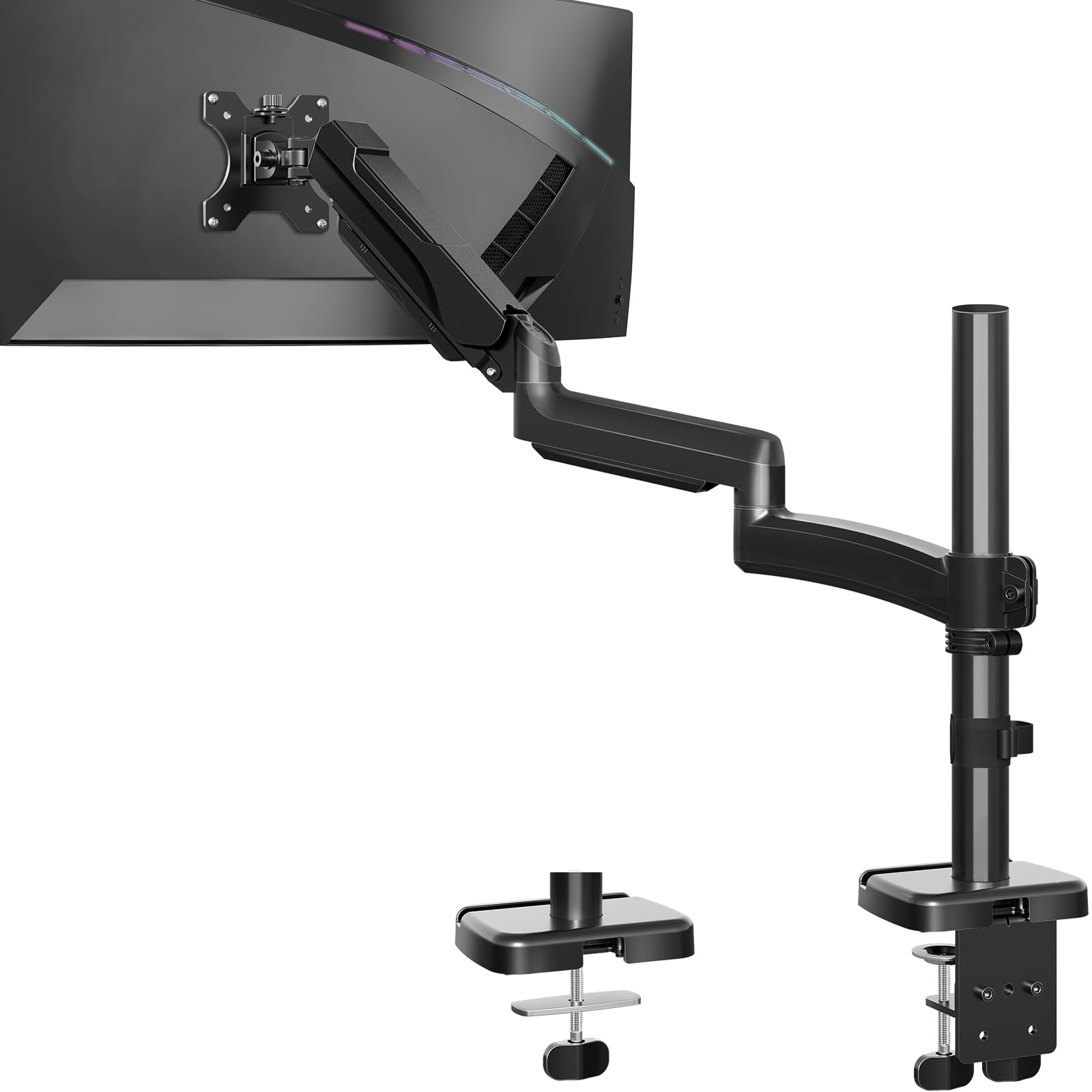
The extra-long arm that reaches 27.7 inches across the desk and lifts the screen 28.5 inches high.
Need the monitor out over the desk, away from a shallow clamp point? The MOUNTUP is 30% longer than typical arms, with up to 27.7 inches of extension, so you can pull the screen right into your line of sight or push it back for video calls. It handles screens from 22 to 32 inches weighing up to 19.8 pounds.
The motion range is the biggest on the list: 28.5 inches of height adjustment, full +90°/-90° tilt and swivel, and +180°/-180° rotation. Owners describe it as very sturdy on sit-stand desks, holding three 27-inch monitors without issues, and appreciate the cable management that keeps everything organized. It’s tested for over 20,000 lifts and carries a 3-year warranty.
The caveats are about fine control. A few reviewers point out the left arm doesn’t always stay exactly in position, and others find small, precise movements hard to make smoothly — the motion is solid rather than fluid. If you set the screen once and leave it, this reach and range is a lot of arm for the money.
What you get
- Dual mounting: C-clamp fits 0.39-3.15″ desks, grommet fits 0.39-1.97″
- 27.7″ extension positions the screen anywhere on a wide desk
- Tested for over 20,000 lifts for daily-use durability
Keep in mind
- Fine, small adjustments feel stiff to some owners
- A few report the arm needs re-tightening to hold position
Choose this if: you have a wide desk and want the freedom to pull the screen close or push it far back.
Pass if: you’re a perfectionist who makes tiny millimeter-level positioning tweaks all day — this arm prefers broad, confident movements.
7. VIVO Premium Aluminum Ultrawide Mount

Aluminum-backed strength for ultrawide screens up to 40 inches and 26.4 pounds of display.
Budget arms commonly top out around 22 pounds and 32 inches, which leaves ultrawide owners out in the cold. The VIVO premium arm steps up: it fits most 17- to 40-inch flat and curved screens, holding a flat ultrawide up to 26.4 pounds or a curved one up to 24.2 pounds. A built-in elbow spring gauge lets you dial in the perfect weight adjustment at any level.
Owners with 34-inch ultrawides describe smooth tilt, swivel, and rotation with zero sagging, plus a counterbalance lift that holds position flawlessly. The range is generous — +90° to -90° tilt, 180° swivel, 180° rotation, and 9.6 inches of smooth height adjustment. The quick-release VESA bracket handles both 75×75mm and 100×100mm patterns.
It’s heavier than the rest at 6.5 pounds, which is exactly why it feels so planted. The cable-management covers keep cords tidy during transitions. One honest note: the clamp’s spring-arm can bounce slightly when lowering, and the desk edge must be between 0.39 and 2 inches thick for the clamp to seat properly.
Why ultrawide owners pick it
- Holds screens up to 40 inches and 26.4 pounds — beyond typical budget limits
- Premium aluminum build with a smooth counterbalance lift
- Quick-release VESA plate makes mounting a large screen easy
The honest limits
- Clamp needs a desktop edge between 0.39″ and 2″ thick
- Spring-arm shows a slight bounce when lowering
Best for: the ultrawide or large-screen owner who’s been told “budget arms won’t hold it” — this one will.
Skip if: your desktop is thicker than 2 inches at the clamp point, since the grip range is narrower than other arms here.
8. HUANUO FlowLift Dual Monitor Stand

A dual C-clamp base and gas springs that let you reposition two screens with one hand.
Wobble is the enemy of dual-screen setups, and the HUANUO attacks it with an upgraded base that pairs a larger platform with a dual C-clamp structure. That extra grip locks the arm firmly to your desk so two screens stay steady while you type and click. Each arm holds a monitor from 13 to 32 inches weighing 4.4 to 19.8 pounds.
Owners describe the gas arms as holding position perfectly, with easy tension adjustment and smooth one-hand repositioning. The motion range covers +85°/-50° tilt, ±90° swivel, and 360° rotation, plus a 15.75-inch height raise for a healthy sitting posture. A top review sums it up: it’s rock solid on an Ikea desk, the clamp is safe, and it frees up a ton of desk space.
The desk compatibility is specific — only wooden desks 0.59 to 3.54 inches thick are recommended, and the bottom can’t have cross beams or panels that block the clamp. It’s an 11-pound unit, so plan for a sturdy surface. A few owners note the cable rails require detaching the arms to route new cords, which is a minor hassle at setup time.
The strong points
- Dual C-clamp base prevents wobble and sliding during gaming
- Grommet mounting option included as an alternative
- Built-in cable guides keep cords out of sight
Check before buying
- Only recommended for wooden desks — no glass or plastic
- Desk underside must be clear of cross beams for the clamp
Reach for this if: you game or work on a solid wooden desk and want two steady screens you can swing into any position.
Look elsewhere if: your desk is glass, plastic, or has a support beam running underneath the clamp point.
9. HUANUO Triple Monitor Mount
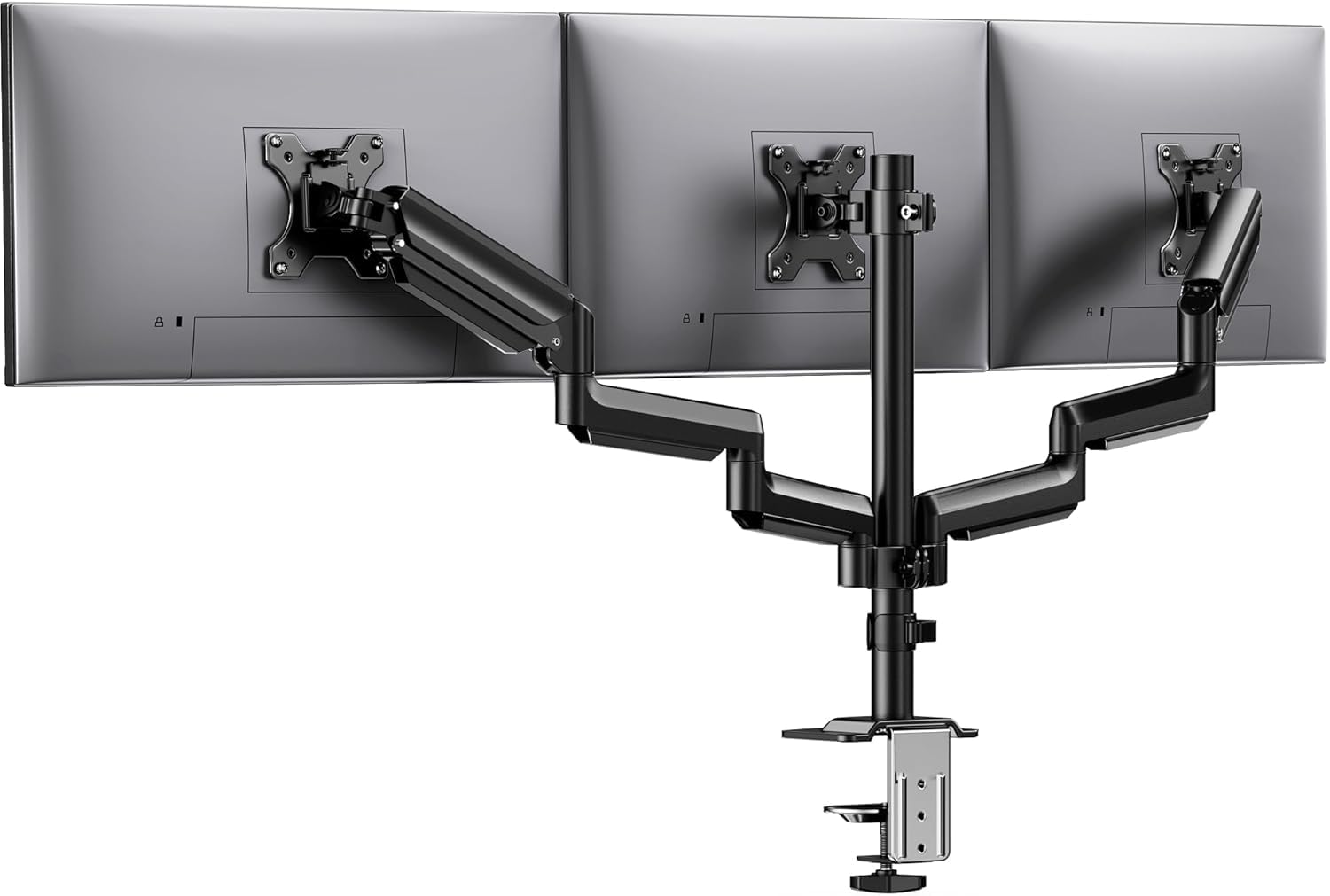
A three-screen rig built for sim racing and trading desks, with 19.8 pounds of support per arm.
When you need three matching screens side by side at the exact same height, this is the mount built for the job. Each of the three arms holds a monitor up to 27 inches and 19.8 pounds, on VESA 75×75mm or 100×100mm patterns. The aerospace-grade aluminum construction is tested to handle 20,000 lift cycles per arm without sag or wobble.
Owners with OCD about screen alignment love that the three monitors line up easily, and office users describe it as sturdy and built to last after months of daily use. Motion covers 360° rotation, ±90° swivel, and ±45° tilt, with 12.2 inches of height adjustment. Built-in cable clips keep the workspace tidy, and the clamp fits desks 0.39 to 3.15 inches thick.
Set up can be a workout — owners call the assembly frustrating in tight spaces, and some note it doesn’t fully accommodate larger 27-inch screens when you want them angled dramatically. Keep each screen at or under 27 inches and give yourself room to work behind the desk, and this becomes the centerpiece of a proper three-screen battlestation.
What makes it worth it
- Triple-arm design aligns three screens at a consistent height
- Each arm independently adjusts tilt, swivel, and rotation
- Aerospace-grade aluminum holds firm without wobble
Plan for this
- Assembly takes patience, especially in a tight space
- Best with screens at or under 27 inches
Best for: sim racers, day traders, or anyone running three identical monitors who wants them locked at one clean horizon line.
Skip if: you only need two screens — you’d be paying for an arm you won’t use, and the smaller dual mounts give you more per-screen flexibility.
Understanding the Specs
VESA pattern and screen size
VESA is the four-hole pattern on the back of your monitor, and it comes in two common sizes: 75×75mm and 100×100mm. Nearly every arm on this list fits both, but check your monitor’s manual or look at the screw holes to confirm. The arm’s maximum screen size is a rough guide, but the weight limit is the real number that matters — a heavy 27-inch screen can strain an arm that was only rated for a light one.
Gas spring versus mechanical spring
Most arms use a gas spring — a sealed cylinder of compressed gas that counterbalances the monitor’s weight so it floats at whatever height you set. A mechanical spring uses coiled steel instead and won’t leak over time. The advantage of either is one-hand adjustment: you push the screen up or down and it stays. The tension screw is what you tune so a heavy monitor doesn’t sink and a light one doesn’t drift upward.
Clamp types and desk fit
A C-clamp squeezes the back edge of your desk like a giant clip, while a grommet mount bolts through a pre-drilled hole in the surface. Check your desktop thickness against the arm’s published clamp range, and make sure there’s nothing underneath — support beams, crossbars, or cable trays — blocking the grip. The clamp pressure is what keeps a heavy monitor from tipping the whole setup over.
FAQ
Will a budget monitor arm hold my 27-inch monitor?
What is a VESA pattern and how do I find mine?
Can I mount it on a glass or particleboard desk?
What does the tension screw actually do?
Is a gas spring arm better than a fixed-arm mount?
How much height adjustment do I actually need?
Can I use a monitor arm with a curved or ultrawide screen?
What’s the difference between a C-clamp and a grommet mount?
Will these arms fit dual monitor setups?
Final Thoughts: The Verdict
For most buyers, the budget monitor arm winner is the Amazon Basics Single Monitor Stand — it delivers the core job (sturdy steel, easy setup, and a sturdiness tens of thousands of owners praise) at the lowest entry cost. If you want silky one-hand adjustment, the Acer Single Monitor Mount offers a tall 18.1-inch reach, so you can raise your screen well above eye level. And for a pair of screens on a single base, the VIVO Dual Mount is the one to reach for — it’s the most-reviewed dual arm on the market, backed by a 3-year warranty.
How We Picked
We do not accept paid placement. Every pick is matched to a real buyer and a real use-case; we do not hands-on test units.
Sources & Methodology
Specifications: manufacturer listings and product documentation. Review insights: verified customer reviews, as of August 2026. Pricing: not shown on this page (it changes often); check the current price via the retailer link.
As an Amazon Associate, FitlyFast earns from qualifying purchases. This does not affect which products we feature.