
Our readers keep the lights on and the weekend projects moving. As an Amazon Associate, I earn from qualifying purchases.
Specs are compiled from manufacturer listings and verified buyer reviews and can change over time — please confirm the key details on the product page before buying.
An OLED monitor at a 4K resolution used to mean dropping well over a thousand dollars. That wall has cracked wide open, and the budget tier now packs genuine QD-OLED panels with refresh rates that would have been exotic just a couple of years ago. The main trade-off used to be dim brightness and fear of burn-in; today’s crop manages both far better, so the real question is which speed, size, and feature trade-off fits your desk and your wallet.
I’m Rikta — the founder and writer behind FitlyFast. This guide is built by comparing the manufacturers’ published specifications and the patterns across verified customer reviews, so you get each pick’s real strengths and trade-offs instead of marketing spin.
You want deep blacks and vivid colors without spending a fortune, but you also need a monitor that actually works for your setup — whether that means a 240Hz gaming pace or a 32-inch screen for true blacks and cinematic HDR. This roundup of the best budget oled 4k monitor options finds the one that delivers on its promise and its price.
Our Picks at a Glance

How To Choose The Best Budget OLED 4K Monitor
Buying an OLED monitor at a friendly price means knowing which corners you can round without regret and which ones you must protect. The three big decisions are refresh rate versus resolution, panel type versus room lighting, and the brand’s burn-in warranty stance.
Refresh Rate: 120Hz vs 240Hz
A 120Hz refresh rate (frames per second the panel can display) is already a huge leap from a standard 60Hz office screen — motion looks smooth, and console gamers get full benefit because most consoles cap at 120Hz. A 240Hz panel costs more but delivers visibly twice the fluidity (compare 120Hz to 240Hz where the numbers sit side by side) in fast-twitch PC shooters. For pure productivity and console gaming, 120Hz is plenty; for competitive PC esports, spring for 240Hz.
QD-OLED vs WOLED Panel Types
QD-OLED panels (used in the Dell and Samsung picks) produce higher peak color volume and less black crush in bright rooms, but they can show a faint purple tint under direct sunlight. WOLED panels (used in the ASUS pick) handle bright-room reflections better thanks to a polarizer and typically have better text clarity, though their color volume is slightly lower. For a mixed-use monitor in a room with windows, WOLED often wins; for a dark gaming cave, QD-OLED delivers richer pop.
Burn-In Protection and Warranty Coverage
Every modern OLED monitor includes pixel-refresh cycles and logo-dimming software to prevent burn-in (permanent ghosting from static elements). A few makers now include specific burn-in coverage in their warranty — ASUS offers a 3-year warranty with burn-in coverage on the ROG Strix pick, and GIGABYTE’s OLED Care uses an AI algorithm to minimize risk. If you plan to keep the monitor for five-plus years, prioritize models with explicit burn-in clauses in the warranty fine print.
Quick Comparison
| Model | Best For | Refresh Rate | Color Gamut | Panel Size | Amazon |
|---|---|---|---|---|---|
| Dell S3225QC★ Best Overall | Console Gaming & All-Round Value | 120Hz | 99% DCI-P3 | 31.6-inch | Amazon |
| GIGABYTE MO27U2Speed Champion | PC Esports & Fast Shooters | 240Hz | 99% DCI-P3 | 27-inch | Amazon |
| Dell 32 Plus | Office/Gaming Hybrid Use | 120Hz | 99% DCI-P3 | 32-inch | Amazon |
| ASUS ROG Strix XG32UCWG | Bright-Room HDR & Content Creation | 165Hz | 99% DCI-P3 | 32-inch | Amazon |
| Samsung Odyssey G8 G81SF | Sunlit Rooms & Vibrant HDR Gaming | 240Hz | 99% DCI-P3 | 27-inch | Amazon |
In‑Depth Reviews
1. Dell 32 Plus 4K QD-OLED Monitor S3225QC – 31.6-inch (3840 x 2160) 120Hz
A 32-inch QD-OLED that pours out true blacks and Dolby Vision at a console-gamer-friendly pace.
The defining advantage of this Dell over any other budget contender is its sheer real-estate-to-value ratio — a 31.6-inch 4K QD-OLED (3840 x 2160) that buyers describe as “the lowest price point” for a 32-inch OLED. The 120Hz refresh rate and 0.03ms response time (ultra-low gray-to-gray pixel transition) deliver fluid motion for console gaming on Xbox Series X, with AMD FreeSync Premium Pro (adaptive sync tech) eliminating screen tearing. The 99% DCI-P3 color gamut and VESA DisplayHDR True Black 400 certification mean blacks are truly black and colors look lifelike, not washed out.
The built-in audio is a genuine surprise: five 5W speakers with AI-driven 3D spatial audio and head-tracking (sound that moves with your head) create a convincing soundstage for a monitor, though owners note the bass lacks some punch. The stand lets you tilt, swivel, and adjust height, and a single USB-C cable delivers up to 90W of power to a laptop while carrying the video signal. What wins people over is the combination — buyers call it the “best value monitor” they have seen. The recurring caution is the single HDMI port and the lack of a DisplayPort (a common PC video port), which limits PC connectivity; at least two owners also flagged a specific vendor (“AYC Deals Inc”) for poor return service, so check the seller name at checkout.
For anyone who wants a massive, gorgeous OLED canvas for games, movies, and office tasks without the usual premium sting, this is the pick that gets the most “perfect” verdicts across the review pages. The crowd favorite sits at a solid 4.2-star consensus across well over a hundred owners.
What Shines
- Stunning QD-OLED picture with true blacks and Dolby Vision HDR
- Built-in 3D spatial audio with head-tracking is genuinely usable
- USB-C with 90W power delivery for a clean laptop setup
- Full ergonomic stand (height, tilt, swivel, slant) included
The Honest Trade-Offs
- Single HDMI port limits multi-device setups
- Peak brightness is on the lower side (250 cd/m²) even in HDR
- No DisplayPort input for PC gamers
- Built-in speakers lack deep bass for music
Reach for this if: you want the biggest bang-for-buck OLED — a 32-inch 4K screen with great audio and a versatile stand, ideal for consoles and streaming.
Think twice if: you game on PC at high frame rates (above 120Hz) or need multiple HDMI/DisplayPort connections — this Dell caps at 120Hz and offers just one HDMI.
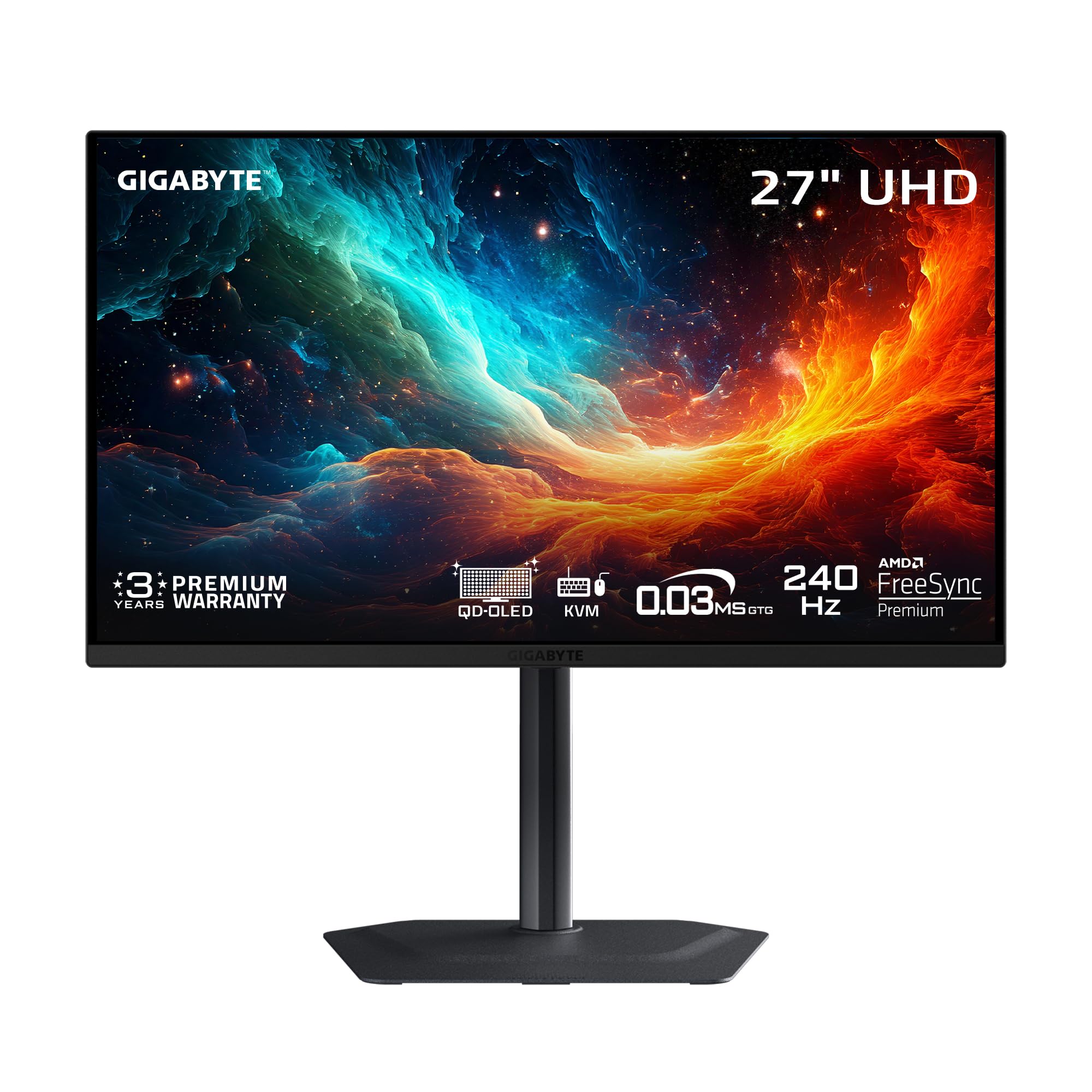
2. GIGABYTE MO27U2 – 27-inch QD-OLED Gaming Monitor – UHD 3840×2160-240Hz – 0.03ms GTG
A 240Hz QD-OLED that rewrites the budget speed ceiling — twice the frame rate of the Dell 32 Plus S3225QC at a 27-inch pixel-dense balance.
This GIGABYTE MO27U2 delivers a 240Hz refresh rate at 4K resolution (3840 x 2160) — a 2.0x speed gap over the Dell 32 Plus S3225QC’s 120Hz, making it the clear choice for competitive PC gaming. The 0.03ms GtG response time (gray-to-gray pixel transition, how fast a pixel changes color) is nearly instantaneous, so fast-moving objects in shooters like Valorant or Call of Duty leave zero motion blur. As owners put it, “240Hz is way better than 144Hz lol.” The QD-OLED panel produces a 1.5M:1 contrast ratio and 99% DCI-P3 color gamut (a wide color range for vivid images), though the listed color gamut in the data reads 90.0 — still vivid enough for cinematic HDR with VESA DisplayHDR True Black 400 support (a standard for deep black levels in HDR content).
GIGABYTE’s proprietary OLED Care uses an AI-based algorithm to automatically manage pixel refresh and dim static logos, minimizing burn-in risk over years of use. A graphene thermal film and four-sided ventilation keep the panel cool without a noisy fan. The monitor includes two HDMI 2.1 ports, a DisplayPort, and USB-C with KVM support, so you can switch between a PC, laptop, and PS5 Pro using one keyboard and mouse. The main compromise: built-in speakers are weak, as buyers consistently note — you will want external speakers or a headset. The 27-inch size at 4K gives a very sharp 166 pixels per inch, making text and UI elements look crisp.
For the PC gamer who wants elite motion clarity without paying the flagship premium, this GIGABYTE is a near-unanimous 4.8-star pick — owners call the picture “unbeatable” at this level. It falls short on audio and the stand is smaller than typical, but frame-by-frame speed is where it dominates.
Where It Excels
- True 240Hz at 4K for buttery-smooth competitive gaming
- AI-based OLED Care reduces long-term burn-in risk
- Two HDMI 2.1 ports plus USB-C KVM for multi-device setups
- Excellent color accuracy and contrast from the start
The Catch
- Built-in speakers are poor — plan on external audio
- No DisplayPort 2.1, uses DP 1.4 with DSC (display stream compression)
- Small footprint stand may feel wobbly on deep desks
Your move, speed-oriented buyer: if you play fast-paced PC titles and need every millisecond of advantage, this 240Hz QD-OLED is the best 27-inch budget performer right now.
Look elsewhere if: you need strong built-in speakers or prefer a larger 32-inch screen for media — the Dell above or ASUS below suit those needs better.
3. Dell 32 inch Monitor, 4K (3840 x 2160), QD-OLED Display, 120Hz, 0.03ms, AMD FreeSync Premium Pro
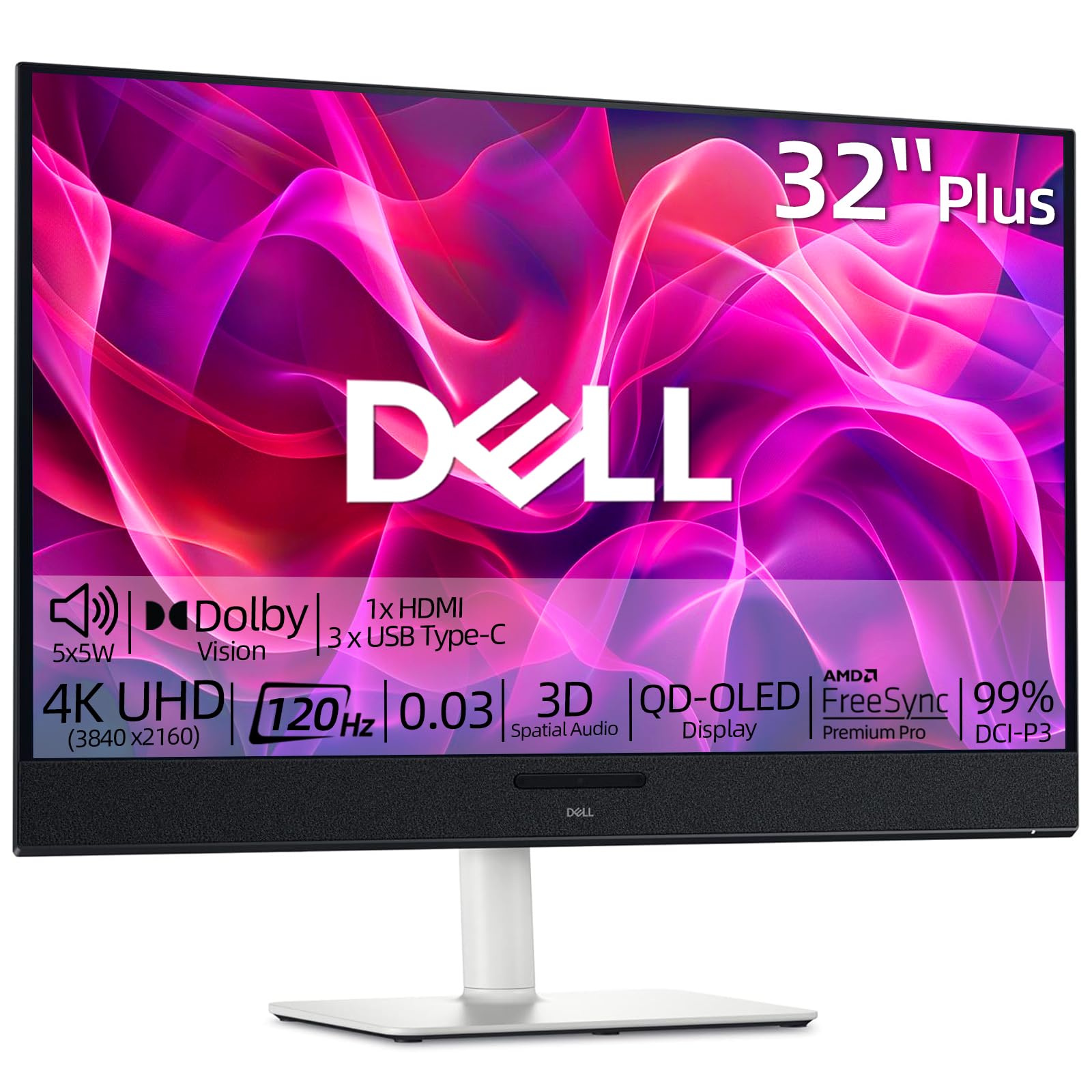
A 32-inch QD-OLED that targets the console-and-home-office crowd with booming built-in audio and a complete ergonomic stand.
This Dell 32 Plus shares its QD-OLED DNA with the S3225QC above — the same 4K resolution (3840 x 2160), 120Hz refresh rate, 0.03ms response time, and a 1,500,000:1 contrast ratio that makes blacks look infinite. What distinguishes this version is the audio system: five 5W speakers fire forward, and the 3D Spatial Audio with AI head-tracking creates a surround effect that truly fills a room. The stand offers height, tilt, swivel, and slant adjustments, giving you latitude to find the perfect viewing angle without a separate arm.
Where buyers get most excited is the sharpness and color accuracy — owners describe the picture as “stunning” for multi-document work, graphic design, and gaming, with no dead pixels from the start. The 99% DCI-P3 color gamut and Dolby Vision HDR support make streaming movies look cinematic. The critical trade-off is port selection: only two HDMI ports and no DisplayPort. That matters less for console owners (HDMI is standard) but limits high-refresh-rate PC connections. A few users noted the 144Hz figure in their reviews, matching the Dell data that sometimes lists it, though the official spec sheet says 120Hz — either way, motion is smooth.
This model edges out the S3225QC for the same price thanks to the 5-speaker array and the full stand. It is a clever pick for someone who wants one monitor to handle both an Xbox Series X and a work laptop over USB-C, with the 120Hz refresh rate being more than enough for both roles.
Why Buy This
- Five 5W speakers with 3D Spatial Audio eliminate the need for add-on speakers
- Full ergonomic stand (height, tilt, swivel, slant) included in the price
- Dolby Vision HDR with QD-OLED contrast is excellent for movies
- USB-C video input with single-cable convenience
The Limitation
- No DisplayPort — you rely entirely on HDMI and USB-C
- 120Hz ceiling means PC gamers seeking 240Hz will need the GIGABYTE above
- White color scheme may not fit everyone’s desk aesthetic
Who it fits best: console-first users and home-office workers who want a big, bright OLED with great sound from the desktop itself.
Skip it for: PC esports gamers who need a DisplayPort connection and frame rates beyond 120Hz — the GIGABYTE is a better match.
4. ASUS ROG Strix 32” 4K OLED Gaming Monitor (XG32UCWG) – TrueBlack Glossy WOLED, Dual Mode

A glossy WOLED that beats QD-OLED in bright rooms — plus a 3-year burn-in warranty that eases the anxiety.
The ASUS ROG Strix takes a different approach from the QD-OLED picks above. It uses a WOLED panel (White OLED with color filters) and a TrueBlack Glossy coating that provides a zero-haze surface — meaning reflections are mirror-like sharp rather than diffused and blurry. In a room with windows or overhead lights, the WOLED panel avoids the purple-tint and gray-black issue that QD-OLED can show, delivering true black levels even in ambient light. The dual-mode capability lets you switch between 4K at 165Hz and 1080p at 330Hz — a clever trick for competitive shooters where lower resolution gives you extra frames.
The 99% DCI-P3 color gamut, true 10-bit color depth, and Delta E <2 color accuracy (a measure of how precisely the screen reproduces the intended color) make this a legitimate monitor for photo and video editing. ASUS OLED Care Pro includes a Neo Proximity Sensor that senses when you leave the desk and blacks out the screen to prevent burn-in. Most importantly, ASUS backs this with a 3-year warranty that includes burn-in coverage — a rare and valuable reassurance. The main trade-off visible in the review data is the value-for-money perception, which sits mixed at best; many owners feel the monitor is excellent but question the premium price. A few negative reviews note screen retention after a week, though the warranty covers that scenario. The glossy panel is delicate and shows fingerprints easily, and the stand offers limited tilt/swivel compared to the Dell picks.
This ASUS ROG Strix XG32UCWG is the monitor to choose if your desk lives in a naturally lit room or if you want confidence from a burn-in warranty (a guarantee against permanent image retention). The 165Hz cap is enough for most PC gaming, and the dual-mode 330Hz handles the rest. The 142 reviews average 4.3 stars, with appearance and picture quality earning the most praise by count.
Strengths
- TrueBlack Glossy WOLED handles bright-room reflections better than QD-OLED
- Dual-mode (4K 165Hz / FHD 330Hz) gives flexibility for different game types
- 3-year warranty with explicit burn-in coverage is rare and valuable
- Delta E <2 color accuracy for professional editing work
Trade-Offs
- Glossy panel is reflective and shows fingerprints easily
- Value perception is mixed — it delivers but at a noticeable premium
- Full-screen brightness around 250 nits is lower than some LED alternatives
- Limited stand adjustability; you may want a monitor arm
Your best bet if: you work or play in a sunny room and want bulletproof burn-in protection from a major brand.
Not ideal if: you want the highest average brightness for HDR impact — the Samsung Odyssey G8 below or the GIGABYTE above are brighter options.
5. SAMSUNG 27-inch Odyssey QD-OLED G8 (G81SF), 4K, 240Hz, Gaming Monitor, 0.03ms

A 27-inch QD-OLED that pairs 240Hz speed with a Glare Free coating that swallows room light.
The Samsung Odyssey G8 packs the same 27-inch 4K QD-OLED (3840 x 2160) form factor and 240Hz refresh rate as the GIGABYTE MO27U2 — both deliver that 2x speed gap over the Dell 32 Plus S3225QC — but Samsung’s Glare Free technology separates it. The company says the screen is 54% less glossy than conventional anti-reflection film, meaning you can play in a living room with curtains open and still see deep blacks without your own reflection staring back. The 166 PPI pixel density (pixels per inch, how sharp text looks) makes text and UI elements pin-sharp, an important detail for anyone who also uses this monitor for reading documents.
VESA DisplayHDR TrueBlack 400 and a 1,000,000:1 contrast ratio deliver the inky blacks OLED is famous for, though the rated brightness is 250 cd/m² — on par with the Dell and ASUS picks. Samsung includes a Dynamic Cooling System that uses a pulsating heat pipe to cool the panel five times more effectively than graphite sheets, theoretically reducing burn-in risk. The CoreSync lighting projects on-screen colors onto the back of the monitor for ambient mood lighting, a nice touch for immersion. Where buyers express caution is durability: the top negative aspect in the review data is durability, and one owner reported dead pixel clusters after two months of normal use. The value-for-money sentiment is mixed rather than glowing, and some early units shipped with a 1-year warranty card despite the advertised 3 years.
This Odyssey is a strong contender for gamers who need 240Hz speed and hate screen reflections. The crowd rating sits at 4.1 stars across 254 reviews — the most reviews of any pick here, which suggests broad adoption with a few durability caveats to note. Think of it as the GIGABYTE’s rival: similar speed and size, but with better anti-glare and a more refined stand.
Where It Wins
- Glare Free coating effectively eliminates reflections in bright rooms
- 240Hz at 4K for elite competitive gaming performance
- 166 PPI pixel density gives sharp text and UI clarity
- Dynamic Cooling System with heat pipe for burn-in prevention
The Considerations
- Durability and reliability are the most-cited downsides in reviews
- Warranty paperwork has caused confusion — verify what you get
- Matte coating slightly reduces text pop compared to glossy panels
Go with this if: you need a 240Hz 4K OLED and your desk is in a bright room where reflections are a constant annoyance.
Hesitate if: durability concerns bother you — the GIGABYTE above has a cleaner reliability record in its smaller review set and a similar spec sheet.
Understanding the Specs
Refresh Rate (Hz)
This number tells you how many times the screen redraws the image each second. A 60Hz screen looks jerky when you pan the camera in a game; 120Hz looks smooth, and 240Hz looks almost like real life. For console gaming, 120Hz is the ceiling. For PC esports, 240Hz gives you a noticeable competitive edge because you see motion earlier and more clearly.
Color Gamut — DCI-P3
DCI-P3 is the color space used in digital cinema — it covers a wider range of reds and greens than the old sRGB standard. A 99% DCI-P3 monitor will show movie and game colors exactly as the creators intended, with rich, lifelike tones. Lower percentages (like 90%) still look very good but lose a tiny bit of saturation in bright reds.
Response Time — GtG (Gray to Gray)
Measured in milliseconds (ms), this indicates how fast a pixel can change from one shade to another. The 0.03ms figure you see on all these monitors is extraordinarily fast — it means zero visible motion blur or ghosting behind fast-moving objects. Any OLED monitor at 0.03ms is already in the elite tier.
HDR Standards — True Black 400
VESA DisplayHDR True Black 400 is a certification specifically for OLED and microLED panels. It tests the monitor’s ability to show very deep blacks while still hitting 400 nits peak brightness in small bright areas. Real-world impact: explosions and highlights look punchy, while shadow details remain visible rather than crushed into black mud.
FAQ
Will a budget OLED 4K monitor work with a PS5 Pro?
How long does a QD-OLED monitor last before burn-in appears?
Can I use a budget OLED 4K monitor for photo editing and color-critical work?
What is the difference between QD-OLED and WOLED in these monitors?
Does a 120Hz OLED really look smoother than a 165Hz IPS monitor?
How does the Samsung Odyssey G8’s Glare Free coating work?
Will a 250-nit OLED be bright enough during the day?
Can I use a single USB-C cable for both video and charging?
What is the deal with dual-mode on the ASUS ROG Strix?
Which budget OLED 4K monitor is the safest long-term investment?
Final Thoughts: The Verdict
If you want one dependable pick, the best budget oled 4k monitor winner is the Dell 32 Plus S3225QC because it delivers a 32-inch QD-OLED, 120Hz smoothness, and a complete ergonomic stand — including strong built-in audio — at the most accessible price in the list. If you want blistering 240Hz speed for competitive PC gaming, grab the GIGABYTE MO27U2. And for a bright-room setup with burn-in warranty confidence, the ASUS ROG Strix XG32UCWG is the one to reach for.
How We Picked
We do not accept paid placement. Every pick is matched to a real buyer and a real use-case; we do not hands-on test units.
Sources & Methodology
Specifications: manufacturer listings and product documentation. Review insights: verified customer reviews, as of July 2026. Pricing: not shown on this page (it changes often); check the current price via the retailer link.
As an Amazon Associate, FitlyFast earns from qualifying purchases. This does not affect which products we feature.