
Our readers keep the lights on and the weekend projects moving. As an Amazon Associate, I earn from qualifying purchases.
Specs are compiled from manufacturer listings and verified buyer reviews and can change over time — please confirm the key details on the product page before buying.
A hot PC that sounds like a vacuum cleaner is the fastest way to ruin a gaming session or a quiet workspace. The good news is you do not need to spend a fortune on cooling kit to keep your rig frosty and your ears happy. The trick is knowing which budget-friendly models actually deliver the airflow and quiet operation they promise, and which ones just rattle your desk and push warm air around. This guide cuts through the noise to show you the PC fans that give you the best bang for your buck without the headache.
I’m Rikta — the founder and writer behind FitlyFast. This guide is built by comparing the manufacturers’ published specifications and the patterns across verified customer reviews, so you get each pick’s real strengths and trade-offs instead of marketing spin.
Whether you are building a new rig from scratch or just trying to cool down an older machine, these picks represent the best budget pc fans available today, saving you time and cash without sacrificing performance.
Our Picks at a Glance



How To Choose The Best Budget PC Fans
In a market flooded with cheap plastic spinners, knowing which specs actually matter is your only defense against a noisy, underperforming case fan. Focus on three key areas to find a fan that cools well and stays quiet for years.
Airflow vs. Static Pressure
These two numbers tell you where a fan excels. Airflow, measured in cubic feet per minute (CFM), is the raw volume of air it can move in an open space—perfect for unrestricted case intake and exhaust. Static pressure, measured in mmH₂O, is its ability to push air through resistance like a radiator or a dense mesh filter. If you are mounting a fan on a cooling radiator, prioritize static pressure; for a simple case vent, look for high CFM. The best budget fans strike a solid balance between the two.
Noise Level and Bearing Quality
A cheap fan can sound like a swarm of angry bees. The noise rating, in decibels (dBA), gives you a rough idea, but the real secret to long-term quiet is the bearing. Budget fans often use sleeve bearings, which wear out and get noisy within months. Fans with S-FDB (Fluid Dynamic) or rifle bearings are whisper-quiet and last much longer because they use a small oil film to reduce friction. That small upgrade in bearing technology is what separates a fan you will replace in a year from one that stays silent for the life of your build.
PWM vs. DC Voltage Control
How you control the fan speed determines how it behaves under load. A 4-pin PWM fan is the gold standard—it allows your motherboard to adjust the speed dynamically by pulsing the power signal. This means the fan is nearly silent at idle and only spins faster when your CPU or GPU gets hot. A 3-pin DC fan changes speed by lowering voltage, which is less precise and often causes a low hum. For any modern build, stick with PWM-controlled fans.
Quick Comparison
| Model | Best For | Airflow (CFM) | Noise (dBA) | Max RPM | Amazon |
|---|---|---|---|---|---|
| Thermalright TL-C12C-S X3★ Best Overall | Budget RGB Builds | 66.17 | 25.6 | 1550 | Amazon |
| Noctua NF-P12 redux-1700Silent Performer | Silent Case Fans | 120.2 m³/h | 25.1 | 1700 | Amazon |
| Noctua NF-A12x25 PWMTop Performer | Absolute Quiet Premium | 102.1 m³/h | 22.6 | 2000 | Amazon |
| Thermalright TL-C12C X5 | Value Multi-Packs | 66.17 | 25.6 | 1550 | Amazon |
| Wathai 140mm 2 Pack | PSU Replacement | 68 | 26 | 1500 | Amazon |
| ARCTIC P12 (5 Pack) | Radiator Cooling | 56.3 | 0.3 Sone | 1800 | Amazon |
| Thermaltake LE120 ARGB | Silent RGB Lighting | 66.1 | 25.2 | 1500 | Amazon |
| Corsair RS120 ARGB Triple | Performance RGB Cooling | 72.8 | 36 | 2100 | Amazon |
In‑Depth Reviews
1. Thermalright TL-C12C-S X3 CPU Fan 120mm ARGB
The three-pack that sets the standard for what a budget fan should be.
This is the crowd favorite for a reason, and it is not just the price. These 120mm fans push 66.17 CFM of air while keeping noise levels at just 25.6 dBA, which is quieter than a typical conversation. The real win here is the S-FDB bearing, a fluid-dynamic bearing that eliminates blade wobble over time so the fan stays quiet years down the road, not just on day one. The ARGB lighting is bright and diffuses beautifully through the frosted blades, offering up to 17 lighting modes that sync directly with any motherboard’s 5V ARGB header.
Owners consistently rave about the near-silent operation and the cooling performance, with one user noting it kept their GPU and CPU under 40°C under load. The noise level is the single most-praised aspect, beating out even the high-quality build by a narrow margin. Buyers report it is cheap, quiet, bright, and reliable. The only real caveat is that the ARGB cables can be a bit stiff in tight spaces, but for the price of a single premium fan for a three-pack, that is an easy compromise to live with.
The Value King’s Wins
- Incredibly quiet for the price point at 25.6 dBA
- High-quality S-FDB bearing ensures long-term durability
- Bright, diffused ARGB with 17 modes and sync capability
- Push 66.17 CFM of air, beating many more expensive fans
The Trade-offs
- ARGB cables can be stiff in tight builds
- White model is the most popular; black model is sometimes harder to find
Grab these if: you want the best possible bang for your buck with great RGB and near-silent cooling in a three-pack.
Look elsewhere if: you need a non-lighted fan or you require a high static pressure fan for a very restrictive radiator.
2. Noctua NF-P12 redux-1700 PWM
Noctua’s legendary engineering, stripped down to a price that actually makes sense.
Noctua has an almost cult-like following for a reason, and the NF-P12 redux-1700 is their gift to budget builders who still want premium quality. This 120mm fan spins at up to 1700 RPM, which is notably faster than the 1550 RPM of the Thermalright, giving it a 10% edge in raw speed potential. Yet, it remains a whisper at just 25.1 dBA, which is actually 2% quieter than the Thermalright despite spinning faster. That is the Noctua engineering magic: a pressure-tune blade design that moves a ton of air without making a fuss.
The redux line drops the flashy colors and bonus accessories of the premium Noctua models to hit a lower price, but keeps the core quality. Owners consistently call it the best fan for the money, noting it is “quiet, yet still powerful” and a perfect upgrade for CPU coolers, water cooling radiators, or chassis ventilation. It has a fiber-glass reinforced PBT build that feels solid in the hand, and with an MTTF (mean time to failure) rated at over 150,000 hours, it will likely outlast your PC case.
Why it stands out
- Premium Noctua reliability at an accessible price point
- Extremely quiet at 25.1 dBA even at 1700 RPM
- Pressure-tune blades ideal for radiators and heatsinks
- Over 150,000 hours of rated lifespan
The honest trade-off
- Only a single fan; multi-pack buyers pay more per unit
- Grey color scheme does not match all build aesthetics
Best for: builders who value long-term silence and reliability over RGB, and want a trusted brand for a radiator or CPU cooler.
skip it if: you need a full set of fans and the single-pack price adds up too fast.
3. Noctua NF-A12x25 PWM (Premium Quiet Fan)
The fan that rewrites the rules of silence and performance in a single package.
This is the fan that makes water cooling enthusiasts and silent-PC purists reach for their wallets without hesitation. The NF-A12x25 is a marvel of engineering, using a glass-fiber reinforced Sterrox LCP material that allows a record-tight 0.5mm tip clearance between the blade and frame. That tiny gap is the secret to its incredible efficiency: it pushes an immense amount of air (102.1 m³/h) and generates high static pressure while topping out at just 22.6 dBA. At idle speeds under 1000 RPM, it is essentially inaudible, a fact that owners highlight as life-changing for a quiet build.
The build quality is immediately noticeable—the fan is notably heavy compared to others, with a metal-reinforced hub that kills any vibration. It includes a Low-Noise Adaptor (LNA) that caps it at 1700 RPM for even quieter operation, plus anti-vibration mounts and a Y-cable for splitting to a single header. Owners mention dropping CPU and GPU temperatures by 10 degrees Celsius or more compared to budget fans, and the phrase “silent but violent” sums up the experience perfectly. The 150,000-hour MTTF and 6-year warranty back up the premium price tag.
What makes it elite
- Extremely quiet operation at 22.6 dBA even at 2000 RPM
- Record-tight 0.5mm tip clearance for maximum efficiency
- High static pressure, perfect for restrictive radiators
- Includes Y-cable, LNA adapter, and anti-vibration mounts
The price of perfection
- Expensive for a single fan, especially vs. multi-pack options
- The value-for-money aspect is mixed among owners given the cost
Reach for this if: silence is your absolute top priority and you want the single best-performing 120mm fan money can buy for a radiator or CPU cooler.
Think twice if: you need to fill a case with multiple fans on a strict budget—the Thermalright or ARCTIC packs will save you a lot.
4. Thermalright TL-C12C X5 (Non-RGB, 5 Pack)

Five fans for the price of one premium unit, and they actually perform.
If you are building a new rig from scratch and need to fill every case slot, this is the pack to beat. The Thermalright TL-C12C X5 gives you five 120mm fans, each delivering 66.17 CFM of airflow and a maximum noise level of 25.6 dBA — the same core specs as the RGB version above, but without the lighting. The 4-pin PWM connection allows your motherboard to automatically adjust speeds based on temperature, keeping things quiet at idle and ramping up when needed.
Customers note these fans are “quieter than my older fans, dirt cheap, and look amazing.” The S-FDB bearing (a fluid-dynamic bearing that uses oil to reduce friction) means you will not hear the annoying rattle that sleeve-bearing fans develop after a few months. One builder noted they keep a 7800X3D (a high-end AMD gaming CPU) below 75°C during games. The only catch: at 100% PWM (pulse-width modulation, the signal that controls fan speed), the fan is most audible, but a simple fan curve solves that easily.
Why it is a steal
- Excellent value for money with a 5-pack at a low cost
- Quiet operation and smooth S-FDB bearings for longevity
- Solid 66.17 CFM airflow for unrestricted case use
- PWM control for automatic speed adjustment
What to watch for
- No RGB lighting, so a plain look for those who want bling
- Audible at 100% PWM speed; best run with a fan curve
The move: grab this 5-pack if you are building a whole new system and need to fill every fan slot while staying affordable.
Pass if: you need ARGB lighting or a dedicated high-static-pressure fan for a restrictive radiator.
5. ARCTIC P12 (5 Pack) – 120mm Case Fan

The quiet radiator specialist that outperforms its low price in every measurable way.
The ARCTIC P12 is a fan built with a singular purpose: pushing air through resistance. Its pressure-tune blades generate a static pressure of 2.2 mmH₂O, making it ideal for mounting on a CPU cooler radiator or a dense mesh front panel. While its raw airflow of 56.3 CFM is lower than some other picks, that is intentional—it is trading raw volume for the ability to force air through tight fins. The Fluid Dynamic Bearing, developed with a German alloy-lubricant combo, ensures consistent quiet operation over its entire lifespan.
Owners consistently praise the P12’s quiet nature and cooling performance, with many calling it the king of budget case fans. The noise level and value for money are the two most-praised aspects, with buyers reporting significantly lower temperatures in high-performance builds. It uses a 3-pin connector, not 4-pin PWM, so speed control is handled via DC voltage. That is the main technical trade-off here, but for the price of a 5-pack, it is an easy one to accept.
Its strengths
- High static pressure for radiators and restrictive setups
- Fluid Dynamic Bearing for whisper-quiet, long-term operation
- Excellent value in a 5-pack for cooling multiple areas
- Solid build quality with a metal frame
Its limitations
- 3-pin DC connection instead of 4-pin PWM control
- Lower CFM (56.3) than standard case fans
Buy it for: mounting on a liquid cooling radiator or CPU tower cooler where static pressure is critical.
pass on it if: you are looking for maximum raw case airflow and prefer pure PWM control.
6. Thermaltake LE120 ARGB PWM Fan (3 Pack)
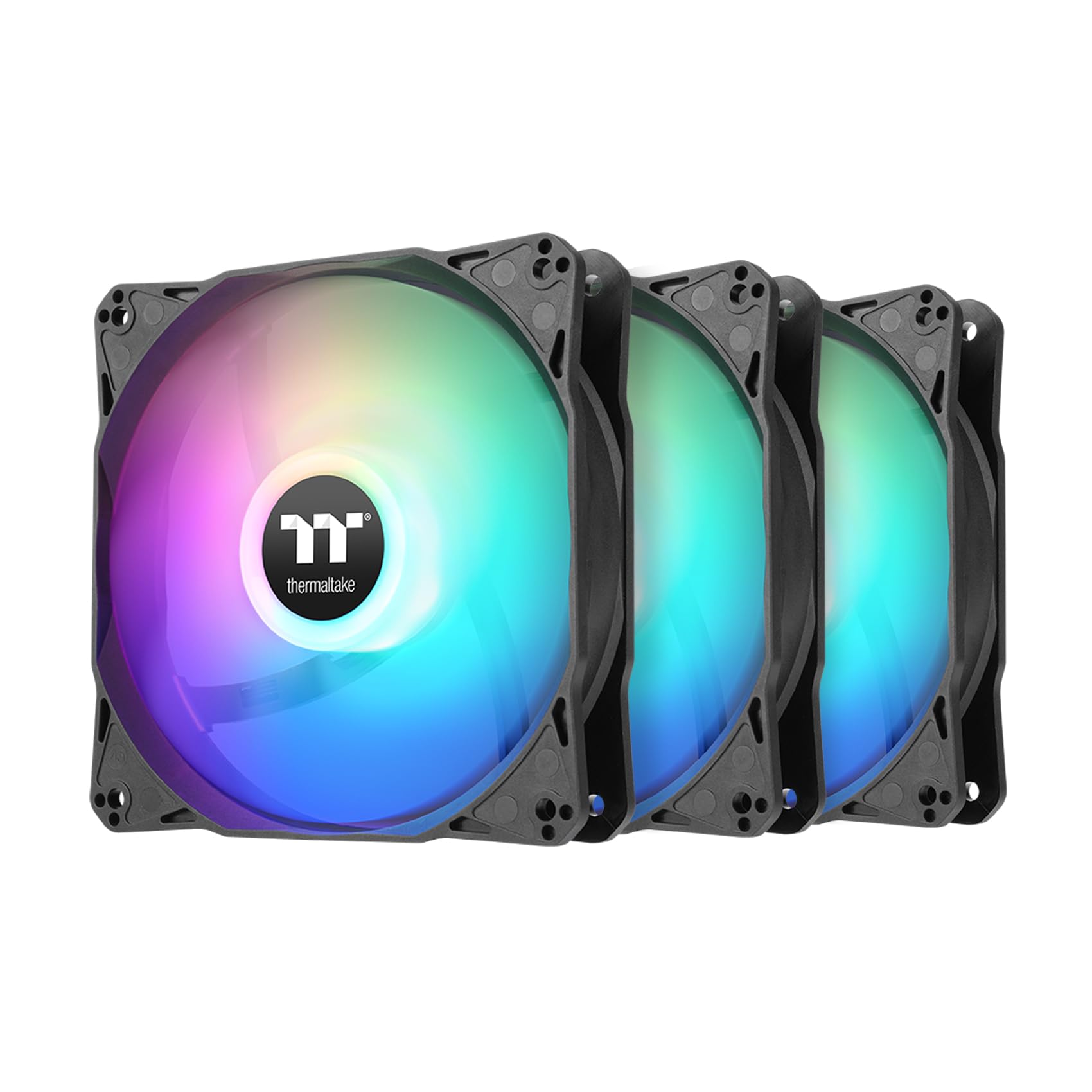
A beautiful balance of silent operation and vibrant lighting that just works.
The Thermaltake LE120 is the set you choose when the look of your build matters as much as the temperatures. Each fan in this 3-pack features 9 addressable LEDs that create smooth, vibrant lighting effects. The PWM control lets you dial the speed up to 1500 RPM, delivering 66.1 CFM of airflow and a static pressure of 1.41 mmH₂O, all while keeping noise at a very manageable 25.2 dBA. The daisy-chain ARGB cables make wiring clean and simple, reducing cable clutter inside your case.
Owners find these fans to be excellent value for the money, with the performance being the second most-praised aspect. The lighting is vibrant and works well with motherboard sync software, and the price is considered a steal for a quality RGB set. Reviewers point out they are nice and quiet, and the included 3-way PWM splitter makes installation a breeze. The only minor complaint is that the 3-pack is not sold as a single fan, so if you only need one, you might have to find a use for the extra two later.
What stands out
- Vibrant ARGB with 9 LEDs per fan for great aesthetics
- Daisy-chain cables for a clean, clutter-free build
- Quiet operation at 25.2 dBA even at top speed
- Solid 66.1 CFM airflow for case ventilation
The trade-off
- Not sold individually, so you need to buy the 3-pack even for a single fan need
- Lower static pressure than some radiator-focused alternatives
Reach for these if: you want a silent, good-looking RGB setup that is easy to install and works with your motherboard’s lighting software.
Pass if: you need high static pressure for a radiator or prefer a non-RGB, all-business look.
7. CORSAIR RS120 ARGB 120mm PWM Fans – Triple Pack – White

The high-speed performer that brings serious cooling and Corsair’s signature style.
The Corsair RS120 is the overachiever of the budget class, packing the highest raw specs of any fan on this list. It spins up to a furious 2100 RPM, pushing 72.8 CFM of air with a static pressure of 2.8 mmH₂O, making it a beast for both case cooling and radiator use. The trade-off is noise: at 36 dBA, it is noticeably louder than the quieter Noctua and Thermalright options. The Magnetic Dome Bearing is designed to reduce friction and noise, but at these speeds, it still hums.
What sets the RS120 apart is its daisy-chain connection system. You control all three fans through a single PWM and ARGB cable, drastically reducing cable management headaches. The CORSAIR AirGuide technology uses anti-vortex vanes to direct airflow exactly where you need it. Buyers appreciate the quiet operation under light loads and the bright, diffused RGB lighting. The main complaint is that the included cables are a bit short for large cases, sometimes requiring the purchase of extension cables.
Its advantages
- Highest raw airflow at 72.8 CFM and static pressure at 2.8 mmH₂O
- Daisy-chain connection simplifies cable management immensely
- Bright ARGB lighting with 8 LEDs per fan
- AirGuide anti-vortex vanes for directed cooling
The drawbacks
- Louder at 36 dBA compared to quieter budget alternatives
- Short power and ARGB cables may require extensions in larger towers
Best for: high-performance builds where raw cooling power and tidy cable management matter more than absolute silence.
Think again if: you need a whisper-quiet fan for a bedroom PC or a noise-sensitive workspace.
8. Wathai 140mm 12V Computer PC Case Fan (2 Pack)

The unique 140mm option that doubles as a perfect power supply replacement.
Most budget fan guides focus exclusively on 120mm, but this Wathai 2-pack fills a specific niche that many builders need: a large 140mm fan for a good price. Each fan spins at 1500 RPM, pushing 68 CFM of air while staying at around 26 dBA. The larger blade size means it moves a similar volume of air as a 120mm fan but at a lower, more pleasant sound frequency. It uses a standard 4-pin PWM connector, so motherboard speed control works perfectly.
Where this fan truly shines is as a replacement for a dead fan in a power supply unit. Several buyers confirm it is a perfect drop-in replacement for EVGA PSUs and other units, fitting snugly and running quietly. The performance and low noise level are the most-praised aspects by a wide margin. The airflow, however, gets a mixed verdict—some find it adequate, others wish for more volume. For general case cooling as an intake or exhaust, it works well, but it is not a high-pressure radiator fan.
Where it wins
- 140mm size offers different sound profile and larger coverage area
- Perfect drop-in replacement for PSUs and other 12V devices
- Very quiet at 26 dBA with a 4-pin PWM connector
- Two-pack provides a spare for other projects
Where it falls short
- Airflow is considered adequate but not class-leading
- Not ideal for high-static-pressure needs like radiators
Get this if: you need a 140mm fan for a larger case or an exact replacement for a dead power supply fan.
it’s not for you if: you are building a standard 120mm setup or require high static pressure for a radiator.
Understanding the Specs
CFM (Cubic Feet per Minute)
This is the raw measure of how much air a fan can move in an open, unrestricted space. A higher CFM number means more air volume. For a simple case intake or exhaust fan, look for a number above 60 CFM for good airflow. For radiators, however, a high CFM alone is not the point—you also need high static pressure to push through the resistance of the fins.
dBA (Decibels A-weighted)
This is the standard unit for noise level. A difference of 3 dBA is roughly twice as loud. A fan rated at 25 dBA is almost inaudible in a normal room, while one at 36 dBA is clearly noticeable. Do not just look at the number; check if the fan has a known tonal hum. A fan with a “smooth” sound at 30 dBA can feel quieter than a fan with a whine at 25 dBA.
Static Pressure (mmH₂O)
This measures how much force the fan can generate to push air through a dense obstacle, like a radiator, a mesh filter, or a front panel intakes. A fan with 2.0 mmH₂O or more is ideal for these restrictive environments. A fan with high CFM but very low static pressure will struggle to move air effectively through a radiator, leading to poor cooling performance.
PWM (Pulse Width Modulation)
This is the 4th pin on a fan connector that allows your motherboard to precisely adjust the fan speed by sending a pulsed signal. This gives very fine control over RPM, making the fan nearly silent at idle and only ramping up when your system needs cooling. It is the standard for modern builds and is a feature you should prioritize over older 3-pin DC voltage control.
FAQ
How many case fans do I actually need?
Can I mix and match fans from different brands?
What does S-FDB bearing mean in a fan?
Is a 140mm fan better than a 120mm fan?
How do I control the fan speed in my PC?
Will budget fans be loud enough to bother me?
Can I use these fans on a water cooling radiator?
What is the difference between daisy-chain and a splitter cable?
Final Thoughts: The Verdict
For the majority of shoppers, the best budget pc fans are the Thermalright TL-C12C-S X3 because they offer an unbeatable combination of quiet operation, solid airflow, and vibrant ARGB at a price that leaves room for other upgrades. If you need absolute silence on a tight budget, the Noctua NF-P12 redux-1700 is a single-fan powerhouse that outperforms its price tag. And for the builder who needs to fill an entire case while staying affordable, the Thermalright TL-C12C X5 5-pack is the undisputed king of value.
How We Picked
We do not accept paid placement. Every pick is matched to a real buyer and a real use-case; we do not hands-on test units.
Sources & Methodology
Specifications: manufacturer listings and product documentation. Review insights: verified customer reviews, as of July 2026. Pricing: not shown on this page (it changes often); check the current price via the retailer link.
As an Amazon Associate, FitlyFast earns from qualifying purchases. This does not affect which products we feature.