
Our readers keep the lights on and the weekend projects moving. As an Amazon Associate, I earn from qualifying purchases.
Specs are compiled from manufacturer listings and verified buyer reviews and can change over time — please confirm the key details on the product page before buying.
Building a PC on a tight budget usually means sweating over one thing: making every dollar cool, power, and run your games without melting. The secret is knowing that the cheapest parts on the shelf are rarely the bargain—the real value hides in a handful of components that punch far above their price. This guide sorts through nine of those parts, from the fans that keep things frosty to the power supply that keeps everything stable.
I’m Rikta — the founder and writer behind FitlyFast. This guide is built by comparing the manufacturers’ published specifications and the patterns across verified customer reviews, so you get each pick’s real strengths and trade-offs instead of marketing spin.
You’ll learn which cooling, power, and processing components actually deliver for less, plus the specs that matter most. This is your plain-English roadmap to the best budget pc parts for a smooth, quiet, and reliable build.
Our Picks at a Glance



How To Choose The Best Budget PC Parts
Budget building is about balance. You want parts that work well together, not the cheapest single item. A weak power supply can kill a good CPU, and poor airflow makes a fast processor throttle down.
Start with the power supply, not the shiny parts
Your power supply (PSU) feeds everything. Get one with enough wattage for your graphics card and CPU, plus a bit of headroom. Look for at least an 80 Plus Bronze rating; that is a measure of how efficiently it turns wall power into usable power, so less heat and lower bills.
Match the cooler to your CPU, not your case
A CPU cooler needs to handle the heat your processor makes under load. Check the maximum wattage your CPU can draw, then pick a cooler rated for that. A tower cooler with heat pipes is often quieter and cheaper than a fancy liquid cooler for budget chips.
Check the socket and chipset before you commit
The motherboard connects everything, so it must accept your chosen CPU and RAM. Note the socket type (like AM4 for AMD) and the chipset (like A520). These decide which processors and memory speeds are compatible, so check them before you buy.
Quick Comparison
| Model | Best For | Airflow | Noise | Wattage | Amazon |
|---|---|---|---|---|---|
| Thermalright TL-M12Q X3 Fans★ Best Overall | RGB case cooling | 68.9 CFM | 28.2 dB | — | Amazon |
| Thermalright Peerless Assassin 120 SETop Performer | High-end CPU cooling | 66.17 CFM | 25.6 dB | — | Amazon |
| Thermaltake Smart 600WBest Value | Entry-level power | — | — | 600W | Amazon |
| Rosewill VSB 650W | Semi-modular builds | — | — | 650W | Amazon |
| MSI A520M-A PRO | Budget AM4 platform | — | — | — | Amazon |
| MONTECH Century II 850W | Premium headroom | — | — | 850W | Amazon |
| Rosewill VMG 750W | Fully modular gold | — | — | 750W | Amazon |
| AMD Ryzen 5 5500 | 1080p gaming | — | — | — | Amazon |
| CORSAIR RM750e | Reliable mid-range | — | — | 750W | Amazon |
In-Depth Reviews
1. Thermalright TL-M12Q X3 120mm ARGB Case Fans
The crowd favorite that moves serious air while staying affordable or your ears.
This 3-pack of 120mm fans is the best way to start a budget build. Each fan spins up to 2000 RPM, pushing 68.9 CFM of airflow, which is enough to cool a case with a hefty graphics card. What wins people over, though, is the balance: the noise level sits at just 28.2 dB, so you get strong cooling without a loud whine.
The daisy-chain connection is a build-saver. It lets you link the fans together so you have one tidy cable run instead of three, which owners say makes the inside of a glass-panel case look much cleaner. The dual-side infinity mirror ARGB lighting adds to that clean look, making the fans a centerpiece of an RGB build.
Buyers report the cooling is strong enough that their GPU fans barely need to spin up, keeping CPU and GPU temps around 50-60°C in a small mATX case. The main thing to know before buying is that the daisy-chain controls all three fans as one group, so you can’t set them to different colors individually without extra gear.
Where It Shines
- High airflow (68.9 CFM) at a low 28.2 dB noise level
- Daisy-chain wiring makes cable management clean and simple
- Dual-side infinity mirror ARGB looks great in glass cases
Before You Buy
- Daisy-chain means all three fans share one color setting
- Cable instructions can be confusing for first-time builders
Reach for these if: you want big airflow, synced RGB lighting, and a tidy build without spending a fortune.
Think twice if: you need individual control of each fan’s lighting or color.
2. Thermalright Peerless Assassin 120 SE CPU Cooler
The dual-tower cooler that cools a hot chip and stays quiet while it does.
This CPU cooler is the one to grab if you’re running a hotter processor. It’s a dual-tower design (two separate fin stacks) with 6 heat pipes using AGHP technology—that’s a system of copper heat pipes that carry heat away from the CPU quickly, no matter which way the cooler is mounted. The two bundled 120mm PWM fans spin to a quieter 1550 RPM and move 66.17 CFM of air.
The performance speaks for itself in owner reports. Buyers on a Ryzen 7 5800X3D swapped from a Cooler Master Hyper 212 and saw idle temps drop 10°C to 36-40°C, with the heaviest Cinebench load capping at 81°C. That’s a big, quiet cooler that beats a 240mm liquid cooler on the AM4 platform, they say.
Installation is the trade-off. The mechanical mounting is simple—two screws—but the fans can be fiddly to clip on, and the unit is large, so you must check that your case has the clearance. It also needs the AMD backplate that’s already on your motherboard; it doesn’t come in the box. It includes thermal paste and a 4-pin splitter for both fans.
Cooling muscle: The dual-tower setup with 6 heat pipes delivers top-tier cooling for the price, matching a 240mm AIO on AM4.
Space warning: This is a big cooler; measure your case height and RAM clearance before you order.
3. Thermaltake Smart 600W Power Supply
The dependable 600W workhorse that keeps an entry-level build alive.
This is the no-frills power supply for a basic gaming PC. It delivers a continuous 600W at a warm 40°C, which is plenty for a mid-range graphics card and CPU. It’s 80 Plus certified, meaning it runs at 80% efficiency under typical load, so less heat and lower electricity bills than an uncertified unit.
What makes it a value pick is the reliability it offers for the price. Owners mention it powers an RTX-class card without a hitch, and the happiest reviews describe a steady, clean power flow that keeps systems stable for years at 24/7 use. The 120mm fan is quiet, and installation takes minutes—a common story is a full replacement swap done in about 5 minutes.
Durability is the honest trade-off here. Most owners are thrilled, but a small number report units failing within the first year, and the non-modular cable design (all cables permanently attached) makes tidy builds harder. It lacks the more sturdy protections of pricier units, so it’s best for a moderate build, not a power-hungry overclocked monster.
Solid foundation: A reliable, quiet 600W unit that’s ideal for a budget system that won’t be pushed to the edge.
Step up if: you plan to overclock a flagship CPU/GPU or want a modular design for easier cable management.
4. Rosewill VSB 650W Power Supply
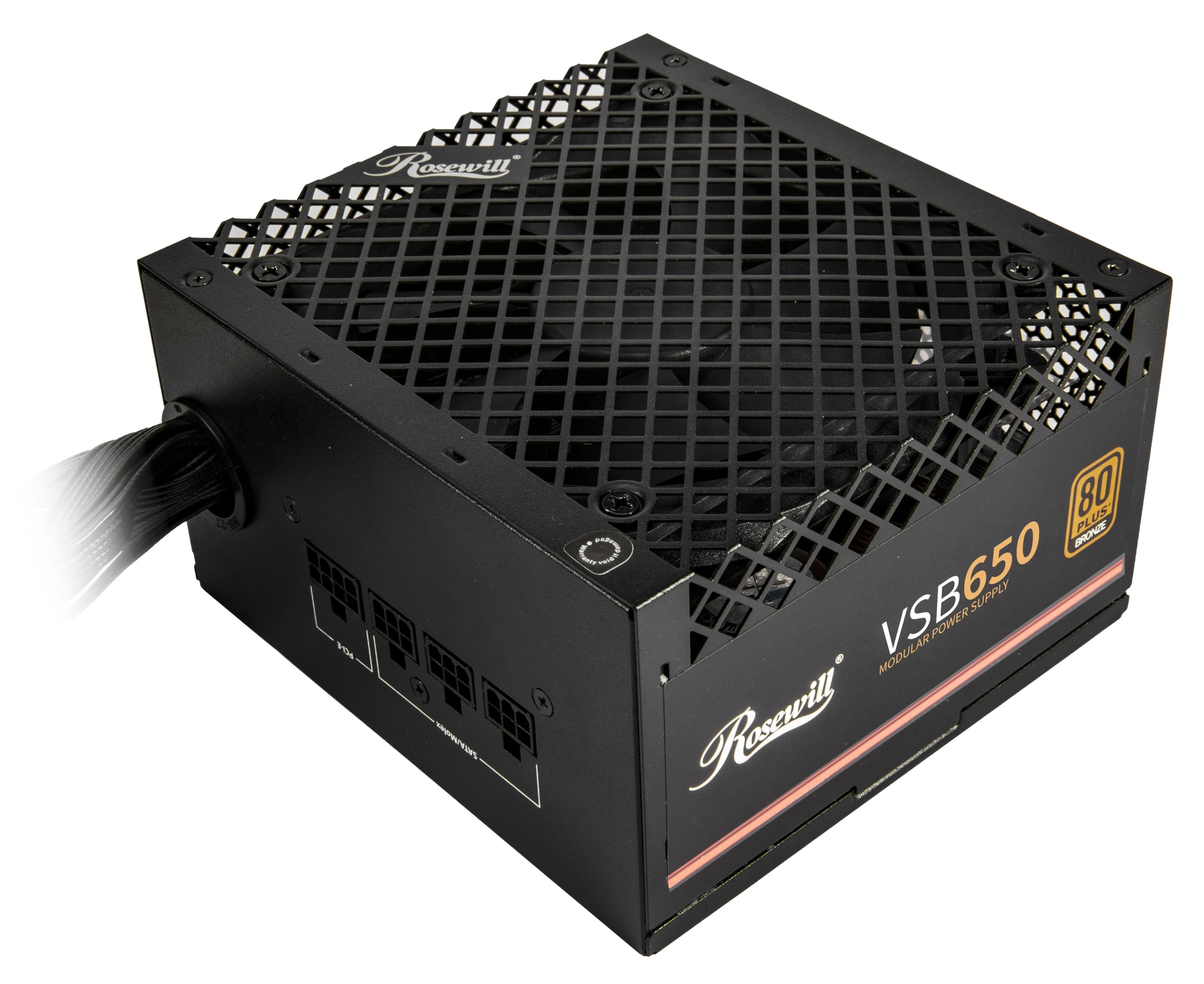
The semi-modular modern PSU that powers next-gen cards on a budget.
This 650W power supply is the budget bridge to modern hardware. It’s ATX 3.0 and 3.1 ready and has a native PCIe 5.1 12V-2×6 connector, so it can feed a brand-new graphics card directly with up to 450W without an adapter. That’s a rare feature at this price point and makes it a future-proof choice.
The semi-modular design is a big win for first-time builders. The essential cables (24-pin and CPU) are attached, but the SATA and PCIe cables are removable, so you only connect what you need. Owners say it’s quiet, easy to install, and the marked cables make hooking things up simple to use—one happy builder calls a semi-modular PSU of this quality at this price “non-existent.”
It’s also built to handle power spikes. It can withstand up to 235% power excursion (a sudden jump in demand) and 300% GPU power excursion, which protects against the transient spikes new graphics cards are known for. A slightly open bottom cage design has a few owners wary, and the rocker switch can be finicky to engage on some units.
Modern Features
- Native PCIe 5.1 12V-2×6 cable for new GPUs
- Semi-modular design with labeled cables for easy installs
- Quiet operation with 105°C Japanese capacitors
Minor Gripes
- Rocker switch can be intermittent on some units
- Open bottom cage looks risky to a few owners
Grab it if: you’re building a new system with a modern GPU and want current-gen cabling without the premium price.
Pass if: you’re on a very tight budget for a super-basic build and don’t need the PCIe 5.1 connector.
5. MSI A520M-A PRO Gaming Motherboard
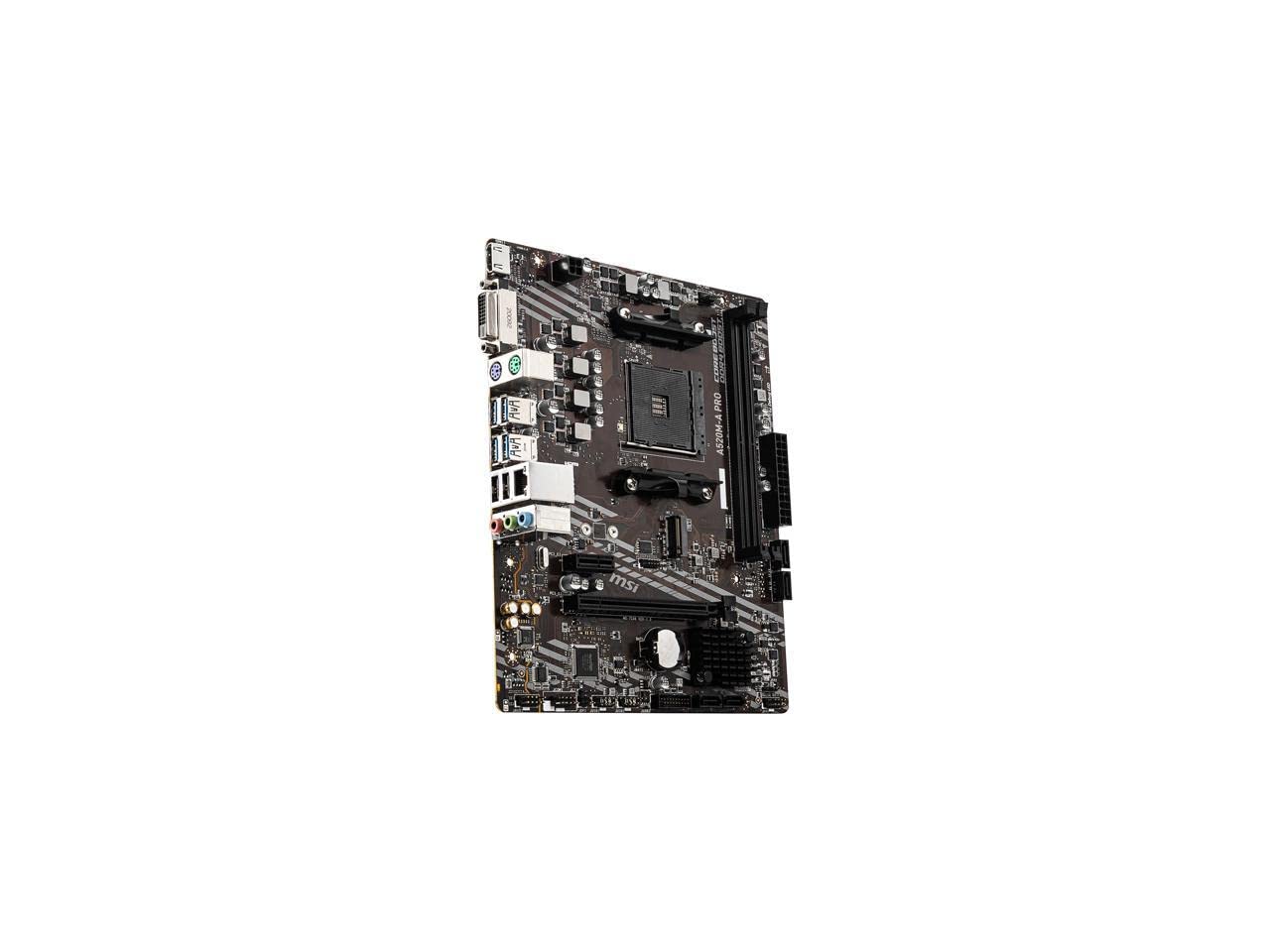
The compact AM4 board that gives budget Ryzen builds a solid home.
This micro-ATX motherboard is the foundation for a budget AMD build. It supports 3rd Gen AMD Ryzen processors and the Ryzen 4000 G-Series, plus the newer Ryzen 5000 series. It’s the perfect partner for a Ryzen 5 5500, and it’s small enough to fit into compact cases that bigger boards can’t.
Owners running it with a Ryzen 5 and an RTX 2060 Super report smooth performance in Overwatch 2, Marvel Rivals, and Call of Duty. The board’s Audio Boost feature is a nice touch, delivering “studio grade sound quality” for a budget board. It also has a Turbo M.2 slot running at PCIe Gen3 x4 for fast NVMe SSDs.
The key limitations are the two RAM slots and PCIe 3.0. Two slots cap your memory at 32GB (though owners run 64GB fine), and PCIe 3.0 does limit the very top-end NVMe drive speeds to around 3500MB/s. It also has no built-in Wi-Fi, so you’d add a card via PCIe if you need wireless. The BIOS may need a basic AM4 CPU to update for newer chips.
What Works
- Solid, reliable platform for budget Ryzen gaming builds
- Compact micro-ATX size fits small cases
- Supports fast NVMe SSDs with Turbo M.2
Keep in Mind
- Only 2 RAM slots limit upgrades
- PCIe 3.0 caps the fastest NVMe and GPU speeds
Best for: a straightforward, reliable budget gaming rig where you won’t need more than 2 RAM sticks or top-tier PCIe 4.0 speeds.
Look elsewhere if: you want Wi-Fi built-in or maximum storage and GPU bandwidth.
6. MONTECH Century II 850W Power Supply
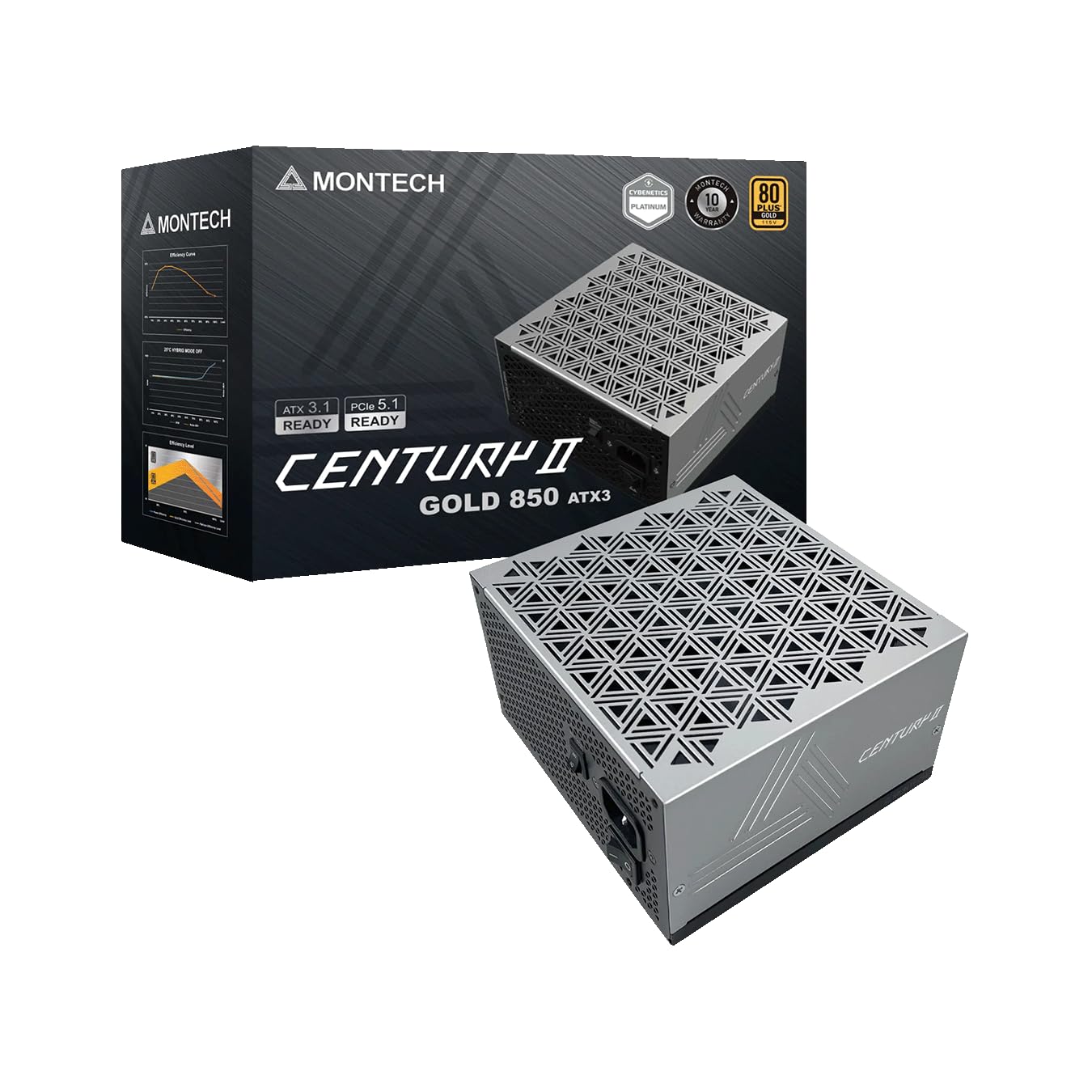
The budget king that brings premium, professional-grade power to your rig.
This 850W unit is the high-end pick that still makes sense for a budget-thinker. It’s 80 Plus Gold certified (a high efficiency rating that wastes less power as heat) and fully modular, so you attach only the cables you need. Owners call it the “goat of budget quality PSUs,” noting it’s trusted for commission and server builds.
It’s packed with features you’d expect in pricier units. It’s ATX 3.1 and PCIe 5.1 ready with the new 12V-2×6 cable, has a 135mm FDB silent fan with a zero RPM mode (it stops spinning under light load for total silence), and uses 100% Japanese capacitors for reliability. It’s backed by a 10-year warranty, a huge vote of confidence.
The performance is elite for the price. Customers note it runs DDR5 memory at 7200MHz without issues, and professional PSU testers rate it highly. The main downsides are the tight port spacing during installation (which actually improves aesthetics by keeping things tidy) and the basic black cables—you might want extensions for a truly flashy build.
Elite quality: A silent, efficient, and powerful 850W unit that tests well and won’t break the bank.
The only catch: Port spacing is tight during installs, so patience is needed when plugging in cables.
7. Rosewill VMG 750W Power Supply

The fully modular gold unit that feeds a top-tier GPU with room to spare.
This 750W power supply is for someone who wants a serious, fully modular unit. It’s 80 Plus Gold certified and completely modular, so every cable is removable for the cleanest possible build. The dedicated PCIe 5.1 12V-2×6 cable delivers a hefty 600W directly to the newest graphics cards, so it’s ready for an RTX 5080-class GPU.
Owners rave about the quality and quiet. The 120mm FDB (fluid dynamic bearing) fan is silent, and reports say it powers a Core Ultra 265k and an RTX 5080 without a single issue. The cables are praised as high-quality, with plenty of PCIe 8-pin cables included. It’s also a compact unit, so it’s easier to fit in smaller cases.
There is a serious caveat here: a rare few reviewers point out receiving a unit that arrived broken or inoperative, occasionally with a rattling sound. That’s the luck of the draw with any PSU, but it’s worth noting. The cables also get mixed feedback for being slightly stiff, and while it has the same 5-year warranty as the VSB, the mixed reliability scores are worth weighing.
Top-Tier Power
- Fully modular, so the build is clean and tidy
- 600W direct power for the newest flagship GPUs
- Quiet 120mm FDB fan for a silent system
Worth Noting
- Occasional units arrive broken or inoperative
- Some owners find the cables stiff to route
Pick this if: you’re installing a high-end, power-hungry graphics card and want a fully modular, quiet unit to match.
Weigh it if: you prefer ultra-proven reliability, as the Rosewill brand has a few more mixed reports than some rivals.
8. AMD Ryzen 5 5500 Processor

The 1080p gaming hero that makes budget builds feel anything but budget.
This is the CPU that makes a budget gaming PC actually fun. With 6 cores and 12 threads, it delivers fast 100+ FPS performance in the world’s most popular games. It boosts to 4.2 GHz, is open up for overclocking, and includes the Wraith Stealth cooler in the box so you don’t need to buy one. The 19 MB cache helps keep things snappy.
Owner reports are glowing. It runs Fortnite, Minecraft, CoD, and more at 144 Hz smoothly when paired with a mid-range card like a 3060 Ti. It’s praised for staying under 70°C with the stock cooler, and it’s remarkably stable for months on end. For pure value at 1080p, this is the chip that owners say is “comparable to pricier CPUs” at a fraction of the cost.
The one catch is PCIe 3.0. The Ryzen 5 5500 only supports PCIe Gen 3.0, which slightly limits the bandwidth to a super-fast Gen 4 NVMe SSD or a top-end PCIe 4.0 graphics card. For the vast majority of budget builds with a mid-range card, the difference is small. It’s an AM4 socket chip, so it pairs with the A520 board, and you need a discrete graphics card.
The 1080p balance: Fast, cool, and stable, this chip is the value king for budget gaming rigs.
Know the limit: PCIe 3.0 support only, so it’s not built for the very fastest storage or GPUs.
9. CORSAIR RM750e Power Supply
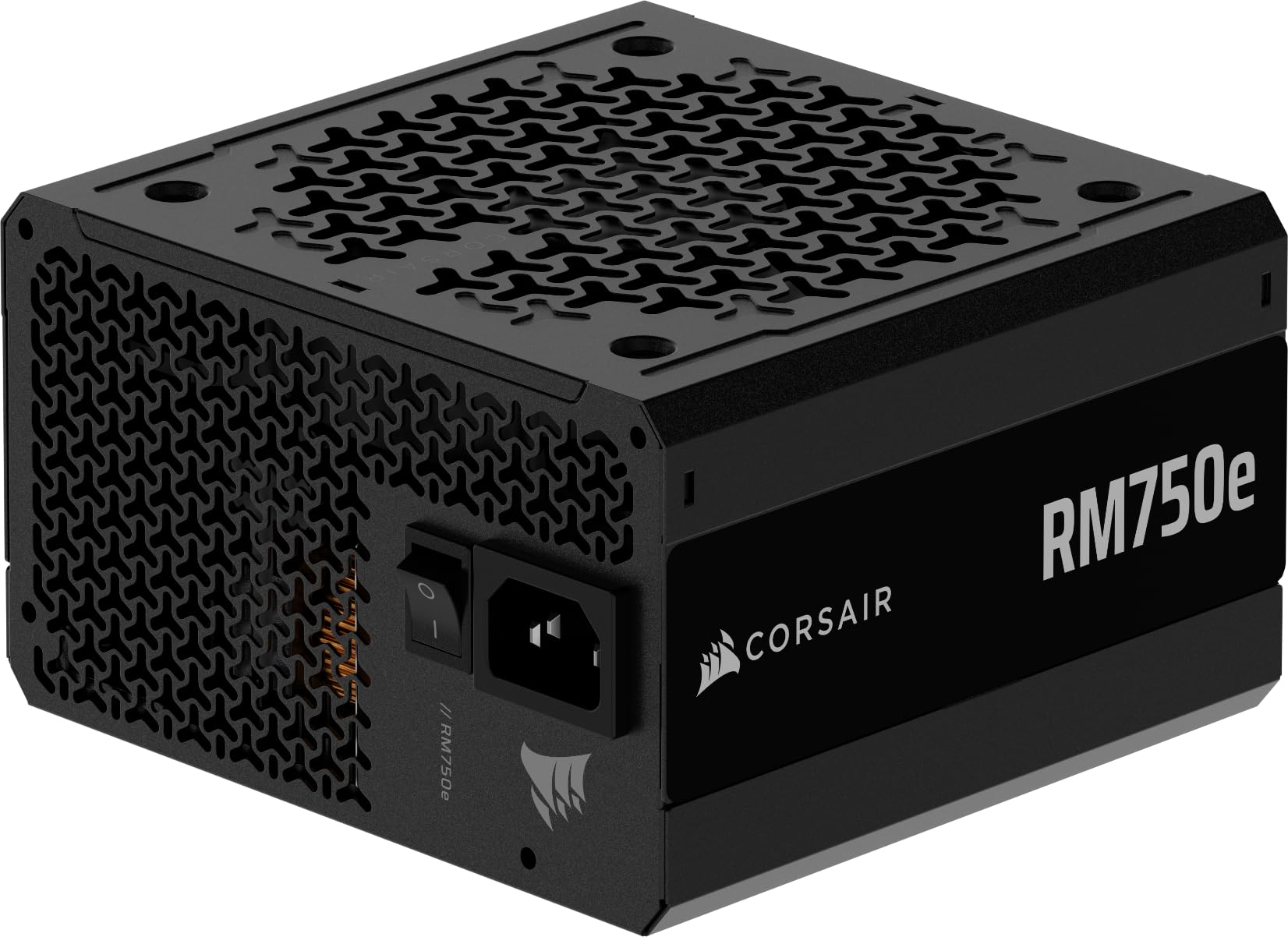
The name-brand 750W that delivers dependable, whisper-quiet power for mid-range builds.
This Corsair unit is the reliable choice when you want a trusted brand at a fair price. It’s a fully modular 750W power supply, so you connect only the cables your build needs, keeping the case tidy. It’s Cybenetics Gold certified for efficiency and ATX 3.1 certified, ready for the latest PCIe 5.1 components with the 12V-2×6 cable included.
It’s built to be silent. A 120mm rifle bearing fan uses a specially calculated fan curve to keep noise down, even at full load, and it has a Zero RPM mode that stops the fan entirely at low loads. Owners call it “very quiet” and note it powers an i7 with an RTX 5060 without any trouble. It also has 105°C-rated capacitors for steady, reliable power.
The main points to know: it doesn’t come with mounting screws, so check your case’s spares, and the cable options are good but not as flexible as some. One owner’s positive take is that the 12V cables have helpful colored tips for easy identification. Overall, it’s a dependable, efficient unit that owners say is more efficient than a Bronze PSU, helping protect both the PC and the wallet.
Why It’s Trusted
- Fully modular for a clean, tidy build
- Whisper-quiet with a Zero RPM fan mode
- ATX 3.1 & PCIe 5.1 ready with the new cable
Small Details
- No mounting screws come in the box
- Colored cable tips are a nice touch for build clarity
Choose this for: a reliable, quiet, and efficient power supply from a top brand for a mid-range build.
Check first: if you’re on a strict budget, the cheaper Rosewill units offer similar specs, but Corsair’s name-brand reliability is tough to top.
Understanding the Specs
Airflow (CFM)
CFM stands for cubic feet per minute, and it’s the measure of how much air a fan moves. Higher means more hot air pushed out of your case. For case fans, look for at least 50 CFM per fan to keep a gaming system cool. For CPU coolers, the airflow combines with the heatsink’s design to pull heat off the processor.
Noise Level (dB)
Decibels (dB) tell you how loud a fan is at full spin. A difference of a few dB is noticeable: 25 dB is whisper-quiet, while 35 dB is clearly audible in a quiet room. Budget parts that are quiet (under ~30 dB) are worth a little extra cash because a loud PC is annoying for years.
FAQ
What does a 600W power supply actually run?
Will these ARGB fans work with my motherboard?
Is a dual-tower cooler worth it for a budget build?
What is 80 Plus certification and why does it matter?
Which CPU fits the MSI A520M-A PRO motherboard?
What’s the difference between modular and non-modular power supplies?
How do I know if a CPU cooler fits my case?
Is the AMD Ryzen 5 5500 good for gaming?
Final Thoughts: The Verdict
For the majority of shoppers, the budget pc parts winner is the Thermalright TL-M12Q X3 fans because they deliver the best mix of airflow, quiet, and value across the board—the crowd favorite with strong owner support. If you need serious cooling for a hot CPU, grab the Thermalright Peerless Assassin 120 SE. And for a reliable power foundation, the CORSAIR RM750e is the one to reach for.
How We Picked
We do not accept paid placement. Every pick is matched to a real buyer and a real use-case; we do not hands-on test units.
Sources & Methodology
Specifications: manufacturer listings and product documentation. Review insights: verified customer reviews, as of August 2026. Pricing: not shown on this page (it changes often); check the current price via the retailer link.
As an Amazon Associate, FitlyFast earns from qualifying purchases. This does not affect which products we feature.