
Our readers keep the lights on and the weekend projects moving. As an Amazon Associate, I earn from qualifying purchases.
Specs are compiled from manufacturer listings and verified buyer reviews and can change over time — please confirm the key details on the product page before buying.
If you are a student, a professional, or an artist looking to take serious handwritten notes without spending Apple or Samsung flagship money, the biggest question is which budget-friendly tablet actually delivers a natural writing feel and enough performance to keep up with your daily flow. The answer is not as simple as picking the cheapest option — you have to weigh screen technology, stylus quality, battery life, and the overall note-taking ecosystem.
I’m Rikta — the founder and writer behind FitlyFast. This guide is built by comparing the manufacturers’ published specifications and the patterns across verified customer reviews, so you get each pick’s real strengths and trade-offs instead of marketing spin.
Whether you are sketching ideas in a coffee shop or filling a digital planner during lectures, a great budget tablet for note taking combines a responsive stylus, long battery life, and a screen that feels good to write on for hours without eye strain.
Our Picks at a Glance



How To Choose The Best Budget Tablet For Note Taking
The best tablet for you depends on where and how long you write, and if you need full Android apps or a distraction-free digital notebook.
Stylus Feel and Pressure Sensitivity
Look for one that comes included in the box and requires no charging — a battery-free pen is always ready to write. Pressure sensitivity levels (4096 is standard, but high-end goes to 16384) determine how thick or thin your strokes look based on how hard you press. For note-taking, 4096 pressure levels are sufficient; the screen’s responsiveness and surface feel are more important.
Screen Technology: Eye Comfort vs. Flexibility
Two main screen types dominate note-taking. LCD tablets with a matte or paper-like finish (like TCL’s NXTPAPER or XPPen’s etched glass) work like a regular tablet but reduce glare and eye strain. E Ink screens (like the BOOX or iFLYTEK) are easier on the eyes for long reading sessions, feel closer to real paper, and offer incredible battery life, but they have slower refresh rates and muted colors. Your choice depends on if you need a multimedia tablet or a focused writing tool.
Battery Life and Your Daily Routine
A full day of university classes can run eight hours or more. An LCD tablet with an 8,000 mAh battery will typically last between 8 and 11 hours, which gets you through a day but needs a nightly charge. E Ink tablets, with their smaller batteries and lower power draw, can run for weeks. Think about your access to charging — if you are in back-to-back meetings or long study sessions, the extra hours matter.
Quick Comparison
| Model | Best For | Screen Size | Battery Life | Stylus Included | Amazon |
|---|---|---|---|---|---|
| TCL NXTPAPER 11 Gen 2★ Best Overall | Best Overall Value | 11″ 2K LCD | 8 hours | Yes (4096) | Amazon |
| Lenovo Idea TabBest Value | Smooth 90Hz Writing | 11″ 2.5K IPS | 12 hours | Yes | Amazon |
| XPPen Magic Note PadPremium Pick | Ag Etched Paper Feel | 10.95″ LCD | 4 hours | Yes (16384 levels) | Amazon |
| Callsky-Tab 12 | Largest Budget Screen | 12″ 2K IPS | 6 hours | Yes (4096) | Amazon |
| BOOX Go Color 7 | E Ink Portable Reader | 7″ E Ink | 1–3 weeks | No (sold separately) | Amazon |
| Samsung Galaxy Tab S6 Lite | Reliable S Pen | 10.4″ 2K LCD | 14 hours | Yes (S Pen) | Amazon |
| Lenovo Idea Tab Pro | Large 3K Canvas | 12.7″ 3K LCD | 11 hours | Yes | Amazon |
| TCL NXTPAPER 14 | Giant Paper-Like Screen | 14.3″ 2.4K LCD | 10 hours | Yes (4096) | Amazon |
| iFLYTEK AINOTE Air 2 | Voice-to-Text + E Ink | 8.2″ E Ink | 5 weeks | Yes (4096) | Amazon |
In‑Depth Reviews
1. TCL NXTPAPER 11 Gen 2
The TCL NXTPAPER 11 Gen 2 is the no-compromise mid-range champion that makes writing feel natural right from the start.
The biggest selling point here is the NXTPAPER 4.0 display. It reduces blue light and uses an anti-reflective, flicker-free surface — your eyes stay comfortable even after a long reading or note-taking session. The 11-inch 2K screen (1920 x 1200 pixels) is crisp enough for detailed sketching, and the T-PEN stylus delivers 4096 levels of pressure sensitivity that responds smoothly. Buyers report a “smooth stylus for notes and sketching” with a “responsive display,” calling it excellent value.
At just 0.29 inches thick and weighing 1.1 lbs, this tablet slips into any bag. The included flip case provides hands-free support when you are writing or watching. The 8,000 mAh battery averages 8 hours of use, which is a solid day of classes. With 6+6GB of RAM (expandable memory) and 64GB of storage, it handles multitasking well. The crowd gives it high marks across the board — over 230 ratings place it at a strong 4.5 out of 5. The thing owners praise most is device quality, with 39 buyers specifically calling it out.
The real-world catch is that the speakers are average, there is no headphone jack, and the included flip case is a bit flimsy. A few owners note a touchscreen glitch while the tablet is charging. Compared to the Callsky-Tab 12 below, this TCL holds a 33% longer battery life (8 hours vs 6 hours), making it a better daily driver for students.
Paper-like reading display
- Eye-friendly NXTPAPER 4.0 screen with three display modes (regular, ink paper, color paper).
- Excellent 8-hour battery with reverse charging for your phone or earbuds.
- Premium build quality in a slim, lightweight metal body — feels like a more expensive device.
Mediocre performance
- Speakers are mediocre; no headphone jack on board.
- The flip case included in the box feels cheap and flimsy.
- No guaranteed long-term software updates (still on August 2025 security patch).
For avid readers: You want a single budget tablet that handles note-taking, drawing, reading, and streaming without a fuss. It delivers premium quality at an entry-level price.
Skip for gaming: You need the absolute best stylus pressure sensitivity (the XPPen at 16K levels beats it) or you are sensitive to a touchscreen that may act up while charging. A few owners also note polarized sunglasses black out the screen in portrait mode.
2. Lenovo Idea Tab (11″ 2.5K)
The Lenovo Idea Tab is the smooth operator of the list, giving you a high-refresh screen for easy pen strokes.
This is the only tablet under that offers a 90Hz refresh rate on its 2.5K display. What this means for you is that every line you draw and every scroll you make feels fluid — no stuttering or lag. The 11-inch IPS screen has a sharp 2560 x 1600 resolution, and it is TÜV Rheinland Low Blue Light certified to reduce eye fatigue during long study sessions. The included Lenovo Tab Pen is ready to write immediately, and the folio case adds protection.
Powering the experience is a MediaTek Dimensity 6300 processor with 8GB of RAM and 256GB of storage, plus a microSD slot for expansion. Owners call it a “very nice midrange Android tablet” that performs fast for apps, YouTube, and streaming without any lag. The battery average life is an impressive 12 hours, which beats the TCL NXTPAPER by 4 hours. With over 600 ratings, it holds a 4.6 out of 5 — the highest score and review count on this list. The top praise goes to quality, with 77 buyers mentioning it, followed closely by value for money at 48 mentions.
The included pen does not come with extra replacement tips, which is a minor frustration. A few owners also note the Amazon shopping app does not run natively on this tablet — you have to use the web version. Lenovo packs in four learning apps: AI Note, Squid, Nebo, and MyScript Calculator, all of which integrate well with the pen for serious note-taking.
Sharp 2.5K screen
- Buttery-smooth 90Hz display makes handwriting feel more responsive than 60Hz competitors.
- Massive 12-hour battery that lasts through back-to-back classes and streaming.
- Quad Dolby Atmos-tuned speakers with 72% NTSC color for vivid study breaks.
Average battery life
- The included folio case is flimsy — consider upgrading to a sturdier third-party option.
- No extra pen tips in the box; if you lose one, you will need to buy replacements separately.
- Amazon app does not work natively; you must use the web browser version for shopping.
Best for media: Students who want the smoothest writing experience available in this price range. The high refresh rate and long battery life make it ideal for all-day use.
Skip for heavy work: You need a built-in Amazon app or you want a pen with replacement nibs included. The flimsy case is also a minor annoyance if you plan to carry it daily without a sleeve.
3. XPPen Magic Note Pad
The XPPen Magic Note Pad gives you the closest thing to writing on real paper with 16,384 levels of pressure sensitivity.
This is the only LCD tablet in this lineup with an AG nano-etched glass screen (TCL NXTPAPER 3.0 technology) that reduces up to 95% of ambient light interference. The result is a matte, paper-like feel that reduces glare beautifully, even outdoors. The X3 Pro Pencil 2 hits 16K sensitivity — four times the standard 4096 levels — and it is battery-free, so it is always ready to write. The screen runs at a 90Hz refresh rate, providing smooth, lag-free writing.
The built-in XPPen Notes app includes an AI assistant, handwriting-to-text conversion, PDF import and editing, and automatic saving to OneDrive or Google Drive. You can switch between three color modes (Monochrome LCD, Light Color, Nature Color) with one press of the X-key. Owners who use it for note-taking and drawing call it “fantastic” for creatives, praising the matte screen and the responsive, battery-free pen. Performance is the top positive aspect, with 65 buyers calling it out.
The battery average life is just 4 hours — the shortest on this list — which means it will need a midday boost during long days. The narrow viewing angle from the etched glass means you need to look directly at the screen for the best clarity. It is also note this is a normal Android tablet, not an E Ink device, despite the paper-like screen finish. With 320 ratings, it sits at 4.3 out of 5.
Real paper feel: If your priority is the most natural, high-resolution pen experience on an Android tablet, this is the pick. The 16K pressure levels and matte finish beat the TCL and Lenovo options for pure note-taking pleasure.
Limited app support: The 4-hour battery is a real limitation. You will need a charger nearby for a full day of classes, unlike the 12-hour Lenovo Idea Tab which lasts all day on one charge.
4. Lenovo Idea Tab Pro

The Lenovo Idea Tab Pro brings a massive 12.7-inch 3K canvas for note-taking with flagship-level processor power.
This is the most powerful tablet on the list for the money. The MediaTek Dimensity 8300 processor is paired with 8GB of RAM and 128GB of storage, offering smooth multitasking and fast app switching. The 3K LCD display (2944 x 1840) is crisp and detailed, with a 90Hz refresh rate and a 360Hz touch sampling rate that makes pen input feel instant. The quad JBL Dolby Atmos speakers provide rich sound for study breaks.
Google Gemini AI is integrated, and the Circle to Search feature works with the included Tab Pen Plus. You get 11 hours of video streaming battery life, and the 45W quick charge gets you back up fast — though you need a specific 45W PD smart charger for proper charging, as standard chargers will be very slow. The tablet is heavy at 12.7 inches, but owners call it a “very nice tablet, great deal for the money” with excellent performance for note-taking and reading.
With 473 ratings and a 4.6 out of 5, it shares the top score with the smaller Lenovo Idea Tab. Quality is the most-praised aspect with 77 mentions, and value for money follows at 54. The main downsides are the heft and the requirement for a specific 45W charger for fast charging. It also lacks GPS, relying on network location.
For power users: You need the largest screen for detailed note-taking or sheet music and want the fastest processor on this list for smooth multitasking. The 3K display is gorgeous for reading and drawing.
Skip for portability: Portability matters most — this is a large tablet that is noticeably heavier than the 11-inch options. The 45W charger requirement is an extra expense, and the lack of GPS may bother you for navigation.
5. Samsung Galaxy Tab S6 Lite
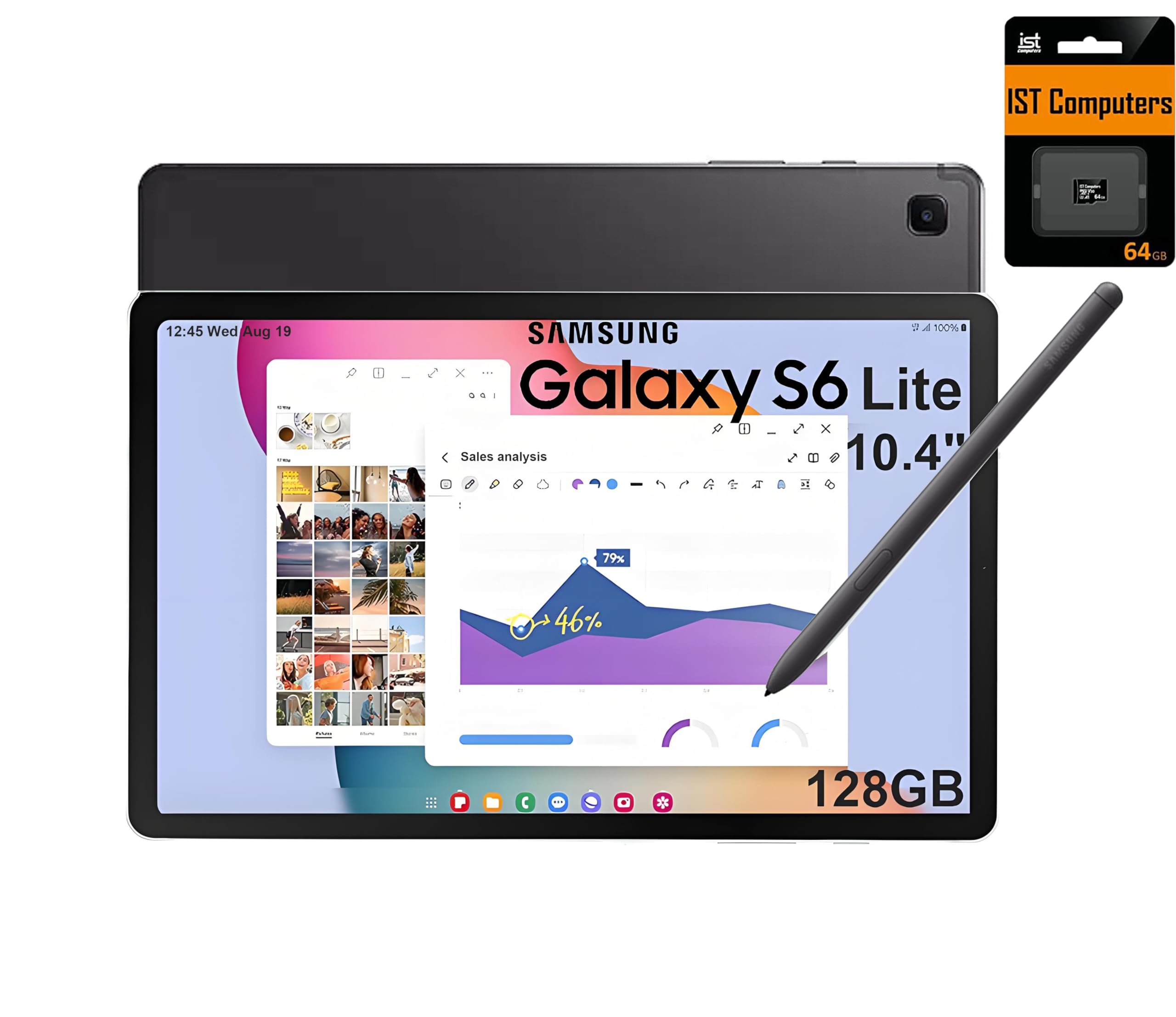
The Samsung Galaxy Tab S6 Lite is the most portable and long-lasting pick with a premium S Pen that needs zero charging.
This is the lightest and most compact tablet on the list at 10.4 inches, making it easy to hold in one hand while you scribble notes. The included S Pen is a huge advantage — it requires no battery, no pairing, and offers a natural feel that mimics real paper. The 2K display (2000 x 1200) is a glossy touchscreen that looks vibrant for media, and the AKG-tuned speakers with Dolby Atmos provide excellent audio. With a 14-hour battery life, it outlasts every other LCD tablet here by a significant margin.
The processor is an Exynos 1280, and owners note it is “on the slower side” — this is not a device for serious multitasking or heavy gaming. It comes with 64GB built-in storage plus a 64GB SD card, totaling 128GB. The S Pen works great for note-taking and drawing, and the build quality is praised as durable and flexible. Performance is the top positive aspect with 13 buyers mentioning it, and build quality follows at 5.
One important disclosure: this is a North American version with a two-year extended warranty. The charger is not included in the box, just a power cable. A few owners received a Canadian version with Canadian English settings, which may be a regional stock issue. With 83 ratings, it maintains a strong 4.5 out of 5.
S Pen included: Someone who wants the most portable, lightweight note-taking companion with no-compromise on the stylus. The S Pen is one of the best in the industry, and the 14-hour battery is class-leading.
Dated design: The slower processor and 4GB of RAM mean you will notice lag when switching between heavy apps. It is best as a dedicated note-taker and media tablet, not a productivity powerhouse.
6. TCL NXTPAPER 14

The TCL NXTPAPER 14 is a massive digital notebook that doubles as a sheet music reader and a drawing pad, all in one.
This is the largest tablet here at 14.3 inches, yet it remains surprisingly thin at 0.27 inches and light at 1.67 lbs. The NXTPAPER 3.0 technology gives you a paper-like display that filters blue light and reduces glare — ideal for reading e-books, sheet music, and taking notes for long stretches. The 2.4K resolution (2400 x 1600) is sharp, and the three display modes (Standard, Color Paper, Ink Paper) are switched using the dedicated NXTPAPER Key.
The T-PEN stylus offers 4096 levels of pressure sensitivity. It is not the most responsive pen on the list — a few owners note some lag and find it unintuitive — but it works well for standard note-taking. The 10,000 mAh battery provides an average of 10 hours of use, and the 33W fast charging can fully recharge in about 2 to 3 hours. The quad stereo speakers deliver room-filling sound, and the dual front cameras are good for video calls.
With 378 ratings, it holds a 4.4 out of 5. The standout feature for most is the screen: owners call it “outstanding matte screen finish that reduces glare” and say it is “perfect for reading e-books.” However, the pen experience is not as refined as the XPPen or Lenovo options. The battery drains about 30% per 2-hour movie, which is on the higher side.
Large NXTPAPER screen
- Gigantic 14.3-inch screen is class-leading for sheet music, PDFs, and split-screen note-taking.
- Paper-like matte display with NXTPAPER 3.0 is gentle on eyes during all-day reading.
- 33W fast charging recharges the 10,000 mAh battery quickly (charger not included).
Weak speakers
- The included pen has noticeable lag and is less intuitive than competitors like Lenovo or Samsung.
- No microSD card slot, no headphone jack, and only a USB-C to C cable in the box (no charger).
- Battery drain is higher than average during video playback — about 30% per 2 hours.
For reading: Musicians reading sheet music, students who prefer a large canvas for notes, and anyone who spends hours reading e-books. The screen is its superpower.
Skip for audio: Someone who needs a lag-free, premium pen experience. The stylus here is just okay. Also avoid if you want expandable storage — there is no microSD slot.
7. iFLYTEK AINOTE Air 2

The iFLYTEK AINOTE Air 2 is a distraction-free E Ink powerhouse that transcribes voice meetings into text in 17 languages.
This is a specialized tool, not a general-purpose tablet. It runs on a 8.2-inch E Ink screen, which means zero glare, a paper-like feel, and an insane battery life of up to 5 weeks on a single charge. The stylus supports 4096 pressure levels and four diverse pen shapes, and the handwriting-to-text conversion works in 83 languages. What makes it unique is the real-time voice-to-text transcription in 17 languages (including English, Spanish, French, Arabic, Korean, and Japanese), with AI that generates meeting summaries.
Owners praise it as a “productivity-boosting E-Ink tablet” that delivers on its promise. The paper-like writing experience is called out as “top-tier” with accurate handwriting recognition in English and Spanish. The device is lightweight and has a high-contrast backlit screen for comfortable reading. With 197 ratings, it sits at 4.0 out of 5.
The downside is significant: the firmware is heavily locked down. There is no Google Play Protect certification, which blocks Gmail and the Play Store, and ADB is disabled. This is not a full Android tablet; it is a focused digital notebook. A few owners have reported instability after firmware updates. The voice transcription and handwritten text conversion cannot run simultaneously — you must finish one before starting the other.
Lightweight design: Professionals attending meetings who need automatic transcription, students who want a distraction-free writing device, and anyone who prioritizes weeks of battery life over app flexibility.
No stylus slot: This is not a standard Android tablet. The lock-down means you cannot install your favorite apps freely. It shines as a dedicated voice-to-text notebook but fails as a versatile media device.
8. Callsky-Tab 12
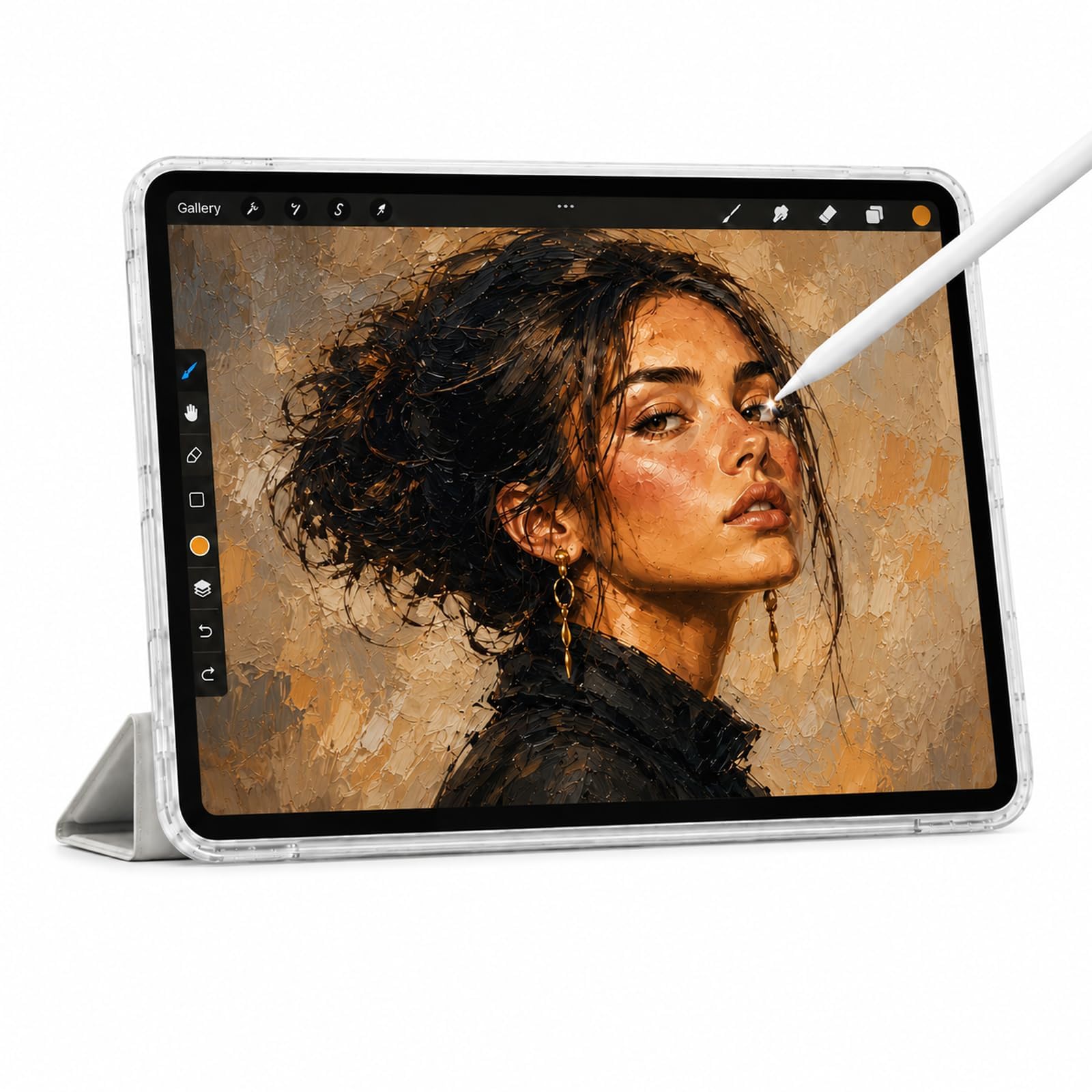
The Callsky-Tab 12 gives you the biggest screen for your money with a generous 16GB of RAM for smooth multitasking.
If your priority is a large canvas on a tight budget, this 12-inch tablet with a 2K IPS display (2000 x 1200) delivers. It runs on a T616 octa-core processor with 16GB of RAM and 256GB of storage, expandable up to 2TB via microSD. The included rechargeable stylus offers 4096 pressure levels and tilt support, and it attaches magnetically to the tablet so you will not lose it. The package also comes with a flip case and an anti-friction drawing glove.
Owners who use it for drawing call it a “great quality tablet” that is responsive and accurate with no glitching. The screen is crisp and vibrant, with wide viewing angles and anti-glare technology. However, the battery average life is just 6 hours — shorter than most competitors. As one buyer put it: “Nice. The battery is not that good.”
With 40 ratings, it holds a 4.3 out of 5. Quality and reliability are the top positive aspects, with 7 mentions each. The battery and the included charging cord dying quickly are the main complaints. A few units have arrived with dust bubbles under the screen protector, and some have developed ghost touches within weeks.
For big screens: You want the most screen real estate for your dollar and need plenty of RAM for running multiple note-taking apps. The 12-inch display is great for detailed drawings and split-screen work.
Skip for clarity: Battery life is your priority. The 6-hour runtime is the lowest on this list, and it will not last through a full day of back-to-back classes. The occasional quality control issue with the included accessories is also worth noting.
9. BOOX Go Color 7 Gen II

The BOOX Go Color 7 is the most portable E Ink tablet here, fitting in one hand and running full Android apps.
This is a niche device for those who value portability and eye comfort above all else. The 7-inch Kaleido 3 E Ink screen displays 4096 colors at 150 ppi and black-and-white at 300 ppi. It is not a vivid LCD screen — the colors are muted, and the screen is naturally darker than a standard tablet. However, it offers a front light with warm and cold settings, page-turn buttons, and a G-sensor for auto rotation. It runs Android 13, which means you can install Kindle, Kobo, and other reading and note-taking apps from Google Play.
Owners say it is “amazing device, but definitely not for everyone.” It is excellent for reading e-books and text, with a battery that lasts 1 to 3 weeks in normal use. The device is lightweight at just 6.9 oz and has a microSD card slot for expandable storage. It supports active stylus input via the InkSense technology, though the stylus is not included in the box — you must buy it separately, which adds to the cost.
The main complaints are the muted color display (a known limitation of all Kaleido 3 E Ink screens) and the poor battery life compared to expectations — a few owners mention it only lasts about a week with moderate use. The Kindle app has been noted to glitch or freeze occasionally. With 322 ratings, it holds a 3.9 out of 5. This is the lowest rating on the list, largely because buyers expect a vibrant LCD experience from an E Ink device.
Color e-ink screen: Avid readers who also want to take notes on PDFs and e-books. The compact size, page-turn buttons, and Android app support make it a versatile E Ink companion.
Slow refresh rate: The color display is muted and dark compared to LCD, and the stylus is sold separately. This is not a general-purpose note-taking tablet — it is a specialized e-reader with note-taking features. If you want vivid colors for drawing, choose an LCD tablet instead.
Understanding the Specs
Stylus Pressure Levels
Pressure sensitivity is measured in levels, typically 4096 or 16384. This number tells you how many different line thicknesses the stylus can produce based on how hard you press. For handwriting notes, 4096 levels are more than enough. For professional digital art with fine shading, 16384 (found on the XPPen Magic Note Pad) offers more nuance. The more important factor is how the screen and stylus feel together — a battery-free, lag-free pen beats a high-level spec every time.
Battery Average Life
This is the number of hours a manufacturer rates for mixed use on a full charge. For LCD tablets, look for at least 8 hours to get through a standard school or work day. The Samsung Galaxy Tab S6 Lite leads at 14 hours, while the XPPen Magic Note Pad is the lowest at 4 hours. E Ink tablets like the BOOX and iFLYTEK measure battery life in weeks because they only draw power when the screen refreshes, making them ideal for long reading sessions without recharging.
FAQ
Do I need a stylus that requires charging?
Is an E Ink tablet better for note-taking than an LCD tablet?
How much storage do I need for note-taking?
What is the difference between 4096 and 16384 pressure levels?
Does an LCD tablet need a matte screen protector for note-taking?
Can I use a budget note-taking tablet for drawing?
Which tablet has the best handwriting-to-text conversion?
Is a 60Hz display fine for note-taking, or do I need 90Hz?
What does the “paper-like” display certification mean?
Do these tablets work with Google Play Store and standard Android apps?
Final Thoughts: The Verdict
If you want one dependable pick, the budget tablet for note taking winner is the TCL NXTPAPER 11 Gen 2 because it combines a comfortable paper-like display, reliable 8-hour battery, and an included 4096-level stylus at a price that undercuts competitors while still feeling premium. If you want the smoothest writing experience with a 90Hz screen and 12-hour battery, grab the Lenovo Idea Tab — it is the crowd-favorite with over 600 ratings at 4.6 stars. And for professionals who need automatic meeting transcription in multiple languages, the iFLYTEK AINOTE Air 2 is the one to reach for, as long as you are comfortable with its locked-down ecosystem. Any tablet on this list handles notes well; your choice depends on whether you prioritize screen size, battery life, pen feel, or multimedia flexibility.
How We Picked
We do not accept paid placement. Every pick is matched to a real buyer and a real use-case; we do not hands-on test units.
Sources & Methodology
Specifications: manufacturer listings and product documentation. Review insights: verified customer reviews, as of July 2026. Pricing: not shown on this page (it changes often); check the current price via the retailer link.
As an Amazon Associate, FitlyFast earns from qualifying purchases. This does not affect which products we feature.