
Our readers keep the lights on and the weekend projects moving. As an Amazon Associate, I earn from qualifying purchases.
Specs are compiled from manufacturer listings and verified buyer reviews and can change over time — please confirm the key details on the product page before buying.
Between lesson plans, grading piles, and the endless search for a charger that fits, a teacher’s tablet needs to survive a school day without compromise. The right pick balances a screen large enough for split-screen grading, a battery that outlasts your last class, and storage room for every PDF and slideshow you hoard.
I’m Rikta — the founder and writer behind FitlyFast. This guide is built by comparing the manufacturers’ published specifications and the patterns across verified customer reviews, so you get each pick’s real strengths and trade-offs instead of marketing spin.
A budget tablet for teachers must survive the school year with a sharp display, dependable battery, and enough storage for endless lesson files.
Our Picks at a Glance

How To Choose The Best Budget Tablet For Teachers
Teachers need a tablet that doubles as a laptop, notebook, and media player, so screen size and RAM matter more than brand. You are juggling a gradebook app, a PDF of tomorrow’s worksheet, and a video for the lesson plan simultaneously, so the screen size and RAM matter more than the brand name.
Screen size and resolution for grading and reading
A 10-inch screen can feel cramped when you are reviewing a scanned student essay or annotating a textbook page. Look for a display that gives you plenty of room for split-screen multitasking — a 12 to 14-inch screen with a 1920×1200 or higher resolution lets you see the fine print without zooming or squinting.
Battery life that outlasts the school day
Your tablet should survive from morning prep through after-school grading without a midday charge. Battery capacity is measured in milliamp-hours (mAh) — a higher number generally means more hours of use, but the processor’s efficiency matters just as much for real-world endurance.
RAM and storage for multitasking
When you have a web browser, a note-taking app, and a grading spreadsheet open at once, RAM (random access memory) keeps everything running smoothly. Classrooms generate lots of files, so 128GB of storage is a good starting point, and expandable microSD support gives you room to grow.
Quick Comparison
| Model | Best For | RAM | Refresh Rate | Battery Life | Amazon |
|---|---|---|---|---|---|
| TECLAST T65★ Best Overall | Sheet music and large-screen grading | 20GB | 120Hz | 11 hours | Amazon |
| TCL TAB 10 Gen 4Lightweight Pick | Lightweight daily use | 4GB | 60Hz | 8 hours | Amazon |
| Lenovo Idea TabNote-Taking Pick | Note-taking with included stylus | 8GB | 90Hz | 12 hours | Amazon |
| 12-Inch Drawing Tablet | Art and sketch-based lessons | 16GB | — | 6 hours | Amazon |
| Callsky-Tab 12 | Art-focused teaching with stylus | 16GB | — | 6 hours | Amazon |
| URAO 14 | Laptop-style workstation with extras | 30GB | — | 12 hours | Amazon |
| Samsung Galaxy Tab S6 Lite | Precision note-taking with S Pen | 4GB | 60Hz | 14 hours | Amazon |
| Lenovo Idea Tab Pro | Fast multitasking and AI tools | 8GB | 90Hz | 11 hours | Amazon |
| TCL NXTPAPER 14 | Eye-friendly reading and sheet music | 8GB | 60Hz | 10 hours | Amazon |
In‑Depth Reviews
1. TECLAST T65
The oversized canvas that keeps your sheet music and grading visible without the squint.
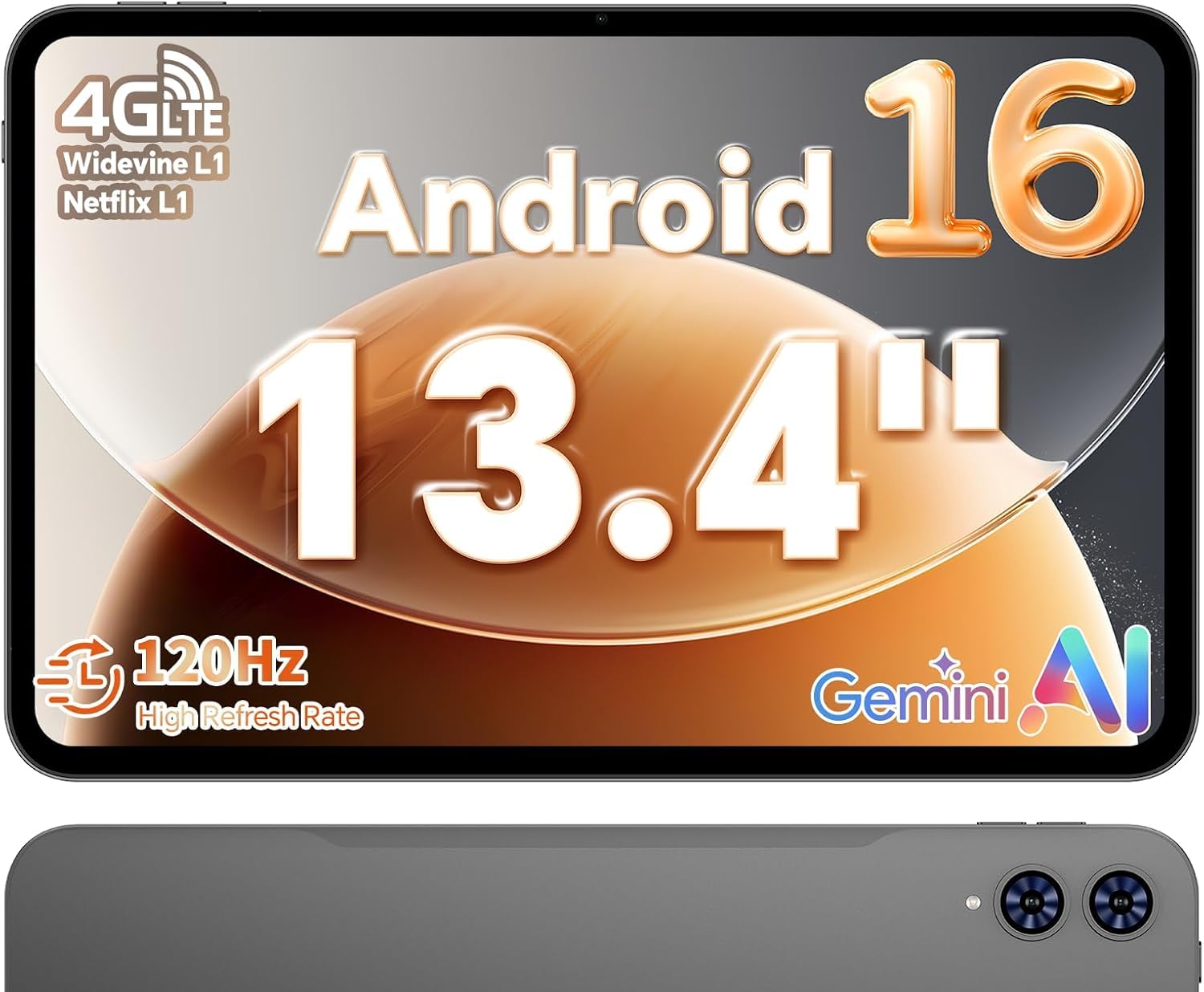
The first thing you notice is the 13.4-inch, 1920×1200 IPS touchscreen — a working space big enough to display a full page of sheet music or two documents side by side. The 120Hz refresh rate (how often the screen updates per second) makes scrolling through long PDFs feel fluid, and the TDDI touch tech keeps responses sharp and immediate.
Under the hood, you get 20GB of RAM (8GB physical plus 12GB virtual) and 128GB of storage, which is a 5x gap over the TCL TAB 10 Gen 4’s 4GB in the multitasking department. The 8000mAh battery is rated for 11 hours — roughly 33% more capacity than the TCL’s 6000mAh — so it holds up through a full day of classes and prep. The octa-core A75 chip with a 2.2GHz clock speed handles streaming and office apps without stutter, and 4G LTE means you’re never hunting for Wi-Fi in a dead-zone classroom.
The gray aluminum body weighs 720g and measures just 8.5mm thin, making it easy to slip into a tote between rooms. Buyers report the learning curve is gentle and the picture is decent, though one honest owner notes you will get 4 to 5 hours of heavy video playback rather than the full rated life. The factory-installed tempered glass screen protector is a nice touch that saves you a purchase right from the start.
What wins teachers over
- 20GB RAM destroys the lag when you switch between apps
- 13.4-inch display is ideal for sheet music and split-screen work
- 120Hz refresh rate makes scrolling feel easy
- 8000mAh battery covers a full school day
What to know before buying
- No case, keyboard, or pen included
- Heavy video use cuts into the 11-hour battery rating
Grab it for: the teacher who wants a large, fast display for music, grading, and entertainment without paying flagship prices.
Think twice if: you need a precision stylus for handwriting — this one is built for viewing, not drawing.
2. TCL TAB 10 Gen 4
The featherweight metal slab that fits in a crowded teacher bag without weighing you down.
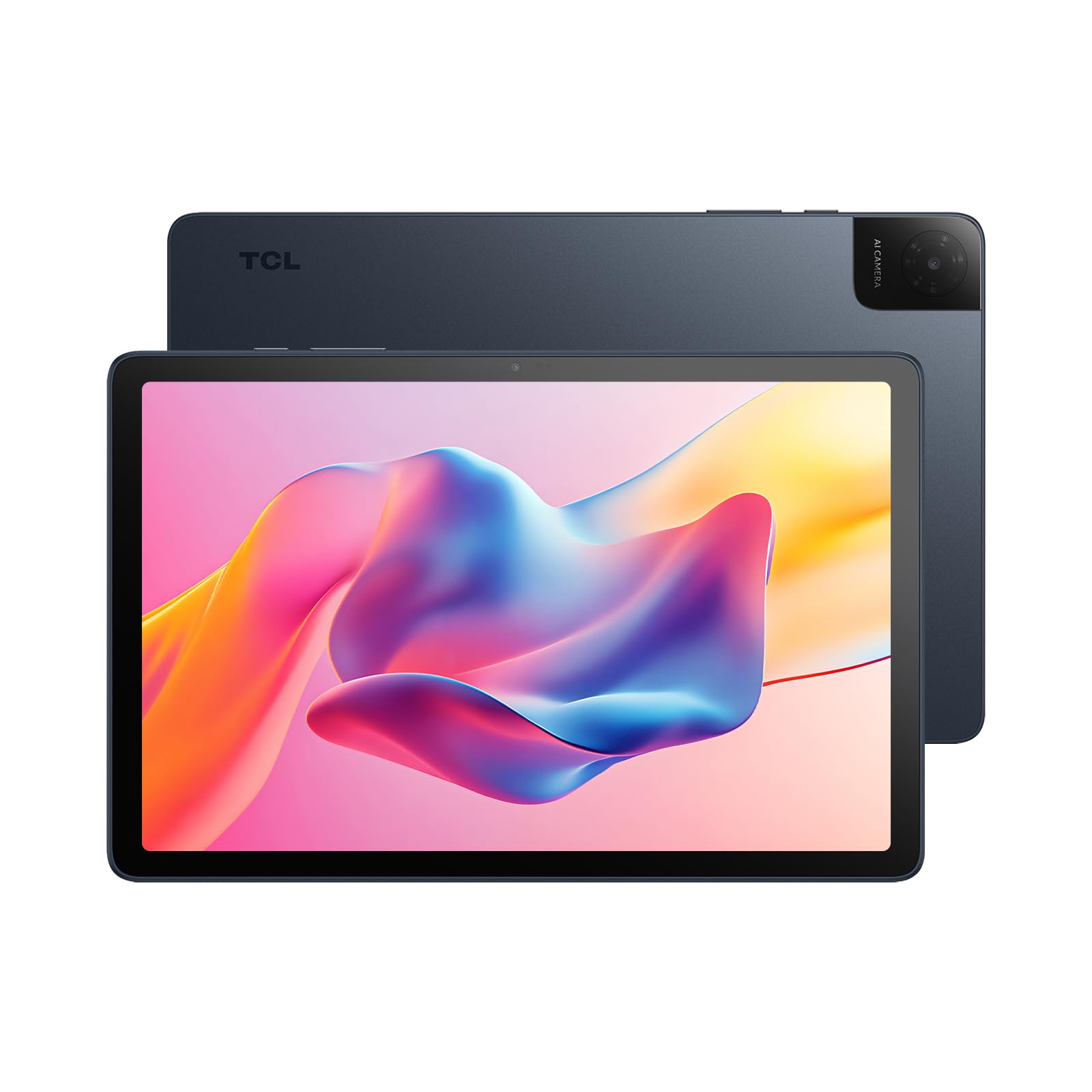
At just 0.87 lb and a slim 0.30-inch profile, this is the pick for the teacher who already carries a laptop and a stack of papers. The 10.1-inch IPS FHD display with 1920×1200 resolution and TCL NXTVISION enhancement delivers a crisp, clear picture for movies and reading, with dual speakers and Sound Booster adding richness for classroom video clips.
Performance comes from an octa-core processor running Android 15, and owners mention it’s snappy and responsive — the exact words used to describe its smooth everyday operation. The 6000mAh battery is rated for 8 hours, which is fine for a lighter day, and 18W fast charging gets you back in action quickly. You get 4GB of physical RAM plus 8GB expandable, with 128GB of storage and microSD support up to 1TB for all your lesson files.
Face open up gets you into the device fast between classes, and the 5MP front camera handles video calls and online meetings decently. What wins people over is the performance and display clarity, backed by a value-for-money reputation that shows up consistently in owner feedback. The honest caveat: the screen size draws mixed opinions — some find 10.1 inches smaller than expected if they’re used to laptop displays.
Balanced take: A dependable, no-frills daily driver that prioritizes portability and smooth basics over power-user specs.
Best suited to: the teacher who wants a light, reliable tablet for reading, video calls, and casual grading, not heavy multitasking.
Consider the trade: the 60Hz display and 4GB base RAM mean demanding split-screen work will feel slower than the bigger picks above.
3. Lenovo Idea Tab
The campus-ready slate that brings a pen and case in the box, ready for lecture notes on day one.
This one shows up with everything you need to start writing immediately: the Tab Pen and folio case are included, which is rare at this level. The 11-inch 2.5K IPS touchscreen at 2560×1600 resolution with a 90Hz refresh rate makes both writing and scrolling feel smooth, and the TÜV Rheinland Low Blue Light certification helps your eyes survive late grading sessions.
Under the hood sits the MediaTek Dimensity 6300 processor with 8GB of memory, and owners praise its smooth pen performance for note-taking and PDF markup in grad school. The 7216mAh battery is rated for up to 12 hours of YouTube, so it genuinely lasts a full teaching day. Its 256GB of storage doubles the TCL TAB 10 Gen 4’s 128GB, and microSD expansion keeps room for years of resources.
Circle to Search with Google lets you circle any text or image with your finger or pen for instant search or translation — genuinely handy when a student asks an off-script question. The quad Dolby Atmos-tuned speakers and 72% NTSC color coverage make it fun for streaming during your prep period. Buyers specifically mention the included writing apps like Lenovo AI Note and Squid add real value, though a few note missing extra pen tips in the packaging.
Why it earns its place
- Pen and case included — no extra purchases needed
- 2.5K resolution at 90Hz is sharp and smooth
- 256GB storage with 12-hour battery life
- Smooth stylus handling for note-taking
Minor gripes
- Some units arrive without the extra pen tips
- Basic 8MP rear camera is nothing special
Reach for this if: you want to handwrite notes and annotate PDFs from day one without spending extra on accessories.
Look elsewhere if: you need serious camera quality or heavy gaming performance.
4. 12-Inch Standalone Drawing Tablet
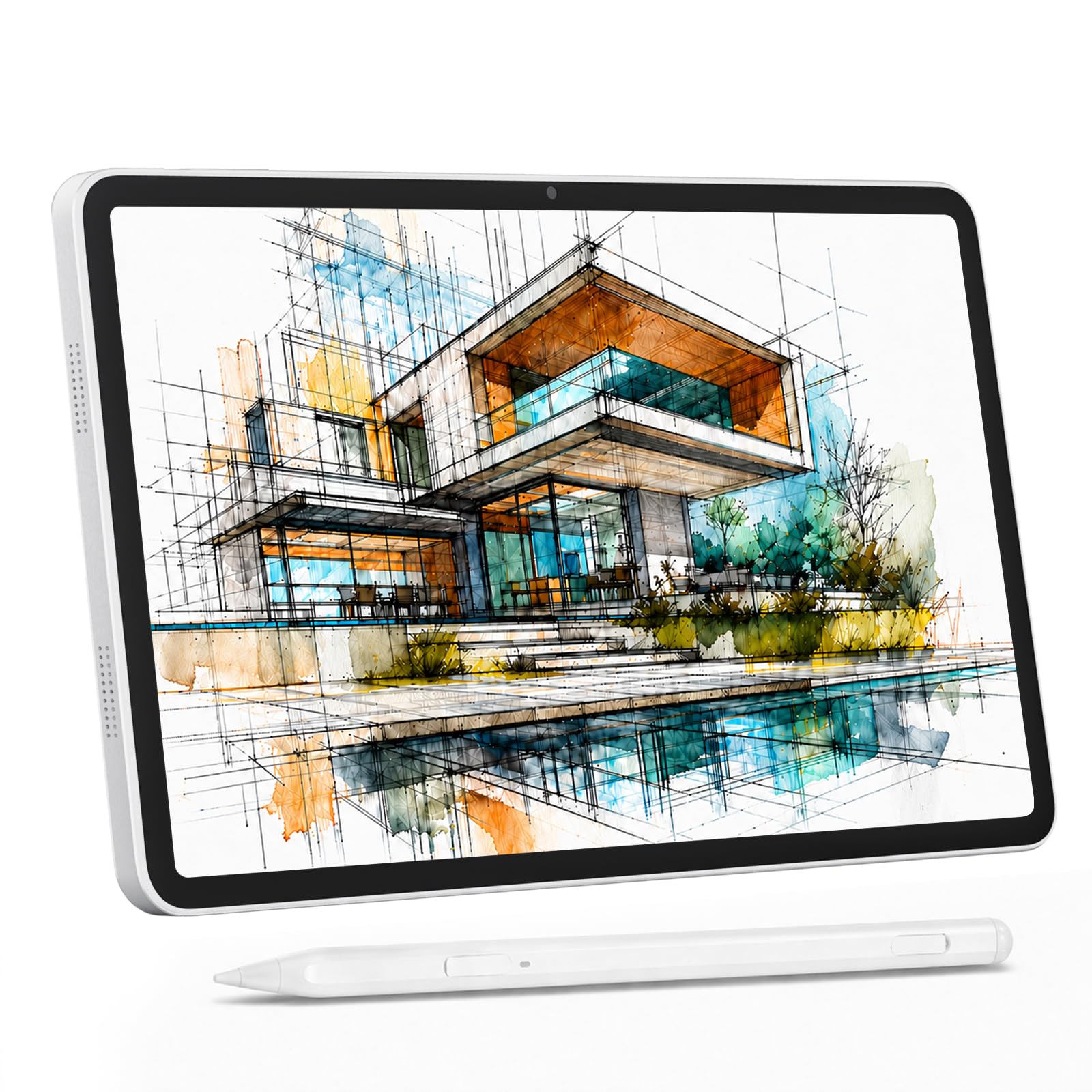
The all-in-one art studio that skips the computer entirely and starts drawing from the start.
Art teachers, this one is aimed at you. It’s a 12-inch standalone drawing tablet — no PC required — with a 4096-level pressure stylus that captures everything from delicate lines to bold strokes, plus 60° tilt support for natural shading. The full-lamination screen eliminates parallax, meaning your pen tip lands exactly where the cursor appears.
The 12-inch IPS display at 2000×1200 resolution covers 100% sRGB for accurate colors, and a pre-applied anti-glare screen protector cuts reflections so you can work under classroom lights or near a window. Inside, 16GB of RAM (8GB plus 8GB virtual) and 256GB of storage keep multiple art apps running without lag, expandable up to 2TB via microSD.
You get the whole kit in the box: stylus, shockproof case, drawing glove, 18W charger, and USB-C cable. The 8000mAh battery keeps drawing sessions going, and 4G LTE dual-SIM means you can create anywhere without hunting for Wi-Fi. Parents report their kids love it for drawing and note-taking, though one measured just 4 hours of actual battery life rather than the rated 6 — so keep that charger nearby for marathon use.
Creator-focused: Everything is here — stylus, case, glove, and a color-accurate screen — for the teacher who actually draws with students.
Made for: the art or design teacher who wants a full creative toolkit without a laptop tether.
Heads up: battery endurance runs shorter than the rated figure in real drawing use, so plan for a recharge.
5. Callsky-Tab 12
The dedicated art tablet that outperforms expectations once you add your own drawing apps.
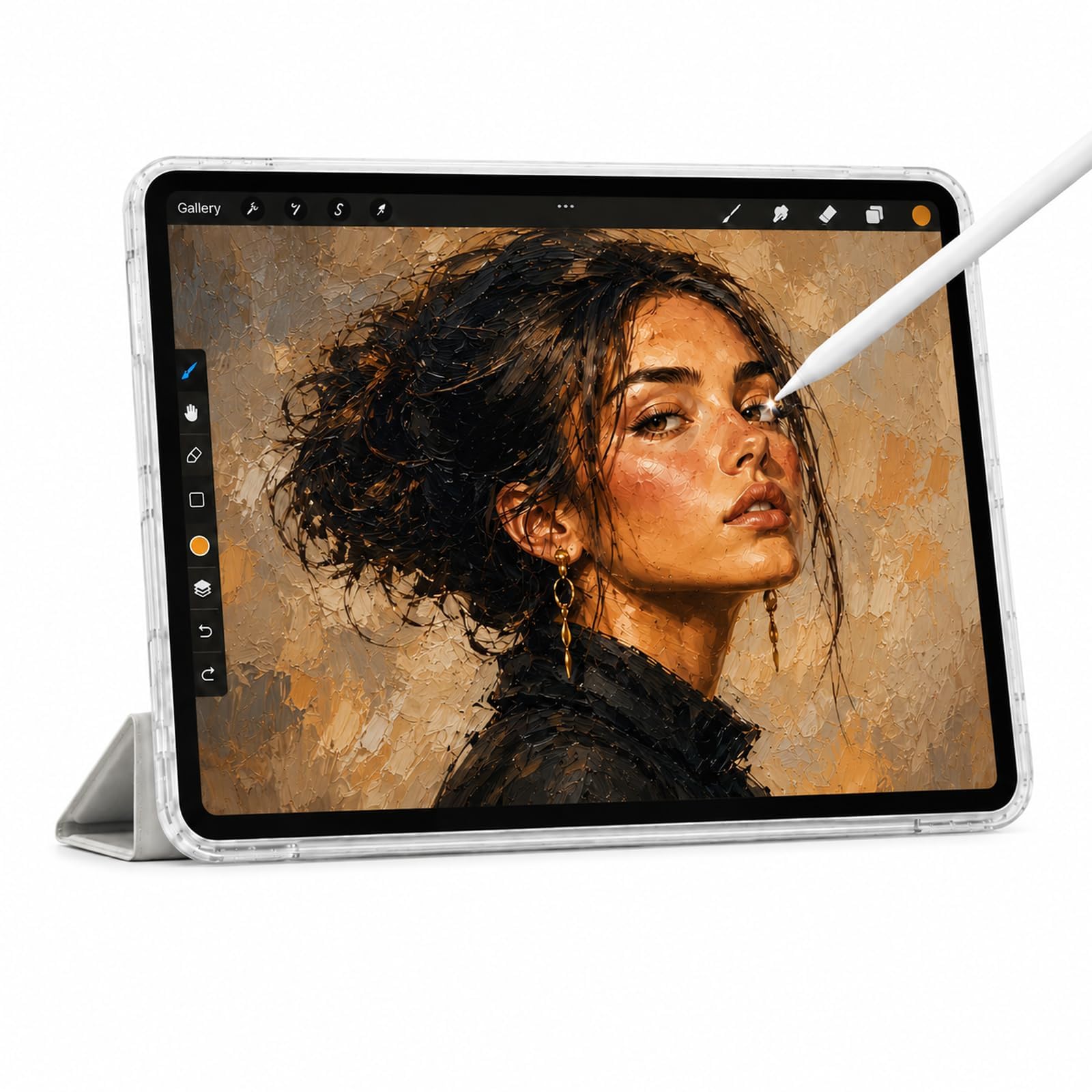
This 12-inch Android 15 tablet is built around creative work, powered by a T616 octa-core processor with 16GB RAM and 256GB ROM (expandable to 2TB). The included rechargeable stylus offers 4096 pressure levels with tilt support and attaches magnetically, so you won’t lose it between classes. Owners describe it as a quality, reliable art device that works better than expected.
The 12-inch IPS display delivers crisp 2K visuals with wide viewing angles and anti-glare technology, keeping colors accurate from any seat in the room. An 8000mAh battery is rated for up to 6 hours of video playback or creative work, and the reinforced Type-C port charges from any orientation. The included protective case features three folding modes, giving you a stand for drawing, typing, or watching.
What stands out in owner feedback is the value: it’s described as cheaper than rivals while outperforming expectations, with the quality and reliability being the two most-praised aspects. The honest notes: there’s no drawing software preloaded — you’ll download free apps or a option — and the included charging cord died quickly for one owner, while the stylus is seen as adequate but not premium.
The strong points
- 16GB RAM and 256GB storage handle heavy art apps
- Magnetic stylus with 4096 levels and tilt support
- Three-mode folding case included
Honest caveats
- No drawing software pre-installed
- Accessory cable quality is inconsistent
Choose this for: digital art and animation lessons where the stylus and screen quality do the heavy lifting.
Keep in mind: budget time to set up your own apps, and treat the included cable as a spare.
6. URAO 14
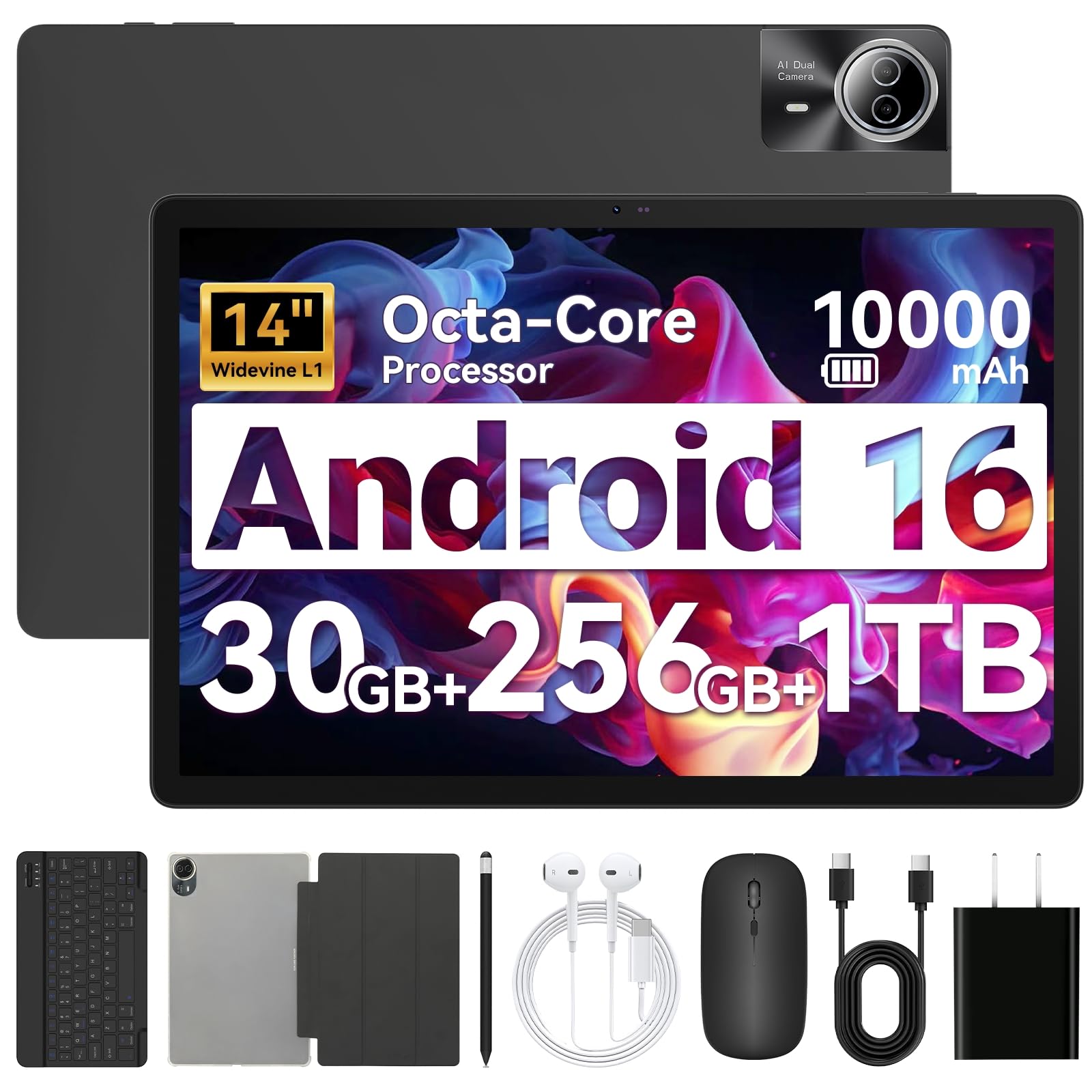
The 2-in-1 that folds into a laptop with a keyboard, stylus, and case all in the box.
Teachers who live in spreadsheets and gradebooks will appreciate that this 14-inch tablet can transform into a laptop-mode workstation. It’s compatible with the included Bluetooth keyboard, mouse, and stylus, and the foldable case lets you prop it up for hands-free use. Owners note it works like a laptop in practice, with the large screen making a real difference for daily productivity.
The 1920×1200 IPS display is bright and sharp, and the front 5MP plus rear 8MP cameras handle video calls and online teaching. A massive 10000mAh battery is rated for up to 12 hours of mixed use and stands by for up to 3 days, with 30W fast charging refilling it fully in about 2.5 hours. The 30GB of RAM (6GB plus 24GB virtual) and 256GB ROM keep app launches quick, expandable to 1TB via TF card.
Streaming lessons in class stays stable with Wi-Fi 6 (the latest wireless standard for faster, more reliable connections), and Bluetooth 5.4 (the newest Bluetooth version) pairs all your accessories without drops. The stereo 4-speaker setup fills the room with clear audio, so students hear every word. Buyers most often praise battery life, build quality, and screen size — all mentioned equally in positive owner feedback. One catch: there’s no GPS (global positioning system), so location-based apps like maps won’t work as they do on your phone.
Full-package deal: The extras in the box — keyboard, stylus, case, even headphones — mean zero accessory spending for a laptop-like setup.
Pick this if: you want a tablet that doubles as a typing workstation for reports and lesson planning.
skip it if: GPS navigation or location-aware apps are part of your daily routine.
7. Samsung Galaxy Tab S6 Lite
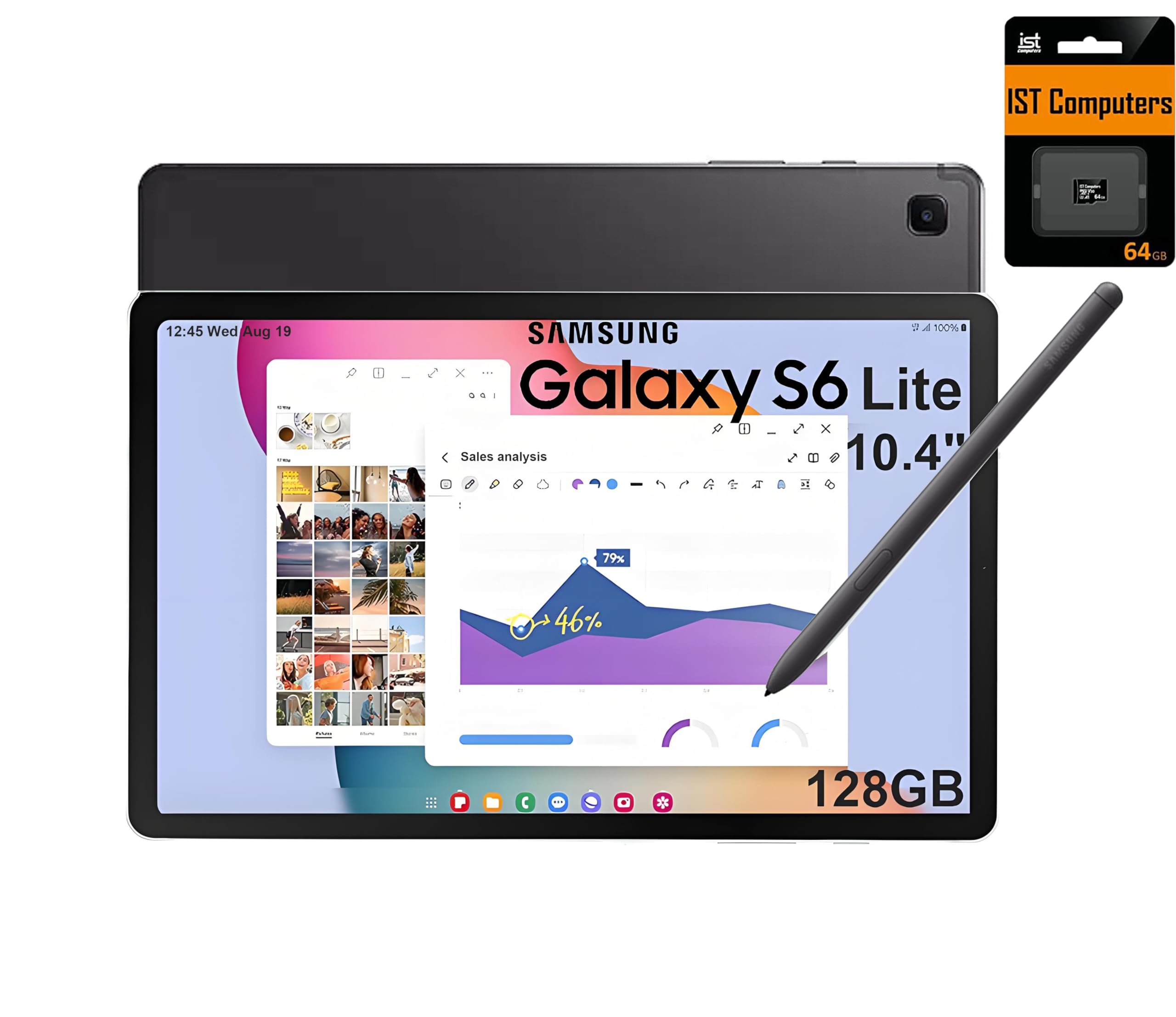
The reliable note-taker with a free S Pen that needs no charging, ever.
The headline feature here is the included S Pen — a stylus that requires zero charging and mimics the feel of writing on real paper. For teachers who handwrite feedback on student work or sketch diagrams during lessons, that natural pen feel is the difference between a tool you use and one you abandon. Owners confirm the stylus works great and the device communicates smoothly with Samsung phones.
The 10.4-inch 2K (2000×1200) touchscreen is crisp and vibrant, and the Exynos 1280 processor with a 2.4GHz max speed keeps everyday tasks moving. Battery life is the standout at 14 hours, which comfortably covers the longest teaching days and then some. You get 128GB total storage (64GB built-in plus a 64GB SD card), with the AKG-tuned dual speakers and Dolby Atmos support handling movie nights.
Samsung DeX turns the tablet into a PC-like desktop when you want to write long-form feedback or prep materials. Performance and build quality are the aspects owners praise most. The honest trade-off: the processor is on the slower side for serious multitasking, and the 60Hz display won’t feel as fluid as higher-refresh competitors — a fair warning for anyone planning heavy video editing or gaming.
What makes it special
- S Pen with real paper-like writing feel, no charging
- 14-hour battery is the longest in this lineup
- Brand-name reliability with a two-year warranty
The honest limits
- Processor shows its age under heavy multitasking
- 60Hz screen is less smooth than 90Hz or 120Hz rivals
Best for: teachers who prioritize handwriting precision and all-day endurance over raw speed.
Consider otherwise: if you plan to run demanding apps or expect fluid 120Hz scrolling, this will feel dated.
8. Lenovo Idea Tab Pro

The AI-equipped workhorse that circles questions with a finger and gets instant answers.
This is the smartest tablet on the list, and it’s built for exactly the kind of on-the-fly research teachers do daily. Google’s Circle to Search lets you press the home button and circle anything on screen with your finger or the included Tab Pen Plus for instant answers — perfect for that surprise student question. The built-in Google Gemini AI assistant can help draft lesson plans, summarize articles, or brainstorm activity ideas.
Video lessons look sharp on the 12.7-inch 3K LCD display (a high-resolution screen at 2944×1840 pixels), so text and images stay clear for students in the back row. Quad JBL Dolby Atmos speakers (four speakers with surround-sound tech) deliver rich audio, making dialogue easy to follow. The MediaTek Dimensity 8300 processor (a mid-range chip) feels fast and responsive, handling many Chrome tabs smoothly, and the 90Hz refresh rate (how often the screen updates per second) keeps scrolling fluid. The 10200mAh battery (a large capacity unit) is rated for 11 hours of video streaming, and 45W quick charging (charger sold separately) gets you back in action fast.
Quality and value for money are the two most-praised aspects, and owners note the included pen is genuinely useful for notations. It’s a huge device, and that size earns mixed feedback on weight — at 12.7 inches, it’s simply not a one-handed tablet. Some owners also note the LCD can drain battery faster than expected under heavy use, and it’s not built for serious gaming despite its PUBG certification for FPS.
The standout features
- Google Gemini and Circle to Search for instant classroom research
- 3K display with quad JBL Dolby Atmos speakers
- 90Hz refresh and fast multitasking
Know the trade-offs
- 12.7-inch size is heavy for one-handed use
- 45W fast charger is not included — standard chargers charge slowly
Choose this for: the tech-forward teacher who wants AI assistance and a top-tier display for research and streaming.
Think twice if: portability is your priority — this is a two-handed device, and budget for the separate 45W charger.
9. TCL NXTPAPER 14

The paper-like screen that makes marathon reading sessions actually comfortable on your eyes.
Music teachers and heavy readers, this is your match. The 14.3-inch 2.4K (2400×1600) display uses NXTPAPER 3.0 technology to reduce glare and filter blue light, creating a matte paper-like experience that owners describe as easy on the eyes. The included 4096-level T-PEN stylus and adjustable flip case make it a complete drawing and note-taking kit right from the start.
The NXTPAPER Key lets you switch between three display modes — Standard for crisp everyday tasks, Color Paper for comics and art, and Ink Paper for natural reading. Owners specifically call out its excellence for sheet music and e-books, with one noting it pairs well with a foot pedal page turner for hands-free playing. The MediaTek Helio G99 processor with 8GB RAM (plus 8GB expandable) keeps things speedy, and the 10000mAh battery is rated for 10 hours.
Device quality and screen size are the most-praised aspects by a wide margin, and the 0.27-inch-thin body weighing 1.67 lbs stays portable despite the large display. The dual front cameras (13MP + 5MP) and 8MP rear autofocus camera support 1080p video for online teaching. The honest limitations: there’s no microSD slot, the charger isn’t included, there’s no headphone jack, and the stylus is described by some as adequate rather than premium.
The biggest wins
- Paper-like anti-glare display reduces eye strain in long sessions
- Three display modes for reading, art, and standard use
- Ideal for sheet music with foot pedal support
Real limitations
- No microSD expansion — 256GB is all you get
- Charger not included; needs a USB-C to USB-C cable
Made for: the teacher who reads constantly — e-books, music scores, research PDFs — and wants zero eye fatigue.
pass on it if: you need expandable storage or plan to use third-party styluses, as this model works best with its own pen.
Understanding the Specs
RAM vs. Storage
RAM (random access memory) is your tablet’s short-term workspace — more RAM means more apps can stay open without reloading. Storage is your long-term filing cabinet for apps, PDFs, and photos. A good rule for teachers: 8GB RAM handles smooth multitasking, and 128GB storage gives room for a year of lesson materials.
Refresh Rate
Measured in hertz (Hz), this is how many times per second the screen redraws. A 60Hz screen is standard and fine for reading; 90Hz feels smoother for scrolling; 120Hz looks noticeably more fluid and makes stylus work feel more responsive. If you write or draw on your tablet, a higher refresh rate is worth seeking out.
Battery Capacity and Life
Battery capacity is measured in milliamp-hours (mAh) — a higher number generally means more energy stored. But real-world battery life also depends on the processor’s efficiency and screen brightness. A 6000mAh battery and a 10000mAh battery can both last a school day, depending on how the tablet is tuned.
Stylus and Pressure Levels
A stylus with pressure sensitivity (measured in levels, like 4096) lets you vary line thickness by pressing harder or softer. Tilt support adds natural shading, like a real pencil. For note-taking and annotation, a stylus is a must-have; for pure viewing and streaming, it’s an optional extra.
FAQ
How much RAM do I really need for teaching tasks?
Is a higher refresh rate worth it for a classroom tablet?
Can these tablets replace a laptop for lesson planning?
How long does a tablet battery actually last during a school day?
Is the stylus included with these tablets?
Can I expand the storage on these tablets?
Which tablet is best for reading sheet music?
Do these tablets work with Google Classroom and school apps?
Will 4G or 5G connectivity help me in school?
How do the TECLAST T65 and TCL TAB 10 Gen 4 compare?
Final Thoughts: The Verdict
For most teachers, the budget tablet for teachers winner is the TECLAST T65 because its 20GB RAM, 120Hz display, and 8000mAh battery deliver flagship-level capability at a budget-friendly price. If you want a stylus for handwritten feedback from the start, grab the Lenovo Idea Tab with its included pen and case. And for the teacher who lives in reading and sheet music, the eye-friendly TCL NXTPAPER 14 is the one to reach for.
How We Picked
We do not accept paid placement. Every pick is matched to a real buyer and a real use-case; we do not hands-on test units.
Sources & Methodology
Specifications: manufacturer listings and product documentation. Review insights: verified customer reviews, as of August 2026. Pricing: not shown on this page (it changes often); check the current price via the retailer link.
As an Amazon Associate, FitlyFast earns from qualifying purchases. This does not affect which products we feature.