
Our readers keep the lights on and the weekend projects moving. As an Amazon Associate, I earn from qualifying purchases.
Specs are compiled from manufacturer listings and verified buyer reviews and can change over time — please confirm the key details on the product page before buying.
A budget webcam is the single fastest upgrade you can make to a laptop’s built-in camera, which usually delivers soft, grainy video that makes you look washed out on every call. The good news is you do not need to spend a fortune to fix it — the best picks here deliver sharp 1080p video, decent microphones, and easy plug-and-play setup for less than you might expect.
I’m Rikta — the founder and writer behind FitlyFast. This guide is built by comparing the manufacturers’ published specifications and the patterns across verified customer reviews, so you get each pick’s real strengths and trade-offs instead of marketing spin.
From autofocus to built-in lights, these are the details that actually decide whether your video calls look professional, and this roundup of the best budget webcam options breaks down exactly which one fits your setup best.
Our Picks at a Glance

How To Choose The Best Budget Webcam
Your room’s lighting, your distance from the camera, and the software you use decide which budget webcam you should buy. Match those three to the specs below, and the right pick becomes obvious.
Match the Resolution to Your Screen and Needs
Most budget webcams record at 1080p Full HD (1920×1080 pixels), which looks crisp on modern monitors and laptops. A few step up to 2K or 4K, but for regular meetings and streaming, 1080p is the balance and is what most video-call platforms support anyway. If you mostly use Zoom, Teams, or Google Meet, a solid 1080p camera is all you need to look sharp.
Pick Your Focus Style: Autofocus vs Fixed Focus
Autofocus continuously adjusts to keep you sharp as you move, which is great if you gesture or lean in and out during calls. Fixed-focus cameras keep a set distance range in focus, so you have to sit within that range, but they never hunt or blur unexpectedly. Consider how much you move during your calls before choosing.
Check the Microphone and Lighting Features
Many budget webcams include built-in microphones with noise cancellation, which can replace a muffled laptop mic. Some also have auto light correction or a built-in ring light to brighten your face in dim rooms. If you often take calls in the evening or in a room without good lighting, those features matter more than extra resolution.
Quick Comparison
| Model | Best For | Resolution | Focus Type | Microphone | Amazon |
|---|---|---|---|---|---|
| Atatat 2K Webcam★ Best Overall | Best overall clarity and features | 2K (2688×1520) | Autofocus (PDAF) | Dual noise-canceling | Amazon |
| Gohero Full HD 1080PBest Value | Sharp value with a wide-angle lens | 1080p Full HD | Fixed Focus | Noise-canceling | Amazon |
| RUWBY Pro HD 1080p | Versatile with a tripod included | 1080p at 30fps | Autofocus | Dual noise-canceling | Amazon |
| Logitech Brio 101 | Reliable plug-and-play from a trusted brand | 1080p Full HD | Fixed Focus | Built-in mic | Amazon |
| EMEET C960 | Wide 90° view for group calls | 1080p Full HD | Fixed Focus | Dual noise-reduction | Amazon |
| NexiGo N930AF | Autofocus flexibility with long USB cable | 1080p at 30fps | Autofocus | Noise-canceling | Amazon |
| Logitech C920x | Proven dual-mic streaming pick | 1080p at 30fps | Autofocus | Stereo dual mics | Amazon |
In‑Depth Reviews
1. Atatat 2K Webcam for PC with Light, Microphone, Privacy Cover
The budget pick that leaps past 1080p to deliver true 2K sharpness plus a built-in light.
This webcam shoots at a true 2K resolution (2688×1520 pixels) — at 2688×1520 pixels versus the 1920×1080 of a standard 1080p lens — so your face stays crisp and detailed on calls. That clarity is the thing owners praise most, with natural colors and sharp video that make it ideal for Zoom, classes, or streaming.
Lighting is sorted without any extra desk lamps thanks to a built-in, 3-level touch-controlled ring light that brightens your face instantly in dim rooms. It also has fast phase-detection autofocus (a focusing system that locks onto you quickly), a 360° horizontal rotation, and a 90° vertical tilt so you can frame the shot exactly how you want.
Your privacy is covered by a physical shutter that blocks the lens when not in use. The dual noise-canceling microphones filter out household hums, and it is true plug-and-play — just connect via USB with no software or drivers needed. Buyers report it delivers “Sharp 2K video, great autofocus, built-in light aids low light, clear mic” and find it excellent value.
Light and clear
- True 2K resolution (2688×1520) for much sharper video than 1080p
- Built-in 3-level ring light fixes dim-room calls instantly
- Fast PDAF autofocus keeps you sharp as you move
- Physical privacy cover and noise-canceling mics included
Plastic build
- At 2K, it demands more from your computer than a basic 1080p cam
- The ring light may be brighter than some prefer in a fully lit room
bright rooms: you want the sharpest image and best low-light features in the budget tier, with autofocus that keeps up with you.
low light: you need only bare-bones 1080p and never take calls in dim light — a simpler cam saves you the extra features.
2. Gohero Full HD 1080P Video Webcam
A wide-angle 1080p cam with auto light correction that punches well above its price tier.
This Gohero delivers crisp 1080p Full HD video at 30 frames per second (the smoothness standard for most calls) through a wide-angle lens that fits more of your workspace in the frame. The highlight for many owners is its automatic light correction, which dynamically adjusts brightness and color so you still look good in dim or overly bright rooms.
The built-in noise-canceling microphone keeps your voice clear even in busy environments, which owners mention as a real strength for work and family calls. Setup is smooth plug-and-play — it works with USB 2.0, 3.0, and 3.1 interfaces plus OTG (a standard that lets your phone act as a host), needs no drivers, and comes with a 5ft USB power cable that gives you placement flexibility.
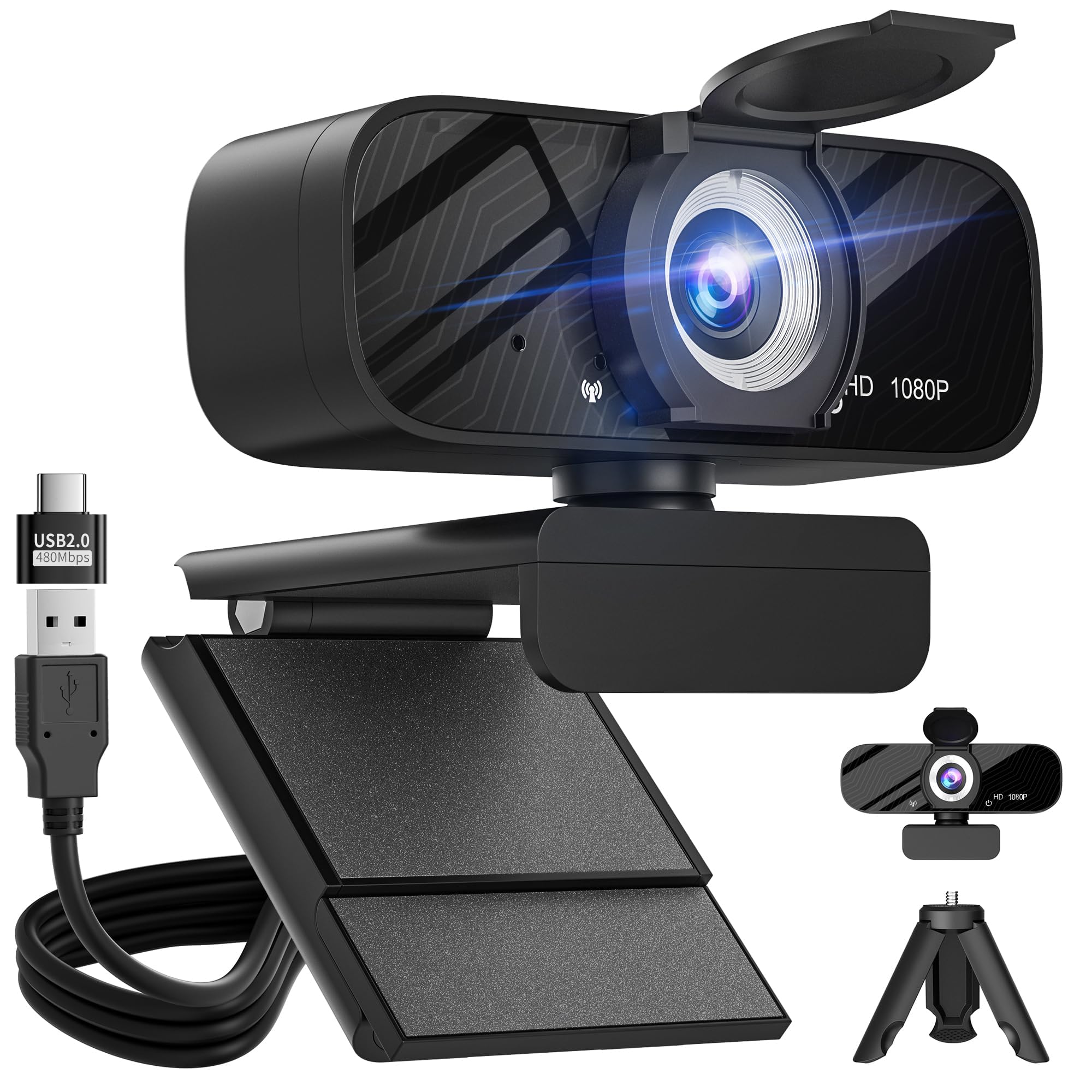
A sliding privacy shield covers the lens when you are off-camera, and the package includes a tripod and USB-C adapter for extra mounting options. The recurring owner praise is simple: “Clear 1080p, auto light adjustment, plug-and-play, privacy cover, clear mic, well-built” — with many calling it great value for everyday meetings and streaming.
tight budgets: home-office users and families who want a reliable, sharp 1080p image with hands-off light correction and no driver hassle.
audio quality: you move around a lot during calls — the fixed focus means you must stay within its set distance range to remain sharp.
3. RUWBY Pro HD 1080p/30fps Webcam with Tripod

The bundle pick that throws in a sturdy aluminum tripod for flexible desk and overhead shots.
This RUWBY webcam stands out because it includes a telescopic aluminum tripod with a universal 1/4-inch screw, so you are not stuck perched on your monitor — you can place it on your desk at the exact height you want, or pack it in a backpack for travel. The 1080p resolution at 30fps (frames per second) keeps video smooth, powered by a CMOS sensor (the chip that captures the image) that owners say delivers crisp, natural color.
It uses dual noise-canceling microphones that pick up your voice clearly up to 10 feet away, filtering out background noise. The fast autofocus keeps you centered during dynamic moments, low-light correction brightens dimmer rooms, and a 360° rotation lets you find the perfect angle. A privacy shutter covers the lens when not recording.
Compatibility is broad — it works with Windows XP/7/8/10/11, Mac OS, Chrome OS, Linux, and Android TV, plus platforms like Zoom, Teams, OBS Studio, and FaceTime. One buyer puts it plainly: “Great webcam for price, ease of use and picture quality. Love the fact that it comes with a tripod stand.” The main owner note is that the autofocus cannot be turned off, which is worth knowing if you prefer manual control.
Tripod included
- Included sturdy aluminum tripod with 1/4-inch screw for flexible placement
- Dual noise-canceling mics capture voice clearly up to 10 feet away
- Fast autofocus plus low-light correction for dim rooms
- Broad compatibility across Windows, Mac, Chrome OS, and Linux
Average autofocus
- Autofocus cannot be switched off if you want manual control
- The built-in mic is decent but some prefer their own for serious audio work
flexible setups: you want the freedom to shoot from a desk tripod, overhead for tutorials, or anywhere else — not just clamped to a screen.
fast motion: you need a webcam with manual focus control, since this one keeps autofocus always on.
4. Logitech Brio 101 Full HD 1080p Webcam

A name you already trust, packing Logitech’s RightLight into a genuinely affordable 1080p body.
The Brio 101 leans on Logitech’s auto-light balance tech called RightLight, which boosts brightness by up to 50% compared to previous-generation Logitech webcams to reduce shadows on your face. That makes it a dependable choice for home offices where lighting is rarely perfect, and a crowd favorite with solid ratings behind it.
Setup is truly easy — built-in USB-A plug-and-play means it just works with Teams, Zoom, and Google Meet, which is why one owner who bought six for their company praised how easy it is to install and how reliable the image quality is. The integrated privacy cover slides over the lens when you step away, and the mic lets others hear you clearly.
It is also made with a minimum of 77% post-consumer recycled plastic. A few owners note the field of view is quite zoomed in, with no way to adjust it, so you may need to sit further back from the camera. The recurring verdict is that it is a reliable, no-fuss upgrade for meetings — not flashy, but solid where it counts.
business calls: a trustworthy brand name and Logitech’s proven auto light correction, ideal for consistent everyday work calls.
privacy concerns: the fixed, zoomed-in field of view cannot be adjusted, so close-range or wide-group shots are tricky.
5. EMEET C960 1080P Webcam with Microphone

A 90-degree wide-angle lens that fits more people in the frame, plus a very sensitive dual-mic setup.
The EMEET C960’s standout feature is its 90° wide-angle lens, which captures more participants in a single frame — great for group calls with family or a small team. It records realistic 1920 x 1080p video through a 5-layer anti-glare lens, with a fixed focal length that keeps objects sharp within 11.8 to 118.1 inches of the camera.
Audio is handled by two built-in omnidirectional noise-reduction microphones that pick up your voice clearly and filter background noise. One owner who uses it for home work noted the mic is so sensitive it picks up audio from two rooms away — a strength for being heard clearly, though you may want to mute when not speaking. Automatic low-light correction and color boost help you look your best even in dim or harsh lighting, like sitting in front of a sunny window.
It is plug-and-play with no drivers needed, compatible with Windows, MacOS, Linux, and Android TV, and works with Zoom, Teams, FaceTime, and more. The foldable design makes it portable, and the USB cord is long enough for most setups. A privacy cover slides over the lens when not in use. It is a strong, well-priced choice for those who need a wider view.
solo streaming: group calls and rooms where you need a wide 90° view without frequently adjusting the camera.
group calls: the microphone is very sensitive, so background noise in your room may come through more than with other models.
6. NexiGo N930AF Webcam with Microphone

A two-megapixel autofocus performer that lets you switch to manual focus when you prefer control.
The NexiGo N930AF uses a two-megapixel CMOS sensor for up to 1080p resolution at 30fps (30 frames per second, the standard for smooth video). Its autofocus starts from just 7 cm away, so you can get close to the lens and stay sharp — and unlike many rivals, you can turn autofocus off to manually set your focal point if you prefer.
The built-in noise-canceling microphone reduces ambient noise for clearer video calls, though one owner who creates YouTube content says you should not rely on it for serious audio — a separate mic is better for recording. The privacy cover protects the lens from both prying eyes and dust, and the 6.5 ft (2 Meter) USB cord gives you plenty of reach across a desk.
It is true plug-and-play, ready in a minute with no drivers, and works with a wide range of systems including Switch 2, Windows, Mac OS, Linux, and Chrome OS. Owners repeatedly describe it as a “good camera” that connects instantly and delivers clear video for proctored exams, video conferences, and streaming. The folding design and flexible mounting clip make it easy to take anywhere.
active presenters: you want the flexibility of autofocus that can be disabled, plus a long cable and broad compatibility.
plug-and-play: the internal mic is fine for calls, but content creators will want a dedicated microphone for recordings.
7. Logitech C920x HD Pro PC Webcam

The long-reigning streaming favorite, now with dual mics and compatibility with Nintendo Switch 2’s GameChat.
The Logitech C920x is the default recommendation for streamers and content creators because of its proven Full HD 1080p at 30fps output with vivid colors. Unlike many budget cameras, it captures stereo audio with dual mics, giving your recordings and calls a more natural sound. It is also compatible with the Nintendo Switch 2’s new GameChat mode, making it a fun choice for console gamers.
Its HD lighting adjustment and autofocus automatically fine-tune brightness to produce sharp images even in low light. Compatibility is wide — it works with Windows 11, Teams, Meet, Zoom, Mac, and tablets. One owner who bought several for team members calls it extremely easy to set up, very stable, with no problems at all.
The main caveats are that it comes with no privacy shutter, and several customers note the autofocus occasionally goes out of focus in low light, where the image can turn grainy. It also includes a 3-month XSplit VCam license, which lets you blur or replace your background without a green screen. For pure video quality and audio, this is the crowd-proven veteran.
legacy setups: the best all-around streaming and recording quality in this list, with dual-mic stereo audio and broad software support.
modern features: there is no privacy cover, and low-light performance is its weakest area, so good lighting helps a lot.
Understanding the Specs
Resolution and Frame Rate
Resolution is the number of pixels in the video, with 1080p Full HD being the standard for crisp images, and 2K offering an even sharper picture. Frame rate, measured in frames per second (fps), tells you how smooth the motion looks — 30fps is the norm for smooth, lag-free video calls. Higher resolution and frame rate both demand a bit more from your computer’s processor and USB port.
Autofocus vs Fixed Focus
Autofocus uses sensors to continuously adjust the lens so you stay sharp as you move closer or further away. Fixed focus locks the lens at a set distance range, so you must sit within that range to stay in focus, but it never hunts or blurs unexpectedly. If you stay fairly still during calls, fixed focus is simpler; if you move or gesture, autofocus is more forgiving.
Microphone and Noise Cancellation
A built-in microphone on a webcam can save you from your laptop’s tinny audio, with noise-canceling features filtering out background hums. Dual microphones often pick up sound more naturally and can capture audio from further away. For casual meetings and family calls, a webcam mic is usually enough, but if you record podcasts or serious videos, a dedicated external microphone is still the better choice.
Lighting Features
Auto light correction adjusts the camera’s brightness and color balance to make you look better in dim or overly bright rooms. Some webcams go further with a built-in ring light that physically brightens your face. A privacy cover, meanwhile, is a physical shutter that blocks the lens when not in use — protecting your privacy and keeping dust off the glass.
FAQ
Is 2K resolution worth it over 1080p on a budget webcam?
Will a budget webcam work with my Mac, Windows laptop, or Chromebook?
What is the difference between autofocus and fixed focus on a webcam?
Can I use a budget webcam for live streaming on YouTube or Twitch?
Does a webcam with a privacy cover still work when the cover is closed?
Will a budget webcam work with Zoom, Teams, and Google Meet?
How long does a USB cable need to be for a comfortable setup?
What does low-light correction actually do for my video calls?
Can I mount a webcam on a tripod instead of my monitor?
Why do some webcams not include a privacy shutter?
Final Thoughts: The Verdict
If you want the best mix of sharpness and features, the budget webcam winner is the Atatat 2K because its true 2K resolution and built-in ring light tackle the two biggest issues — clarity and lighting — in one budget-friendly package. If you prefer a trusted name with proven auto light correction, grab the Logitech Brio 101. And for streamers who want dual-mic stereo audio and the best all-around video quality, the Logitech C920x remains the veteran pick to reach for.
How We Picked
We do not accept paid placement. Every pick is matched to a real buyer and a real use-case; we do not hands-on test units.
Sources & Methodology
Specifications: manufacturer listings and product documentation. Review insights: verified customer reviews, as of August 2026. Pricing: not shown on this page (it changes often); check the current price via the retailer link.
As an Amazon Associate, FitlyFast earns from qualifying purchases. This does not affect which products we feature.