
Our readers keep the lights on and the weekend projects moving. As an Amazon Associate, I earn from qualifying purchases.
Specs are compiled from manufacturer listings and verified buyer reviews and can change over time — please confirm the key details on the product page before buying.
A laggy mouse or a dying battery mid-round can ruin your game faster than any opponent. The best budget wireless gaming mouse keeps you competitive without emptying your wallet, and this guide breaks down the real specs and real owner feedback so you know exactly which one fits your setup.
I’m Rikta — the founder and writer behind FitlyFast. This guide is built by comparing the manufacturers’ published specifications and the patterns across verified customer reviews, so you get each pick’s real strengths and trade-offs instead of marketing spin.
Finding a budget wireless gaming mouse that actually fits your hand and play style can feel like a gamble. The right one balances weight, battery life, and connection options so you get smooth aim while staying affordable.
Our Picks at a Glance

How To Choose The Best Budget Wireless Gaming Mouse
Your buying decision hinges on four specs: sensor accuracy, weight and shape, connection method, and battery life. For fast flicks in shooters, a lighter shell helps; if you often forget to charge, prioritize a long-lasting battery.
Match the Weight to Your Play Style
Lightweight mice, around 49-60 grams, reduce wrist strain during long sessions and make quick movements feel easy. Heavier mice, closer to 90 grams, can feel more stable and grounded for precise tracking. Think about whether you play fast-paced shooters that need quick flick shots or slower strategy games where stability wins.
Check the Sensor and DPI Range
The sensor is the heart of the mouse, determining how accurately it tracks movement. A higher max DPI (dots per inch) lets you move the cursor with less physical movement, but most players stay under 2000 DPI in-game. Look for a reputable sensor like the PAW3311 or PAW3395, which offer reliable tracking without the premium price tag.
Decide Between 2.4GHz, Bluetooth, and Wired
Tri-mode mice let you switch between a 2.4GHz USB dongle for lag-free gaming, Bluetooth for office work, and a USB-C cable for charging while you play. If you only game on one PC, a simpler single-mode mouse works fine. If you switch between a laptop, tablet, and desktop, the flexibility is worth it.
Quick Comparison
| Model | Best For | Weight | DPI Range | Battery Life | Amazon |
|---|---|---|---|---|---|
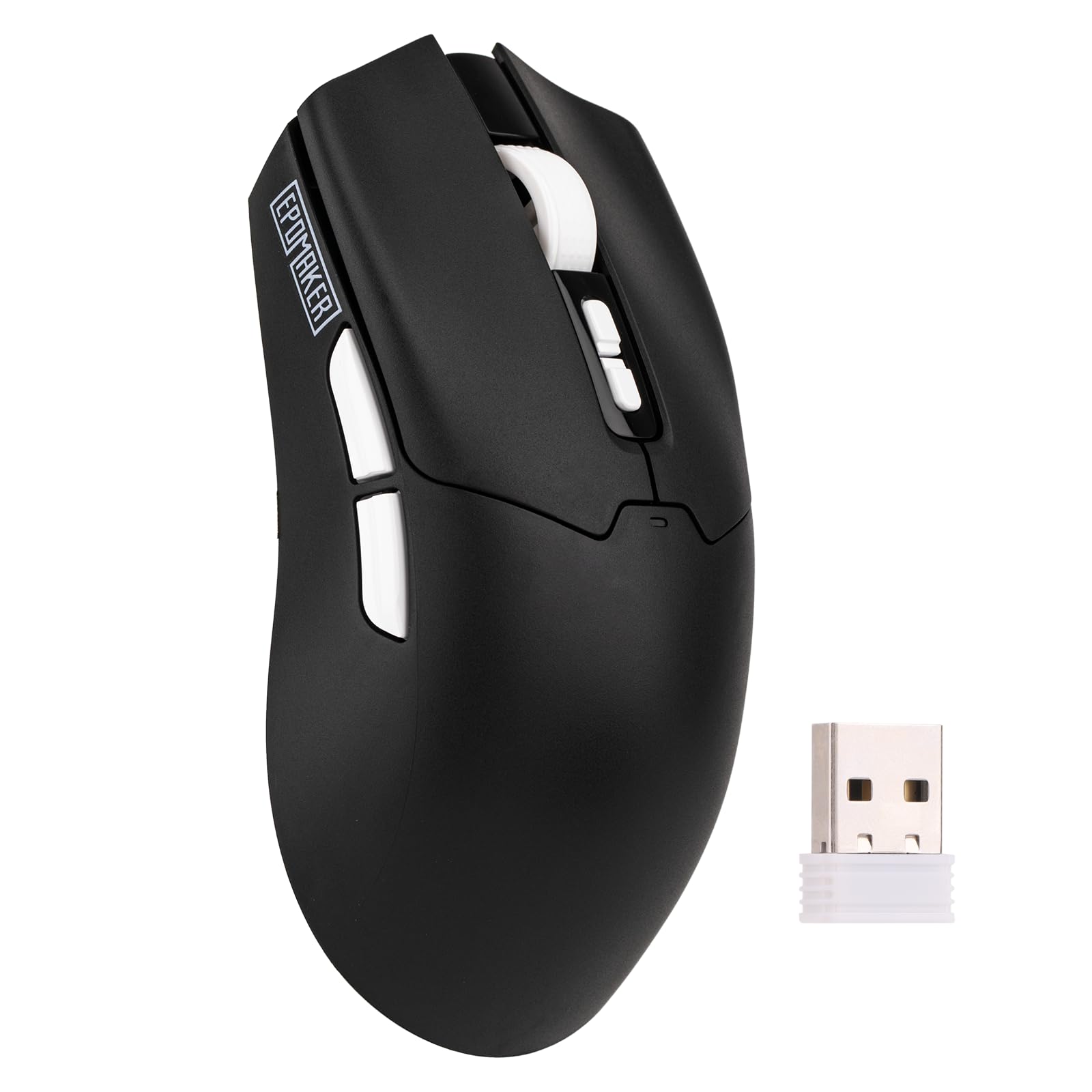
| EPOMAKER Click Lite★ Best Overall | Rechargeable value | 59g | 800-12,000 | 78 hours | Amazon |
| SOLAKAKA SM600RGB Style Pick | Honeycomb RGB style | 90g | 800-13,200 | 600mAh | Amazon |
| Redragon M602 Griffin | Crowd favorite | — | 250-8,000 | 70 hours | Amazon |
| AULA SC580 | Battery endurance | 82g | 800-12,000 | 10-14 days | Amazon |
| ATK VXE Dragonfly R1 SE+ | High-end sensor | 55g | 10-18,000 | 70 hours | Amazon |
| Logitech G305 Lightspeed | Proven reliability | 3.4 oz | up to 12,000 | 250 hours | Amazon |
| ATTACK SHARK X3 | Ultralight performance | 49g | up to 26,000 | ~1 month | Amazon |
In‑Depth Reviews
1. EPOMAKER Click Lite
The featherweight 59g workhorse that outlasts your longest gaming marathon on a single charge.
The EPOMAKER Click Lite delivers a premium feel at a budget price, thanks to its advanced PAW3311 sensor that hits up to 12,000 DPI for pinpoint tracking. At just 59 grams, it is the lightest option in the mid-range tier — a full 31g lighter than the SOLAKAKA SM600 below — which means faster flick shots and less wrist fatigue during long sessions.
Battery life is the standout here: a 500mAh cell delivers 78 hours of continuous use on a full charge, so you can go weeks between plug-ins with regular play. The tri-mode connectivity (2.4GHz wireless, Bluetooth, and USB-C wired) lets you jump between a desktop, tablet, and laptop without missing a beat, and the 1000Hz polling rate with 1ms latency keeps you locked on target. Buyers report: “For the price you can’t beat it.”
The only minor trade-off is the plastic build, which feels a touch more disposable than a premium shell, though it survived a first drop without issue. Gaming performance earns the most praise by far — well over a dozen owners single it out — with battery life and value close behind. The software is functional but unimpressive, and the shape leans toward right-handed comfort rather than ambidextrous use.
clicky compact feel
- 59g featherweight shell minimizes wrist strain
- 78-hour battery on a 500mAh cell
- Tri-mode connectivity for multi-device setups
wired cable only
- Plastic build feels less premium than pricier options
- Right-hand oriented only, not for lefties
- Software is basic and uninspiring
click lovers: you want a light, rechargeable mouse that lasts weeks and handles both gaming and office work smoothly.
wireless seekers: you prefer a heavier, more substantial feel or need left-handed support.
2. SOLAKAKA SM600 Honeycomb Shell
The honeycomb shell that looks like a spaceship, breathes heat away, and still tracks at 13,200 DPI.
The SOLAKAKA SM600 turns heads with its hollow honeycomb shell, which cuts weight to a manageable 90g and boosts airflow to keep your palm cooler during intense sessions. It delivers the widest DPI range in the mid-tier — from 800 up to 13,200 across 6 adjustable levels — with a 1000Hz return rate for zero-latency tracking. With 7 programmable buttons and 4-device storage, this is a solid pick for gamers who want macro control without spending big.
The built-in 600mAh battery supports USB-C charging and even lets you play while plugged in, so downtime is never an issue. Owners mention “Amazing battery life and amazing responsiveness,” though a smaller group notes the battery doesn’t hold a charge as long under heavy daily use — worth considering if you’re on it all day. Durability gets the most mixed feedback here, with a few units reportedly falling apart over time, so this is a style-focused pick rather than a tank.
On the positive side, quality earns the most mentions by far — nearly thirty owners praise the build and feel — with value for money and ergonomics close behind. The RGB rainbow backlight can be switched off for stealth sessions or left on for a nighttime glow that looks genuinely cool in the dark. It works from the start with PC, Mac, Linux, laptops, tablets, and phones, making it the most versatile connector in the mid-tier.
honeycomb shell look
- Honeycomb shell improves airflow and heat dissipation
- 13,200 max DPI with 6 adjustable levels
- Use-and-charge function for zero downtime
not for palm grip
- Battery can drain quickly under heavy daily use
- Some units report durability issues over time
- Software offers little beyond on-mouse controls
flash fans: if you want a good-looking RGB mouse that stays cool and tracks fast across multiple devices.
grip purists: you need a daily-driver built to withstand years of abuse — the durability feedback is genuinely mixed.
3. Redragon M602 Griffin

The battle-tested legend with tens of thousands of happy owners and 9 fully programmable buttons.
The Redragon M602 Griffin is the most proven mouse on this list, with a massive community of owners backing its quality, comfort, and value. The adjustable DPI spans 250 to 8,000 with 4 polling rate options (125Hz, 250Hz, 500Hz, 1000Hz) so you can fine-tune responsiveness to your exact preference.
Battery life stretches from 35 hours with RGB on to 70 hours with it off, and it auto-sleeps after a minute of inactivity to save power. It also works while charging, so a dead battery never forces a break. The ergonomic, skin-friendly shell with a soft-touch finish keeps hands comfortable through long sessions, and the 10-meter wireless range covers even the most sprawling desk setups. One owner notes the middle button needs a firmer press and that the grip suits palm-style play best — claw and fingertip grips may feel less natural.
The quality feedback is overwhelmingly positive across thousands of owners, with durability reports stretching back years. A minority notes that very fast flicks can cause occasional tracking jumps, so this is a great all-rounder rather than a hyper-competitive esports weapon. The L/R and side buttons feel solid, and the smooth scroll wheel earns consistent praise — impressive for the price point.
classic ergonomic shape: This is the mouse thousands of gamers buy first and keep for years — the quality-to-price ratio is the best in the list, and the 9-button layout gives you real macro freedom.
heavy for travel: Palm grip players will love it; claw and fingertip players should look at the lighter options above.
4. AULA SC580

The 82g right-hander that glides like glass and delivers battery endurance measured in weeks, not hours.
The AULA SC580 is built around battery endurance — a 500mAh cell lasts 10-14 days with 5 hours of daily use, and owners consistently report charging only a few times over months of gaming. One heavy user playing 3+ hours a day went 4 days between charges, while lighter web users stretch over a week thanks to the auto-sleep function (settable to 3-10 minutes). It even resembles the premium G Pro Superlight in shape and glide, earning frequent compliments for its smooth operation on mousepads.
Tracking is handled by a 12,000 max DPI sensor with 6 levels (800/1600/2400/3200/6400/12,000) and a 1000Hz polling rate for low-latency, non-jumping performance. The 82g body includes anti-slip stickers to fight sweat and oil, keeping your grip secure during tense matches. Tri-mode connectivity spans 2.4G wireless, dual Bluetooth 5.0, and USB-C wired, saving up to 4 devices at once — though the driver software works only on Windows and in 2.4G or wired modes.
Quality is the most-praised aspect by far — sixty owners highlight it — with connectivity and battery life close behind. Some users report the mouse eventually stops working after months of use, so reliability is mixed, but the vast majority enjoy smooth, satisfying performance. The audible clicks and low noise level are a nice bonus for gamers who like tactile feedback without headset-drowning clatter.
starter pick: gamers who hate charging and want a comfortable, smooth-gliding mouse that lasts weeks on one charge.
pro gamers: you’re on Linux or need full driver features over Bluetooth — the software is Windows-only and BT mode is simpler.
5. ATK VXE Dragonfly R1 SE+
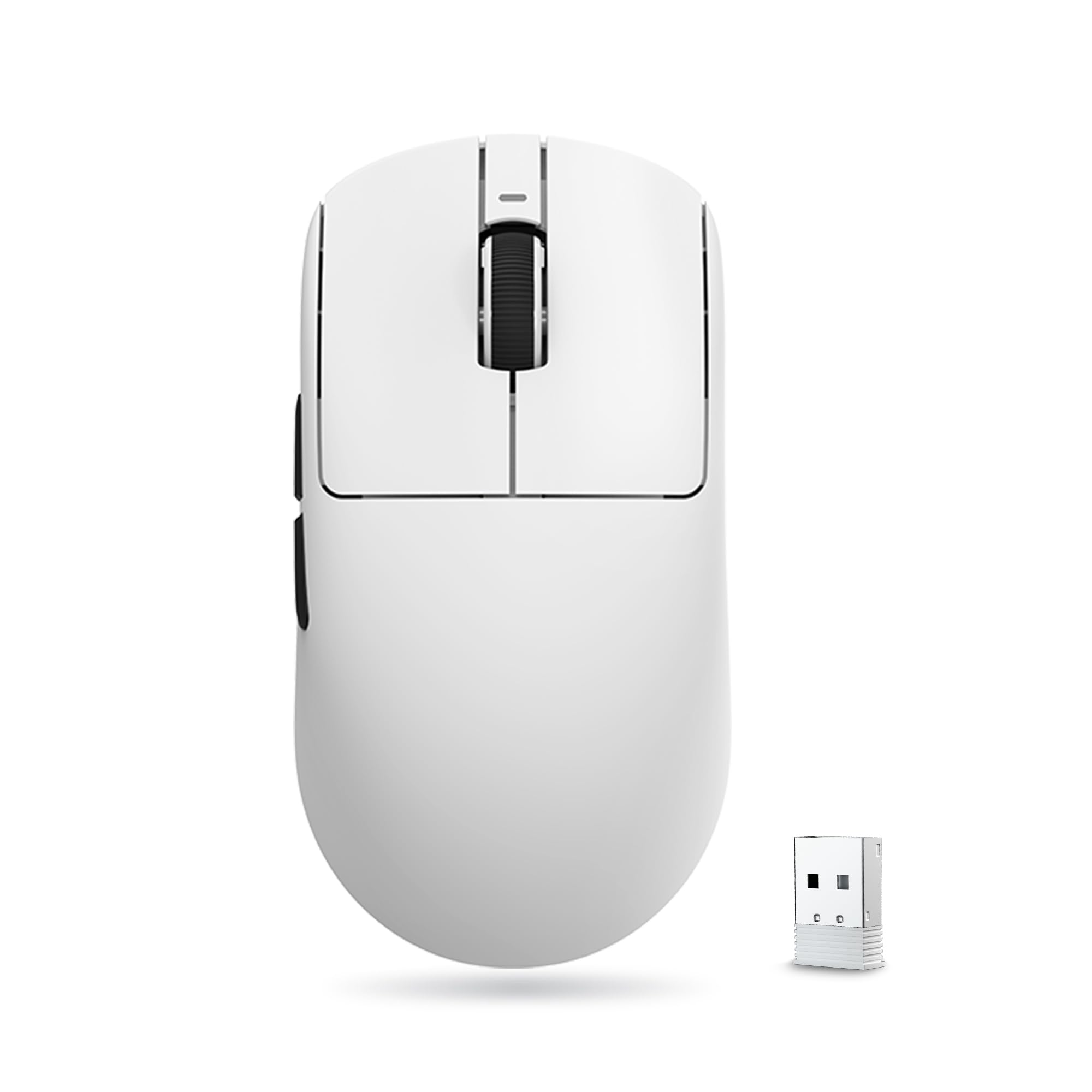
A 55g frame packing the premium PAW3395 SE sensor with DPI fine-tuning down to 10-step increments.
The ATK VXE Dragonfly R1 SE+ brings a high-end sensor to the budget tier, with the PAW3395 SE delivering a DPI range from just 10 up to 18,000 in fine 10-step adjustments. That granular control means you can dial in tracking precision with surgical accuracy — a feature usually reserved for mice costing far more. At 55g, it’s among the lightest in the list, and the symmetrical shape fits medium and small hands comfortably, with standard Swift PTFE feet that glide smoothly across mousepads.
The Huano Blue Glow V2 microswitches provide crisp rebounds designed to avoid double-click malfunction, while the FSWITCH E10 scroll wheel offers precise positioning. The 520mAh battery delivers up to 70 hours of continuous runtime at the 1000Hz polling rate, and customers note a single charge lasting about three weeks of normal play. Tri-mode connectivity (wired, 2.4G wireless, Bluetooth) pairs with the BEKEN chip’s Smart Speed X transmission for ultra-low latency — one owner called the 2.4GHz connection “excellent.”
Build quality is the most-praised aspect — twenty owners highlight how expensive it feels for the price — and the value-for-money feedback is strong. One caveat: the shape is flatter and shorter than some mainstream mice, so players switching from a taller mouse like the G402 may need an adjustment period. The buttons also require slightly more force to click, which suits deliberate presses rather than rapid-fire spamming.
esports edge: the most accurate sensor in the budget range and a featherweight build that feels far pricier than it is.
long sessions: the flat shape isn’t for everyone — if you’re used to a taller mouse, give it a full session before judging it.
6. Logitech G305 Lightspeed

The legendary 250-hour AA battery champ that’s been the budget gold standard for years.
The Logitech G305 is the mouse that defined the budget wireless category, and it’s still going strong. At the heart sits Logitech’s HERO sensor, delivering up to 12,000 DPI sensitivity and 400 IPS precision — with power efficiency up to 10x better than previous generations. The headline number is the 250 hours of continuous gameplay on a single AA battery, and switching to Endurance mode via the G HUB software stretches that to a staggering 9 months. No internal battery to degrade, just replace the AA and keep playing.
LIGHTSPEED wireless technology provides a 1ms report rate for lag-free, competition-level responsiveness that feels genuinely indistinguishable from a wired connection. Weighing just 3.4 oz with the battery, it stays maneuverable despite the AA cell, and the compact ambidextrous design with built-in nano receiver storage makes it a perfect travel companion for gaming laptops. Six programmable buttons, on-board memory for saving profiles, and the reliable G HUB software round out a complete package.
The Logitech G305 earns its spot as the most-reviewed mouse here — tens of thousands of owners praise its value and weight. Reviewers point out some units develop click issues over time, but most report years of dependable use. At 3.4 oz, it’s heavier than the ATTACK SHARK X3, and its ambidextrous shape won’t mold to a right-hand grip, yet its battery life and track record stand out.
reliable choice: you want legendary reliability, swap-in battery convenience, and the best-known wireless tech in the budget tier.
ultra-light fans: you want a lighter shell or rechargeable internal battery — this one runs on AAs and isn’t the absolute lightest.
7. ATTACK SHARK X3

A 49g featherweight with up to 26,000 DPI — the lightest and highest-spec sensor in the entire lineup.
The ATTACK SHARK X3 is the lightest mouse here at just 49g — lighter than an egg, as the maker claims — and it pairs that weight with the most powerful sensor in the list: the PAW3395 optical sensor (a high-end tracking chip) with up to 26,000 DPI (dots per inch, or sensitivity). That combo makes it a genuine rival to mice costing more than double, especially for competitive shooters where every gram and millisecond counts. The Kailh Black Mamba GM8.0 microswitches (the click mechanisms) deliver crisp sound, fast rebound, and an 80-million-click lifespan.
You can connect the X3 three ways: USB-C wired, 2.4G wireless (a USB dongle for low-latency gaming), or Bluetooth 5.2, and pair up to 4 devices at once for easy switching. The TTC scroll wheel encoder (a component that tracks wheel movement) gives precise positioning, and all 5 buttons are programmable via driver for DPI, polling rate, lift-off distance, shortcuts, and macros. Battery life lands around a month per charge in typical use — one owner went months between charges with lighter play and reported 60% battery after two weeks.
Owners consistently describe it as a “budget king” that feels premium and outperforms pricier mice, with the sensor performance and crisp clicks earning frequent praise. The occasional complaint centers on responsiveness, with a minority finding it laggy in Bluetooth mode — though the 2.4G dongle delivers the lowest latency. The software can be tricky to find and use, and the shape suits smaller hands best, though larger-handed players still manage a comfortable palm or claw grip.
RGB lovers: the ultimate lightweight feel and the highest DPI ceiling in the budget tier — a genuine esports-ready value.
software haters: Bluetooth mode can feel less responsive than 2.4G, and the software takes some hunting to locate.
Understanding the Specs
DPI – Dots Per Inch
DPI measures how many pixels your cursor moves for every inch the mouse physically travels. A higher DPI lets you move the cursor across the screen with less hand movement, but most gamers settle between 800 and 2000 DPI for in-game accuracy. The top-end numbers like 18,000 or 26,000 are marketing flexes — what matters is that the sensor tracks smoothly at your preferred setting.
Polling Rate
The polling rate, measured in Hz, tells you how often the mouse reports its position to your computer. A 1000Hz rate means it reports 1000 times per second, translating to a 1ms latency — the standard for competitive gaming. Lower rates like 125Hz or 250Hz feel fine for casual use but can introduce noticeable lag in fast-paced shooters.
Weight and Grip
Mouse weight ranges from featherlight 49g shells to hefty 90g bodies, and neither is objectively better — it’s about your play style. Lighter mice enable faster, more easy flick movements favored by FPS players, while heavier mice offer stability for precise, deliberate tracking. Your grip style matters too: palm grips suit ergonomic, right-handed shells, while claw and fingertip grips often prefer symmetrical, lighter shapes.
Battery Technology
Budget wireless mice use either internal rechargeable batteries or a single AA cell. Rechargeable models (500-600mAh) offer convenience and USB-C charging, often with use-while-charging support. AA-powered mice like the Logitech G305 trade that convenience for incredible endurance — 250 hours or more — and the ability to swap in a fresh battery instantly without any downtime.
FAQ
What DPI setting should I use for gaming on a budget mouse?
Is a 1000Hz polling rate necessary on a budget wireless mouse?
What is the difference between 2.4GHz, Bluetooth, and wired modes on a tri-mode mouse?
How long should a budget wireless gaming mouse battery last?
Will a budget gaming mouse work with Mac, Linux, or my laptop?
What is a honeycomb shell and why do some gaming mice have it?
Is a heavier mouse better for gaming than a lightweight one?
Can I use a budget gaming mouse for office work or productivity?
What does the PAW3395 sensor offer over cheaper sensors in budget mice?
Which is better for budget buyers — a rechargeable mouse or one with AA batteries?
Final Thoughts: The Verdict
For the majority of shoppers, the budget wireless gaming mouse winner is the EPOMAKER Click Lite because it combines a featherweight 59g frame, a precise PAW3311 sensor, and 78-hour battery life at a price that’s hard to argue with. If you want the durability of a proven crowd favorite with thousands behind it, grab the Redragon M602 Griffin. And for the absolute lightest feel with the most powerful sensor, the ATTACK SHARK X3 at 49g with up to 26,000 DPI is the one to reach for.
How We Picked
We do not accept paid placement. Every pick is matched to a real buyer and a real use-case; we do not hands-on test units.
Sources & Methodology
Specifications: manufacturer listings and product documentation. Review insights: verified customer reviews, as of August 2026. Pricing: not shown on this page (it changes often); check the current price via the retailer link.
As an Amazon Associate, FitlyFast earns from qualifying purchases. This does not affect which products we feature.