
Our readers keep the lights on and the weekend projects moving. As an Amazon Associate, I earn from qualifying purchases.
Specs are compiled from manufacturer listings and verified buyer reviews and can change over time — please confirm the key details on the product page before buying.
Every stack of business cards on your desk is a pile of hand-typed contacts waiting to happen. You want a reader that grabs a name, title, and email off a card quickly, so the real work — actually following up — can start. This guide sorts the portable scanners and card-focused readers by what actually matters: speed, two-sided capture, and whether the software spits out clean data.
I’m Rikta — the founder and writer behind FitlyFast. This guide is built by comparing the manufacturers’ published specifications and the patterns across verified customer reviews, so you get each pick’s real strengths and trade-offs instead of marketing spin.
Your contact list is only as good as the tool you use to capture it, and the right business card reader depends on your desk setup, your operating system, and how much your contact list is actually worth to you. Some models feed a whole stack while others handle one card at a time, so you need to match the machine to your workflow.
Our Picks at a Glance


How To Choose The Best Business Card Reader
Before you buy, you need to separate the scanners that digitize a business card from the readers that actually turn it into a usable contact. The difference is the software — a reader that exports clean names and emails beats a scanner that just saves a pretty picture.
Single-Sided vs Duplex Capture
Business cards are often printed on both sides, with the company logo on the back and the contact details on the front. A simplex scanner (one that only reads one side) forces you to scan the back separately or lose that information. A duplex scanner, like the Doxie Pro, reads both sides in one pass, which saves time when you are working through a stack of 50 cards from a trade show.
Software: The Real Workhorse
The hardware is only half the story. Optical Character Recognition (OCR) is the technology that reads the letters on a card and turns them into editable text. The best readers come with software that auto-crops the card, straightens it, and fills in the contact fields for your address book. Without good OCR, you are just saving an image file you will have to retype.
Portability vs Desk Duty
Think about where you will actually use it. A road warrior wants something under a pound that slides into a laptop bag and runs off USB power alone. A receptionist or assistant scanning a hundred cards a day at a desk wants a machine with a document feeder and a faster throughput. Match the weight and the paper handling to your daily volume, not to the spec sheet’s promises.
Quick Comparison
| Model | Best For | Scan Speed | Duplex | Weight | Amazon |
|---|---|---|---|---|---|
| Doxie Pro★ Best Overall | Two-sided card stacks | Up to 600 dpi | Automatic | 3 pounds | Amazon |
| Plustek S410 PlusBest Value | Button-free desktop scanning | 600 dpi | No | 0.41 kg | Amazon |
| Ambir TravelScan Pro 600Compact Pick | Rugged travel scans | 600 dpi | No | 12.64 ounces | Amazon |
| Epson WorkForce ES-50 | Lightweight on-the-go | 5.5 sec/page | No | 9.44 ounces | Amazon |
| Brother DS-640 | Fast ultra-compact batches | Up to 16 ppm | No | 1 pound | Amazon |
| HP PS100 | Bag-ready travel scanning | 15 ppm | No | — | Amazon |
| Epson RapidReceipt RR-60 | Receipts and invoices | 10 ppm | No | Under 10 oz | Amazon |
| Canon imageFORMULA R10 | Duplex with document feeder | Up to 12 ppm | Automatic | 998 g | Amazon |
| Ambir nScan 690gt | Direct Outlook contact import | 1 card/sec | No | 1.3 pounds | Amazon |
In-Depth Reviews
1. Doxie Pro Duplex Scanner
Our pick — over 4.5★ from 650+ verified ratings; the strongest balance of quality and price.
A two-sided workhorse that turns whole stacks of cards into searchable files without you flipping a single page.
If you regularly collect cards at conferences or clean out a drawer of old contacts, the duplex capture is the feature that pays for itself. The Doxie Pro reads both sides of a card in one pass, with text recognition, automatic cropping, and rotation built into the software. Buyers report rare jams—about one per 300 pages—making it a reliable desk companion.
It measures 11.75 by 4 by 3 inches and weighs just over 3 pounds, so it is not a pocket device, but it is light enough to shift between home and office. The included 20-page document feeder handles a real batch of cards, and the direct feed slot takes thick or delicate paper without damage. On the software side, Doxie’s app sends scans to Dropbox, Evernote, OneNote, and iCloud without complicated driver installs.
Long-time Doxie users say the software is the highlight, with excellent OCR and a straightforward interface. The trade-offs are real: there is no SD card slot, no internal battery, and no Chromebook app, so you need a laptop or desktop nearby. It ships with multiple regional power adapters, a USB-C cable, and a replacement paper pad, while the 1-year warranty covers the hardware.
What Wins People Over
- Automatic two-sided scanning saves hours on a stack of cards
- 20-page feeder handles real batches, not just single cards
- Intuitive software with text recognition and auto-crop
Where It Compromises
- No battery means it must stay tethered to a computer
- No SD card slot for saving without a PC
- Feels pricey compared to single-sided rivals
Reach for this if: you need two-sided card capture and a document feeder for real batches.
Look elsewhere if: you want a battery-powered scanner that works without a laptop nearby.
2. Plustek Mobile Scanner S410 Plus
A featherweight that scans on its own — drop a card in and the file lands where you want it.
The Plustek S410 Plus works with zero button presses: you feed a card and it automatically processes the image and saves it to your designated folder. That hands-free flow is the thing owners mention most — over two dozen call out the solid performance — and it is exactly what you want when you are scanning a pile of cards while on a call. At under 1 lb, it slips into a travel bag next to your laptop.
Because it runs on USB power alone, there is no battery to charge and no power brick to pack. The built-in Plustek DocAction OCR converts scans into searchable PDFs or editable Word and Excel files, and it saves straight to your local computer, an FTP, or a shared folder. It handles plastic ID cards and receipts as easily as letter and legal paper, which makes it a versatile desktop companion for a small office.
The catch surfaces around compatibility. The scanner is built for Windows 7 through 11, and while some owners confirm it works with a Surface Pro, others report it will not connect to their work computers, so check your IT setup before you commit. Its slim 1.6″D x 11.7″W x 1.9″H footprint takes far less desk space than the Doxie Pro’s bulkier frame. Owners mention it is perfect for a desk so you do not have to walk back and forth to a shared printer to scan paperwork.
Its Best Traits
- Automatic scanning with no buttons or screen clicks
- Ultra-light at under 1 lb for easy travel
- USB powered, so no battery or outlet needed
The Honest Trade-offs
- Mixed reports on connecting to some work computers
- Windows-focused; macOS users should verify support
Best for: a receptionist or assistant who wants card scans to file themselves without touching a button.
Think twice if: your office runs a strict or older IT environment that may block the driver.
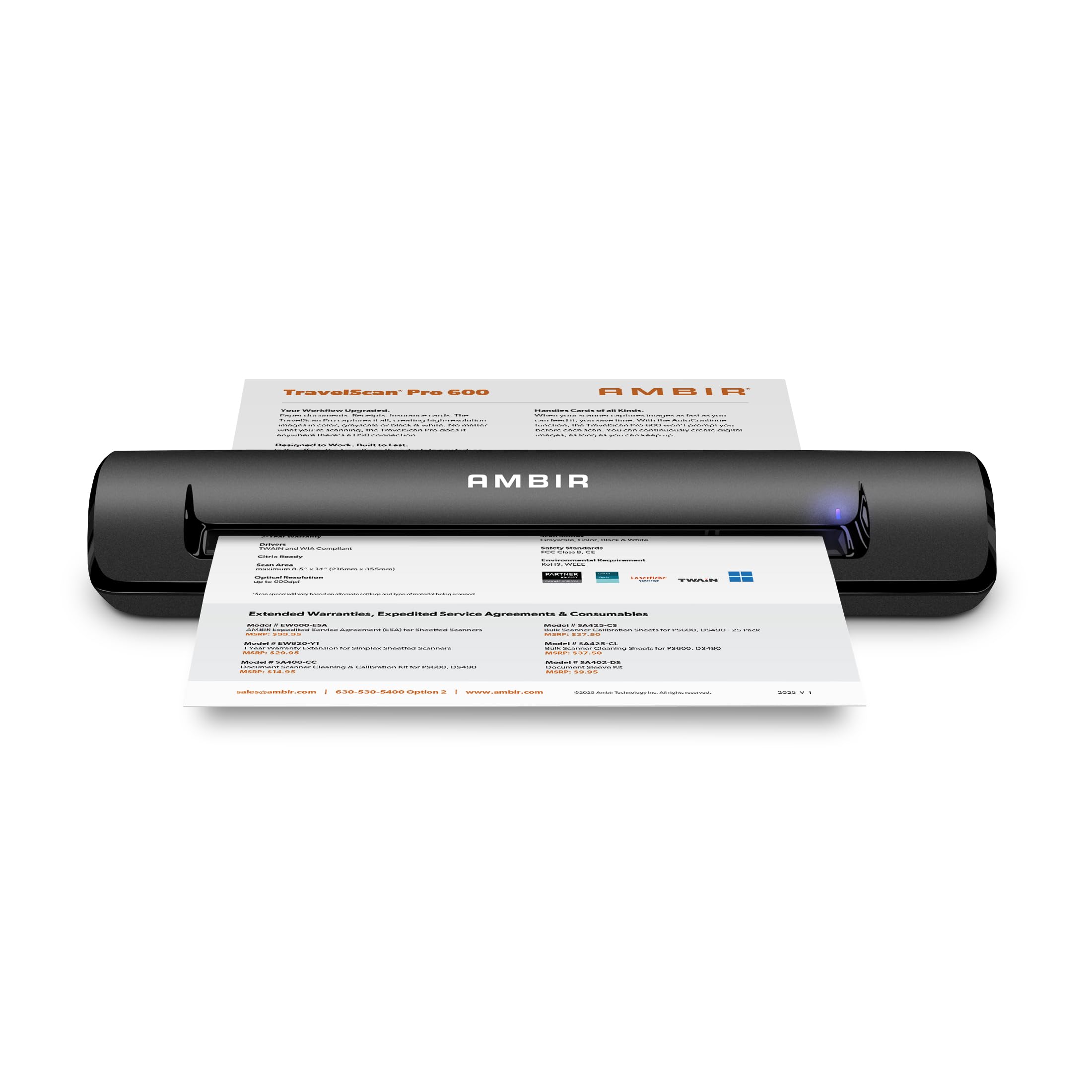
3. Ambir TravelScan Pro 600
A rugged single-sided scanner that fits any laptop bag and never needs an outlet hunt.
If your cards and receipts get scanned in hotel rooms, at client sites, or from a mobile cart, the TravelScan Pro 600 is built for that life. At just under two pounds and about 12 inches long, it is small enough to forget you are carrying it, and because it is USB-powered you will never search for a wall socket. A full document scan takes roughly 10 seconds, which is fine for the one-at-a-time cadence of business cards.
You can save scans as PDF, TIF, or JPG straight to a folder on your computer or to cloud services like Box, Dropbox, Evernote, and Google Drive using the included AmbirScan Lite software. The TWAIN driver (a standard that lets scanning software talk to many apps) means it works with thousands of document management and healthcare solutions, and it is Citrix Ready for low-maintenance installation in virtual environments. Built-in automatic image enhancement helps reduce rescans and improves OCR accuracy (the software that turns scanned text into editable text).
Owners call it a great portable full-page scanner with very good value for the price, and it handles paper documents, receipts, and insurance cards cleanly in color, grayscale, or black-and-white. The limitations are clear: this unit only scans one side, so a two-sided card means a second manual pass. The software also takes a little more effort to learn than the previous model, and a couple of owners note the app’s name differs from the scanner’s, which makes it easy to forget which program to open.
Verdict in one line: A dependable single-sided traveler for cards and receipts, as long as you are okay flipping two-sided cards by hand.
4. Epson WorkForce ES-50
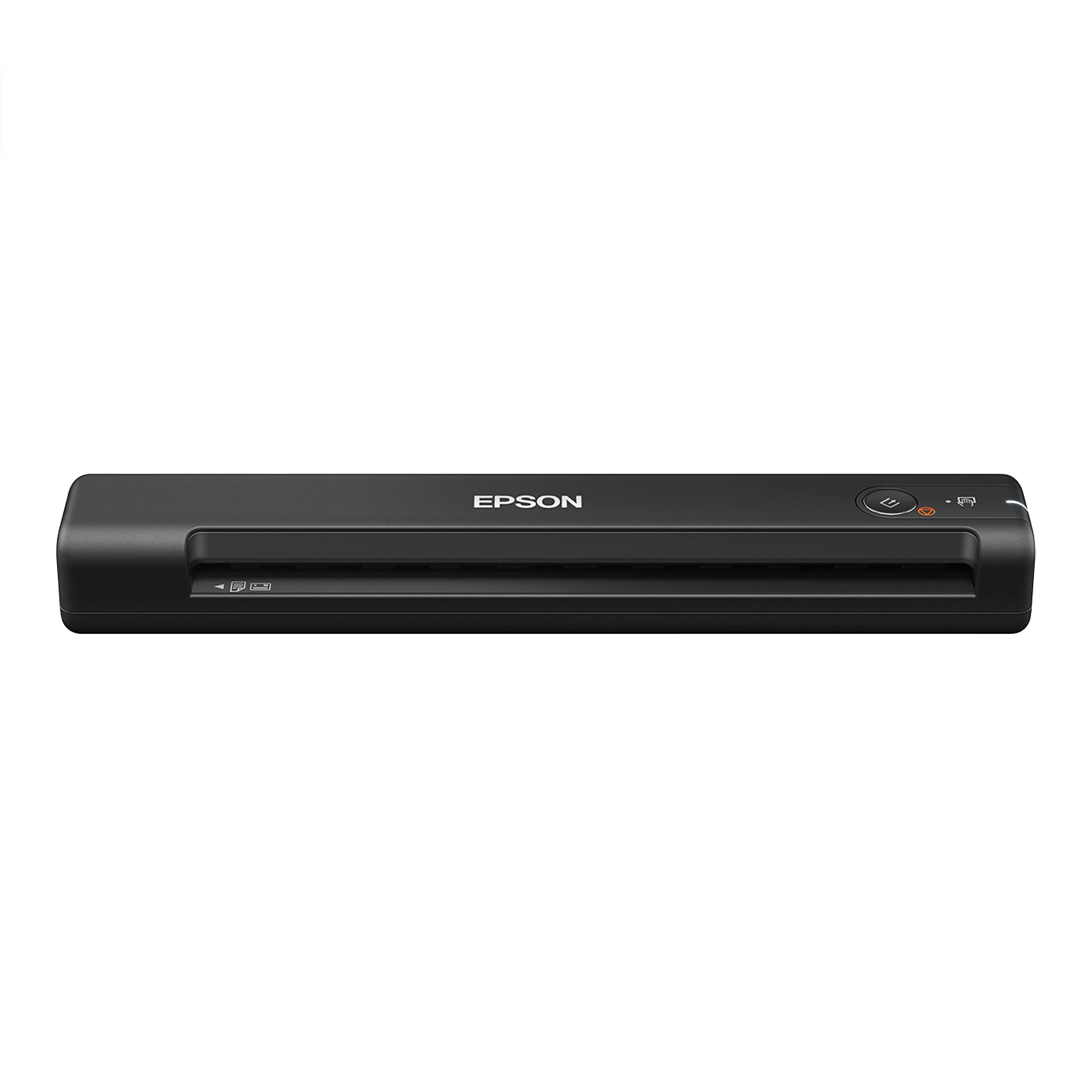
The fastest lightest single-sheet scanner in its class, ready to run on nothing but a USB cable.
The ES-50 is the crowd favorite here, with a 4.3-star average across thousands of owners, and the thing everyone raves about is ease of use — it is ready to scan from the start with no complicated setup. At just 9.44 ounces, it slides into a laptop bag and disappears, making it the obvious pick if you scan cards and documents on the move. Epson markets it as the fastest and lightest mobile single-sheet-fed scanner in its class, hitting 5.5 seconds per page.
It handles documents up to 8.5 x 72 inches, so you can scan a long receipt or an ID card without cropping, and the automatic feeding mode combines multi-page scans into one file. The included Nuance OCR creates searchable PDFs and editable Word and Excel files, while Epson ScanSmart software lets you scan, review, and save directly to the cloud. A TWAIN driver makes it compatible with virtually any imaging software you already use.
The main thing to know: this is a simplex scanner, so it only reads one side at a time. Owners say you need to load pages carefully because there are no paper guides, and while the scan quality is great for documents, it is not the right tool for detailed graphics. An occasional unit arrives showing wear, and durability is the most common negative thread in the feedback, so treat the feeder gently. It pairs well with a Mac via the free app, works with Windows, and plugs into a laptop for quick scanning on the go.
The Highlights
- Only 9.44 ounces, so it rides anywhere
- 5.5-second pages keep a batch moving
- Comes with OCR for searchable PDFs and editable files
Know Before You Buy
- No paper guides, so alignment is on you
- Simplex only, for single-sided cards
- Durability is the most common complaint thread
Pick this when: you want the lightest, simplest way to digitize single-sided cards and documents on a laptop.
Pass on this if: you need two-sided capture or a dedicated document feeder for big stacks.
5. Brother DS-640

A pocket-sized speed demon that flies through color cards as fast as black-and-white ones.
Speed is the story here: the DS-640 scans both color and black-and-white documents at up to 16 pages per minute, and color does not slow it down at all. At less than 1 foot long and roughly 1.5 pounds, it fits in a bag, a purse, or even a pocket, and it is powered entirely by an included micro USB 3.0 cable, so you can use it anywhere there is a PC or laptop. It is lighter than the Doxie Pro at 1 pound versus 3 pounds, which makes it the right call if the scanner lives in your bag.
The Brother free iPrint&Scan desktop app scans to your PC, network, cloud services, email, and OCR destinations, and it supports Windows, Mac, and Linux with TWAIN/WIA, ICA, and SANE drivers — a rare trifecta that Linux users will appreciate. Built-in image optimization handles color detection, rotation, bleed-through prevention, background removal, and text enhancement, so cards come out clean without manual editing.
Customers note it handles a 100-document daily load, with some running flawlessly for nearly five years. The 300 dpi optical resolution is lower than the 600 dpi you get from Epson or Canon rivals, but for business card text it is plenty. It scans embossed, laminated, and plastic ID cards, and long-time owners say the quality of the scans is absolutely fantastic for bringing old photos back to life.
Why It Shines
- 16 pages per minute in color — no slowdown
- Weighs just 1 pound for true portability
- Windows, Mac, and Linux all supported
The Limitations
- 300 dpi resolution lags the 600 dpi rivals
- Single-sided scanning only
Choose it for: high-volume, single-sided card batches where speed and a tiny footprint beat maximum resolution.
skip it if: you specifically need 600 dpi scans or two-sided capture.
6. HP Small USB Document & Photo Scanner PS100

A bag-ready single-sided scanner that brings 1200 dpi clarity without a heavy price tag.
Where the HP PS100 stands out is resolution: it delivers a beautiful 1200 dpi, which beats every other scanner on this list for fine detail like small print on a card or the texture of a photo. It still runs at a reliable 15 pages per minute, or about 4 seconds per page, which is plenty for small to medium batches of invoices, contracts, and business cards. The slim profile slips into a briefcase, and it powers entirely over the included USB 2.0 cable.
The HP WorkScan software offers auto-scan and size detection, letting you preview, zoom, crop, and clean up backgrounds and edges with just a few clicks. It converts scans to PDF, JPG, and other formats, and it accepts paper sizes ranging from a 2 x 2.9-inch minimum up to 8.5 x 14 inches for legal documents. The scanner handles business cards, photos, bills, brochures, and receipts, and it works with both Windows and macOS.
Owners in small offices use it in every room, praising the compact size and clear scans, and one working through tax season calls it the best desktop scanner they have used. The honest catch: it is a simplex device, so you cannot scan both sides of a card in one pass, and the single-sheet design means you will feed pages one at a time. The scanner can handle up to 8-inch wide single sheets, and some owners note that while the 1200 dpi is advertised, the software effectively caps at 300 dpi for reliable operation, so treat the high-resolution claims as a bonus rather than the daily mode.
Bottom line: The sharpest scans in this price tier for single-sided cards and photos, best for a commuter or home office that values detail over raw speed.
7. Epson RapidReceipt RR-60

A receipt-focused reader that turns a pile of paper into categorized, tax-ready digital data.
If your card-scraping habit is really about accounting — think expense reports and tax season — the RR-60 is built for that job. The ScanSmart AI Pro technology intelligently extracts scanned information and turns it into smart digital data, automatically recognizing whether a document is a receipt, an invoice, or a standard page and naming the file accordingly. It exports organized details straight into financial software like QuickBooks and TurboTax, so your card and receipt pile becomes a tidy digital ledger.
It weighs under 10 ounces, making it the smallest and lightest in its class, and it runs entirely off USB power. In Automatic Feeding Mode it scans up to 10 pages per minute, and the HyperClear technology delivers high-resolution optics with auto-cropping and background removal built in. You can scan to OneDrive, Dropbox, or Google Drive from your PC, Mac, or the Epson Smart Panel mobile app, and long pages up to 8.5 x 72 inches fit through the feeder for extra-long receipts.
The recurring feedback is that feeding is smooth and straight, and the software picks up the total, tax, and vendor from a receipt automatically. The trade-off: owners find the CSV consolidation tedious and needing manual correction, and there is no auto-feeder, so you work one receipt at a time. A minority report hardware failures after a couple of months with persistent connection error codes, so it is worth keeping the receipt if you buy this one. For everyday receipt capture, reviewers point out it is easier than scanning with a phone.
What It Does Best
- AI extracts totals and vendors, then exports to QuickBooks
- Under 10 ounces for easy portability
- Scans long pages up to 8.5 x 72 inches
The Drawbacks
- No auto-feeder; one receipt at a time
- CSV consolidation needs manual cleanup
- Occasional hardware failure reports after months of use
Reach for it if: your real goal is bookkeeping — turning cards and receipts into categorized financial data, not just image files.
Look elsewhere if: you need a document feeder or you want a scanner that also handles two-sided cards.
8. Canon imageFORMULA R10

A 20-sheet duplex feeder in a travel-sized body, with software that needs no installation at all.
The Canon R10 is the answer if you want the batch power of a desktop scanner but the footprint of a portable one. It scans both sides of a document at the same time — color or black-and-white — at up to 12 pages per minute, and the built-in 20-sheet automatic feeder lets you load a stack of cards and walk away. At 998 grams it is heavier than the Brother DS-640, but that weight buys you the duplex capability and the feeder, which the Brother lacks. It handles receipts, plastic and embossed cards, legal documents, and more.
What surprises most owners is the software: it is built into the device, requires no installation, and updates automatically. The CaptureOnTouch Lite software lets you preview, straighten, trim, and create custom scanning buttons with your preferred settings and destinations. A healthcare owner confirms HIPAA compliance for a mental health practice, praising crisp card and ID scans. ENERGY STAR certification keeps power draw at 2.5W or less in operation.
Owners note the feeder can be finicky — with more than 2 or 3 pages it may grab multiple sheets and needs a gentle jostle, and a 500-sheet batch took much longer than expected. You need to close the paper guides before shutting the lid, and a firmware update was required to fix compatibility with newer macOS versions, so check for updates on arrival. Canon positions it for mobile users at low volume, not for heavy production scanning, and it is not meant for scanning photos on photographic paper.
The Strengths
- Automatic duplex with a 20-sheet feeder
- Software built-in, no installation or updates to manage
- Handles embossed and plastic cards cleanly
The Quirks
- Feeder struggles with more than a few pages at once
- Firmware updates needed for newer Mac operating systems
- Not designed for photos on photographic paper
Choose this for: a home office or remote worker who wants duplex card scanning with a document feeder but no software installation.
Avoid it if: you scan hundreds of pages daily — the feeder is built for light to medium volume.
9. Ambir nScan 690gt-BCS
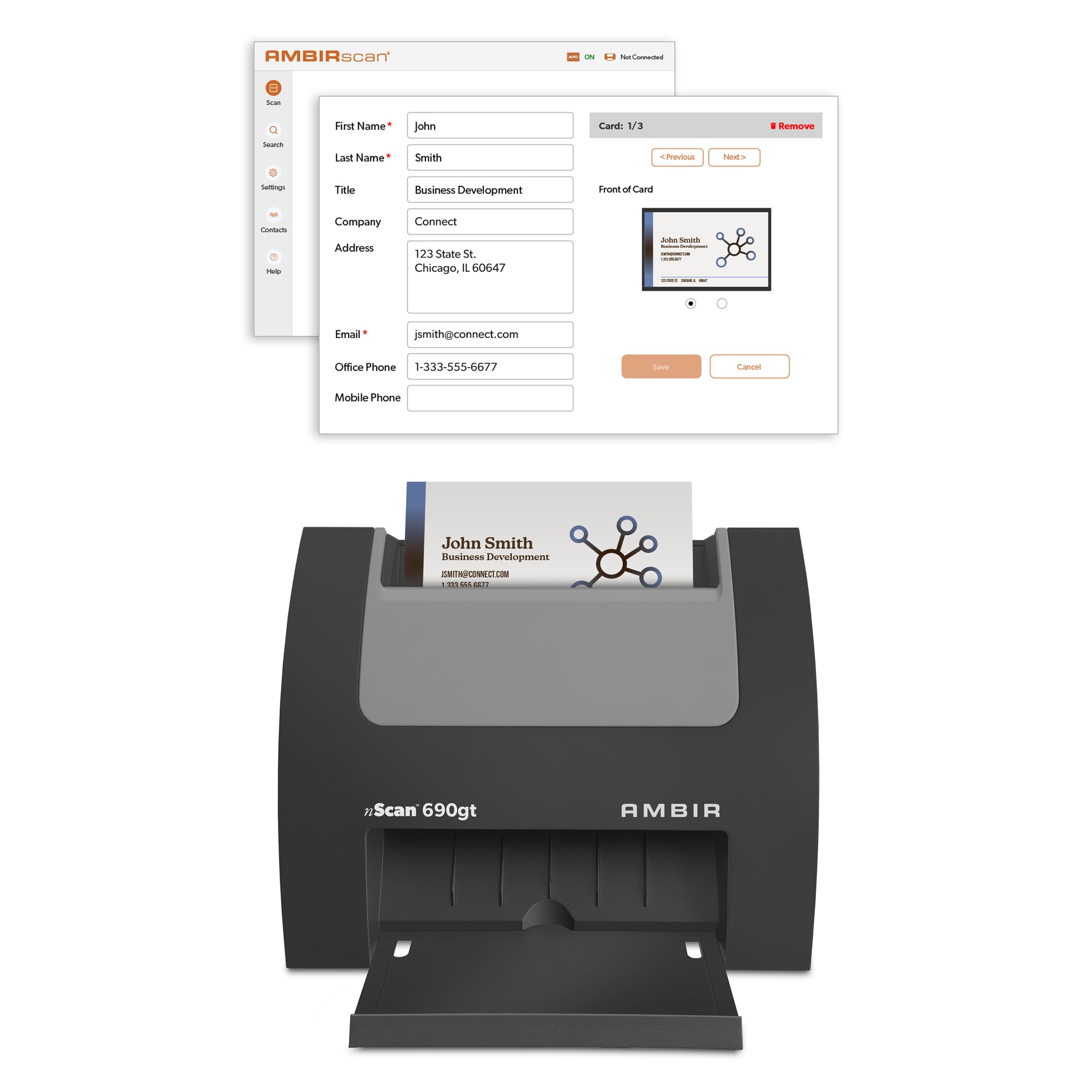
A vertical card feeder that drops contacts straight into Outlook, built for post-trade-show cleanup.
The nScan 690gt is the only true dedicated card reader on this list — it is not a general document scanner but a vertical feeder designed specifically for business cards and ID cards. It scans about one card per second, and what wins people over is exactly that speed: a post-trade-show pile that would take an hour of typing gets cleared in minutes. The included AmbirScan Business Card software, a one-time purchase with no subscription, imports contacts directly into your Microsoft Outlook address book and detects duplicates automatically.
For larger teams, the software can scan cards to a shared contact folder, which lets executive assistants distribute contacts across the organization. Optional AI processing runs locally on your PC to improve accuracy when extracting names, titles, phone numbers, and emails, and it supports cards in English, French, Italian, German, and Spanish. Zapier integration pushes parsed data to 6,000+ apps, automating CRM leads, welcome emails, or Slack alerts. Export to CSV lets you move contacts to Salesforce or Google Contacts.
Owners who use it for medical ID cards and driver’s licenses call it fast, jam-free, and compact on a desk. The honest flaws: the software is the weak link — the Outlook import lacks AI enhancement, mis-fields some data, and only recognizes US phone numbers, so expect manual editing. Scanning performance gets the most mixed feedback, and a minority report hardware failures within about a year. It runs on Windows 10 and 11 only, so Mac users are out of luck, and the 2-year limited warranty covers parts and labor. The whole package weighs just 1.3 pounds.
Its Superpowers
- One card per second with the fastest throughput here
- Direct Outlook import with duplicate detection
- Zapier integration automates follow-up workflows
Where It Stumbles
- Software accuracy needs manual fixes, especially for non-US data
- Windows 10 and 11 only; no Mac support
- Occasional hardware failures reported within the first year
Best for: a Windows-based sales team that wants cards feeding a CRM automatically after every event.
Not for: Mac users, or anyone who expects perfect contact extraction with zero manual cleanup.
Understanding the Specs: What Actually Matters
OCR: How a Card Becomes a Contact
Optical Character Recognition (OCR) is the software technology that reads the letters printed on a card and turns them into editable text fields. A scanner with strong OCR will grab a name, title, company, phone, and email and slot them into the right boxes in your address book. Weak OCR saves you a picture you still have to retype — so the software matters as much as the hardware.
Duplex Scanning: One Pass or Two
Duplex means the scanner reads both sides of a card in a single pass, which matters because most business cards print details on the front and a logo on the back. Automatic duplex, as on the Doxie Pro and Canon R10, saves you from flipping every card manually. Simplex scanners handle only one side, so the back of the card is lost unless you scan it separately.
Resolution: 300 vs 600 dpi
Dots per inch (dpi) tells you how much fine detail the scan captures. At 300 dpi you get clean, readable text that is fine for most contact databases. At 600 dpi you get crisper edges and better performance on small fonts, glossy cards, and dense print. The HP PS100 goes further with 1200 dpi, which is overkill for cards but great for photos.
USB Power and Weight
Every scanner here runs on USB power, which means no battery to charge and no power brick to pack — just plug into a laptop and scan. Weight decides whether it actually travels with you. The Epson ES-50 at 9.44 ounces disappears into a bag, while the Doxie Pro at 3 pounds is better parked on a desk. Match the weight to where you will really use it.
FAQ
Will a business card reader work with my Mac?
What is the difference between simplex and duplex scanning?
How does OCR turn a card into a contact entry?
Can I scan a stack of cards at once?
What resolution do I need for business cards?
Do these scanners need batteries or an outlet?
Can a reader export contacts to Outlook or a CRM?
How fast is fast enough for scanning cards?
Will a document scanner damage delicate or embossed cards?
What should I check before buying a card reader?
Final Thoughts: The Verdict
For the majority of shoppers, the business card reader winner is the Doxie Pro because it is the only pick that combines automatic two-sided scanning with a 20-page document feeder and genuinely intuitive software. If you want the lightest possible travel companion, grab the Epson WorkForce ES-50 at just over 9 ounces. And for a Windows-based sales team that wants cards flowing straight into Outlook and a CRM, the Ambir nScan 690gt is the one to reach for, despite its software quirks.
How We Picked
We do not accept paid placement. Every pick is matched to a real buyer and a real use-case; we do not hands-on test units.
Sources & Methodology
Specifications: manufacturer listings and product documentation. Review insights: verified customer reviews, as of August 2026. Pricing: not shown on this page (it changes often); check the current price via the retailer link.
As an Amazon Associate, FitlyFast earns from qualifying purchases. This does not affect which products we feature.