
Our readers keep the lights on and the weekend projects moving. As an Amazon Associate, I earn from qualifying purchases.
Specs are compiled from manufacturer listings and verified buyer reviews and can change over time — please confirm the key details on the product page before buying.
Choosing a business computer depends on one honest question: will it still feel fast in year three, or will you be staring at a spinning cursor during your next quarterly close? The machines here are grouped by how they handle the real daily load — dozens of browser tabs, video meetings, big spreadsheets, and the occasional heavy batch job.
I’m Rikta — the founder and writer behind FitlyFast. This guide is built by comparing the manufacturers’ published specifications and the patterns across verified customer reviews, so you get each pick’s real strengths and trade-offs instead of marketing spin.
if you need a powerful tower or a portable laptop, this roundup of the business computer options focuses on performance, memory, and long-term reliability for your workday.
Our Picks at a Glance


How To Choose The Best Business Computer
Most work computers fail because of memory or storage, not the processor. Before you compare core counts, check the RAM and the drive type, because those two parts decide how the machine feels the moment you open your tenth tab or a giant spreadsheet.
Match the processor to your real workload
A 4-core chip handles email, documents, and video calls without breaking a sweat. If you edit video, run complex data models, or keep dozens of applications open, step up to a 6-core or 14-core processor. The core count, like the 14 cores on the Dell i5-14500, directly translates to how many tasks run smoothly at once.
RAM and storage set the daily feel
16GB of RAM is the sensible starting point for a business machine, and 32GB gives you serious headroom for years. The drive type matters even more: an NVMe SSD loads Windows and your files almost instantly, while an older hard drive makes everything feel sluggish. Look for a solid state drive (SSD) as your boot drive.
Quick Comparison
| Model | Best For | Processor | Memory | Storage | Amazon |
|---|---|---|---|---|---|
| Dell Tower Desktop (Core Ultra 7)★ Best Overall | Power users & multitaskers | Intel Core Ultra 7-265 | 32GB | 1TB SSD | Amazon |
| HP ProDesk 600G4 (Renewed)Best Value | Budget-friendly desktops | Intel i7-8700 | 32GB | 1TB SSD | Amazon |
| Lenovo Business LaptopBest Display | Portable productivity | Intel i5-13420H | 8GB | 512GB SSD | Amazon |
| Dell Pro Tower (i3) | Secure office networks | Intel Core i3-14100 | 16GB | 512GB SSD | Amazon |
| Lenovo IdeaCentre Tower | Balanced value desktops | Intel Core i3-14100T | 16GB | 256GB SSD + 500GB HDD | Amazon |
| HP Pro Tower 290 G9 | Reliable everyday work | Intel i5-12500 | 16GB | 512GB SSD | Amazon |
| Dell Pro Tower (i5 vPro) | Professional workstations | Intel i5-14500 vPro | 16GB | 512GB SSD | Amazon |
| Dell OptiPlex Tower | IT-managed environments | Intel i5-14500 vPro | 16GB | 512GB SSD | Amazon |
| Acer Aspire Desktop | Budget-friendly performance | Intel Core i3-13100 | 16GB | 512GB SSD + 500GB HDD | Amazon |
| Lenovo V15 Laptop | Heavy multitasking on the go | AMD Ryzen 7 7730U | 40GB | 1TB SSD | Amazon |
| HP Elite Mini 800 G9 | Maximum processing power | Intel i9-14900T | 32GB | 1TB SSD | Amazon |
In-Depth Reviews
1. Dell Tower Desktop, Intel Core Ultra 7-265
Our pick — 4.5★ from 398 verified ratings; the strongest balance of quality and price.
The speed demon that makes a 12-year-old PC upgrade feel like a decade leap forward.
This tower is the crowd favorite for a simple reason: it pairs a top-tier Intel Core Ultra 7-265 processor with a walloping 32GB of RAM, so your spreadsheets, video calls, and a dozen browser tabs all run at once without a hiccup. Buyers report it works at lightning speed, and the quiet operation means it won’t hum you out of your home office.
You can connect up to four FHD monitors using DisplayPort and daisy chaining, or run two 4K displays through the HDMI 2.1 port and DisplayPort. That flexibility lets you build a control-room-style desk setup, and the tool-less entry panel makes upgrading the internals a stress-free job. Security is covered by a hardware TPM chip (a dedicated security component that protects encryption keys), plus a built-in lock slot for physical protection.
With a max speed of 5.3 GHz, versus the HP ProDesk’s 4.6 GHz ceiling, giving you noticeable headroom on heavy tasks. Dell also backs it with 1 Year Onsite Service, meaning a technician comes to your desk if a covered hardware issue can’t be fixed remotely. One honest note: the 180W power supply limits how big a graphics card you could install later.
What wins people over
- Blazing-fast performance with 32GB RAM for serious multitasking
- Supports up to four monitors for a sprawling, productive setup
- Tool-less upgrades make adding parts quick and simple
The honest trade-offs
- Audio jack on front only, so legacy speakers may need a hub
- 180W power supply caps high-end GPU upgrades
Reach for this if: you run heavy multitasking, multiple monitors, or demanding business apps and want a modern processor with room to grow.
Look elsewhere if: you need a wireless machine straight from the start or plan to install a powerful dedicated graphics card.
2. HP ProDesk 600G4 Tower (Renewed)
A refurbished powerhouse that delivers desktop-class speed for a fraction of the price.
This renewed HP packs an 8th-generation 6-core Intel i7-8700 and 32GB of DDR4 RAM, so it has four times the memory of a typical entry-level business laptop like the Lenovo with 8GB. That memory headroom means photo and video editing, media streaming, and heavy multitasking all run smoothly, and the 1TB solid state drive (SSD) boots Windows 11 fast and loads programs quickly.
Connectivity is generous: six USB 3.0 ports, four USB 2.0 ports, a single USB Type-C, dual DisplayPorts, and Gigabit Ethernet via RJ-45. With support for 3840 x 2160 (4K) resolution, it’s ready for modern high-res monitors. The full-size tower even includes a DVD drive, which is getting rare and handy if you still use physical discs for software or archives.
Performance wins people over, with the fast i7 and dual-monitor support recognized instantly. The catch: this is a refurbished unit, and a few owners mention the included wireless adapters are USB dongles rather than built-in, and the rear ports may use DisplayPort instead of HDMI, so you might need an adapter for older screens. Most owners find it fast and quiet, but a small number have had power supply failures, so the warranty is worth checking.
The strong points
- 32GB RAM and a 6-core i7 handle serious multitasking
- 1TB SSD boots quickly and loads programs fast
- Lots of ports, including USB-C and dual DisplayPorts
The caveats
- Refurbished condition means some units have cosmetic wear
- Wi-Fi and Bluetooth come as USB dongles, not built-in
- An occasional unit has had power supply issues
Pick this for: a budget-conscious buyer who wants big RAM and a fast i7 without paying premium prices.
Think twice if: you need a brand-new machine with a warranty that covers years of hard use.
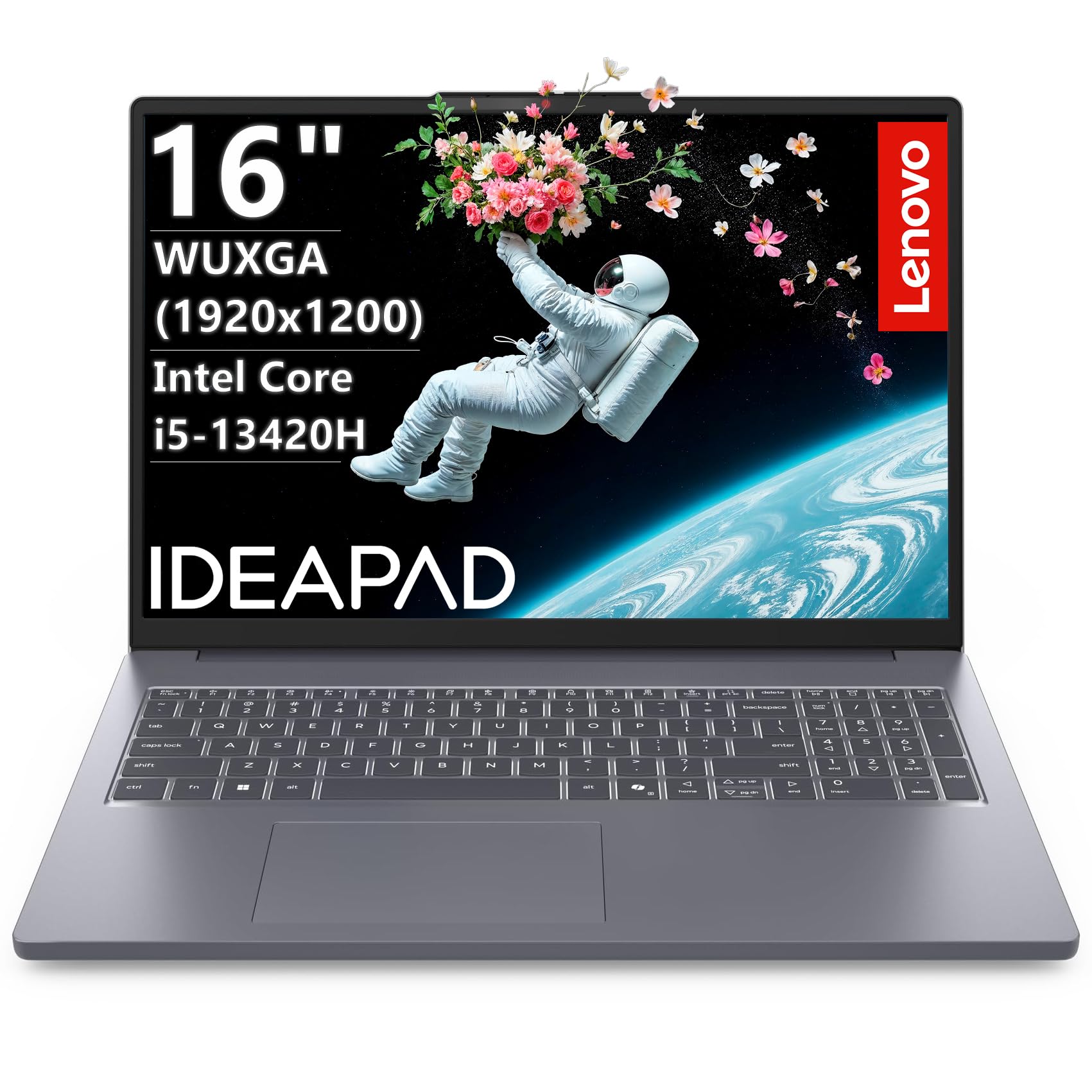
3. Lenovo Business Laptop, 2026 Edition
A big-screen portable with a taller display that shows you more of your work at once.
The 16-inch FHD screen here uses a WUXGA (1920×1200) IPS anti-glare panel, giving you 11% more vertical space than a standard 1080p display — a real advantage when you’re scrolling through long spreadsheets or documents. It’s a laptop, not a tower, but the 13th Gen Intel Core i5-13420H (8-core, 12-thread, up to 4.6GHz) keeps pace with desktop chips from a few years ago, including the i7-8700 in the HP ProDesk.
Windows 11 comes with Copilot AI built in, which can help draft text or summarize documents. The 8GB of DDR5 RAM handles 10+ browser tabs and video calls with screen sharing, and the 512GB PCIe NVMe SSD delivers sub-10-second boot times. Weighing just 3.70 lbs, it’s easy to carry, and the full-size numeric keypad speeds up data entry for accounting or invoicing work.
Buyers praise the metal build, bright display, and smooth keyboard, calling it excellent quality for the money. The honest downsides: 8GB of RAM is light for a business machine today, and battery life draws mixed feedback — some owners find it shorter than expected, so you’ll want the charger nearby for full workdays.
What stands out
- Taller 1920×1200 display shows more spreadsheet rows
- Light 3.70 lbs body with a full numeric keypad
- Copilot AI and Wi-Fi 6 for modern productivity
What to weigh
- 8GB RAM is on the low side for heavy multitasking
- Battery life is mixed in real-world use
- Feels slightly heavy next to ultraportable rivals
Best suited for: mobile professionals who spend hours in spreadsheets and want a tall, crisp screen in a carry-friendly laptop.
Maybe not for: power users who run dozens of applications at once or need all-day battery without charging.
4. Dell Pro Tower Desktop, Intel Core i3-14100
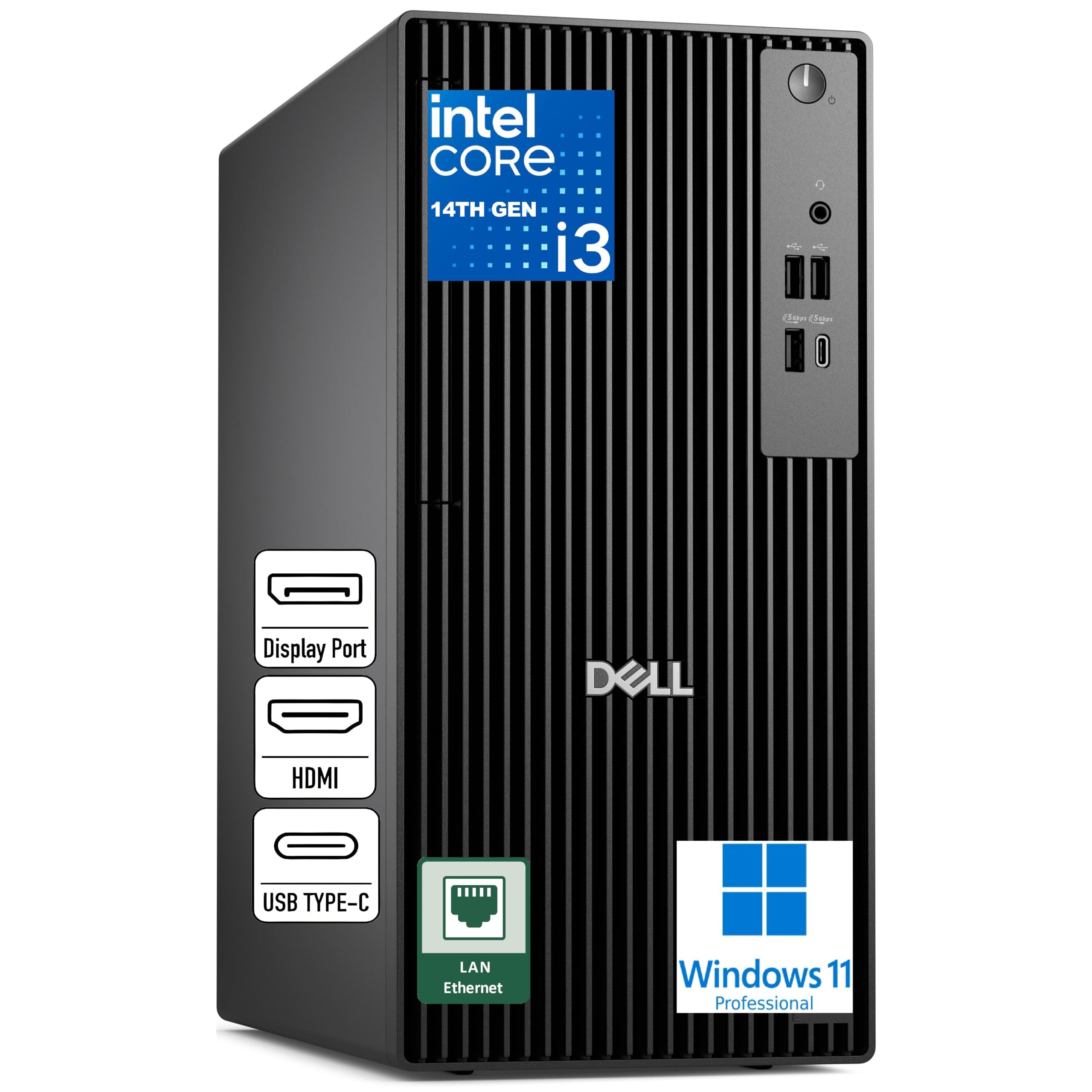
The security-first tower built for wired office networks that demand stability.
This Dell runs Windows 11 Pro and is deliberately wired-only — no Wi-Fi or Bluetooth — which is a feature, not a flaw, for offices that require secure, stable Ethernet connections. The Intel Core i3-14100 (4 cores, up to 4.7GHz) delivers plenty of responsiveness for office work, web apps, and everyday multitasking, and 16GB of DDR5 5600 MT/s memory keeps things snappy.
Storage comes as a 512GB SSD TLC, giving you fast boot times and quick file access. Business-ready security features include a discrete TPM (a security chip that encrypts your data), a chassis intrusion switch that alerts you if the case is opened, and ENERGY STAR qualification. The compact tower design fits nicely on a desk without dominating the space.
Owners repeatedly call it a great buy that works perfectly from the start, and it runs 4K at 3840×2160 for crisp visuals on modern monitors. The ports cover front USB 3.2 Gen 1 Type-C and Type-A, plus rear DisplayPort, HDMI, and RJ45. If you need wireless, you’ll need a USB adapter, as one reviewer noted receiving.
The appeal
- Windows 11 Pro with TPM and intrusion switch for security
- Fast DDR5 memory and SSD storage for smooth work
- Compact tower with wired-only design for office networks
The limits
- No built-in Wi-Fi or Bluetooth
- 4-core processor is not for heavy video editing
- Limited ports compared to larger towers
Choose this for: a secure, wired office environment where stability and data protection come first.
Skip it for: a home office that needs wireless from the start or heavy creative workloads.
5. Lenovo IdeaCentre Business Tower
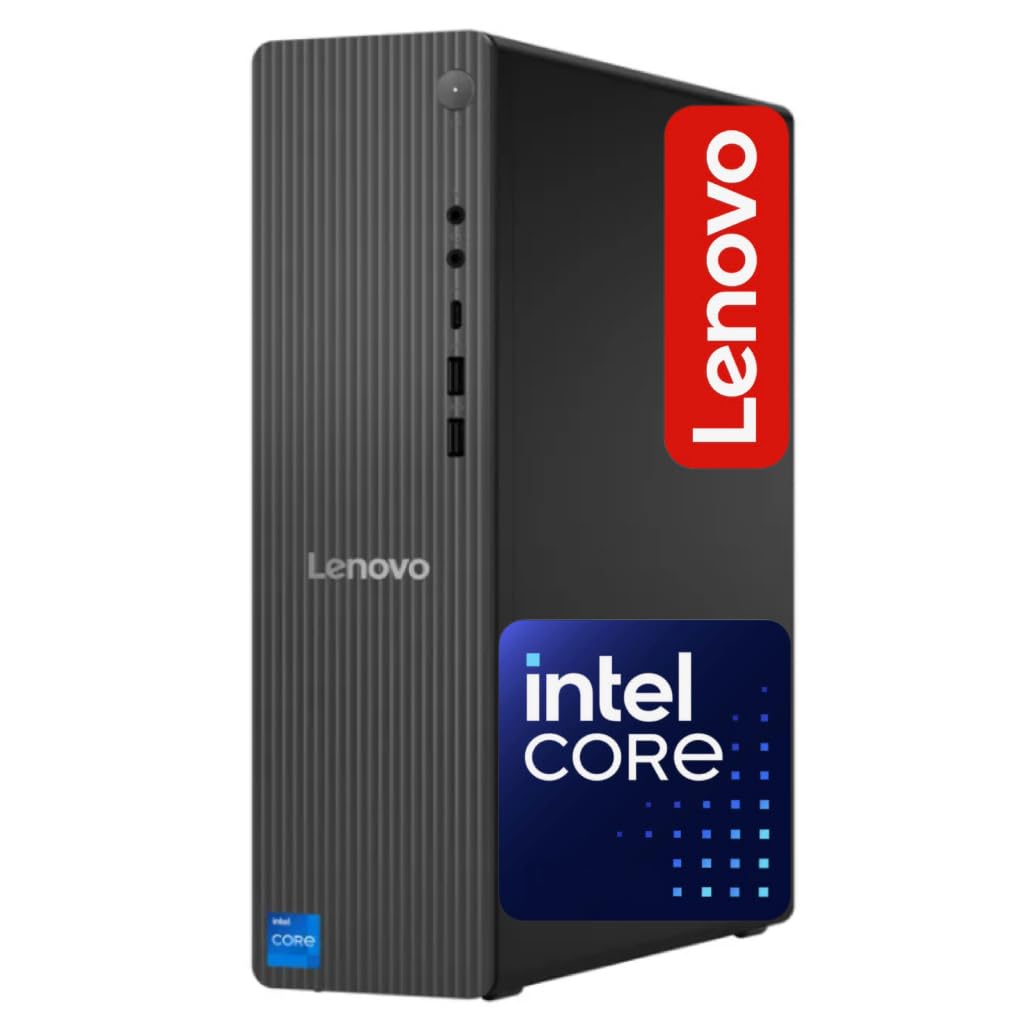
A space-saving tower that balances price and power for day-to-day office work.
This Lenovo keeps things simple and effective: a 14th-gen Intel Core i3-14100T (4 cores, up to 4.4GHz Turbo) with 16GB of DDR5 RAM gives you fast responsiveness for office apps, video meetings, and web tools. The storage setup pairs a 256GB SSD for your operating system and programs with a 500GB HDD for extra files, giving you 756GB total without paying a premium for a massive single drive.
Connectivity is modern and complete: Wi-Fi 6E (802.11ax 2×2) for fast wireless, Bluetooth 5.2 for peripherals, Gigabit Ethernet via RJ-45 for a stable wired connection, and HDMI 2.1 plus USB-C on the front for easy monitor and device hookups. Built-in Wi-Fi means you don’t need to hunt for a USB adapter like you would with some wired-only towers.
Owners describe it as a solid mid-range computer that’s great for the price, easy to set up, and space-saving. Build quality is the thing people praise most here. The honest trade-off: a couple of buyers found it louder than expected under load, and one had trouble getting dual monitors to display properly, so check your display cables if you run two screens.
What works
- Built-in Wi-Fi 6E and Bluetooth 5.2 for easy setup
- 16GB DDR5 RAM with combo SSD + HDD storage
- Compact, space-saving tower design
Consider this
- Some units run loud under heavy load
- Dual-monitor setup can be finicky
- 4-core processor is not for heavy rendering
Grab this for: a straightforward, budget-friendly tower that handles everyday office tasks and connects wirelessly with ease.
Pass on it for: a quiet workspace where noise matters or heavy multi-monitor productivity with demanding software.
6. HP Pro Tower 290 G9 Business Desktop

The trusted brand name that delivers fast, quiet, dependable performance for daily business work.
HP’s reputation for reliability is the headline here, and owners confirm the trust — many note their old HP served them for years, which is why they came back. Under the hood sits a 12th-gen Intel Core i5-12500 (6 cores, up to 4.6GHz Turbo) with 18MB of cache, a strong match for demanding business apps, content creation, and smooth productivity.
It ships with 16GB of DDR4 RAM and a 512GB PCIe NVMe SSD, so boot times are fast and you can run multiple applications without slowdown. Intel UHD Graphics 770 supports dual displays, and the TPM 2.0 security chip protects your data. The compact tower (11.92″ x 6.1″ x 13.27″) fits tight desks, and it’s built with 15% post-consumer recycled materials.
Performance is the most-praised aspect here, with buyers noting Windows 11 runs smoothly with no streaming delays, and it handles office work well. Wi-Fi and Bluetooth are built in, plus a complete port set: four front USB 3.0 (5Gbps), four rear USB 2.0, HDMI, VGA, and RJ-45 Ethernet. One owner mentioned it can struggle with many open apps and limited storage, so the 512GB SSD may fill up fast if you save large files locally.
Why it’s popular
- Trusted HP brand with proven long-term reliability
- Fast 6-core i5 with 16GB RAM for smooth multitasking
- Built-in Wi-Fi and Bluetooth with dual-monitor support
The trade-offs
- 512GB storage may fill up quickly
- Some customers note Bluetooth quirks
- Struggles with a very large number of open apps
Buy it for: a dependable home-office or small-business machine from a brand you already trust.
Hold off if: you need massive local storage or run dozens of memory-hungry applications at once.
7. Dell Pro Tower Business Desktop, i5-14500 vPro
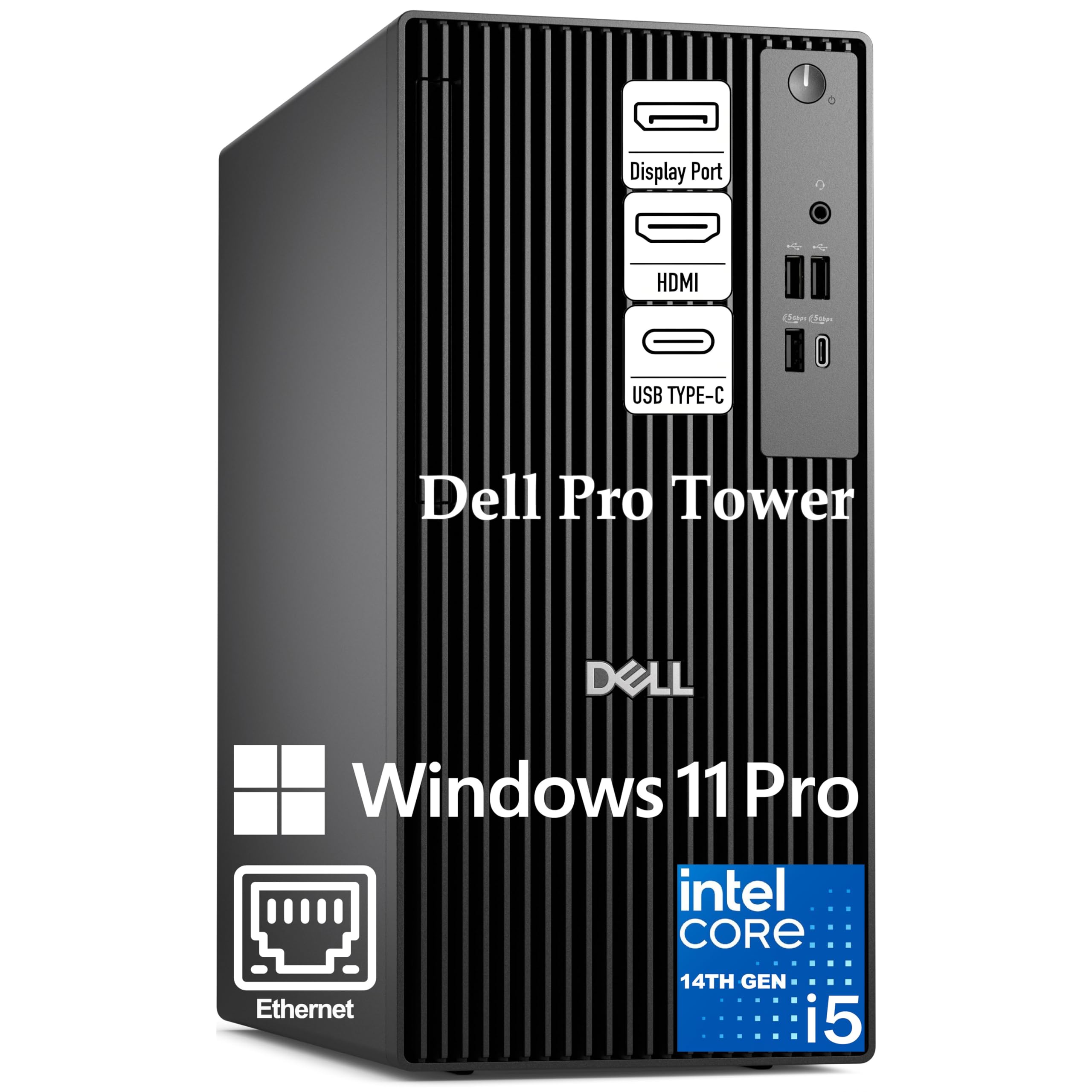
The 14-core workstation that chews through complex data and juggles dozens of tasks without breaking a sweat.
This Dell towers over typical business desktops with a 14th-gen Intel Core i5-14500 vPro — that’s 14 cores (6 performance + 8 efficient) and 20 threads, with performance cores reaching up to 5.0GHz. For financial modeling, data analysis, or running memory-intensive apps side by side, this is the processing muscle you want. vPro adds hardware-based security and remote manageability, so your IT team can keep it safe and updated from afar.
The 16GB of DDR5 memory and 512GB PCIe NVMe SSD mean it boots in seconds and loads large files instantly. Intel UHD Graphics 770 drives two 4K displays simultaneously via HDMI 2.1 and DisplayPort 1.4a (up to 4096×2160 at 60Hz), perfect for financial analysts and project managers juggling spreadsheets and dashboards. Windows 11 Pro comes with BitLocker encryption and Copilot AI for enterprise-grade protection.
Buyers call it a solid performer and a big upgrade from older systems, with easy setup and excellent shipping. The compact 11.5-inch chassis fits modern desks while delivering full-size performance. The main grumble is USB inputs — a few owners note there aren’t as many as expected, so count your peripherals before you commit.
The heavy hitter
- 14-core vPro processor handles demanding professional workloads
- Two 4K display support via HDMI and DisplayPort
- Windows 11 Pro with BitLocker for enterprise security
Watch out
- Fewer USB ports than expected
- No built-in Wi-Fi — wired Ethernet only
- 16GB RAM is good but not maxed
Choose this for: analysts, developers, and project managers who need serious multi-core power and dual 4K monitors.
Consider another if: you rely on wireless connections or need a high number of USB ports for many peripherals.
8. Dell Business Tower, Next Gen OptiPlex

The enterprise-grade tower built for IT-managed environments that demand 24/7 operation.
This Next Gen OptiPlex carries the same 14th-gen Intel Core i5-14500 vPro (14 cores: 6 performance + 8 efficient, up to 5.0GHz) but wraps it in military-grade reliability testing for 24/7 operation. That means it’s engineered to run around the clock in demanding business environments, from office workspaces to data-heavy professional roles. The 24MB cache keeps frequently used data close to the cores for snappy performance.
With 16GB of DDR5 RAM and a 512GB PCIe NVMe SSD, it handles multiple virtual machines, large databases, and memory-intensive applications without lag. Dual 4K display support via HDMI 2.1 and DisplayPort 1.4a with Intel UHD Graphics 770 makes it ideal for financial analysis, programming, and content review. Windows 11 Pro includes BitLocker encryption, remote desktop, and Copilot AI.
Owners consistently rate this highly, noting it’s relatively lightweight, easy to set up, and quiet running, with a good size for smaller spaces. One buyer was pleased that Adobe products run fast even with multiple programs open. The connection setup follows a business pattern: USB-C 3.2 Gen 1, multiple USB-A ports, and Gigabit Ethernet, with wireless available via a USB adapter that comes included.
The strengths
- Military-grade reliability for 24/7 business operation
- 14-core vPro processor with 24MB cache
- Dual 4K monitors with Intel UHD Graphics 770
The nuances
- Wireless requires the included USB adapter
- 16GB RAM, not 32GB like some rivals
- Fewer physical ports than larger towers
Ideal for: businesses that need a dependable, always-on machine with enterprise security and strong multi-core performance.
Not for: users who want built-in Wi-Fi without an adapter or need more than 16GB of RAM from the start.
9. Acer Aspire Business Desktop

The budget-friendly tower that proves you don’t need a big budget for fast, everyday performance.
This Acer delivers great performance at a price that’s tough to top — owners call it a great budget computer that’s very fast and ready to go from the start. The Intel Core i3-13100 (4 cores, up to 4.4GHz Turbo) handles demanding office workloads, web apps, and multimedia entertainment with ease, while 16GB of DDR5 RAM keeps multitasking smooth.
Storage is a dual-drive setup: a 512GB SSD for your operating system and most-used programs, plus a 500GB HDD for extra files — 1TB total, which is generous at this level. Wi-Fi 6 and Bluetooth 5.1 are built in, so you connect wirelessly right away, and you get a USB 3.2 Type-C Gen 1 port (up to 5 Gbps) on the front plus multiple USB-A and dual HDMI ports on the rear.
Buyers rave about the speed and storage, noting it connects to all devices with ease and that the extra hard drive can be used like a mobile HD. Windows 11 Pro comes pre-installed with a keyboard and mouse included. The honest note: at this price point, the 4-core processor means heavy video editing or massive multitasking isn’t its strength, and one owner mentioned a relatively modest 300-watt power supply.
What you get
- Fast i3-13100 with 16GB DDR5 RAM for smooth work
- 1TB total storage (512GB SSD + 500GB HDD)
- Built-in Wi-Fi 6 and Bluetooth 5.1
The reality
- 4-core processor limits heavy creative work
- Modest power supply caps GPU upgrades
- Some buyers find the design basic
Best for: a first-time business buyer who wants a fast, capable tower with plenty of storage without spending big.
Look past it if: you do video editing or run extremely complex data models that need a 6-core or 14-core processor.
10. Lenovo V-Series V15 Business Laptop

A portable powerhouse with 40GB of RAM that makes heavy multitasking feel easy.
This Lenovo laptop stands out for its enormous 40GB of high-bandwidth RAM — more than most desktops here — letting you run multiple applications and browser tabs all at once without slowing down. The AMD Ryzen 7 7730U (8 cores, 16 threads, up to 4.5GHz) delivers fast, responsive performance for business software, and the 1TB PCIe NVMe SSD boots up quickly and transfers data fast.
The 15.6-inch FHD (1920 x 1080) display works well for daily tasks, and the full-size numeric keypad speeds up data entry for accounting and finance work. Ports include USB 3.2 Type-C, USB 3.2 Type-A, USB 2.0, HDMI, RJ45 Ethernet, and a headphone/microphone combo. It runs Windows 11 Pro and weighs in light enough for everyday carrying, with a battery rated for 8 hours.
Buyers call it a fantastic home laptop and a great value, with fast boot times, easy setup, and a responsive trackpad. Linux users especially appreciate the ample RAM and storage. The honest caveats: the 15.6-inch body is a bit bulky, display colors look a little washed out next to pricier screens, and the most-discussed performance is mixed — most owners enjoy it, but an occasional unit has had power-on issues, and one business buyer noted 1 in 24 failed within six months with a good warranty response.
The highlights
- Massive 40GB RAM for heavy multitasking
- 1TB SSD with fast boot and data transfer
- Full numeric keypad for data entry
The fit notes
- Display colors can look washed out side-by-side
- 15.6-inch body is bulky to carry
- Performance is generally good but not universally flawless
Choose this for: a versatile laptop that handles intense multitasking, data entry, and even Linux work with abundant memory.
Think twice if: you need a color-accurate display for design work or a super-portable ultrabook, not a 15.6-inch workhorse.
11. HP Elite Mini 800 G9 Desktop

A mini tower with maxed-out 24-core power that fits on a shelf but works like a full workstation.
This HP Elite Mini packs the most processing power in this roundup: a 14th-gen Intel Core i9-14900T with 24 cores (8 performance + 16 efficient) and 32 threads, reaching up to 5.8GHz Turbo. For anyone running heavy data analysis, virtual machines, or demanding creative software, this mini machine delivers desktop-class muscle in a space-saving frame. It’s paired with 32GB of DDR5 RAM and a 1TB PCIe SSD for fast boot and load times.
Connectivity is comprehensive: Wi-Fi 6 (2×2) and Bluetooth built in, plus a front USB-C port with 20Gbps signaling rate, three rear SuperSpeed USB-A ports, dual DisplayPort 1.4, and HDMI 2.1. Windows 11 Pro comes with the wired keyboard and mouse included (no separate mouse mentioned in some listings). The compact design disappears under a monitor or on a shelf.
Buyers describe it as fast, small, and perfect, with top-notch specs and easy setup, and it handles dual monitors well. Performance is the most-praised aspect here. The honest trade-offs: it’s a premium price, and a couple of buyers have flagged quality issues with third-party internal parts causing boot problems, so buying from a reputable seller with a good return policy matters. One owner also noted a learning curve for less tech-savvy users moving to Windows 11.
The firepower
- 24-core i9-14900T up to 5.8GHz — the fastest here
- 32GB DDR5 RAM and 1TB SSD for heavy workloads
- Mini form factor with full desktop performance
Weigh this
- Premium pricing for top-end specs
- Some units have had quality issues with non-HP parts
- Fewer USB ports than full-size towers
Reach for this: a professional who needs maximum processing power in a tiny footprint — think developers, analysts, and video editors.
Be cautious if: you’re on a strict budget or want the reassurance of a well-known, verified parts supplier.
Understanding the Specs
Processor cores and speed
Core count tells you how many tasks your computer can handle at once. A 4-core chip handles email, documents, and video calls; a 6-core or 14-core processor powers through data analysis, video editing, and dozens of open applications. Clock speed (measured in GHz) shows how fast each core works — like the difference between a 4.6 GHz and 5.3 GHz chip — but more cores generally matter more than raw speed for business multitasking.
RAM and storage
RAM is your computer’s short-term memory for running apps — 16GB is the comfortable baseline, 32GB gives real headroom, and 40GB handles extreme multitasking. Storage comes as a solid state drive (SSD), which loads everything fast, or a hard disk drive (HDD), which is cheaper but slower. A machine with both, like an SSD for Windows plus an HDD for files, balances speed with capacity.
FAQ
How much RAM do I need for a business computer?
Is a desktop tower or a business laptop better for me?
What does a vPro processor do for a business?
Should I get Wi-Fi built in or use a wired connection?
How many monitors can a business desktop support?
Is a renewed or refurbished desktop a good idea?
Does a business computer need a dedicated graphics card?
What is the difference between Windows 11 Home and Windows 11 Pro?
How long should a business desktop computer last?
Do I need more storage with an SSD or an HDD?
Final Thoughts: The Verdict
Across the board, the business computer winner is the Dell Tower Desktop (Core Ultra 7) because it pairs a top-tier processor with 32GB of RAM and multi-monitor support for a smooth workday. If you want portability with a tall, crisp screen, grab the Lenovo Business Laptop. And for maximum processing power in a tiny footprint, the HP Elite Mini 800 G9 is the one to reach for.
How We Picked
We do not accept paid placement. Every pick is matched to a real buyer and a real use-case; we do not hands-on test units.
Sources & Methodology
Specifications: manufacturer listings and product documentation. Review insights: verified customer reviews, as of August 2026. Pricing: not shown on this page (it changes often); check the current price via the retailer link.
As an Amazon Associate, FitlyFast earns from qualifying purchases. This does not affect which products we feature.