
Our readers keep the lights on and the weekend projects moving. As an Amazon Associate, I earn from qualifying purchases.
Specs are compiled from manufacturer listings and verified buyer reviews and can change over time — please confirm the key details on the product page before buying.
Walk into a conference room and the lights are on, the blinds aren’t drawn, and you need your slides to look sharp anyway. That is the real test for a business projector, and the models below are the ones that pass it. This guide breaks down the best options by how bright they run, how easy they are to set up, and what owners actually say after months of use.
I’m Rikta — the founder and writer behind FitlyFast. This guide is built by comparing the manufacturers’ published specifications and the patterns across verified customer reviews, so you get each pick’s real strengths and trade-offs instead of marketing spin.
You are looking for a projector that stays readable with the lights on, connects without a fight, and earns its place in your meeting room — that is what makes a real business projector worth buying.
Our Picks at a Glance


How To Choose The Best Business Projector
Business projectors live in bright rooms, and that changes everything about how you shop for them. A home theater projector can get away with dimmer output because you control the lighting; a conference room usually does not work that way. You need to match the projector to the room, not the other way around.
Start with brightness, measured in lumens
The lumen rating tells you how much light the projector throws out, and this is the number that decides whether your slides stay readable when the lights are on. For a small meeting room with controlled light, 3000 lumens can work. For a larger training room or a space with big windows, 4000 lumens or more gives you a comfortable cushion.
Check the throw ratio for placement flexibility
Throw ratio is the relationship between how far the projector sits from the wall and how big the image gets. A standard projector needs to sit several feet back to create a 100-inch image, while a short throw model can sit close to the wall and still fill a screen. If your room is shallow or you want to avoid casting shadows, a short throw projector solves that problem.
Look at contrast ratio for text sharpness
Contrast ratio describes the difference between the brightest white and the darkest black a projector can show. Higher contrast makes text look crisper and spreadsheets easier to read, which matters more for business use than for watching films. Keep this number in mind alongside brightness, because the two work together.
Quick Comparison
| Model | Best For | Brightness | Resolution | Contrast | Amazon |
|---|---|---|---|---|---|
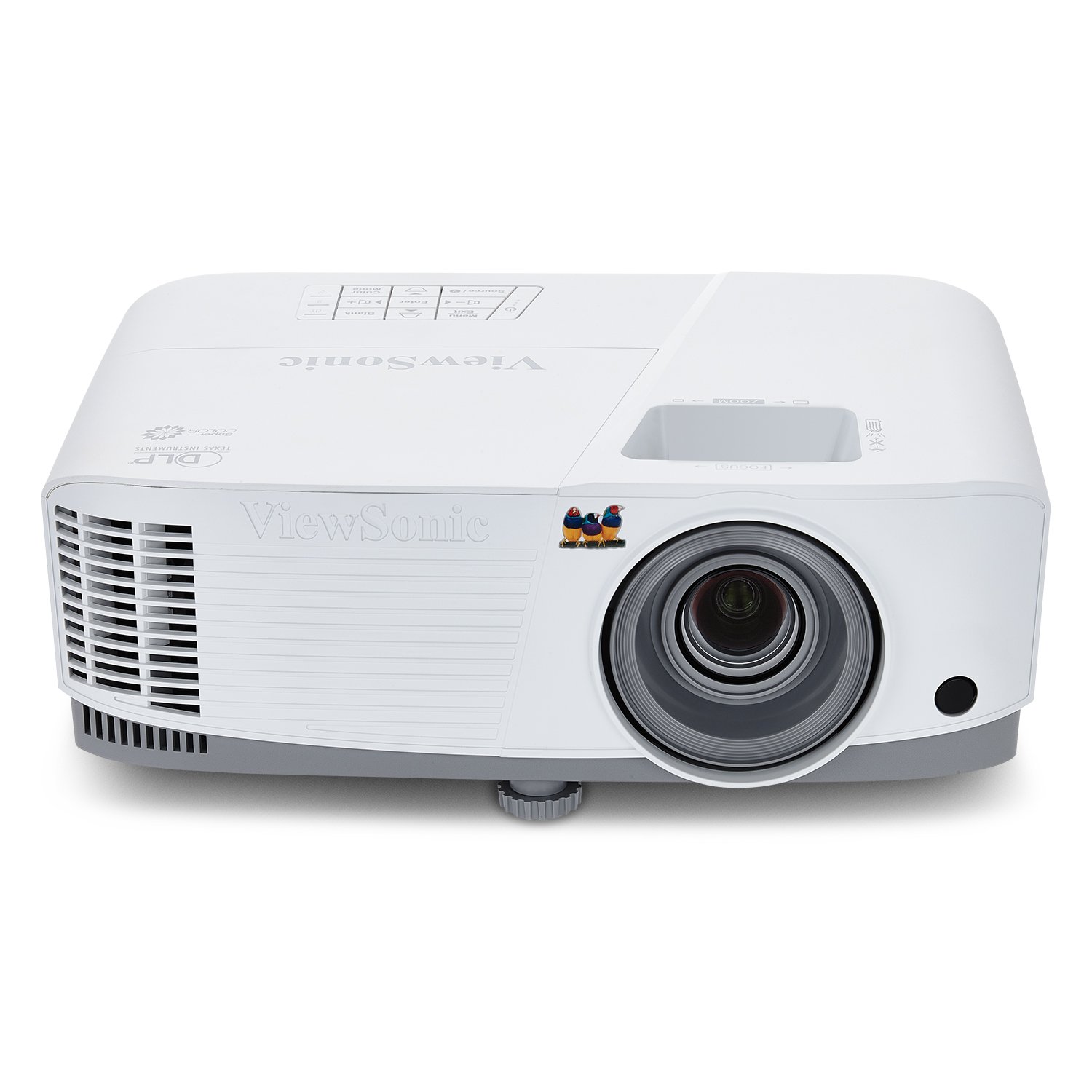
| ViewSonic PA503X★ Best Overall | Bright rooms on a budget | 4000 lm | 1024 x 768 | 22000:1 | Amazon |
| Epson Flex CO-W01Best Value | Portable presentations | 3000 lm | 1280 x 800 | — | Amazon |
| Epson PowerLite X49Educator’s Pick | Classrooms and education | 3600 lm | 1600 x 1200 | 16000:1 | Amazon |
| HAPPRUN 3000 | Smart streaming built in | 3000 lm | 1920 x 1080 | 20000:1 | Amazon |
| ViewSonic PS502W | Tight spaces, short throw | 4000 lm | 1280 x 800 | 15000:1 | Amazon |
| Epson PowerLite W49 | Reliable workhorse | 3800 lm | 1920 x 1080 | 16000:1 | Amazon |
| Optoma EH412 | Large meeting rooms | 4500 lm | 1920 x 1080 | 50000:1 | Amazon |
| BenQ MW632ST | Short throw with wireless | 3200 lm | 1280 x 800 | 12000:1 | Amazon |
| Hisense M2 Pro | 4K laser with easy setup | 1300 lm | 3840 x 2160 | 5000:1 | Amazon |
| JMGO N1S Ultra | Premium laser, auto adjust | 2800 lm | 3840 x 2160 | 1600:1 | Amazon |
| XGIMI HORIZON 20 Pro | Top-tier laser, gaming spec | 4100 lm | 3840 x 2160 | 20000:1 | Amazon |
In‑Depth Reviews
1. ViewSonic PA503X
Our pick — 4.5★ from 350+ verified ratings; the strongest balance of quality and price.
The brightness king that keeps slides crisp even when the office lights stay on.
This is the projector boardrooms keep coming back to, and the reason starts with 4000 ANSI lumens — enough light to hold a clear image in a room that is not dimmed. At 1024 x 768 resolution it is not the sharpest on this list, while the Epson X49 offers 1600 x 1200 pixels, which matters when you are projecting dense spreadsheets. Owners describe the image as “crisp and bright,” and several note it stays perfectly visible even with the lights on.
Setup is genuinely plug-and-play. You get a 1.1x optical zoom plus vertical keystone to square up the image, and it projects anywhere from 80 to 150 inches, so it scales from a huddle room to a training space. It is ceiling mountable with the ViewSonic PJ-WMK-007 mount, and connections cover HDMI, USB, and VGA, which handles older laptops that still use the blue VGA cable.
What wins people over is picture quality — the single most-praised aspect, with 50 mentions, ahead of image quality at 37. That is a strong signal that the SuperColor technology delivers on its promise of a wide color gamut. The 16ms input latency and 120Hz refresh rate make it smoother than typical presentation projectors, and a 22000:1 contrast ratio keeps text looking sharp.
Why it leads the list
- 4000 lumens hold up in bright rooms
- Higher contrast than the Epson X49 at 22000:1 vs 16000:1
- Reliable long-term — buyers report years of use without issues
Where it is limited
- 1024 x 768 resolution is dated for fine text
- Fan noise gets a mixed response from owners
- Built-in speaker is weak for larger rooms
The clear pick for: teams wanting maximum brightness per dollar in a meeting room where lights stay on.
Think twice if: you need full 1080p sharpness — this tops out at XGA resolution.
2. Epson EpiqVision Flex CO-W01
A portable presenter that slips into a backpack and still throws a bright image.
This is the projector to grab when your work happens in more than one room. It is compact enough to fit in a backpack, yet it delivers 3000 lumens of color and white brightness — owners confirm the image holds up during the day. The 3-chip 3LCD technology displays 100% of the RGB color signal on every frame, which avoids the rainbow effect that some single-chip projectors produce.
Owners mention it “really delivers its specs,” and the consensus is that it handles PowerPoints beautifully in workshop settings. Image quality is the top-praised aspect with 43 mentions, followed by overall quality at 29, so the build and output both satisfy. The HDMI port accepts an Apple TV, Roku, Amazon Fire TV, or Android TV stick if you want streaming, and it displays up to 300 inches — versus a 75-inch flat panel.
The trade-off is audio. Sound quality draws mixed feedback: some owners find the built-in speaker passable, while others call it terrible, so plan to plug in external speakers for anything beyond a small room. The 1280 x 800 resolution is adequate for slides but not razor-sharp for fine print. Portability, though, is the story here — it moves easily between the office, a client site, and home.
Best for the road warrior: this is the pick when the projector lives in a bag, not on a ceiling mount. Its 3000 lumens beat the Hisense M2 Pro’s 1300 lumens for real daytime use, and the 3LCD color handling is a genuine step up from budget DLP models.
3. Epson PowerLite X49
The classroom workhorse with a resolution edge and a lamp that lasts.
Educators form the core of this projector’s fanbase, and one put it plainly: “my needs in terms of lumens and clear projection in a quite illuminated environment, the projector works perfectly.” The 3600 lumens handle a bright classroom, while the resolution reaches 1600 x 1200 pixels — noticeably higher than the ViewSonic PA503X’s 1024 x 768, though the ViewSonic pulls ahead on contrast at 22000:1 versus this unit’s 16000:1. For lesson materials and detailed charts, that extra pixel density shows.
The durability story is strong. A 12,000-hour lamp life means daily classroom use for years, and the Moderator function lets up to 50 users connect simultaneously — a feature built for interactive teaching. The 3LCD technology produces vibrant images, and the flexible setup options make it easy to display from virtually anywhere in the room.
Two honest caveats. The built-in sound is fine for a small classroom but noticeably weak in large halls, so budget for external audio. And while the crowd is enthusiastic — owners describe being “truly honoured” by the purchase and say they would buy five more — the review pool is smaller than the top pick’s, with far fewer ratings behind it. That is less community proof, but the sentiment from those who did buy is overwhelmingly positive.
Built for daily teaching: the combination of 3600 lumens, 1600 x 1200 resolution, and a 12,000-hour lamp makes this the long-haul classroom companion.
4. HAPPRUN 3000 ANSI Lumens
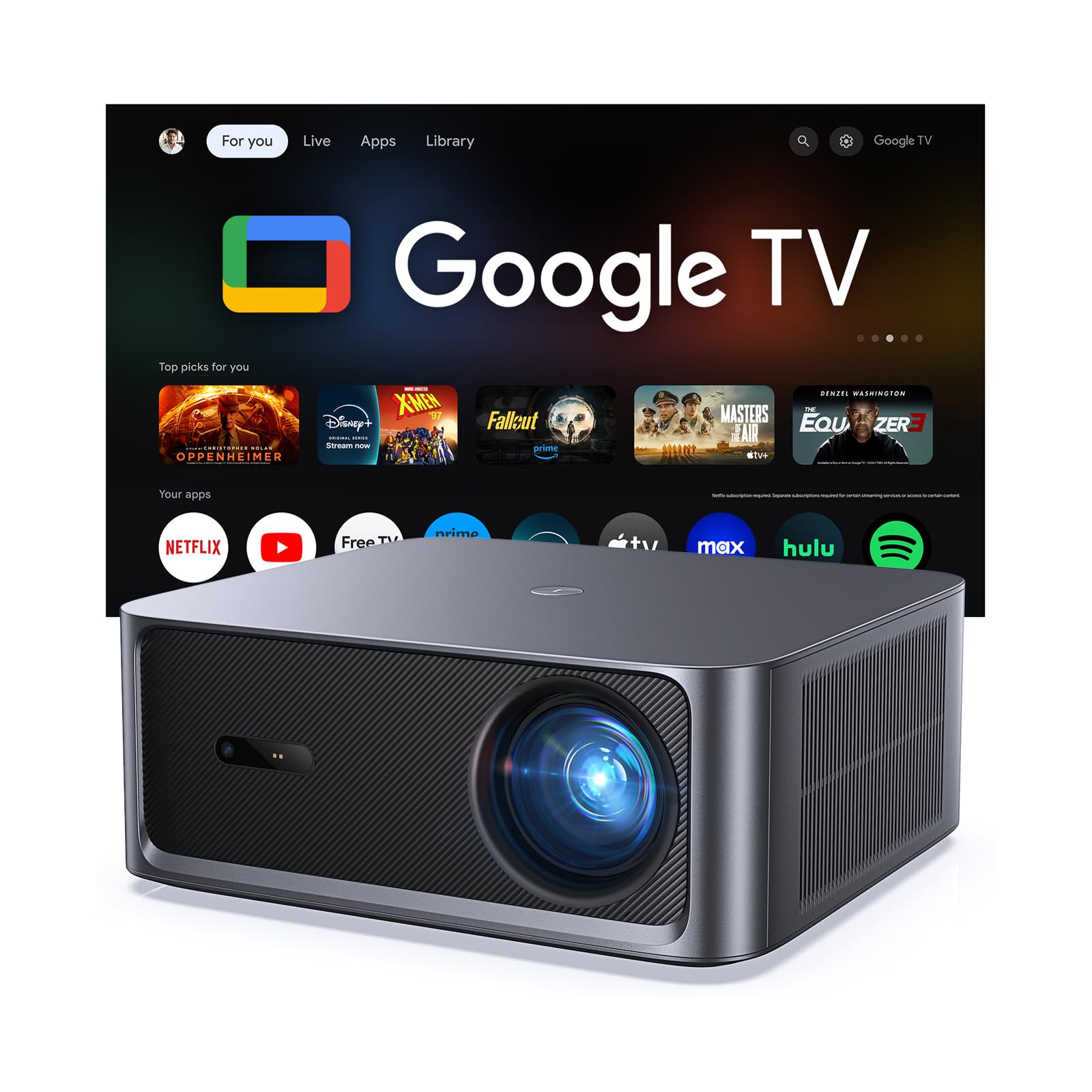
A smart projector that streams on its own, no extra TV stick required.
This unit flips the script: instead of needing a laptop and cable every time, it has Google TV built in, giving you instant access to 1000+ apps including Netflix, Prime Video, YouTube, Hulu, and Disney+. The 3000 ANSI lumens keep the picture bright even with ambient light, and the 4K decoding support with a 20,000:1 contrast ratio makes content look sharp. Owners call the image “amazing and clear,” with image quality the top-praised aspect at 18 mentions.
Setup is the standout convenience. Auto focus and 6D auto keystone correct the picture within seconds of power-on, whether the projector sits on a table, mounts on a ceiling, or perches beside a bed. Dual 10W speakers with Dolby Audio deliver richer sound than most business projectors, and sound quality is the second most-praised aspect at 16 mentions, so small meeting rooms may not even need external speakers.
WiFi 6 and Bluetooth 5.2 handle the wireless side, letting you stream with reduced lag or connect headphones and soundbars. The honest catch is fan noise — one owner was particular about it, noting the fan is audible when brightness runs high. It also tops out at 1080p native resolution, so the 4K is playback support, not native 4K output. For a presentation room that doubles as a demo space, the built-in smarts save real time.
Best for demo rooms: walk in, press power, and start streaming — the auto adjust and Google TV remove every cable-and-login delay.
5. ViewSonic PS502W

The close-quarter champ that fills a big screen from just a few feet away.
This is the projector for awkward rooms. With a 0.5 throw ratio, it creates a 100-inch image from just 4.5 feet away — versus the 13 feet the ViewSonic PA503X needs for the same size. It also keeps you out of the beam, since you are not standing in the light path when presenting. At 4000 ANSI lumens, it matches the PA503X for brightness, making it a strong choice for rooms where the lights stay up.
The versatility is the real story. Buyers use it for a projection billiard pool table, where it illuminated the full 9×4.5ft playing surface, and for golf simulators, where owners say it “works great, especially for the price.” One golf sim user noted the clarity matched a friend’s BenQ. The 1280 x 800 WXGA resolution handles widescreen content natively, which makes it more modern-feeling than the PA503X’s 4:3 XGA output.
Instant power on and off speeds up room turnovers between meetings. The honest trade-offs: the fan is noisy, the menu takes some getting used to, and image sharpness gets mixed feedback from owners — some find it clear, others want more crispness. Contrast sits at 15000:1, lower than the PA503X’s 22000:1. For a shallow room or a simulation setup, the short throw freedom wins.
Made for tight spaces: the 0.5 throw ratio is the whole point — big image, small distance, no shadow from the presenter.
6. Epson PowerLite W49
The widescreen Epson that keeps working long past the warranty.
The W49 earns its keep with a 16:10 aspect ratio, which matches modern widescreen laptops better than the 4:3 of older projectors. The 3800 lumens keep it bright in lit rooms, and the resolution reaches 1920 x 1080, giving you full HD sharpness that the X49 does not offer. Contrast sits at 16000:1, and HDMI carries both video and audio through a single cable to keep your desk tidy.
Durability is the defining trait. The lamp life stretches to 17,000 hours — higher than the X49’s 12,000 — which means years of daily presentations before a replacement. That longevity appeals to video mapping artists and home cinema users alike, with some calling it great value for professional audiovisual practice. The Moderator function, also on the X49, connects up to 50 users at once for interactive sessions.
The review pool here is the smallest on the list, so take the enthusiasm with context. One negative review exists, but it focuses on Wi-Fi and Bluetooth connection limits that this model never claims to have — it is a wired HDMI projector, not a smart one. For a reliable, wide-format workhorse that you plug in and forget, the W49 delivers.
Built to outlast: a 17,000-hour lamp and full 1080p resolution make this the set-and-forget choice for a permanent installation.
7. Optoma EH412

The brightest pick here, aimed squarely at big, well-lit meeting rooms.
With 4500 lumens, the EH412 is the brightest unit on this list, and that headroom makes it the one to reach for when a room has floor-to-ceiling windows or fluorescent lights you cannot turn down. It takes a 4K HDR input signal, so newer laptops and 4K sources show their full detail, and the 50,000:1 contrast with sRGB color delivers the richest color accuracy of the standard-lamp models. Owners describe the picture as “like a movie theatre,” and several use it for outdoor viewing on a 100-inch screen without needing perfect darkness.
Flexibility is a strong suit. A 1.3x zoom at a 1.2-1.47:1 throw ratio lets you place it in different spots, and vertical keystone correction of +/- 40 degrees means it can sit off-center without tilting the unit. The weight is under 8 pounds, so moving it between rooms is practical — churches bought three of them and report all holding up well. A 10-watt built-in speaker is loud enough for small to medium classrooms and meeting rooms.
The lamp life of up to 15,000 hours translates to roughly 5 hours of daily viewing for over 8 years. The honest framing on 4K: it accepts a 4K HDR input but the native resolution is 1920 x 1080, which one owner called out directly — “HDR and 4K support is a joke.” Treat it as a very bright 1080p projector with future-proofed inputs. Reliability also gets mixed feedback, so it is worth weighing the smaller review pool against the strong brightness credentials.
Best for demanding rooms: 4500 lumens plus a 50,000:1 contrast ratio make this the choice when ambient light cannot be controlled.
8. BenQ MW632ST

A short throw presentation machine that refuses to blind the presenter.
The 0.9 short throw lens is the headline feature. It means you never stand in front of the beam while presenting, and you get a huge image from a short distance — customers note a 110-inch picture from just 4 to 5 feet away. At 3200 lumens, it is brighter than the Hisense M2 Pro’s 1300 lumens, and owners confirm the picture stays clear even with lights on. The 1280 x 800 WXGA resolution offers 2x more detail than older SVGA projectors.
Picture quality is what wins people over here, with 42 mentions making it the clear top aspect, ahead of brightness at 19. The 12000:1 contrast ratio keeps colors accurate, and the 10,000-hour lamp life means over a decade of daily 2-hour presentations. Dual HDMI ports carry audio and video in a single cable each, a welcome convenience for setups that switch between a laptop and a document camera.
The reviews are full of golf simulator owners who found it perfect for that use, plus classrooms and conference rooms. The honest limits: connectivity and sound quality both get mixed feedback. The built-in speaker is “good but only good enough,” per the consensus, and gaming is held back by a 60Hz refresh rate. For a meeting room where the projector sits close to the wall, this is a proven formula.
Short throw, long value: the 0.9 lens plus reliable picture quality make this the versatile pick for rooms where placement is tight.
9. Hisense M2 Pro
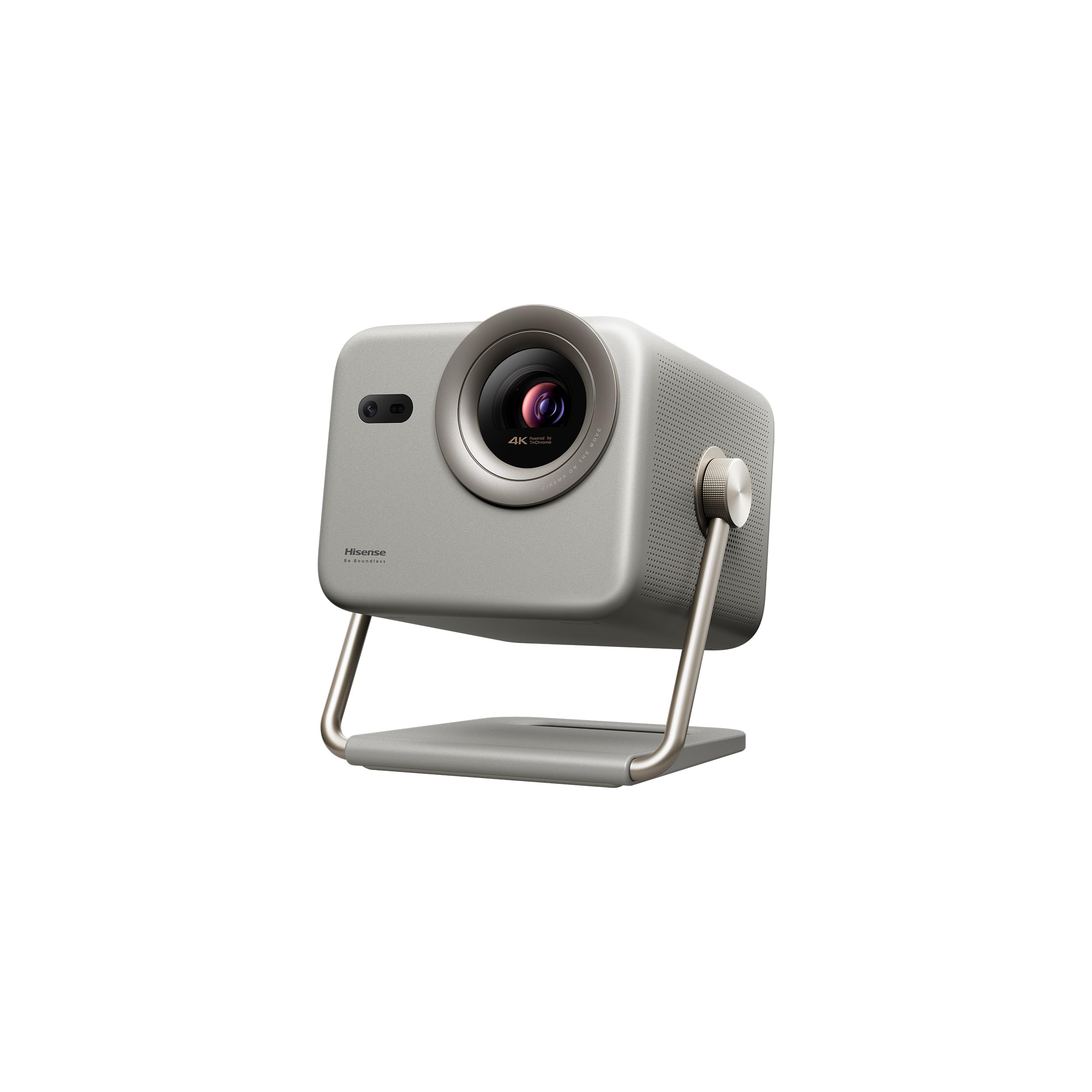
A gimbal-mounted 4K laser that pivots to throw the image anywhere you point it.
The built-in gimbal is the defining feature. It swings 360 degrees horizontal and 135 degrees vertical, so you can project onto a wall, a ceiling, or a corner without moving the unit — a flexibility no fixed-mount projector offers. Owners love moving it from room to room, calling it child-carryable and easy to pack for a backyard setup. The triple laser engine delivers native 3840 x 2160 resolution with a 4K AI upscaler that sharpens lower-resolution content.
Picture quality is the top-praised aspect with 25 mentions, ahead of overall quality at 21. The 1300 lumens of brightness are modest by business-room standards — this is clearly a home and small-space projector first — but owners describe colors as vibrant and the image as indistinguishable from a TV in a dark room. Dolby Vision support and the auto keystone, auto focus, and obstacle avoidance all work together for a genuinely hands-off setup.
The intelligent eye protection dims the screen automatically when it detects people approaching, which suits a shared space. The trade-off is brightness: at 1300 lumens, this is not the projector for a sunlit conference room. It is the pick for a small office, a demo corner, or a mixed-use space that wants 4K sharpness and easy portability. The VIDAA OS includes Netflix from the start, and built-in Chromecast-like casting makes phone mirroring simple.
Best for flexible small spaces: the gimbal and 4K laser make this the most versatile compact projector on the list, if not the brightest.
10. JMGO N1S Ultra
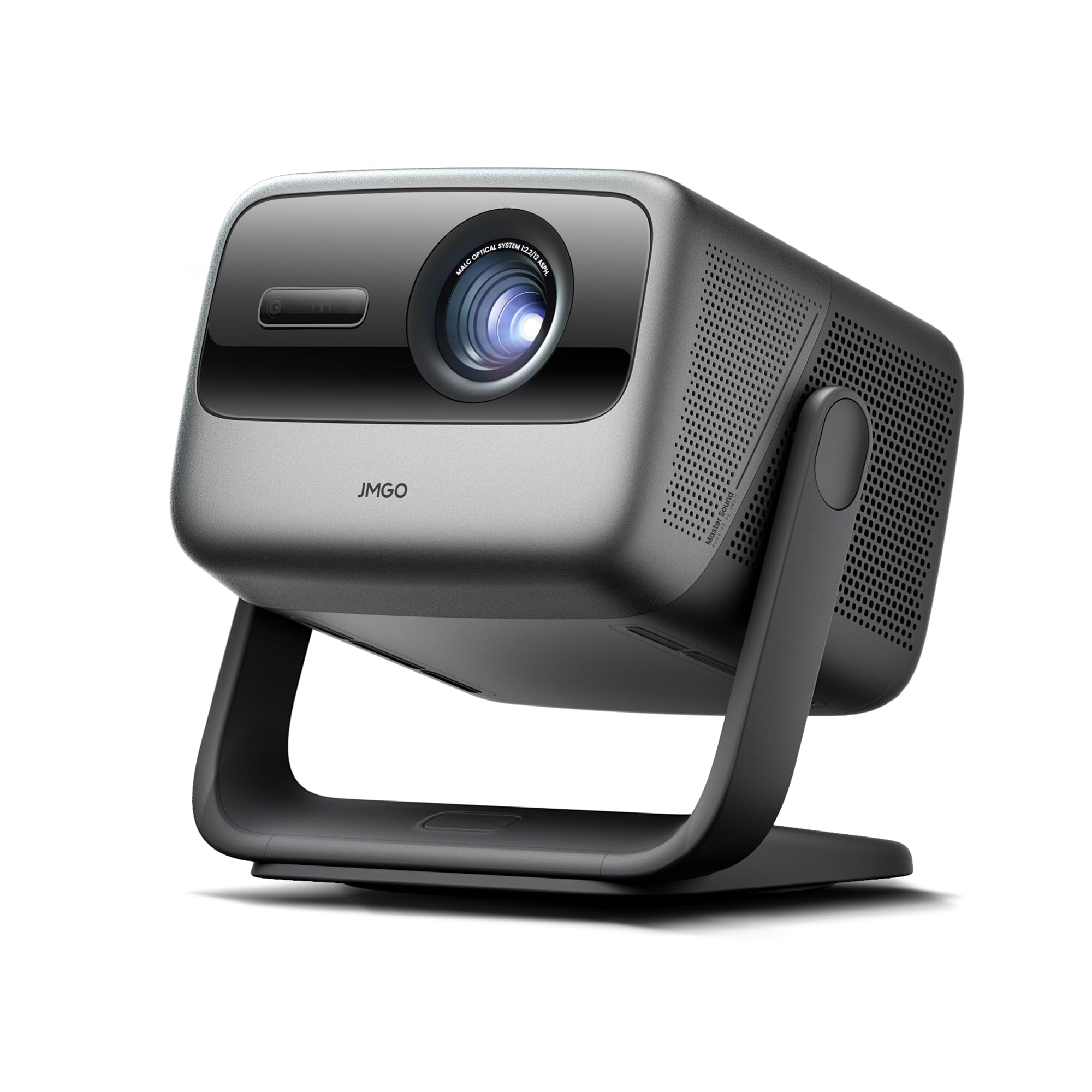
A 4K RGB laser that corrects its own picture before you even finish setting it down.
The N1S Ultra brings a tricolor RGB laser engine that produces the widest color gamut in this lineup, with a 1600:1 FOFO contrast and ΔE<1 color accuracy. The 2800 ISO lumens deliver enough light for moderate daylight, and the native 3840 x 2160 resolution keeps text and charts razor sharp. Reviewers point out the picture is “superb clarity” with contrast that gets compared to OLED for its depth.
What makes this the flagship experience is the sensor system. A 3D TOF sensor and CMOS camera drive real-time autofocus, keystone correction, brightness and wall color adaptation, screen fitting, and object avoidance — all automatically. Owners describe correcting off-axis placement from 4 feet away with no manual intervention. The 20W dual speakers with Dolby Digital Plus fill a room, and built-in Google TV provides 10,000+ apps and 800+ free live channels.
Picture quality is the dominant praise point at 79 mentions, well ahead of performance at 51, making this the strongest community endorsement on the list. The caveats are minor for a premium unit: there is no optical zoom (digital zoom works), and one owner noted focus needed a manual nudge at startup. The built-in gimbal and portability mean it moves between a boardroom and a training room easily, and the auto eye protection dims the image when someone steps close.
The set-and-forget flagship: 2800 ISO lumens, 4K RGB laser color, and a sensor array that makes manual adjustment a memory.
11. XGIMI HORIZON 20 Pro
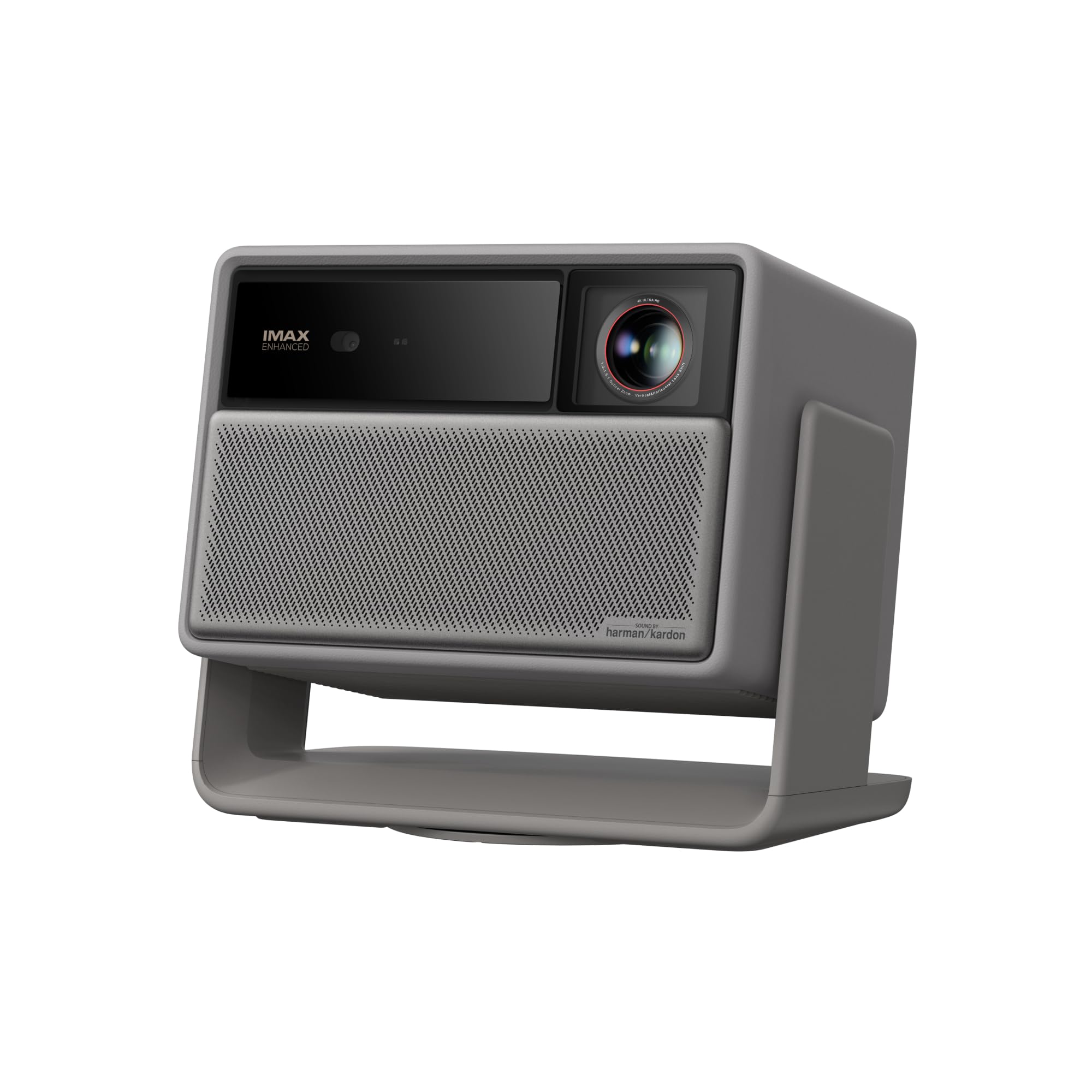
The brightest laser here, built to replace a big-screen TV in daylight.
This is the projector that owners say can genuinely replace a television in a bright living room or a glass-walled meeting space. The 4100 ISO lumens — versus the Optoma’s 4500-lumen lamp — pair with a 20,000:1 contrast ratio from the X-Master RGB triple laser engine. The native 3840 x 2160 resolution keeps everything sharp, and optical zoom plus lens shift give you placement freedom without losing clarity.
Gamers and interactive presenters will appreciate the pro-level specs: a 1ms response time and 240Hz fluidity with VRR and ALLM support make it the only pick here that handles fast action without lag. The MT9679 chipset with 4GB RAM keeps Google TV snappy, and the 2-year warranty doubles the coverage you get from most competitors. Shoppers say it is watchable in bright daylight, with room-filling sound from the built-in speakers.
The trade-offs are the most significant on the list. The auto keystone is “unusable” per one owner, though manual adjustment works fine. Autofocus gets mixed feedback, with reports of focus stability issues between boots, and reliability drew more negative sentiment than any other aspect. The HDMI ARC audio chip has specific complaints about dropping audio. Picture quality and brightness are beyond doubt — consistently praised — but this is a projector for buyers who will accept some software quirks in exchange for the brightest, sharpest image available.
For the brightness obsessed: 4100 ISO lumens and 1ms latency make this the ultimate daylight-ready projector, if you can live with the software hiccups.
Understanding the Specs
Lumens and brightness
Lumens measure how much light the projector emits, and this is the single most important number for a business projector. Higher lumens mean the image stays visible in a brighter room. For a meeting room with lights on, you generally want 3000 lumens or more; for a big space with windows, 4000+ gives you headroom.
Throw ratio and placement
Throw ratio is the distance-to-image-size relationship. A standard throw projector needs several feet to make a 100-inch image. A short throw model with a 0.5 ratio can do it from about 4.5 feet, which matters in shallow rooms or when you want to avoid casting shadows.
Contrast ratio and text clarity
Contrast ratio compares the brightest white to the darkest black. Higher contrast makes text crisper and charts easier to read. For business use, look for at least 15000:1 so that spreadsheets and dense slides stay legible.
Resolution and native vs supported
Native resolution is the projector’s actual pixel count; supported resolution is what it can accept as input. A 1920 x 1080 projector can display 4K content by downscaling it, but it will not be as sharp as a native 4K unit. Check the native number, not the marketing claims.
FAQ
How many lumens do I need for a conference room with the lights on?
What is the difference between a short throw and a standard throw projector?
Should I get a 4K business projector or is 1080p enough?
How long does a projector lamp last before I need to replace it?
Can I mount a business projector on the ceiling?
What is the difference between DLP and 3LCD projection technology?
Will a business projector work with my laptop and streaming devices?
Is the built-in speaker good enough for a meeting room?
Final Thoughts: The Verdict
For most meeting rooms, the business projector winner is the ViewSonic PA503X because 4000 lumens, a 22000:1 contrast ratio, and a proven track record make it the most reliable bright-room performer here. If you want built-in streaming and auto setup, grab the HAPPRUN 3000. And for a tight space where you cannot sit far back, the ViewSonic PS502W short throw is the one to reach for.
How We Picked
We do not accept paid placement. Every pick is matched to a real buyer and a real use-case; we do not hands-on test units.
Sources & Methodology
Specifications: manufacturer listings and product documentation. Review insights: verified customer reviews, as of July 2026. Pricing: not shown on this page (it changes often); check the current price via the retailer link.
As an Amazon Associate, FitlyFast earns from qualifying purchases. This does not affect which products we feature.