
Our readers keep the lights on and the weekend projects moving. As an Amazon Associate, I earn from qualifying purchases.
Specs are compiled from manufacturer listings and verified buyer reviews and can change over time — please confirm the key details on the product page before buying.
A business travel laptop must survive real-world conditions like airport security lines, cramped tray tables, and scarce power outlets. Prioritize a lightweight chassis and long battery life so the laptop stays unobtrusive and powered through your final meeting. This guide evaluates each model on portability, battery endurance, and real-world performance to identify the best travel-ready options.
I’m Rikta — the founder and writer behind FitlyFast. This guide is built by comparing the manufacturers’ published specifications and the patterns across verified customer reviews, so you get each pick’s real strengths and trade-offs instead of marketing spin.
Find the perfect portable powerhouse and office companion with our curated list of the best business travel laptop choices that balance performance, weight, and battery life.
Our Picks at a Glance

How To Choose The Best Business Travel Laptop
Ignore marketing claims and focus on measurable specs. A travel laptop’s success hinges on three factors: weight, battery life, and multitasking capability. Evaluate these three factors before considering screen size.
Battery Life: The Real-World Number
Manufacturer battery claims are optimistic. A laptop that promises 20 hours in a lab might give you 10 hours of actual spreadsheet work with brightness up. For travel, look for a machine with a large battery capacity — models with 72Wh or more tend to handle a full workday. And remember the charger: a compact GaN (gallium nitride) charger takes up half the bag space of a traditional brick.
Weight and Portability: The 3-Pound Rule
Keep your carry-on weight manageable by choosing a laptop under 3.5 pounds. Premium ultraportables hover around 2.2 pounds — that’s the difference between sprinting to a gate and feeling like a pack mule. A lighter chassis often means a smaller screen, but a 13-inch or 14-inch display is the balance for travel; it fits on tray tables and in cramped seats much better than a 16-inch monster.
Connectivity: Ports Are Your Lifeline
Airport Wi-Fi is unreliable, so a wired Ethernet port (RJ-45) is a godsend in hotels. Thunderbolt 4 or USB4 ports let you charge, connect dual 4K monitors, and move files at 40Gbps speeds. You’ll also want a physical webcam shutter and a fingerprint reader for privacy on the road — some machines include a docking hub to expand your port options.
Quick Comparison
| Model | Best For | Weight | Battery Life | Display | Amazon |
|---|---|---|---|---|---|
| Lenovo Business Laptop | Value & Screen Space | Light | Long | 16″ FHD+ (1920×1200) | Amazon |
| GEEKOM GeekBook X14 Pro | Featherweight & OLED | 2.2 lb | 16 hours | 14″ 2.8K OLED | Amazon |
| HP 15 Laptop | Big Storage & Touch | Thin | 10 hours | 15.6″ FHD Touch | Amazon |
| Dell Latitude 5550 | Ports & Build Quality | Slim | 11 hours | 15.6″ FHD Anti-Glare | Amazon |
| Microsoft Surface Laptop | All-Day Battery & Touch | Light | 20 hours | 13.8″ Touchscreen | Amazon |
| Dell XPS 13 9345 | Marathon Battery | Thin & Light | 27 hours | 13.4″ FHD+ 120Hz | Amazon |
| HP Elite x360 1040 G11 | 2-in-1 Versatility | Ultra-light | 14 hours | 14″ 3K QHD+ OLED Touch | Amazon |
| Lenovo ThinkBook 16 Gen 8 (Alt) | AI Performance | — | — | 16″ FHD+ | Amazon |
| HP EliteBook 6 G1i | Massive Memory (64GB) | Light | All-day | 16″ (1920×1200) | Amazon |
In‑Depth Reviews
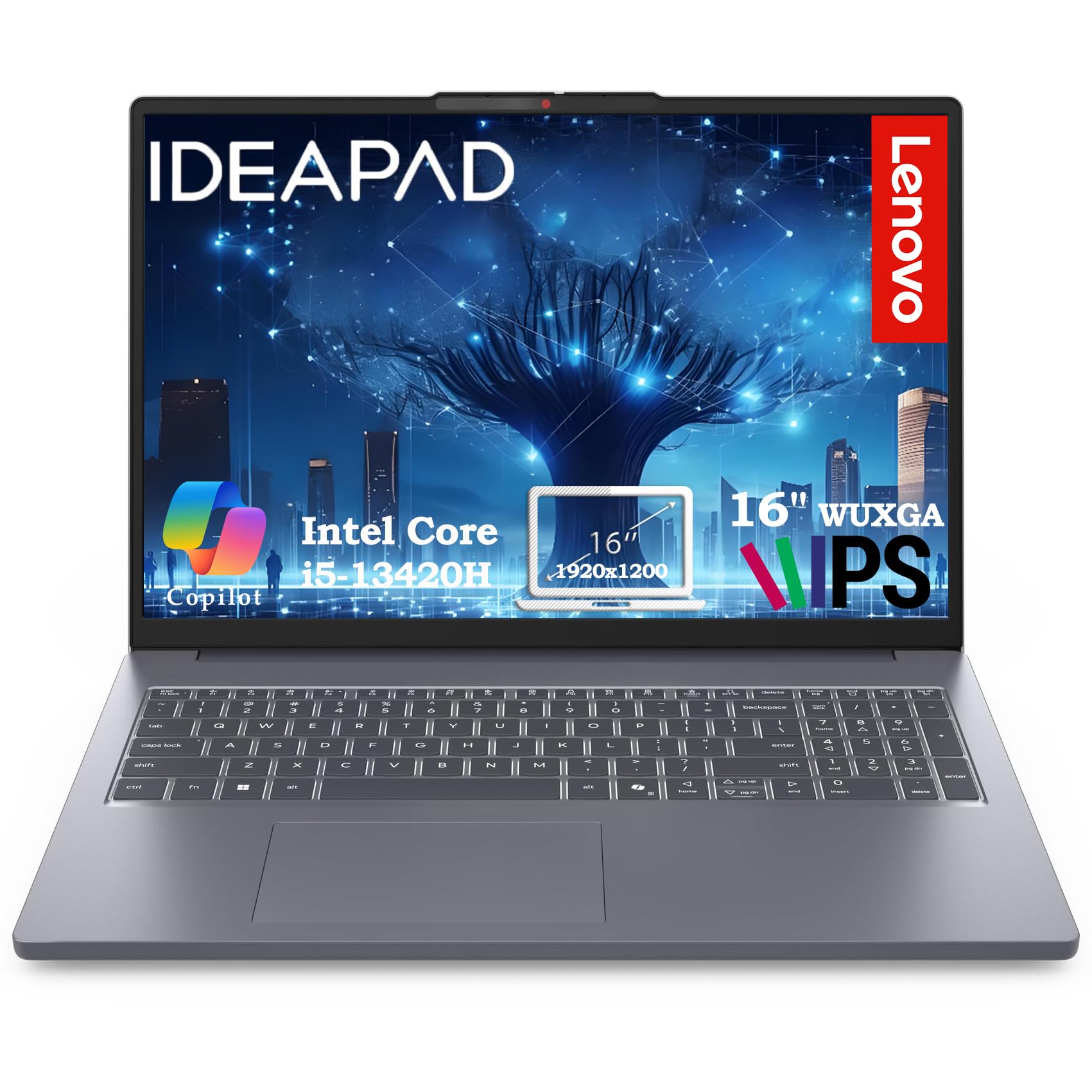
1. Lenovo Business Laptop (16GB RAM, 512GB SSD)
The value king that gives you an extra 11% of vertical screen space for spreadsheets.
Most travelers accept a smaller screen to save weight, but this Lenovo gives you a 16-inch WUXGA (1920×1200) IPS panel that offers more vertical workspace than standard 1080p — ideal for scanning long documents on a flight. It runs on a 13th-gen Intel Core i5-13420H with 8 cores that boost up to 4.6GHz, paired with 16GB of DDR5 RAM. The 512GB PCIe SSD boots in under 10 seconds, so you’re not staring at a spinner while the plane door closes.
The thing everyone raves about is the value — owners repeatedly call it “great value for money” and praise its light weight and easy portability. It even includes a 720p webcam with a physical privacy shutter, so you can slide it closed on a crowded train. With WiFi 6 and Bluetooth 5.2, you’ll stay connected on airport networks that tend to be overcrowded. Buyers report downloads go quickly, though a few note that opening new windows slows down when more than 4 are already open — a rare fit-note for heavy multitaskers.
Connectivity is surprisingly complete for the price: 2x USB-A, 1x USB-C with Power Delivery and DisplayPort, HDMI 1.4, an SD card reader, and a headphone jack. That means you can drive an external monitor and charge your phone without packing a dongle hub. The 300-nit anti-glare screen handles a bright window seat, and fast charging gets you back to work after a quick airport stop.
Why It Wins
- 16-inch display with 11% more vertical space than a standard 1080p screen
- Big value reputation — “worth the money” is the recurring owner sentiment
- Privacy shutter on the webcam for security in public spaces
The Trade-Off
- Multi-window performance dips when more than 4 apps are open
- Integrated graphics won’t handle serious gaming or video editing
Grab it for: budget-conscious road warriors who want a big screen without a big price tag.
Think twice if: you routinely run 10+ applications at once; this one prefers a lighter workload.
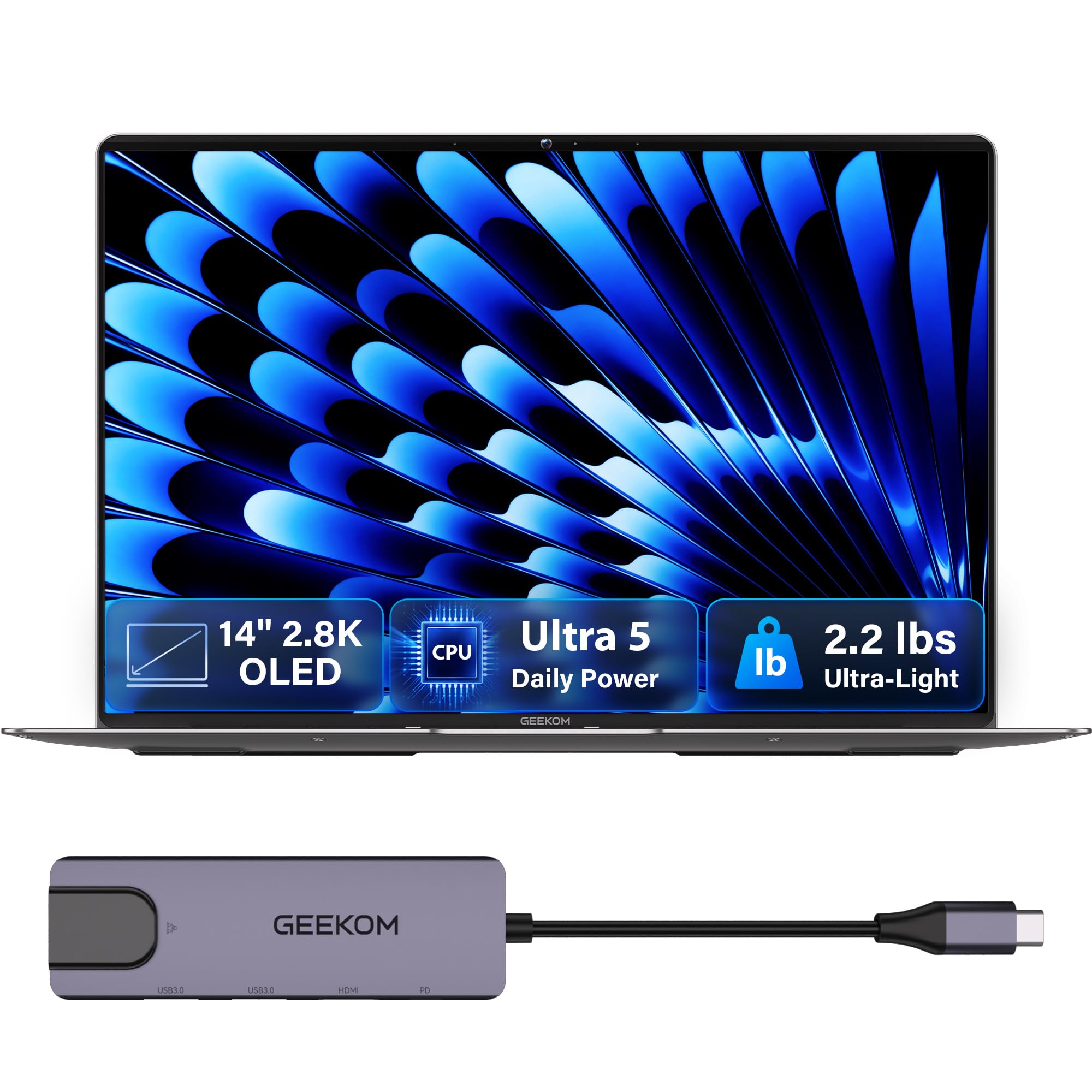
2. GEEKOM GeekBook X14 Pro
A 2.2-pound featherweight with a 2.8K OLED that makes in-flight movies look cinematic.
At 2.2 pounds, this is the kind of laptop you forget is in your bag until you need it. The 14-inch 2.8K OLED panel delivers true blacks and 100% DCI-P3 color coverage, so presentations and video edits look stunning — even in a bright, sunlit coffee shop at 450 nits of brightness. A 120Hz refresh rate keeps scrolling silky, and the self-lit pixels mean deep contrast that standard LCDs can’t match.
Performance is where this machine surprises. The Intel Core Ultra 5 125U processor (12 cores, up to 4.3GHz) with 16GB of LPDDR5 RAM at 6400MHz handles heavy multitasking. Owners mention it runs demanding software like Fusion 360 while keeping 15-20 Chrome tabs open without breaking a sweat. The 72Wh battery is rated up to 16 hours, though owners note the real-world number sits lower — still enough for a cross-country flight.
The trick up its sleeve is the included docking station. Two 40Gbps USB4 ports with Power Delivery let you drive up to three 4K displays, and you get HDMI 2.1 and a USB 3.2 Type-A port. A fingerprint reader and physical camera shutter cover your privacy. The rotating catch is the touchpad — several owners find it less smooth than they’d like, and the speakers are underwhelming, so pack headphones. Also note the 14-inch OLED uses a 14% smaller display than the 16-inch Lenovo above.
What Wins People Over
- 2.2-pound chassis that disappears in a backpack
- 2.8K OLED display with 100% DCI-P3 and 120Hz refresh rate
- 10+ hours of real-world battery with a compact 65W GaN charger
The Recurring Gripes
- Touchpad isn’t as smooth as premium rivals
- Speakers lack punch — you’ll want earbuds
Reach for this if: you want a gorgeous OLED screen and barely notice the laptop in your bag.
Look elsewhere if: you need a buttery-smooth touchpad or loud built-in speakers.
3. HP 15 Laptop (32GB RAM, 1TB SSD)
A touchscreen workhorse with a 1TB SSD so you never have to pick which files survive the trip.
Insufficient storage is a common travel frustration. This HP 15 solves it with a 1TB PCIe NVMe M.2 SSD and 32GB of DDR4 RAM — enough room for your entire video library, every client file, and then some. The 13th-gen Intel Core i5-1334U (up to 4.6GHz) handles everyday productivity smoothly, and the integrated Intel Iris Xe Graphics powers that 15.6-inch FHD (1920×1080) touchscreen with crisp clarity.
What makes it travel-friendly is the 10-hour battery life combined with HP Fast Charge — a quick top-up during a layover gets you through the next leg. The micro-edge bezel keeps the footprint compact, and the built-in numeric keypad is a blessing if you’re constantly entering figures on spreadsheets. WiFi 6 and Bluetooth 5.3 keep you connected, and Windows 11 Pro with AI-powered Copilot assists with drafting and data analysis on the go.
The HDMI port supports external displays up to 4K (3840×2160) at 30Hz, so you can present in a boardroom using a bigger screen. A USB 3.2 Type-C Gen2 port and two USB-A ports handle your peripherals. Buyers describe it as a “work horse” that is quick and reliable. That said, this is a resealed unit — the memory and SSD are upgraded after manufacture, and a few owners have flagged warranty disputes, so check your seller’s policies carefully.
Solid for: students, remote workers, and anyone who hoards files locally and wants a touchscreen for quick navigation.
The caveat: the resealed upgrade means your warranty path isn’t as clean as a factory-direct machine.
4. Dell Latitude 5550
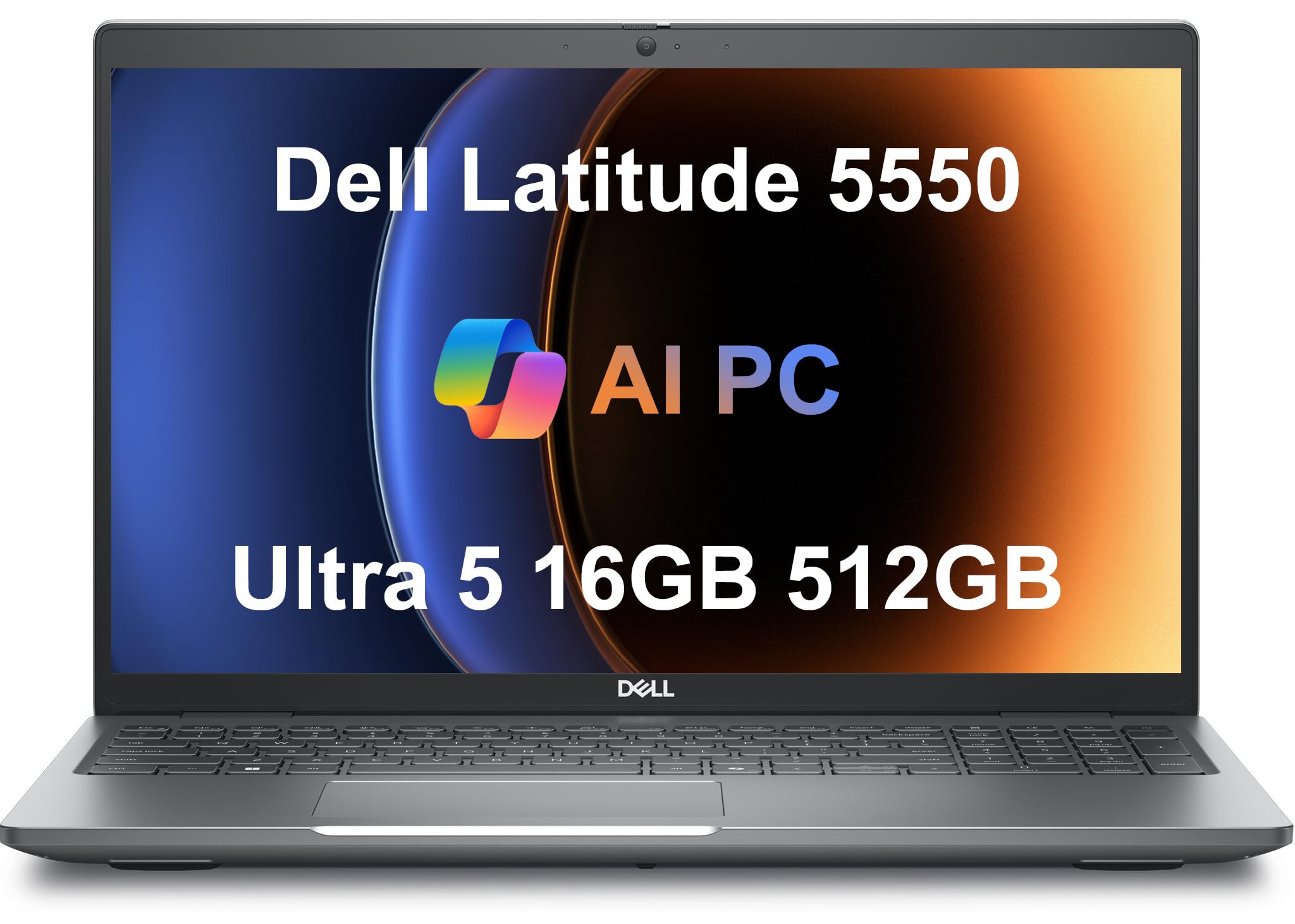
“Finally a laptop with ALL the ports” — that’s the owner reaction this Dell earns.
You land in a hotel room and need to plug into the wired network, the TV for a presentation, and your monitor for real work. That’s exactly why buyers rave about this Latitude’s port lineup: 2x Thunderbolt 4 (40Gbps), 2x USB 3.2 Gen 1 Type-A, HDMI 2.1, a proper Ethernet (RJ-45) port, and even a microSD card slot. No dongles required, no hunting for an adapter at 11 p.m.
Under the hood sits a 14th-gen Intel Core Ultra 5 125U with 12 cores and 16GB of 5600MHz DDR5 RAM. The 15.6-inch FHD (1920×1080) IPS anti-glare display keeps reflections down in bright environments, and the FHD HDR RGB webcam with a privacy shutter ensures you look sharp on calls. The backlit keyboard means you can work in a dark cabin without lighting up the row.
Battery life is rated at 11 hours, which holds up reasonably in the real world according to owner experiences. More importantly, it’s a Dell Latitude — the 5000-series business line known for build quality and IT-friendly management. It runs Windows 11 Pro and can drive two external 4K monitors at 60Hz via HDMI and Thunderbolt. The recurring praise centers on its light weight and everyday compatibility, with one owner calling it a “perfect business laptop” that works well with heavier programs.
The Highlights
- Full port arsenal — Thunderbolt 4, HDMI 2.1, Ethernet, and microSD built in
- Anti-glare 15.6″ FHD display for bright rooms
- 11-hour battery that holds up in real-world use
The Considerations
- Heavier than ultraportables like the 2.2-lb GEEKOM
- Sold as a resealed unit with third-party SSD warranty
Perfect for: IT professionals and consultants who refuse to carry a dongle collection.
skip it if: absolute minimum weight is your top priority.
5. Lenovo ThinkPad L16 Gen 2
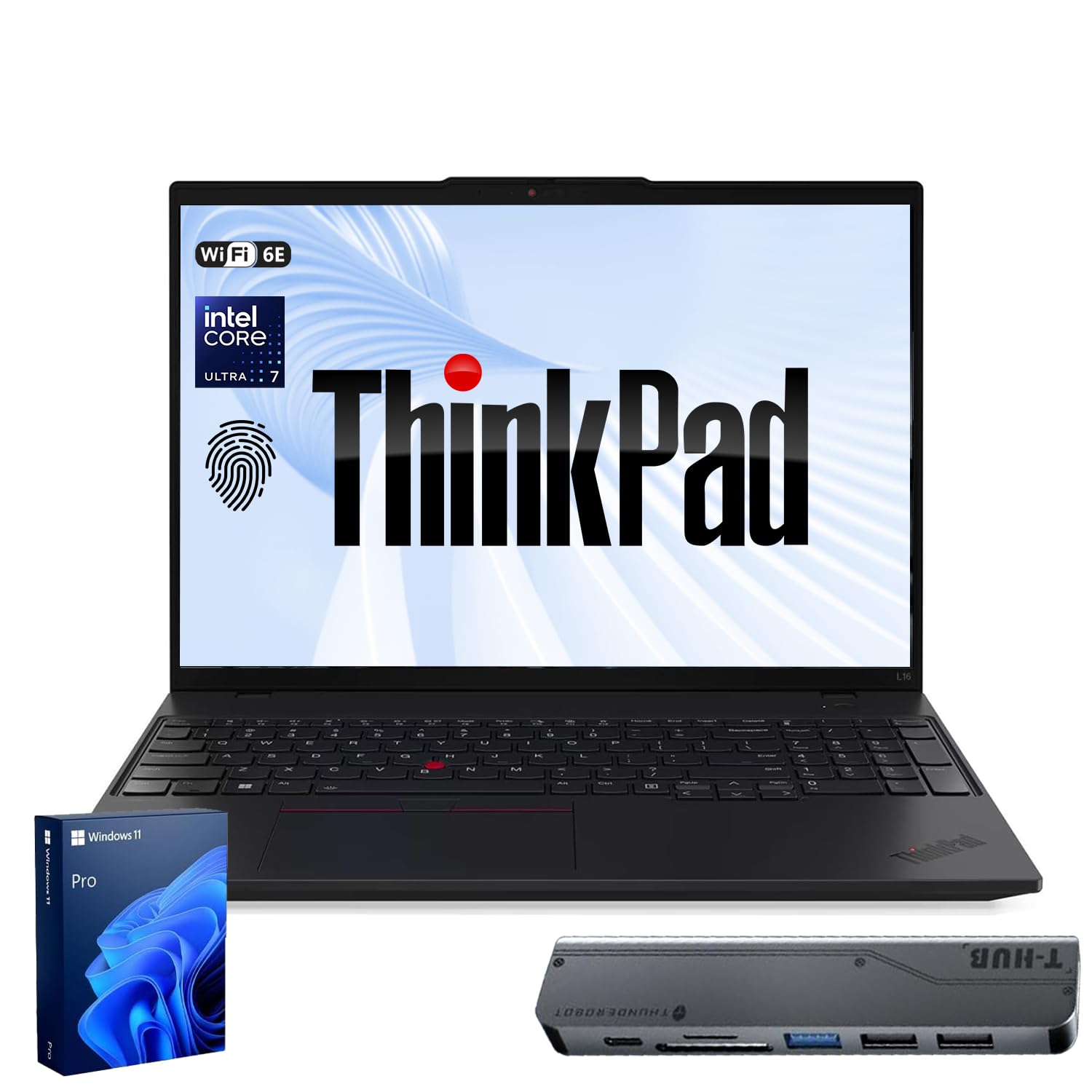
A MIL-STD-810H-tested ThinkPad for analysts who crush spreadsheets and data models all day.
This laptop prioritizes durability and performance over aesthetics. The ThinkPad L16 Gen 2 carries Intel Core Ultra 7 255U processing power (12 cores, uouchscreen display is bright, sharp, and tune screen space, and the Snapdragon X Elite (12-core) chip delivers fast, efficient performance. It promises up to 20 hours of battery life, and owners consistently confirm it “lasts nearly the whole day” on a single charge — genuinely impressive for a Windows machine.
Build quality is outstanding. Owners describe it as sturdy, lightweight, and compact, with the best keyboard they’ve used on a Windows laptop. The trackpad is responsive, and the Omnisonic Speakers with Dolby Atmos deliver decent sound for hotel-room movie nights. It’s a Copilot+ PC, meaning on-device AI features handle tasks like background blur and noise reduction for video calls.
The physical caveat is the ARM architecture. The Snapdragon X Elite runs Windows via a translation layer, and owners warn that some older peripherals — like USB/network printers lacking ARM drivers — simply won’t work. Check driver support before you rely on legacy hardware. There’s also a rare reliability complaint about the camera. Customers note excellent performance for modern apps, though video editing and multitasking are where it really shines over lighter machines.
The Allure
- Genuine all-day battery that owners confirm lasts nearly the whole day
- Sharp, vibrant touchscreen in a slim, premium chassis
- top-tier keyboard for long typing sessions
The Hurdle
- ARM chip means legacy peripherals may lack driver support
- Copilot+ AI features can require a separate subscription
Choose it for: a premium, lightweight Windows experience with the battery stamina of a MacBook.
Beware if: you rely on older USB printers or network hardware that may not have ARM drivers.
6. Dell XPS 13 9345
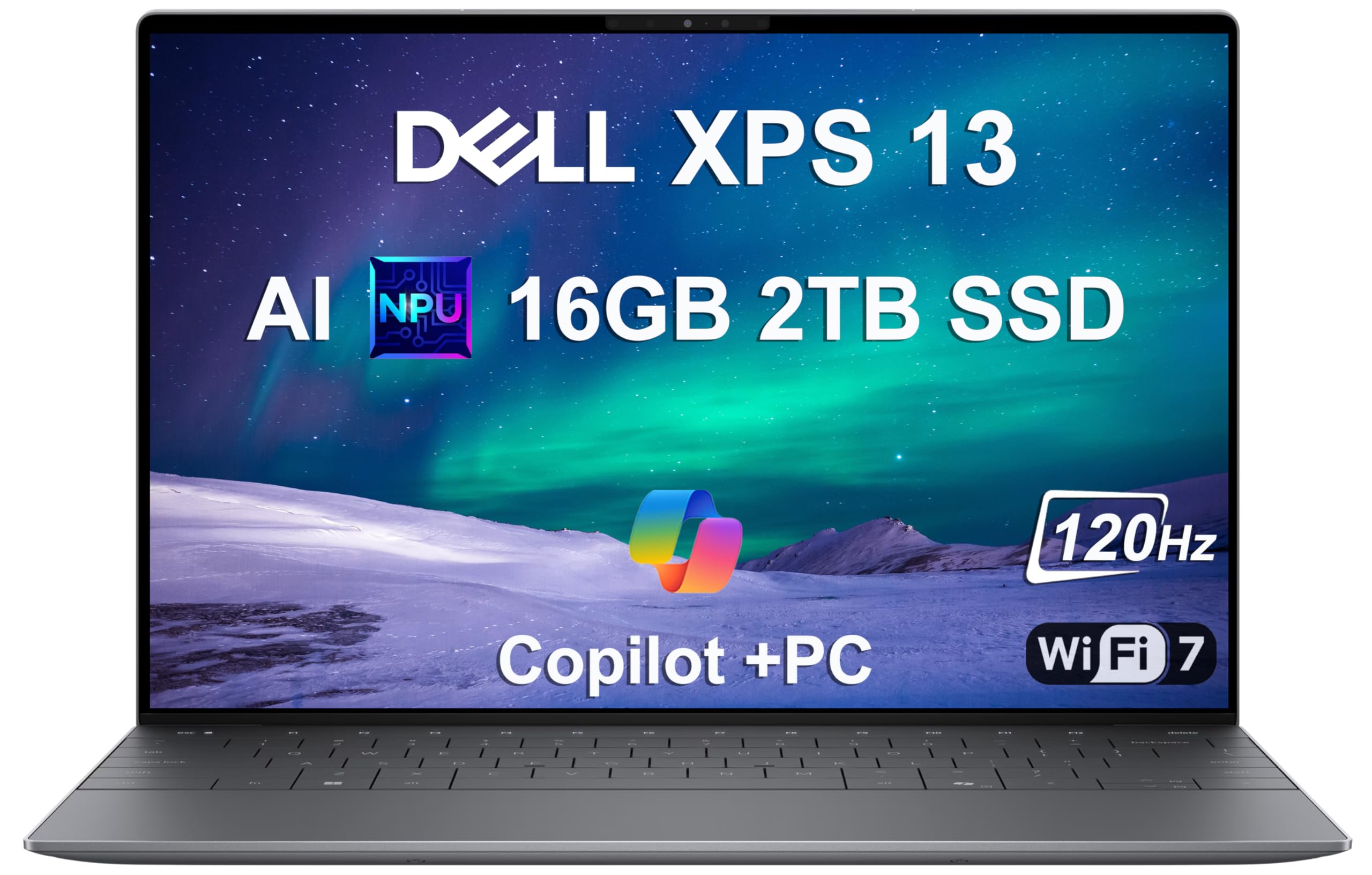
The only laptop on this list that could outlast an entire workweek on a single charge.
The headline feature here is extraordinary: 27 hours of battery life. Even being conservative about real-world usage, this Snapdragon X Elite-powered machine (12-core, dual-core boost up to 4GHz) will comfortably get you through multi-day trips without hunting for outlets. It’s also the thinnest, lightest XPS Dell has ever made, and the 13.4-inch FHD+ (1920×1200) display with 500 nits of brightness and a 120Hz refresh rate looks stunning.
Owners call it a “powerful computer with a long, long battery life and size and weight that’s perfect for traveling.” The near-instant wake from sleep (about 1 second) means you can pull it out at a gate and be working before the boarding call. It comes with a hefty 2TB PCIe NVMe SSD (a fast solid-state drive for storage), so you won’t run out of space even if you carry lots of media. The build quality is premium — this is Dell’s flagship ultraportable line, and the aluminum chassis shows it.
Connectivity is minimal by design: 2x USB4 40Gbps Type-C ports with DisplayPort and Power Delivery handle everything, plus Wi-Fi 7 (802.11be) and Bluetooth 5.4. You can drive two external 4K monitors at 60Hz without a docking station. The catch for some: you’ll need USB-C dongles for anything legacy, and it’s sold as a resealed unit with a third-party warranty on the upgraded SSD. For the traveler who refuses to carry a charger, this is the pick.
The Standouts
- 27-hour battery life — the longest on this entire list
- Ultra-thin, ultra-light chassis that’s a joy to carry
- 2TB SSD gives you massive local storage
The Sacrifices
- Only USB-C ports — you’ll need adapters for USB-A or HDMI
- Resealed unit with third-party warranty on the SSD
Grab it if: you want to leave the charger at home and never think about battery percentages again.
Pass if: you regularly plug in legacy peripherals without a USB-C adapter.
7. HP Elite x360 1040 G11
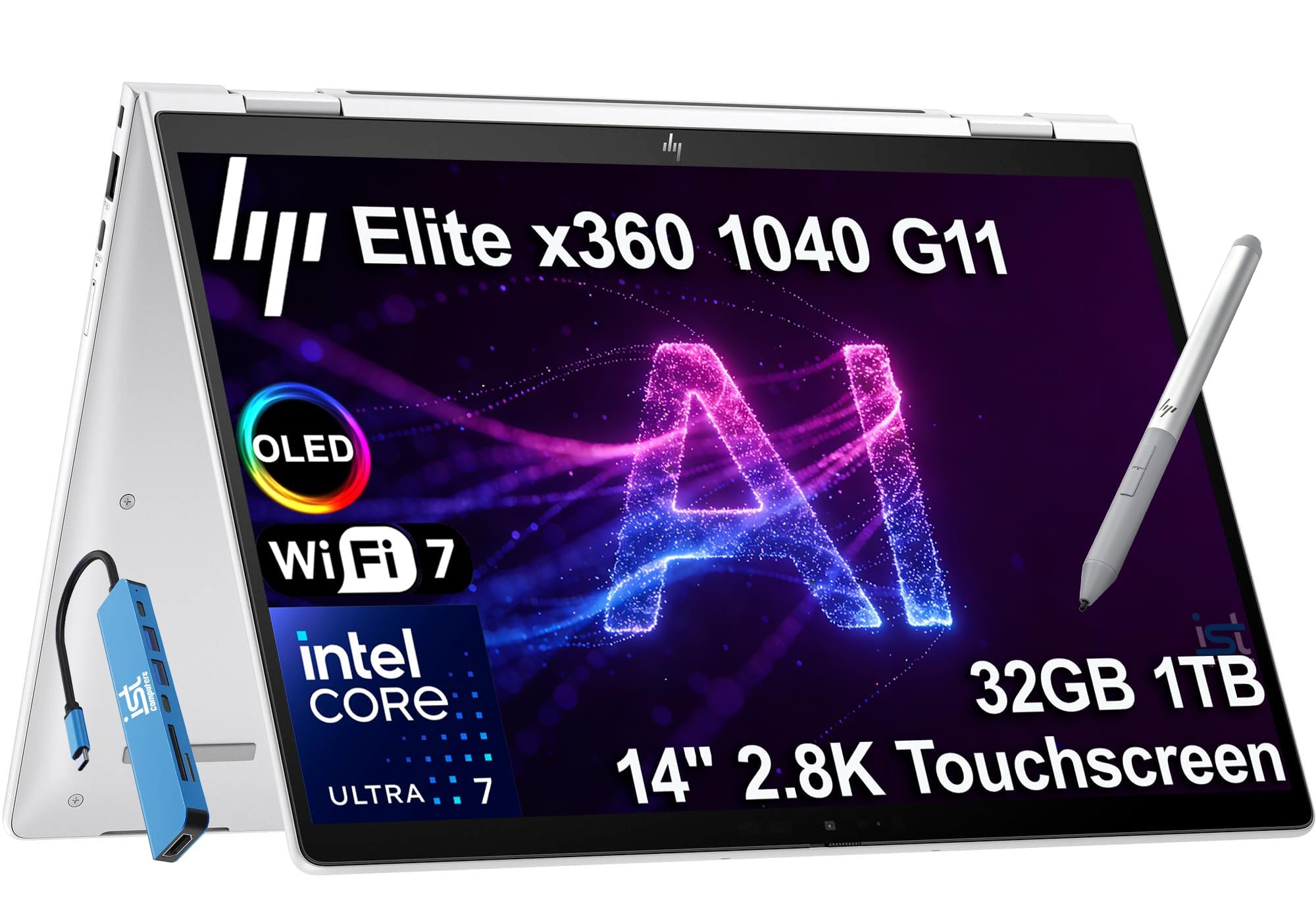
A 360-degree hinge with a 3K OLED touchscreen and an active pen — for executives who present, sketch, and annotate.
This HP gives you the full 2-in-1 experience: a 14-inch 3K QHD+ OLED touchscreen with an included HP Active Pen. Flip it into tent mode for a presentation, tablet mode for signing documents, or keep it in laptop mode for typing. The 360-degree hinge is smooth, and the OLED display delivers the deep blacks and vibrant contrast that make your slides look premium. Owners describe it as “easy to use” and love the “vibrant touchscreen” and easy tablet flip.
Under the hood, the Intel Core Ultra 7 155H vPro processor (16 cores, up to 4.8GHz) with 32GB DDR5 RAM and a 1TB SSD handles executive workloads easily. It’s an AI-enhanced business machine that dynamically adjusts power and audio settings. The quad stereo speakers tuned by Poly Studio Audio deliver spatial sound for video conferencing. A fingerprint reader and backlit keyboard round out the executive feature set.
Battery life is rated at 14 hours, which holds up reasonably in real-world use per owner reports. The catch is twofold: the all-metal chassis is heavier than the 2.2-pound ultraportables, and the fan can get “hot a little quickly” under sustained load according to one owner. There’s also a reliability concern in the review data — a few units reportedly stopped working after two weeks, so warranty coverage matters here. It comes with a bundled 7-in-1 hub for expanded connectivity.
Why It Impresses
- Gorgeous 3K QHD+ OLED touchscreen with included active pen
- Versatile 360-degree hinge for presenting and tablet use
- 14-hour battery with Poly Studio tuned speakers
The Cautions
- Runs hot under sustained heavy use
- Heavier than dedicated ultraportables
- Occasional reliability reports — keep the warranty handy
Ideal for: executives and consultants who need pen input, touch, and premium build in one machine.
Think twice if: you want maximum battery stamina with zero fan noise under load.
8. Lenovo ThinkBook 16 Gen 8 (Ultra 7 255H)

An AI-enhanced 16-core machine that owners say “operates as a workstation beyond just fine.”
This second ThinkBook 16 Gen 8 skips the dedicated NPU of its sibling and instead leans on the raw muscle of the Intel 16-Core Ultra 7 255H with AI acceleration. It’s a business-ready performer that handles complex spreadsheets, video calls, and enterprise applications without lag. The 32GB of DDR5 RAM and 2TB PCIe SSD eliminate the stutter you feel when running multiple business applications simultaneously.
Owners are emphatic about its speed. One calls it “phenomenal” for running database work with a dual-monitor setup, noting it “operates as a workstation beyond just fine.” The 16-inch FHD+ (1920×1200) display provides ample screen real estate for presentations and data analysis. WiFi 6E and Bluetooth 5.3 ensure stable video conferencing, and the fingerprint reader plus Windows 11 Pro protect sensitive business data.
The major caveat here is trust. One owner received a machine that wasn’t new — it showed an earlier purchase date, a reconfiguration history, and multiple box labels. The seller appears to sell used or upgraded units as new, which is a meaningful risk. If you buy this, verify the machine is factory-sealed and truly new. The hardware itself is excellent, but you’re relying heavily on the seller’s integrity.
What It Delivers
- 16-core Ultra 7 processor that owners rate as workstation-grade
- 32GB DDR5 and 2TB SSD for smooth multitasking
- Fingerprint reader and Windows 11 Pro for security
The Risk
- Some units arrive as previously-purchased or reconfigured machines, not factory-new
- Seller transparency is questionable — inspect your unit carefully
Pick this for: raw computing power and massive storage at a mid-range price.
Proceed with caution: verify the unit is genuinely new before relying on it for critical work.
9. Lenovo ThinkPad X1 Carbon Gen 12

64GB of RAM in a business laptop means virtual machines, massive datasets, and zero lag — even for a data scientist.
There is no such thing as “too much RAM” for a power user, and this HP EliteBook goes all the way to 64GB of DDR5. Combined with the Intel Core Ultra 7 255U (12 cores, up to 5.2GHz) and a 1TB PCIe NVMe SSD, this machine chews through Microsoft Office, accounting software, data analysis, and video meetings simultaneously. Owners describe it as “super fast” and confirm it handles heavy research and grad school workloads without breaking a sweat.
The 16-inch display (1920×1200) is large and hi-res, and buyers appreciate the numeric keypad for data entry work. The backlit, spill-resistant keyboard survives coffee spills, and the included mouse means you can work immediately after unboxing. It runs Windows 11 Pro with a fingerprint reader for secure login. The 65W USB-C fast charger gets you back to work quickly between meetings.
The physical setup includes two drives — one SSD and one HDD — and one owner noted the OS ships on the HDD, which is slower. They fixed it by reinstalling Windows on the SSD. The honest gripes are minor: some bloatware in the setup, and a defective AC power cord on one unit. For the traveler who runs databases, virtual machines, or heavy statistical software, this memory headroom is a genuine advantage over the 32GB machines here.
Made for: analysts, researchers, and power users who run memory-hungry applications like virtual machines.
Worth knowing: check which drive the OS is installed on — a quick reinstall tothe SSD fixes the boot speed.
Understanding the Specs
Battery Life vs. Battery Capacity
The two numbers that matter are the watt-hour (Wh) rating and the manufacturer’s hour claim. A 72Wh battery is physical capacity — the stored energy. The “16 hours” figure is measured in ideal lab conditions, so real-world use will deliver less. A good rule: divide the manufacturer’s claim by two for a realistic all-day number, and always look for fast charging in watts (like 65W USB-C) so a quick airport stop tops you up.
Processor Generations
Intel’s naming tells you a lot. “i5” or “Ultra 5” is the tier; the “13” or “14” after it is the generation — newer is better for efficiency. The H-series (like i5-13420H) boosts higher but uses more power, while U-series (like Ultra 5 125U) are tuned for battery life. The newest “Core Ultra” chips also include a Neural Processing Unit, or NPU, which handles AI features like background blur and noise reduction without draining your battery.
Display Types: IPS vs OLED
IPS (In-Plane Switching) panels are the business standard — they offer good color, wide viewing angles, and are affordable. OLED (Organic Light-Emitting Diode) uses self-lit pixels for perfect blacks, higher contrast, and richer colors, which is why creative professionals love it. The trade-off: OLED tends to be brighter and more vivid but some users find text less razor-sharp. For spreadsheets and documents, a high-resolution IPS like a WUXGA (1920×1200) gives you extra vertical workspace.
Connectivity: USB4 vs Thunderbolt 4
Both transfer data at up to 40Gbps — fast enough to move a full movie in seconds. Thunderbolt 4 is Intel’s standard, while USB4 is the universal version; they’re largely compatible. What matters is ports: USB-C with Power Delivery lets you charge the laptop and your phone with one charger. An Ethernet (RJ-45) port is rare but invaluable for unreliable hotel Wi-Fi, letting you plug in for a stable wired connection.
FAQ
How heavy is too heavy for a business travel laptop?
Can I use a business travel laptop for video editing?
Is an OLED display worth it for business travel?
What does a resealed or upgraded laptop mean?
Should I get a 2-in-1 convertible or a traditional clamshell?
How important is a fingerprint reader or IR camera for travel?
Will an ARM-based laptop like the Surface Laptop work with my existing software?
How long should a business travel laptop last before needing a replacement?
Final Thoughts: The Verdict
For most travelers, the winning business travel laptop is the Lenovo Business Laptop — it delivers a big 16-inch screen, a powerful i5 processor, and strong value in a light package. If you want a featherlight OLED display that makes presentations pop, grab the GEEKOM GeekBook X14 Pro at 2.2 pounds. And for the executive who demands the absolute lightest, most capable machine available, the Lenovo ThinkPad X1 Carbon Gen 13 at 2.17 pounds with a stunning 2.8K OLED is the one to reach for.
How We Picked
We do not accept paid placement. Every pick is matched to a real buyer and a real use-case; we do not hands-on test units.
Sources & Methodology
Specifications: manufacturer listings and product documentation. Review insights: verified customer reviews, as of August 2026. Pricing: not shown on this page (it changes often); check the current price via the retailer link.
As an Amazon Associate, FitlyFast earns from qualifying purchases. This does not affect which products we feature.