
Our readers keep the lights on and the weekend projects moving. As an Amazon Associate, I earn from qualifying purchases.
Specs are compiled from manufacturer listings and verified buyer reviews and can change over time — please confirm the key details on the product page before buying.
A standing desk should free you up, not tether you to a heap of loose cables that snag your knees every time you switch positions. The real question for most buyers is straightforward: which system hides the mess quietly, works with a moving desktop, and does not require a toolkit or a second pair of hands to install? This guide cuts through the options to show you the best cable management for standing desk setups, from simple clip-on spines to heavy-duty trays that swallow power strips whole.
I’m Rikta — the founder and writer behind FitlyFast. This guide is built by comparing the manufacturers’ published specifications and the patterns across verified customer reviews, so you get each pick’s real strengths and trade-offs instead of marketing spin.
The goal is simple: keep your work surface clear and your under-desk area organized without a permanent mess. Whether you prefer a no-drill clamp tray or a flexible spine that follows your desk’s movement, these picks cover the real choices in cable management for standing desk setups.
Our Picks at a Glance
How To Choose The Best Cable Management For Standing Desk
Standing desks add a moving element that a fixed desk does not. The system you pick has to handle shifting height without pinching or pulling cables loose. Here are the three factors that matter most for this specific setup.
Tray Length vs. Spine Flexibility
A long metal tray (48 inches or more) hides everything in one runner, but it stays fixed. A flexible spine like the vertebrae-style organizers moves with your desk and follows the leg as the height changes, so cables do not get yanked. For a sit-stand desk, a spine or a fabric tray that can fold slightly is usually a better fit than a rigid steel channel.
Installation Type
Clamp-on trays avoid drilling and suit glass or metal desktops. Screw-in trays are more permanent and hold heavier loads — some support up to 17.6 lb per tray. Magnetic attachments work best on steel desk legs and are the fastest to install, but have the lowest weight capacity.
Channel Width and Cable Bulk
Measure your power bricks. A standard brick is about 1.5 inches thick, and many trays are only 3 to 5.5 inches wide. If you have multiple bulky adapters, look for a tray at least 5.5 inches wide or a spine with wide quad-entry channels.
Quick Comparison
| Model | Best For | Length | Width | Weight Capacity | Amazon |
|---|---|---|---|---|---|
| Desktronic Duct (2 Pack)★ Best Overall | Premium build & longevity | 16.93″ | 4.72″ | Stainless steel | Amazon |
| KEEGH 48″ TrayAlso Great | Heavy loads & dual-PC setups | 48″ | 5.5″ | Up to 70 lbs | Amazon |
| Univivi 36″ Tray | No-drill installation | 36″ | 5.5″ | Heavy duty clamps | Amazon |
| VIVO Trays (2 Pack) | Low-profile clean look | 16.5″ | 3″ | 11 lbs per tray | Amazon |
| Ultimate Setup Vertebrae Spine | Sit-stand desk movement | 52″ | 2″ | Magnetic/Screw mount | Amazon |
| Ultimate Setup No Drill Tray (2 Pack) | Budget value & sturdy load | 16.9″ | 4.3″ | 17.6 lb per tray | Amazon |
| VIVO Vertebrae Spine | Simple cord routing | 48″ | 7″ | 3-Year warranty | Amazon |
In‑Depth Reviews
1. Desktronic Cable Duct Desk White Set of 2
Our pick — over 4.5★ from 950+ verified ratings; the strongest balance of quality and price.
A stainless steel duct set that feels like a permanent part of your desk.
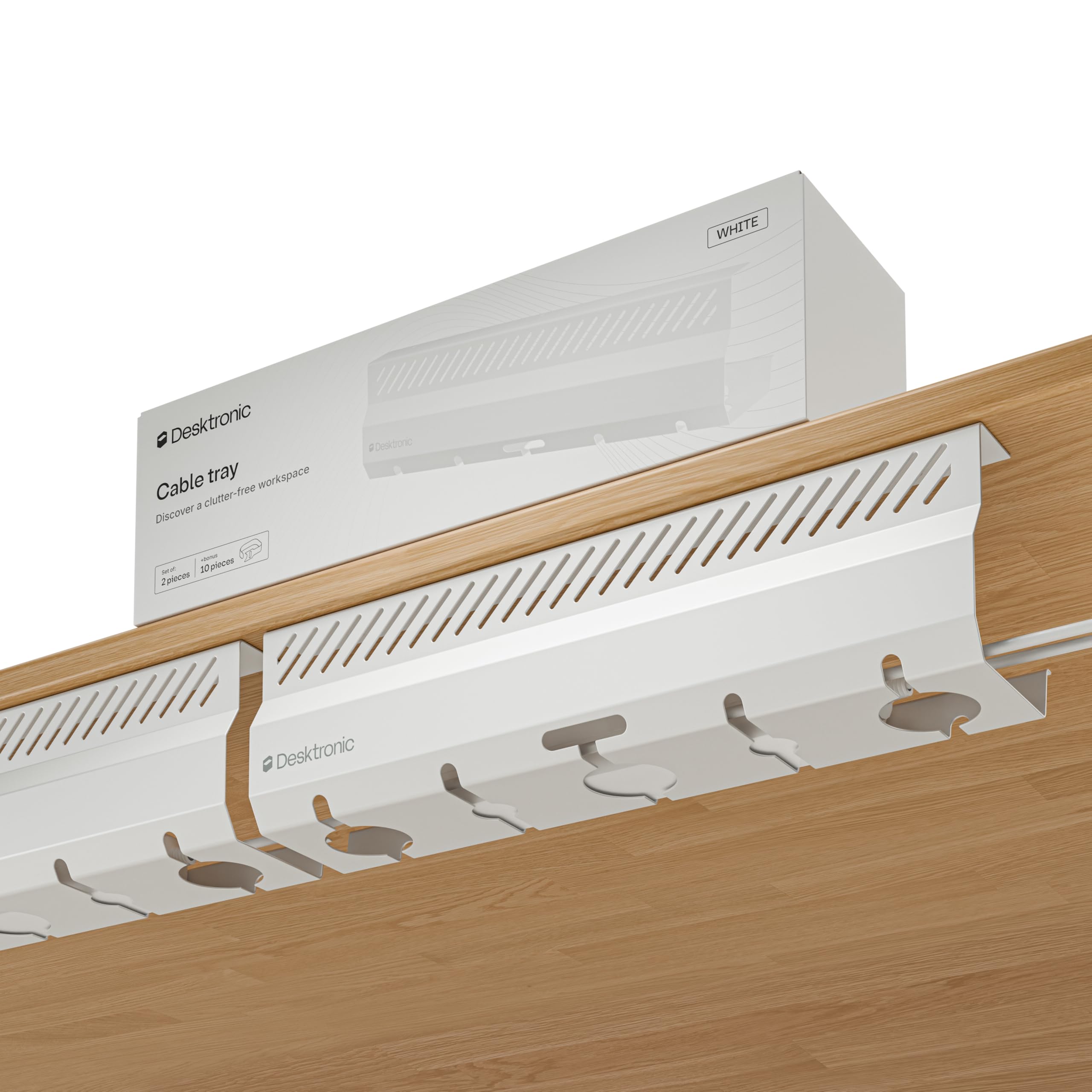
For buyers who prefer a rigid, screw-down system with a clean white finish, the Desktronic ducts are a premium pick. Each tray measures 16.93 inches by 4.72 inches and is made of thick stainless steel with a protective powder coating that resists scratches. The set of two gives you plenty of room to separate power bricks from signal cables. Installation requires a screwdriver and a desktop thickness of at least 18 mm, but the included pre-drilled holes and instructions make it a five-minute job.
Owners mention the build quality is excellent — one buyer mentioned they “would not be worried to fill it with more if necessary,” referring to additional power bricks. The 2-year manufacturer warranty adds confidence. The main difference from the VIVO trays below is the material: Desktronic uses full stainless steel, while VIVO uses a more standard metal construction.
Build quality
- Stainless steel is dent-resistant and will not bend under normal loads
- Powder coating protects against scratches when you slide cables in and out
- Two trays in the set give you 33.86 total inches of cable channel
Installation note
- Requires screw-in installation — no clamp or adhesive option for glass or metal desktops
- At 4.72 inches wide, large power strips may be a tight squeeze compared to wider fabric trays
Best for permanent setups: Choose this if you want a premium metal solution and do not mind drilling two holes per tray. It is not for renters or anyone who needs a non-permanent installation.
2. KEEGH Extra Large 48″ Under Desk Cable Management Tray
A massive fabric tray rated up to 70 lb that swallows an entire desktop setup whole.
If you run a dual-PC or heavy workstation with a large surge protector and a router, this is the one. At 48 inches long and 5.5 inches wide, the KEEGH tray is the biggest on this list, and its Oxford fabric body is flame-retardant — a meaningful safety check for a tray holding hot-running power bricks. Installation is quick with either clamp or screw mounts, and the included rubber pads protect metal, wood, or glass desktops from scratches.
The catch is that once you load everything in and strap it down with the 7 built-in belts, adjusting a cable later is a pain. Buyers report it works perfectly for a final, fixed layout — just plan your cable runs before you cinch everything closed.
What it masters
- Holds up to 70 lb — enough for surge protectors, Ethernet boxes, and heavy adapters without sagging
- Clamp mount avoids drilling and works on glass or metal desktops
- Fire-retardant fabric adds a layer of safety for crowded setups
What to know
- Making adjustments after installation requires unbuckling everything — not a quick-fix system
- Fabric tray hides everything, but you cannot see where a specific cable runs without opening it
Best for heavy setups: This is for anyone with multiple PCs, a large surge protector, and a desire to hide it all in one long runner. Look elsewhere if you need to swap cables frequently or prefer a see-through metal tray.
3. Univivi No Drill Under Desk Cable Management Tray, 36″
A tool-free tray that clamps in seconds and holds a full power strip without damaging your desk.
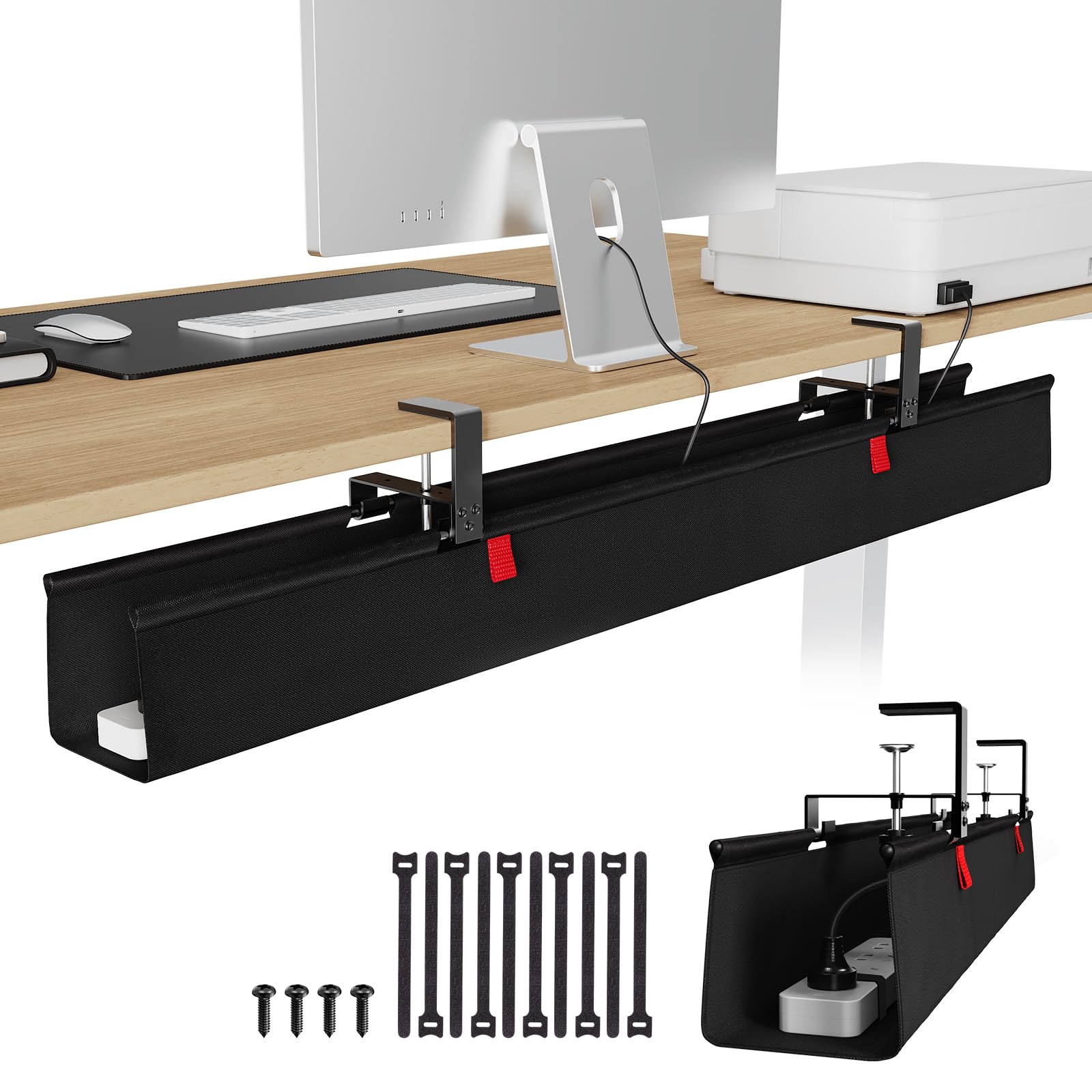
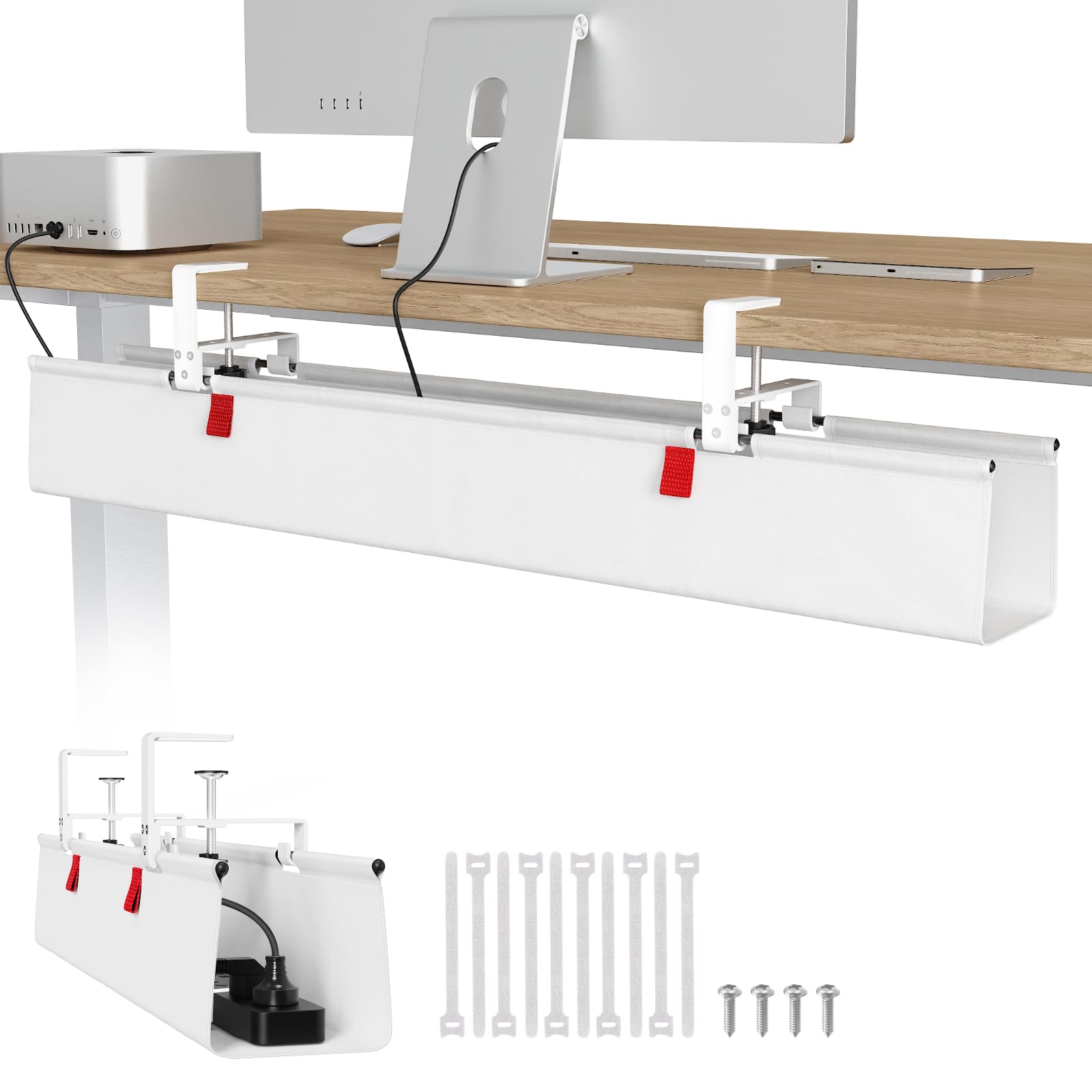
The Univivi is a 36-inch fabric tray that balances reach and ease of installation. Unlike the smaller metal trays that must be screwed in, this one uses heavy-duty clamp brackets that grip any desktop edge without leaving marks. The 600D Oxford fabric is flame-retardant and has bottom supports so it keeps its shape even when loaded with heavy adapters. The tray is also easy to access: you can unclip the front edge to add or remove cables without unthreading everything.
One reviewer noted their oversized power outlet barely fit, so measure your widest brick before buying. At 36 inches long and 5.5 inches wide, it is a full third shorter than the KEEGH 48-inch tray above, so it is a better fit for a single-monitor or mid-size standing desk.
Why it stands out
- Clamp-on design means zero drilling and zero damage to the desktop surface
- Fabric tray folds down for quick cable access — no need to loosen screws or belts
- Built-in cable ties keep each cord separate inside the tray
The trade-off
- Width is generous at 5.5 inches, but very wide power strips may still be a tight fit
- Fabric is sturdy but can sag if you exceed the load rating
Right for no-drill setups: If you rent your space, want zero permanent modifications, and need a tray that is easy to install and access, this is your pick. skip it if your power strip is wider than average or you need a metal tray for a truly industrial load.
4. VIVO Under Desk 17 Inch Cable Management Trays, 2 Pack
A slim, screw-on metal tray that hides cables without adding visual bulk underneath.
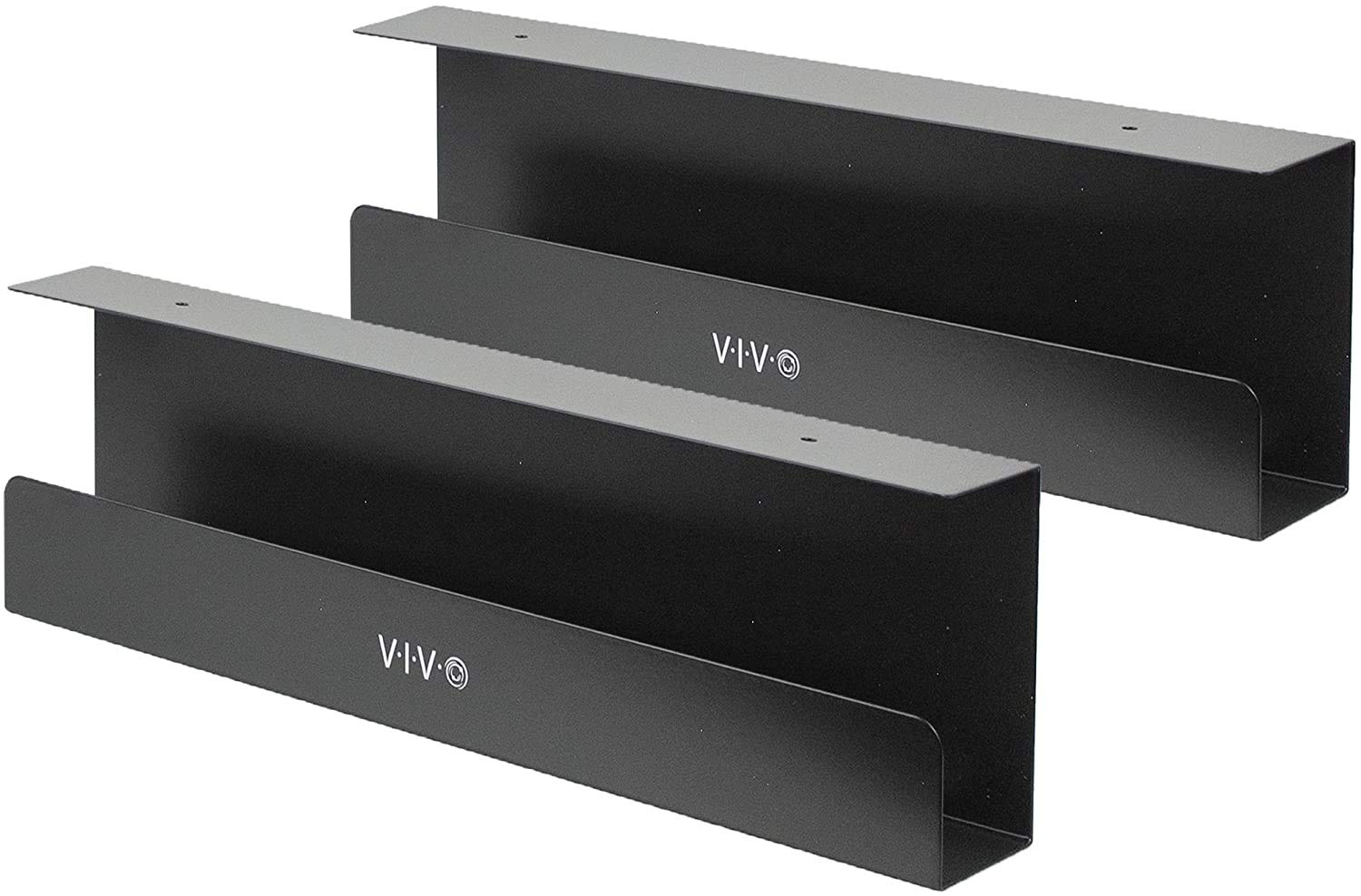
The VIVO 2-pack is a popular choice for a clean, low-profile setup. Each tray is 16.5 inches long and only 3 inches wide — noticeably narrower than the Univivi and KEEGH fabric trays. This is by design: it fits tight against the desk surface and stays out of sight. Each tray supports up to 11 lb of weight, and the durable metal design will not bend over time. Installation uses two screws per tray, and the mounting holes are 11 inches apart on each tray.
The trade-off is that the narrow 3-inch width means it only fits slim power strips. One owner reported their power strip was too wide and ended up using Velcro instead. For a single-monitor setup with a small power brick, these trays work perfectly; for a heavy dual-PC rig with a thick surge protector, you will want the KEEGH or Univivi trays instead. Reviewers praise the sturdy build and the clean look once installed.
Pros
- Minimalist design blends into any desk — nearly invisible from standing position
- Metal tray is sturdy and will not sag under normal loads
- Two trays at this price point offer good value for compact setups
Cons
- Only 3 inches wide — standard power strips may not fit inside
- Screw-in installation only; no clamp option
For minimalist cable runs: This set is best for a clean, low-profile look with a handful of cables and a narrow power strip. If you have bulky adapters or wide surge protectors, look at the wider fabric trays above.
5. Ultimate Setup Under Desk Cable Management Vertebrae, 133 cm
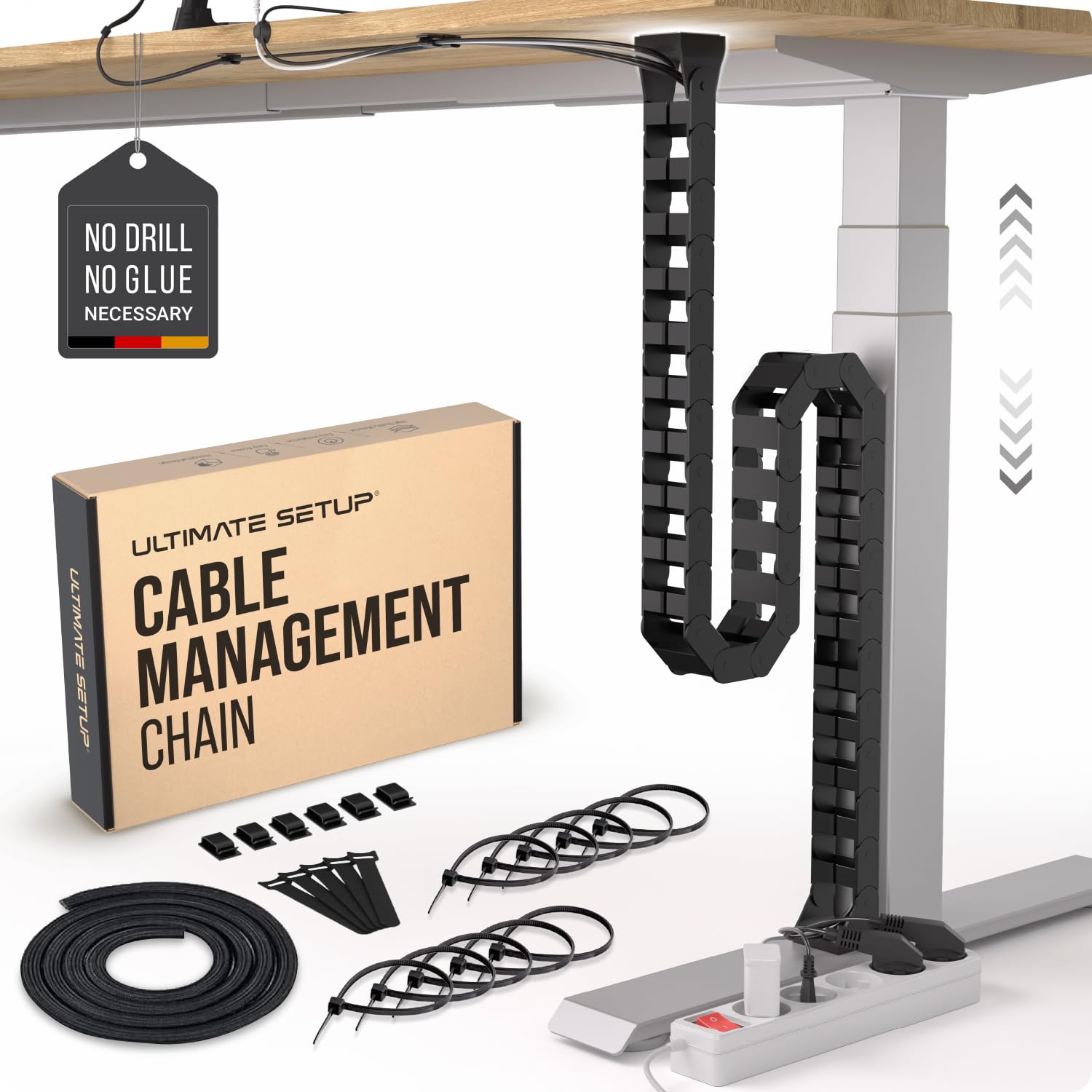
A flexible spine that moves silently with your standing desk as it rises and falls.
The Ultimate Setup Vertebrae is designed specifically for sit-stand desks. It attaches to both the desk and the desk leg using magnetic, screw, or adhesive mounts — giving you three installation options. The 52-inch spine can be shortened by removing sections, and its hinged design lets cables move without pinching or binding. Buyers love that it holds cables snugly against the leg, keeping the area below the desk clear and neat even at full standing height.
A key difference from the VIVO Vertebrae below is the magnetic mount option: VIVO’s spine uses a screw-in top element and a weighted metal base, while Ultimate Setup includes magnets that grip steel legs. Customers note the magnets are strong enough for a solid hold. The 5-year guarantee is also the longest warranty of any product on this list.
What works
- Magnetic mount makes installation easy on steel desk legs — no tools needed
- Adjustable length lets you trim the spine to the exact height of your desk
- Silent operation — no dragging or scraping when the desk moves
What to check
- Magnetic mount only works on steel legs; wooden legs require screw or adhesive installation
- Spine is 2 inches wide — thick power cables can be a snug fit
Ideal for adjustable-height desks: If you have a steel-legged standing desk and want a system that follows it without fuss, this is your pick. It is less suited for fixed-height desks or for users who want a rigid tray for heavy power strips.
6. VIVO Under Desk Vertebrae Cable Management Kit, DESK-AC01C

A 48-inch flexible snake that gives you four channels to route cables through.
The VIVO Vertebrae is the original flexible spine concept. It attaches to the underside of your desk with a screw-in top element and uses a weighted steel base plate that sits on the floor, keeping the 48-inch strip taut and organized. The 4-way channel entry means you can drop cables in at any angle, and the snap-together interlock blocks let you shorten the spine. It is a good fit for a standing desk because the spine articulates as the desk rises, preventing cable strain.
Reviewers point out the material is mostly plastic except for the metal base plate. One customer observed that “thicker power cords to the PCs still fit through the slot even though have to push the plastic in a bit to fit.” This is a solid entry-level spine, though it lacks the magnetic mount and 5-year guarantee of the Ultimate Setup vertebrae above.
Why it works
- Quad-entry design lets you add cables from any direction without threading
- Can be shortened by removing blocks for a custom fit
- 3-year warranty is longer than many competitors in this price range
Where it falls short
- Mostly plastic construction — not as durable as metal-based systems
- No magnetic mount option; requires screws for the top element
Entry-level spine for cord routing: This is a good first spine for anyone on a tight budget who needs organized cable movement. If you want magnetic mounting or a longer warranty, the Ultimate Setup vertebrae is a stronger pick for a small step up in cost.
7. Ultimate Setup No Drill Under Desk Cable Management Tray, 2 Pack
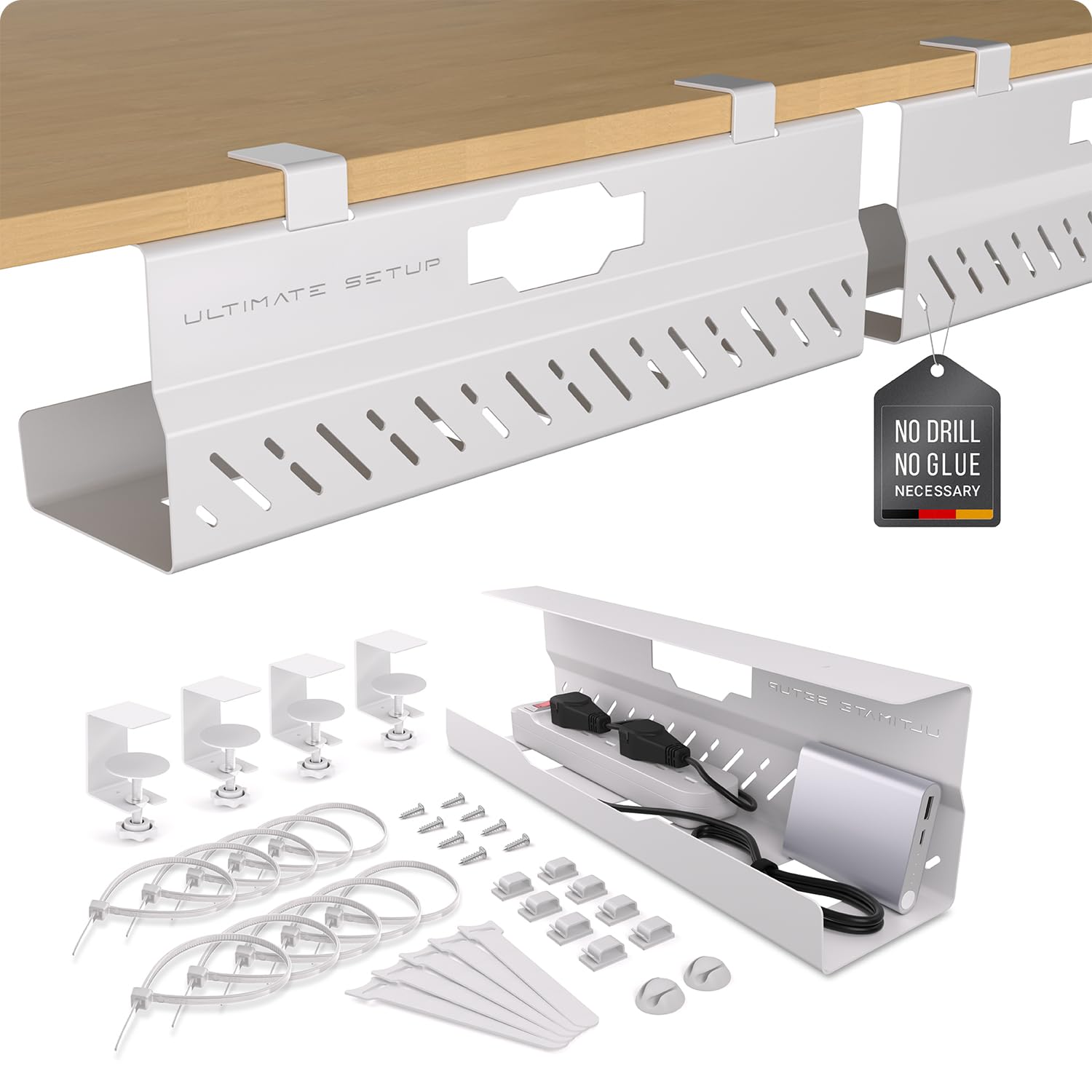
A two-piece metal tray set that holds its own against pricier competitors.
The Ultimate Setup No Drill tray is a strong budget option. Each tray is made of high-quality steel, coated for scratch resistance, and can support up to 17.6 lb per tray. The clamp installation means you do not need to drill into your desk. The set includes velcro ties and cable clips so you can organize everything right from the start. The 16.9-inch length and 4.3-inch width are a good middle ground between the narrow VIVO trays and the wide fabric options.
Shoppers say that the size “realistically fits two adapters and cables for enough space and room.” That makes each tray a good fit for a single PC setup or a TV area. The 5-year guarantee is impressive for a budget pick. The main limitation is the same as the VIVO trays: if you need to fit more than two chunky power bricks, you may want a wider single tray instead.
What you get
- Five-year guarantee — longer than most metal trays at this price
- Clamp installation avoids damage to the desktop surface
- Steel construction is sturdy and resists bending under heavy loads
What to consider
- 4.3-inch width may feel tight if you need to fit multiple large power bricks per tray
- No fabric cover — cables are visible from the side if you look under the desk
Worth it for budget builds: If you want a solid metal tray with a clamp mount and a long warranty, this two-pack is a great value. It is less ideal for a single large surge protector that spans the full width of the desk.
Understanding the Specs
Weight Capacity
This tells you how much your tray can hold before the mount or the tray itself starts bending. A metal tray rated at 17.6 lb can handle a power strip plus several adapters easily. A fabric tray like the KEEGH at 70 lb can hold a full surge protector and a router. Always check this number against the total weight of your power bricks — typical desktop surge protectors weigh between 1 and 3 lb empty, but adapters can add several more pounds.
Installation Type
Clamp-on (or no-drill) systems use padded brackets that grip the desk edge without permanent holes. Screw-in installation gives you a stronger hold but leaves holes in your desktop. Magnetic mounts are the fastest option but require a steel desk leg to work. For renters, clamp-on or magnetic are the safest choices — you can remove them without leaving any signs of use behind.
Tray Length and Channel Width
Length determines how much cable you can hide in a straight run. A 48-inch tray covers most of the under-desk area in one sweep. Width matters for your power brick size — a standard power adapter is about 1.5 to 2 inches wide, so a 3-inch tray leaves little room for multiple bricks side by side, while a 5.5-inch tray gives you breathing room. Measure your widest plug before you choose.
Flexibility vs. Rigidity
Vertebrae-style spines are hinged and can articulate as your standing desk moves, which stops cables from being pulled tight at standing height. Rigid trays stay fixed and are better for a desk that stays at one height. If you change desk height often, a spine or a fabric tray (which has a little give) will be less likely to strain your connections than a solid steel channel.
FAQ
Will a cable management tray work on a glass standing desk?
How do I measure the right tray length for my desk?
Can I use a cable spine with a non-adjustable desk?
Which holds more weight — a metal tray or a fabric tray?
Do clamp-on trays leave marks on the desk?
How do I keep cables from getting caught when I raise my standing desk?
What is the difference between a cable tray and a cable spine?
Can I use a cable tray on a metal or steel desk?
How many power bricks fit in a 5.5-inch wide tray?
Is a flame-retardant tray necessary?
Final Thoughts: The Verdict
For most buyers, the best cable management for standing desk setups is the KEEGH Extra Large 48″ Tray because it handles heavy dual-PC loads with a 70 lb capacity and a simple clamp installation. If you prefer a no-drill tray that is easy to access and adjust often, grab the Univivi 36″ Tray. And for a sit-stand desk where the cables need to move silently with the frame, the Ultimate Setup Vertebrae Spine uses a magnetic mount and a 5-year guarantee to keep everything tidy as you raise and lower the desk.
How We Picked
We do not accept paid placement. Every pick is matched to a real buyer and a real use-case; we do not hands-on test units.
Sources & Methodology
Specifications: manufacturer listings and product documentation. Review insights: verified customer reviews, as of July 2026. Pricing: not shown on this page (it changes often); check the current price via the retailer link.
As an Amazon Associate, FitlyFast earns from qualifying purchases. This does not affect which products we feature.