
Our readers keep the lights on and the weekend projects moving. As an Amazon Associate, I earn from qualifying purchases.
Specs are compiled from manufacturer listings and verified buyer reviews and can change over time — please confirm the key details on the product page before buying.
You are about to spend a lot of time with a calculator over the next four years — it is the tool that turns a complicated problem into an answer you can write down. The best one handles complex equations, graphs functions on the fly, and is allowed in the exam room. This guide helps you pick a model that actually earns its spot in your backpack, based on published specs and patterns in verified customer reviews.
I’m Rikta — the founder and writer behind FitlyFast. This guide is built by comparing the manufacturers’ published specifications and the patterns across verified customer reviews, so you get each pick’s real strengths and trade-offs instead of marketing spin.
The goal is straightforward: find the best calculator for engineering students that matches your coursework, budget, and exam rules — without paying for features you will never use or missing the one function your professor assumes you have.
Our Picks at a Glance

How To Choose The Best Calculator For Engineering Students
Your first step is a simple check: what does your department allow in exams? Buying a model that looks great but is banned is a waste of money. The second mistake is paying for a Computer Algebra System (CAS — a feature that manipulates symbols like variables instead of just numbers) when your curriculum explicitly forbids it. Match the calculator to your course level first, then your budget.
Your Course Level and Exam Rules
Freshman and sophomore courses (calculus, physics, chemistry) usually allow graphing calculators without CAS. Junior and senior courses (differential equations, linear algebra, signals) often require CAS for symbolic integration and matrix solving. Check your department’s exam policy before you buy — the wrong choice means a paperweight on test day.
CAS vs Non-CAS
A Computer Algebra System (CAS) lets the calculator manipulate symbols, not just numbers — it can factor polynomials, solve equations for a variable, and compute derivatives symbolically. Non-CAS models (like the TI-84 line) only handle numeric answers. If your exams allow CAS, get it; if they ban it, save the money and stick with non-CAS.
Screen Size and Resolution
A bigger screen — measured diagonally in inches — means you see more of a formula or graph without scrolling. Higher resolution (measured in DPI or pixels) makes fractions, exponents, and subscripts legible without squinting. For multi-line calculations, a 3-inch-plus screen with decent pixel density is a real time-saver under pressure.
Battery and Power
Some models run on replaceable AAA batteries; others have built-in rechargeable lithium-ion packs. Rechargeable models save money over time but need access to a USB port. AAA-powered ones can be swapped instantly during a long exam day if you carry spares. Check whether a charging cable is included.
Quick Comparison
| Model | Best For | CAS | Screen Size | Item Weight | Amazon |
|---|---|---|---|---|---|
| TI-Nspire CX II CAS★ Best Overall | Upper-level engineering math | Yes | 3.5″ diagonal | 9.12 oz | Amazon |
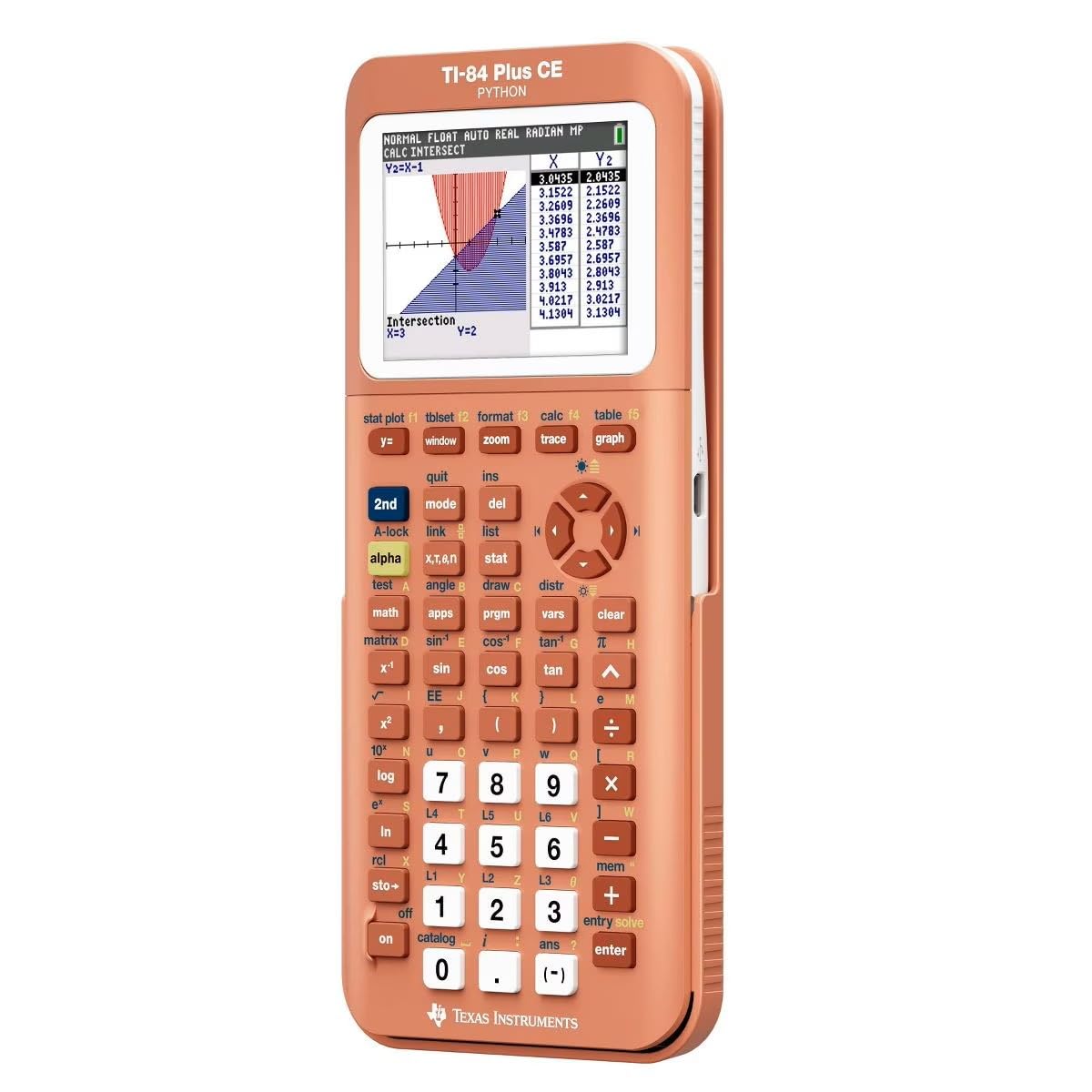
| TI-84 Plus CE Python CoralReliable Standard | Reliable classroom standard | No | 3.2″ | 0.6 lb | Amazon |
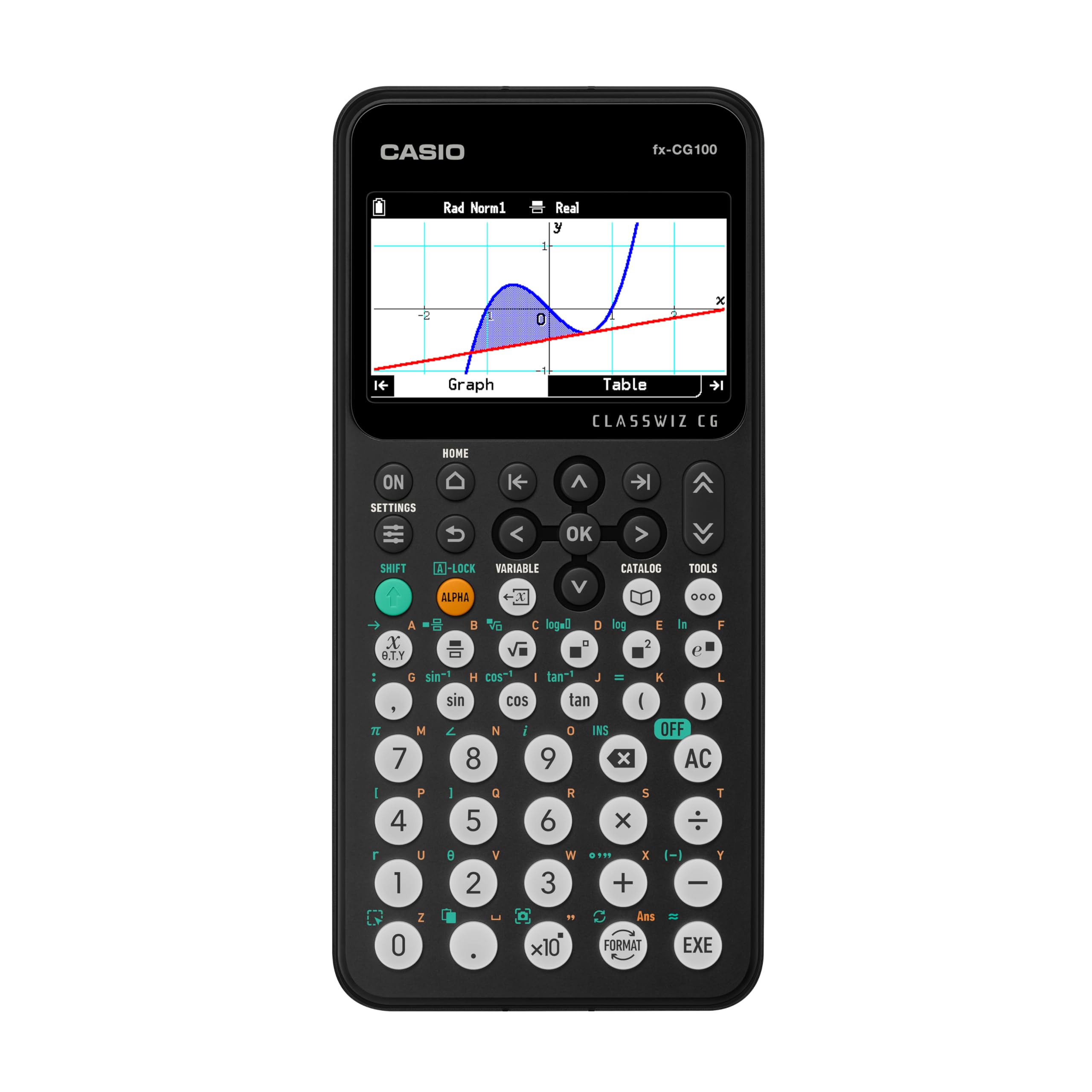
| Casio fx-CG100 ClassWiz3D Color Graphing | 3D color graphing + coding | No | 3.7″ | 0.5 lb | Amazon |
| TOVO TS-259 | Entry-level graphing at low cost | No | 3″ | — | Amazon |
| CATIGA CS-229 | High school / early college | No | 3.3″ | — | Amazon |
| Casio fx-9750GIII | Budget graphing with Python | No | — | 7.5 oz | Amazon |
| TI-84 Evo Lavender | Modernized classic for daily use | No | 2.8″ | 0.45 lb | Amazon |
| HP Prime G2 | Touchscreen power users | Yes | 8.89 cm | — | Amazon |
In‑Depth Reviews
1. Texas Instruments TI-Nspire CX II CAS Color Graphing Calculator with Student Software
Our pick — over 4.5★ from 9,000+ verified ratings; the strongest balance of quality and price.
CAS solves polynomials, complex equations, and 3D graphs — the defining tool for upper-division engineering.
You reach for this calculator when you need to solve indefinite integrals, transfer functions, and systems of equations symbolically — exactly the algebra-heavy work in junior and senior year. Its Computer Algebra System (CAS — a feature that lets it manipulate variables like ‘x’ instead of just numbers) handles that kind of math without you doing the grunt work by hand. The color screen (320 x 240 pixels, 3.5 inches diagonal) shows multi-line graphs and split-screen notes clearly, and six different graph styles with 15 colors let you layer several plots without losing track of which line is which.
You get up to two weeks of battery life on a single charge for a typical student schedule, so you are not hunting for a USB outlet between classes. The rechargeable battery is included, and the calculator weighs 9.12 ounces — light enough to disappear into a backpack pocket. The trade-off is the learning curve: the manual helps, and most owners say YouTube tutorials are the fastest way to get fluent with the CAS menus. Over 9,400 reviewers give it a 4.7-star rating, with the strongest praise going to its accuracy and durability once you master the interface.
Buyers report the CAS eliminates manual grunt work — “CAS solves polynomials, complex equations, 3D graphs.” The TI-Nspire CX II CAS is sharper at symbolic algebra than the non-CAS TI-84 Plus CE because it works with variables, not just numbers. It is approved for many exams, but check your department’s policy because some standardized tests ban CAS models entirely. The body measures 7.59 x 3.62 inches and includes a track pad for cursor navigation without a stylus.
Smart investment: Buy this if you are in an engineering program that allows CAS and plan to take signals, controls, or advanced calculus. It is overkill — and often banned — in high school or lower-level required math classes.
Grab it for: upper-level college engineering where symbolic algebra saves hours of hand work each week.
Think twice if: your exam board bans CAS or you only need four-function and basic scientific operations for introductory courses.
2. Texas Instruments TI-84 Plus CE Python Color Graphing Calculator, Coral (Metallic)
The classroom classic updated with Python, a high-resolution color screen, and zero learning curve for TI veterans.
If your engineering department issues a recommended calculator list, the TI-84 Plus CE is almost certainly on it. This Coral version keeps the familiar TI-84 layout — so anyone who used a TI-83 in high school can start graphing within minutes — but upgrades the display to a 3.2-inch backlit color screen at 140 DPI (dots per inch, a measure of sharpness) and 16-bit color. That resolution means fractions, subscripts, and graph intersections are sharp enough to read at a glance during an exam. The rechargeable battery is a practical upgrade: no scrambling for AAA cells the night before a test.
What wins people over is the reliable mix of features and ease of use. One chemistry major specifically loves the built-in color periodic table — tap any element to see its full data. The Python programming support lets you write small scripts for repeated calculations, though most owners find the core graphing and statistics functions cover their daily needs. The 4.6-star score across hundreds of reviews reflects a pattern: it handles every required math task, from pre-calc through calculus, and the coral color makes it easy to spot in a crowded backpack.
Battery life is a frequently discussed point — some owners find it excellent, others wish it lasted longer between charges. The calculator weighs 0.6 pounds and measures 8 x 4.4 inches, slightly larger than the Casio fx-9750GIII, but the extra size makes the keypad less cramped for larger hands.
No-surprises choice: Reach for this if your school mandates a TI-84 or you want a non-CAS graphing calculator that the entire campus knows how to troubleshoot. The lack of a Computer Algebra System means it is allowed in most standardized exams where CAS is banned.
Best for: students who need a reliable, exam-proof graphing calculator with zero compatibility issues across courses.
Limit: no CAS engine — if your upper-level classes require symbolic algebra, you will outgrow this model.
3. Casio fx-CG100 ClassWiz Color Graphing Calculator
A high-resolution color display that plots spheres and cylinders in 3D — class-leading for multivariable calculus.
You need this Casio when your coursework involves surfaces — think triple integrals, vector fields, or parametric surfaces. The 3.7-inch backlit LCD (liquid crystal display) shows over 65,000 colors and supports 3D graphing of up to three functions including spheres, cylinders, and planes. The large high-resolution screen makes it easier to see where two surfaces intersect without tilting the calculator. The Natural Textbook Display shows expressions exactly as they appear in your textbook, which reduces input errors when you are copying a problem from the board.
The tab-based menu layout and glyph-based key labeling speed up navigation once you learn the system. It supports complex number calculations, polar and rectilinear graphing, matrix and vector operations, statistics, and dynamic graphing. Built-in MicroPython (a version of the Python programming language for small devices) lets you write short programs directly on the calculator. The fx-CG100 is approved for AP, SAT, PSAT, and ACT exams with a built-in Exam Mode accessible from the home screen. It runs on 4 AAA batteries (included) and weighs 0.5 pounds at 8.86 x 3.62 inches.
Owners consistently give this model full marks — the 4.8-star rating across its reviews is the highest in this roundup. The learning curve from a basic scientific calculator to a full-featured graphing model is real, but the ClassWiz key layout is designed to ease that transition. Its 3D graphing capability makes it a better visual tool for multivariable calculus than the TI-84 Plus CE, which only plots in 2D.
Visual powerhouse: Choose this if your coursework involves 3D surfaces, color-coded data analysis, or you simply want the largest screen available for reading multi-line formulas.
Ideal for: multivariable calculus, physics with 3D vector problems, and any class that benefits from color graph overlays.
Trade-off: no CAS engine — all symbolic manipulation must be done by hand or with separate software.
4. TI-84 Evo Graphing Calculator Texas Instruments, Lavender
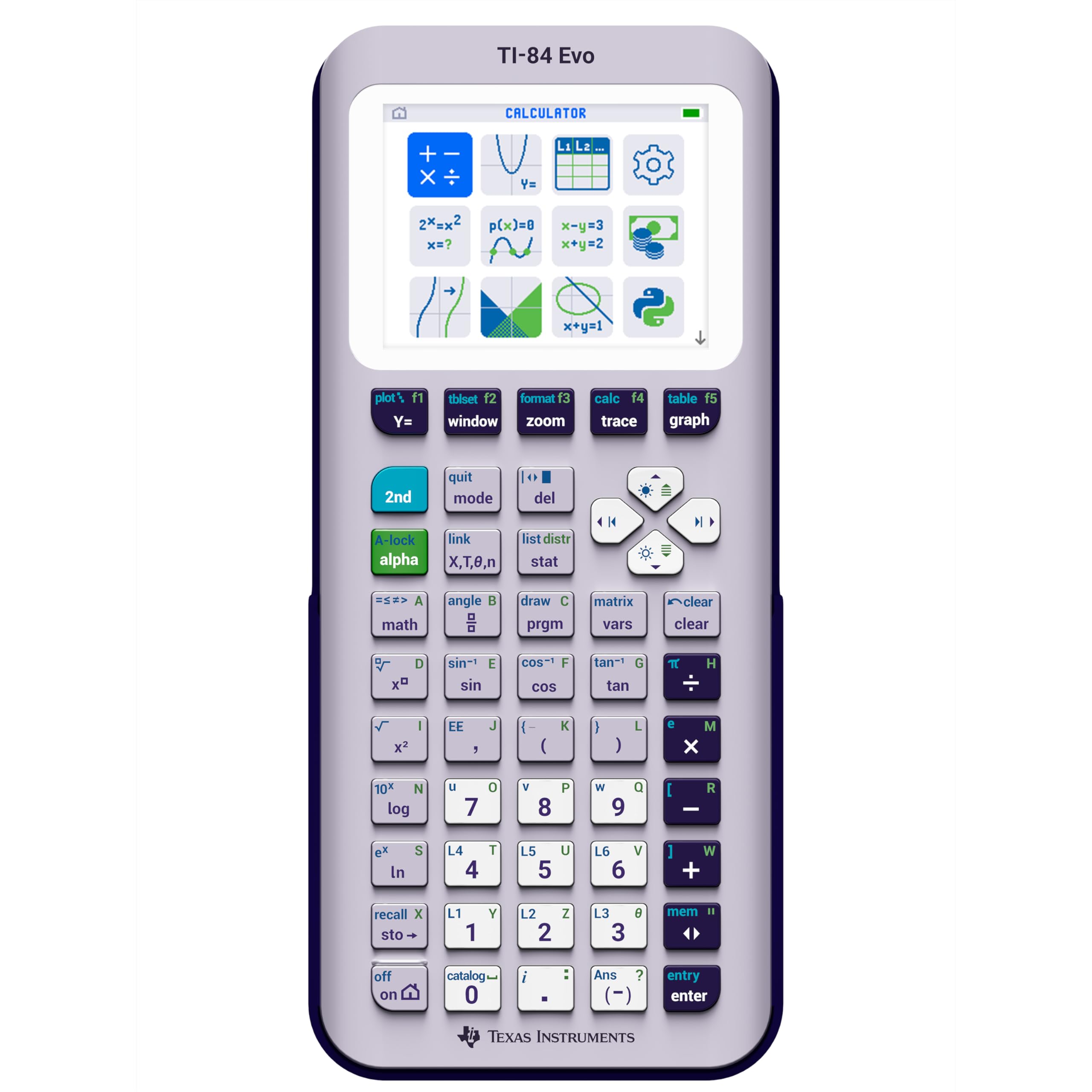
3 times faster processing and 50% more graphing space than the TI-84 Plus CE — and it charges via USB-C.
This is the newest member of the TI-84 family, and the performance jump is immediately noticeable. The processor is 3x faster than the TI-84 Plus CE, so graphs render without the lag that sometimes interrupts a calculation flow. The screen offers 50% more graphing space, which makes a difference when you are comparing two trigonometric functions or zooming in on an intersection point. The icon-based home screen puts the most-used tools — graphing, table, statistics — front and center, cutting down the taps needed to start a problem.
The dedicated fraction button is a small change that gets a lot of positive attention from owners; it turns messy decimal results into clean fractions with one press. USB-C charging means the same cable that charges your laptop or phone charges the calculator. The lavender color is a personal touch, but the real story is the improved keypad layout with larger buttons and reduced clutter. Owners consistently highlight the bigger, more vivid display as the standout upgrade. The calculator weighs 0.45 pounds and measures 7.57 x 3.4 inches, making it slightly lighter than the TI-84 Plus CE.
Functionality earns the most praise among reviewers — 19 owners single it out — with the display and appearance following closely. The catch is the price: several owners note it feels expensive for what is fundamentally a non-CAS graphing calculator, but they also call it a lifetime purchase that earns its cost over four years of daily use.
Speed upgrade: Pick this if you already know the TI-84 workflow and want the fastest, most modern version with USB-C convenience. Skip if you need a CAS engine or are on a strict budget.
Reach for this if: you plan to use it daily for four years and want the crispest graphing experience in the TI-84 line.
Look elsewhere if: your program requires symbolic algebra — this is a non-CAS model.
5. HP Prime G2 Graphing Calculator with Protective Case
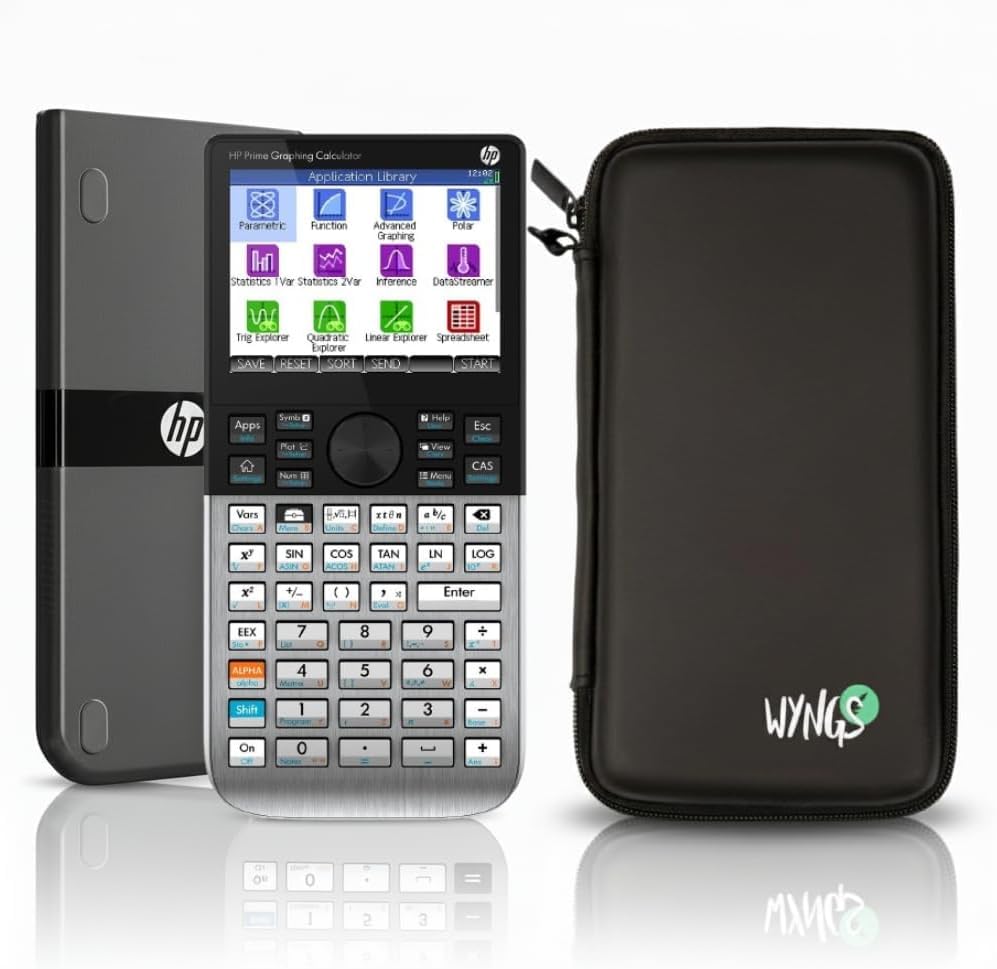
A multi-touch color display with a CAS engine that runs rings around most rivals for speed.
The HP Prime G2 rethinks the graphing calculator by giving it a smartphone-like interface — a high-resolution full-color multi-touch display that responds to taps, swipes, and pinch-to-zoom. That touchscreen, combined with the fast processor, means you can scroll through a long matrix, zoom into a graph intersection, and switch between modes with finger gestures rather than key combos. The Computer Algebra System (CAS — which lets it manipulate symbols) is toggleable, so you can turn it off during exams that ban symbolic manipulation. It handles differentiation, integration, and solving linear systems symbolically, matching the TI-Nspire CX II CAS cap-for-cap in most engineering math tasks.
The bundle includes a WYNGS Custom-fit Protective Case with precise cutouts for the ports and screen. Owners love that the G2 model (confirmed by the back label) has ample memory and speed for finance, physics, and algebra through differential equations. The key layout and matrix options earn particular praise from engineering homework users, who call the large touchscreen “very clear” for details. The rechargeable lithium-ion battery is included.
Functionality and usefulness are the most-mentioned positives — 28 and 10 mentions respectively — while reliability and battery life draw mixed feedback. This is not a calculator you hand to a freshman without some YouTube study time; the manual is roughly 1200 pages across two documents. But for the student who wants the fastest processor and a touch interface, the HP Prime G2 is a genuine competitor. Its touchscreen is faster for navigation than the TI-Nspire CX II CAS’s track pad.
Speed and screen combo: Choose this if you want a CAS calculator with a touchscreen for navigation-heavy tasks like matrix algebra and 3D graph manipulation. The metal enclosure gives it a more premium feel than plastic rivals.
Best for: ECE students and anyone who prefers a touchscreen over cursor keys for navigating complex problems.
Note: the learning curve is steep — factor in time to study the manuals or video tutorials before exams.
6. Casio fx-9750GIII Graphing Calculator

Python programming and a textbook display at half the price of a comparable TI model — no CAS, no compromise.
The fx-9750GIII proves you do not need to spend TI money to get a capable graphing calculator for engineering prerequisites. Its Natural Textbook Display shows expressions exactly as they appear on the page — fractions stacked vertically, exponentials raised properly, integrals with limits — which reduces input errors when you are transcribing problems. The calculator supports graph plotting, vectors, probability distributions, spreadsheets, eActivities, integrals, and a wide range of math and science applications. MicroPython (a version of Python for small devices) is built in, so you can write programs directly on the device or connect to a PC to transfer and share code.
Owners consistently praise the value — this is the “best budget graphing calculator” in many reviews, doing everything a TI-84 Plus can do and more at half the price. It handles complex numbers and matrix operations well, making it suitable for linear algebra and calculus courses. The calculator is approved for AP, SAT, ACT, IB, and other standardized exams, so you can carry it through high school and college. It runs on 4 AAA batteries (included) and weighs 7.5 ounces, measuring 6.6 x 3.25 inches.
The major caveat: there is no Computer Algebra System (CAS), so symbolic manipulation is not possible. The graphing is described as slower and lower resolution than the TI-84 Plus CE, but the screen is still good for large matrices. Each of these limitations is a fair trade given the price point. 3,594 reviewers give it 4.7 stars.
Best value in graphing: Choose this if you need graphing and Python programming on a budget. skip it if your upper-level courses require CAS or you need fast, high-resolution graph rendering.
Reach for this if: you want graphing capabilities without spending over and do not need symbolic algebra.
Not for you if: your program requires CAS for differential equations or advanced linear algebra.
7. CATIGA Scientific Calculator with Graphic Functions CS-229

Over 360 functions including graphing, stats, and complex numbers — all wrapped in a drop-resistant body.
The CS-229 sits at the intersection of scientific calculator and entry-level graphing model. It supports over 360 functions covering fractions, complex numbers, statistics, linear regression, standard deviation, and variable solving. The graphing function lets you plot basic functions and analyze graphs alongside formulas on the same screen, which is helpful for visualizing algebra and pre-calculus concepts. At 7 x 3.3 inches, it fits comfortably in one hand, and the anti-drop body is designed to survive the occasional fall from a desk.
The build quality and value for money are the most-praised aspects among owners — 89 mention quality positively and 57 highlight value. The calculator is battery and solar powered, with a reset button on the back if the screen freezes. The company backs it with a 365-day limited warranty, which is longer than the industry standard. The 3.3-inch screen is large enough for multi-line formulas, and the smooth button layout supports efficient input.
The instruction manual draws mixed feedback — some owners find it lacking in detail, especially for beginners who are new to graphing calculators. Functionality is also mixed in the reviews: some say it works smoothly, while others report units that stopped working after a few weeks or found the menus confusing to navigate. The 4.4-star score across 5,874 ratings reflects that most buyers are satisfied, but the reliability anecdote means you should test the unit thoroughly during the return window.
The mixed reliability reports mean this is better as a secondary device or for lower-stakes courses.
Best for: high school / early college students who want graphing without a premium price tag.
Caution: some owners mention units failing after a few weeks — test immediately and use the 365-day warranty if needed.
8. TOVO Scientific Calculator TS-259 with Graphic Functions
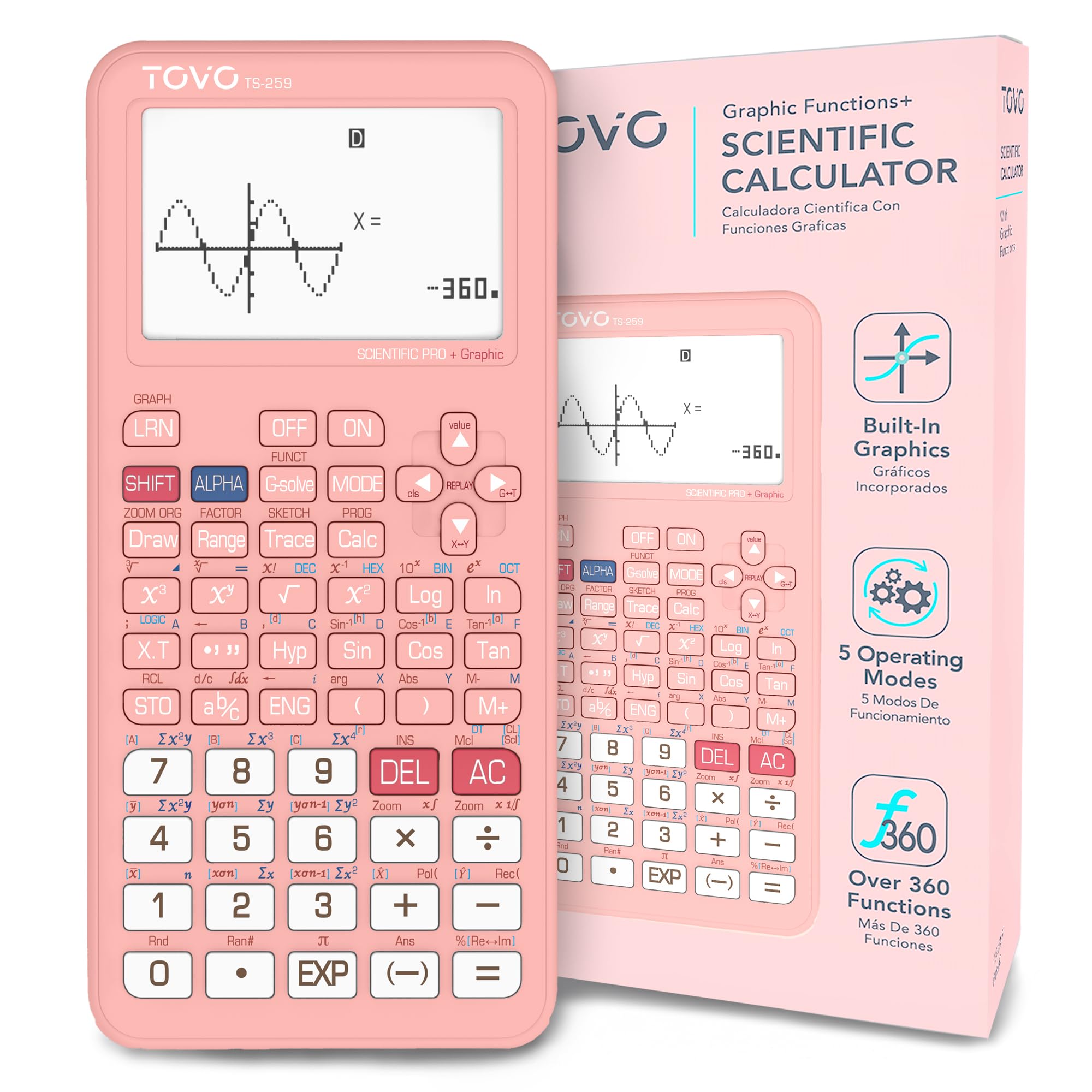
A 3-inch screen that is 3.25x larger than most scientific calculators — plus a sliding hard cover for protection.
The defining feature of the TS-259 is the screen size. At 3 inches, it offers 3.25 times the visibility of a standard scientific calculator, which means multi-line formulas and simple graphs are readable without squinting during long exam sessions. The improved navigation D-Pad (directional pad) lets you scroll through menus and move around graphs more precisely than a standard four-way keypad. The modern ergonomic aesthetic and reinforced anti-drop body are designed for students who carry their calculator everywhere.
Over 360 functions cover fractions, complex numbers, statistics, and equation solving, making it suitable for high school algebra through college pre-calculus. The sliding hard cover protects the oversized screen and buttons from scratches and impacts when tossed into a backpack. At 7 x 3.3 inches, it is slim enough for a pocket. The pink color option (the color provided in this data) adds a personal touch that some students appreciate.
Value for money leads the positive aspects (11 mentions), followed by build quality (10) and ease of use (9). Functionality and accuracy receive mixed feedback — the calculator handles basic graphing and scientific operations well, but some owners note it cannot graph equations in the way a full graphing calculator like the TI-84 can. 484 reviewers give it 4.4 stars overall.
Big screen, low price: Choose this if you primarily need a scientific calculator with basic graphing and want the largest display in this price range. The lack of dedicated graphing (it cannot plot full equation graphs) means it is a scientific calculator with graph viewing, not a full graphing calculator like the Casio fx-9750GIII.
Best for: students transitioning from basic scientific to graphing who want a big screen for readability.
Not for: anyone who needs full equation graphing or CAS functionality for upper-level engineering courses.
Understanding the Specs
Computer Algebra System (CAS)
A CAS (Computer Algebra System) lets the calculator manipulate algebraic symbols — factoring polynomials, solving equations for a variable, and computing derivatives and integrals in symbolic form. Non-CAS models only crunch numbers. CAS is powerful but banned in many standardized exams. Match this to your department’s policy before buying.
Screen Size and Resolution
Screen diagonal (in inches) tells you how much of a formula you can see at once. Resolution (measured in DPI or pixels) determines how sharp fractions, subscripts, and graph curves appear. A 3-inch-plus screen with decent resolution is a practical advantage for multi-line calculations during timed exams — less scrolling means fewer errors.
Graphing vs Scientific
A graphing calculator plots functions on a coordinate plane, draws curves, and finds intersections, zeros, and maxima. A scientific calculator handles advanced math (trig, logarithms, statistics) but cannot produce graphs. Engineering students typically need a graphing model for calculus and physics. Check whether a model can graph equations or only display pre-computed points.
Battery and Power Source
Rechargeable lithium-ion batteries (USB charged) eliminate the need to buy AAA cells but require access to a charger. Replaceable AAA batteries can be swapped instantly during an exam if you carry spares. Some models offer solar backup. Consider how often you will be away from a USB port when choosing between the two.
FAQ
Can I use a CAS calculator on the FE exam or the PE exam?
What is the difference between the TI-Nspire CX II CAS and the TI-84 Plus CE?
Do I need a graphing calculator for engineering or can I get by with a scientific model?
Which calculator is best for electrical engineering students?
How long do graphing calculator batteries normally last?
Can I use Python on any of these calculators?
What does “Natural Textbook Display” mean on a Casio calculator?
Is the CATIGA CS-229 a good calculator for college engineering?
What does the “G2” in HP Prime G2 mean?
How do I know if a calculator is approved for the SAT or ACT?
Final Thoughts: The Verdict
For most people, the calculator for engineering students winner is the TI-Nspire CX