
Our readers keep the lights on and the weekend projects moving. As an Amazon Associate, I earn from qualifying purchases.
Specs are compiled from manufacturer listings and verified buyer reviews and can change over time — please confirm the key details on the product page before buying.
Precalculus is where high school math starts feeling serious — functions, limits, logarithms, and the first real taste of graphing curves. The wrong calculator slows you down with sluggish plotting, a cramped screen, and confusing menus. The right calculator lets you focus on concepts instead of button-pushing.
I’m Rikta — the founder and writer behind FitlyFast. This guide is built by comparing the manufacturers’ published specifications and the patterns across verified customer reviews, so you get each pick’s real strengths and trade-offs instead of marketing spin.
Whether you are entering high school honors or navigating college algebra, finding the right calculator for precalculus depends on matching your course needs with the device that won’t hold you back.
Our Picks at a Glance

How To Choose The Best Calculator For Precalculus
Precalculus demands more from a calculator than algebra did. You will graph parabolas, solve systems of equations, and work with trigonometric identities. A basic scientific calculator can handle arithmetic but will leave you blind during a graphing problem. Here is what actually matters.
Graphing Capability
A model that draws curves on a screen lets you see asymptotes, roots, and intersections in real time. Real-time visual feedback is crucial for grasping transformations and limits. Look for at least a 2.8-inch display so you are not squinting at overlapping lines.
Exam Approval is Non-Negotiable
Most precalculus courses give closed-book tests. You need a calculator that is approved for the AP, SAT, ACT, and IB exams. A model with a built-in Exam Mode that restricts access to saved programs keeps you compliant and avoids any risk of disqualification.
Battery Life and Power Source
Precalculus homework sessions run long. A rechargeable lithium-ion battery (like the ones in the TI-84 Evo and NumWorks) saves you from hunting for AAA replacements mid-study. Four AAA batteries also last for months in most Casio models, so both approaches work — just know what you prefer.
Function Depth for Higher Math
Beyond basic graphing, you want at least 300 functions. That means matrix operations, complex numbers, statistical regressions, and polynomial solvers up to the 6th degree. These tools support you from precalculus through calculus and statistics without needing a new device.
Quick Comparison
| Model | Best For | Screen Size | Functions | Power Source | Amazon |
|---|---|---|---|---|---|
| NumWorks Graphing Calculator★ Best Overall | Ease of Use & Speed | 3.2″ (320×240 px) | Graphing + Python | USB-C Rechargeable | Amazon |
| TOVO TS-259Premium Pick | Value & Big Screen | 3.3″ | 360+ Functions | Battery Powered | Amazon |
| Casio fx-9750GIII | Engineering & Matrices | 3.25″ | Graphing + Python | 4 AAA batteries | Amazon |
| TI-84 Evo | Latest TI Performance | 2.8″ | Graphing + Python | USB-C Rechargeable | Amazon |
| TI-84 Plus CE-T Python | Python Coding & Storage | 2.8″ (140 DPI) | Graphing + Python | Rechargeable | Amazon |
| Casio fx-CG100 | 3D Graphing & Color | 3.7″ | 3D Graphing + Python | 4 AAA batteries | Amazon |
| TI-84 Plus CE Coral | Style & Reliability | 3.2″ | Graphing + Python | Rechargeable | Amazon |
In‑Depth Reviews
1. NumWorks Graphing Calculator
Our pick — over 4.5★ from 8,500+ verified ratings; the strongest balance of quality and price.
The modern classroom calculator that feels like a smartphone in your hands.
The NumWorks is the crowd favorite for a reason — owners across 8,000+ reviews consistently praise how intuitive it is. You do not need a manual to start graphing. The high-resolution color screen (320×240 pixels) makes parabolas and trigonometric curves sharp, and the reported battery life means you charge it about as often as your phone. A USB-C cable is included, so no hunting for proprietary chargers.
What wins people over is the usability. The interface is clean, the open-source software gets frequent updates, and it runs Python directly for coding assignments. It is also one of the lighter options at 220 g (about 7.8 oz) — noticeably lighter than the TI-84 Plus CE series, which makes a real difference slipping it into a backpack pocket. The trade-off is the button feel: some describe it as mushy compared to a Casio or TI, and the white plastic body can scratch over time. It is 11% more compact than the TOVO TS-259 (6.3″L x 3.2″W vs 7″L x 3.3″W), making it the more portable choice.
For precalculus specifically, the fast graphing and accurate regression tools let you visualize transformations instantly. You can graph multiple functions, find intersections, and analyze roots without menu diving. As one long-term user summed it up, the calculator has “fast performance, good battery life” and a bright screen that is easy to read in any lighting.
The defining edge: Open-source software means the interface keeps improving — you are not stuck with launch-day bugs. The company actively updates the operating system, which no other model here does.
Best fit for: Students who want a modern, fast, rechargeable graphing calculator without learning a clunky menu system.
One honest caveat: The mushy buttons and white finish show wear faster than a Casio or TI. If you treat your gear hard, consider a case.
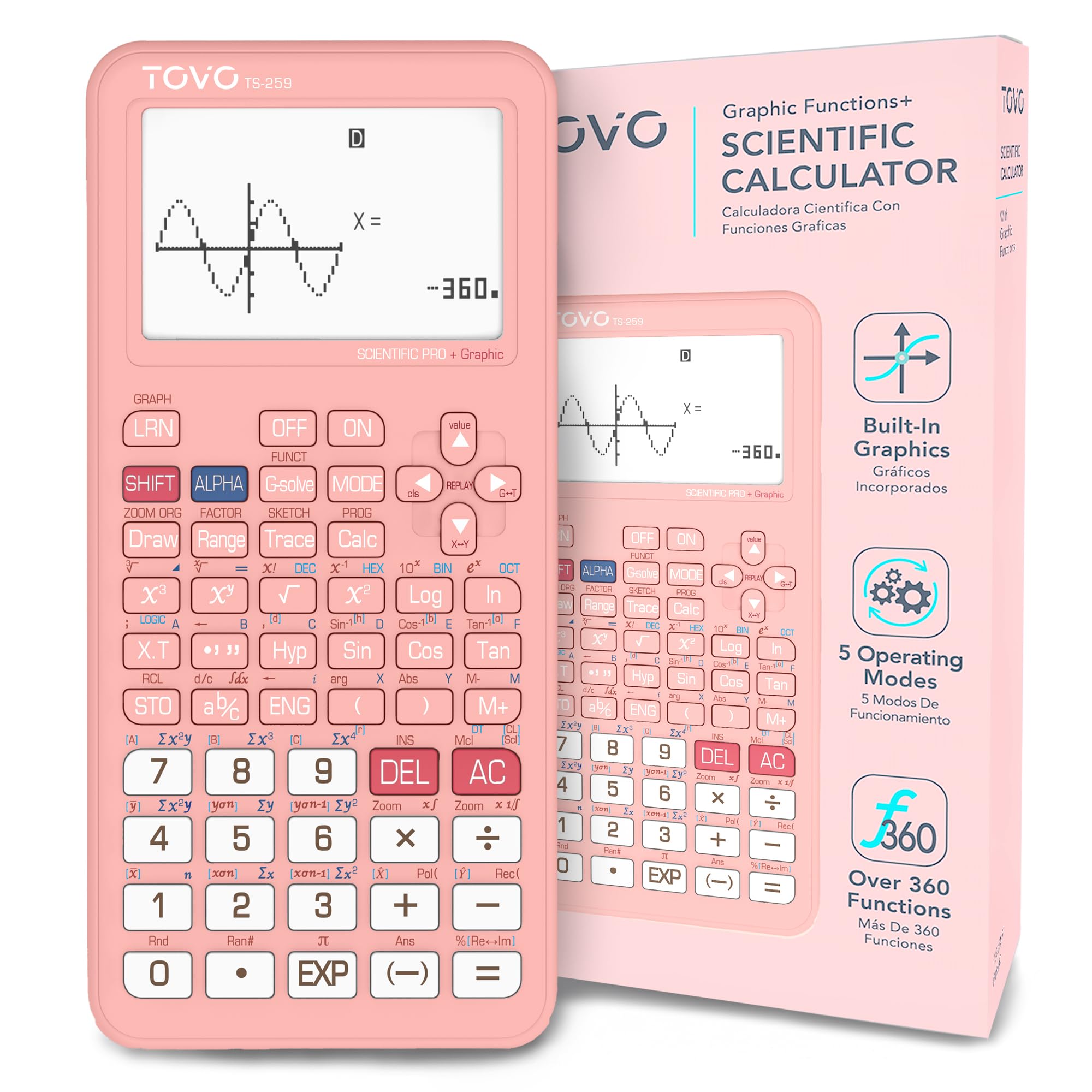
2. TOVO Scientific Calculator with Graphic Functions (TS-259)
The entry-level graphing calculator that covers all the precalculus bases without the cost.
The TOVO TS-259 is built for the student who needs introductory graphing for STEM success but does not want to spend over a hundred dollars. Its extra-large 3-inch screen is 3.25 times larger than a regular scientific calculator — a real relief during long study sessions when you are tracking multiple formulas. The reinforced anti-drop body and sliding hard cover mean it survives backpack abuse better than many competitors.
Under the hood, it packs over 360 built-in functions covering fractions, complex numbers, statistics, and equation solving. A reviewer who used it through their first year of college summed it up: “easy to figure out, got me through my first year of college so far.” The navigation D-Pad makes menu scrolling and graph movement smoother than you would expect at this price point. However, some owners note the functionality is a mixed bag — it is not a full-featured graphing calculator like the TI-84 or NumWorks, so complex 3D graphs are off the table. The build quality gets positive marks across the board.
What buyers praise most is its value for money — 11 separate reviews call it out specifically. The slide cover protects the large screen, and the ergonomic shape (7″L x 3.3″W) feels comfortable during exams. It is an ideal bridge between a standard scientific calculator and advanced graphing devices.
Greatest strengths
- Massive 3-inch screen means less eye strain reading formulas
- Over 360 functions cover everything precalculus throws at you
- Sliding hard cover protects the screen in a crowded backpack
Know before you buy
- Not a true graphing calculator — cannot handle advanced 3D graphs
- Clears memory on mode switch, so save important results elsewhere
Why you would choose this: You want precalculus graphing and 360+ functions at a fraction of the price of a TI or high-end Casio, and the big screen is a must.
Who should pass: If your syllabus requires complex 3D graphing or advanced calculus-level plotting, this is not that device.
3. Casio fx-9750GIII Graphing Calculator

The engineering workhorse that delivers TI-level matrix math for half the price.
The Casio fx-9750GIII is a beast for precalculus specifically because of its Natural Textbook Display — expressions appear on the screen exactly as they do in your textbook, with fractions stacked and radicals drawn properly. That alone cuts down on entry errors during timed tests. It is approved for AP, SAT, ACT, and IB exams, so it will carry you through high school and into college without any compliance worry.
what separates it from the NumWorks and the TOVO is its matrix and complex math capability. Owners describe it as an “inexpensive engineering calculator with excellent complex math and matrix capabilities.” It solves up to 6th-degree equations and handles vectors, spreadsheets, and probability distributions — all of which appear in precalculus and early calculus. The Python integration lets you program directly on the calculator or connect via USB to transfer programs from a PC.
The sheer number of positive reviews (over 3,500) puts it among the most trusted models here. Functionality is the #1 thing people praise — 72 reviews mention it — and the battery life is remarkable: buyers report months of daily use on four AAA batteries. The graphing is a bit slow and the resolution is not as sharp as the color displays on the NumWorks or TI-84 Evo, but for precalculus-level graphing it is perfectly capable. As a buyer confirmed, it is “really good for Pre-Calc” and provides exact radical trig values and radian outputs.
Where it beats the competition: At about half the price of a TI-84, you get near-identical matrix functionality and a display that mirrors your textbook. That is a hard deal to beat for a precalculus student.
Who this fits: Budget-conscious students who need real graphing, matrix operations, and exam approval — without spending over sixty dollars.
One thing to note: The graphing is slower than color-screen rivals, so if you graph multiple functions frequently, you may prefer the NumWorks.
4. TI-84 Evo Graphing Calculator
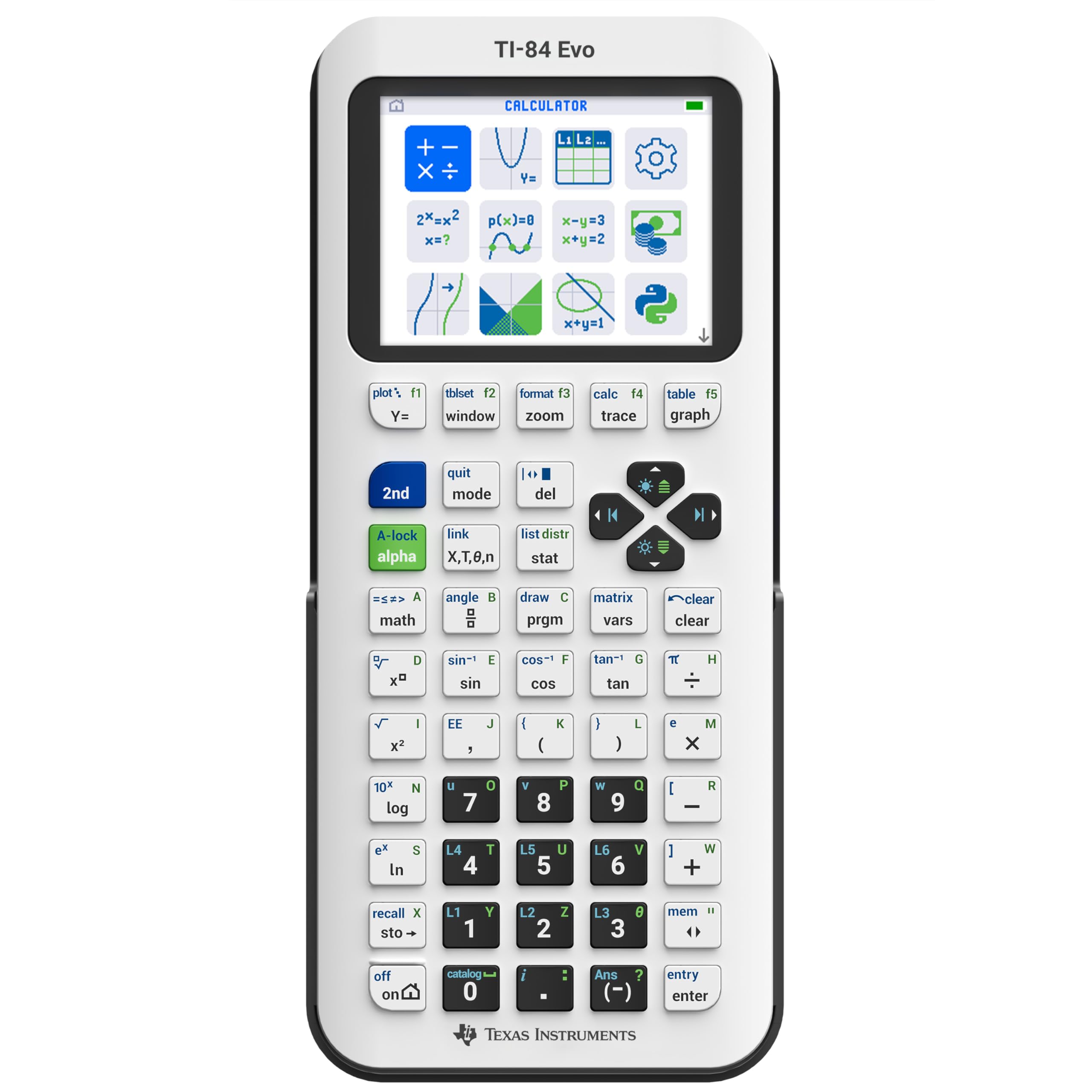
The newest TI-84 that graphs 50% bigger and calculates 3x faster than the CE.
The TI-84 Evo is the most recent iteration in the iconic TI-84 series, and it brings meaningful upgrades for precalculus. The processor is 3x faster than the TI-84 Plus CE, which means plotting a parabola or zooming in on an intersection happens nearly instantly. The screen offers 50% more graphing space — you see more of the curve without panning around. The icon-based home screen puts Graph, Stats, and Geometry front and center, so you are not hunting through menus during a test.
USB-C charging is a massive convenience upgrade. Instead of keeping track of a proprietary cable or swapping AAA batteries, you charge it with the same cable your phone uses. The button layout has been simplified with larger keys and a dedicated fraction button, which owners say “makes inequality graphing easier with direct symbols.” One student using it for Calculus 1 appreciated the clear screen and colorful display. The free 4-year online subscription for tutorials and a duplicate calculator is a bonus for practice.
It is not cheap, and some owners mention it is pricey compared to the Casio options. The removed APPS button disrupts muscle memory if you are upgrading from an older TI-84, and TI Connect CE desktop software is not yet supported — only the web-based platform works for updates and transfers. But for pure precalculus performance, it leads the pack.
The upgrade highlights
- 3x faster processor eliminates lag when graphing complex functions
- 50% more graphing space shows more of the curve at once
- USB-C charging is a long-overdue convenience upgrade
The honest trade-offs
- Premium price tag — costs more than the Casio fx-9750GIII and the NumWorks
- No PC-to-calc program transfer yet; only online software works
Reach for this if: You want the fastest graphing experience with the biggest display in the TI-84 lineup, and you are comfortable investing in the newest tech.
Look elsewhere if: You need a calculator right now for a class that starts next week and you do not want to deal with early-adopter software hiccups.
5. Texas Instruments TI-84 Plus CE-T Python Edition

The full Python-powered calculator for students who want to code alongside calculus.
The TI-84 Plus CE-T Python Edition is a full Python calculator, not just a model with Python-enhanced features. You can write custom programs, solve problems algorithmically, and extend the calculator’s functionality with apps. For precalculus students who also take computer science, this dual-purpose device eliminates the need for a separate tool. The 3 MB flash ROM provides plenty of space for archiving data, apps, and Python scripts.
The high-resolution backlit display (320 x 240 pixels, 140 DPI, 16-bit color) is one of the sharpest here — graphs appear with clear lines and distinct colors across 15 different function colors. You can add images as chart backgrounds, which is a unique feature for visualizing real-world data problems. The built-in rechargeable battery lasts up to a week of normal use on a single charge, according to the manufacturer. Owners generally praise the quality, though some find the price point steep compared to the Casio alternatives.
One owner who uses it for pre-med studies appreciated the full coding capability, noting it handles everything from statistics to advanced math. It is also approved for exams, making it a reliable companion through high school and into college STEM courses. The trade-off is that some buyers consider it pricey — a few note that the TI-84 Plus CE non-Python version offers nearly identical features for slightly less.
The standout feature: Full Python programming means you write real code on the device itself, which is rare in this price range. If your precalculus course includes any coding component, this is the one.
Best for: Students who want a single device for precalculus graphing and learning Python — no separate microcontroller needed.
skip it if: You do not need Python at all. The standard TI-84 Plus CE gives you the same graphing at a lower cost.
6. Casio fx-CG100 ClassWiz Color Graphing Calculator
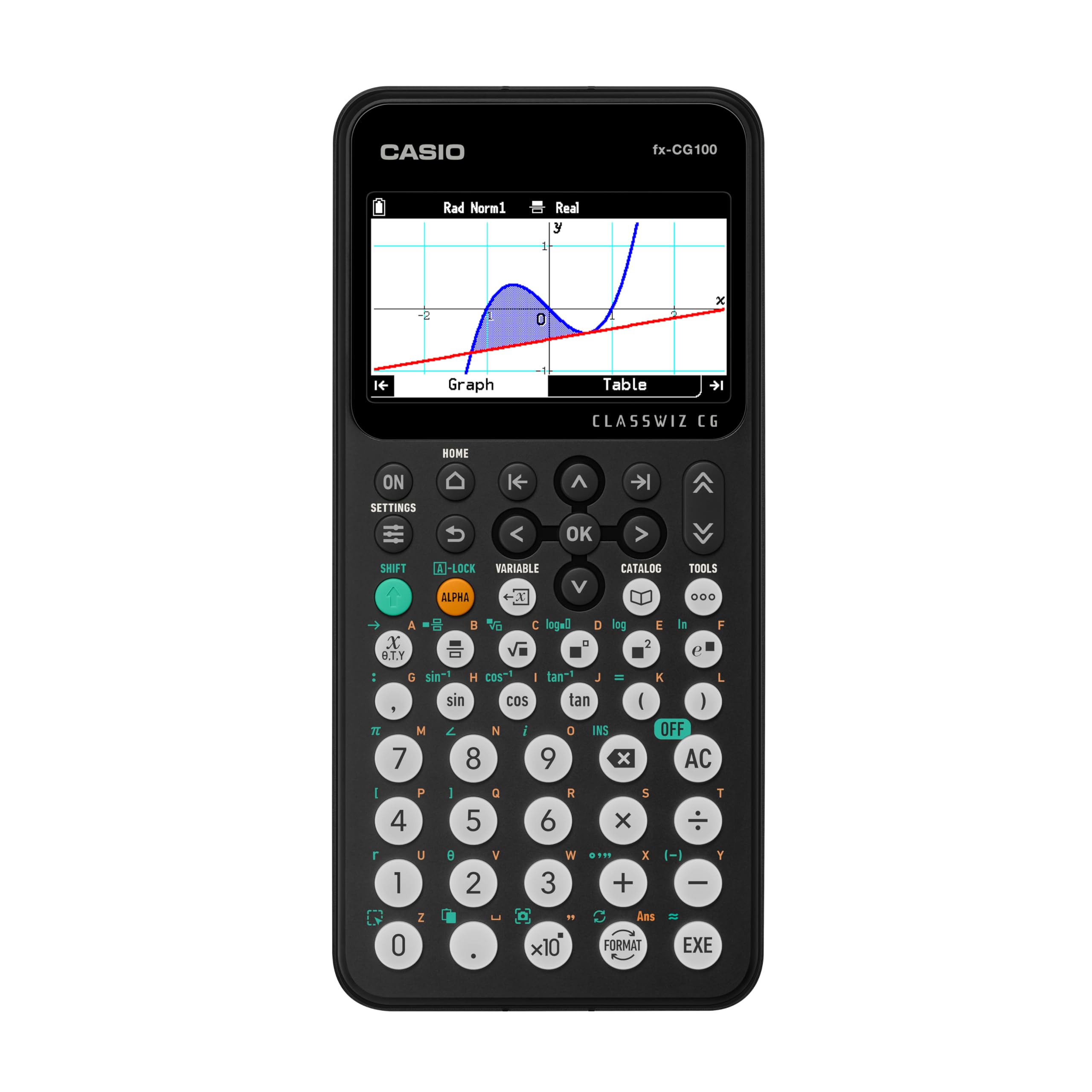
The color 3D graphing powerhouse that displays spheres and cylinders as easily as lines.
The Casio fx-CG100 is an absolute beast for visualization. Its 3.7-inch high-resolution backlit LCD shows over 65,000 colors, and it supports 3D graphing of up to three functions simultaneously — think spheres, cylinders, and planes rotating in space. For precalculus students who are learning about conic sections and 3D coordinate systems, this is the most visually rich option on the list. The Natural Textbook Display shows expressions exactly as written, reducing confusion.
It combines the functionality of a Casio fx-991CW and a fx-CG50 into one device, according to owners. The tab-based menu layout and glyph-labeled keys make navigation intuitive. It handles complex numbers, polar and rectilinear graphing, simultaneous equations, dynamic graphing, matrix and vector operations, geometry, and statistics. The built-in Exam Mode accessible from the home screen keeps you test-compliant.
MicroPython integration lets you learn programming directly on the calculator, and the USB connectivity makes transferring data and programs simple. All reviews here are perfect 5/5 scores, with buyers praising how quickly it arrived and its comprehensive feature set. The only real downside is the premium price — it is the most expensive model here — and it runs on four AAA batteries instead of a rechargeable pack, which is a minor inconvenience compared to the USB-C options.
Why it stands out
- 3D graphing of spheres, cylinders, and planes — class-leading for visual learners
- Combines the functions of two Casio models into one
- Exam Mode makes it fully compliant for AP, SAT, PSAT, and ACT
What to consider
- Premium price — the most expensive model in this lineup
- Uses AAA batteries instead of USB-C rechargeable
Who this is for: Students who will benefit from 3D graphing for multivariable calculus prep and want the most advanced Casio color display available.
Who should pass: If your precalculus syllabus is strictly 2D and you want USB-C charging, the NumWorks or TI-84 Evo are better picks for less money.
7. Texas Instruments TI-84 Plus CE Python Color Graphing Calculator (Coral)
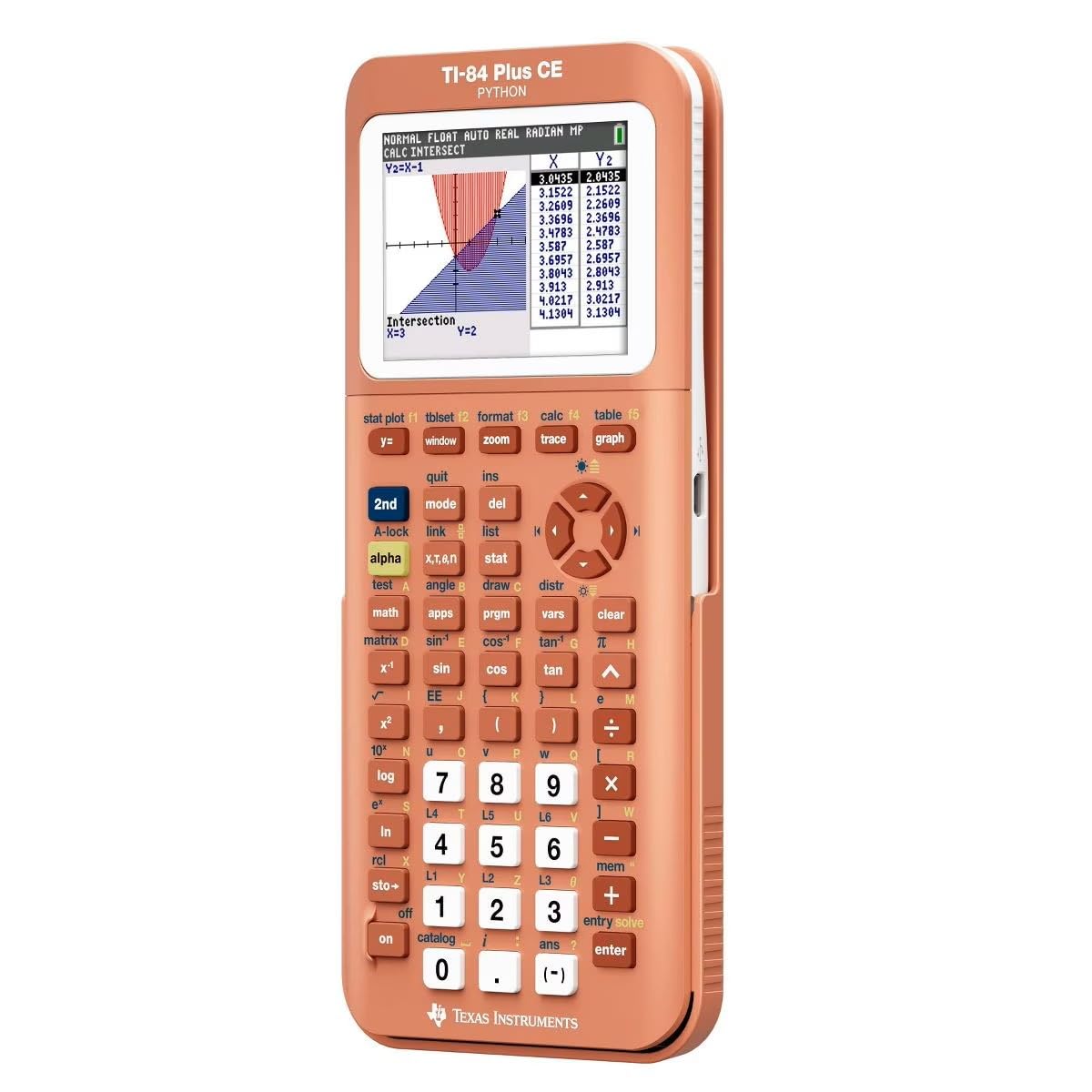
The iconic TI-84 in a color that guarantees you will never lose it in your backpack.
The TI-84 Plus CE in Coral (Metallic) is the same trusted TI-84 platform that high schools and colleges have used for years, now in a shade that stands out. The high-resolution full-color backlit display (140 DPI, 16-bit color) delivers sharp graphs and clear text. The rechargeable battery lasts a long time — owners mention using it for weeks between charges — and the sleek metallic finish resists fingerprints better than the matte white of the NumWorks.
What makes this model particularly useful for precalculus is its functionality, which is the top praise from owners — 28 reviews mention it specifically. The bright color screen and intuitive keypad make navigating menus straightforward. One chemistry major pointed out that it even has a color periodic table with detailed element information, which is a bonus if your precalculus class overlaps with science work. The coral color itself is a talking point: “Coral Calculators Are Best Calculators” as one owner put it, because it is easy to spot in a sea of black calculators.
The battery life and reliability get mixed marks from some owners — a few report inconsistent charging behavior or shorter-than-expected battery spans. It is also on the pricier side compared to the Casio fx-9750GIII. But for students who want a sturdy, well-known platform with Python capabilities and a color you can spot across the classroom, this is a strong pick.
The thing everyone notices: The coral metallic finish is not just pretty — it is practical. You will never confuse it with a classmate’s calculator or lose it in a dark backpack. That alone saves frustration during a timed test.
Reach for this if: You want the proven TI-84 platform with a splash of personality and a rechargeable battery that lasts through exam week.
Look elsewhere if: You need the absolute fastest performance — the TI-84 Evo is 3x faster for the same form factor.
Understanding the Specs
Screen Size and Resolution
A larger screen shows more of a graph at once, which matters when you are analyzing intercepts, asymptotes, and critical points. Standard screens range from 2.8 to 3.7 inches. Higher resolution (measured in pixels or DPI) means curves appear smooth rather than jagged — important when you need to read a specific coordinate.
Function Count
This number (often 300 to 360+) is how many built-in operations the calculator can perform. For precalculus, you need at least the core ones: polynomial solving, matrix operations, complex numbers, statistical regressions, and trigonometric functions. Higher counts usually mean more specialized tools for statistics and calculus, which future-proofs the device.
Power Source
Calculators run on either rechargeable lithium-ion batteries (USB-C or proprietary) or replaceable AAA batteries. Rechargeable saves you from buying batteries but requires planning ahead to charge. AAA batteries are easy to replace and last months, but cost adds up over time. USB-C is now the standard for modern models and uses the same cable as your phone.
Exam Mode
Many modern graphing calculators include a built-in Exam Mode that disables saved programs, notes, and internet access. This is required by most standardized tests (AP, SAT, ACT, IB). The mode is usually activated from the home screen and cannot be disabled without a specific key combination, ensuring you stay compliant during a proctored test.
FAQ
Can I use a basic scientific calculator for precalculus instead of a graphing one?
Which calculators are approved for the AP Precalculus exam?
How many functions should a precalculus calculator have?
Is the TI-84 overkill for precalculus?
What is the difference between a color screen and a monochrome screen?
Do I need a calculator with Python for precalculus?
How long does the battery last on a rechargeable graphing calculator?
Can I use a calculator with a CAS (Computer Algebra System) on the SAT?
What is the Natural Textbook Display and why does it matter?
How do I transfer programs between my calculator and a computer?
Final Thoughts: The Verdict
Across the board, the calculator for precalculus winner is the NumWorks Graphing Calculator because it combines a fast, intuitive interface with USB-C charging, a bright color screen, and open-source software that keeps improving — all at a price that undercuts the TI-84. If you want the cheapest route into real graphing, grab the TOVO TS-259 for its massive 3-inch screen and 360+ functions. And for deep matrix work and engineering-level precalculus on a budget, the Casio fx-9750GIII is the one to reach for.
How We Picked
We do not accept paid placement. Every pick is matched to a real buyer and a real use-case; we do not hands-on test units.
Sources & Methodology
Specifications: manufacturer listings and product documentation. Review insights: verified customer reviews, as of July 2026. Pricing: not shown on this page (it changes often); check the current price via the retailer link.
As an Amazon Associate, FitlyFast earns from qualifying purchases. This does not affect which products we feature.