
Our readers keep the lights on and the weekend projects moving. As an Amazon Associate, I earn from qualifying purchases.
Specs are compiled from manufacturer listings and verified buyer reviews and can change over time — please confirm the key details on the product page before buying.
Whether you are closing a deal, forecasting next quarter’s revenue, or just tallying up expenses after a client lunch, the calculator you choose either speeds you up or slows you down. A sales manager’s day is a nonstop math problem — margins, commissions, pipelines — and the right tool lets you trust the numbers at a glance instead of second-guessing every keystroke.
I’m Rikta — the founder and writer behind FitlyFast. This guide is built by comparing the manufacturers’ published specifications and the patterns across verified customer reviews, so you get each pick’s real strengths and trade-offs instead of marketing spin.
You manage a team, a budget, or a territory — so you need a calculator that solves a specific pain, not a generic one. if you want a pocket‑sized helper for quick loan math or a desktop machine that prints a tape for expense reports, the right calculator for sales managers fits your workflow, your desk, and your actual day.
Quick Picks
- Casio HR-300RC – Printing Calculator — Best Overall
- HP 12C Financial Calculator — The Analyst’s Pick
- Sharp EL2360PIII Commercial Printing Calculator — Fast Print Workhorse
- Sharp Commercial Desktop Calculator — Slim & Durable
- Texas Instruments BA II Plus Financial — Exam & Career Ready
- Canon P23-DHV-3 Printing Calculator — Budget Printing
- Calculated Industries 3400 Pocket Real Estate — Pocket Pro
How To Choose The Best Calculator For Sales Managers
Not every calculator does the same job. A basic four‑function model won’t help you run a commission split or figure out a discount margin. Here is what to look for so you end up with the tool that matches your actual sales tasks.
Cost/Sell/Margin Keys vs. Generic Math
Sales managers constantly move between cost and sell prices — quoting a deal, negotiating a discount, checking gross margin. A calculator with dedicated Cost/Sell/Margin keys lets you punch in two numbers and get the third instantly, with no formula memorizing. That is a real time‑saver when a client is on the line waiting for a price.
Printing vs. Non‑Printing: Paper Trail Matters
A printed tape gives you a physical record of every calculation — useful for expense reports, reconciling receipts, or handing a client a break‑down of pricing. Printing calculators are bulkier but they create a permanent audit trail. Non‑printing models are lighter and more portable, better for popping into your bag for a field visit.
Specialized Financial Functions (TVM, NPV, IRR)
If your job involves forecasting deal values, comparing investment returns, or calculating loan payments on a big contract, look for Time‑Value‑of‑Money (TVM), Net Present Value (NPV), and Internal Rate of Return (IRR) functions. These are not just for finance majors — a sales manager running a quarterly territory projection uses the same math.
Size and Power Source
A calculator that lives on your desk can be larger with a big display. A calculator that goes to client meetings needs to fit in a bag pocket and have battery or dual‑power (solar + battery) so you never get caught with a dead unit. Weight matters: the difference between 4 ounces and 22 ounces is the difference between forgetting it is in your bag and feeling it every step.
Quick Comparison
| Model | Best For | Weight | Display Type | Printing | Amazon |
|---|---|---|---|---|---|
| Casio HR-300RC | Desktop printing with backlit screen | 21.89 oz | LCD (Backlit) | Yes, 2‑color | Amazon |
| HP 12C Financial Calculator | Deep financial analysis (NPV/IRR) | — | LCD | No | Amazon |
| Sharp EL2360PIII | Fast printing with large VFD display | 2 lbs | VFD | Yes, 4.8 lines/sec | Amazon |
| Sharp QS-2130 | Slim desktop without printing bulk | 9.12 oz | LCD | No | Amazon |
| Texas Instruments BA II Plus | Professional exam prep (CFA/FRM) | — | LCD | No | Amazon |
| Canon P23-DHV-3 | Budget printing at home or office | 1.04 lbs | LCD | Yes | Amazon |
| Calculated Industries 3400 | Pocket‑sized real estate loan math | 4 oz | LCD | No | Amazon |
In‑Depth Reviews
1. Casio HR-300RC – Printing Calculator with Backlit LCD Display

A backlit display and a paper trail make this the desktop anchor for any sales desk.
You get a backlit LCD screen — meaning you can read those numbers clearly even under harsh office lights or during a late‑night pipeline review. The 2‑color printing (black and red) helps you spot negatives instantly on the tape, and the re‑print function stores up to 150 steps so you can catch an error without starting from scratch. Dedicated Cost/Sell/Margin keys mean one touch gets you the profit read on a deal.
Buyers report that the LED display is large and easy to read, and the auto shut‑off keeps battery drain in check. The notable trade‑off: there is no battery‑power option, so this calculator must stay plugged in. It also weighs 21.89 ounces, making it a dedicated desktop piece — not one you toss in a bag for a client site visit. Compared to the Sharp EL2360PIII below, the Casio is lighter and more compact at 10.2″L x 7.68″W vs the Sharp’s 16.1″L x 10.1″W, but the Sharp prints faster at 4.8 lines per second.
Desk‑friendly advantages
- Backlit LCD makes numbers sharp in any light
- Cost/Sell/Margin keys for instant profit checks
- 150‑step re‑print catches entry errors
Two real limits
- No battery option — must stay plugged in
- At 21.89 oz it’s a sit‑still desktop tool
Reach for this if: You want a printing calculator with a bright screen, margin keys, and a compact footprint on your desk.
Look elsewhere if: You need to carry a calculator between meetings often — it needs a wall outlet.
2. HP 12C Financial Calculator
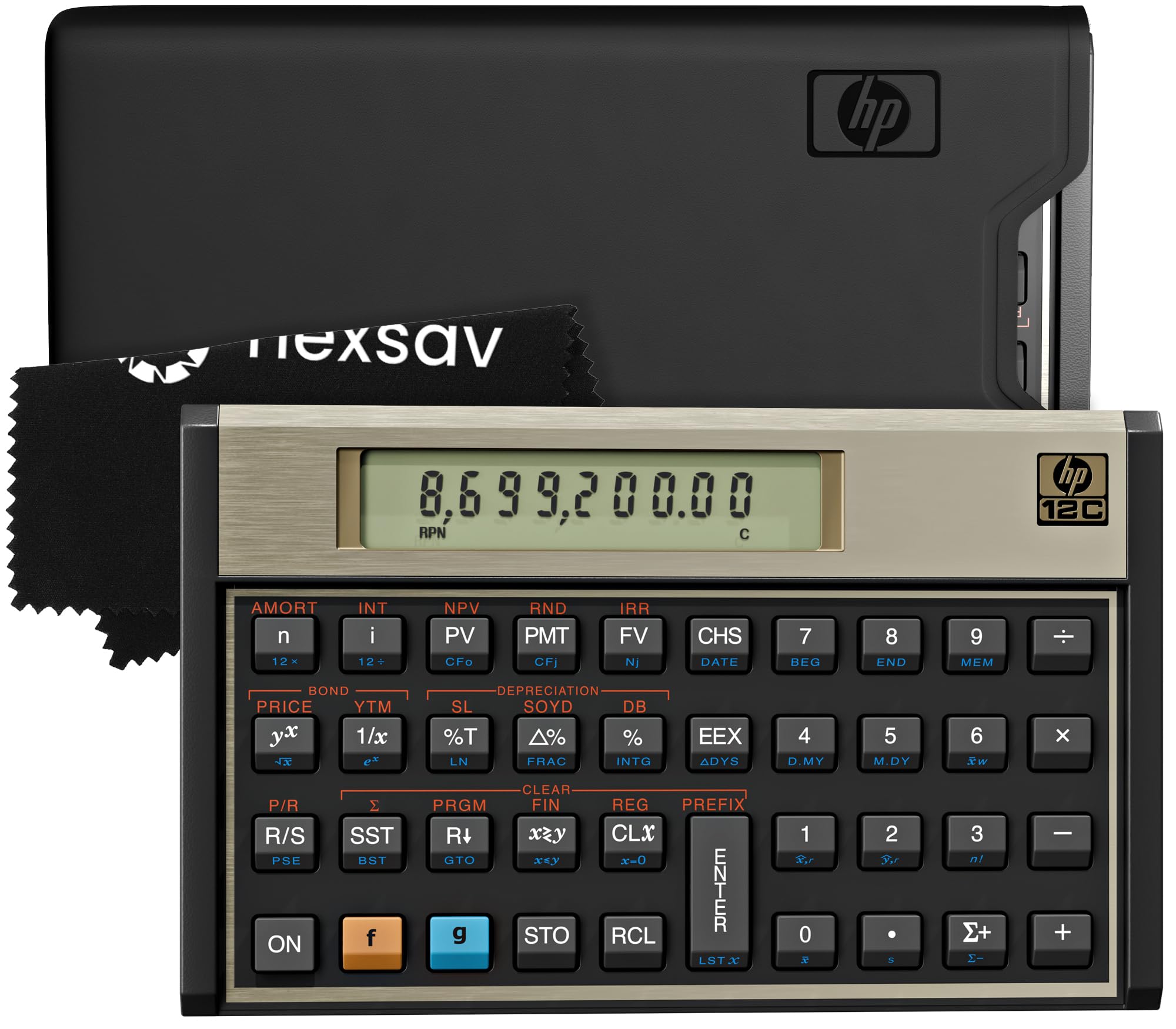
The industry icon that still dominates when deals get deep.
With over 120 functions including Time‑Value‑of‑Money (TVM), Net Present Value (NPV), Internal Rate of Return (IRR), bond pricing, and loan amortization, the HP 12C is built for heavy lifting — territory projections, contract valuations, and investment analysis. It uses Reverse Polish Notation (RPN) entry, which means fewer keystrokes once you learn the logic. The compact desktop size (6″L x 3″W) fits a crowded workspace easily.
Long‑time users report it is a tank: one reviewer noted their old HP 12C was acquired in 1984 and used heavily over the years. Build quality and button feel are consistently praised. The catch is the RPN learning curve — if you have never used it, you will need to spend time with the online manual (no paper manual is included). A 2‑year manufacturer warranty is included.
Why analysts love it
- 120+ financial functions (NPV, IRR, amortization, bond calc)
- Programmable for repeated calculation sequences
- Industry standard since 1981 — battery lasts months
The learning curve
- RPN entry requires upfront practice
- No included printed manual — must download online
Your edge if: You regularly run NPV/IRR on deals and want a calculator that finance professionals have trusted for decades.
skip it if: You value a zero‑effort learning curve — the RPN system takes deliberate practice.
3. Sharp EL2360PIII Commercial Printing Calculator – 12 Digit Display
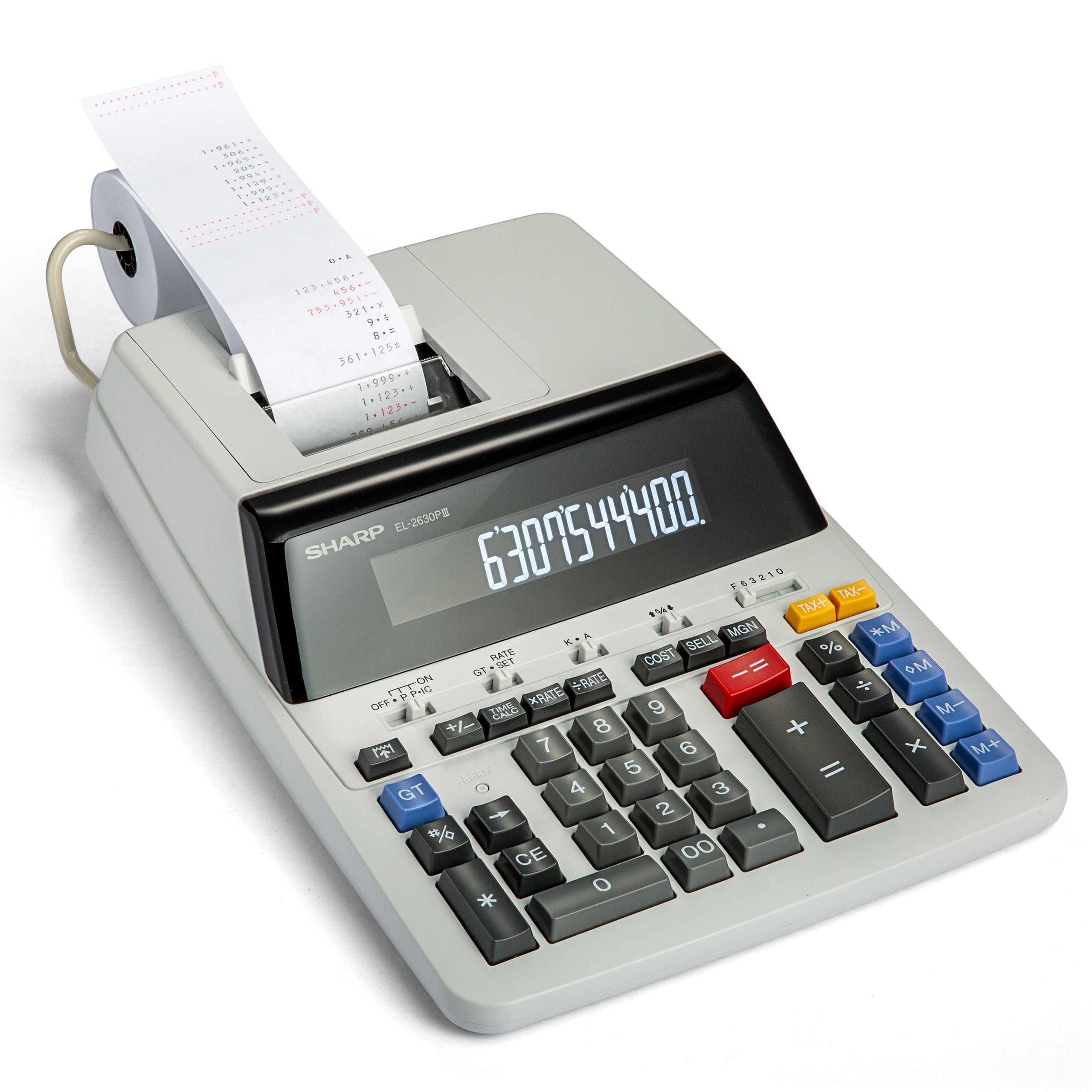
A fast ribbon printer with an extra‑large display for managers who need speed and a tape.
The EL2360PIII prints at 4.8 lines per second — noticeably faster than many office calculators — so you are not waiting for the tape to catch up. It uses a VFD display (Vacuum Fluorescent Display), which offers a bright, crisp readout that is easy on the eyes even after a long day of number crunching. The Cost‑Sell‑Margin function is built in, and automatic add‑on/discount keys simplify quoting.
Buyers who have used this model for years report replacing units from as far back as 2006, pointing to long‑term reliability. It weighs 2 pounds and measures 16.1″L x 10.1″W, which is a substantial desktop footprint — this is not a portable unit. Compared to the Casio HR-300RC, the Sharp prints faster (4.8 lines/sec vs the Casio’s standard speed) but takes up significantly more space on your desk.
Built for volume
- 4.8 lines‑per‑second ribbon printer is fast
- VFD display is bright and highly readable
- Cost‑Sell‑Margin plus time calculation keys
Trade‑offs
- Weighs 2 lbs — strictly a desktop unit
- 16.1″ x 10.1″ footprint is large
Grab this for: A high‑volume desk where fast printing and a big, bright display save you daily time.
Pass if: Workspace is tight or you need to move your calculator between offices.
4. Sharp Commercial Desktop Calculator, 12-Digit Display (QS-2130)
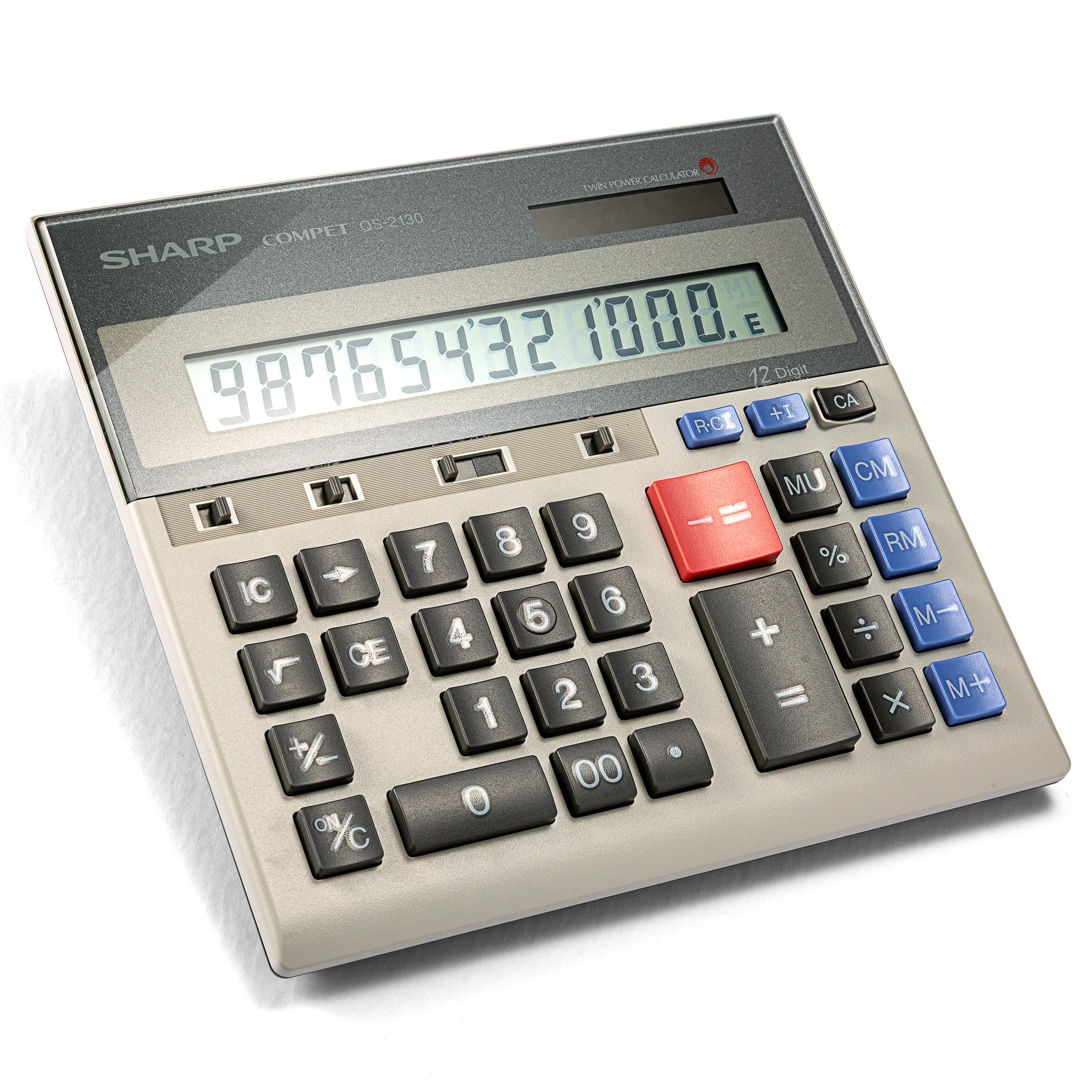
A slim, non‑printing ten‑key that stays reliable for years — no paper, no fuss.
If you do not need a printed tape, this Sharp delivers a full‑size 10‑key layout in a compact body that weighs only 9.12 ounces. It runs on solar and battery dual power, so it works reliably at your desk or in a meeting room without hunting for an outlet. The large, well‑spaced keys reduce input errors, and the slim adding‑machine design keeps your desk clear of bulk.
Owners mention that this model lasts remarkably long — one buyer mentioned using it since 1997. Another CPA mentioned they love how it functions like a ten‑key without the tape. The absence of printing means you have no paper costs and no footprint larger than 6.9″L x 7.3″W. The trade‑off: you get no physical record of your calculations, so double‑checking a long string means re‑entering the numbers.
Easy and portable
- Dual power (solar + battery) for worry‑free use anywhere
- Only 9.12 oz — great for moving between desk and bag
- Full‑size, well‑spaced keys reduce missed presses
No tape, no record
- No printing function — no permanent calculation tape
- Not ideal for complex financial functions (no NPV/IRR)
Best if: You want a durable, portable ten‑key for daily margin and markup math — not for printing or detailed financial analysis.
Not for: Anyone who needs a paper trail or advanced TVM functions for deal forecasting.
5. Texas Instruments BA II Plus Financial Calculator

The calculator approved for the CFA, FRM, and CMA exams — and just as useful for daily sales finance.
This TI model handles Time‑Value‑of‑Money (TVM), NPV, IRR, amortization, and list‑based statistics with four regression options (linear, logarithmic, exponential, power). It is approved for the Chartered Financial Analyst (CFA) exam, the GARP Financial Risk Manager (FRM) exam, and the Certified Management Accountants (CMA) exam, so if you are pursuing any of those, this is the exact unit required. For a sales manager, those same functions apply to territory ROI analysis and commission forecasting.
Customers note it holds up well — one owner reported using it for 2 years with no issues. The sturdy cover protects the unit, and the display is clear. The downside, as some reviewers point out, is that the input logic for TVM (time value of money) and IRR (internal rate of return) can be unintuitive compared to the HP 12C, and changing the CR123A battery is difficult. It also lacks a physical key for square root — though the function is available through the second‑shift key.
Approved and capable
- Approved for CFA, FRM, and CMA exams
- NPV, IRR, TVM, amortization, and statistics built in
- Durable cover and portable size
Quirks to know
- TVM/IRR input logic can be confusing for new users
- Battery replacement is tricky
Specifically for: Sales managers studying for a finance certification or needing solid NPV/IRR without paying premium prices.
Not ideal if: You hate navigating menu‑based entry — the HP 12C’s RPN may be faster for you.
6. Canon P23-DHV-3 Printing Calculator
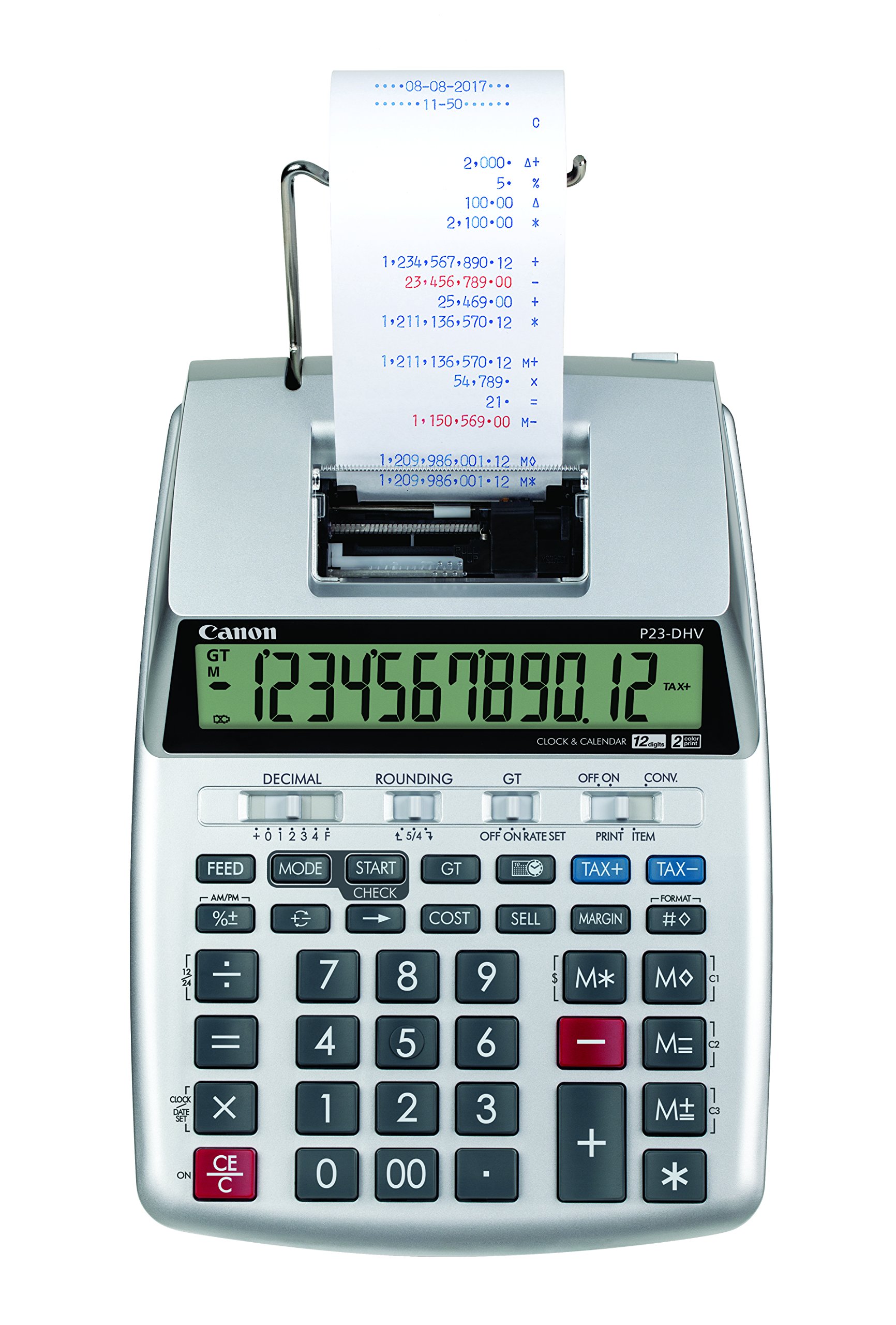
A compact printing calculator that beat big‑box prices and helped one buyer get a refund.
The Canon P23-DHV-3 loads paper more easily than older models — the paper slot sits higher so you do not jam your fingers. It integrates a built‑in clock and calendar, so you can print the date and time directly on the tape, and it has dedicated tax and business keys for common calculations. It weighs 1.04 pounds, making it lighter than the Sharp EL2360PIII, and runs on battery power.
One buyer wrote, “With the aid of this calculator I was able to receive a refund!!!” — a strong nod to the paper trail it provides for tax or expense verification. It uses plastic construction, which keeps the cost down but may not feel as rugged as the HP 12C. The LCD screen is only 1 inch, so do not expect the extra‑large display of the Sharp models. It prints, it totals, and it stays affordable.
Budget & functional
- Built‑in clock/calendar stamps your tapes
- Lighter than most printing models (1.04 lbs)
- Easy paper loading with raised slot
Compromises
- Plastic build feels less premium
- Small 1‑inch LCD screen
Perfect for: A home office or small business that needs a printed tape for receipts and tax prep without spending a lot.
Skip if: You need heavy daily use and a larger display — the Casio or Sharp EL2360PIII will serve you longer.
7. Calculated Industries 3400 Pocket Real Estate Master Financial Calculator
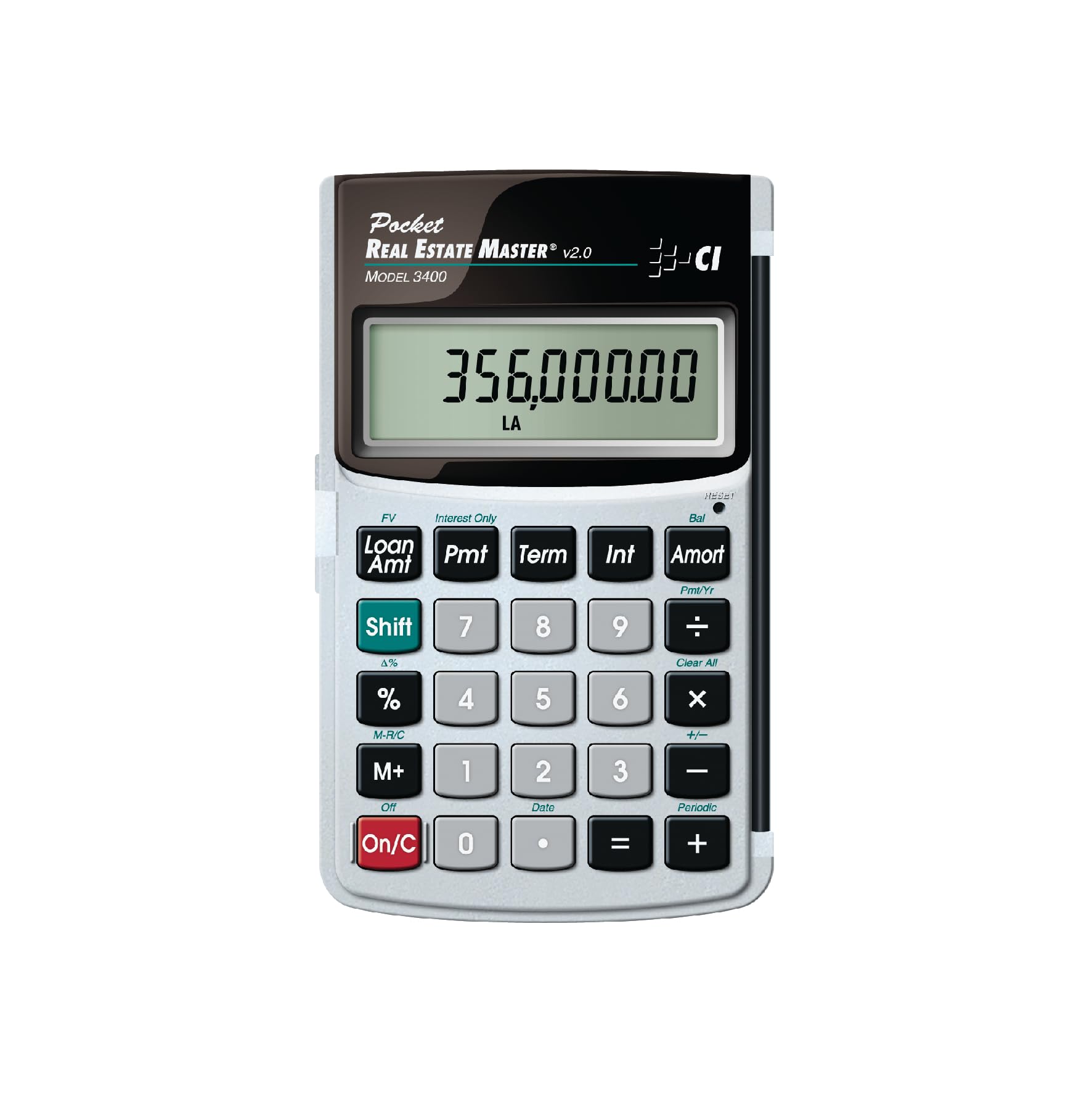
The 4‑ounce loan calculator that fits in your pocket and helped one buyer pass their real estate exam.
Weighing just 4 ounces and measuring 5″L x 3″W, this pocket calculator is genuinely portable — at 4 ounces versus the Casio HR-300RC’s 21.89 ounces, and measuring 5″L x 3″W compared to the Casio’s 10.2″L x 7.68″W. It specializes in loan amortization, remaining balances, instant principal/interest breakdowns, future values, and a date math function that lets you calculate closing dates or payment schedules. The metal enclosure gives it a solid feel despite the small size.
Buyers consistently praise its simplicity: one noted it “helped pass real estate licensing exam; remembered basic formulas without instructions.” The large display and oversized keys are easy on aging eyes. The main limit is its hyper‑specialized focus — it does real estate and loan math beautifully but lacks the general NPV/IRR tools of the HP 12C or TI BA II Plus. It uses a single CR2 battery (included).
Ultra‑portable loan tool
- Only 4 oz — disappears into a pocket or bag
- Instant amortization, remaining balance, and date math
- Metal enclosure and large, easy‑to‑press keys
Narrow focus
- No NPV, IRR, or general business statistics
- Designed specifically for real estate loans — not a universal financial calculator
Your call if: You are in real estate, mortgage lending, or any sales role where you need fast loan amortization at client sites — and you value a 4‑ounce carry.
Not for you if: Your math goes beyond mortgages into territory ROI, NPV, or IRR — you need the TI BA II Plus or HP 12C instead.
Understanding the Specs
Cost/Sell/Margin Keys
These three dedicated keys let you enter two numbers out of cost, selling price, or margin percentage and get the third instantly. For a sales manager quoting a deal on the phone, that means no fumbling for formulas — you know your margin in a single tap. Every printing calculator on this list except the Sharp QS-2130 and the pocket models includes this function.
Printing vs. Non‑Printing
A printing calculator uses thermal or ribbon paper to create a physical tape of your keystrokes and results. This gives you a permanent record — useful for expense reports, client pricing breakdowns, or tax documentation. Non‑printing calculators are lighter and more compact (the Sharp QS-2130 is 9.12 oz; the Calculated Industries 3400 is 4 oz), but you have to trust your own record‑keeping or re‑enter numbers to double‑check.
NPV, IRR, and TVM Functions
Time‑Value‑of‑Money (TVM) is the core concept that a dollar today is worth more than a dollar next year. Net Present Value (NPV) calculates the total value of a series of future cash flows in today’s dollars. Internal Rate of Return (IRR) tells you the annualized return a project or deal generates. If your job involves comparing sales territory investments or evaluating contract terms, these functions turn fuzzy projections into hard numbers.
RPN Entry (Reverse Polish Notation)
Most calculators use algebraic entry — you type “2 + 3 =”. RPN (used by the HP 12C) asks you to type “2 Enter 3 +”, which means no parentheses and fewer keystrokes for complex chains. It takes practice, but once learned it is faster for nested calculations like (12 × 4) + (6 ÷ 2).
FAQ
What is the difference between a Cost/Sell/Margin key and a regular percent key?
Can I use a basic calculator for sales commission splits?
Will a printing calculator work without paper in the slot?
What does the 150‑step re‑print function on the Casio HR-300RC actually do?
Is the HP 12C still worth buying if I already have a spreadsheet on my laptop?
Which calculator is best for calculating loan payments on a company car or equipment lease?
Are dual‑power calculators (solar + battery) reliable in low indoor light?
What is VFD display and why does it matter on the Sharp EL2360PIII?
Final Thoughts: The Verdict
Across the board, the calculator for sales managers winner is the Casio HR-300RC because it gives you a backlit display, Cost/Sell/Margin keys, a 2‑color printing tape, and a 150‑step re‑print — all in a desktop size that is smaller than many alternatives. If you want deep financial analysis and your team uses NPV (net present value) and IRR (internal rate of return) for deal evaluation, grab the HP 12C. And for a pocket‑sized loan calculator that you can carry to every client meeting, the Calculated Industries 3400 weighs just 4 ounces — light enough to forget in your pocket.
How We Picked
We do not accept paid placement. Every pick is matched to a real buyer and a real use-case; we do not hands-on test units.
Sources & Methodology
Specifications: manufacturer listings and product documentation. Review insights: verified customer reviews, as of July 2026. Pricing: not shown on this page (it changes often); check the current price via the retailer link.
As an Amazon Associate, FitlyFast earns from qualifying purchases. This does not affect which products we feature.