
Our readers keep the lights on and the weekend projects moving. As an Amazon Associate, I earn from qualifying purchases.
Specs are compiled from manufacturer listings and verified buyer reviews and can change over time — please confirm the key details on the product page before buying.
A cheap 3D printer that costs you more in frustration isn’t a bargain — it’s a trap. The real challenge isn’t finding a low price; it’s finding a machine that actually prints reliably without demanding constant repairs or a second mortgage on your time. This guide cuts through the noise to show you which budget-friendly models deliver real results, which ones are just assembly projects in disguise, and how to spot the hidden costs that don’t show up on the spec sheet.
I’m Rikta — the founder and writer behind FitlyFast. This guide is built by comparing the manufacturers’ published specifications and the patterns across verified customer reviews, so you get each pick’s real strengths and trade-offs instead of marketing spin.
The goal is straightforward: make sense of the trade-offs that come with every cheap 3d printer so you can confidently pick one that matches your skill level, space, and ambitions.
Quick Picks
- Creality K2 SE 3D Printer — Best Overall
- FLASHFORGE Adventurer 5M 3D Printer — Top Performer
- Anycubic Kobra X Multicolor 3D Printer — Most Versatile
- Creality Ender-3 V3 KE 3D Printer — Classic Upgrade
- Sovol T300 3D Printer — Large Format
- Entina TINA2S 3D Printer (WiFi Cloud) — Kid Approved
- Official Creality Ender 3 3D Printer — Budget Champion
- Fully Assembled Mini 3D Printer for Kids and Beginners (TINA2S) — Starter Kit
- Entina Tina2C 3D Printer for Kids & Beginners — Fast & Small
How To Choose The Best Cheap 3D Printer
Buying a cheap 3D printer means accepting some compromise — the trick is knowing which compromises are safe and which ones will ruin the experience. Here are the key decision points.
Print volume: what you can actually make
The build volume (measured in X x Y x Z inches or millimeters) tells you the maximum size of a model you can print in one piece. Small printers with a ~4-inch cube are great for toys and trinkets, while a 300mm printer lets you tackle helmets and larger functional parts. Measure the kind of things you want to make before you choose.
Auto-leveling: the beginner’s best friend
Manual bed leveling (adjusting the distance between the nozzle and the bed using paper and hand-twisted knobs) is a tedious skill that can take hours to learn. A printer with automatic bed leveling uses a sensor to map the bed surface and adjust the nozzle height automatically, drastically improving your success rate on the first try.
Assembly time: set up vs. frustration
Some cheap printers arrive fully assembled — you load the filament and print in minutes. Others come as a box of parts that may take several hours to build. A DIY kit can be a great learning experience, but if you want to print rather than tinker, a pre-assembled model is the safer bet.
Print speed vs. patience
Budget printers often advertise high speeds (like 500mm/s), but that top speed is usually the travel speed — the head moving between parts, not the actual printing speed. A printer that prints at 50mm/s will get the job done, but a modern machine at 300mm/s can cut an 8-hour print down to 2 hours. Check real-world reviews, not just the marketing number.
Quick Comparison
| Model | Best For | Build Volume | Max Print Speed | Assembly | Amazon |
|---|---|---|---|---|---|
| Creality K2 SE | Reliable speed from the start | 220 x 215 x 245 mm | 600 mm/s | Pre-assembled | Amazon |
| FLASHFORGE Adventurer 5M | CoreXY speed & precision | 220 x 220 x 220 mm | 600 mm/s | Pre-assembled | Amazon |
| Sovol T300 | Large format on a budget | 300 x 300 x 350 mm | 600 mm/s | 95% Pre-assembled | Amazon |
| Anycubic Kobra X | Multicolor printing | 260 x 260 x 260 mm | 600 mm/s | Pre-assembled | Amazon |
| Creality Ender-3 V3 KE | Classic Ender reliability | 220 x 220 x 250 mm | 500 mm/s | Pre-assembled | Amazon |
| Entina TINA2S (Newer) | Kid-friendly starter | 100 x 120 x 100 mm | 200 mm/s | Fully assembled | Amazon |
| Official Creality Ender 3 | DIY learning project | 220 x 220 x 250 mm | 150 mm/s | DIY Assembly | Amazon |
| Fully Assembled Mini (TINA2S) | Zero-fuss introduction | 120 x 100 x 100 mm | 150 mm/s | Fully assembled | Amazon |
| Entina Tina2C | Speed in a small package | 100 x 100 x 100 mm | 200 mm/s | Fully assembled | Amazon |
In‑Depth Reviews
1. Creality K2 SE 3D Printer
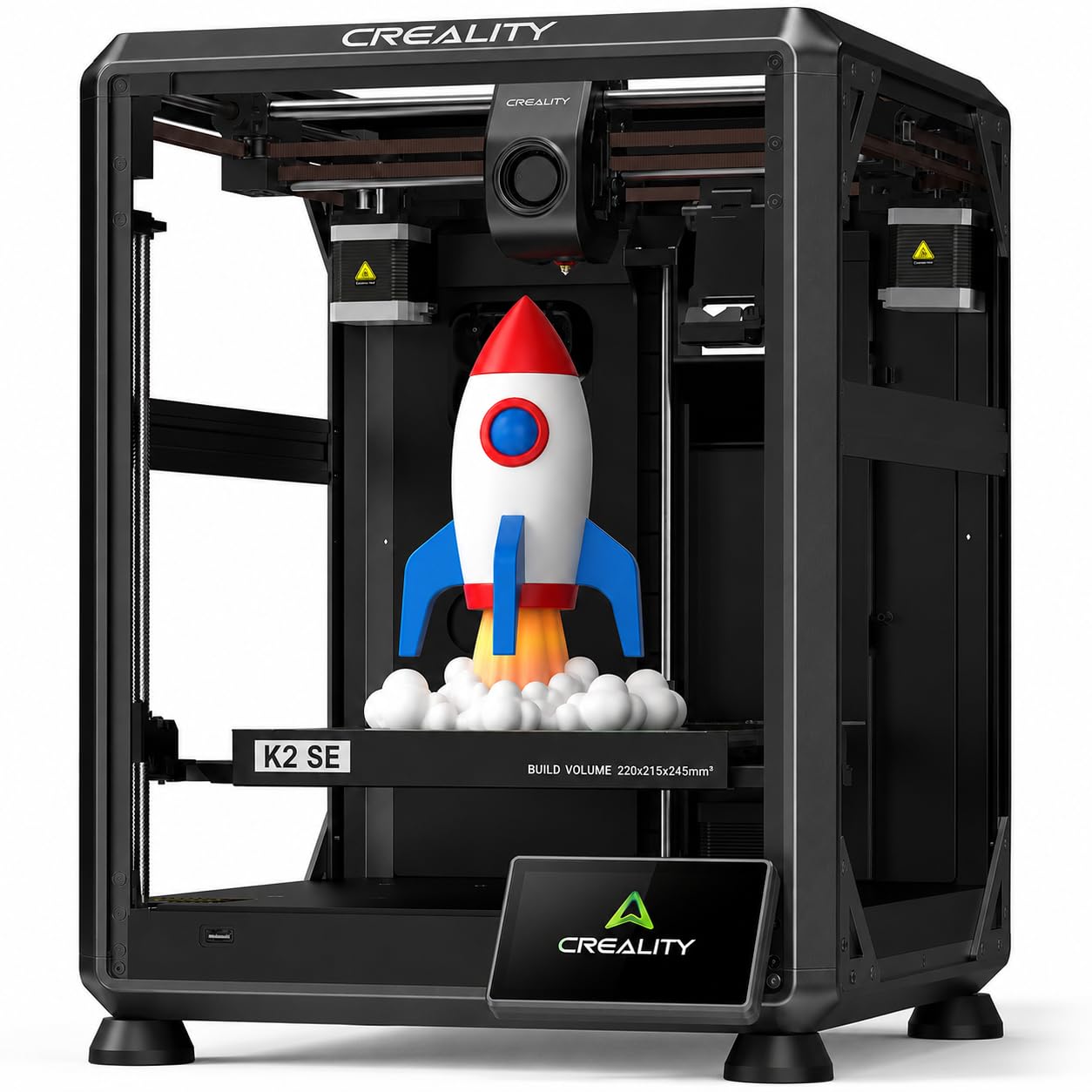
The fast, reliable workhorse that actually works for beginners without the constant tinkering.
This printer is built to eliminate the headaches that usually come with a cheap 3D printer. The Creality K2 SE features a 600mm/s print speed and auto-calibration that readies itself, so you are not spending hours leveling the bed — reviewers report flawless adhesion and zero failures across many prints. The enclosed, pre-assembled design means you can unbox and be printing in just minutes, and buyers specifically note it is quiet and reliable even for kids.
The K2 SE uses a dual-gear direct drive extruder that can handle multiple filaments, including TPU, PETG, and ABS, with a 300°C hotend. The CoreXY structure is rated for up to 600mm/s print speed, and the print volume of 220 x 215 x 245 mm allows for decent-sized models without taking over your desk. Buyers report great results and consistent 600mm/s efficiency. Unlike the original Ender 3, this one keeps frustration low from the start.
What Works
- Incredibly fast CoreXY printing at 600mm/s
- Auto-calibration and firmware for easy first layers
- Pre-assembled and pre-tuned from the start
- 300°C hotend for flexible and engineering filaments
Watch Out For
- Must use glue stick as a release agent
- Some early units had firmware bugs (reviewers mention fault codes)
- Control panel is a bit basic
Confident Pick: The best choice for beginners and hobbyists who want speed and reliability without a steep learning curve.
One Real Trade-off: A small number of reviewers experienced hardware defects early on, though most praise it as a rock-solid upgrade from older Creality models.
2. FLASHFORGE Adventurer 5M 3D Printer

A CoreXY speedster with a 3-second nozzle swap that rivals printers costing twice as much.
The Adventurer 5M packs a fully automatic one-click leveling system that measures the nozzle-to-bed distance without any manual tools. Its CoreXY all-metal motion structure supports 600mm/s printing while keeping noise low. Reviewers who have run this machine for over 1,000 hours report rock-solid reliability and top-tier print quality.
A standout feature is the patent quick-detachable nozzle, which requires no tools and can be swapped in as little as 3 seconds. This means you can easily switch between nozzle diameters (0.25 / 0.4 / 0.6 / 0.8 mm) for different precision needs. One reviewer noted the printer’s fail rate can be high on tall prints with small bases, but that most negative reviews boil down to user error. Compared to the Creality K2 SE, the Adventurer 5M stands out for nozzle flexibility, while both printers are rated at 600mm/s.
Strengths
- Truly automatic bed leveling for perfect first layers
- Tool-less nozzle swap in 3 seconds
- Rock-solid reliability over 1,000+ hours (buyer-reported)
- High-speed 600mm/s printing with low noise
Drawbacks
- No enclosure, so louder than enclosed printers
- Software/firmware can be buggy (tech support reported weak)
- Replacement hotends are relatively expensive
Best For Speed Enthusiasts: Reach for this for fast, precise prints with easy part changes and a proven long-term track record among reviewers.
Look Elsewhere If: You prefer a fully enclosed machine for quiet operation and multi-color capabilities.
3. Anycubic Kobra X Multicolor 3D Printer

A multicolor powerhouse with a huge build volume that brings professional features to a budget-friendly price point.
The Kobra X is the only printer in this list that offers built-in multicolor printing, supporting four colors from the start with expansion up to 19 colors using additional ACE 2 Pro units. It also features a 600mm/s print speed and a LeviQ 3.0 system that uses 49-point full-auto leveling to guarantee a perfect first layer. Its 260 x 260 x 260 mm build volume gives it more room than the 220 x 220 x 220 mm FLASHFORGE Adventurer 5M and the 220 x 215 x 245 mm Creality K2 SE, and it runs at ≤48 dB, making it very quiet for a home environment.
You get an AI-powered monitoring system (a camera and software that watches your print and spots problems) with a 720P camera (a high-definition lens), real-time error alerts, and spaghetti detection (a feature that stops a failed print to save filament). Reviewers praise the print quality and speed, saying setup took no time and the prints are “amazing.” A few owners mention that maintenance can be a chore because some parts are covered, and the default settings can cause small imperfections on round models. Compared to the FLASHFORGE Adventurer 5M, the Kobra X wins on multicolor printing and larger size, but its maintenance is more involved.
Highlights
- 4-color multicolor printing (expandable to 19 colors)
- Massive 260mm cubed build volume
- AI monitoring with spaghetti detection and skip part functionality
- Very quiet (≤48 dB) operation
Lowlights
- Maintenance can be difficult with covered parts
- Default settings may cause imperfections on rounded models
- 720P camera quality and placement could be better
Reach for This If: You want a quiet, large-format multicolor machine with AI smarts and are willing to do some initial tuning for perfect results.
Look Elsewhere If: You prefer a simpler, maintenance-friendly machine without the complexity of multicolor filament management.
4. Creality Ender-3 V3 KE 3D Printer

The Ender line finally gets the speed and convenience upgrades it has needed for years.
The Ender-3 V3 KE is a significant step up from the classic DIY Ender 3. It features a Sprite Direct Extruder with a 60W ceramic heater and a 300°C hotend, enabling it to handle PLA, PETG, ABS, and TPU filaments from the start without a struggle. Its 500mm/s print speed and 8000mm/s² acceleration are paired with a CR Touch Sensor for automatic calibration.
The printer is 95% pre-assembled, requiring only a fast 10-minute installation, and includes filament detection and power outage recovery. Buyers who have owned it for nearly a year report it as reliable and beginner-friendly, with only one print failure due to filament snapping. Some customers note the fans can be a bit loud and that bed leveling takes patience, but the large online community and open-source upgrades boost performance. Unlike the Kobra X, the V3 KE offers a more straightforward design with fewer potential maintenance headaches, trading multicolor for simplicity.
Why It Works
- High-speed Sprite Direct Extruder with 300°C capability
- Easy 10-minute setup for fast printing
- Reliable performance over many prints (buyer-verified)
- Huge online community and open-source upgrades
Where It Falls Short
- Bed leveling still needs some patience to dial in
- Fans can be loud during operation
- Some early units had feed issues after several prints
Ideal For: The buyer who wants a modern, fast printer with a proven brand ecosystem and a community to lean on for support and mods.
skip it if: You value absolute silence or have zero tolerance for any initial calibration steps.
5. Sovol T300 3D Printer

A Klipper-driven giant that prints a Benchy in 13 minutes with its massive 300mm build volume.
The Sovol T300 is a performance-oriented machine that uses a 64-bit computer running Klipper firmware to push print speeds up to 600mm/s with 12,000mm/s² acceleration. It can print a Benchy in just 13 minutes. The all-metal body and industrial-grade linear rails reduce shaking, while the 300°C all-in-one hotend can handle ABS and other demanding materials. The hotbed uses 1,000W AC power to heat to 60°C in only 30 seconds.
The printer has a print volume of 300 x 300 x 350 mm, making it one of the largest in this price range, and it comes 95% pre-assembled. Reviewers point out that it is excellent value with high-end features like a direct drive extruder and a 4.3-inch touchscreen. While it offers great speed and size, some shoppers say frequent hardware failures like stepper motor overheating and tensioner breakages. Unlike the K2 SE, the T300 offers a much larger format but requires more technical patience to keep running reliably.
Pros
- Massive 300mm build volume for large models
- Klipper firmware for high speeds and advanced features
- 30-second nozzle preheat to 200°C
- All-metal construction for stability
Cons
- Some buyers report hardware reliability issues
- Loud power supply fan (buyers mention it)
- Needs a lot of space on your desk
Best For Large Projects: Perfect for makers who need to print big models and are comfortable with occasional troubleshooting for the huge speed and size payoff.
One Real Drawback: Reliability can be inconsistent; good print quality when working but some units require frequent fixes.
6. Entina TINA2S 3D Printer (WiFi Cloud)
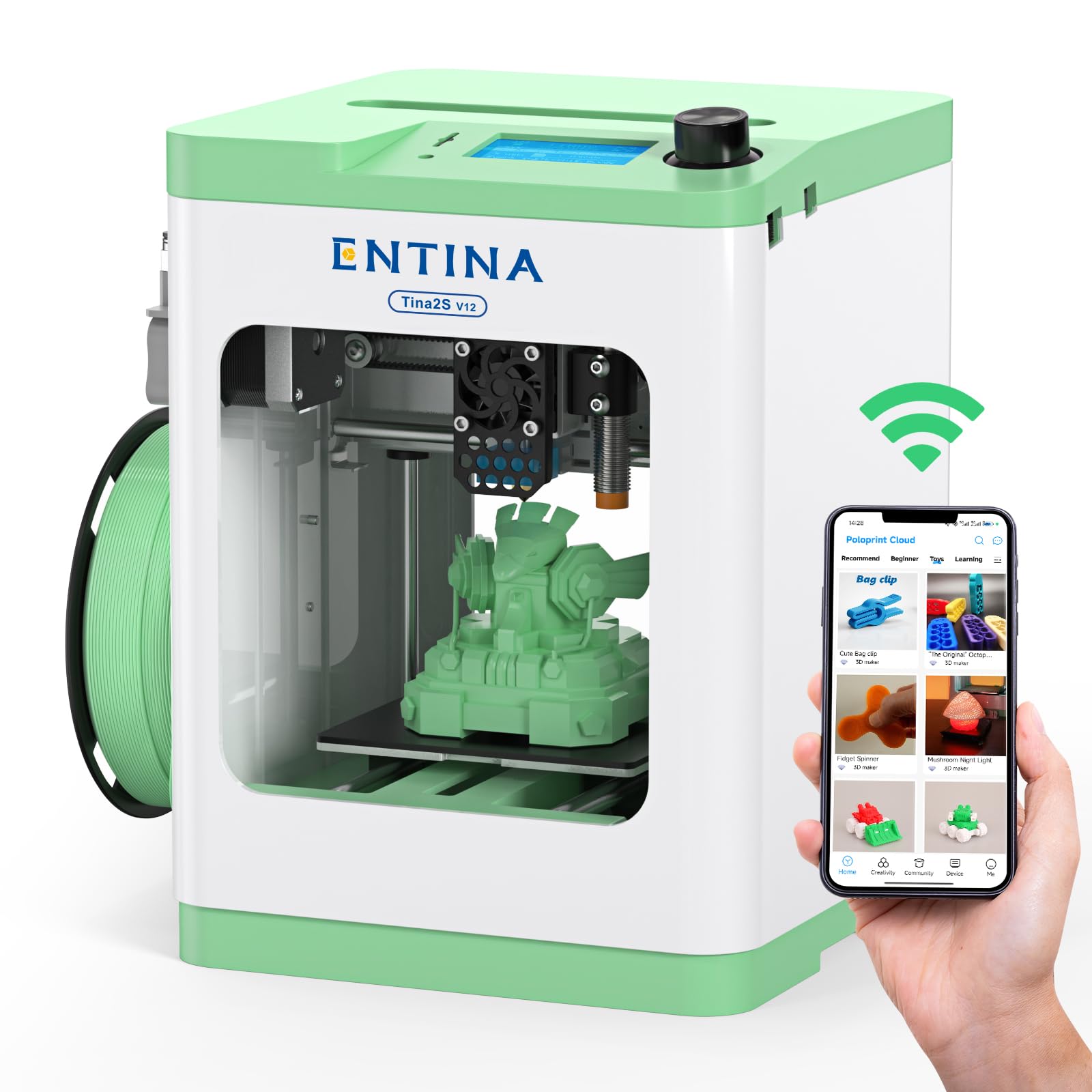
The fully assembled mini printer with a huge library of ready-to-print models — perfect for kids and absolute beginners.
The Entina TINA2S is designed to make printing as simple as possible. It is completely assembled from the start, so there is no setup or calibration required. It includes a TF card with preloaded models and access to an app with over 1,500 ready-to-print models with regular updates. The printer supports 200mm/s print speed with 0.04mm precision and features auto-leveling and a flexible spring steel build plate for easy print removal. Owners mention it is very quiet and compact, and that they printed a Benchy from the start with good quality.
Its print volume of 3.9 x 4.7 x 3.9 inches is small, so you cannot print large models. One reviewer praised it as “very quiet and compact, pre-assembled,” while another noted it is “significantly slower than Flashforge 5M.” Compared to the Creality K2 SE, the TINA2S has a 200mm/s print speed and a 3.9 x 4.7 x 3.9 inch print volume, while the K2 SE is rated at 600mm/s with a 220 x 215 x 245 mm print volume. It also requires almost zero setup time, making it a great introduction for kids and families who want to start printing right away.
What Shines
- Fully assembled — unbox and print in minutes
- Huge app library of 1,500+ models for instant inspiration
- Quiet operation with low-noise motherboard
- Auto-leveling and flexible build plate for easy removal
The Trade-offs
- Small build volume limits what you can make
- Slow print speed (200mm/s max)
- A few reviewers report frequent clogs and poor print quality
Great For Families: The best pick for parents who want a no-setup, app-driven printer that lets kids start creating immediately with a library of models.
pass on it if: You need to print models larger than a few inches or expect high speed and precision for complex parts.
7. Official Creality Ender 3 3D Printer

The legendary DIY kit that taught a generation of makers — if you have patience and a few hours for assembly.
The original Ender 3 is a classic in the 3D printing world. It is a fully open-source, DIY machine with a print volume of 8.66 x 8.66 x 9.84 inches, and it uses an upgraded extruder (the part that pushes filament) to reduce clogging. A standout feature is the resume printing function, which lets you continue a print after a power outage. However, one buyer mentioned that this “budget printer; requires careful assembly (~4 hrs) and YouTube guides.” The Ender 3 is a heavy machine at 15.43 pounds, and its dimensions of 16.14 x 16.54 x 18.31 inches mean it needs a dedicated table spot.
Buyers who love the Ender 3 praise it as a great learning experience that teaches you how printers actually work. But there is a vocal minority of owners who call it “a year of pain” due to constant tweaking, stringing, clogs, and failed prints. Compared to the Entina TINA2S, the Ender 3 offers an 8.66 x 8.66 x 9.84 inch build volume versus 3.9 x 4.7 x 3.9 inches, but it is heavier and requires significantly more effort to get running. This is not a printer for the impatient.
The Highs
- Large 8.66-inch build volume for its low price
- Resume printing after power loss
- Huge online community for support and mods
- Teaches you the fundamentals of 3D printing
The Lows
- Requires hours of careful assembly (customers note ~4 hrs)
- Needs constant tweaking and calibration
- Weighs a heavy 15.43 pounds (hefty for a desktop)
Best for Tinkerers: Choose this if you enjoy learning through building and aren’t afraid to spend weekends dialing in settings for perfect prints.
Look Elsewhere If: You want to print right from the start or need reliable results without constant adjustments.
8. Fully Assembled Mini 3D Printer for Kids and Beginners (TINA2S)

A complete starter kit with every accessory included, making it arguably the simplest way to start 3D printing.
This printer is a full starter solution that comes with everything you need: a mini printer, 10 meters of PLA filament, a microSD card with preloaded designs, and even splicing software. It is fully assembled and features auto-leveling and a dual Z-axis rail for high-precision prints. The compact size of 8.3 x 8.3 x 11.4 inches and a weight of 6.4 pounds make it truly portable and space-saving compared to the Ender 3 (which is 15.43 pounds). A buyer specifically noted they “printed Benchy from the start with good quality.”
One-touch filament loading and a flexible magnetic build plate make model removal easy. However, the print volume is small at about 120 x 100 x 100 mm, which limits what you can make. Some users report frequent failures, poor adhesion, and feeling that it “feels cheaply built” despite the auto-leveling. Unlike the Ender 3 which rewards tinkering, this printer is designed for the buyer who wants to print immediately without any fuss, trading long-term upgradability for instant simplicity.
Strengths
- Fully assembled — no setup required
- Complete starter kit with filament, SD card, and software
- Ultra-lightweight at 6.4 pounds for portability
- Auto-leveling and magnetic build plate for easy use
Weaknesses
- Small build volume limits model size
- Some buyers experience frequent print failures
- Feels less durable than more expensive options
Ideal for Absolute Beginners: Perfect for kids, classrooms, or anyone who wants the lowest possible barrier to entry with a complete kit in the box.
Consider Another Option If: You plan to make anything larger than a few inches, or you want a printer that can grow with your skills rather than being replaced.
9. Entina Tina2C 3D Printer for Kids & Beginners
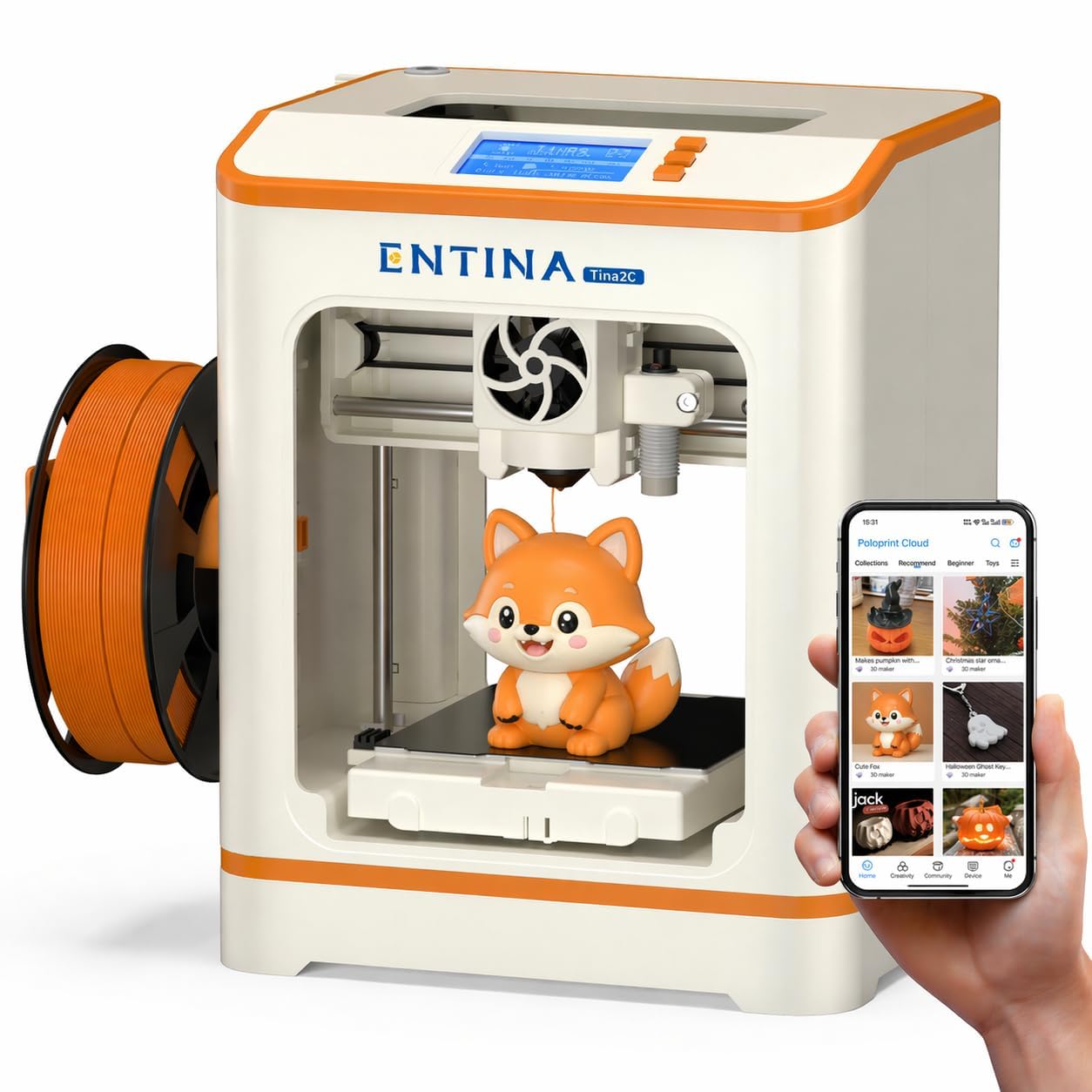
An app-driven mini printer that gets you from unboxing to your first print in just 8 minutes.
The Tina2C is designed for the fastest possible start. It uses the Poloprint Cloud app for guided setup, allowing users to start their first 3D print in as fast as 8 minutes. The app also provides AI-powered search, photo-to-print features, and access to over 20 creative modules and 3,000+ ready-to-print models. The printer features auto-leveling, power-loss recovery, and a self-cleaning nozzle for easier maintenance. Reviewers point out that their kids love it, with one 9-year-old printing toys and fidgets non-stop for days.
With a print volume of only 3.9 x 3.9 x 3.9 inches, the Tina2C is the smallest printer on this list. It is quiet, safe with rounded edges, and compact at 8 x 6.5 x 10 inches. Compared to the TINA2S (its sibling), the Tina2C offers a larger model library with 3000+ models versus 1500+ models. Both share the small build volume limitation, making them best for keychains, small toys, and figurines. Not a machine for functional parts.
Highlights
- Fastest setup in this guide — printing in 8 minutes
- Vast app library of 3000+ models and STEM modules
- AI photo-to-print feature for creative projects
- Compact, quiet, and safe for home and classrooms
Limitations
- Very small 3.9-inch build cube (trinkets only)
- WiFi is 2.4G only — may not work on 5GHz networks
- Not designed for advanced users or large projects
Best for Kids and Classrooms: Reach for this for a safety-focused, app-driven starter printer that lets a child design and print within minutes.
it’s not for you if: You need a printer for practical household parts or anything larger than a small toy.
Understanding the Specs
Build Volume
The build volume is the maximum size of a model your printer can create in a single piece, measured in X, Y, and Z dimensions. A small printer (like a 100mm cube) is great for keychains and miniatures but cannot print a helmet. Larger volumes (like 300mm) let you tackle furniture parts, cosplay props, and bigger functional projects. For a cheap 3D printer, a 220mm cube is a versatile middle ground.
Print Speed (mm/s)
Print speed tells you how fast the nozzle moves while extruding plastic. A standard budget printer does about 50-100 mm/s, while modern machines advertise 500-600 mm/s. However, sustained high speed at good quality depends on a rigid frame, light print head, and good cooling. A printer rated at 600mm/s can finish some prints much faster than a slower machine, but lower speeds often produce finer detail.
Auto-Leveling Systems
A bed leveling sensor maps the distance between the nozzle and the print bed across multiple points. Manual leveling requires you to turn knobs under the bed while sliding a piece of paper under the nozzle — a finicky skill. Automatic leveling uses a probe (like the CR Touch or LeviQ) to compensate for uneven beds, making it much easier for beginners to get their first layer to stick without guesswork.
Nozzle Temperatures & Materials
The hotend temperature determines what plastic a printer can melt. Standard printers reach 260°C, enough for PLA and PETG. Printers with a 300°C hotend can also handle ABS, TPU (flexible), and nylon. Higher temperature capability also means faster heat-up times. If you want to print functional parts or flexible phone cases, look for a printer that clearly states it supports those filaments.
FAQ
How much time does it take to set up a cheap 3D printer?
What is the smallest build volume I should consider?
Is a cheap 3D printer noisy?
Can a cheap 3D printer print with flexible TPU filament?
What does “auto-leveling” actually mean in a cheap printer?
Which filament should a beginner start with?
How long does a typical print take on a cheap 3D printer?
Do cheap 3D printers have safety features like power loss recovery?
What does “open source” mean for a 3D printer?
Can I connect a cheap 3D printer to my computer or phone?
Final Thoughts: The Verdict
For most people, the best cheap 3d printer is the Creality K2 SE because it delivers impressive 600mm/s speed, reliable auto-calibration, and a pre-assembled design that is genuinely beginner-friendly without sacrificing performance. If you want multicolor printing and a massive 260mm build volume, grab the Anycubic Kobra X. And for a fully assembled, zero-fuss introduction for kids, the Entina TINA2S is the simplest way to get started in minutes.
How We Picked
We do not accept paid placement. Every pick is matched to a real buyer and a real use-case; we do not hands-on test units.
Sources & Methodology
Specifications: manufacturer listings and product documentation. Review insights: verified customer reviews, as of July 2026. Pricing: not shown on this page (it changes often); check the current price via the retailer link.
As an Amazon Associate, FitlyFast earns from qualifying purchases. This does not affect which products we feature.