
Our readers keep the lights on and the weekend projects moving. As an Amazon Associate, I earn from qualifying purchases.
Finding a printer that doesn’t cost more to run than to buy is a rare win. Most cheap models lock you into expensive cartridges, but a few deliver sharp documents and photos without draining your wallet over time.
I’m Rikta — the co-founder and writer behind FitlyFast. After analyzing hundreds of spec sheets, customer durability reports, and long-term cost-per-page data, I’ve separated the genuinely frugal printers from the ink-guzzling traps.
Whether you need occasional documents or frequent color prints, this guide breaks down the real running costs and essential features to find the right cheap home printer that keeps your budget intact long after the unboxing.
How To Choose The Best Cheap Home Printer
The sticker price of a printer is only the beginning. The real decision comes down to how much you’ll spend on ink or toner over the next year. For a cheap home printer, the initial cost is low, but running costs vary wildly between cartridge-based models and ink tank systems.
Ink System: Cartridge vs. Tank vs. Laser
Cartridge printers like the HP DeskJet or Envy have a low upfront cost but usually ship with partial ink. Replacement cartridges can cost almost as much as the printer itself. Ink tank models, such as the Canon MegaTank or Epson EcoTank, cost more initially but include enough ink for thousands of pages. Monochrome laser printers, like the Brother DCP-L2640DW, use toner that lasts far longer than ink and offer the lowest cost per page for black-and-white printing.
Connectivity and Setup
Most cheap home printers rely on 2.4 GHz Wi-Fi for wireless connection. Dual-band Wi-Fi (2.4 and 5 GHz) is less common in budget models but offers faster and more stable connections. A physical USB connection is a reliable backup. A printer with a simple mobile app setup avoids the typical driver-install headaches of older models.
Print Speed and Volume
For a home user, print speed matters less than reliability. Monochrome speeds of 8-10 pages per minute (ppm) and color speeds of 5-7 ppm are standard for budget inkjets. Laser printers can reach 30+ ppm. If you print only a few pages weekly, speed isn’t a factor. If you print multi-page documents regularly, a laser or faster inkjet saves time.
Extra Features: Duplex, ADF, and Display
Automatic duplex (double-sided printing) saves paper and is common on many budget models. An auto document feeder (ADF) is useful for scanning or copying multi-page stacks. A basic LED or small color display helps with navigation, while a touchscreen is a premium addition found on higher-end budget models. Decide which features justify the extra cost for your printing habits.
Quick Comparison
On smaller screens, swipe sideways to see the full table.
| Model | Category | Best For | Key Spec | Amazon |
|---|---|---|---|---|
| Canon MegaTank G3270 | Color Ink Tank | Low-cost color printing | Up to 6,000 B&W pages per ink set | Amazon |
| Epson EcoTank ET-2400 | Color Ink Tank | Cartridge-free home printing | Up to 4,500 B&W pages per ink set | Amazon |
| HP Envy 6155e | Color Inkjet | Color documents & photos | Automatic duplex + 2.4″ touchscreen | Amazon |
| Brother DCP-L2640DW | Monochrome Laser | High-volume B&W documents | Print speed up to 36 ppm | Amazon |
| Epson WorkForce WF-2930 | Color Inkjet | Home office with ADF | Automatic duplex + 1.4″ color display | Amazon |
| HP DeskJet 4255e | Color Inkjet | Ultra-budget all-in-one | Manual duplex + 60-sheet input tray | Amazon |
| Canon PIXMA TR160 | Portable Color Inkjet | Travel & small spaces | Weighs 4.5 lbs, USB-C connectivity | Amazon |
In‑Depth Reviews
1. Canon MegaTank G3270

The Canon MegaTank G3270 flips the budget printer script — instead of tiny cartridges, it uses refillable ink tanks that ship with enough ink for up to 6,000 black pages and 7,700 color pages. That’s roughly two years of typical home use before you need to buy more ink. The upfront cost is higher than a cartridge model, but the long-term savings are substantial.
Setup is straightforward via the Canon app, and print quality is good for both documents and photos. The 1.35-inch square LCD display is basic but functional for checking ink levels and status. The single-sided printing means you’ll need to manually flip pages for duplex, which is a minor inconvenience for occasional use.
The largest downside is the lackluster color saturation on plain paper without switching to a “photo paper” setting, and some users report inconsistent WiFi connectivity that requires periodic troubleshooting. For home users who print regularly and want to avoid recurring ink costs, this is the most cost-effective color option.
Why it’s great
- Ink in the box lasts for thousands of pages
- Refillable tank system eliminates cartridge waste
- Good print quality for documents and borderless photos
Good to know
- Single-sided printing only — no auto duplex
- WiFi can be finicky; no ethernet port
- Color can appear washed out on plain paper without settings adjustment
2. Epson EcoTank ET-2400

The Epson EcoTank ET-2400 is another cartridge-free champion. The included ink bottles are equivalent to roughly 80 individual cartridges, printing up to 4,500 black pages and 7,200 color pages before needing a refill. That’s a solid two years of ink in the box for most households.
Print quality is impressive for a budget printer — sharp black text and vibrant color graphics, thanks to Epson’s Micro Piezo Heat-Free technology. The setup is simple via the Epson Smart Panel app, and the all-in-one functionality covers scanning and copying. The compact design fits easily on a small desk.
The main trade-off is the build quality. The plastic chassis feels a bit flimsy, and some users note that the printer is slightly noisy during operation. The print speed is adequate for infrequent use at 10 ppm black and 5 ppm color, but not designed for heavy workloads. For a home focused on keeping long-term costs low, this is a strong contender.
Why it’s great
- Years of ink included in the box
- Sharp text and vibrant color output
- Cartridge-free design reduces waste and cost
Good to know
- Feels less sturdy than pricier models
- Print speeds are moderate
- Some noise during operation
3. HP Envy 6155e
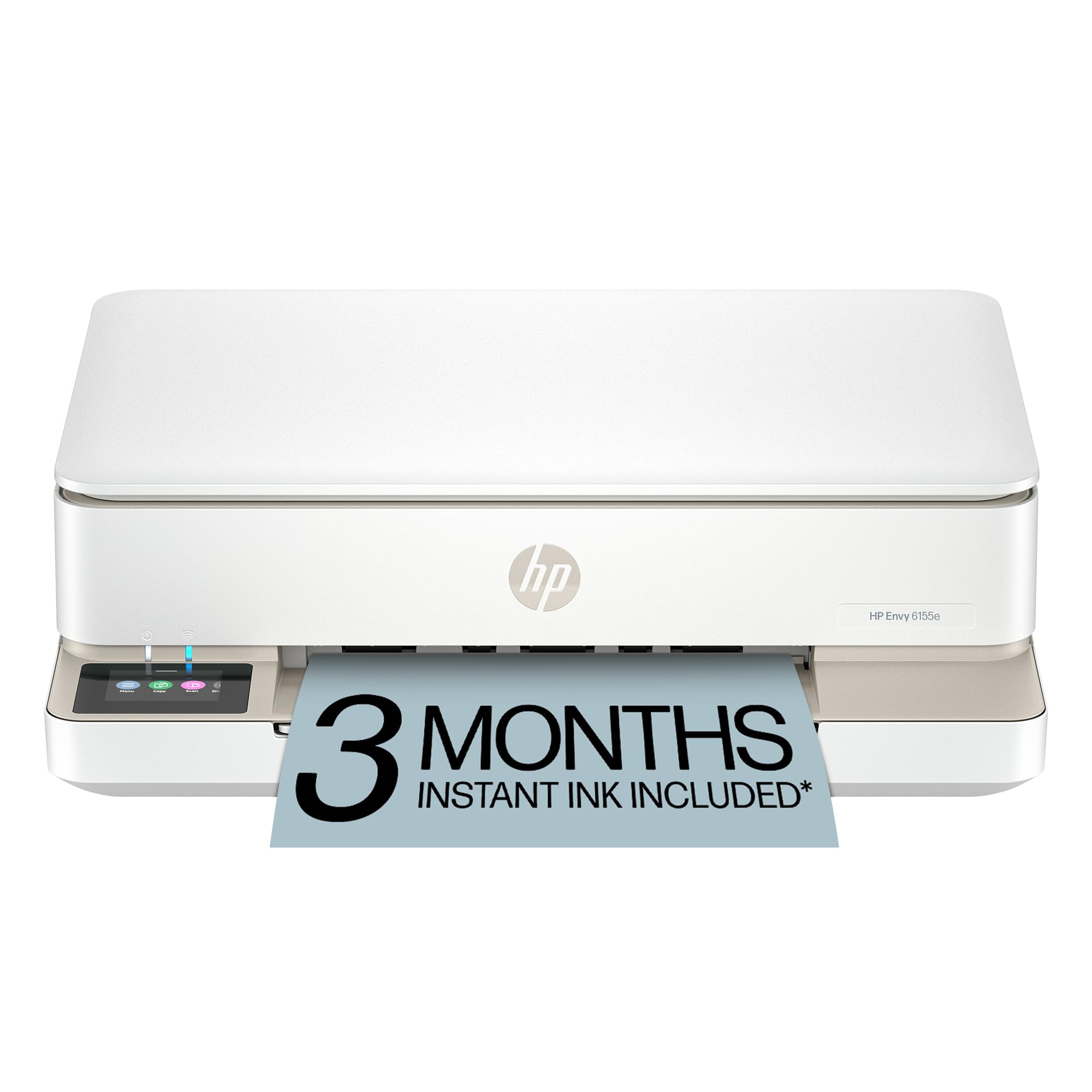
The HP Envy 6155e brings a premium feel to the budget segment with a 2.4-inch color touchscreen and automatic 2-sided printing. Print speeds are decent at 10 ppm black and 7 ppm color, and the HP Smart AI feature helps clean up web page prints by removing unwanted ads and awkward layouts.
The 6155e uses HP’s Instant Ink subscription model — during setup, you’ll be offered a free trial, but careful users note that declining the subscription and using standard HP 68XL cartridges is the smarter move to avoid being locked into recurring ink costs. The dual-band WiFi keeps the connection stable, and the HP app makes mobile printing effortless.
The downsides are the same across HP’s current lineup: the printer is designed to reject non-HP cartridges via firmware updates, and the starter ink cartridges are nearly empty. Once you switch to high-yield XL cartridges, the cost per page becomes reasonable, but not as low as tank systems. It’s a great choice if you want a simple touchscreen experience and automatic duplex.
Why it’s great
- Intuitive 2.4-inch touchscreen interface
- Automatic duplex printing saves paper
- Dual-band WiFi for reliable connectivity
Good to know
- Starter cartridges run out quickly
- Firmware blocks non-HP ink cartridges
- Instant Ink subscription can feel restrictive
4. Brother DCP-L2640DW

The Brother DCP-L2640DW is a monochrome laser all-in-one that shifts the focus from color to speed and economy. With print speeds up to 36 ppm, a 50-page auto document feeder, and automatic duplex scanning and printing, this is the right tool for a home that primarily prints black text documents.
Connectivity is robust with dual-band wireless, ethernet, and USB, making it easy to share across multiple devices. The Brother Mobile Connect app handles remote printing and scanning, and the Refresh EZ Print Subscription offers toner delivery at a discount if you choose to opt in, though you can also purchase standard TN830 high-yield toner separately.
The clear limitation is that it prints only in black and white. If you need color documents or photos, choose one of the inkjet options above. For a home office or student who prints essays, forms, and reports, the DCP-L2640DW delivers the lowest cost per page and the fastest output in this list.
Why it’s great
- Fast 36 ppm monochrome printing
- 50-page ADF and auto duplex
- Very low cost per page with standard toner
Good to know
- No color printing capability
- Heavier than inkjet models at 25 lbs
- Larger footprint requires dedicated desk space
5. Epson WorkForce WF-2930

The Epson WorkForce WF-2930 is a well-rounded all-in-one that brings automatic 2-sided printing and an auto document feeder to the budget segment. It uses Epson’s PrecisionCore technology for sharp text and vibrant graphics, and the 1.4-inch color display makes navigation straightforward.
Setup is a mixed bag — the Epson Smart Panel app works well for wireless connection, but the printer arrives with tiny “setup only” ink cartridges that are mostly empty. Buying replacement Epson genuine ink is necessary immediately, and the printer’s warranty only covers genuine cartridges. This brings the effective upfront cost higher than the sticker suggests.
Once running, the WF-2930 delivers reliable prints with decent speed (10 ppm black, 5 ppm color). The body feels light and plastic-y, so it’s best handled with care. For a home office that needs an ADF for scanning multi-page documents and auto duplex to save paper, the WF-2930 offers good functionality at a reasonable price.
Why it’s great
- Auto document feeder for efficient scanning
- Automatic 2-sided printing
- Sharp print quality for documents and graphics
Good to know
- Comes with nearly-empty setup ink cartridges
- Build feels cheap and flimsy
- Warranty voids with non-genuine ink
6. HP DeskJet 4255e

The HP DeskJet 4255e is the bare-bones option for those who need color printing at the lowest possible initial cost. As a 3-in-1 (print, scan, copy) with an auto document feeder, it covers all the basics. Print speeds are modest at 8.5 ppm black and 5.5 ppm color, suitable for occasional household tasks.
The setup is straightforward using the HP Smart app on 2.4 GHz WiFi, and the compact white design fits easily in tight spaces. The AI print feature that cleans up web pages is genuinely useful for saving paper and ink. The 60-sheet input tray is small but workable for low-volume home use.
The major catch is the ink strategy. The 4255e ships with HP’s Dynamic Security feature that blocks non-HP cartridges, and the Instant Ink subscription is heavily pushed during setup. Manual duplex means you’ll flip pages by hand for double-sided printing. For users who print very rarely and understand the ink commitment, the 4255e is a functional and very affordable entry point.
Why it’s great
- Very low initial purchase price
- Includes auto document feeder
- AI web page print feature saves ink
Good to know
- Blocks non-HP cartridges via firmware
- Manual duplex only
- Starter cartridges hold very little ink
7. Canon PIXMA TR160

The Canon PIXMA TR160 is a different kind of cheap home printer: it’s designed to be portable. Weighing just 4.5 pounds and about the size of a ream of paper, it can slip into a backpack. The 5-color hybrid ink system delivers sharp black text and rich photo prints up to 8.5×11 inches, including borderless prints.
Connectivity is modern with Bluetooth and USB-C, and it supports Apple AirPrint and Mopria for easy mobile printing. The 1.44-inch monochrome OLED display is basic but provides clear ink level readouts. The Wireless Direct mode lets you print without a router, which is handy at a coffee shop or hotel.
The TR160 is print-only — there’s no scanner or copier. The 50-sheet paper tray is fine for short runs, and an optional battery pack makes it truly wireless. The ink cartridges are small, so frequent users will find the per-page cost higher than a tank system. For students or professionals who need to print on the move, this is a unique, space-saving solution.
Why it’s great
- Highly portable at 4.5 lbs
- Sharp text and vibrant photo prints
- USB-C and Bluetooth connectivity
Good to know
- Print-only — no scanning or copying
- Small ink cartridges require frequent replacement
- Optional battery pack sold separately
FAQ
How much ink is actually in the box with a cheap home printer?
Does a monochrome laser printer save money over a color inkjet?
Can I use third-party ink in a cheap home printer?
What does auto duplex mean and do I need it?
Final Thoughts: The Verdict
For most users, the cheap home printer winner is the Canon MegaTank G3270 because its included ink lasts for thousands of pages, making the long-term cost far lower than cartridge-based alternatives. If you want a cartridge-free experience with vibrant photo-quality output, grab the Epson EcoTank ET-2400. And for fast, economical black-and-white document printing, nothing beats the Brother DCP-L2640DW.