
Our readers keep the lights on and the weekend projects moving. As an Amazon Associate, I earn from qualifying purchases.
Finding a display that doesn’t force you to choose between a smooth, tear-free picture and a reasonable price tag is the real challenge in the sub-130-dollar market. Most bargain panels skimp on refresh rates or deliver washed-out colors, leaving you with eye strain and buyer’s remorse.
I’m Rikta — the co-founder and writer behind FitlyFast. I’ve spent hours combing through spec sheets, analyzing real buyer feedback, and cross-referencing technical details to separate the genuine value plays from the overhyped listings in this crowded space.
Whether you’re outfitting a home office, a secondary workstation, or a casual gaming setup, this guide details the real-world performance of the best cheap monitor options available right now, focusing on the specs that actually matter.
How To Choose The Best Cheap Monitor
In the budget monitor market, every dollar counts, and every compromise is a trade-off. Your goal is to maximize the specs that enhance your daily experience—refresh rate, panel type, and connectivity—while ignoring the features that drive up cost without delivering real-world benefit.
Refresh Rate: The Silent Productivity Booster
A 60Hz panel is the bare minimum, but even moving to 75Hz makes scrolling through documents and web pages noticeably smoother. For anyone who plays fast-paced games or simply wants a more fluid desktop experience, a 100Hz or 120Hz panel is a transformative upgrade. Adaptive Sync (FreeSync) is a bonus that eliminates screen tearing without the premium price tag of G-Sync.
Panel Type: IPS vs VA vs TN
At this price point, you’ll encounter IPS (In-Plane Switching) and VA (Vertical Alignment) panels. IPS monitors offer superior color accuracy and wide 178-degree viewing angles, making them ideal for photo editing and collaborative work. VA panels typically deliver higher contrast ratios (3000:1 vs 1000:1), resulting in deeper blacks that are better for watching movies in a dark room. TN panels, once common, are largely absent here—and that’s a good thing, as their poor viewing angles are a dealbreaker.
Quick Comparison
On smaller screens, swipe sideways to see the full table.
| Model | Category | Best For | Key Spec | Amazon |
|---|---|---|---|---|
| LG 24U411A-B | Premium IPS | Smooth Gaming & Color Work | 120Hz / 1ms MBR / HDR10 | Amazon |
| AOC 24B35H3 | Best Overall | Versatile Work & Play | 120Hz / IPS / FreeSync | Amazon |
| ASUS VA249HG | Premium IPS | Low Blue Light & Fluidity | 120Hz / 1ms MPRT / 99% sRGB | Amazon |
| Dell SE2725HM | Premium 27-Inch | Spacious Office Work | 27-inch / 100Hz / Anti-Glare | Amazon |
| Samsung S36GD | Mid-Range Curved | Immersive Viewing | 24-inch Curved / 100Hz / VA | Amazon |
| ViewSonic VS2447M | Value Workhorse | Basic Office & Study | 100Hz / Flicker-Free / VRR | Amazon |
| Amazon Basics 24-Inch | Entry-Level All-Rounder | Budget Dual-Monitor Setup | 75Hz / IPS / Built-in Speakers | Amazon |
In‑Depth Reviews
1. AOC 24B35H3 24″ IPS 120Hz
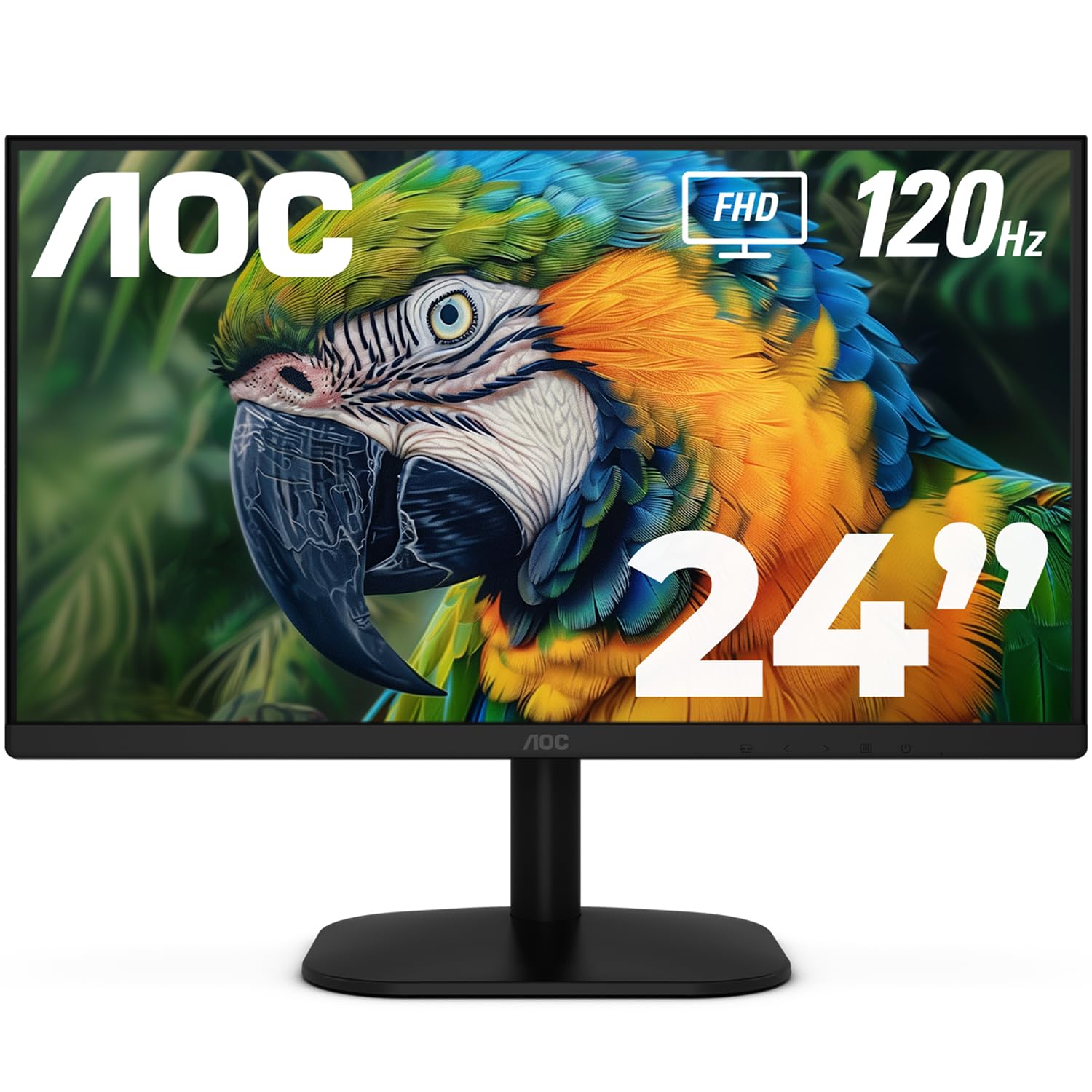
The AOC 24B35H3 hits the sweet spot for a budget-minded buyer who refuses to compromise on core performance. Its 24-inch IPS panel delivers wide 178-degree viewing angles and 100% sRGB coverage, ensuring colors remain accurate whether you’re editing a spreadsheet or watching a video from an off-center seat. The 120Hz refresh rate and FreeSync support elevate the experience far beyond typical 60Hz or 75Hz office panels, making screen tearing a non-issue during casual gaming or fast scrolling.
Build quality is solid with a tilt-adjustable stand and a 100x100mm VESA mount, giving you flexibility for a clean dual-monitor arm setup. The inclusion of both HDMI and VGA ports ensures compatibility with older PCs and laptops, while the 3.5mm earphone jack keeps audio private. The flicker-free backlight and low blue light mode are genuinely effective for reducing eye fatigue during long sessions.
The only trade-offs are a plastic chassis that feels lightweight and a lack of height adjustment on the stock stand, though these are standard compromises at this tier. The AOC 24B35H3 delivers the full package—high refresh rate, modern panel technology, and a reasonable feature set—without demanding a premium for a logo.
Why it’s great
- 120Hz refresh rate with FreeSync for tear-free motion
- IPS panel with 100% sRGB for accurate color
- VESA mountable and tilt-adjustable
Good to know
- Plastic build feels less premium than ASUS or Dell alternatives
- Stand lacks height adjustment
2. ASUS VA249HG 23.8″ IPS 120Hz

The ASUS VA249HG is a purpose-built monitor for users who prioritize fluid motion and color accuracy in the same package. Its 23.8-inch IPS panel covers 99% of the sRGB gamut, making it a legitimate option for light photo editing alongside everyday work. The 120Hz refresh rate paired with 1ms MPRT response time delivers exceptionally crisp motion, reducing ghosting in fast-paced scenes.
The frameless design is a standout feature for multi-monitor setups, as the ultra-thin bezels minimize the gap between screens. ASUS also includes its DisplayWidget Center software, which allows you to tweak brightness, contrast, and preset modes via a mouse rather than fiddling with OSD buttons. The stand is sturdy and tilt-adjustable, though it lacks height or swivel adjustment.
Connectivity covers the basics with HDMI and VGA, plus a 3.5mm earphone jack. The static contrast ratio of 3,000:1 is unusually high for an IPS panel at this price, delivering deeper blacks than many competitors. If you value color fidelity and smooth scrolling without stepping into the premium tier, the ASUS VA249HG is a strong contender.
Why it’s great
- High 3000:1 contrast ratio for deeper blacks
- 99% sRGB color gamut coverage
- Frameless design ideal for dual-screen setups
Good to know
- No DisplayPort input, only HDMI and VGA
- Stand is tilt-only with no height adjust
3. LG 24U411A-B 24″ IPS 120Hz

The LG 24U411A-B brings a premium feature set to the budget conversation, starting with its 120Hz refresh rate and 1ms Motion Blur Reduction (MBR) technology. The MBR feature is particularly effective for gaming, minimizing ghosting and keeping fast-moving objects sharp. The IPS panel supports HDR10 and covers up to 99% of the sRGB spectrum, producing vibrant colors that hold up well against side-by-side comparisons with far more expensive monitors.
The design is notably sleek, with ultra-slim bezels on three sides that give the screen a virtually borderless appearance. The LG Switch app is a genuine productivity tool, allowing you to split the screen into up to six customizable sections and launch apps via hotkeys. Dynamic Action Sync reduces input lag, making this a solid choice for competitive titles where every millisecond counts.
Some buyers have noted that the HDR performance is basic at this price—it’s more of a software toggle than a hardware upgrade. The monitor lacks built-in speakers and relies on a single HDMI input alongside VGA, which may pinch users with multiple modern sources. The LG 24U411A-B is a well-rounded package that delivers smooth motion and strong color reproduction for its class.
Why it’s great
- 1ms Motion Blur Reduction for sharp fast action
- LG Switch app for desktop multitasking
- Virtually borderless bezel design
Good to know
- HDR implementation is basic with limited luminance
- Only one HDMI port available
4. Dell SE2725HM 27″ IPS 100Hz

The Dell SE2725HM makes a compelling argument for larger screens in the budget segment. The 27-inch Full HD panel is a noticeable upgrade from the standard 24-inch size, providing more real estate for spreadsheets, code editors, and design canvases without pushing the resolution to a point where text becomes too small. The 100Hz refresh rate ensures smooth scrolling, and the anti-glare coating effectively cuts down reflections in brightly lit rooms.
Dell’s ComfortView Plus technology is a standout feature—it’s a built-in, always-on filter that reduces harmful blue light by up to 50% without washing out colors the way software-based solutions often do. The TÜV Rheinland 3-star certification backs up the eye comfort claims. The monitor also includes a built-in power supply and a cable holder, keeping your desk tidy with fewer bricks and loose wires.
The downside is the resolution: 1920×1080 on a 27-inch screen results in a lower pixel density (roughly 81 PPI) compared to a 24-inch 1080p panel (about 92 PPI). Text may appear slightly less crisp at close viewing distances. The stand is tilt-only, and connectivity is limited to HDMI and VGA, with no USB ports. For users who crave screen space and prioritize eye comfort, this Dell model is an excellent fit.
Why it’s great
- Large 27-inch IPS panel for productivity
- ComfortView Plus reduces blue light without color shift
- Built-in power supply and cable management
Good to know
- 1080p resolution at 27 inches means lower pixel density
- Limited connectivity: no USB hub or DisplayPort
5. Samsung S36GD 24″ Curved 100Hz
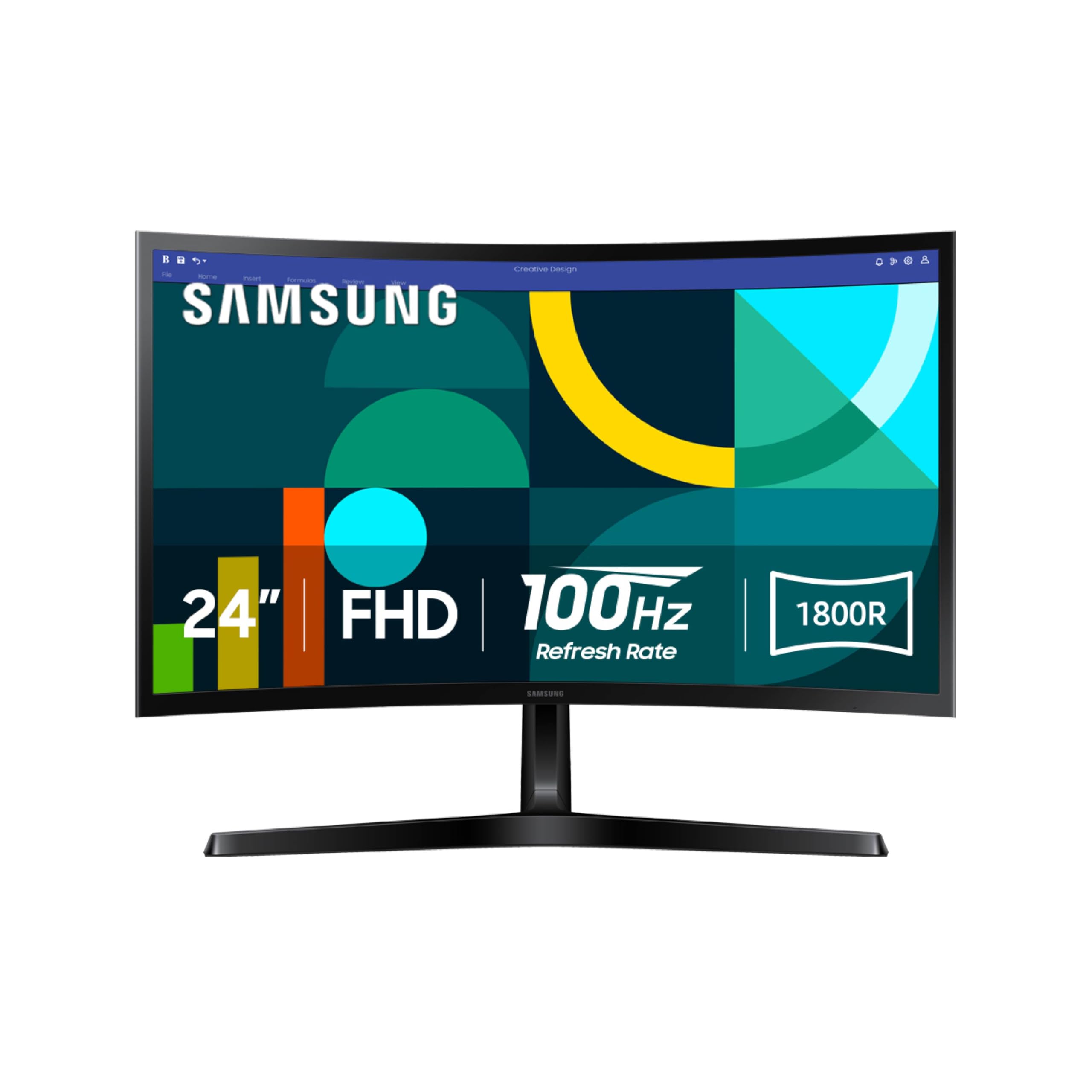
The Samsung Essential S3 (S36GD) brings curvature to the budget monitor market, and in this case, it actually serves a purpose. The 1800R curve wraps the 24-inch VA panel gently around your field of vision, enhancing depth perception and reducing peripheral distractions. The VA panel’s native 3,000:1 contrast ratio produces excellent black levels, making this monitor a strong choice for movie watching and dark-themed games.
The 100Hz refresh rate, combined with FreeSync support, delivers smooth performance without the ghosting that plagues older budget VA panels. Game Mode adjusts color and contrast in real-time to help you spot enemies in dark corners, and the Advanced Eye Comfort technology is TÜV-certified to reduce blue light and flicker. The slim profile and ultra-thin bezels give the monitor a modern look on any desk.
The stand is not adjustable, which may prove annoying for users who prefer a specific height. You’ll also need to rely on the VESA mount for any ergonomic changes. Some users report that the out-of-box color profile leans slightly cool, though this is adjustable via the OSD. The Samsung S36GD is a unique offer that trades panel adjustability for an immersive curved viewing experience at a budget price.
Why it’s great
- 1800R curved VA panel for immersive viewing
- Deep 3000:1 contrast ratio for rich blacks
- TÜV-certified eye comfort technology
Good to know
- Stand is fixed with no adjustment
- Out-of-box calibration may need tweaking
6. ViewSonic VS2447M 24″ 100Hz

The ViewSonic VS2447M is a no-frills, get-the-job-done monitor that prioritizes solid foundational performance. The 100Hz refresh rate with Variable Refresh Rate (VRR) support ensures smooth scrolling and tear-free motion during general use and light gaming, even if it lacks the higher ceiling of a 120Hz panel. The 24-inch Full HD VA panel offers a native 3000:1 contrast ratio, resulting in deeper blacks and better shadow detail than most IPS panels at this level.
ViewSonic’s Eye Care technology includes both Flicker-Free backlighting and a Blue Light Filter, both of which help reduce eye fatigue during eight-hour workdays. The thin bezels give the monitor a clean, contemporary look, and the HDMI and VGA inputs cover the basics for connecting a work laptop or a secondary PC. The audio-in and audio-out jacks are a nice touch for hooking up external speakers.
Where the VS2447M falls short is its stand, which lacks height, tilt (the tilt is fixed), and swivel adjustment. The OSD buttons are also located on the back, which can be fiddly to navigate. The ViewSonic VS2447M is a straightforward, reliable option for a home office where ergonomic adjustability is less critical than raw contrast and a flicker-free image.
Why it’s great
- 3000:1 VA contrast ratio for deep blacks
- 100Hz VRR for smooth tear-free motion
- Includes audio in/out jacks
Good to know
- Stand is fully fixed with no tilt or height adjustment
- OSD buttons are awkwardly placed on the rear
7. Amazon Basics 24-Inch IPS 75Hz

The Amazon Basics 24-inch Monitor is exactly what the name implies: a no-compromise approach to delivering the most essential, useful features at the lowest possible price. The IPS panel delivers 178-degree viewing angles and accurate colors, ensuring that your spreadsheets and presentations look consistent. The 75Hz refresh rate is a meaningful step up from the older 60Hz standard, making desktop navigation feel snappier and less sluggish.
Connectivity is a genuine highlight here—the monitor includes HDMI, DisplayPort, and VGA inputs, making it one of the most versatile options in this guide for connecting different systems. It also features built-in speakers, which, while not powerful enough for music or movies, are perfectly adequate for YouTube videos and system alerts, eliminating the need for separate desktop speakers. The tilt-adjustable stand and 100x100mm VESA mount give you solid mounting flexibility.
As expected, the built-in speakers lack bass and volume, and the 75Hz refresh rate won’t satisfy gamers looking for high-refresh fluidity. This monitor is optimized for office work, remote learning, and basic dual-screen setups where reliability and color accuracy matter more than speed. The Amazon Basics 24-inch monitor is the benchmark for entry-level value in this category.
Why it’s great
- IPS panel with wide viewing angles
- Multiple inputs: HDMI, DisplayPort, VGA
- Includes functional built-in speakers
Good to know
- Speakers are low-powered and lack bass
- 75Hz refresh rate is less suited for gaming
FAQ
Is a 100Hz or 120Hz cheap monitor worth the extra cost over 60Hz or 75Hz?
Can a cheap 1080p monitor deliver accurate colors for photo editing?
How important is Adaptive Sync (FreeSync) in a budget monitor?
Final Thoughts: The Verdict
For most users, the cheap monitor winner is the AOC 24B35H3 because it delivers a 120Hz IPS panel with FreeSync and a VESA mount at a value that undercuts most competitors. If you want deeper contrast and an immersive curved screen, grab the Samsung S36GD. And for maximum screen real estate with exceptional eye comfort, nothing beats the Dell SE2725HM.