
Our readers keep the lights on and the weekend projects moving. As an Amazon Associate, I earn from qualifying purchases.
Printing photos at home often feels like a losing game — expensive ink cartridges run dry after a handful of 4×6 sheets, and the results rarely match the vibrant image on your phone screen. A cheap photo printer should shrink that gap without demanding a second mortgage on refills.
I’m Rikta — the co-founder and writer behind FitlyFast. I’ve spent countless hours comparing dye-sublimation versus inkjet print heads, analyzing page yields per cartridge, and digging through real customer feedback to separate the printers that deliver crisp, lasting prints from those that just drain your wallet slowly.
This guide cuts through the noise to help you find a reliable cheap photo printer that balances upfront cost, print quality, and long-term running expenses for your home or creative projects.
How To Choose The Best Cheap Photo Printer
A low initial sticker price can be misleading if the replacement ink or paper costs more than the printer itself within a few months. The best cheap photo printers deliver strong color accuracy and decent resolution without forcing you into a subscription trap or proprietary paper that costs a fortune.
Print Technology: Inkjet vs. Zink vs. Dye-Sublimation
Inkjet printers like the Canon PIXMA TS7720 offer larger print sizes (8.5×11) and document versatility, but the ink cost per photo is higher and the print heads can clog if you don’t print regularly. Zink (zero-ink) technology, used in the KODAK Step Slim, uses embedded dye crystals in the paper — no cartridges needed, but the color gamut is narrower and prints often show a subtle yellow or dull tint. Dye-sublimation, found in the Polaroid Hi-Print and Liene Pearl N200 Pro, applies a protective laminate layer that makes prints water-resistant, smudge-proof, and more durable than Zink or standard inkjet.
Print Size and Portability
Pocket-sized 2×3 printers (Nelko, Polaroid, KODAK, Liene) are ideal for journaling, scrapbooking, or handing out instant photos at parties. If you need standard 4×6 or larger prints for frames or albums, a compact all-in-one like the HP Envy Photo 7975 or Canon PIXMA TS7720 gives you more size flexibility. Consider where you’ll use the printer most — a portable Bluetooth model wins for travel, while a desktop unit with a photo tray suits home use.
Per-Print Cost and Ink Yield
A cheap printer body means nothing if each print costs more than a pro lab. Check the page yield per cartridge or ribbon. The Nelko PP01 prints up to 80 2×3 photos per cartridge. HP’s Instant Ink subscription can lower per-page costs for larger prints, but the base price of the printer is higher. Dye-sub printers typically bundle paper and ribbon in a single cartridge that prints a fixed number of sheets — make sure you can easily find replacement packs at a reasonable price before buying.
Quick Comparison
On smaller screens, swipe sideways to see the full table.
| Model | Category | Best For | Key Spec | Amazon |
|---|---|---|---|---|
| Liene Pearl N200 Pro | Dye-Sub Sticker | Best overall pocket print quality | Dye-sub, 2×3 sticker prints | Amazon |
| YOTON Photo Printer | Dye-Sub 4×6 | AR video prints & full-size photos | 4×6 dye-sub, AR video support | Amazon |
| HP Envy Photo 7975 | All-in-One | Home document & photo combo | Print/copy/scan, auto duplex | Amazon |
| Canon PIXMA TS7720 | All-in-One | Reliable home inkjet with touchscreen | 2.7″ touchscreen, auto duplex | Amazon |
| Polaroid Hi-Print 2nd Gen | Dye-Sub Pocket | Vibrant pocket prints with sticker backs | Dye-sub, 2×3, under 50 sec | Amazon |
| Nelko PP01 | Inkjet Pocket | Budget 2×3 inkjet with high resolution | 603 DPI, 80 prints per cartridge | Amazon |
| KODAK Step Slim | Zink Pocket | Entry-level Zink instant prints | Zink 2×3, zero-ink paper | Amazon |
In-Depth Reviews
1. Liene Pearl N200 Pro

The Liene Pearl N200 Pro is the gold standard for pocket-sized photo quality in this price range. Its dye-sublimation engine produces noticeably sharper resolution and more vibrant, true-to-original colors than any Zink-based competitor — one reviewer directly compared it to a KODAK Step and found the Liene prints were 10x more accurate in color reproduction. The built-in CCD camera filter and InstaPic Print mode let you shoot and print in one seamless flow, skipping the multi-step phone album process.
The AI-powered app goes beyond basic editing: you can upload a portrait, choose an artistic style, and let the app reimagine the background while keeping the subject intact. Multi-device Bluetooth pairing means a group of friends can all connect and print without waiting in line. A full charge delivers enough power for up to 27 sticker prints, making it a reliable companion for parties or travel outings.
Downsides include a slightly louder operation compared to competitors and a higher per-print cost for the paper-and-cartridge packs. The sticker paper is also thinner than Zink paper, which may matter for journaling if you prefer a thicker page feel. Still, for anyone prioritizing print quality above all else in a cheap photo printer, the Liene Pearl N200 Pro is the clear winner.
Why it’s great
- Best-in-class color accuracy among pocket printers
- AI editing and background replacement built into the app
- Up to 27 prints per charge for on-the-go use
Good to know
- Louder than some competitors during operation
- Per-print cost is higher than inkjet pocket alternatives
- Sticker paper is thinner than Zink paper
2. YOTON Photo Printer

The YOTON Photo Printer brings a genuinely unique feature to the budget space: AR video printing. You can capture up to 15 seconds of video, print it as a standard 4×6 photo, then scan that photo with the app to watch the still image come to life on your phone. For scrapbookers or families wanting an interactive element, this is a compelling reason to choose the YOTON over a standard dye-sub printer.
The printer uses dye-sublimation technology that produces vivid, durable prints with a protective layer. It creates true 4×6 photos — significantly larger than the pocket 2×3 format — making it suitable for frames and albums. The built-in Wi-Fi connection is more stable than Bluetooth and doesn’t depend on an internet connection; you connect your phone directly to the printer’s network.
Setup can be a headache. Multiple reviewers report that the printer requires a 2.4GHz Wi-Fi band, and the app demands extensive location permissions. USB connection to a computer is finicky. Once you get it connected, print quality is on par with full-size desktop photo printers, but the initial configuration friction is real. If you’re willing to work through the setup, the YOTON offers a creative experience no other printer in this price bracket can match.
Why it’s great
- Exclusive AR video-to-photo feature
- Prints full-size 4×6 photos with dye-sub quality
- Built-in Wi-Fi for stable direct connection
Good to know
- Setup is frustrating — requires 2.4GHz band and app permissions
- USB connection to computers is unreliable
- Ink ribbon only lasts 40-50 prints per cartridge
3. HP Envy Photo 7975

The HP Envy Photo 7975 is the most versatile option here — it’s a full all-in-one that prints, copies, scans, and supports borderless photo printing up to 8.5×11 inches. The dedicated photo tray means you don’t have to swap paper between everyday documents and glossy 4×6 sheets. HP’s AI-enabled smart print feature automatically removes unwanted content from web pages, so you don’t waste ink or paper on headers and ads.
Setup via the HP Smart app is straightforward for most users, with several reviewers reporting a smooth 10-minute configuration. The printer supports automatic duplex printing, which saves paper on multi-page documents. The Instant Ink trial included with the printer can significantly lower per-page costs for families who print a mix of documents and photos regularly.
The downsides are familiar to anyone who has owned an HP inkjet: the trial cartridges included in the box are low-yield and will run out quickly. Some users report reliability issues after a few months, including false “out of paper” errors and paper jams. The quiet mode cannot be fully disabled, which makes the printer frustratingly slow and noisy when it clunks through a print cycle. If you print photos infrequently, the inkjet head may clog between sessions.
Why it’s great
- Versatile all-in-one with dedicated photo tray
- AI web-page cropping saves ink and paper
- Supports borderless prints up to 8.5×11
Good to know
- Included ink cartridges are low-yield trial versions
- Some units develop paper jam and sensor errors
- Quiet mode cannot be turned off and is loud and slow
4. Canon PIXMA TS7720

The Canon PIXMA TS7720 is a reliable, straight-ahead all-in-one inkjet that balances print, copy, and scan functions in a compact white chassis. The 2.7-inch LCD touchscreen makes menu navigation intuitive, and the 15/10 page-per-minute speed is adequate for a home office or family printer. It supports automatic duplex printing, which is a welcome feature at this price tier.
Photo quality is decent for a two-cartridge system (black and tri-color), though some reviewers note that colors are less vivid than Canon’s five-ink models. Text printing is crisp, and the wireless setup via the Canon app works well once you navigate the initial registration process. The printer handles a variety of media types, from plain paper to glossy photo paper, without manual feed adjustments.
Several complaints center around the default 4-hour auto power-off setting, which can be aggravating if you print sporadically and have to wait for the printer to wake up or reconnect. The scanner lacks an auto document feeder, so multi-page scanning is manual. Some users report that the included trial ink cartridges run out quickly, and replacing them with standard-capacity cartridges raises the per-print cost. For someone who wants a simple, no-frills home printer that can also handle photos, the TS7720 is a solid mid-range choice.
Why it’s great
- Intuitive 2.7-inch touchscreen interface
- Automatic duplex printing saves paper
- Compact footprint fits small desks
Good to know
- Default 4-hour auto power-off is annoying and hard to change
- Scanner has no auto document feeder
- Trial ink cartridges included are low yield
5. Polaroid Hi-Print 2nd Gen

The Polaroid Hi-Print 2nd Generation delivers card-sized 2×3 dye-sublimation prints with sticker backing, making it a natural choice for planners, bullet journaling, and instant memory-making at events. The dye-sub technology applies a protective laminate over each print, so photos are water-resistant and smudge-proof — a clear advantage over Zink paper. Print time is under 50 seconds per photo, which is competitive for its class.
Connectivity is straightforward through the Polaroid Hi-Print mobile app via Bluetooth. The app includes frames, filters, text, and emoji overlays for customizing prints. The rechargeable lithium-ion battery lets you use the printer completely untethered from a power outlet, and the compact form factor fits easily into a bag for travel or parties.
The main risk is reliability — some units jam frequently, especially when the paper cartridge is replaced. A few users report the printer failing completely after a few cartridge changes. The contrast is slightly boosted compared to the original image, which can make skin tones look a bit unnatural. Replacement paper-and-ribbon packs are easy to find, but the per-print cost is higher than inkjet pocket options. For journaling enthusiasts who value protected sticker prints, the Hi-Print is a stylish tool if you get a reliable unit.
Why it’s great
- Water-resistant, smudge-proof dye-sub prints
- Sticker backing perfect for journals and planners
- Battery-powered and fully portable
Good to know
- Some units have recurring paper jams
- Contrast is boosted — may not suit all images
- Per-print cost is higher than inkjet pocket printers
6. Nelko PP01
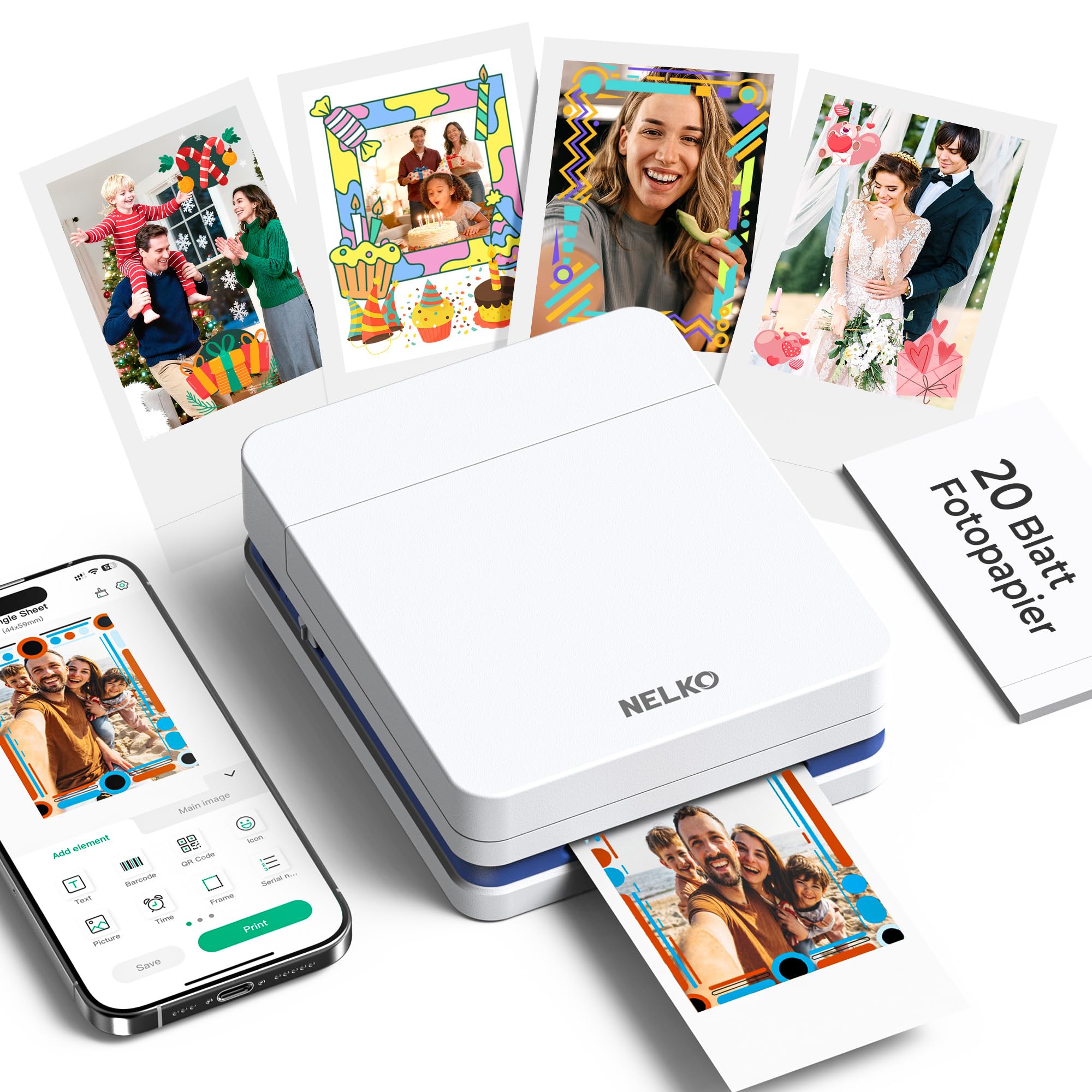
The Nelko PP01 is an ultra-portable inkjet printer that prints 2×3 sticky-back photos at a surprisingly high 603 DPI resolution. That pixel density is higher than most pocket printers in this price tier, translating to clearer details and more realistic tones in good lighting. The printer weighs only 0.6 pounds and fits in a jacket pocket, making it genuinely easy to take to school events, parties, or on trips.
Each ink cartridge produces up to 80 full-color 2×3 prints, which is a solid yield for the size. The Nelko app provides editing tools including filters, borders, stickers, text, and an AI image editor. Print time is under 63 seconds per photo, and the Bluetooth connection pairs quickly with both iOS and Android. The adhesive-backed paper is smudge-proof, water-resistant, and tear-resistant after the ink dries.
The biggest limitation is the 2×3 print size — you can’t get standard 4×6 shots from this device. The app requires location permissions to function, which may bother privacy-conscious users. Some reviewers note that the paper must be loaded with the smooth side facing down, and the printer can struggle to recognize paper if the stack isn’t perfectly aligned. For travelers, scrapbookers, and students who want a truly pocketable inkjet with crisp resolution, the PP01 is the most affordable entry point in the list.
Why it’s great
- High 603 DPI resolution for crisp pocket prints
- Extremely portable at 0.6 pounds
- 80 prints per cartridge — competitive yield
Good to know
- Limited to 2×3 size only — no larger prints
- App requires location permissions
- Paper alignment is finicky during loading
7. KODAK Step Slim
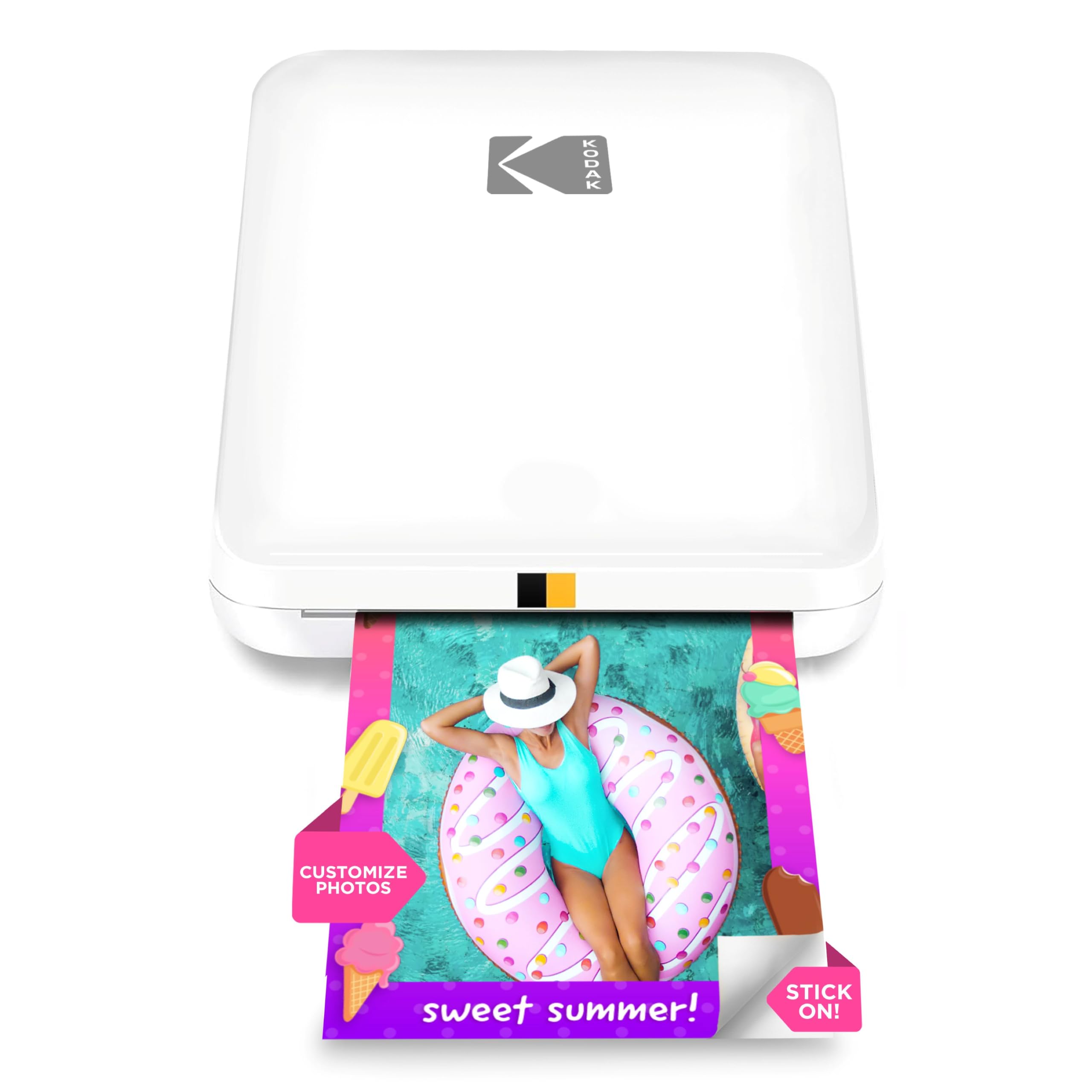
The KODAK Step Slim is the most affordable entry point into portable photo printing, using Zink zero-ink technology that eliminates the need for separate ink cartridges. The paper itself contains dye crystals that activate when heated by the printer. This keeps the upfront cost low and removes the worry of replacing ink cartridges, but the trade-off is in print quality — colors often have a yellowish or sepia-toned cast, and sharpness is noticeably lower than dye-sub or high-resolution inkjet alternatives.
The glossy, slim design looks fashionable and is genuinely pocketable at 0.9 inches thick. Bluetooth pairing via the KODAK STEP Prints app is quick and reliable, and the app offers frames, stickers, and editing tools for personalization. Print time is under one minute, and the sticky backing makes it easy to stick photos on lockers, laptops, or scrapbook pages. It’s a fun option for parties and events where instant, physical prints create excitement.
Battery life is a weak point — the printer requires frequent recharging and has no clear low-paper warning. Paper jams happen occasionally, and the inconsistent low-paper indicator can leave you stranded mid-print. The thin Zink paper feels cheaper than dye-sub laminate prints. For users who primarily want a cheap photo printer for casual fun and don’t need photo-lab quality, the KODAK Step Slim is a simple gateway. If color accuracy matters to you, skip this one and go for the Liene Pearl N200 Pro instead.
Why it’s great
- No ink cartridges needed — Zink paper only
- Slim, pocketable design fits anywhere
- Quick Bluetooth pairing and prints in under a minute
Good to know
- Colors are muted with a yellow tint
- Requires frequent recharging
- Paper jams and inconsistent low-paper warnings
FAQ
Does a cheap photo printer need special paper or can I use regular copy paper?
How do I prevent inkjet print heads from clogging on a cheap photo printer?
Final Thoughts: The Verdict
For most users, the best Cheap Photo Printer winner is the Liene Pearl N200 Pro because it delivers print quality that rivals photo lab output in a pocket-friendly dye-sub format with versatile AI editing. If you want an all-in-one for documents and larger 4×6 prints, grab the HP Envy Photo 7975. And for the absolute lowest entry cost with zero-in cartridge hassle, nothing beats the KODAK Step Slim.