
Our readers keep the lights on and the weekend projects moving. As an Amazon Associate, I earn from qualifying purchases.
Specs are compiled from manufacturer listings and verified buyer reviews and can change over time — please confirm the key details on the product page before buying.
You do not have to settle for a dull, laggy screen just because you are watching your wallet. The real trick is knowing which specs actually matter for the money — and which ones are just marketing fluff. That is what this guide cuts through.
I’m Rikta — the founder and writer behind FitlyFast. This guide is built by comparing the manufacturers’ published specifications and the patterns across verified customer reviews, so you get each pick’s real strengths and trade-offs instead of marketing spin.
For a secondary bedroom screen, a shop TV, or a primary living room set on a strict budget, these picks deliver where it counts. Read on for the most honest breakdown of the best cheap smart tv options available right now.
Quick Picks
- Hisense 40-Inch Class QD4 Series Hi-QLED FHD Smart Fire TV (40QD4QF) — Best Overall
- INSIGNIA 50″ Class F50 Series LED 4K UHD Smart Fire TV — Best Value 4K
- TOSHIBA 43″ Class C350 Series LED 4K UHD Smart Fire TV — Best for Gaming
- Roku Smart TV – 32-Inch Select Series, 1080p Full HD — Compact 1080p
- Amazon Fire TV 43″ Omni QLED Series 4K UHD Smart TV — Best QLED 4K
- Samsung 50-Inch Class Crystal UHD U8000H Series (2026 Model) — Brand Reliability
- Roku Smart TV – 55-Inch Plus Series, Mini-LED TV (4K QLED) — Largest Mini-LED
- Westinghouse 40-inch Smart TV, FHD 1080P Xumo TV — Budget 1080p
- Amazon Ember 32″ 2-Series with Fire TV (Newest Model) — Smallest & Smartest
How To Choose The Best Cheap Smart TV
Picking a budget television is not just about finding the lowest price tag. You have to balance screen resolution, smart TV operating system speed, and sound quality to avoid ending up with a frustrating experience that you replace in a year. Here are the three most important things to get right.
Resolution: 4K vs. 1080p vs. 720p
The biggest visual factor at this price point is resolution. A 4K UHD (2160p) screen has four times the pixels of a 1080p Full HD screen, so text is sharper and fine details in movies and sports are clearer, especially on larger screens like 50-inches and above. For smaller TVs, like 32-inches for a bedroom or kitchen, a 1080p or even 720p display can still look good because the pixels are packed into a smaller area — you will not notice the missing detail as much.
Smart TV Operating System (OS)
This is the software that runs everything. A slow or cluttered OS can ruin an otherwise decent TV. You want an interface that launches apps quickly and offers a good selection of streaming services. Fire TV and Roku are popular for their responsive interfaces and massive app libraries, while newer platforms like Xumo can feel bloated with pre-installed apps you cannot remove.
Refresh Rate and Input Lag for Gaming
If you plan to play video games, look for a dedicated Game Mode. A standard 60Hz refresh rate (the screen refreshes the image 60 times per second) is fine for movies and TV shows, but a Game Mode cuts input lag — the delay between pressing a button and seeing the action on screen — down to around 16ms or lower. This makes fast-paced shooters and racing games feel responsive and playable.
Quick Comparison
| Model | Best For | Resolution | Contrast Ratio | Price Tier (Abstract) | Amazon |
|---|---|---|---|---|---|
| Hisense 40-Inch QD4 | Best Overall Value | 1080p | 6000:1 | Mid-Range | Amazon |
| INSIGNIA 50-Inch F50 | Entry-Level 4K | 4K UHD | — | Mid-Range | Amazon |
| TOSHIBA 43-Inch C350 | Gaming on a Budget | 4K UHD | — | Mid-Range | Amazon |
| Roku 32-Inch Select | Small Room 1080p | 1080p | — | Mid-Range | Amazon |
| Fire TV 43-Inch Omni QLED | Premium QLED Picture | 4K UHD | — | Premium | Amazon |
| Samsung 50-Inch U8000H | Brand Reliability & Upscaling | 4K UHD | — | Premium | Amazon |
| Roku 55-Inch Plus QLED | Largest Mini-LED Screen | 4K UHD | — | Premium | Amazon |
| Westinghouse 40-Inch Xumo | Budget 1080p Value | 1080p | 3500:1 | Budget | Amazon |
| Amazon Ember 32-Inch 2-Series | Smallest & Smartest 720p | 720p | — | Budget | Amazon |
In‑Depth Reviews
1. Hisense 40-Inch Class QD4 Series Hi-QLED FHD Smart Fire TV (40QD4QF)
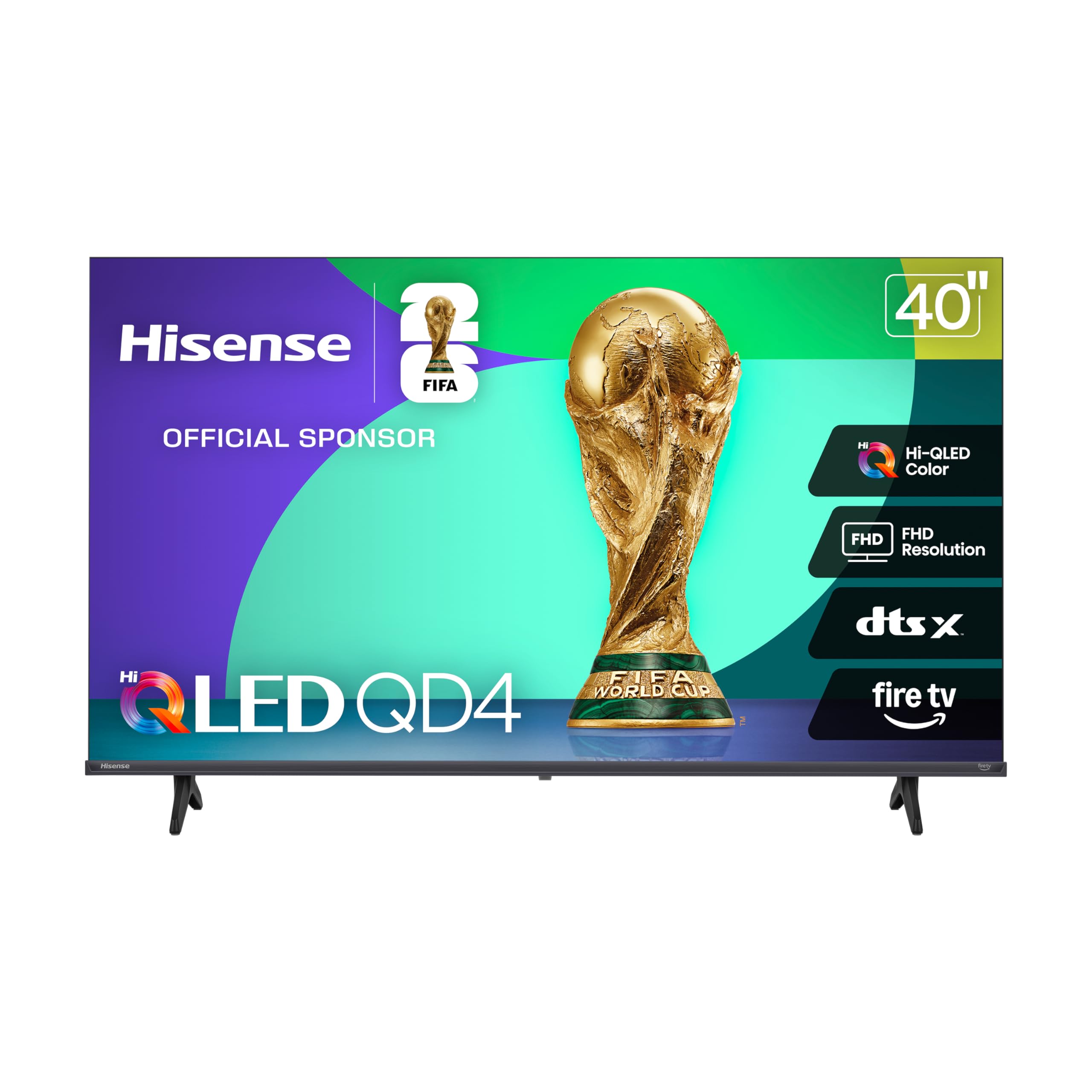
The 1080p screen delivers a QLED punch that leaves the Westinghouse Xumo looking washed out.
This Hisense proves “cheap” does not have to mean “washed out.” Its Hi-QLED panel uses quantum dots — tiny crystals that create more pure colors — to deliver a contrast ratio of 6000:1 (the white is 6000 times brighter than the black). That is 6000:1 versus the Westinghouse below at 3500:1, so blacks look deeper and colors pop more during a movie in a dim room. Running on Fire TV, the interface gives you built-in Alexa and quick access to apps like Netflix and Prime Video. Buyers report it offers a “bright, colorful Full HD picture” with a slim bezel that looks more expensive than it is.
Gamers get a dedicated Game Mode that slashes input lag to 16ms — the delay between pressing a button and seeing the move on screen — so racing and action games feel tight and responsive. The DTS Virtual:X sound is decent for a small to medium room, but several reviewers point out you will want a soundbar for fuller audio. It also supports Apple HomeKit and AirPlay, so you can stream from an iPhone without needing a separate box. Unlike the 32-inch Amazon Ember that tops out at 720p, this screen gives you true 1080p on a 40-inch panel.
What Shines on This Screen
- QLED panel makes colors noticeably richer than standard LED TVs at this price.
- Game Mode at 16ms cuts lag for responsive console and PC gaming.
- Built-in Fire TV with Alexa voice remote for hands-free app control.
Where It Cuts Corners
- Built-in speakers are just decent; buyers recommend a soundbar for clear dialogue.
- Slight lag when switching between apps in the Fire TV interface.
The value king: If you want the best-looking 1080p picture in this price range, especially for a bedroom or dorm room, this is it.
Only skip if: You need a 4K resolution — step up to the INSIGNIA F50 or TOSHIBA C350 for that.
2. INSIGNIA 50″ Class F50 Series LED 4K UHD Smart Fire TV

The cheapest way to get a full 4K screen at 50 inches for your living room — sharper than the 1080p Hisense.
If the Hisense above is the best 1080p screen, the INSIGNIA F50 is the ultimate entry-level 4K option. It delivers 2160p resolution versus the Hisense at 1080p, so streaming a 4K nature documentary on a 50-inch panel looks sharp and detailed. It supports HDR10 (High Dynamic Range, a technology that expands the range of light and dark colors) to give brighter whites and deeper blacks. The Fire TV interface is the same snappy experience, and it even includes DTS Virtual:X for a 3D-like sound effect from the built-in speakers.
Buyers were generally thrilled, with many calling the picture “beautiful” and praising the simple setup — just a few screws and a QR scan. However, there were reports of occasional remote connection problems and a sluggish interface when navigating settings. The 50-inch screen size is also larger than the 32-inch Amazon Ember, making it a much better fit for a primary viewing space in a living room or den. It is compatible with VESA 200×200 wall mounts, so you can put it on a stand or mount it flat against the wall.
Why It Is a Steal
- True 4K (2160p) resolution offers crisp, detailed visuals for movies and games.
- HDR10 support brings out more color detail and contrast in compatible content.
- DTS Virtual-X sound creates a wider, more rich audio field than standard built-in speakers.
Watch Out For
- Some buyers ran into intermittent remote pairing issues and app crashes.
- The interface can feel sluggish compared to a dedicated streaming device like Fire TV Stick 4K.
Ideal for: Anyone who wants a big 4K screen for the main room without paying hundreds more.
Reconsider if: You prioritize a snappy, lag-free smart TV OS over raw resolution — the Roku OS is generally smoother.
3. TOSHIBA 43″ Class C350 Series LED 4K UHD Smart Fire TV

A 4K gaming set with Dolby Vision and 60Hz — built for console gamers who want responsiveness the INSIGNIA F50 cannot match.
The TOSHIBA C350 is built for the gamer who wants a smooth experience without spending premium cash. It features a 60Hz refresh rate (the screen updates the image 60 times per second) and supports Auto Low Latency Mode (ALLM) and Variable Refresh Rate (VRR) — these are features that automatically reduce input lag and synchronize the screen with the graphics card to eliminate stutter. The REGZA Engine ZR upscales lower-resolution content to near-4K quality, and the Super Contrast Booster pushes colors to look punchy and realistic. Dolby Vision HDR and Dolby Atmos audio support mean games and movies look and sound cinematic from the start.
Buyers noted that the “excellent picture quality for gaming” makes it feel as responsive as a 120Hz screen, even though it is 60Hz. Compared to the INSIGNIA F50, this Toshiba also offers a dedicated Sports Mode that sharpens fast-moving action like a soccer match, making players look crisp rather than blurry. The only common critique was that the default picture settings lean slightly warm, giving faces a yellow tint, but adjusting the color temperature in the settings menu fixes that quickly.
The Gamer’s Edge
- ALLM and VRR support for low-lag, tear-free console and PC gaming.
- REGZA Engine AI upscaling sharpens 1080p content to near-4K clarity.
- Dolby Vision + Dolby Atmos delivers rich HDR colors and rich sound.
The Trade-Off
- Out-of-box color temp may need a quick manual adjustment to fix a warm yellow tint.
- Remote has a slight delay when streaming live TV, according to some buyers.
Grab this for: Console gaming and movie nights where you want the best HDR and motion handling at this price.
Pass if: You do not game and only watch cable — the extra gaming features would be wasted, and a simpler set like the Roku Select might suit you better.
4. Roku Smart TV – 32-Inch Select Series, 1080p Full HD
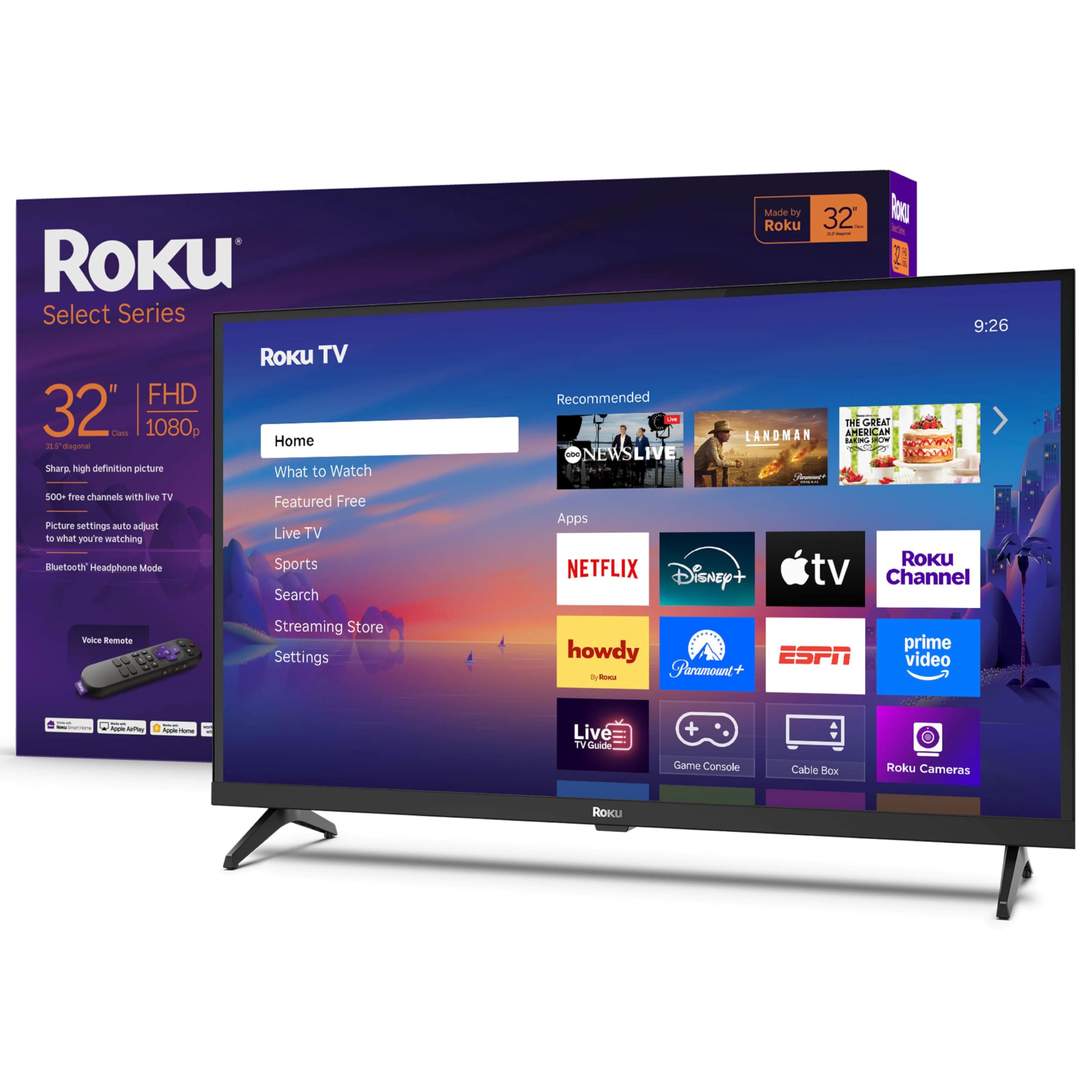
A compact 32-inch set with a buttery-smooth Roku OS that never frustrates you — far cleaner than the Fire TV on the TOSHIBA.
If interface speed is your number one priority, this Roku Select Series delivers the cleanest, snappiest smart TV experience in the budget class. It runs the Roku operating system — known for its simple grid layout and lack of bloatware — so launching Netflix, Hulu, or a free channel like Pluto TV takes no time at all. The screen is 1080p Full HD (1920 x 1080 pixels) on a Direct LED backlight, producing bright, clear images that look great in a kitchen or small bedroom. It also supports Apple AirPlay, letting you share photos or mirror your laptop screen.
A standout feature is the Bluetooth Headphone Mode, which lets you pair your wireless headphones directly to the TV. This is perfect for late-night viewing in a shared house without waking anyone up. Owners mention it is “great for RV” use and that the “clear flat screen” and “great sound” exceeded expectations. Unlike the Westinghouse Xumo, which comes loaded with bloatware you cannot delete, the Roku interface stays clean and fast. The Enhanced Voice Remote lets you search by voice across apps, and it works with Siri, Alexa, and Google Assistant.
Why Roku Wins
- Roku OS is the fastest, most intuitive smart platform in this price range.
- Bluetooth Headphone Mode for private listening without extra adapters.
- Supports voice control via Roku Voice, Siri, Alexa, or Google Assistant.
The Limitation
- At 32 inches, it is too small for a living room main TV closer than 6–8 feet.
- Only a 60Hz refresh rate with no dedicated Game Mode for serious gaming.
Best suited for: A small room where interface speed and simple operation matter more than raw pixel count.
Look elsewhere if: You need a larger screen for a family room or want 4K resolution — the INSIGNIA or TOSHIBA are better options.
5. Amazon Fire TV 43″ Omni QLED Series 4K UHD Smart TV

A stunning QLED 4K picture that punishes you with a slow, ad-heavy interface — pick your poison.
The Fire TV Omni QLED is the best-looking display in this guide. Its 4K Quantum Dot (QLED) panel produces richer, more lifelike colors and deeper blacks than the standard LED screens on the INSIGNIA and TOSHIBA. It supports Dolby Vision IQ and HDR10+ Adaptive, which automatically adjust the picture brightness based on the ambient light in your room, so you always see clear details whether it is daytime or night. The glossy screen makes colors pop, but buyers warn it shows reflections — you will want this in a room with controlled lighting, not a sun-drenched living room.
The hands-free Alexa feature is genuinely useful: you can say “Alexa, turn on the TV” or ask to launch an app without touching the remote. However, multiple buyers complained about the interface being “slow” and “full of ads” that you cannot remove. One reviewer noted that the processor is sluggish compared to a Fire TV Cube or Stick 4K Max, and initial setup took 20–30 minutes because of mandatory software updates. The built-in speakers are above average for a budget TV, but there is no Dolby Atmos passthrough.
The Visual Reward
- QLED panel with Dolby Vision IQ and HDR10+ Adaptive for incredible color and brightness.
- Hands-free Alexa for voice control of TV and smart home devices.
- Fire TV Ambient Experience displays artwork or photos when idle.
The Interface Penalty
- Interface is notably slower than other budget TVs; ads are ever-present.
- Glossy screen is highly reflective, making it poor for bright rooms.
- Initial setup is painfully slow — plan for up to 30 minutes.
Choose this if: A beautiful 4K picture and hands-free voice control are worth dealing with a slightly sluggish menu.
Avoid if: A fast, responsive smart TV OS is a must — the Roku Plus or separate streaming stick will serve you better.
6. Samsung 50-Inch Class Crystal UHD U8000H Series (2026 Model)

A trusted Samsung name with a Crystal Processor that upscales everything to crisp 4K detail — sharper than the 1080p Hisense.
Samsung brings its brand reliability and advanced picture processing to the budget aisle with the U8000H. The Crystal Processor 4K automatically analyzes incoming content — even old 1080p broadcasts — and upscales it to near-4K quality, making standard HD channels look clearer than they would on a lower-tier set. The Motion Xcelerator technology smooths out fast-moving scenes in sports and games, while the Color Booster feature pumps up the intensity of reds, blues, and greens for a more vibrant image. It has Bluetooth 5.3, a newer wireless standard that gives you a more stable connection to soundbars and headphones than the older Bluetooth 5.0 on the Hisense.
Buyers praised the “crisp graphics” and “excellent picture quality,” but several flagged the remote as a major annoyance — one buyer mentioned it “lasted 10 days” before failing. The Tizen operating system is an improvement over older Samsung models, but setup requires an internet connection and a Samsung account, which some cord-cutters found overly complicated. Unlike the INSIGNIA or TOSHIBA, this Samsung also comes with Samsung TV Plus, giving you access to 2,700+ free streaming channels.
Why Samsung Stands Out
- Crystal Processor 4K upscales lower-resolution content to sharp, clear 4K.
- Motion Xcelerator reduces blur in fast sports and gaming action.
- Bluetooth 5.3 provides a stable and modern wireless audio connection.
Common Complaints
- Remote control is reported to be flimsy and prone to early failure.
- Setup forces account creation and internet connection, frustrating for simple TV use.
Reach for this if: You want a reliable big-brand TV with excellent upscaling and 2,700+ free built-in channels, and you plan to use a universal remote anyway.
skip it if: You dislike mandatory account creation or want a TV that works without an internet connection from the start.
7. Roku Smart TV – 55-Inch Plus Series, Mini-LED TV (4K QLED)

The biggest, most advanced screen in this roundup with Mini-LED backlighting — deeper blacks than the TOSHIBA C350.
For anyone who wants a true primary living room TV on a budget, the Roku Plus Series 55-inch is the top performer. It uses Mini-LED backlighting — tiny LEDs behind the screen that can be dimmed in zones for deeper blacks and brighter highlights — combined with a QLED (Quantum Dot) layer for richer color volume. This combination produces a contrast ratio that buyers call “deep blacks and vibrant colors,” far superior to the standard LED backlight on the TOSHIBA C350 or INSIGNIA F50. It supports Dolby Vision HDR for dynamic color and Dolby Atmos for a 3D sound bubble that feels rich.
The Roku OS remains the gold standard for simplicity, and the Enhanced Voice Remote includes a lost remote finder — a genuinely useful feature for deep sofa cushions. A built-in subwoofer gives the sound more bass than any other TV on this list, making explosions and music sound fuller. The one drawback noted by a reviewer is a USB port quirk: if you plug in a bias light, it stays on for 10 minutes even when the TV is set to turn it off with the screen.
Why It Is the Flagship
- Mini-LED backlighting with QLED delivers the best contrast and color of any pick here.
- Built-in subwoofer creates richer, deeper sound without a separate audio system.
- Roku OS is the fastest, most intuitive smart platform, with a lost remote finder.
One Small Flaw
- USB port does not switch off with the TV — a minor nuisance for some setups.
- Higher price tag may be overkill for a secondary or rarely used room.
Ideal for: The main living room or home theater setup where picture quality and an intuitive OS are both non-negotiable.
Choose something else if: Your budget is strictly under — the Roku Select or Hisense QD4 offers better value at a lower price.
8. Westinghouse 40-inch Smart TV, FHD 1080P Xumo TV
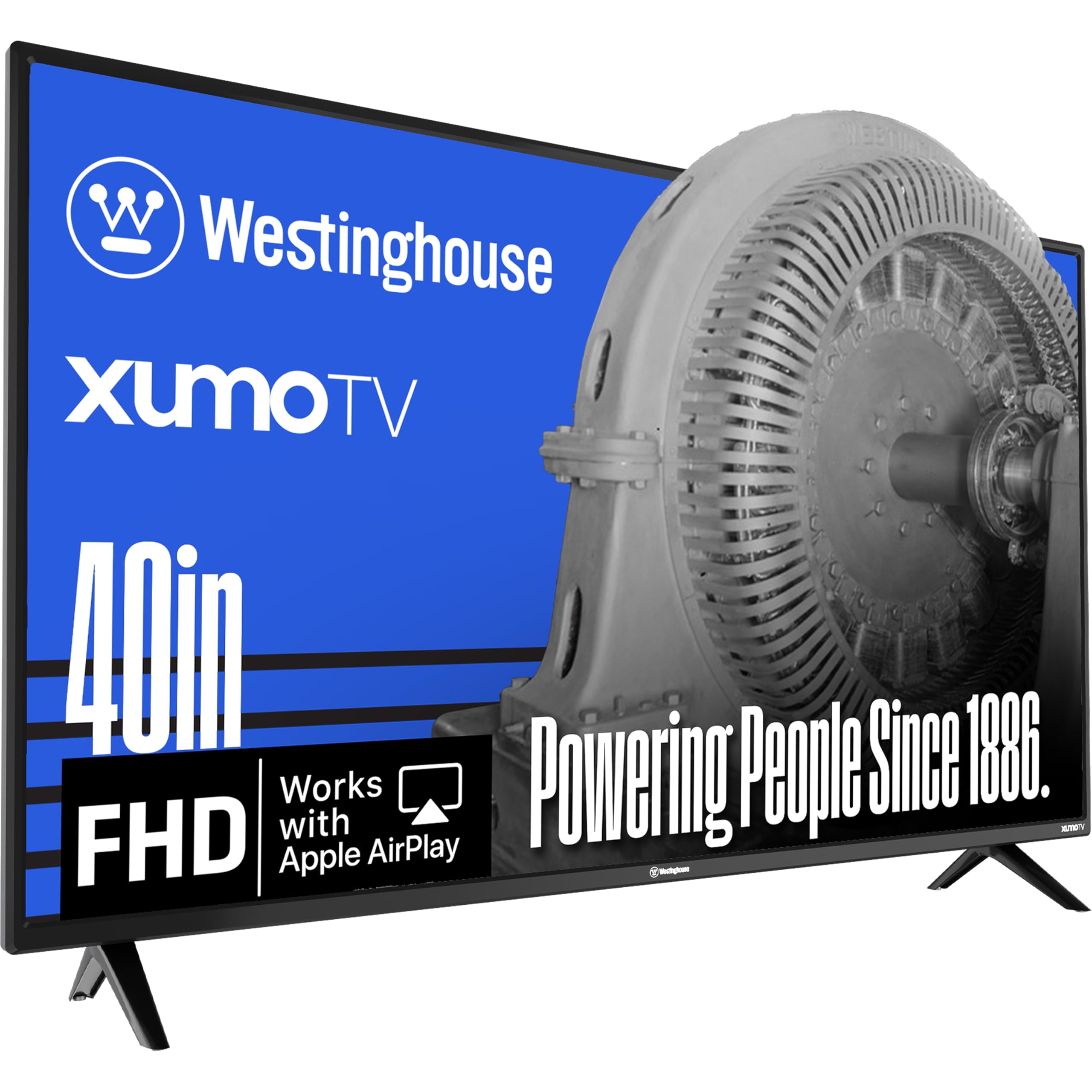
A solid 1080p panel let down by a cluttered Xumo smart platform that limits your app choices — unlike the free Roku OS.
The Westinghouse is a good physical TV for the price. The 40-inch Full HD (1920 x 1080) screen has a contrast ratio of 3500:1 — decent for standard cable and streaming, though less punchy than the Hisense at 6000:1. It includes a voice remote with universal search, three HDMI ports for hooking up a game console and a cable box, and built-in Apple AirPlay for screen mirroring from an iPhone. It also has Bluetooth 5.1, which is a newer wireless standard for pairing a soundbar or headphones.
The problem is the Xumo operating system. Customers note that it “comes preloaded with every app so it’s full of bloatware,” and you cannot download the specific apps you want if they are not already pre-installed. One owner reported, “Xumo is terrible” and recommended buying the same TV with Roku instead. Compare this to the Roku Select, where you have full freedom to add any app and the interface stays fast. Buyers who liked it noted it is a “great TV and easy to set up” if you stick to the pre-loaded content, but the OS limits your flexibility.
The Physical Specs
- 1080p screen with a 3500:1 contrast ratio for clear, sharp images.
- Bluetooth 5.1 for stable wireless audio connections to soundbars or headphones.
- Three HDMI ports and Apple AirPlay for flexible device connectivity.
Where It Falls Short
- Xumo OS is bloated with pre-installed apps you cannot remove or customize.
- You cannot add new streaming apps that are not pre-loaded — a major limitation.
Consider this if: You only use a few major apps like Netflix and Prime Video that are already pre-installed, and you want a no-fuss 40-inch screen.
Definitely skip if: You want to install niche apps or prefer a customizable interface — get the Roku Select instead.
9. Amazon Ember 32″ 2-Series with Fire TV (Newest Model)

The tiniest, cheapest entry into the Fire TV ecosystem with a surprising art mode — but 720p looks softer than the 1080p Roku Select.
The Amazon Ember 2-Series is the most affordable way to get the full Fire TV experience in a compact 32-inch package. Its HD 720p resolution (1280 x 720 pixels) is lower than the 1080p found on the Westinghouse and Roku Select, but at this size it still looks acceptable from a typical 6-8 foot viewing distance — think kitchen counter, desk, or a child’s playroom. The big upgrade here is Wi-Fi 6 support and a new quad-core processor, which reviewers point out makes the interface “very responsive and fast,” outpacing many older Fire TV implementations.
A unique feature is the Omnisense technology and Ambient Experience. The TV has built-in motion sensors that wake the screen when you enter the room, displaying your favorite artwork or personal photos like a premium frame TV. This is a genuinely novel feature for the price. Reviewers called it a “great value TV with a surprisingly nice art mode.” Sound is adequate for its size but, as one customer observed, you may need external speakers for louder, clearer audio.
What Makes It Stand Out
- Wi-Fi 6 support and a fast quad-core processor for smooth streaming and browsing.
- Ambient Experience with Omnisense motion sensor turns the TV into art when idle.
- Alexa Voice Remote Enhanced with preset buttons for quick access to apps.
The Trade-Offs
- Only 720p resolution — less sharp than 1080p or 4K screens, even at 32 inches.
- Two HDMI ports limit how many devices you can connect at once.
Perfect for: A small bedroom, office, or kitchen where you want a smart TV that doubles as a digital art frame.
pass on it if: You need a crisp HD picture for watching movies up close — the 1080p Roku Select or Westinghouse will look noticeably sharper.
Understanding the Specs
QLED vs. Standard LED Backlight
A standard LED TV uses a white backlight to shine through the LCD panel. A QLED (Quantum Dot LED) TV adds a layer of tiny crystals called quantum dots that convert that white light into more pure reds, greens, and blues. The result is a much wider range of colors — what you see is more vibrant and true-to-life. In this price group, the Hisense QD4 and the Amazon Fire TV Omni QLED both use QLED technology, giving them a noticeable edge in picture quality over standard LED sets like the INSIGNIA F50 or the Amazon Ember.
Contrast Ratio: What “6000:1” Actually Means
Contrast ratio measures the difference between the brightest white and the darkest black a screen can produce. A 6000:1 ratio means the white is 6000 times brighter than the black. A higher contrast ratio creates deeper blacks and makes colors look more “pop” rather than washed out. In a dark room, the Hisense at 6000:1 will show noticeably deeper black bars on a movie than the Westinghouse at 3500:1. For bright rooms with lots of ambient light, the difference is less noticeable, but for serious movie watching in dim light, it is a big deal.
FAQ
What is the difference between a 4K TV and a 1080p TV for a cheap smart TV?
Will a cheap smart TV support Dolby Vision or HDR10?
Which smart TV operating system is the fastest and most reliable on a budget?
Can I use a soundbar with a cheap smart TV?
What does Game Mode do on a budget TV?
How long does a cheap smart TV typically last?
Is a 32-inch TV too small for a bedroom?
Do cheap smart TVs have built-in Wi-Fi, or do I need an Ethernet cable?
Which cheap smart TV has the best picture quality for watching movies in a dark room?
Can I connect a USB drive or external hard drive to a budget smart TV?
Final Thoughts: The Verdict
For most people, the winner of the cheap smart tv battle is the Hisense 40-Inch QD4 because it combines a vibrant QLED panel with a strong 6000:1 contrast ratio and a fast Game Mode at a price that undercuts the competition. If you want to step into 4K gaming and movies on a larger screen, the TOSHIBA C350 delivers Dolby Vision and ALLM support that feels like a premium set. And if you have the budget for a true main-room upgrade, the Roku 55-Inch Plus offers the best picture quality in this guide with its Mini-LED backlighting and the smoothest smart TV platform.
How We Picked
We do not accept paid placement. Every pick is matched to a real buyer and a real use-case; we do not hands-on test units.
Sources & Methodology
Specifications: manufacturer listings and product documentation. Review insights: verified customer reviews, as of July 2026. Pricing: not shown on this page (it changes often); check the current price via the retailer link.
As an Amazon Associate, FitlyFast earns from qualifying purchases. This does not affect which products we feature.