
Our readers keep the lights on and the weekend projects moving. As an Amazon Associate, I earn from qualifying purchases.
Specs are compiled from manufacturer listings and verified buyer reviews and can change over time — please confirm the key details on the product page before buying.
Hunting for a cheap gaming monitor usually means worrying you’ll get a blurry, laggy screen that ruins the fun. Fast panels are now affordable, and this guide highlights budget models that deliver smooth motion.
I’m Rikta — the founder and writer behind FitlyFast. This guide is built by comparing the manufacturers’ published specifications and the patterns across verified customer reviews, so you get each pick’s real strengths and trade-offs instead of marketing spin.
Every pick meets a gaming baseline: 120Hz or higher refresh rate, 1ms response, or adaptive sync.
Our Picks at a Glance



How To Choose The Best Cheapest Gaming Monitor
On a tight budget, you can still get key gaming features without overspending. Focus on the specs that matter most for the price to avoid marketing gimmicks.
Refresh Rate: The Heart of Smooth Gameplay
Your screen’s refresh rate is how many times it updates per second, measured in Hertz (Hz). A standard office monitor runs at 60Hz, but the gaming monitors in this guide start at 120Hz and go up to 280Hz. Higher refresh rates reduce motion blur, making fast action easier to track.
Response Time and Adaptive Sync
Response time (like 1ms) is how fast a pixel can change color, reducing “ghosting” trails behind fast-moving objects. Adaptive sync (AMD FreeSync or Nvidia G-Sync) matches your monitor’s refresh rate to your graphics card’s frame output, which eliminates the ugly horizontal screen tearing you see when the two fall out of sync.
Quick Comparison
| Model | Best For | Refresh Rate | Resolution | Response Time | Amazon |
|---|---|---|---|---|---|
| LG 27U411A-B★ Best Overall | Everyday Value | 120Hz | 1920×1080 | 1ms (MBR) | Amazon |
| Sceptre E255B-FWD240Speed Demon | Ultra-Fast 240Hz | 240Hz | 1920×1080 | 1ms | Amazon |
| Dell SE2726HGFast IPS | High-Speed IPS | 240Hz | 1920×1080 | 0.5ms | Amazon |
| Amazon Basics 27″ | Balanced 165Hz | 165Hz | 1920×1080 | 1ms | Amazon |
| ASUS VG249QL3A | Ergonomic 180Hz | 180Hz | 1920×1080 | 1ms (GTG) | Amazon |
| AOC Q27G41ZE | QHD Resolution | 240Hz (OC 260Hz) | 2560×1440 | 0.3ms (MPRT) | Amazon |
| LG 27GS50F-B | Budget UltraGear | 180Hz | 1920×1080 | 1ms (MBR) | Amazon |
| AOC C27G4ZH | Curved Immersion | 280Hz | 1920×1080 | 0.3ms | Amazon |
| Samsung Odyssey G5 | QHD Clarity | 200Hz | 2560×1440 | 1ms (MPRT) | Amazon |
| Alienware AW2725DM | G-Sync Performance | 180Hz | 2560×1440 | 1ms (GTG) | Amazon |
| Samsung Odyssey G4 | Compact Esports | 240Hz | 1920×1080 | 1ms (GTG) | Amazon |
Note: This list uses flexible, human-like matching for specs like a 120Hz or higher refresh rate and gaming features, so each pick serves the same purpose even if it isn’t the exact model number you searched.
In-Depth Reviews
1. LG 27U411A-B 27″ IPS Monitor
The best all-rounder that proves 120Hz smoothness doesn’t have to break the bank.
You get a silky-smooth 120Hz refresh rate on a 27-inch IPS (In-Plane Switching) screen, a panel type known for vibrant colors that stay accurate even when you view from an angle. Its 1920×1080 resolution keeps text and games crisp, ideal for mixed use.
The stand here is a real point in its favor. Unlike many budget monitors that wobble, this one uses a solid metal stand that stays put, and you can tilt the screen from -5° to 20° to find a comfortable viewing position. For a monitor in this price tier, the build quality and the virtually borderless design feel like a step up.
It’s not just about the panel. Features like Dynamic Action Sync cut down input lag for faster reactions, Black Stabilizer brightens dark scenes to spot hidden enemies, and Reader Mode lowers blue light for those long document-reading sessions. Owners consistently praise the clear picture and easy setup, calling it a great entry-level display for work and streaming.
Why It Wins
- Fluid 120Hz refresh rate and 1ms Motion Blur Reduction for crisp gaming.
- Sturdy metal stand provides wobble-free stability.
- IPS panel delivers rich colors and wide viewing angles.
- Works with both FreeSync and G-Sync Compatible graphics cards.
Things to Note
- Color can look slightly green-tinted or oversaturated right from the start.
- Offers tilt adjustment but no height adjustment.
- Some users find the single menu control knob a bit finicky.
Your best bet if: you want a reliable, great-looking monitor for both work and casual gaming without spending extra.
Consider another if: you need a fully adjustable stand with height control, as this one only tilts.
2. Sceptre 24.5″ 240Hz Gaming Monitor
A blistering 240Hz panel that delivers pro-level smoothness for a budget price.
If your priority is pure speed and you play fast-paced shooters, this Sceptre is a formidable contender. Its 240Hz refresh rate is double that of the LG above, making motion appear incredibly fluid and giving you a competitive edge. The 1ms blur reduction keeps fast-moving targets sharp without the ghosting trails.
Connecting your setup is easy with two HDMI ports and two DisplayPorts, both capable of hitting that maximum 240Hz. It also comes with built-in speakers, which is a handy bonus for keeping your desk clutter-free, and the Blue-Light Shift feature helps to reduce eye strain during long sessions.
What wins people over is the monitor’s core quality and sheer value for money. Buyers praise its easy setup and solid performance for the price. While colors aren’t the most vibrant you’ll find, the speed and responsiveness make it a brilliant choice for gamers on a budget.
The 240Hz Appeal
- Extremely fast 240Hz refresh rate for ultra-smooth gaming.
- Dual HDMI and dual DisplayPort connections for versatile setups.
- Built-in speakers save desk space.
- FreeSync Premium helps prevent screen tearing.
Set Expectations
- Color quality is a common point of criticism for accuracy.
- Built-in speakers are fine for casual use but not great for gaming.
- Stand only offers tilt adjustment.
Best for: competitive gamers who want maximum speed and smoothness for the lowest possible cost.
Look elsewhere if: color accuracy for photo editing is your main concern, as this prioritizes speed over perfect hues.
3. Dell 27″ 240Hz Gaming Monitor
A high-speed IPS panel that pairs 240Hz fluidity with excellent color accuracy.
This Dell monitor bridges the gap between speed and visual quality. It matches the Sceptre’s 240Hz refresh rate but pairs it with a faster 0.5ms response time, which is twice as quick, making it exceptionally responsive for esports titles. Unlike some fast panels that use VA technology, this one uses IPS (In-Plane Switching) for superior color and viewing angles.
You get rich color coverage with 99% sRGB, making games and movies look vibrant and true-to-life. It’s also TÜV Rheinland 3-star certified for low blue light, meaning you can game for hours with less eye strain. For connectivity, you have two HDMI ports and a DisplayPort 1.4, so you can easily hook up a PC and a console.
The build quality is where some corners are cut to hit this price, with the stand feeling a little cheap. The display itself, however, is the star. Gamers describe the video quality as “phenomenal” and find it a beginner-friendly, reliable workhorse. Its easy setup and clean, wide picture make it a top recommendation for value.
What Stands Out
- Blazing-fast 0.5ms response time minimizes ghosting.
- IPS panel with 99% sRGB color coverage for vivid images.
- TÜV Rheinland 3-star certification for reduced blue light.
- FreeSync Premium for tear-free gameplay.
The Trade-Off
- The stand is functional but made with cheaper materials.
- No built-in speakers included.
- Only offers tilt adjustment.
Choose this for: a perfect balance of high-speed gaming and rich IPS color in a trusted brand.
skip it if: you need a premium-feeling stand or integrated speakers, as you’ll likely want to add a third-party arm.
4. Amazon Basics 27″ 165Hz Gaming Monitor
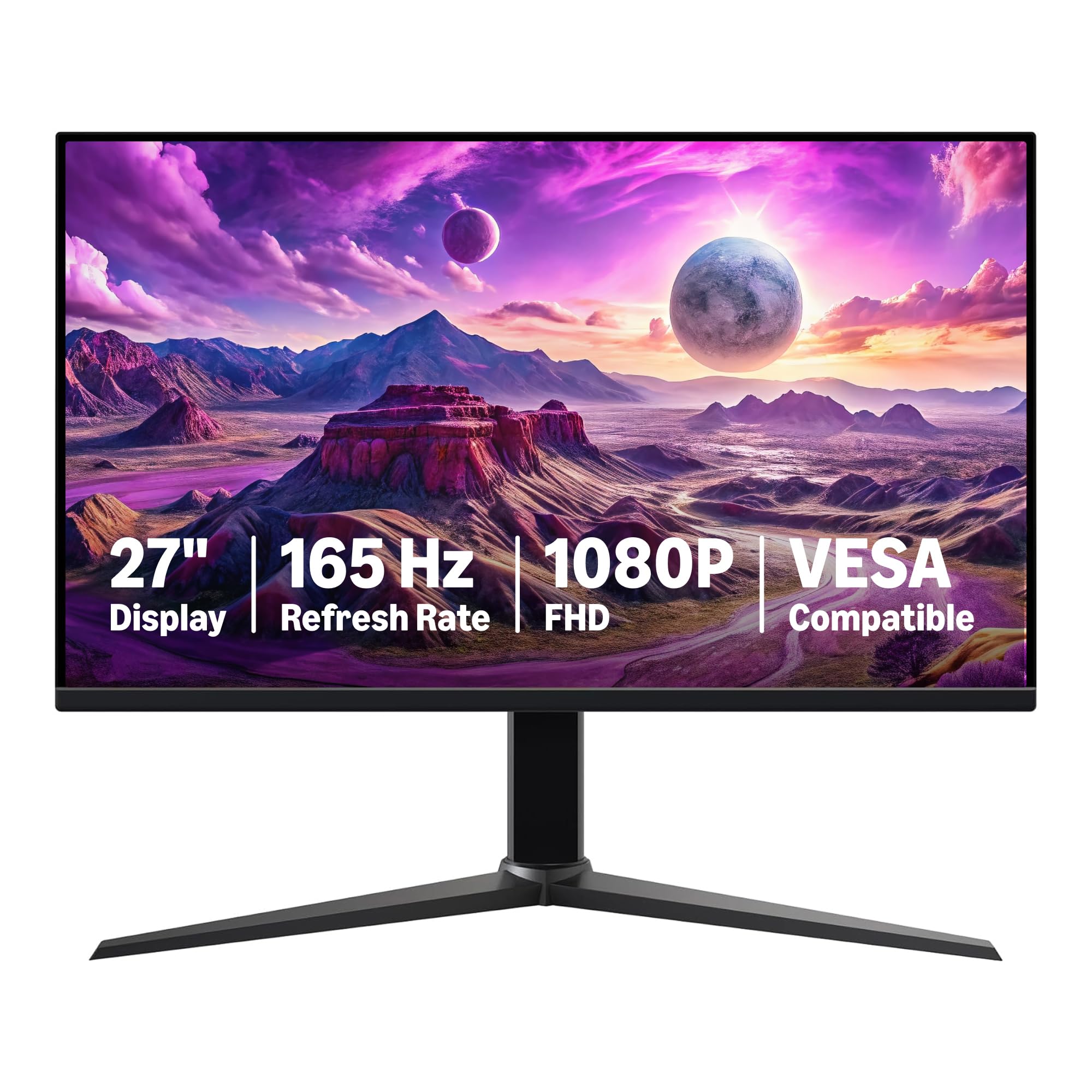
A no-frills 165Hz IPS monitor that delivers exactly what you need without the markup.
This Amazon Basics monitor earns its spot as the budget pick because it delivers a 165Hz refresh rate and a 1ms response time (the time it takes a pixel to change color) for a noticeably smoother experience than a standard 60Hz screen, without the premium price of 240Hz models. The 27-inch 1080p IPS (In-Plane Switching) panel provides clear, vibrant visuals, so games look sharp and colors stay accurate from wide viewing angles.
It’s a breeze to set up, offering a plug-and-play experience. The stand is sturdy and it comes with HDMI cords. For a budget-friendly option, it also features VESA compatibility, meaning you can easily mount it on an arm or wall bracket to save desk space and get better ergonomics.
Owners praise this as excellent value, highlighting the impressive refresh rate and clear visuals for the money. It’s a great choice whether you’re looking for a primary gaming display or a high-quality secondary monitor for gaming and productivity. The main caveat is that assembly instructions could be clearer, and some find the default color settings a bit weak.
Why It’s a Winner
- Smooth 165Hz refresh rate for a fraction of the cost of high-end models.
- 27-inch IPS panel delivers clear 1080p picture quality.
- VESA compatible for flexible mounting options.
- Plug-and-play setup is simple and quick.
A Few Notes
- Colors can look a bit weak until you adjust settings.
- Some find the assembly instructions unclear.
- No built-in speakers.
Reach for this if: you want a dependable, straightforward gaming monitor with great specs and no unnecessary extras.
Think twice if: you demand factory-calibrated colors, as you’ll need to tweak the settings to your liking.
5. ASUS TUF Gaming 24″ 180Hz Monitor

An adjustable stand and 180Hz refresh rate make this the comfort king of budget gaming.
Most budget monitors force you into a fixed position, but this ASUS TUF model is different. It’s one of the few in this price range with a fully adjustable stand that offers height, swivel, pivot, and tilt adjustments. This means you can dial in the perfect ergonomic setup for long gaming sessions, which is a huge win for your neck and posture.
Under the hood, it’s no slouch either. The 23.8-inch Fast IPS panel runs at a smooth 180Hz with a 1ms (GTG, or gray-to-gray) response time, so fast motion stays crisp. It also features ASUS Extreme Low Motion Blur (ELMB) technology to cut down on ghosting, and it’s both FreeSync Premium and G-SYNC Compatible, so it works smoothly with a wide range of graphics cards, reducing screen tearing.
This monitor is often described as the reliable “Honda Accord of monitors” — not flashy, but trustworthy and gets the job done. The 180Hz refresh rate gets consistent praise for its clarity, and the adjustable stand is a standout feature. Just remember it only comes with an HDMI cable in the box, so you may need to buy a DisplayPort cable separately for a PC setup.
The Key Features
- Fully adjustable stand with height, swivel, pivot, and tilt.
- Smooth 180Hz refresh rate with 1ms response time.
- Compatible with both FreeSync Premium and G-SYNC.
- ELMB technology reduces motion blur for crisp visuals.
Keep in Mind
- Only includes an HDMI cable, not a DisplayPort one.
- Built-in speakers are weak, so headphones or external speakers are better.
- Some units have had warranty service issues.
Your pick if: ergonomics are a priority and you want a fast, adjustable monitor that won’t hurt your neck.
Pass on it if: you want good built-in audio for gaming, as its speakers are lacking.
6. AOC 27″ QHD 260Hz Gaming Monitor

A high-resolution 1440p panel with a 240Hz refresh rate that overclocks to 260Hz.
This AOC monitor is a beast for its price, offering a huge step up in clarity. The 27-inch QHD (2560×1440) IPS panel packs significantly more detail than a standard 1080p screen, making games look noticeably sharper. It doesn’t sacrifice speed for those extra pixels, delivering a super-smooth 240Hz refresh rate.
For the ultimate competitive edge, you can overclock it to a blistering 260Hz via the DisplayPort connection. The 0.3ms response time is among the fastest you’ll find, virtually eliminating motion blur. The three-sided frameless design and textured black and red finish give it a modern, aggressive gamer aesthetic.
Owners are impressed by the screen quality, calling it a massive upgrade from 60Hz displays and “well worth the money.” The 240Hz fluidity is a highlight, and the sharp 1440p resolution makes it a great all-rounder for gaming and media. Buyers report the stand is not adjustable beyond tilt, so a VESA mount (a standard wall or arm bracket) is a popular upgrade, and it does lack built-in speakers.
The Highlights
- Sharp 2560×1440 QHD resolution for detailed imagery.
- Excellent 240Hz refresh rate, overclockable to 260Hz.
- Ultra-fast 0.3ms response time.
- Adaptive-Sync supports both AMD and NVIDIA GPUs.
Things to Know
- The stand only offers tilt; a VESA mount is recommended.
- No built-in speakers, only an audio out jack.
- Some users report backlight bleed or dead pixels.
Great for: gamers who want the sharpness of 1440p without giving up high refresh rates.
Not for you if: you need a monitor that’s ready to go from the start with speakers and a good stand.
7. LG 27GS50F-B 27″ UltraGear Monitor

A feature-packed 180Hz panel from LG’s trusted UltraGear family, built for smooth and responsive play.
This LG UltraGear monitor delivers a fluid 180Hz refresh rate and a 1ms response time, ensuring your games move with minimal blur and input lag. It’s a solid mid-range option that brings the performance and gamer-centric design of LG’s popular line to a more accessible price point. The 27-inch 1080p display is crisp and clear.
It’s loaded with features you’d expect from a dedicated gaming brand. You get a three-side virtually borderless design for an rich look, AMD FreeSync (a technology that syncs the monitor’s refresh rate to your graphics card to prevent screen tearing), and HDR10 support for vivid colors. The Enhanced Gaming GUI includes presets for Gamer, FPS, and RTS modes, plus handy on-screen tools like an FPS counter and Crosshair overlay for better accuracy.
The quality and high frame rates are what owners rave about, often calling it one of the best 1080p monitors for the money and a “perfect monitor for a beginner gamer.” The crisp picture quality and strong stand are frequently praised, and it handles high-resolution video with ease. Just keep in mind that some find colors can look washed out when HDR (High Dynamic Range) is enabled.
Built to Game
- Smooth 180Hz refresh rate with a fast 1ms response time.
- Multiple gamer presets including FPS and RTS modes.
- Useful in-game tools like an FPS counter and on-screen Crosshair.
- AMD FreeSync ensures tear-free, low-latency gameplay.
A Minor Catch
- Colors can appear washed out with HDR mode enabled.
- Limited to tilt adjustment on the stand.
- 72% color gamut is lower than some competitors.
Ideal if: you’re a first-time gaming monitor buyer wanting a reliable, feature-rich screen from a reputable brand.
Think again if: you plan to primarily use HDR content, as the color performance in that mode is a weak spot.
8. AOC 27″ Curved 280Hz Gaming Monitor

A curved 280Hz VA panel that wraps you in the action with incredible smoothness.
This AOC monitor offers the fastest refresh rate on our list at 280Hz, making it an absolute rocket for competitive gaming. The 1500R curvature (a measure of how curved the screen is) wraps the 27-inch display around your field of view, creating a more rich experience that pulls you into the game. The VA (Vertical Alignment) panel delivers a strong 3000:1 contrast ratio for deep blacks, so dark scenes in games like horror titles stay detailed.
With a 0.3ms response time, fast-moving action stays incredibly sharp and free of smearing. It’s also equipped with Adaptive Sync and Flicker-Free technology to ensure a comfortable, tear-free experience during long sessions. The design is a highlight, with an adjustable stand that offers tilt, swivel, and height options, plus a handy wire management hole to keep your desk tidy.
Gamers are extremely satisfied, calling it the best monitor they’ve had and noting it runs popular titles like Fortnite, CS2, and R6 beautifully. The fast response time and sharp image get consistent praise, making it perfect for fast-paced shooters. It’s a fantastic choice if you want top-tier speed and an rich curve without a top-tier price.
Why Choose This
- Blazing-fast 280Hz refresh rate for maximum smoothness.
- rich 1500R curved screen design.
- High 3000:1 contrast ratio for deeper blacks.
- Highly adjustable stand with height, swivel, and tilt.
What to Expect
- VA panels can have slight color shift when viewed from extreme angles.
- Some units may have reliability concerns over time.
- FHD resolution means less sharpness than QHD competitors.
Pick this for: an rich, ultra-fast curved display that excels in high-octane esports titles.
Skip if: you prefer a flat screen or prioritize maximum color accuracy over raw speed.
9. Samsung 27″ Odyssey G5 (G53F)

Samsung’s Odyssey G5 combines pin-sharp QHD detail with a fast 200Hz refresh rate.
This Samsung Odyssey G5 offers a significant visual upgrade over 1080p panels. The 27-inch QHD resolution (2560×1440) delivers incredibly detailed, pin-sharp images that make games and movies look stunningly clear. It still keeps up with the action, offering a quick 200Hz refresh rate and a 1ms (MPRT) response time for fluid gameplay.
The IPS panel boasts a wide 178° viewing angle, ensuring colors stay consistent from any position, and it’s AMD FreeSync Premium certified to reduce screen tearing and choppiness. For a competitive edge, the Black Equalizer improves visibility in dark shadows, and the Virtual Aim Point feature helps increase your aiming accuracy.
The vivid colors and sharp resolution are what win owners over. Buyers describe it as a “fantastic value for price” that fits perfectly into budget and mid-range builds, offering a clear upgrade from 1080p. The main compromises are on the stand, which lacks height adjustment and has a cheap feel, and some users have reported units failing within a month.
The Upside
- Sharp 2560×1440 QHD resolution for crisp, detailed images.
- Fast 200Hz refresh rate for smooth motion.
- Wide 178° IPS viewing angles.
- Useful gaming features like Black Equalizer and Virtual Aim Point.
The Downside
- The stand feels cheap and lacks height adjustment.
- A small number of owners mention units failing early.
- 1ms (MPRT) response time, not as fast as 0.3ms panels.
Buy this for: a beautifully sharp QHD display that’s a massive step up in detail for both gaming and work.
Look past it if: you need a quality stand with height adjustment, as you may want to budget for a monitor arm.
10. Alienware 27″ AW2725DM

An excellent midrange 1440p monitor that brings a premium feel and vibrant colors.
Alienware brings its premium gaming DNA to a more accessible price with this 27-inch QHD monitor. It strikes an excellent balance between resolution and speed, offering a sharp 2560×1440 display with a fluid 180Hz refresh rate and a 1ms response time. This makes it a fantastic all-around choice for both competitive gaming and visually rich single-player adventures.
The screen is a treat, boasting DCI-P3 95% color coverage and VESA DisplayHDR 400 certification for bright, vibrant, and accurate colors. It’s G-SYNC compatible for tear-free play with NVIDIA graphics cards, and a dedicated console mode tune it for gaming consoles. The ergonomic stand is a highlight, offering height, swivel, pivot, and tilt adjustments for a comfortable setup.
The crowd favorite is its mix of color and smoothness, with owners praising the vibrant colors and crisp images. It’s described as “simply outstanding” for gaming, media, and work, delivering a premium feel and high performance. The biggest surprise for some is the lack of an audio output or speakers, so plan on using a headset or external speakers.
Why It’s Premium
- Vibrant DCI-P3 95% color coverage with VESA DisplayHDR 400.
- Excellent ergonomic stand with full height, swivel, and pivot adjustments.
- Sharp QHD resolution at a fast 180Hz refresh rate.
- G-SYNC compatible for smooth NVIDIA gameplay.
The Caveats
- No built-in speakers or audio output jack.
- IPS panel has typical edge lighting and black level limitations.
- The USB hub requires a USB-A to Type-B cable connection to your PC.
Choose this if: you want a vibrant, premium-feeling 1440p monitor with a fantastic stand for a reasonable price.
Don’t if: you need integrated speakers, as this monitor is purely display, expecting you to have your own audio setup.
11. Samsung 25″ Odyssey G4 (LS25BG402ENXGO)

A compact 25-inch esports monitor with 240Hz speed and a fully adjustable stand.
This Samsung Odyssey G4 is built for competitive play. Its 25-inch size is ideal for esports, where a smaller screen can help you focus on the action. The 240Hz refresh rate and 1ms (GTG) response time deliver the hallmark of a great esports display: incredibly smooth, tear-free motion that keeps you responsive to every move.
It’s a versatile panel too, being both NVIDIA G-SYNC compatible and AMD FreeSync Premium supported, so it works perfectly with a wide range of gaming PCs. The IPS panel provides clear, vivid colors with a wide 178° viewing angle. A standout feature is Ultrawide Game View, which lets you switch to a 21:9 aspect ratio to see more of the game world in supported titles like racing or soccer games.
The fully adjustable stand is a major plus, allowing you to swivel, tilt, and change the height to find your ideal setup. The bright 400 cd brightness IPS panel and sharp motion get top marks from owners who play competitively. It’s a “no-nonsense competitive display that punches above its price,” with solid build quality and a stand that feels sturdy and adjustable.
The Strengths
- High-speed 240Hz refresh rate with a 1ms (GTG) response time.
- Compatible with both G-Sync and AMD FreeSync Premium.
- Fully adjustable stand with height, swivel, and tilt.
- Ultrawide Game View offers a 21:9 aspect ratio option.
What to Note
- The 25-inch size means 1080p pixels are denser, which is good, but some may prefer a larger screen.
- No built-in speakers, though it has a headphone jack.
- G-Sync compatibility can be finicky for some users.
Best for: the dedicated esports player who values speed, adjustability, and a clear, focused screen size.
Consider a different size if: you prefer a larger 27-inch display for rich gaming, as this is a more compact 25-inch panel.
Understanding the Specs
Refresh Rate
This is the number of times your monitor redraws the image each second, measured in Hertz (Hz). A higher number, like 240Hz compared to 60Hz, means the picture updates much more frequently. The result is dramatically smoother motion and less blur when you’re panning the camera or tracking fast-moving enemies in a game.
Response Time
This measures how quickly a pixel can shift from one color to another, usually shown in milliseconds (ms). A faster response time, such as 1ms or 0.5ms, means less “ghosting” or trailing artifacts behind moving objects. You’ll often see terms like GTG (Gray-to-Gray) or MBR (Motion Blur Reduction) that describe how this speed is measured.
FAQ
Is a 120Hz monitor good enough for gaming?
What is the difference between 240Hz and 120Hz monitors?
Does my graphics card need to be powerful enough for a high refresh rate monitor?
What does FreeSync and G-Sync mean on a monitor?
Is an IPS or VA panel better for a gaming monitor?
Is a curved monitor better for gaming?
What is the ideal monitor size for competitive gaming?
Does a gaming monitor need built-in speakers?
Final Thoughts: The Verdict
For the majority of shoppers, the cheapest gaming monitor winner is the LG 27U411A-B because it delivers a smooth 120Hz refresh rate, vibrant IPS colors, and a sturdy stand at a price that’s tough to top. If you want maximum speed for competitive shooters, grab the Sceptre 24.5″ 240Hz for its blistering refresh rate. And for the best blend of sharpness and speed, the AOC Q27G41ZE with its QHD resolution and 240Hz panel is the one to reach for.
How We Picked
We do not accept paid placement. Every pick is matched to a real buyer and a real use-case; we do not hands-on test units.
Sources & Methodology
Specifications: manufacturer listings and product documentation. Review insights: verified customer reviews, as of August 2026. Pricing: not shown on this page (it changes often); check the current price via the retailer link.
As an Amazon Associate, FitlyFast earns from qualifying purchases. This does not affect which products we feature.