
Our readers keep the lights on and the weekend projects moving. As an Amazon Associate, I earn from qualifying purchases.
Specs are compiled from manufacturer listings and verified buyer reviews and can change over time — please confirm the key details on the product page before buying.
If you hold XRP, the scariest words in crypto aren’t market crashes — they’re “exchange hack.” A cold wallet (a physical device that keeps your private keys completely offline) is the only way to make your holdings yours and yours alone, safe from online attacks no matter what happens to any exchange. Here are six cold wallets for XRP, each with a different way to store your keys, a different ease of use, and a different fit for how you hold crypto.
I’m Rikta — the founder and writer behind FitlyFast. This guide is built by comparing the manufacturers’ published specifications and the patterns across verified customer reviews, so you get each pick’s real strengths and trade-offs instead of marketing spin.
The right cold wallet for xrp depends on if you want a card you tap, a screen you touch, or a device that never connects to anything at all.
Our Picks at a Glance

How To Choose The Best Cold Wallet For XRP
Choosing an XRP cold wallet depends on one question: how do you want to interact with your keys? Every wallet on this list keeps them offline, but the way you move crypto in and out changes the experience dramatically.
Full Air-Gap vs. Connected Devices
Some wallets, like the ELLIPAL Titan series, are 100% offline — no WiFi, no Bluetooth, no USB data connection. You sign transactions by scanning QR codes with a built-in camera. Others, like the SecuX V20, use Bluetooth to send signed transactions but keep your keys locked inside the device. Both are cold storage; the difference is how much you trust wireless connections.
NFC Cards vs. Touchscreen Devices
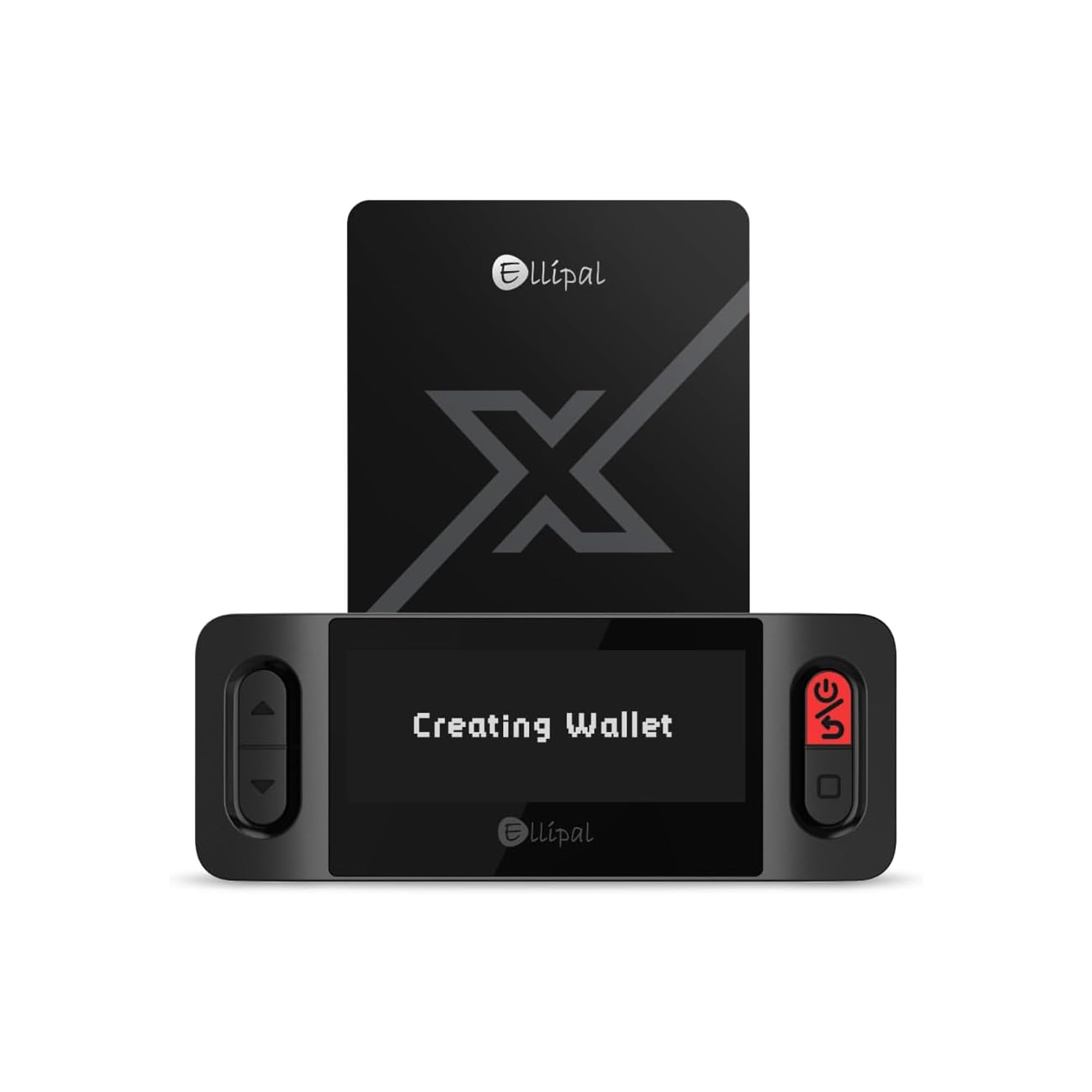
Card-style wallets (Arculus, ELLIPAL X Card) are thin, fit in a wallet slot, and confirm transactions with a quick tap to your phone. Touchscreen wallets (SecuX V20, ELLIPAL Titan) have bigger displays, on-screen keyboards, and on-device verification of every address. If you want to see the full transaction before signing, a screen is the way to go.
Security Certifications Matter
Look for a “secure element” chip — a hardened processor that stores your private keys and resists physical tampering. The Arculus and ELLIPAL X Card use an EAL6+ certified chip, while the SecuX devices use a CC EAL5+ Infineon chip. Both are industry-standard protections, but the certification level tells you how thoroughly it was verified.
Quick Comparison
| Model | Best For | Connection | Secure Chip | Coins Supported | Amazon |
|---|---|---|---|---|---|
| Arculus Cold Storage Wallet★ Best Overall | Phone-first, tap-to-sign convenience | NFC | EAL6+ | 95% of market cap | Amazon |
| ELLIPAL X CardBest Value | Beginner-friendly backup card | NFC | EAL6+ | 10,000+ tokens | Amazon |
| SecuX V20 Plus | Touchscreen verification on the go | Bluetooth + USB-C | CC EAL5+ | 1,000+ ERC-20 | Amazon |
| SecuX V20 + W10 Bundle | Two wallets for active users | USB (W10 no Bluetooth) | CC EAL5+ | 1,000+ coins/tokens | Amazon |
| ELLIPAL Titan 2.0 | Maximum security for long-term holders | None (QR only) | Air-gapped | 10,000+ tokens | Amazon |
In-Depth Reviews
1. Arculus Cold Storage Wallet
Our pick — over 4★ from 500+ verified ratings; the strongest balance of quality and price.
The slim metal card that turns your phone into a vault with one tap.
The Arculus is the crowd favorite here — 4.4 stars across 500+ ratings — and it’s easy to see why. Instead of a bulky device, you get a stainless steel card that weighs 5.28 ounces and slides into your wallet like a credit card. To move XRP, you tap the card to the back of your phone using NFC (a short-range wireless tap that needs no cords or internet connection), and the Arculus app handles the rest.
Security is layered, not single-file: a biometric lock on your phone, a 6-digit PIN, and the card itself holding your encrypted private keys inside an EAL6+ certified secure element (a tamper-resistant chip hardened against physical attacks). This multi-factor setup is why owners call it the easiest way to store crypto off exchanges. It supports 95% of the cryptocurrency market cap, and XRP is right there on the list alongside Bitcoin, Ethereum, Tether, Cardano, Litecoin, and Polkadot.
What wins people over is the design — owners say the card “makes you feel like a Bitcoin millionaire.” The honest trade-off: NFC pairing can be a little finicky at first, and one owner noted it’s “fast to transfer just crypto currency over but nothing else,” meaning it’s built purely for signing, not for card payments. The stainless steel construction means this is one of the few cold wallets that feels genuinely permanent in your hand.
Why it leads: The combination of a certified secure chip, tap-to-sign NFC, and a physical form you can carry daily makes it the most practical XRP cold wallet for phone-centric owners.
The fit note: If you rarely move crypto and want a big screen to review every transaction, a touchscreen wallet suits you better than this card.
Reach for this if: You live on your phone, want your cold storage to disappear into your wallet, and appreciate three separate layers of security.
Look elsewhere if: You want to visually verify full transaction details on a large device screen.
2. ELLIPAL X Card Crypto Wallet
A no-battery backup card that clones your existing wallet in three minutes.
The ELLIPAL X Card is the entry-level champion, and its best feature is something most wallets can’t do: it can import your recovery phrase from MetaMask, Trust Wallet, Ledger, or Trezor. That means it acts as a physical backup twin of a wallet you already own — no transfers, no new accounts, no starting over. Setup takes about three minutes using the offline Starter device, and since there’s no battery, there’s nothing to charge and no firmware updates to worry about.
It’s built on an EAL6+ secure chip (a tamper-resistant processor that generates and stores your private keys locally), and those keys never reach your phone, the app, USB, or Bluetooth. One app manages 40+ blockchains and 10,000+ tokens, and every transaction is confirmed with a single NFC tap. Owners consistently say “setup is quick and simple,” and the ease-of-use praise is the single most-mentioned positive in the reviews.
The trade-off is expectation-setting: this is a card for holding and signing, not a spend card. Some buyers were disappointed it has no USD, Visa, or Apple Pay support. But as a low-cost cold storage companion, it’s tough to top for the price. One owner called it “very convenient” enough to buy two — one for themselves and one for their son.
What owners love
- Imports existing seed phrases from other wallets
- Truly no battery, no charging, no updates
- 2-year manufacturer warranty included
Know before buying
- NFC-only — not a payment or spend card
- Swap fees inside the app run high
Best for: First-time cold wallet buyers who want the simplest possible way to back up keys they already hold.
Not for: Anyone expecting contactless payments or a display for on-device address review.
3. SecuX V20 Plus

The rugged aluminum wallet with a full-color screen that verifies every address.
The SecuX V20 Plus is for people who want to see their crypto. Its 2.8″ full-color touchscreen with an on-screen keyboard lets you verify addresses directly on the device before signing — protection against malware that tries to redirect your funds. It’s lighter than the Arculus at 4.2 ounces, but the rugged aluminum case feels solid and protects the hardware for years. Owners describe the build as “sleek” and “light and solid,” with setup taking under 10 minutes.
Connectivity is flexible: USB-C for laptops or Bluetooth for your phone, working with Windows, Mac, Linux, iOS 12+, and Android 6.0+. Your keys never leave the device — Bluetooth is only used to send signed transactions to the blockchain. It supports XRP, Ripple, Bitcoin, Ethereum, Litecoin, Dogecoin, and over 1,000 ERC-20 tokens. A CC EAL5+ certified secure element (a military-grade, tamper-resistant chip) keeps the keys locked down.
Buyers report the battery “lasted 1 year without charge” and firmware updates run smoothly. The honest caveat: the closed-source code bothers some security purists, and one owner found Bluetooth pairing flaky on Windows 10 specifically. The in-device exchange via Coinify also carries higher fees than doing it yourself. But for a touchscreen wallet you can carry daily, this is a strong middle-ticket pick.
Standout spec: The 2.8″ touchscreen with on-device address verification is the defining feature — it turns blind signing into a visual, deliberate act.
Fair warning: Windows 10 Bluetooth can be unreliable; use the USB-C connection on a PC for the most stable experience.
Choose this if: You want a bright screen, a metal body, and the freedom of both Bluetooth and USB-C connections.
skip it if: You insist on open-source firmware that anyone can audit.
4. SecuX V20 + W10 Bundle

Two hardware wallets in one box — one for the desk, one for the road.
The SecuX bundle is a clever answer to a real problem: what if you want one wallet that stays home and another you carry? You get the V20 with Bluetooth and USB-C, plus the W10 with a standard USB connector. The catch is that the W10 doesn’t support the mobile app and doesn’t hold a battery, so it’s strictly a tethered device for desktop use. One owner flagged this directly: “the squarer one doesn’t hold a battery so be aware.”
Both devices share the same security DNA — a CC EAL5+ Infineon Secure Element chip, a tamper-proof seal that shows any attempt at opening, and a self-destruct mechanism triggered by physical intrusion. The 24-word recovery phrase lets you restore your assets if a device is lost. Support is a genuine highlight here; buyers call the customer support “better than others” in the industry, and the bundle is praised as “best product for the price” specifically because two wallets arrive for the cost of one premium device.
The platform support is broad — Chrome OS, Windows, Mac OS, Linux, Android, and iOS on the V20, with up to 500 accounts and 1000+ coins and tokens. The 2.8″ touchscreen on both devices gives you on-device transaction confirmation without button-clicking headaches. For an owner juggling an XRP long-term stash plus frequent transfers, having a dedicated device for each habit is genuinely practical, and this is the only bundle on the list that offers it.
What the bundle delivers
- Two wallets with 2.8″ touchscreens
- CC EAL5+ certified secure element
- Recognized for strong customer support
Watch out for
- W10 has no battery and no Bluetooth
- W10 lacks mobile app support
Pick this if: You want a second device as a backup or a desktop-only wallet, and you like knowing support has your back.
Pass if: You need both wallets to work wirelessly on your phone.
5. ELLIPAL Titan 2.0
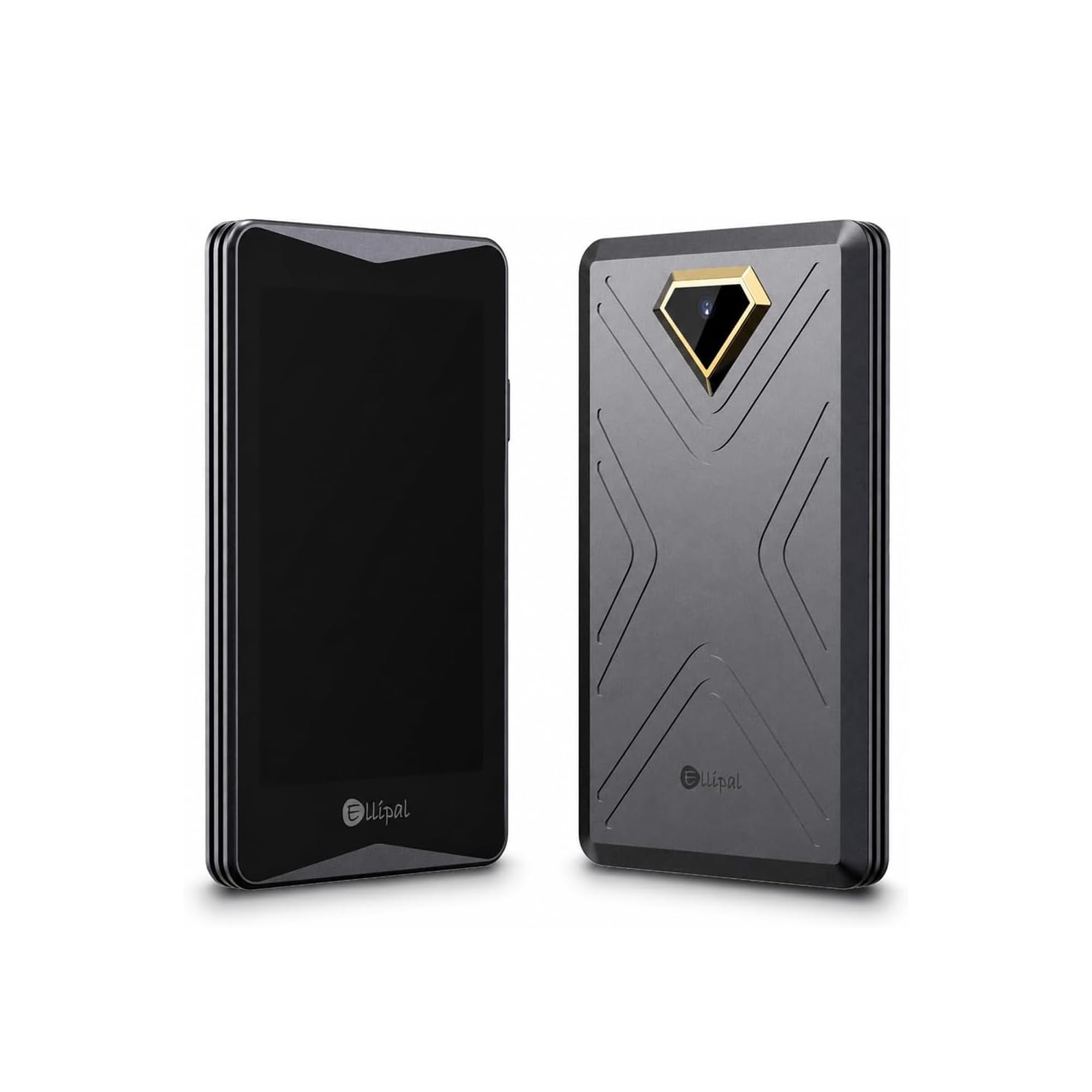
The air-gapped fortress with a 4.1-inch screen and zero wireless connections.
The ELLIPAL Titan 2.0 is the heavyweight champion of offline security. It has no WiFi, no Bluetooth, and no network cables — it’s 100% isolated from the internet. Transactions are signed by scanning QR codes with the built-in camera, which means there is literally no network path for an attacker to reach your keys. The maker backs this with an 8-year track record of zero security breaches and a Forbes recommendation, and the brand claims over 1 million users across 140+ countries.
The 4.1-inch HD screen is the largest on this list, and it lays out every transaction in plain readable words: exactly who you’re paying, how much you’re sending, and which smart contracts you’re authorizing. This “clear signing” eliminates blind signing — you never approve something you can’t read. It supports up to 5 completely separate accounts on one device, so you can split your long-term savings from active trading without buying multiple wallets. The companion app manages 10,000+ tokens.
Owners love the “rock-solid security” and call it “well worth the money,” but there are two recurring gotchas. The most-discussed negative is reliability (19 mentions), tied to firmware updates — the included SD card sometimes fails and needs replacement, and screen protector alignment is fiddly. The update-firmware-immediately advice appears in multiple reviews. This is a premium pick for long-term holders who prioritize absolute isolation over convenience.
The defining trait: True air-gapped signing via QR codes — no wireless attack surface exists at all.
Know this: Owners mention the bundled SD card can be defective; replacing it with a fresh one resolves firmware updates.
Best for: Long-term XRP holders who want the strongest possible isolation and a big, readable screen for every signature.
Not for: Anyone who wants wireless signing or dislikes the camera-based QR workflow.
Understanding the Specs
Secure Element Chip
This is the hardened processor inside the wallet that stores your private keys. On the Arculus and ELLIPAL X Card, it’s an EAL6+ certified chip; on the SecuX devices, it’s a CC EAL5+ Infineon chip. The certification level reflects how rigorously the chip was tested against physical and side-channel attacks. Either way, the key never leaves this chip, so even if your phone is compromised, your XRP stays locked.
Air-Gapped vs. Wireless
Air-gapped wallets like the ELLIPAL Titan have no network connections at all — you sign by scanning QR codes with a camera. Wireless wallets like the SecuX use Bluetooth or NFC to move signed transactions but keep keys offline. There’s no “wrong” choice; air-gapped is the strictest, while wireless is more convenient for frequent trading.
Secure Element vs. Recovery Phrase
The secure element protects your keys while they’re in the device. The recovery phrase (usually 12 or 24 words) is your backup if the device is lost, stolen, or destroyed. Write it down and store it somewhere safe — anyone who finds that phrase controls your XRP. Every wallet on this list generates one during setup.
Multi-Factor Authentication
The Arculus shows how this works: a biometric lock on your phone, a 6-digit PIN, and the metal card holding the encrypted key. Each layer adds friction to an attacker while keeping your signing fast. If one factor is compromised, the others still protect your assets.
FAQ
What makes a cold wallet different from storing XRP on an exchange?
Does every wallet on this list support XRP directly?
What is the difference between a card wallet and a touchscreen wallet?
How long does the battery last on these wallets?
Can I import my existing wallet’s recovery phrase into a new cold wallet?
Is an air-gapped wallet more secure than a Bluetooth wallet?
What does the secure element chip actually do?
What happens if I lose my cold wallet?
How many different cryptocurrencies can these wallets hold at once?
Final Thoughts: The Verdict
For most people, the top cold wallet for xrp is the Arculus because it fuses a certified EAL6+ secure chip, three-layer authentication, and a stainless steel card you’ll actually carry — the crowd favorite with 4.4 stars across 500+ ratings. If you want maximum offline isolation with a big readable screen, grab the ELLIPAL Titan 2.0. And for a budget-friendly backup that clones your existing wallet in minutes, the ELLIPAL X Card is the one to reach for.
How We Picked
We do not accept paid placement. Every pick is matched to a real buyer and a real use-case; we do not hands-on test units.
Sources & Methodology
Specifications: manufacturer listings and product documentation. Review insights: verified customer reviews, as of August 2026. Pricing: not shown on this page (it changes often); check the current price via the retailer link.
As an Amazon Associate, FitlyFast earns from qualifying purchases. This does not affect which products we feature.