
Our readers keep the lights on and the weekend projects moving. As an Amazon Associate, I earn from qualifying purchases.
Choosing your first or next FDM printer means deciding between raw speed, multi-color capability, and a machine that simply works from the first power-on without constant calibration. The market has moved past hobbyist tinkering into plug-and-play reliability, but knowing which core structure—bed-slinger or CoreXY—suits your workspace and which hotend temperature unlocks the filaments you actually want to print is where the real decision lives.
I’m Rikta — the co-founder and writer behind FitlyFast. I’ve spent hundreds of hours analyzing print head acceleration claims, extruder clog-reduction engineering, and how auto-leveling sensors translate to first-layer success across the latest enclosed and open-frame models.
This guide breaks down nine machines by real-world print speed, material support, and build volume to help you find the finest fdm 3d printer for your specific projects, whether you need multi-color prototypes or large engineering-grade parts on day one.
How To Choose The Best FDM 3D Printer
The FDM landscape has fragmented into two distinct camps: speed-focused CoreXY machines with enclosed bodies for advanced materials, and open-frame bed-slingers that prioritize budget and simplicity. Your choice hinges on three pillars: motion system design, hotend thermal range, and whether you need built-in multi-material capability or are content swapping filament by hand.
Motion System: CoreXY vs. Bed-Slinger
CoreXY architecture moves the print head along a fixed gantry while the bed only moves on the Z-axis, enabling acceleration values above 10,000 mm/s². Bed-slinger designs shift the entire print bed forward and backward, which limits acceleration to roughly 3,000–5,000 mm/s² and introduces wobble on taller prints. For printing parts taller than 150 mm or exceeding 250 mm/s, a CoreXY printer like the Bambu Lab P1S or Flashforge AD5X delivers smoother layer lines and shorter project times.
Hotend Temperature and Nozzle Material
A hotend rated to 280°C handles PLA, PETG, and ABS reliably. Stepping to 300°C unlocks PETG-CF and ASA. Moving past 350°C lets you print PPS-CF and polycarbonate blends. Nozzle material matters equally: hardened steel tips resist abrasion from carbon-fiber and glass-filled filaments, while brass nozzles wear quickly under those materials. The QIDI Q2C with its 370°C bimetal hotend and the QIDI Max4’s hardened steel nozzle illustrate the range available for engineering-grade filament users.
Enclosure, Heated Chamber, and Multi-Color
An enclosure stabilizes ambient temperature, reducing warping on ABS and ASA prints. A heated chamber (like the QIDI Max4’s 65°C interior) enables reliable printing of nylon and polycarbonate parts that cool unevenly in open air. Multi-color systems add a filament buffer hub that sequences color swaps during a single print, but each color change produces purge waste. If you print functional prototypes in single colors, skip the multi-color hub and invest in a larger build volume or higher-speed motion system instead.
Quick Comparison
On smaller screens, swipe sideways to see the full table.
| Model | Category | Best For | Key Spec | Amazon |
|---|---|---|---|---|
| Creality K2 Combo | CoreXY Enclosed | Multi-color production | 600 mm/s, 300°C, 16-color | Amazon |
| Bambu Lab P1S | CoreXY Enclosed | Reliable enclosed printing | 500 mm/s, 20000 mm/s² | Amazon |
| QIDI Q2C | CoreXY Enclosed | High-temp engineering filaments | 370°C hotend, 1.5GT belt | Amazon |
| Anycubic Kobra X | CoreXY Open | 4-color native printing | 600 mm/s, 49-point leveling | Amazon |
| FLASHFORGE AD5X | CoreXY Open | Fast 4-color prints | 600 mm/s, 300°C direct drive | Amazon |
| QIDI Max4 Combo | CoreXY Enclosed | Large industrial parts | 800 mm/s, 65°C chamber | Amazon |
| Creality Ender 3 V3 Plus | CoreXZ Open | Large budget builds | 600 mm/s, 300x300x330 mm | Amazon |
| Bambu Lab A1 | Bed-Slinger | Beginner quiet printing | 10000 mm/s², ≤48 dB | Amazon |
| FLASHFORGE Adventurer 5M | CoreXY Open | Entry-level speed | 600 mm/s, 280°C extruder | Amazon |
In‑Depth Reviews
1. Creality K2 Combo
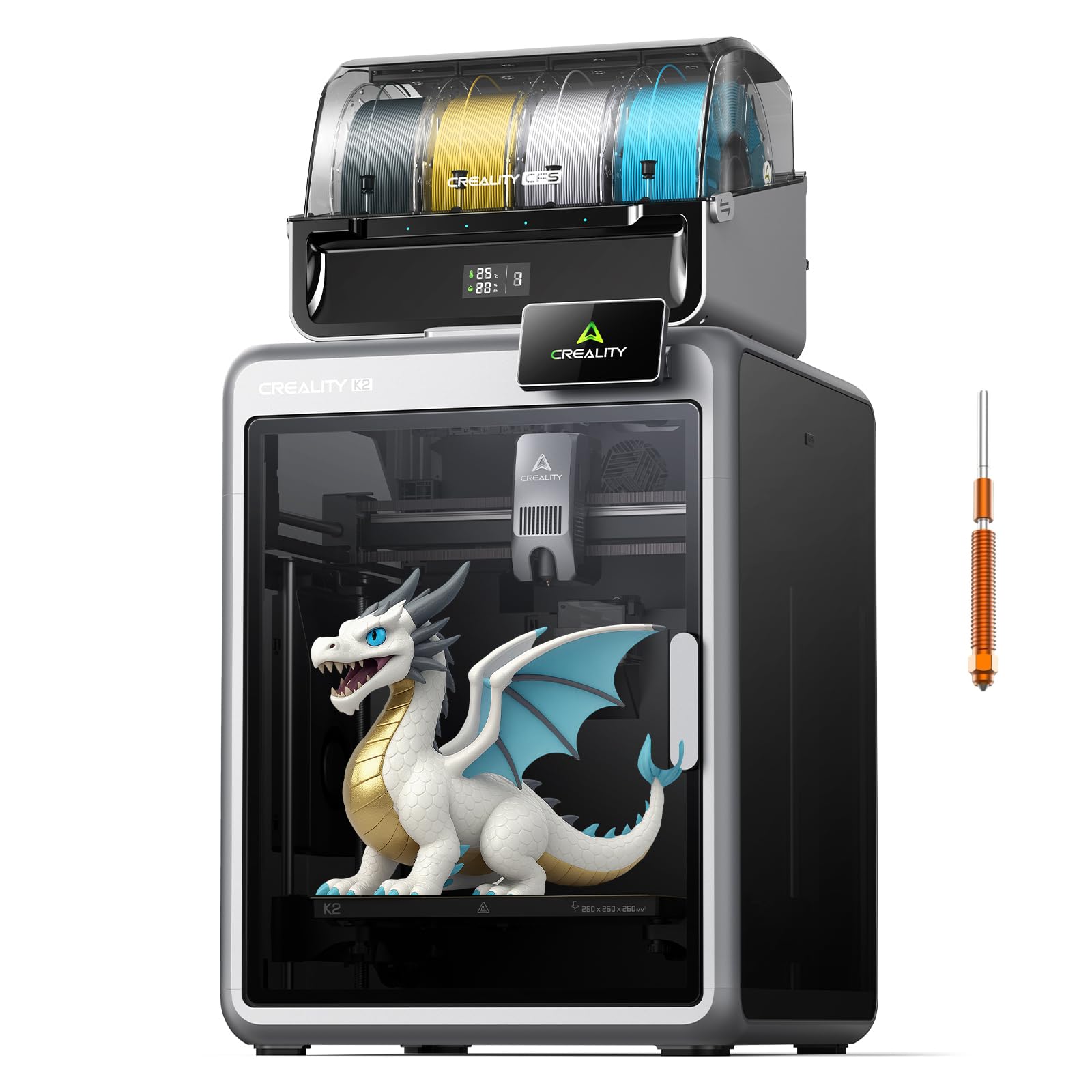
The K2 Combo bundles one CFS multi-material unit for up to 16 colors, a 300°C hardened steel nozzle, and a 40 mm³/s high-flow hotend inside an enclosed aluminum frame. It hits 600 mm/s with 20,000 mm/s² acceleration while maintaining chamber stability thanks to aerospace-grade rails and dual Z-axis screws. Users consistently report 15–20 flawless prints out of the box, with auto-leveling and RFID filament detection eliminating calibration guesswork.
Print quality holds sharp detail across PLA, PETG, and ABS, and the AI chamber camera catches spaghetti failures plus records time-lapses. The 260 mm³ build volume is adequate for helmets and functional prototypes, though the K2 Combo is physically large—expect 55 pounds of machine on your desk. The quiet mode keeps operation under 50 dB, useful for overnight prints.
Adhesion is excellent straight from the factory surface, and wiping the build plate before each job improves grip for tall models. A small minority of units have reported XY error codes requiring Creality’s replacement mainboard, but overall reliability scores high among owners who prioritize multi-color convenience and speed over bare-bones budget machines.
Why it’s great
- 16-color printing with integrated CFS unit saves space and setup time.
- AI chamber camera detects failures and records time-lapse automatically.
- RFID filament spools load automatically without manual profile entry.
Good to know
- Large machine requires a sturdy desk or cart weighing over 55 pounds.
- Multi-color purging creates waste that must be removed after each print.
2. Bambu Lab P1S

The P1S is a fully enclosed CoreXY printer that hits 500 mm/s with 20,000 mm/s² acceleration, designed for PLA, PETG, TPU, ABS, and ASA out of the box. Setup takes under 30 minutes, and the auto-leveling routine runs before each print to guarantee consistent first layers. Bambu’s Studio software streamlines slicing with pre-tuned profiles that produce sharp corners and minimal layer lines without manual tweaking.
Print quality is consistently rated 95 out of 100 by owners, with adhesion scoring perfectly for most common materials. The enclosed body stabilizes ambient temperature for ABS and ASA parts, reducing corner warping. The P1S supports up to 16 colors when connected to the optional AMS hub, but the printer functions excellently as a single-material workhorse. Noise levels are low enough to run in a home office without distraction.
TPU prints can be more challenging on the P1S, requiring careful speed reduction. The hot end is simple to unclog when needed (5–10 minutes). Build volume is 260 mm³, suitable for most prototyping and cosplay parts. Owners upgrading from open-frame machines report an immediate jump in print quality and speed, making the P1S a strong mid-to-premium choice for consistent, enclosed printing.
Why it’s great
- Fully enclosed body improves ABS and ASA print success dramatically.
- Auto-leveling runs before every print for zero-touch reliability.
- Bambu Studio slicer provides excellent pre-configured profiles.
Good to know
- TPU printing requires slower speeds and careful profile adjustments.
- Filament runout and power-loss recovery work well but pause the job.
3. QIDI Q2C
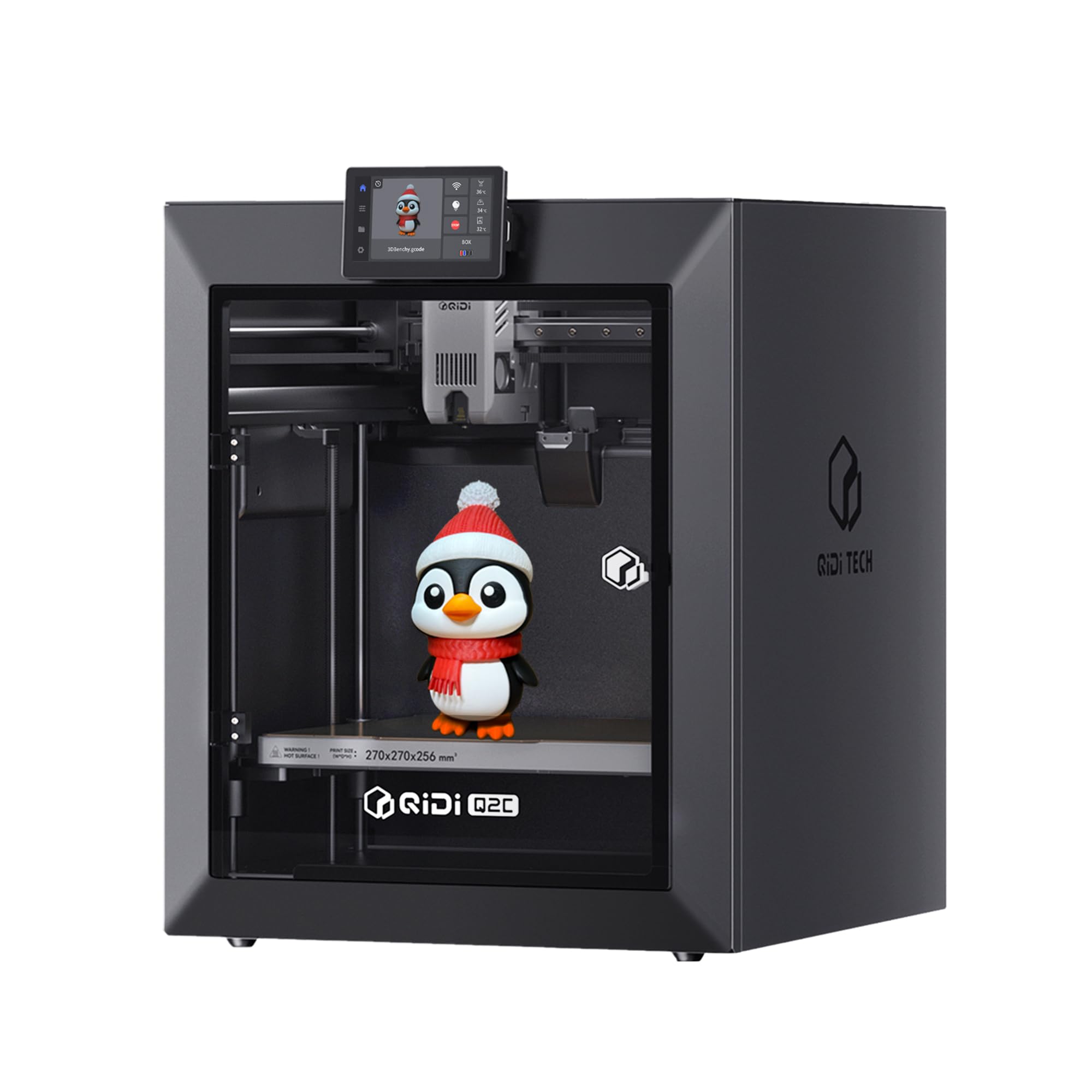
The Q2C uses a 370°C bimetal hotend and a nozzle-integrated leveling sensor that automates first-layer calibration regardless of bed condition. Its 1.5GT belt reduces vibration artifacts, producing exceptionally smooth surface finishes on PLA, PETG, ASA, and PPS-CF. Setup takes roughly 15 minutes, and early owners report flawless first prints with zero Z-layer artifacts across ABS-GF, TPU, and carbon-fiber blends.
Build volume is 270x270x256 mm, slightly larger than the P1S, and the CoreXY frame uses linear rails for stability at 600 mm/s. The open-source firmware allows full control over acceleration, temperature, and retraction without cloud dependency. Users value the metal body panels that reduce print-head wiggle compared to the previous Q1 Pro model. The Q2C does not include a heated chamber, but the enclosed body provides enough ambient stability for most engineering filaments.
Some users note the stock software has a learning curve, but auto-supports and multiple input options (Wi-Fi, USB, wired) ease the transition. The Q2C achieves most of the capability of models costing significantly more, particularly for those who need high-temperature printing for functional prototypes and replacement parts without paying for a heated chamber they may not require.
Why it’s great
- 370°C hotend prints PPS-CF and other high-temp composites reliably.
- Nozzle-integrated leveling sensor delivers flawless first layers every time.
- Open-source platform allows full customization without cloud lock-in.
Good to know
- Chamber is enclosed but not actively heated for demanding nylon prints.
- Software interface is less intuitive than Bambu Studio but fully manual-adjustable.
4. Anycubic Kobra X

The Kobra X is a CoreXY machine that comes with four native color channels built in, expandable to 19 colors with additional ACE 2 Pro units. It prints at 600 mm/s with vibration compensation, and the LeviQ 3.0 system performs 49-point automatic bed leveling for guaranteed first-layer adhesion. Users note it takes about 15 minutes from unboxing to first print, and the top-mount spool holder frees up desktop space.
Print quality is praised for crisp details and smooth layer surfaces across PLA, PETG, TPU, and ASA. The 300°C nozzle supports rigid and flexible filaments, and the hardened steel tip resists abrasive materials. Multi-color printing is genuinely reliable—owners report over 265 hours of trouble-free operation with only user-caused failures. The 260 mm³ build volume offers generous space for medium-size models.
The AI camera includes spaghetti detection and foreign object monitoring, which adds a safety net for overnight prints. Dual-band 2.4G/5G Wi-Fi and LAN connectivity allow remote control through the Anycubic app, though the phone app could be more polished. Some beginners report bed adhesion learning curves, but wiping the PEI plate resolves most issues. At this price point, the Kobra X delivers multi-color capability that normally costs significantly more.
Why it’s great
- Four color channels built in with expandability to 19 colors total.
- 49-point auto leveling and vibration compensation ensure smooth first layers.
- Hardened steel nozzle handles abrasive filaments like carbon-fiber blends.
Good to know
- Phone app interface could use refinement for easier remote control.
- Multi-color purging generates waste that requires regular removal.
5. FLASHFORGE AD5X

The AD5X is a CoreXY open-frame printer that supports up to four colors simultaneously, reaching 600 mm/s with 20,000 mm/s² acceleration. The 300°C direct-drive extruder accepts nozzle sizes from 0.25 mm to 0.8 mm, giving fine control over detail versus speed. Setup takes about 30 minutes, and one-click auto-leveling prepares the bed without manual paper adjustments.
Users consistently praise the print quality—first layers are cleanly bonded, and the dual-channel cooling fan reduces stringing on overhangs. The AD5X works well with Orca Slicer defaults, and owners report roughly 100 hours of reliable operation with PLA, PETG, and PLA-CF. The PEI plate grips strongly during prints and releases parts easily once cooled. Waste from multi-color purging can be reused for smaller projects.
Noise levels are moderate—the fan and purge latch are audible but not disruptive in a home environment. The stock software stack is less polished than Bambu’s, requiring manual IFS color setup in Orca Slicer, and the phone app has lower ratings. A small number of units have experienced jams at the 4-in-1 filament connector, but the majority of owners consider the AD5X solid value for fast multi-color printing without an enclosure.
Why it’s great
- Four-color printing with 300°C direct drive handles diverse filament types.
- Interchangeable nozzle diameters (0.25–0.8 mm) support detail or speed modes.
- PEI build plate provides strong adhesion and easy part release when cool.
Good to know
- Software ecosystem requires manual color setup for multi-material prints.
- Open-frame design limits ABS and ASA printing due to draft sensitivity.
6. QIDI Max4 Combo

The Max4 is a massive enclosed printer with a 390x390x340 mm build volume, a 65°C actively heated chamber, and closed-loop motors on X/Y axes that push acceleration to 30,000 mm/s². The hardened steel nozzle and 40 mm³/s high-flow hotend handle industrial-grade materials including PPA-CF, ABS-CF, and PPS-CF at up to 800 mm/s. Setup is plug-and-play with on-screen prompts, and the dual Z-axis lead screws with anti-backlash nuts produce smooth vertical surfaces.
Print quality for engineering filaments is outstanding—owners report excellent layer adhesion and dimensional accuracy on large functional parts. The AI camera detects spaghetti failures and pauses automatically. The QIDI BOX expands to 16-color printing and includes dry-while-print technology that maintains filament moisture levels during long jobs. The Max4 weighs 120 pounds, so a sturdy workbench is non-negotiable.
Some users note high initial power draw as the chamber heats up, and the purge waste from multi-color transitions is substantial due to the high-flow hotend. The UI is functional but less polished than consumer-focused alternatives. For those who need to print large, strong parts in engineering-grade materials, the Max4 delivers capability that rivals machines at higher price points, with open-source flexibility that avoids vendor lock-in.
Why it’s great
- 65°C heated chamber enables reliable printing of nylon and polycarbonate.
- Closed-loop motors maintain precision at 800 mm/s across a huge build area.
- Open-source design allows full customization and right-to-repair access.
Good to know
- Machine weighs 120 pounds; requires dedicated heavy-duty workspace.
- Long pre-print chamber heating adds time before first layer begins.
7. Creality Ender 3 V3 Plus

The Ender 3 V3 Plus uses a CoreXZ motion system with Y-axis dual motors to reach 600 mm/s and 20,000 mm/s² acceleration across a large 300x300x330 mm build volume. The direct-drive extruder features a bolster spring and powder metallurgy lever for clog-free extrusion rated over 1,000 hours. Auto calibration handles Z-offset, bed leveling, and input shaping in one tap, and the pre-assembled modules cut setup time significantly.
Print quality with PLA and PETG is strong—the tri-metal unicorn nozzle resists wear, and the precision optical shaft on the Z-axis reduces layer lines. The extra build volume fits life-size helmets and cosplay parts without splitting. Users report reliable operation for nearly a year with minimal issues, though the fans are slightly loud and badly wound filament rolls can cause jams.
The power supply ships set to 235V, so North American users must flip the switch to 110V before first power-on. Some owners recommend swapping to a glass bed for perfectly flat adhesion, but the stock PEI surface works for most filaments. Stock firmware is capable, though many users prefer OrcaSlicer for finer control. The Ender 3 V3 Plus is a solid choice if you need a large print area without stepping up to the industrial price tier.
Why it’s great
- 300x300x330 mm build volume fits large parts without splitting.
- Tri-metal unicorn nozzle combines hardened steel tip with easy swapping.
- Auto calibration handles leveling, Z-offset, and input shaping automatically.
Good to know
- Power supply defaults to 235V; switch to 110V for North American outlets.
- Bed leveling may require occasional manual fine-tuning for perfect flatness.
8. Bambu Lab A1

The Bambu Lab A1 is a bed-slinger with full-auto calibration covering Z-offset, bed leveling, and active flow rate compensation. It delivers 10,000 mm/s² acceleration and stays under 48 dB during operation thanks to active motor noise canceling. Setup is childishly simple—users unbox, download the Bambu app, and print a model within minutes. The 1-Clip quick-swap nozzle makes maintenance straightforward.
Print quality is insanely good for a bed-slinger, with smooth finishes and sharp corners. The 256 mm³ build volume is generous for a desktop printer. The Bambu software ecosystem is intuitive, and the free app includes a large library of pre-sliced models. Multi-color printing requires the optional AMS lite, but the printer works excellently as a single-color machine right out of the box.
Some users experience filament clogging after extended use, typically resolved by cleaning the nozzle with a cold pull. The A1 is quiet enough to run in a bedroom or office without distraction. Owners consistently rate it as the best entry-level FDM machine available, praising the short learning curve and reliable operation. If you want the easiest on-ramp to 3D printing with fast, quality results, the A1 is the clear choice.
Why it’s great
- Under 48 dB operation with active noise canceling for quiet environments.
- Full-auto calibration eliminates all manual leveling and Z-offset adjustments.
- Bambu app provides intuitive model library and one-tap print functionality.
Good to know
- Multi-color requires separate AMS lite purchase for filament swapping.
- Occasional nozzle clogs may require cold pull cleaning procedure.
9. FLASHFORGE Adventurer 5M

The Adventurer 5M is a CoreXY open-frame printer reaching 600 mm/s with 20,000 mm/s² acceleration, designed for rapid prototyping out of the box. The 280°C direct-drive extruder heats to 200°C in 35 seconds and supports nozzle diameters from 0.25 mm to 0.8 mm. One-click auto leveling with a dual-sided PEI platform makes first-layer setup effortless, and the machine includes a starter filament sample for immediate printing.
Print quality is consistent and smooth, with users praising the vibration compensation that reduces ringing on fast prints. The CoreXY structure keeps the bed stable on the Z-axis, producing clean overhangs and sharp corners. The Flash Maker app allows remote monitoring and parameter adjustment, though the optional camera kit is needed for live video. Setup takes about 15 minutes and the large community provides ample troubleshooting resources.
Bed adhesion has a short learning curve—some users recommend adhesive stick for tall prints, but the PEI plate works well for most geometries. The 220 mm³ build volume is smaller than the Kobra X and P1S, but sufficient for models, toys, and replacement parts. A small number of units have experienced connectivity issues with auto-update, but the majority of owners report excellent value for a fast, beginner-friendly CoreXY machine at the entry-level price point.
Why it’s great
- 600 mm/s CoreXY speed at an entry-level price with 20,000 mm/s² acceleration.
- Rapid heating to 200°C in 35 seconds reduces wait time between prints.
- Interchangeable nozzle diameters (0.25–0.8 mm) provide flexibility for detail or speed.
Good to know
- 220 mm³ build volume is smaller than many competitors in the same price range.
- Some units have reported software update issues that required support contact.
FAQ
What does CoreXY mean and why does it matter for print speed?
Can I print ABS without an enclosed printer?
How much multi-color purge waste is normal?
Do I need a heated chamber for carbon-fiber nylon?
Final Thoughts: The Verdict
For most users, the fdm 3d printer winner is the Creality K2 Combo because it combines a fully enclosed CoreXY frame, 16-color multi-material printing, and a user-friendly auto-leveling system at a mid-range price that outperforms its competition. If you want rock-solid enclosed reliability for engineering filaments without multi-color, grab the Bambu Lab P1S. And for massive industrial-scale parts with a heated chamber, nothing beats the QIDI Max4 Combo.