
Our readers keep the lights on and the weekend projects moving. As an Amazon Associate, I earn from qualifying purchases.
Moving from single-color monotony to vibrant, multi-material prints is the single biggest upgrade a maker can make. But the path is littered with purge towers, complicated slicer profiles, and the risk of a clogged hotend after a single failed color swap. Selecting the right machine means balancing raw speed, a reliable filament-switching system, and the up-front investment for a truly seamless experience.
I’m Rikta — the co-founder and writer behind FitlyFast. I’ve dissected the hardware specifications, user workflows, and filament-path designs of over a dozen multicolor FDM printers to find the models that deliver consistent layer adhesion without the headache of constant tuning.
If you are ready to stop switching spools manually and start printing complex, colorful models in one go, you need the right hardware. Whether you are a beginner or a print-farm operator, this guide will help you find the best multicolor 3d printer for your shop floor.
How To Choose The Best Multicolor 3D Printer
Not all multicolor printers are created equal. The main differences lie in how they handle filament changes, the number of supported colors, and the software that drives the color mapping. You need to match the machine to your material needs and your tolerance for waste.
Filament Switching Mechanism
The core of any multicolor machine is how it loads, unloads, and purges the previous filament before introducing the next color. Some use a heavy multi-input extruder that moves with the print head, adding mass and slowing accelerations. Others use a stationary hub that pushes filament through a long PTFE tube. The former is typically faster and more reliable for flexible materials, while the latter is simpler and cheaper but prone to jams with harder filaments.
Purge Waste and Volume
Every color swap requires purging the old filament from the nozzle. A poorly designed purge cycle can waste more material than the actual model uses. The best systems use a “prime tower” and clever slicer tools (like “flush into infill”) to minimize waste. Overall machine footprint and build volume also matter — a large 300x300mm bed gives you room to print multiple color objects in a single batch.
Software Ecosystem and Connectivity
A multicolor printer is only as good as its slicer. Check for native profiles in Orca Slicer or manufacturer-specific tools that handle color mapping, flush volumes, and print order. WiFi connectivity and a responsive app let you start, pause, and monitor the color-swapping process remotely, which is critical for long prints.
Quick Comparison
On smaller screens, swipe sideways to see the full table.
| Model | Category | Best For | Key Spec | Amazon |
|---|---|---|---|---|
| Anycubic Kobra X | FDM Multicolor | Family and beginners | 600mm/s max speed | Amazon |
| Anycubic Kobra X (Kit) | FDM Multicolor | Home use and schools | 45dB noise level | Amazon |
| FLASHFORGE AD5X | CoreXY Multicolor | Rapid prototyping | 20,000mm/s² accel. | Amazon |
| ELEGOO Centauri Carbon | CoreXY Enclosed | Carbon fiber materials | 320°C nozzle temp | Amazon |
| Bambu Lab P1S | Enclosed CoreXY | High-temp materials | 16-color via AMS | Amazon |
| Creality SPARKX i7 | FDM Multicolor | AI photo-to-3D | 50% less purge waste | Amazon |
| SainSmart ZR | CoreXY Multicolor | Large volume builds | 300x300x300mm | Amazon |
| Bambu Lab A1 Combo | Bed Slinger Multi | User-friendly color | Active flow rate comp | Amazon |
| QIDI Q2 Combo | Enclosed Multicolor | Engineering filaments | 65°C heated chamber | Amazon |
| Creality K2 Combo | Enclosed CoreXY | Multi-color helmets | AI chamber camera | Amazon |
| Creality K2 Plus Combo | Giant Format Multi | 16-color production | 350mm³ build volume | Amazon |
In‑Depth Reviews
1. Anycubic Kobra X Multicolor 3D Printer

The Anycubic Kobra X delivers native 4-color printing straight out of the box, with the option to expand to 19 colors using ACE 2 Pro units. It pairs a hardened steel nozzle rated to 300°C with a LeviQ 3.0 49-point auto-leveling system, ensuring the first layer is perfect even for beginners. The 600mm/s max speed and reduced filament path (81.25% shorter travel) cut purge waste dramatically compared to earlier designs.
Real-world users consistently praise its quiet 45dB operation and the spaghetti detection AI that pauses on failures. The 15-minute setup time and large library of 10,000+ models make it accessible for families and schools. A few users have reported a defective filament sensor, but the replacement program addresses that quickly.
For someone jumping into multicolor printing for the first time, this machine balances speed, reliability, and expandability without a steep learning curve. The low purge waste and high-speed Benchy at 14 minutes make it a smart buy for both hobbyists and small print farms.
Why it’s great
- Native 4-color (expandable to 19) with low purge waste.
- Quiet 45dB operation and AI camera for failure detection.
- 15-minute setup with 49-point auto-leveling.
Good to know
- ACE 2 Pro units sold separately.
- Rare filament sensor defects reported by a small number of users.
2. ANYCUBIC Kobra X Fast 3D Printer (Kit)
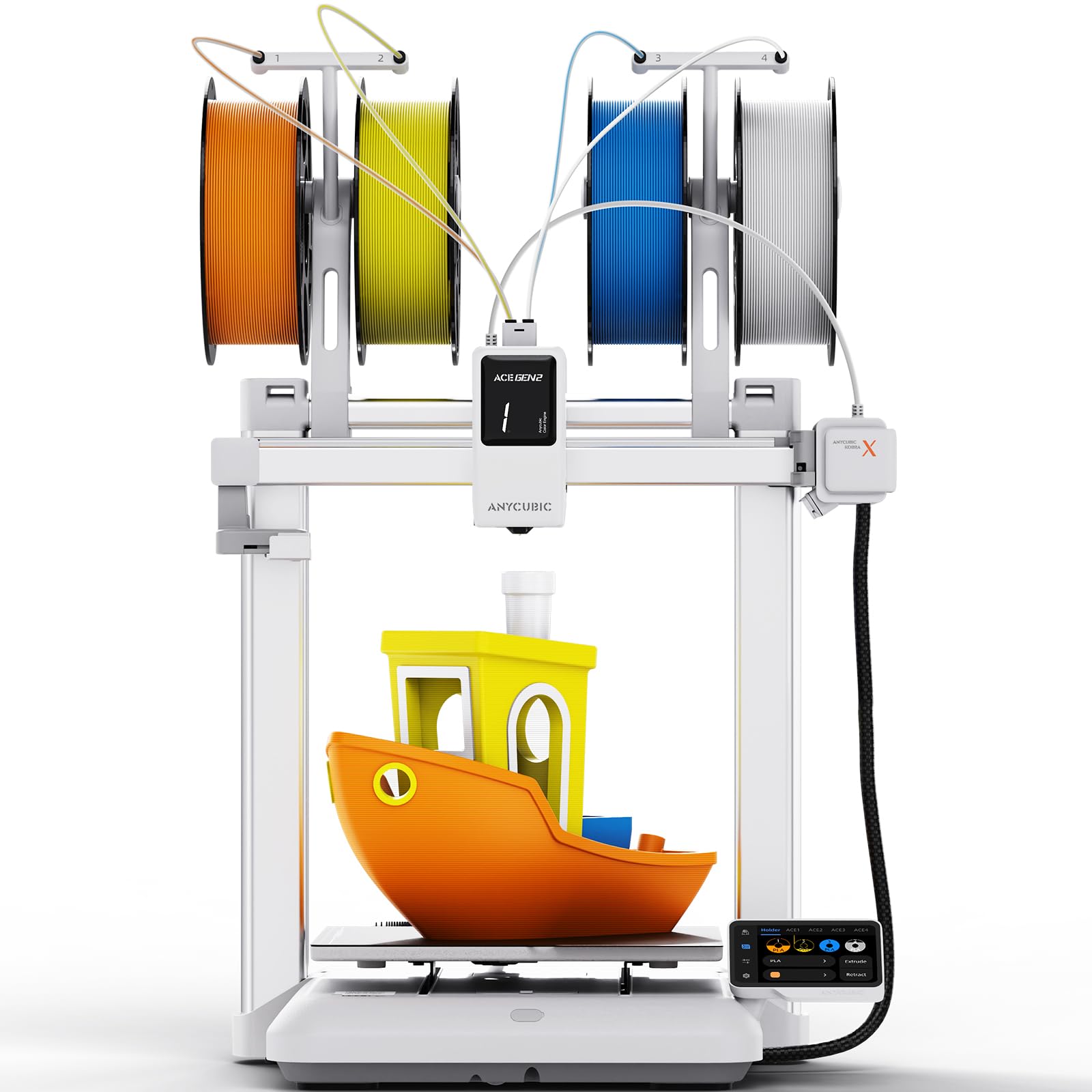
This variant of the Kobra X focuses on family-friendly ease with 15-minute setup and a modular design that minimizes assembly. The 4-color native system handles automatic color swaps, and the LeviQ 3.0 auto-leveling (0.02mm accuracy) delivers perfect first layers for kids and beginners. It includes a 720P AI camera for real-time spaghetti detection and foreign object monitoring.
The ACE GEN 2 technology reduces material waste and speeds up printing, making it economical for continuous DIY projects. Users note that the spool holders feel a bit flimsy and the purge waste can fly out during high-speed swaps, requiring a catch bin. The quiet 45dB operation is a genuine plus for living-room placement.
If your household needs a machine that runs reliably from day one with minimal tinkering, this kit is the best entry-level pick. The community feedback highlights smooth multi-color transitions and the ability to print complex toys without constant monitoring.
Why it’s great
- Nearly silent 45dB operation perfect for home use.
- 15-minute setup with modular design.
- AI-powered camera detects errors and pauses prints.
Good to know
- Purge waste requires a collection bin.
- Spool holders are somewhat flimsy.
3. FLASHFORGE AD5X Multi-Color 3D Printer

The AD5X uses a CoreXY frame to achieve 600mm/s speeds with 20,000mm/s² acceleration, making it one of the fastest multicolor machines in its tier. It supports up to 4 colors simultaneously and includes interchangeable nozzles from 0.25mm to 0.8mm for fine detail or large-draft prints. The 300°C direct-drive extruder handles PLA, PETG, TPU, and composite filaments.
Users report excellent first-layer adhesion thanks to the 1-click auto-leveling and PEI build plate. A known pain point is the 4-in-1 connector that can cause jams, and the rewind mechanism may feed filament behind the spool bracket, leading to “air printing.” The noise level increases during color purges due to the high-velocity fan.
For makers who prioritize high throughput and flexible material compatibility, the AD5X delivers. Just budget time for initial tuning in the Flashforge fork of Orca Slicer to dial in the IFS color settings.
Why it’s great
- CoreXY structure delivers 600mm/s print speed.
- Interchangeable nozzle sizes for fine or fast printing.
- Direct-drive extruder supports flexible and composite materials.
Good to know
- 4-in-1 connector can cause filament jams.
- Purge waste can be loud and messy.
4. ELEGOO Centauri Carbon 3D Printer

The Centauri Carbon comes fully assembled with a die-cast aluminum frame that minimizes vibration even at 500mm/s speeds. The 320°C hardened steel nozzle and enclosed build chamber allow printing with carbon-fiber reinforced filaments and other abrasives. The built-in camera and dual LED lights support real-time monitoring and time-lapse creation.
Users report excellent out-of-box experience, with a Benchy printing in 18 minutes. Some units have suffered from early failure (dead after 6 days), though ELEGOO support eventually replaced them. The USB-C cable design is fragile, and the slicer software can crash on older laptops with complex models. The 256mm³ build volume is adequate for most cosplay and drone parts.
If you need an enclosed machine capable of engineering-grade materials right out of the box, the Centauri Carbon is a strong contender. Its rigid frame and high-flow hotend deliver consistent layer adhesion at speed.
Why it’s great
- Die-cast frame minimizes vibration for smooth layers.
- 320°C nozzle enables carbon-fiber reinforced filaments.
- Pre-assembled with auto-leveling out of the box.
Good to know
- USB-C cable is fragile.
- Some users experienced early hardware failure requiring replacement.
5. Bambu Lab P1S 3D Printer

The Bambu Lab P1S combines a fully enclosed CoreXY frame with the AMS system for up to 16-color printing. It hits 500mm/s with 20,000mm/s² acceleration, and the enclosed design supports ABS, ASA, PA, and PC without warping. The auto bed leveling and vibration compensation ensure consistent first layers across materials.
Users coming from Ender-class printers consistently describe the P1S as a workhorse with “industrial quality.” The Bambu Studio software and MakerWorld community make it easy to slice multi-color projects. The main trade-offs are the higher cost of the AMS units and the fact that it is enclosed, which can trap heat and cause PLA clogs if the door and lid are not left open.
This printer is for serious makers and small production runs. Its reliability reduces downtime, making it a solid investment for those printing functional multi-color parts daily.
Why it’s great
- Enclosed chamber for high-temp materials like ABS.
- Parallel AMS system supports up to 16 colors.
- Auto-leveling and vibration compensation are fully automated.
Good to know
- AMS units sold separately and add to overall footprint.
- PLA printing requires open door/lid to prevent heat creep.
6. Creality SPARKX i7 Combo 3D Printer
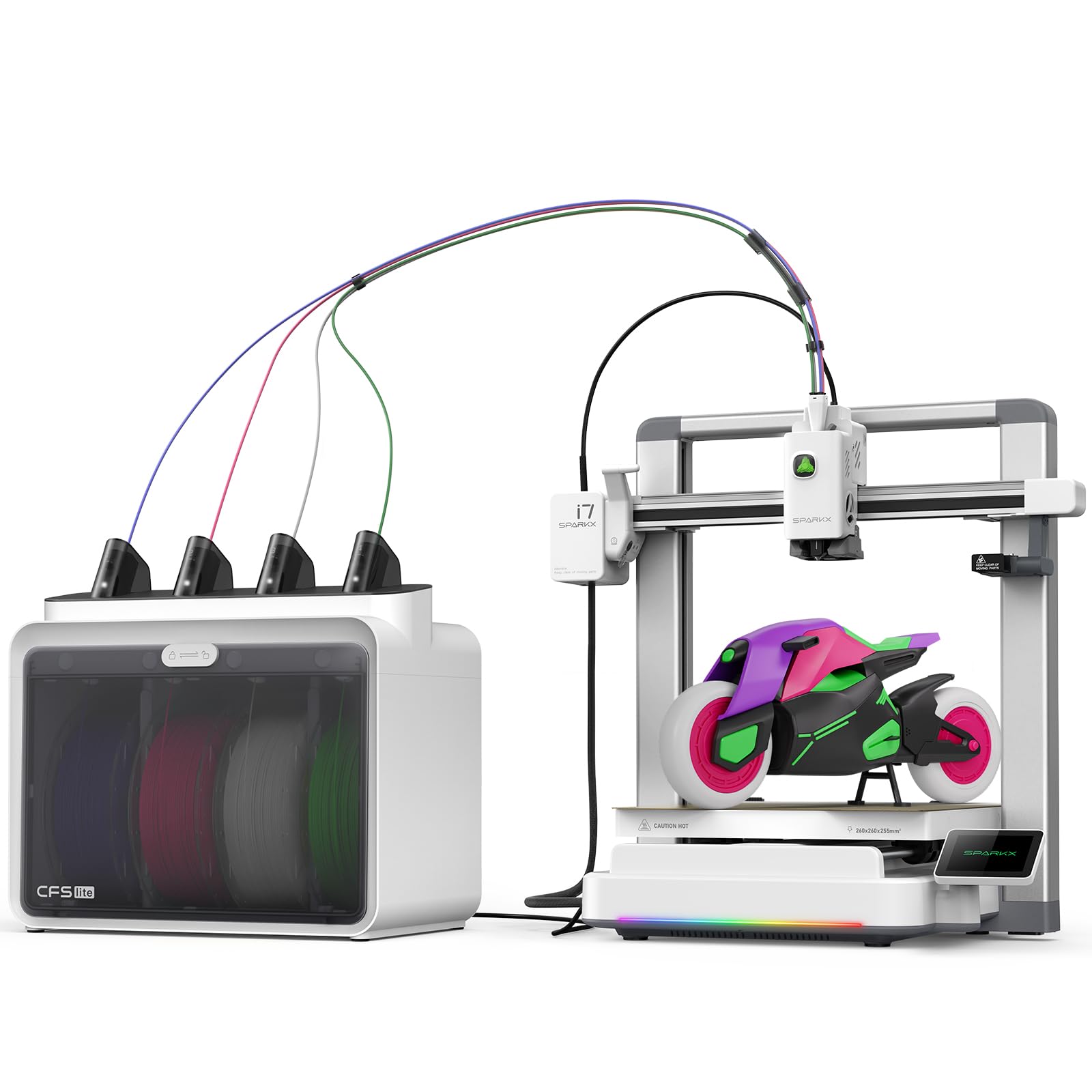
The SPARKX i7 stands out with its CubeMe AI feature that converts a portrait photo into a 3D model in seconds, making it a unique tool for personalized gifts and custom figurines. The CFS Lite system cuts purge waste by 50% compared to older multicolor systems. It uses a closed-loop sensor array to detect spaghetti, air printing, and filament tangles in real time.
Assembly is nearly tool-less, with the printer arriving 95% pre-assembled. The 260mm build volume and “Night Mode” at page-turn noise levels make it usable in any room. However, quality control issues are a recurring theme — failing plastic gears, buggy slicer software, and slow customer support from Creality. The requirement to log into WiFi (with some users calling it spyware) raises privacy concerns.
If you want the AI photogrammetry gimmick and highly efficient material use, the SPARKX i7 is an interesting option. For reliability-first buyers, the mixed reviews suggest a cautious approach.
Why it’s great
- >AI photogrammetry creates 3D models from simple portraits.
- CFS Lite reduces purge waste by around half.
- Ultra-quiet Night Mode for overnight printing.
Good to know
- Quality control and support from Creality are inconsistent.
- WiFi login and telemetry may be a privacy concern.
7. SainSmart x WonderMaker ZR CoreXY 3D Printer
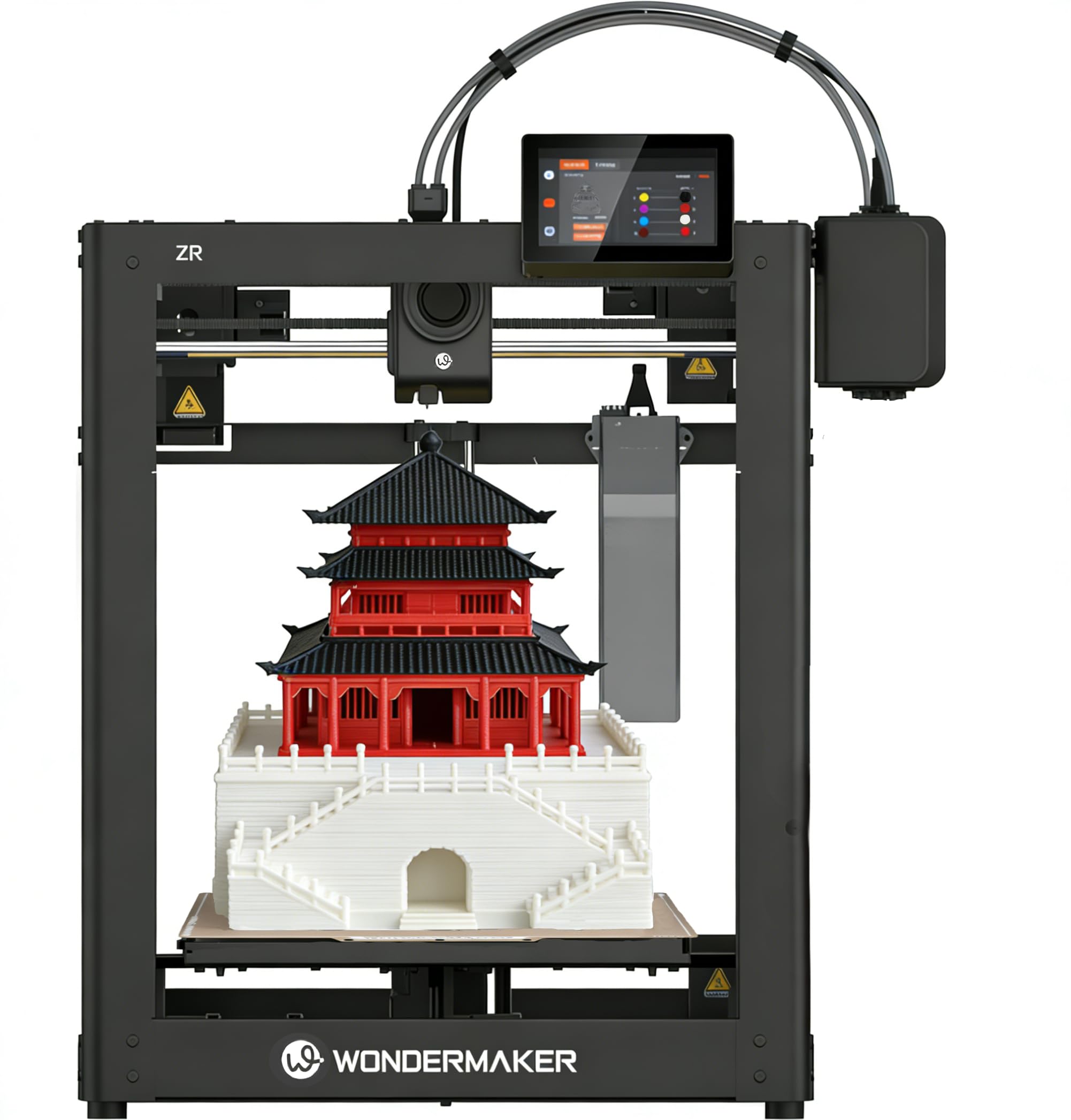
The ZR offers a massive 300x300x300mm build volume at a price that undercuts most large-format competitors. Its MIFS system handles 4-color printing with smart jam detection and auto-reloading. The all-metal CoreXY frame hits 600mm/s with 20,000mm/s² acceleration, and the hardened steel nozzle reaches 300°C for composites like PLA-CF and PETG-CF.
Users appreciate the bundled extras (spare parts kit, sturdy PEI plate) and the clear instructions on USB. The setup is straightforward, though the filament feed path is slightly awkward and requires careful alignment. The printer does not come with an enclosure or camera — these are sold separately. Some users report false filament errors that pause prints, and the touch screen is non-tilting, making it hard to read while standing.
If your priority is maximum build area for cosplay or large-scale multicolor projects, the ZR delivers excellent value. Be prepared to add a camera and enclosure if you need remote monitoring and high-temp material support.
Why it’s great
- Massive 300mm³ build volume for large multicolor prints.
- Klipper firmware with remote control via WiFi.
- Direct-drive hardened steel extruder for composites.
Good to know
- No enclosure or camera included.
- False filament errors can interrupt prints.
8. Bambu Lab A1 Combo + LED Lamp Kit

The A1 Combo bundles the AMS Lite with an LED lamp kit for functional illuminated prints. It features full-auto calibration with active flow rate compensation that adjusts extrusion in real time for consistent color layers. The bed-slinger design with 10,000mm/s² acceleration is quieter (under 48dB) than CoreXY machines at comparable speeds.
Users love the seamless integration with the Bambu app, which includes camera/timelapse and a library of free designs. The 1-Clip quick-swap nozzle design simplifies maintenance. A common complaint is the lack of a printed quick-start guide — everything is digital. The AMS Lite also requires adapters for larger spools, and the printer only ships with a tiny filament sample, so you must buy spools separately.
This is the best choice for absolute beginners who want multicolor printing without any calibration headaches. The LED lamp kit adds a creative outlet for custom lighting projects.
Why it’s great
- Full-auto calibration with active flow rate compensation.
- Quiet under 48dB with easy 1-Clip nozzle swap.
- AMS Lite and LED kit included for creative projects.
Good to know
- No printed manual included.
- AMS Lite requires adapters for non-Bambu spools.
9. QIDI Q2 Combo 3D Printer

The QIDI Q2 Combo pairs a fully enclosed 65°C actively heated chamber with the QIDI BOX for dry-while-print filament management. It supports up to 16 colors and advanced materials including PA, PC, and carbon/glass-fiber composites thanks to the 370°C nozzle. The CoreXY structure and 1.5GT synchronous belt reduce vibration artifacts for ultra-smooth surfaces.
Users highlight the perfect first layers (nozzle acts as leveling sensor) and the excellent surface finish. The box’s auto-rotation and humidity monitoring keep filaments dry during long multi-day prints. Setup does require a firmware update and patience with the box connection (spam reload if it fails to appear). A small number of users report thermistor failures, but support is responsive and proactive.
If you frequently print engineering-grade filaments or want a fully enclosed, multi-material powerhouse, the Q2 Combo is a top-tier pick. The open Klipper firmware allows advanced users to customize every aspect of the printer.
Why it’s great
- 65°C heated chamber enables reliable ABS and PC prints.
- 370°C nozzle handles carbon fiber and glass-fiber composites.
- Dry-while-print technology in the QIDI BOX prevents moisture issues.
Good to know
- Initial box connection can require firmware tinkering.
- Less phone-centric app integration compared to Bambu ecosystem.
10. Official Creality K2 Combo 3D Printer

The K2 Combo uses a CFS (Creality Filament System) to achieve multicolor printing with up to 16 colors. It features step-servo motors for extrusion consistency at 600mm/s and 20,000mm/s² acceleration. The chamber AI camera monitors for spaghetti, foreign objects, and empty heatbeds, and the 300°C hardened steel tip handles engineering filaments.
Users praise the print quality and the enclosed design that makes large helmets possible without splitting models. However, a known issue is the bed warping on some units, requiring a glass bed replacement offered by the seller. The out-of-box voltage switch can be set to 230V when 115V is needed in the US, so check before first power-up. The included test print (a dog) is poorly sliced and consumes over half a spool.
For large-format multicolor printing with active failure detection, the K2 Combo is a capable machine. Just budget a few hours for initial setup and voltage verification.
Why it’s great
- CFS system handles up to 16 colors.
- Step-servo motors deliver consistent extrusion at high speed.
- AI camera with spaghetti and foreign object detection.
Good to know
- Bed warping reported on some units.
- Voltage switch may be set to wrong region out of box.
11. Creality K2 Plus Combo 3D Printer

The K2 Plus Combo is a large-format powerhouse with a 350mm³ build volume, dual AI cameras, and step-servo motors that achieve 30,000mm/s² acceleration. It supports up to 16 colors through multiple CFS units, with an actively heated chamber and a high-temp nozzle for PA-CF, PLA-CF, and PPA-CF. The anti-tilt auto-leveling uses dual independently motorized Z-axes.
Users report that the printer is a beast for large-scale production, but it is heavy — requiring two people to unbox. Some units have suffered from Y-axis and E-axis communication failures out of the box, requiring cable reseating and firmware fixes. The lack of a hard-copy manual is a frustration, and the printer can be loud during rapid retractions. When working correctly, the print quality is exceptional and the CFS system handles multi-filament switching seamlessly.
This is the ultimate pick for professionals needing a giant build volume and multi-material capability. Be ready for a potential initial troubleshooting phase, but the resulting print capability is unmatched at this size.
Why it’s great
- Massive 350mm³ build volume for industrial-scale parts.
- Dual AI cameras with real-time error detection.
- Actively heated chamber supports advanced composites.
Good to know
- Heavy unit requires two people to set up.
- Some users report out-of-box communication failures requiring fix.
FAQ
Can I use any brand of filament with a multicolor printer?
How much extra waste does multicolor printing really produce?
Is a CoreXY frame necessary for multicolor printing?
What is the best nozzle temperature range for multicolor materials?
Final Thoughts: The Verdict
For most users, the best multicolor 3d printer winner is the Anycubic Kobra X because it balances native 4-color printing, low purge waste, and a 15-minute setup that works for beginners and families. If you want an enclosed chamber for advanced materials like ABS and carbon fiber, grab the QIDI Q2 Combo. And for large-scale manufacturing with a 350mm build volume, nothing beats the Creality K2 Plus Combo.