
Our readers keep the lights on and the weekend projects moving. As an Amazon Associate, I earn from qualifying purchases.
Specs are compiled from manufacturer listings and verified buyer reviews and can change over time — please confirm the key details on the product page before buying.
In a bright room, a red laser dot from most clickers vanishes into the projector wash. That visibility problem drives most upgrades, so green-laser and long-range models lead this list. This guide covers laser color, connection type, and battery life to keep your next clicker reliable mid-slide.
I’m Rikta — the founder and writer behind FitlyFast. This guide is built by comparing the manufacturers’ published specifications and the patterns across verified customer reviews, so you get each pick’s real strengths and trade-offs instead of marketing spin.
For teachers, presenters, and speakers, here are seven clickers that keep you moving and slides on time.
Our Picks at a Glance

How To Choose The Best Presentation Clicker
Choose a clicker based on the room you present in most. A bright, sunlit classroom or a hall with a powerful projector demands a laser that can hold its own, while a small meeting room with a laptop screen is far more forgiving. Match it to your usual stage, not the largest room you might face.
Laser Color: Green vs Red
Laser color makes the biggest visibility difference between clickers. A green 532nm laser (a specific wavelength of green light) cuts through ambient light and stays crisp on projection screens and whiteboards, so teachers and lecturers favor it for large, bright spaces. Red lasers are cheaper and perfectly serviceable, but they struggle to show up on reflective TVs and LED screens — several reviewers noted red dots washing out entirely in well-lit rooms.
Connection: USB Receiver vs Bluetooth
Plug-and-play USB receivers are the most simple to use option: you insert the dongle, and the clicker works instantly with no pairing or software. Bluetooth adds flexibility for devices without USB ports, like an iPad or a phone, but it often requires a one-time setup and can occasionally drop the connection after periods of sleep. If you flip between a work laptop and a personal tablet, look for a clicker that offers both connection types.
Battery: Rechargeable vs Disposable
Rechargeable clickers with a USB-C port save you from hunting for AAA batteries before a class, with a single charge typically powering weeks of daily use. However, some buyers find the battery life of rechargeable models mixed, so if you present infrequently and want zero maintenance, a clicker running on AAA batteries is a reliable, no-fuss choice.
Quick Comparison
| Model | Best For | Laser | Wireless Range | Power | Amazon |
|---|---|---|---|---|---|
| TITIANCOOL Green Light Clicker★ Best Overall | Large bright classrooms | Green 532nm | 50 meters | USB-C Rechargeable | Amazon |
| UBUYONE Clicker with CaseBest Value | Teachers on a budget | Red | 98ft/30M | 2 AAA Batteries | Amazon |
| NinjaABXY 2-in-1 USB-C Clicker | USB-C laptop owners | Red | 656 feet | 300mAh Rechargeable | Amazon |
| DinoFire Wireless Presenter | Mixed USB & Bluetooth use | Red | 200 meters | 1 AAA Battery | Amazon |
| Norwii N95 Clicker | Reprogrammable button fans | Green | 100 meters | 300mAh Rechargeable | Amazon |
| Kensington K33272WW | Secure corporate use | Red | 65 feet | AAA Battery | Amazon |
| Logitech R500s | App-driven customization | Red | 20 meters | AAA Battery | Amazon |
In‑Depth Reviews
1. Green Light Presentation Clicker for Teachers – USB-C Rechargeable
Our pick — over 4.5★ from 550+ verified ratings; the strongest balance of quality and price.
The green-laser clicker that finally makes your dot visible from the back row of a bright lecture hall.
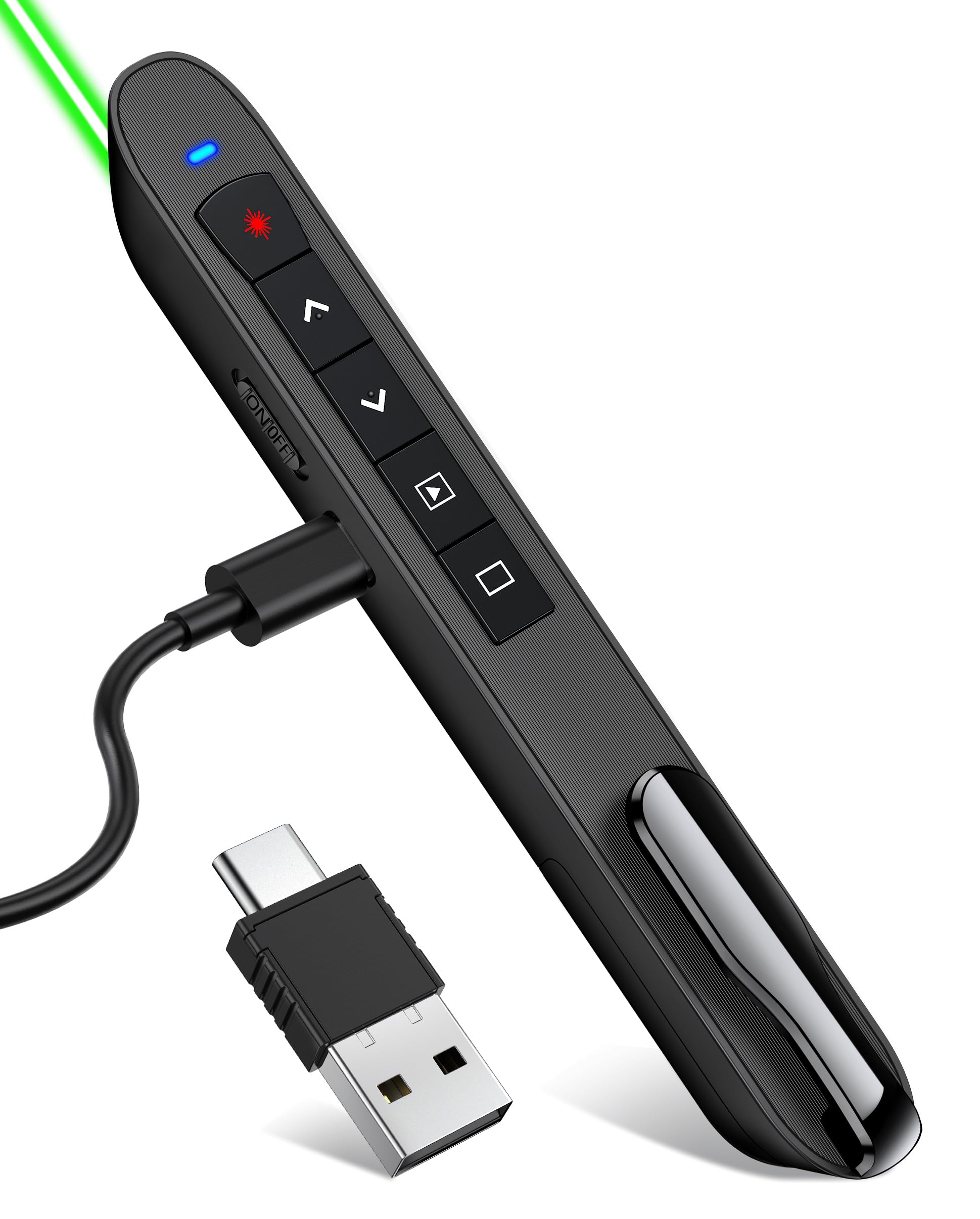
This is for anyone tired of a red dot vanishing on a projector. Its 532nm green light cuts through ambient light and stays crisp on projection screens and whiteboards, from the front row to the back of a large hall — the thing reviewers praise most, with quality and laser visibility leading the conversation. A high school teacher sums up the advantage plainly: “The green works a lot better than the red one.”
You will not be scrambling for AAA batteries before class, because a single 1-hour USB-C charge powers weeks of daily presentations, and the charging cable is included. The dual-sided USB dongle fits both USB Type A and USB Type C ports, so it connects to most laptops — it worked straight away on a MacBook Air for slide changes in Google Slides and Microsoft PowerPoint. The receiver snaps magnetically into the clicker when you are done, so you will not lose it in a bag.
The trade-off: the green laser washes out on reflective TVs, so it suits projection screens and whiteboards, not living-room LCDs. And the button layout takes a moment to learn, since the down arrow advances slides — a small quirk that becomes second nature after one class.
What wins people over
- Bright green laser that stays visible on bright projector screens
- 1-hour USB-C charge powers weeks of use, no battery hunting
- True plug-and-play with no drivers or pairing for Mac, Windows, and Chromebooks
- Magnetic receiver storage so the dongle never gets lost
Know before you buy
- Green laser washes out on reflective TVs and LED screens
- Button layout is counterintuitive at first, as the down arrow advances slides
Reach for this if: you teach or lecture in bright, large rooms and want a laser that actually shows up.
Look elsewhere if: you present mainly on a TV or LED screen, where the green light loses its edge.
2. Presentation Clicker with Case, Wireless Presenter Remote & Red Laser
A budget-friendly clicker that gives teachers full classroom freedom without the charging hassle.
If your priority is a remote that just works with zero maintenance, this one delivers. It runs on two included AAA batteries, so there is no charging cable to remember and no wait before a presentation — just slot in the batteries and go. The slide control reaches 98ft/30M, while the red laser pointer stretches to 328FT/100M, giving you room to roam a large classroom while still pointing at specific parts of your slide.
The ergonomic design earns consistent praise for its soft-touch grip, and the USB dongle fits into the end of the remote rather than requiring you to open the battery compartment — less fumbling mid-presentation. Plug-and-play means no software or drivers: insert the receiver, and page up/down, black screen, and laser controls work as if you were using the laptop itself. A teacher captures the appeal: “As a teacher, it’s everything I needed and more! I’m able to move around my classroom and provide proximity to my students.”
The included fabric drawstring bag is a thoughtful touch for pocket or bag storage, keeping the sleek profile safe between uses. This is the choice when you want a dependable, low-cost tool and do not mind swapping batteries a couple of times a semester.
Why it earns its spot: the cost-effective price, rock-solid plug-and-play, and included case make it the smart pick for teachers who want reliability without spending up.
Best for: teachers and anyone who wants a simple, battery-powered clicker that works the first time, every time.
Think twice if: you present in very bright rooms where a red laser struggles to stay visible on projector washes.
3. 2-in-1 USB Type C Presentation Clicker, Clicker for PowerPoint Presentation
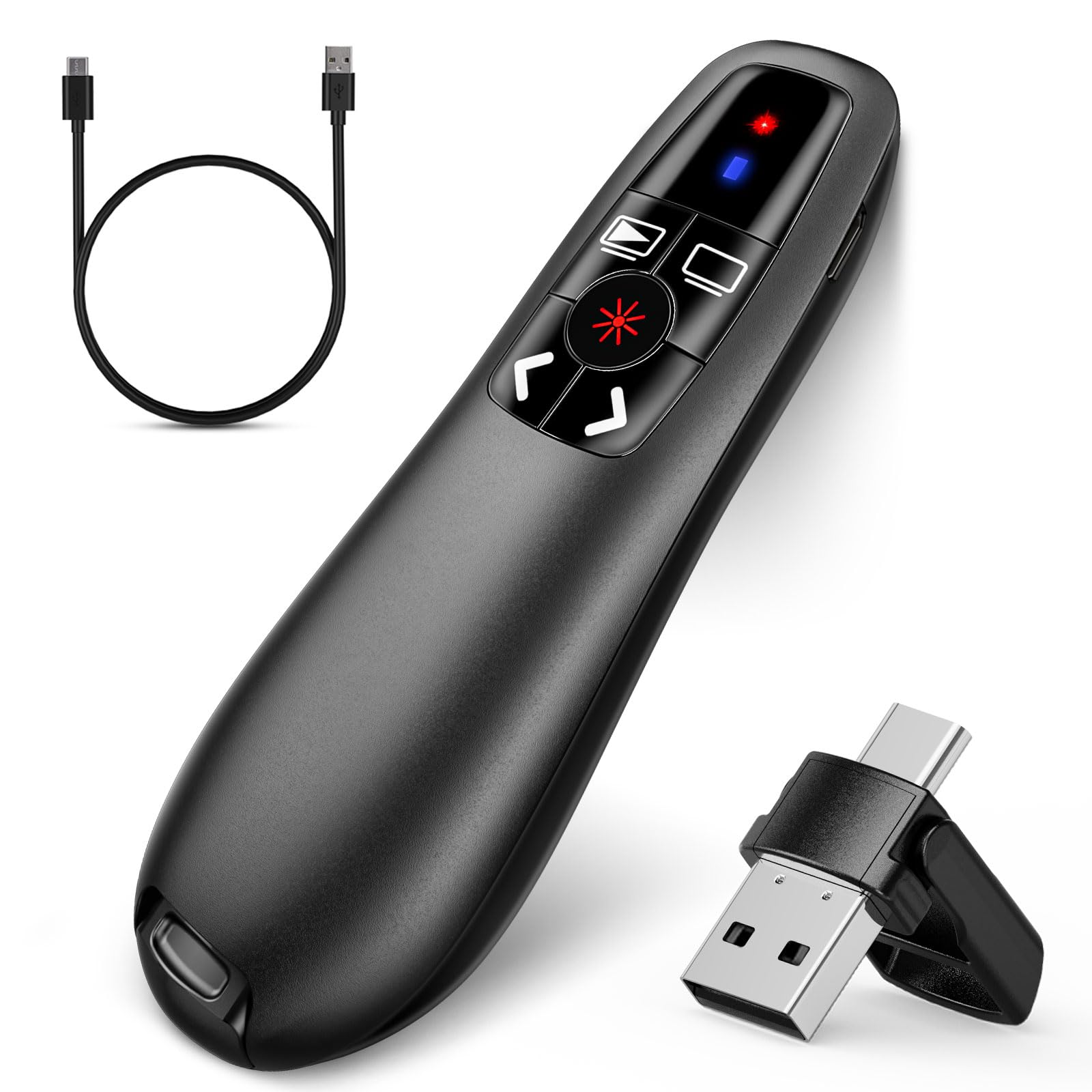
The USB-C clicker with a stunning 656-foot range for presenters who love to roam.
This is the remote for anyone who treats the whole stage as their territory. The wireless control stretches an eye-popping 656 feet, which is far beyond what any classroom or auditorium will throw at you, so you can stroll anywhere in the room and keep complete command of your slides. The red laser is easy to see against most backgrounds, though like all red lasers, it is not recommended for TV, LED, or LCD screens.
Its 2-in-1 USB Type C receiver is the defining feature: one dongle that plugs into both USB-C and traditional USB ports, making it a natural fit for modern laptops. A built-in 300mAh battery supports about one week of use after a 2-hour charge, and the receiver embeds into the bottom of the clicker so it stays put. Mac users simply need a quick one-time setup before the first use, after which it is pure plug-and-play.
The button layout covers hyperlink, window switching, full/black screen, volume, and page up/down, all within a compact, ergonomic body. Buyers consistently note the reliability — the dongle connects instantly without any prompt, and the charge can stretch to about two weeks between top-ups. Just remember to grab that small dongle from the screen when you finish, since its tiny size makes it easy to leave behind.
The standout trait: that 656-foot range is class-leading here — no other pick in this lineup comes close to letting you roam that far.
Pick this if: you own a USB-C laptop and want a rechargeable clicker with absurd range for large venues.
skip it if: you mostly present on a TV screen, where the red laser will not show up well.
4. Dinofire Wireless Presenter, 2.4GHz RF + Bluetooth Presentation Clicker
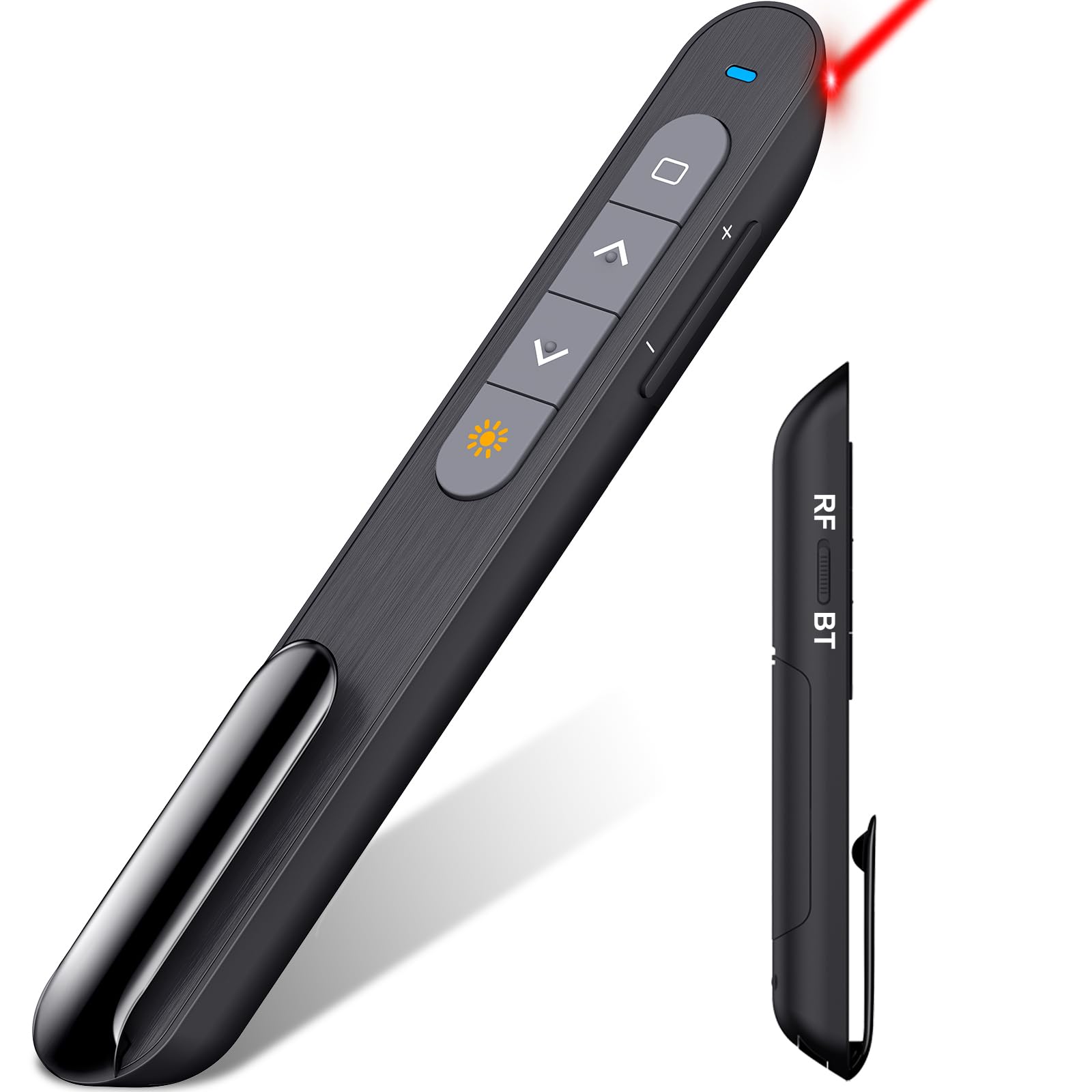
The dual-mode clicker that switches between Bluetooth and RF for any device you own.
This is the remote for people who present from more than just a laptop. Its dual-mode connectivity lets you toggle between Bluetooth and 2.4GHz RF (a wireless radio frequency) with a simple switch, so you can use it with a Mac, a Windows PC, or even an iPad — reviewers have used it to turn pages on a Kindle app and scroll PDFs on a Samsung tablet. The Bluetooth name may show up as “Bluetooth Present,” but it pairs without trouble.
It runs on a single AAA battery, which some buyers prefer precisely because it is a plain, replaceable battery rather than a rechargeable cell that eventually degrades. An intelligent 3-second auto-sleep mode conserves energy, and pressing any button wakes it instantly. The red light pointer offers 98ft of slide control and 330ft for the light itself, giving solid range in both small meetings and larger auditoriums.
The full control suite covers page up/down, hyperlink, volume, window switching, and full/black screen. Most owners find it comfortable, fast to pair (around 45 seconds on Bluetooth), and generally reliable — though a few note that Bluetooth can lose connection after long pauses during sleep, while RF mode works flawlessly. The pocket clip guards against accidental button presses, a thoughtful detail for those who keep the laser on.
The honest read: flexibility is the whole game here — RF mode is rock-solid, while Bluetooth occasionally needs a wake-up tap after long pauses.
Choose this for: mixed-device presenters juggling a laptop and a tablet who want one clicker for everything.
Not ideal for: anyone who needs a green laser for bright projection screens — this one is red only.
5. Norwii N95 Presentation Clicker with Green Laser Pointer
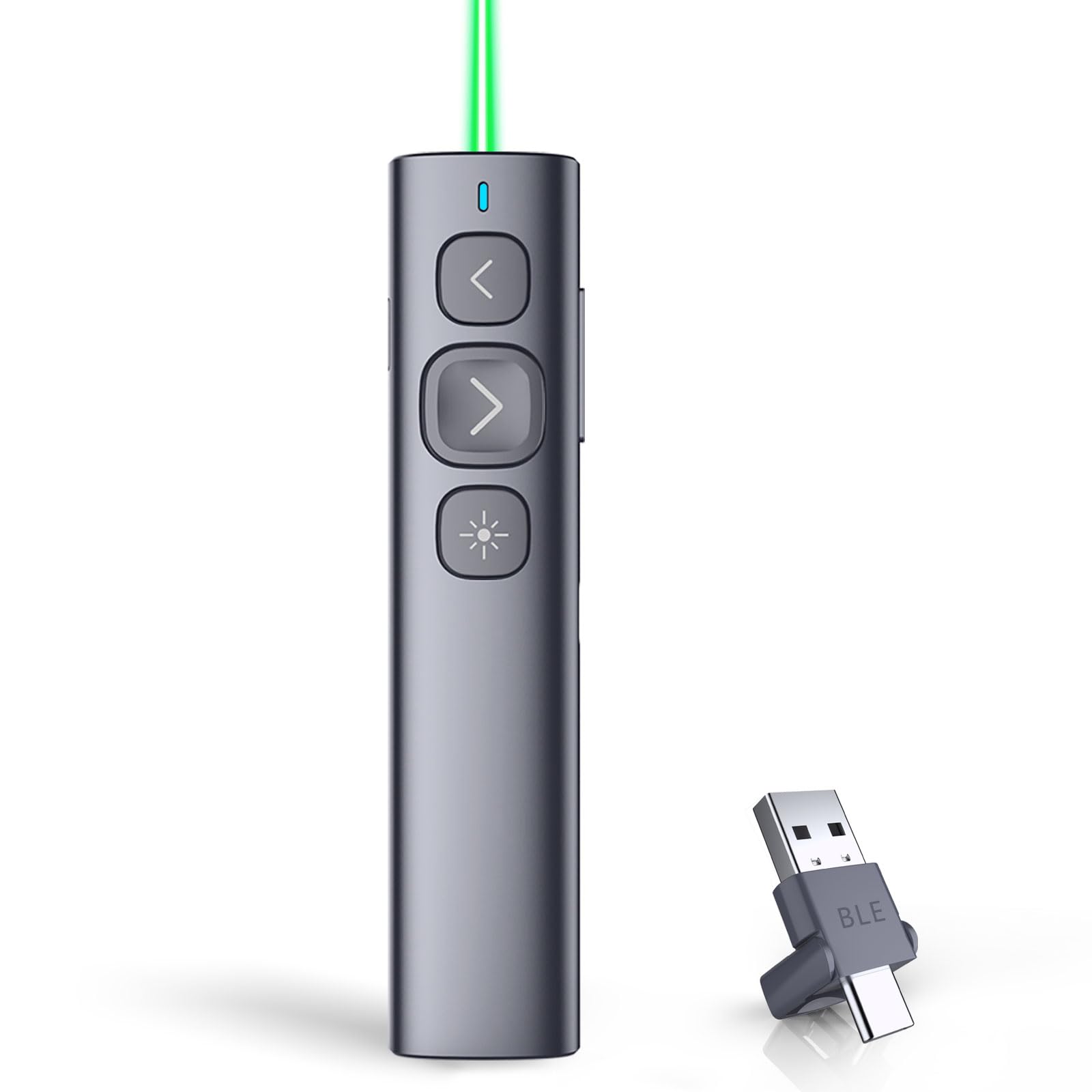
The green-laser clicker with buttons you can remap to fit exactly how you present.
This one stands apart because it adapts to you rather than the other way around. Its reprogrammable buttons let you remap functions through the free Norwii Presenter app, so you can switch the forward and backward buttons between up/down, left/right, Pgup/Pgdn, and scroll modes — long-pressing for 3 seconds cycles through them. Reviewers have used this to make the clicker work with flashcard apps like Quizlet, saving configurations locally on the device.
The green laser is brighter than a red one, and the most-used “Forward” button comes in a different size from the others, so you can identify it by touch without looking down — a genuinely useful detail for stage confidence. It connects via a 2-in-1 USB receiver that works with both USB-A and USB-C, supporting iPad, Mac, laptop, or phone with no software needed for basic slide control. The wireless range reaches up to 100 meters for large rooms, auditoriums, and churches.
A 300mAh lithium polymer battery charges via a USB-C port and runs for weeks on a 2-3 hour charge, with a slowly blinking indicator signaling low power. Note that the charging cable is not included, so keep a USB-C cable handy. A church user reports using it reliably through a wall about 25 feet from the receiver on a 55″ TV, so the signal is genuinely sturdy.
What stands out
- Green laser that is brighter than red and easy to see
- Reprogrammable buttons via the Norwii Presenter app
- Touch-differentiable Forward button for blind operation
- 2-in-1 USB-A and USB-C receiver for broad device support
Keep in mind
- Charging cable is not included — you supply your own USB-C
- The build feels a bit light, a trade-off for the low price
Best suited for: power users who want to customize button behavior and present from many device types.
Choose something else if: you want a premium-feeling build — this one prioritizes features over heft.
6. Kensington Wireless Presenter with Red Laser Pointer (K33272WW)
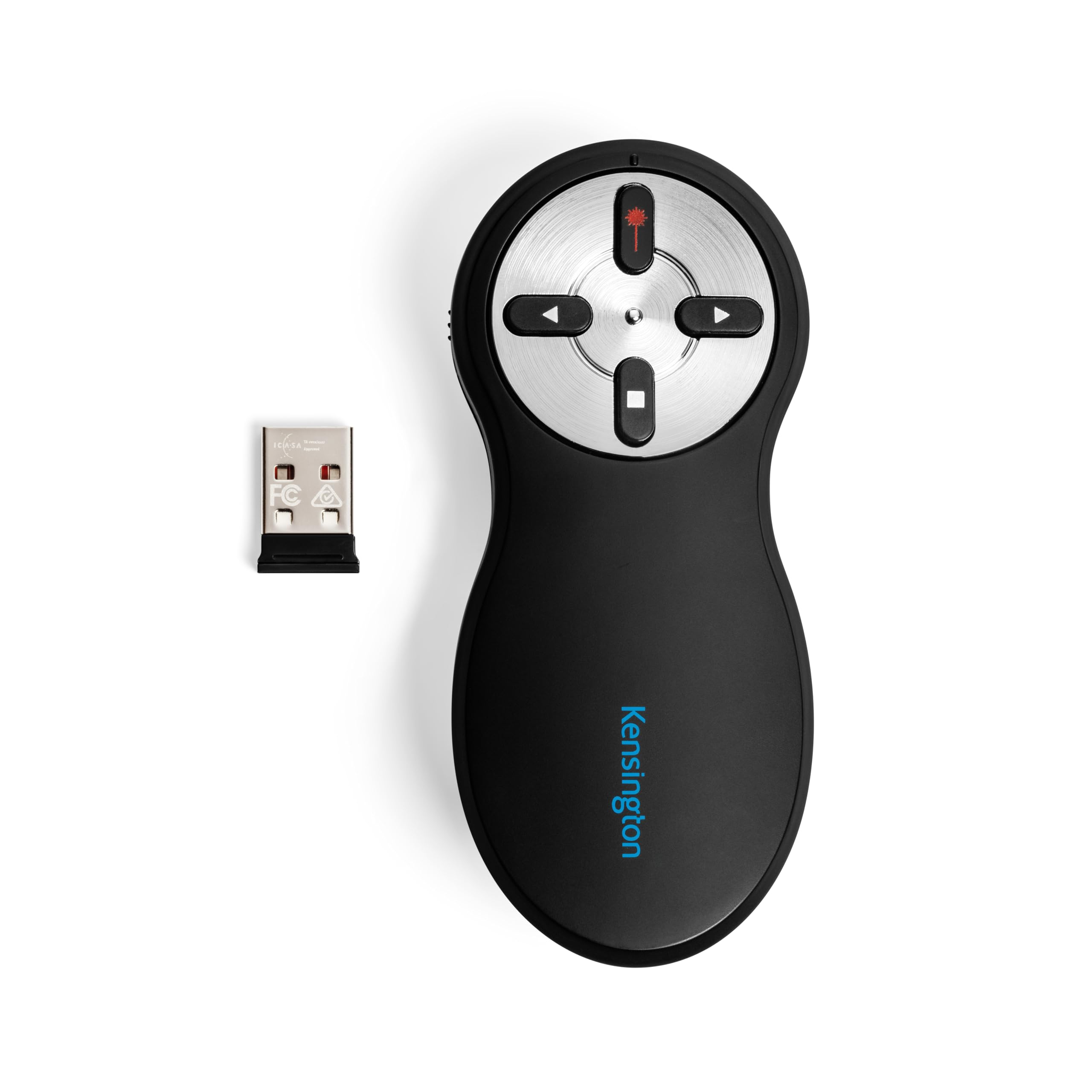
The corporate-grade clicker with government-standard encryption for sensitive presentations.
If your slides contain confidential data, this Kensington is the one to trust. It uses AES 128-bit encryption — the same wireless security standard adopted by the U.S. government — to protect your presentation from potential hackers. Each receiver and presenter is uniquely paired to prevent interference, so you can present in a crowded conference hall without worrying about another clicker hijacking your screen.
The intuitive four-button layout lets you go forward and back on PowerPoint or Keynote slides, while the other two buttons hide your screen and fire the red laser. A plug-and-play 2.4GHz connection with a 65-foot range delivers reliable performance through a compact USB receiver, with no driver required — it worked smoothly across PowerPoint, ProPresenter, and Google Slides in testing. Owners repeatedly describe it as comfortable to hold, with a soft, easy grip.
The practical details matter here: the battery compartment doubles as storage for the wireless USB nano receiver, keeping everything in one place. It carries a 3-year coverage period and lifetime Kensington technical support. The recurring minor gripe is the on/off switch, which is not color-coded and can be hard to find quickly in the dark — a small thing, but worth knowing before a dimly lit presentation.
The defining strength: AES 128-bit encryption is unique in this lineup — nothing else here matches that level of wireless security.
Ideal for: corporate presenters handling confidential material who want rock-solid, encrypted wireless control.
Consider another if: you need a green laser for bright rooms — this one is red and best on standard projector screens.
7. Logitech Wireless Presenter R500s PowerPoint Clicker with Laser Pointer

The app-connected clicker with a 12-month battery that tracks your timing on screen.
This is the clicker for presenters who want software polish on top of hardware reliability. It pairs with the free Logitech Presentation App so you can customize button functions, monitor battery life, and set an on-screen timer for your presentation — a feature that helps you pace a talk without glancing at your watch. The app only works when installed on Mac or PC, but the core clicker functions do not need it.
Dual connectivity gives you flexibility: use the USB receiver for a traditional plug-and-play setup, or connect via Bluetooth low energy for a cable-free experience with a MacBook Air. The built-in dock stores the tiny USB receiver inside the R500s when not in use. Smart battery management is the headline spec — a single AAA battery runs for 12 months, and when power runs low, the clicker disables the laser to extend life for about another week of presenting.
The 20-meter (65 ft) operating range suits medium to large rooms, and the compact 4.9-inch body fits comfortably in smaller hands with quiet, tactile buttons. It is universally compatible with Windows, Mac OS, iOS, Android, and leading software including PowerPoint, Keynote, PDF, Google Slides, and Prezi. The honest limitations: in bright, half-lit rooms the red laser can be barely visible, and Bluetooth range is more limited than the RF mode — some users report around 10 feet on Bluetooth.
What impresses
- 12-month battery life on a single AAA battery
- On-screen presentation timer via the Logitech app
- Compact design that fits small hands comfortably
- Dual USB and Bluetooth low energy connectivity
What to watch
- Red laser is weak in bright, half-lit rooms
- Bluetooth range is shorter than RF — around 10 feet in practice
Reach for this if: you want app-driven customization and a clicker you will recharge only about once a year.
Look elsewhere if: you present in bright rooms where a stronger green or red laser is essential.
Understanding the Specs
Laser Color and Brightness
Green lasers at 532nm are the big upgrade because they cut through ambient light and stay visible on projection screens and whiteboards, even in bright classrooms. Red lasers are cheaper but tend to disappear on reflective TVs and LED screens, so match the color to the screens you actually present on.
Wireless Range
Range numbers tell you how far you can roam from the receiver. A 30-meter or 98ft range covers most classrooms, while 100-200 meters suits auditoriums and churches. The Logitech R500s is the exception at 20 meters (65 ft) — plenty for a medium room but not for pacing a huge hall.
Battery Type
Rechargeable clickers with USB-C charging save you from buying batteries but require remembering to charge. Models running on AAA batteries are simpler and infinitely replaceable, though you will swap cells occasionally. Consider how often you present and whether a dead battery mid-talk would be a disaster.
Connectivity
USB receivers offer true plug-and-play with no pairing, while Bluetooth adds flexibility for tablets and phones but may need a one-time setup. Some clickers offer both, letting you switch based on the device. Dual-sided dongles that fit both USB-A and USB-C are a convenient middle ground for modern laptops.
FAQ
Is a green laser clicker really better than a red one?
Will a presentation clicker work with my Mac or Chromebook?
How long does a rechargeable clicker last on one charge?
What is a good wireless range for a presentation clicker?
Can I use a presentation clicker with Google Slides or Keynote?
Which is better, a USB receiver or Bluetooth connection?
Is it safe to present with a laser pointer?
How do I keep the USB receiver from getting lost?
Final Thoughts: The Verdict
For most people, the presentation clicker winner is the TITIANCOOL Green Light Clicker because its 532nm green laser stays visible in bright classrooms and a 1-hour USB-C charge powers weeks of use. If you want the best value for teachers on a budget, grab the UBUYONE with Case. And for total stage freedom with an class-leading 656-foot range, the NinjaABXY 2-in-1 USB-C Clicker is the one to reach for.
How We Picked
We do not accept paid placement. Every pick is matched to a real buyer and a real use-case; we do not hands-on test units.
Sources & Methodology
Specifications: manufacturer listings and product documentation. Review insights: verified customer reviews, as of August 2026. Pricing: not shown on this page (it changes often); check the current price via the retailer link.
As an Amazon Associate, FitlyFast earns from qualifying purchases. This does not affect which products we feature.