
Our readers keep the lights on and the weekend projects moving. As an Amazon Associate, I earn from qualifying purchases.
The gap between a sci-fi promise and a usable wearable display comes down to one thing: whether the virtual screen stays pinned to the room or drifts loose the moment you turn your head. After spending weeks inside the lens data and comparing over a dozen models across every major AR platform, I’ve tracked which builds deliver stable spatial anchors and which ones still suffer from motion-induced nausea.
I’m Rikta — the founder and writer behind FitlyFast. My analysis focuses on optical engine quality, chipset-driven 3DoF stability, and the real-world compatibility matrix between these glasses and the phones, handhelds, and laptops most people actually own.
Whether you are shopping for a private cinema, a multi-monitor productivity rig, or a head-up display for outdoor sports, the best ar glasses must balance visual clarity, wearable comfort, and drift-free spatial tracking to justify the investment.
How To Choose The Best AR Glasses
Choosing the right smart eyewear means looking past the headline screen size and digging into compatible device lists, chipset capabilities, and the physical fit that determines whether you wear them for ten minutes or two hours. The narrow category of AR glasses splits into two distinct camps: spatial anchor displays (with built-in 3DoF/6DoF) and simple screen mirroring devices that just extend your phone’s display into the air.
Native 3DoF vs. App-Dependent Tracking
Glasses that handle head tracking on the device itself — using a dedicated spatial computing chip like the XREAL X1 — deliver sub-5ms motion-to-photon latency without draining your phone battery or requiring a separate streaming box. Models that rely on a companion app or an external dongle for 3DoF are prone to drift and occasional disconnects. For a locked-in-place virtual monitor, native hardware processing is the single most important spec to verify.
Brightness and Electrochromic Dimming
Outdoor usability depends on peak brightness measured in nits. Entry-level units land around 400–500 nits, which works indoors but washes out under daylight. Premium models push past 1,100 nits. Electrochromic dimming — adjustable lens tint that blocks between 0.1% and 100% of ambient light — adds another layer of immersion by eliminating external reflections. Models without this feature force you to rely on snap-on opaque shades.
Myopia Support and IPD Range
Built-in diopter wheels (typically up to -6.0D) let you dial in focus without extra accessories. Some models omit diopter adjustment entirely and require custom prescription inserts or force you to wear the glasses over your regular frames, which compromises comfort and the optical sweet spot. Interpupillary distance (IPD) support varies widely — dual-size designs (regular and large) accommodate roughly 95% of users, while single-size frames may cause edge blur or image cut-off.
Quick Comparison
On smaller screens, swipe sideways to see the full table.
| Model | Category | Best For | Key Spec | Amazon |
|---|---|---|---|---|
| XREAL One Pro | Premium | Gaming & Movies | 57° FOV, 171″ screen, native 3DoF | Amazon |
| VITURE Luma Ultra | Premium | Spatial Computing | 1500 nits, 6DoF, RGB camera | Amazon |
| VITURE Beast XR | Premium | Outdoor Viewing | 1250 nits, 58° FOV, metal frame | Amazon |
| XREAL 1S | Mid-Range | Plug-and-Play 3DoF | X1 chip, 3ms latency, Bose audio | Amazon |
| ASUS AirVision M1 | Premium | Multi-Monitor Work | 1100 nits, 95% DCI-P3 | Amazon |
| INAIR 2 PRO | Mid-Range | Office & Productivity | 49 PPD edge clarity, electrochromic | Amazon |
| Ray-Ban Meta (Gen 2) | Mid-Range | Hands-Free Recording | 12 MP camera, 8h battery | Amazon |
| Rokid Max 2 Black | Mid-Range | Diopter-Friendly Display | 600 nits, 50° FOV, diopter dial | Amazon |
| Rokid Max 2 Silver | Mid-Range | Gaming & Entertainment | 215″ screen, 120Hz refresh | Amazon |
| RayNeo Air 4 Pro Batman | Mid-Range | Collector & Cinema | HDR10, Bang & Olufsen audio | Amazon |
| HUD Sports Glasses | Budget | Cycling & Running | Real-time speed, HR, navigation | Amazon |
In‑Depth Reviews
1. XREAL One Pro AR Glasses

The XREAL One Pro represents the most complete AR glasses package available, pairing a self-developed X1 spatial computing chip with X-Prism optics to deliver native 3DoF tracking at 3ms motion-to-photon latency. The 57° field of view translates to a 171-inch virtual screen that stays anchored in the room without drift, even during fast head movements — a direct result of processing spatial data on the glasses rather than through a phone app.
At 700 nits peak brightness, the display remains usable under direct sunlight, and the electrochromic dimming adjusts tint instantly without a snap-on shade. Bose-tuned audio provides clear mids and highs for open-ear listening, though sound leaks at higher volumes. The dual IPD sizing (M: 57-66mm, L: 66-75mm) covers over 95% of users, and the spring hinge design reduces pressure points during long sessions.
REAL 3D mode converts 2D content into spatial depth with a single switch, and the USB-C DP compatibility works with iPhone 15/16, Steam Deck, ROG Ally, and MacBooks without extra dongles. The lack of built-in myopia adjustment is the one notable gap — users who need vision correction must purchase prescription lens inserts separately.
Why it’s great
- Rock-solid native 3DoF with no drift across multiple sessions
- 57° FOV and electrochromic dimming for immersive indoor/outdoor use
- Dual IPD sizing and spring hinge design for a comfortable, stable fit
Good to know
- No built-in myopia diopter adjustment requires separate prescription inserts
- Sound leaks at higher volumes compared to closed-back headphones
- Desktop use with adapters can introduce compatibility quirks
2. VITURE Luma Ultra XR Glasses
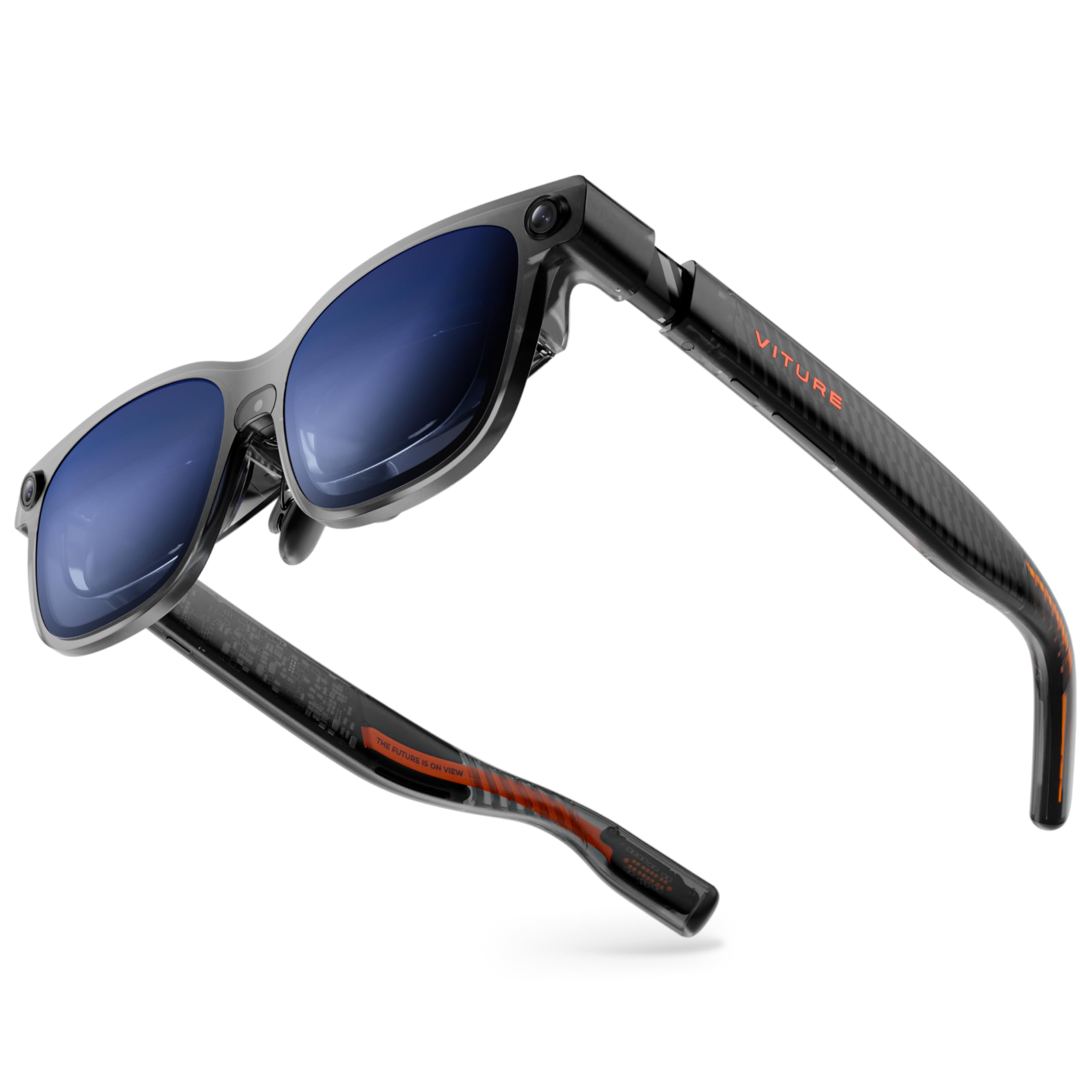
The VITURE Luma Ultra pushes into a class of its own with a triple-camera system — front RGB plus dual depth sensors — that unlocks true 6DoF spatial computing and hand-gesture recognition when paired with the VITURE Pro Neckband. The 152-inch virtual screen runs at 1200p per eye, powered by Sony Micro-OLED panels that deliver 1500 nits peak brightness while consuming 35% less power than previous-gen displays, meaning less drain on your phone or handheld.
Built-in myopia adjustment up to -4.0D eliminates the need for prescription inserts, and the electrochromic film switches between transparent and fully immersive with one tap. HARMAN AudioEFX tuning provides fuller bass and a wider soundstage than most open-ear implementations in this category. The programmable RGB lighting on the translucent frame is a first for XR glasses, though the customization software for the lighting is still rolling out.
The weight sits at 1.61 pounds in the package, and the glasses themselves are dense enough to slide on the nose during active use, requiring periodic adjustment. Multi-screen productivity through SpaceWalker on macOS and Windows supports up to three virtual monitors, but mobile multi-screen support is still pending.
Why it’s great
- 1500 nits with 35% lower power draw for extended phone battery life
- Full 6DoF and hand-gesture support via triple-camera array
- Built-in myopia adjustment up to -4.0D and electrochromic film
Good to know
- Heavier build tends to slide down the nose during active use
- Mobile multi-screen support not yet available as of launch
- Some users report dizziness during prolonged productivity sessions
3. VITURE Beast XR/AR Glasses
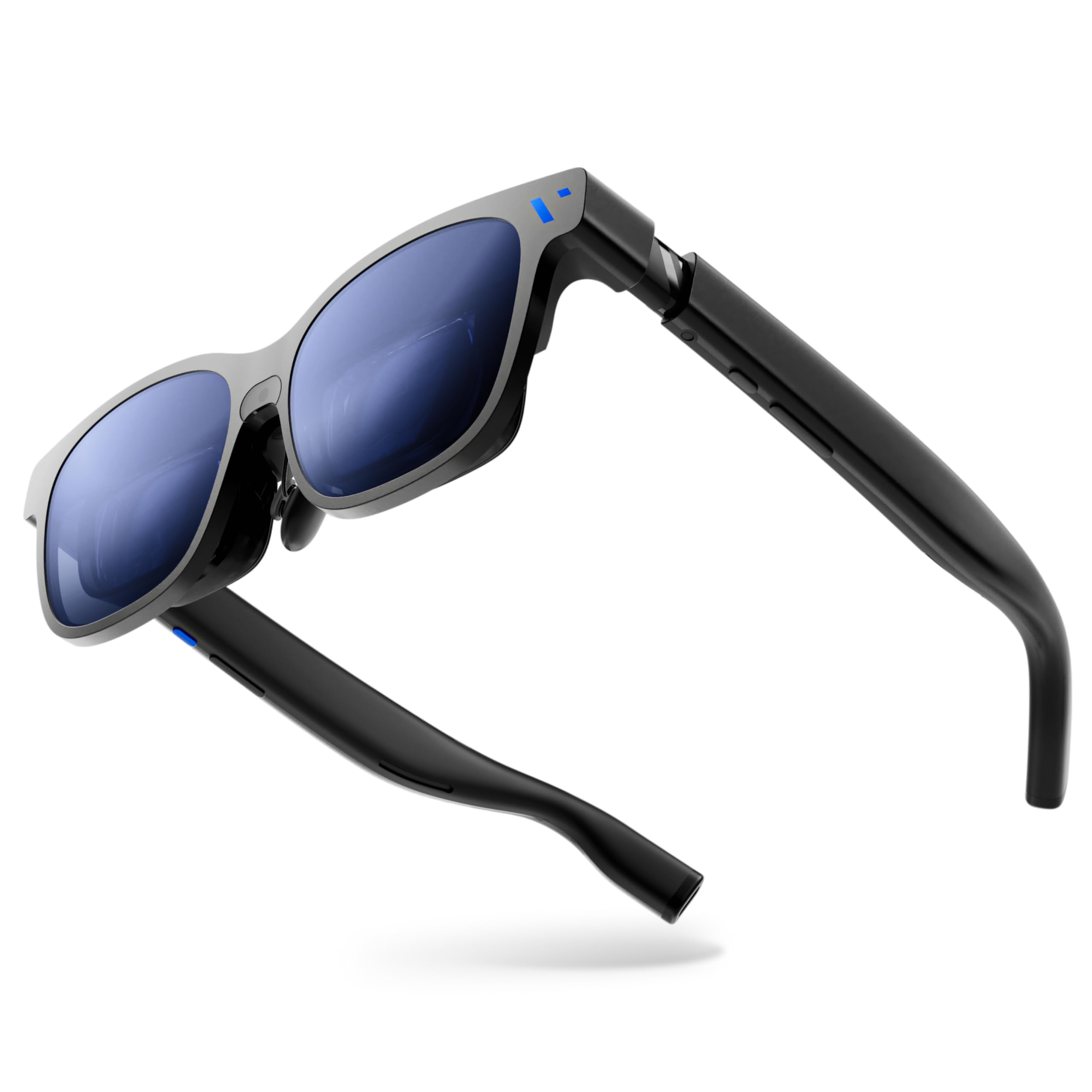
The VITURE Beast claims the widest consumer FOV at 58 degrees and delivers a 174-inch virtual screen with 1250 nits peak brightness, making it the most outdoor-friendly AR display on this list. The VisionPair built-in 3DoF system locks the screen in place without requiring any software installation — anchor, smooth follow, and 32:9 ultrawide modes are controlled directly from the glasses hardware, bypassing app-based drift entirely.
The aerospace-grade aluminum-magnesium alloy frame keeps weight at 88 grams while feeling substantially more durable than the all-plastic builds common in this price bracket. The 9-level electrochromic dimming system is the most granular on the market, allowing precise control between full AR transparency and cinematic blackout without any snap-on shade. HARMAN AudioEFX delivers deeper bass than the XREAL One Pro, though the open-ear design still leaks sound at maximum volume.
Compatibility spans Switch 2 via the VITURE Pro Mobile Dock, PS5 through PXPlay partnership, and all major USB-C DP phones and handhelds. The lack of a built-in diopter adjustment and reports of screen drifting in some firmware versions (as of May 2026) are the main drawbacks. The dual-size IPD design (regular up to 70mm, large up to 74mm) accommodates a wider range of faces than most single-size competitors.
Why it’s great
- 58° FOV with 1250 nits is the brightest and widest consumer AR display
- Granular 9-level electrochromic dimming without software dependency
- Aerospace-grade metal frame feels premium and survives daily commutes
Good to know
- No built-in myopia adjustment requires prescription lens inserts
- Screen drift reported in specific firmware versions as of May 2026
- Open-ear audio leaks sound at maximum volume levels
4. XREAL 1S AR/XR Glasses

The XREAL 1S bridges the gap between premium flagship features and mid-range pricing by using the same X1 spatial computing chip found in the One Pro, delivering native 3DoF with 3ms latency at a lower price point. The 52° FOV produces a virtual screen that feels roughly equivalent to a 27-inch monitor at one meter, and the 120Hz refresh rate in 3DoF mode keeps motion smooth without visible judder.
Bose-tuned audio provides the most balanced open-ear soundstage in this category, with clear vocal reproduction that makes conference calls and dialog-heavy content shine. Each unit undergoes individual color tuning, and the TÜV Rheinland certification for low blue light and flicker-free operation makes it one of the few AR glasses suitable for extended work sessions without eye fatigue.
The lack of any diopter adjustment is the biggest limitation — users with vision correction must wear glasses underneath or order custom prescription lenses separately. REAL 3D mode works well for cinematic content but introduces occasional artifacts in fast-moving scenes. The side-view mode and ultrawide display options give it genuine productivity utility for Mac and Windows users.
Why it’s great
- Native 3DoF with 3ms latency at a mid-range price point
- Bose-tuned audio delivers the clearest vocal reproduction
- TÜV Rheinland eye comfort certification for extended use
Good to know
- No diopter adjustment forces glasses wearers into inserts or stacking
- REAL 3D mode shows occasional artifacts in fast-moving content
- FOV at 52° feels smaller than premium competitors
5. ASUS AirVision M1 Smart AR Glasses

The ASUS AirVision M1 targets the productivity-first user with a 100-inch Micro-OLED display that pushes 1100 nits and covers 95% of the DCI-P3 color gamut, ensuring accurate color reproduction for design and coding work. The AirVision App on Windows enables multi-screen setups with head-tracking, allowing screen distance and pupil distance customization directly from the software.
Weighing only 87 grams with built-in speakers and a noise-canceling microphone, the M1 is one of the lighter options in the premium tier. The magnetic shade attachment system makes switching between immersive and transparent modes easy, though the electrochromic dimming found on competitors is absent here. The touch interface on the temple is intuitive for volume and brightness adjustments but can trigger accidentally when adjusting the glasses.
Image quality reviews are polarized — some users report crisp, bright visuals with smooth gaming performance on the ROG Ally, while others experience blurry output and cut-off edges that IPD adjustment fails to resolve. The inconsistency suggests potential quality control variance between units. The software also requires a wired USB-C connection and does not support wireless streaming.
Why it’s great
- 1100 nits with 95% DCI-P3 color coverage for accurate visuals
- Lightweight 87g design with noise-canceling microphone
- Multi-screen virtual display capability through Windows app
Good to know
- Inconsistent image quality reports suggest possible QC variance
- No electrochromic dimming relies on magnetic shade attachment
- Touch interface on temple triggers accidental adjustments
6. INAIR 2 PRO AR Glasses

The INAIR 2 Pro targets office productivity with a 135-inch virtual display at 120Hz and a dual-eye resolution of 3840×1080, delivering 49 PPD edge clarity that keeps even small text readable from corner to corner. The AI spatial rendering engine automatically converts 2D images into 3D depth, turning a standard photo library into a stereoscopic wall — a genuinely useful feature for designers and visual editors.
The electrochromic technology offers variable transparency from 0.1% to 16%, and the immersive mode blocks nearly 100% of external light, making the INAIR 2 Pro effective in bright office environments without needing a separate shade. Swiss SGS A+ 2.0 certification confirms a visual fatigue index of ≤2.5, which aligns with its positioning as a productivity tool meant for eight-hour workdays. The heating element sits on the right side away from skin, reducing discomfort during long sessions.
The multi-screen feature through INAIR Space supports up to four virtual monitors on Mac OS and Windows, but the software has received reports of instability on certain Windows 11 configurations. The 50° FOV is narrower than the XREAL One Pro and VITURE Beast, and the field of view feels small enough that some users report needing to tilt their head to see the full display. The glasses require USB-C DP from the host device and do not include built-in diopter adjustment.
Why it’s great
- 49 PPD edge clarity keeps small text sharp for office work
- 0.1% to 16% electrochromic transparency range blocks nearly all light
- Four virtual monitor support through INAIR Space software
Good to know
- 50° FOV feels narrow; some users report needing to tilt head
- Multi-screen software has instability reports on Windows 11 systems
- No built-in diopter adjustment; custom prescription lenses required
7. Ray-Ban Meta (Gen 2) Smart AI Glasses
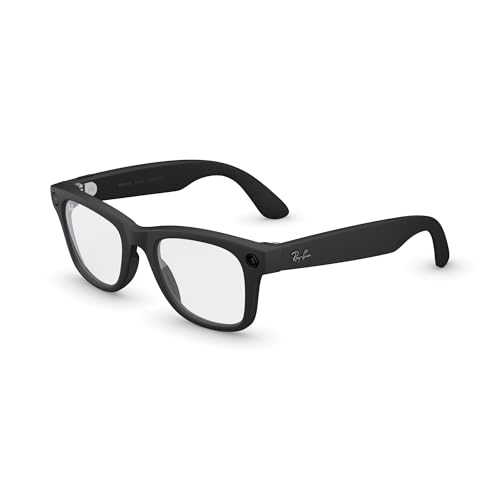
The Ray-Ban Meta Gen 2 occupies a different spot in the AR glasses landscape — it lacks a virtual display entirely, instead functioning as an AI-powered camera and audio wearable. The 12 MP ultra-wide camera records 3K HD video with improved image stabilization, and the open-ear speakers deliver rich audio without isolating you from ambient sound. This is the only device on this list that looks indistinguishable from normal eyewear in social settings.
Battery life reaches up to 8 hours with moderate use, and the charging case provides an additional 48 hours of standby charge. Meta AI integration enables real-time voice translation between French, Italian, Spanish, English, German, and Portuguese without needing WiFi. The noise cancellation for calls blocks 90% of wind and street noise, making it one of the best hands-free communication devices in the category.
The lack of a visual display means this cannot replace a monitor or cinema screen. Recording is limited to 5-minute clips, and the flashing LED recording indicator cannot be disabled — a privacy feature that also compromises discretion. It is not waterproof and lacks an SD card slot, relying entirely on internal storage and cloud sync.
Why it’s great
- Looks like normal glasses with discreet 12 MP recording capability
- 8-hour battery life with 48-hour charging case
- Real-time voice translation across six languages without WiFi
Good to know
- No virtual display means no monitor/cinema replacement functionality
- 5-minute recording limit and non-disableable LED indicator
- Not waterproof and no expandable storage via SD slot
8. Rokid Max 2 Black AR Glasses
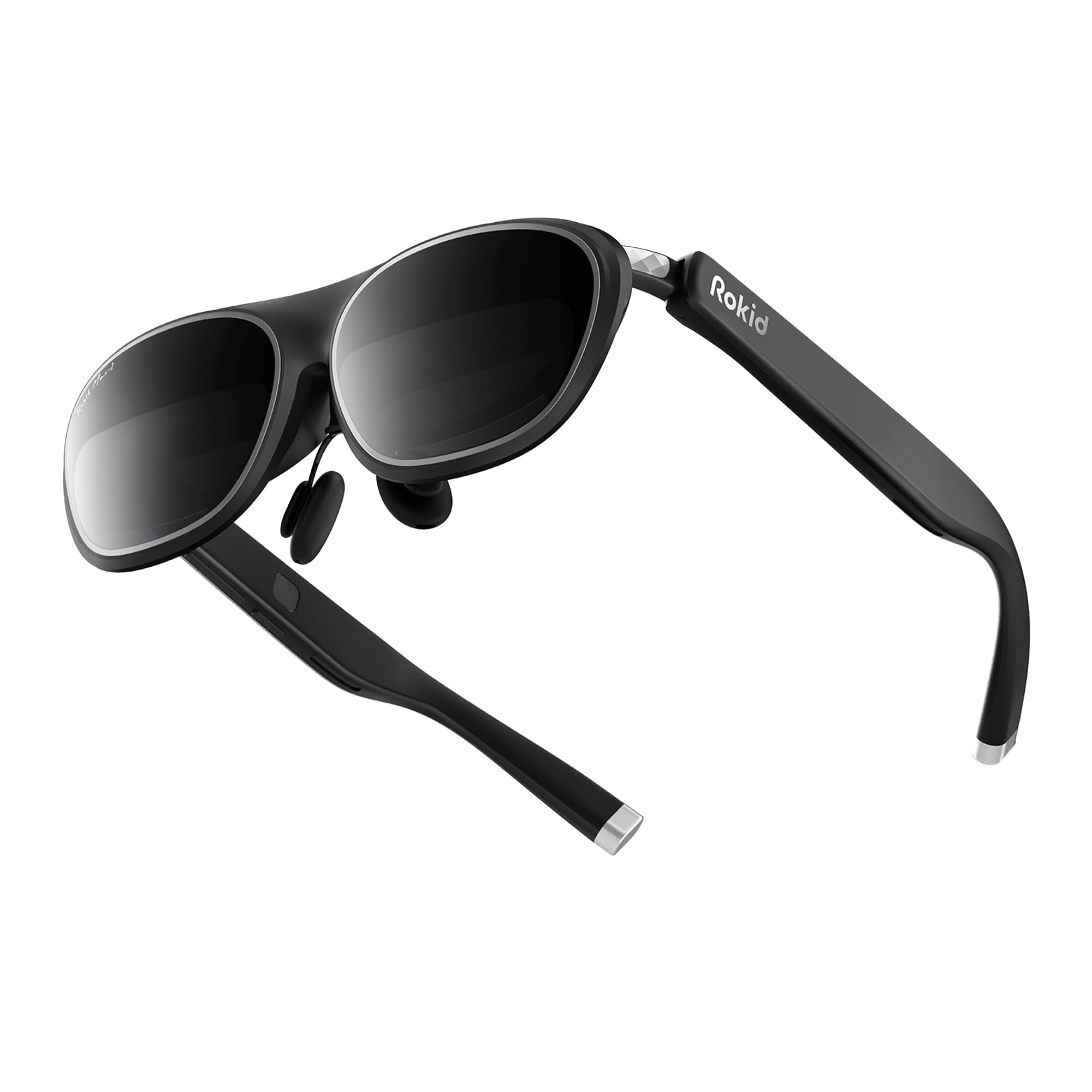
The Rokid Max 2 Black edition delivers a 215-inch virtual screen at 6 meters with 600 nits brightness and a 50° FOV, using Sony Micro-OLED panels that produce sharp contrast and deep blacks. The built-in diopter adjustment dial goes up to -6.0D, making it one of the most vision-friendly AR glasses available without requiring prescription inserts — users simply turn the top dial until text snaps into focus.
The airy cushioning nose pad design prevents slipping during wear, though the plastic construction feels less premium than the metal frames from XREAL and VITURE. The glasses weigh 75 grams and run entirely off the USB-C connection from the host device, requiring no internal battery or charging. HDCP support allows secure streaming from services like Netflix and Disney+ without black screen issues.
The 600 nits brightness is adequate for indoor use and shaded outdoor areas but washes out under direct sunlight. The 120Hz refresh rate keeps motion smooth for gaming, but the 50° FOV is narrower than the premium tier competitors. Myopia adjustment covers up to -6.0D, but astigmatism and presbyopia are not supported and require separate custom lenses.
Why it’s great
- Built-in diopter adjustment up to -6.0D avoids prescription inserts
- 215-inch virtual screen at 120Hz smooth for gaming
- Fully USB-C powered with no internal battery to charge
Good to know
- 600 nits brightness washes out under direct outdoor sunlight
- 50° FOV feels noticeably narrower than premium competition
- Plastic frame build lacks the durability of metal alloy designs
9. Rokid Max 2 Silver AR Glasses
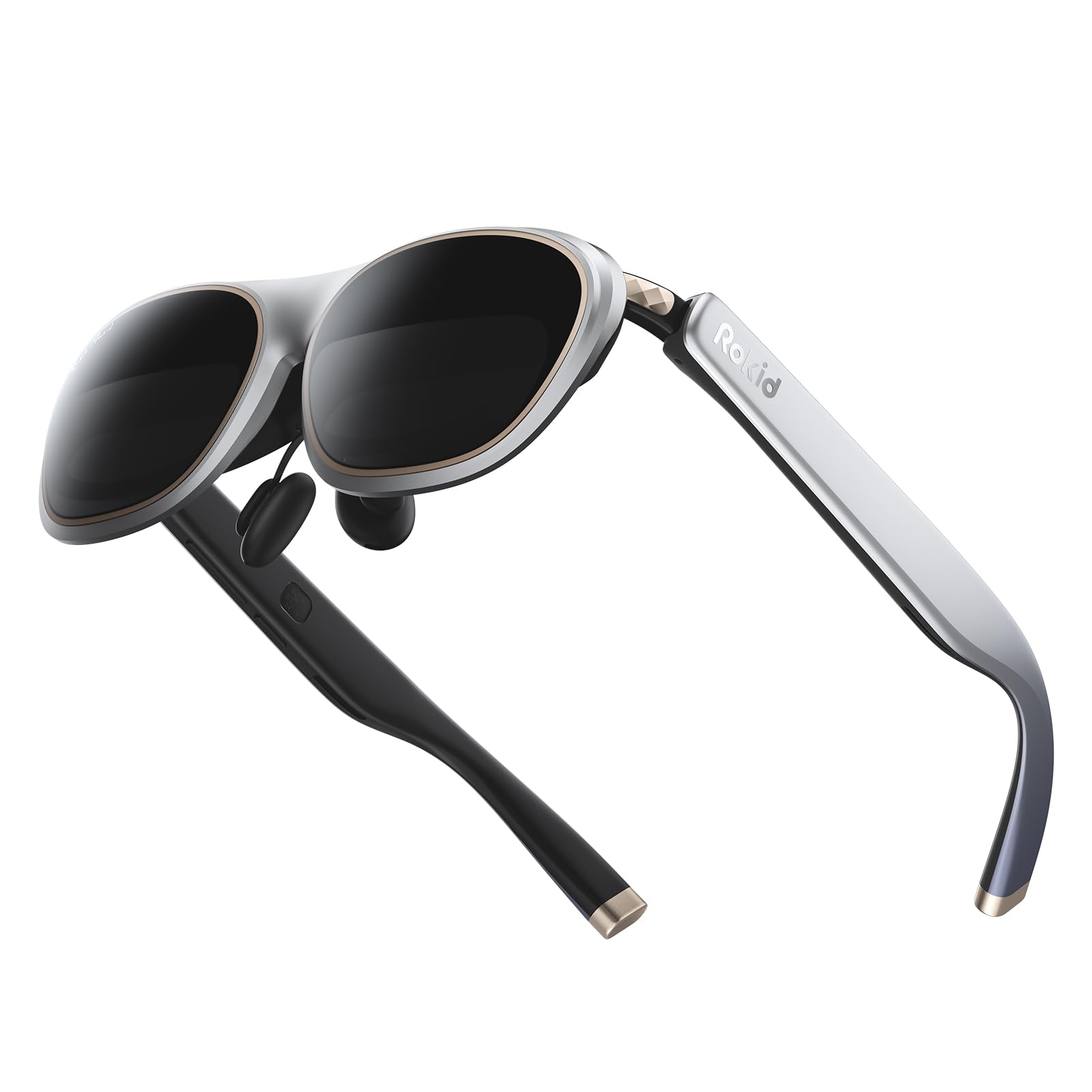
The Rokid Max 2 Silver shares nearly identical internal hardware with the Black edition — the same 215-inch virtual screen at 6 meters, 50° FOV, 600 nits brightness, and 120Hz refresh rate. The primary difference is the silver colorway and the same built-in diopter dial that supports myopia correction up to -6.0D, making it functionally equivalent for users who prefer a lighter visual aesthetic.
Compatibility spans iPhone 15/16, most Android phones with USB-C DP, Steam Deck, ROG Ally, iPads since 2020, and MacBooks. The USB-C cable passes both power and video through a single connection, eliminating the need for separate battery packs. The included blackout cover and spare see-through lenses provide flexibility for different lighting environments, though the see-through lenses have been reported to create internal reflections in bright rooms.
At 75 grams without a battery, the Max 2 Silver is among the lightest AR glasses available, making it suitable for extended wear. The diopter dial is a genuine differentiator for buyers with myopia who want to skip the prescription lens ordering process. The narrower 50° FOV and 600 nits brightness limit outdoor usability compared to the 1,100+ nit premium models.
Why it’s great
- Built-in myopia adjustment up to -6.0D with no inserts needed
- Lightest AR glasses at 75g for comfortable all-day wear
- Broad USB-C DP compatibility across phones, handhelds, and laptops
Good to know
- 600 nits insufficient for bright outdoor environments
- 50° FOV is narrower than premium competition
- See-through lenses create internal reflections in bright rooms
10. RayNeo Air 4 Pro Batman Limited Edition
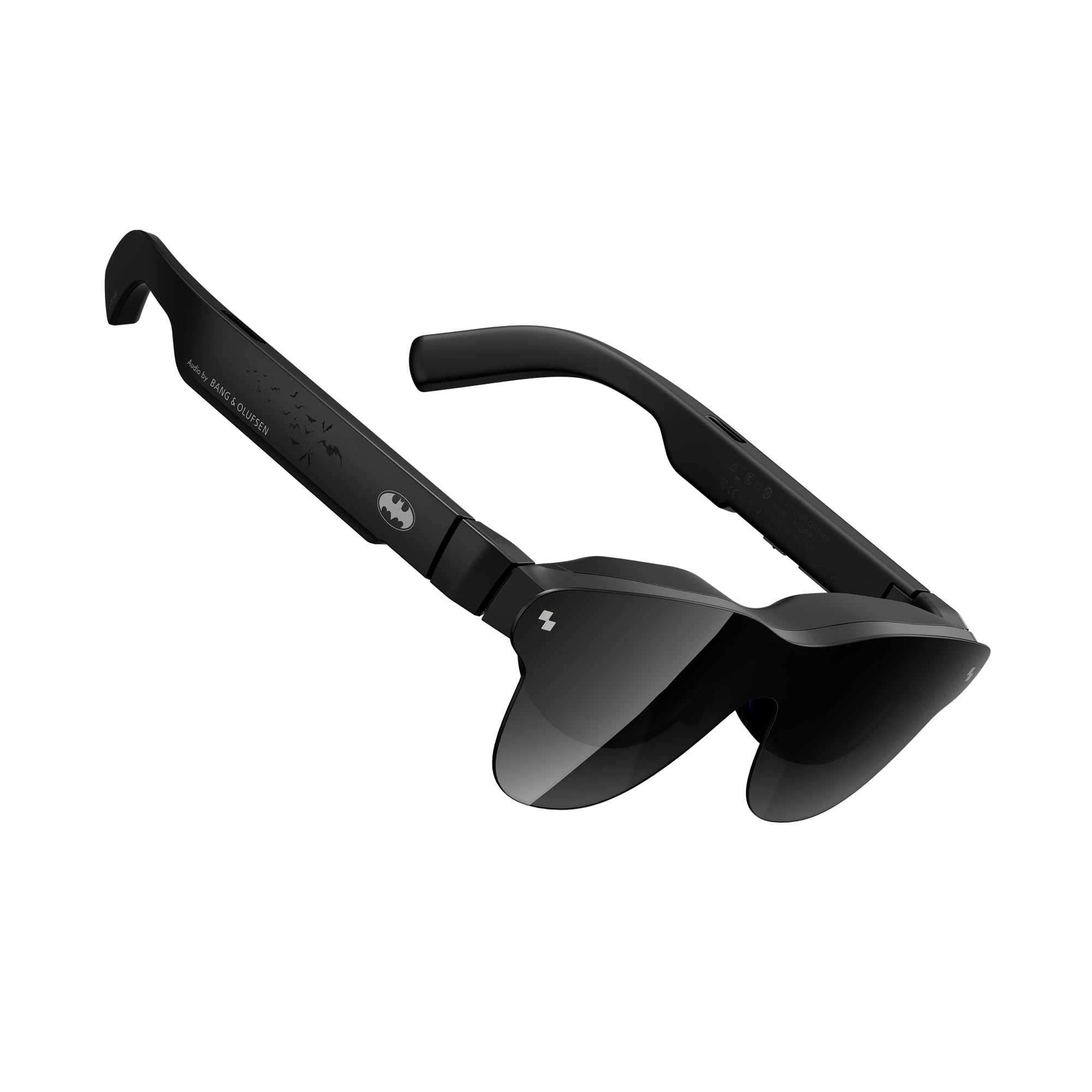
The RayNeo Air 4 Pro Batman edition is the first collector-grade AR glasses release, featuring a matte Bat Shade design, a premium vault case, and Justice Edition branding. Beyond the aesthetics, the hardware includes HDR10 support with AI-enhanced 1200 nits brightness and the Vision 4000 chip for SDR-to-HDR conversion, making it the only AR glasses in this price range to deliver genuine HDR video performance.
Audio is co-tuned by Bang & Olufsen with a quad-speaker system that produces a 360-degree soundstage, and the included sound tubes provide private listening in noisy environments without leaking audio. The AI 2D-to-3D conversion adds depth to standard movies and games, though the effect is less refined than the dedicated REAL 3D implementation on the XREAL One Pro and 1S.
Customer feedback highlights that the glasses work best for users with good eyesight, as the lack of diopter adjustment and blurry edge text make them difficult to use for those with uncorrected vision. The soft case has been described as difficult to close properly, and the tinted lens coating creates visible reflections that can be distracting in bright environments.
Why it’s great
- HDR10 with 1200 nits AI-enhanced brightness for cinematic visuals
- Bang & Olufsen quad-speaker system with excellent soundstage
- Collector-grade Batman packaging with premium vault case
Good to know
- No diopter adjustment; blurry edge text for users with vision issues
- Tinted lens coating creates noticeable reflections in bright light
- Soft case difficult to close properly
11. HUD Display Sports Glasses
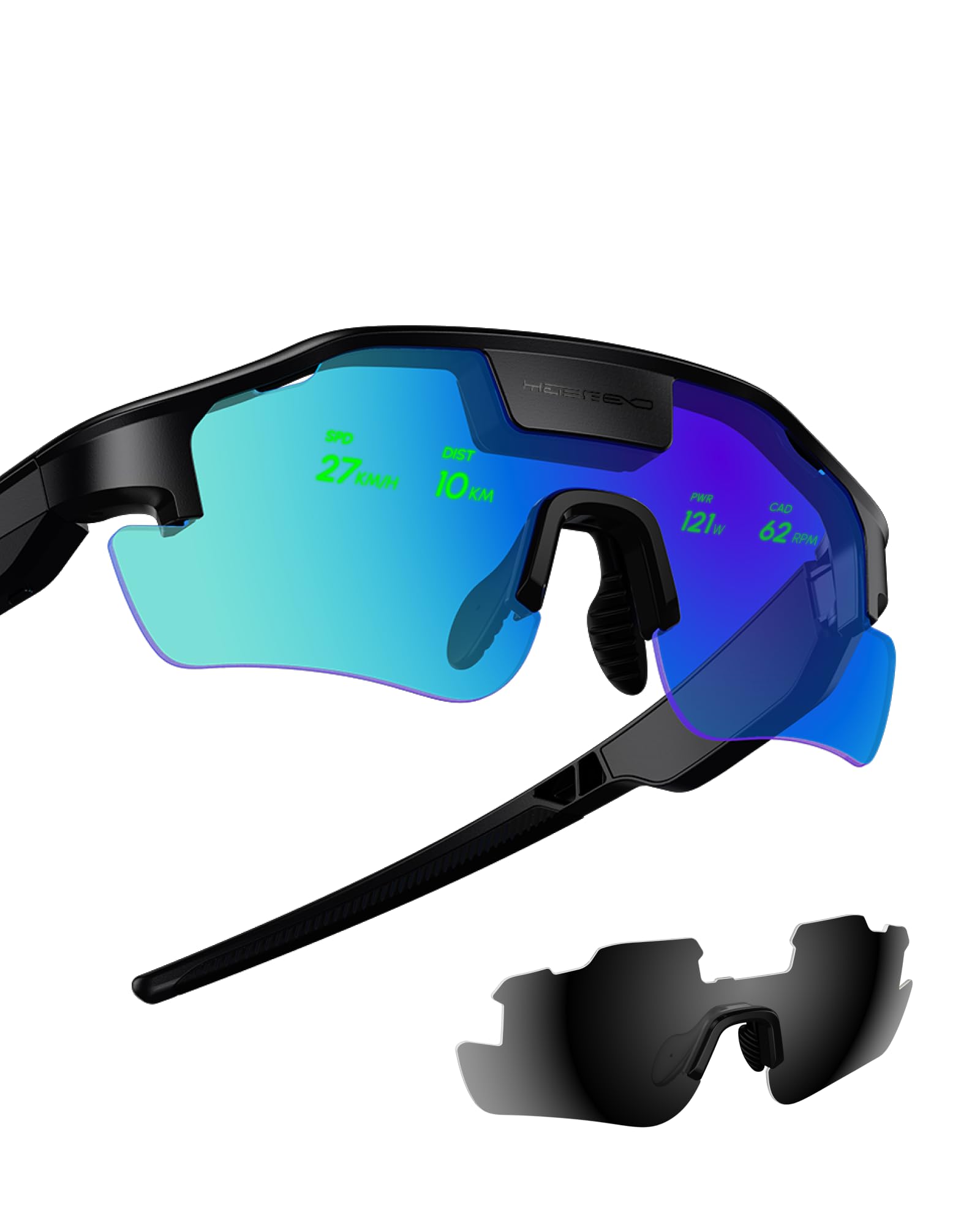
The HUD Sports Glasses fill a specific niche within the AR category — they display real-time speed, distance, heart rate, and navigation data directly on the lens, designed specifically for cyclists, runners, and hikers. Unlike the large virtual cinema screens of other AR glasses, this uses a compact heads-up display that sits in the upper field of view, keeping the wearer aware of their surroundings while accessing performance metrics.
The smart navigation feature projects turn-by-turn directions onto the lens so you can keep your eyes on the road, and the proactive AI alerts provide safety warnings about traffic conditions based on connected radar sensors. Early customer reviews highlight the significant safety improvement for road cyclists who can now monitor speed and heart rate without glancing down at a bike computer or watch.
The initial pairing process has been described as complicated, requiring multiple attempts before the display data synced correctly with external sensors. The two included nonstandard batteries require a specific charger, and the build quality leans toward the budget end of the spectrum. The display is functional but lacks the micro-OLED sharpness and color saturation of the entertainment-focused AR glasses in this guide.
Why it’s great
- Real-time HUD for speed, heart rate, and navigation keeps eyes on road
- Radar-based proactive traffic alerts improve cyclist safety
- Lightweight and comfortable for long rides
Good to know
- Complicated initial pairing process with external sensors
- Budget-tier build quality with nonstandard battery requirements
- Display lacks the sharpness and color of Micro-OLED entertainment glasses
FAQ
Can I use AR glasses with my iPhone 15 or 16?
What does the diopter adjustment dial actually do?
Do AR glasses work in direct sunlight?
Can I watch Netflix and Disney+ on AR glasses?
How do I wear AR glasses if I already use prescription glasses?
Final Thoughts: The Verdict
For most users, the best ar glasses winner is the XREAL One Pro because it combines native 3DoF with the widest FOV, Bose audio, and dual IPD sizing for a stable, drift-free spatial display experience. If you want the brightest screen with full 6DoF spatial computing, grab the VITURE Luma Ultra. And for buyers on a tighter budget who need diopter-friendly vision correction, nothing beats the value of the Rokid Max 2 Black.