
Our readers keep the lights on and the weekend projects moving. As an Amazon Associate, I earn from qualifying purchases.
The familiar struggle: you need to scale up a small sketch to a full canvas, but freehanding the proportions eats hours and still feels off. A dedicated optical or digital projection rig solves this by transferring your reference directly onto the working surface, letting you focus on shading and finish instead of second-guessing every pencil line.
I’m Rikta — the founder and writer behind FitlyFast. I spend my time evaluating the real-world performance of hobbyist and pro-grade art tools, from lumen output specs to keystone correction software, so you don’t waste money on gear that fuzzes out at the worst moment.
This guide breaks down the seven best current models by build quality and actual traceability, helping you choose the right art projector for tracing and enlargement without falling for marketing hype or useless digital gimmicks.
How To Choose The Best Art Projector For Tracing And Enlargement
Not every projector that can throw an image is suitable for tracing. You need a unit that delivers a sharp, focusable line at a close working distance — typically 3 to 10 feet — with enough brightness to cut through a darkened room. Here are the three critical factors that separate a tracing tool from a generic movie box.
Opaque vs Digital — Light Source Versus Screen Mirror
An opaque projector uses a bright internal lamp to shine through your physical reference (photo, sketch, page) placed flat on its base. It requires no phone, no app, no Wi-Fi — you drop the image in and trace. The trade-off is that the reference size is capped by the base plate (usually 5×5 inches), and you must work in a near-dark room to see the projection clearly. Digital projectors, on the other hand, take input from your phone, tablet, or laptop. They offer native 720p or 1080p resolution, built-in art apps, and keystone correction, but they demand a stable connection and typically cost more. For pure simplicity and zero setup, opaque wins. For flexibility and resizing control, digital wins.
Throw Distance and Zoom Ratio — How Big, How Far
The zoom range tells you how much you can scale up the original reference. A 2.5X to 11X ratio means a 5-inch sketch can blow up to a 55-inch wall image at the maximum end. The throw distance is the space between the projector lens and your canvas. A short throw (about 3 to 4 feet) is ideal for standard wall art or canvases set on an easel. A longer throw (up to 10.5 feet) suits large murals. If the projector has manual focus, make sure the focus knob is smooth and locks — some budget units slip mid-trace, forcing you to re-calibrate.
Brightness and Ambient Light Management
Lumen ratings vary wildly. A dedicated tracing projector might list 300 to 5000 lux or lumens. The catch is that no consumer projector in this price range projects a visible image in full daylight. Every unit — from the most affordable to the premium digital model — performs best in a room you can make pitch black. If you plan to work in a studio with north-facing windows, prioritize a projector with at least 5000 lux or 300 LED lumens plus a high contrast ratio (1000:1 or above) to keep lines defined even with some ambient spill.
Quick Comparison
On smaller screens, swipe sideways to see the full table.
| Model | Category | Best For | Key Spec | Amazon |
|---|---|---|---|---|
| Artograph Flare 100 | Digital | Precision line art at desk height | 1080p native, monopod arm, 5 art grids | Amazon |
| Caydo P1 Art Projector | Digital | App-guided drawing + 4K movie playback | Auto focus & keystone, 100″ display | Amazon |
| Artograph LED Tracer | Opaque | No-app, zero-setup sketch enlargement | 2X to 14X zoom, 200 mm glass lens | Amazon |
| Caydo S1 LED Projector | Opaque | Clean optical-only tracing, no digital lag | 5000 lux, 2.5X–11X, 20,000-hour LED | Amazon |
| Flycatcher smART Sketcher 2.0 | Digital | Step-by-step learning for young artists | Bluetooth app, 60+ built-in activities | Amazon |
| LUCY Mini Drawing Tool | Optical | Drawing live 3D subjects from life | Optical filter, 12×18″ image, no power | Amazon |
| GIKUCNZL Drawing Projector | Digital | Budget dual-purpose art & movie projector | 720p native, adjustable boom stand, 10.5 ft | Amazon |
In‑Depth Reviews
1. Artograph Flare 100 Digital Art Projector

The Flare 100 stands out because it combines a true 1920×1080 native resolution with an adjustable monopod arm that projects from 30 to 100 inches. The five built-in art grids let you align your reference precisely on the canvas without needing to mark the wall — a major time-saver for muralists and portrait artists who work section by section.
Manual focus and keystone correction give you full control over the image geometry, and the 300-lumen LED produces clean, crisp lines in a darkened room. The unit supports 4K input, but the native 1080p is what matters for tracing: you get sharp edges without aliasing on thin pencil-like details.
Some users note the focusing ring can max out at 30 inches, requiring a small riser for desk-level tracing. The monopod clamp is sturdy but may need a short extension tube for drafting tables. WiFi connectivity for screen mirroring is functional but not as intuitive as wired HDMI.
Why it’s great
- Native 1080p delivers razor-sharp tracing lines
- Monopod arm positions the lens at any height or angle
- Five art grids for instant layout reference
Good to know
- Focus range stops short — may need a riser for tabletop work
- WiFi mirroring setup can be finicky on Windows
- Monopod tube length is tight for low-angle projection
2. Caydo P1 Art Projector
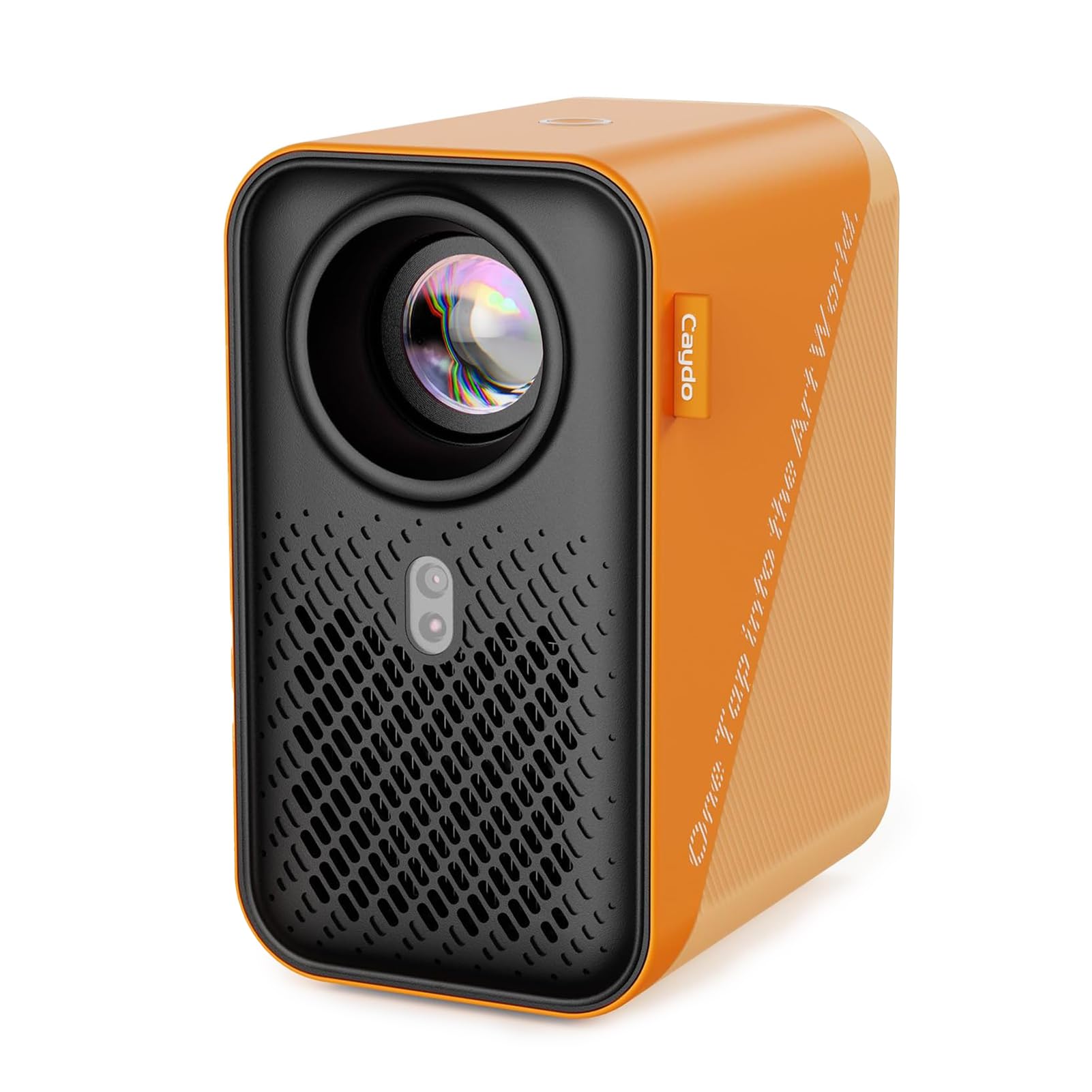
The Caydo P1 goes beyond simple projection by including a dedicated art-drawing app with four creative modes — Gridify, Sketchify, Comicize, and Monochromize. This built-in software handles zoom, 360-degree rotation, and a 3×3 grid overlay, so you can adjust the reference entirely from the projector without touching your phone after the initial transfer.
Auto focus and keystone correction work together to keep the image square and sharp across a 3.1 to 10.5-foot throw range. The sealed optical core prevents dust from settling on the lens, and the 10,000-hour LED life means years of daily use before the lamp dims. For artists who toggle between tracing mode and movie nights, the 4K playback is a solid bonus.
Some users report the art app is basic and can’t scale images beyond a small fraction of the screen. The phone connection occasionally requires a mobile hotspot instead of standard home Wi-Fi. For pure tracing without apps, the autofocus is convenient but not as precise as manual rings on high-end units.
Why it’s great
- Built-in drawing app with grid overlay and rotation
- Auto focus and keystone reduce setup time
- Sealed optical core blocks dust long-term
Good to know
- Art app scaling is limited — can’t fill the full projection
- WiFi connection may fail without mobile hotspot
- Auto focus is helpful but not manual-precision sharp
3. Artograph LED Tracer Opaque Art Projector

Artograph’s LED Tracer is the modern version of a trusted opaque projector design that has been in studios for decades. The 200 mm optical glass lens delivers a clean, distortion-free image, and the 14X zoom range lets you blow a 5×5-inch sketch up to 70 inches on a wall. The built-in LED board runs cool and is rated for 10,000 hours — no hot bulbs, no fan noise.
Usage is dead simple: place your reference photo or sketch face-up on the base, turn on the lamp, and adjust the focus knob. There are no menus, no Bluetooth pairing, no remote. This simplicity is its biggest strength for artists who just want to trace without troubleshooting a device. The solid 3-pound build feels substantial compared to budget plastic units.
A few users complain that the image is blurry in anything less than total darkness and that the copy window is effectively 4×4 inches, not the advertised 5×5. The plastic housing feels a bit hollow, and a small percentage of units arrive with misaligned mirrors. For the price, the optical path is good but not flawless.
Why it’s great
- Zero-digital simplicity — no apps, no setup
- 200 mm glass lens produces clean, flat field
- 14X zoom range fits small sketches to large murals
Good to know
- Requires pitch-black room for clear projection
- Copy window is effectively 4×4 inches
- Some units arrive with mirror alignment issues
4. Caydo S1 LED Art Projector
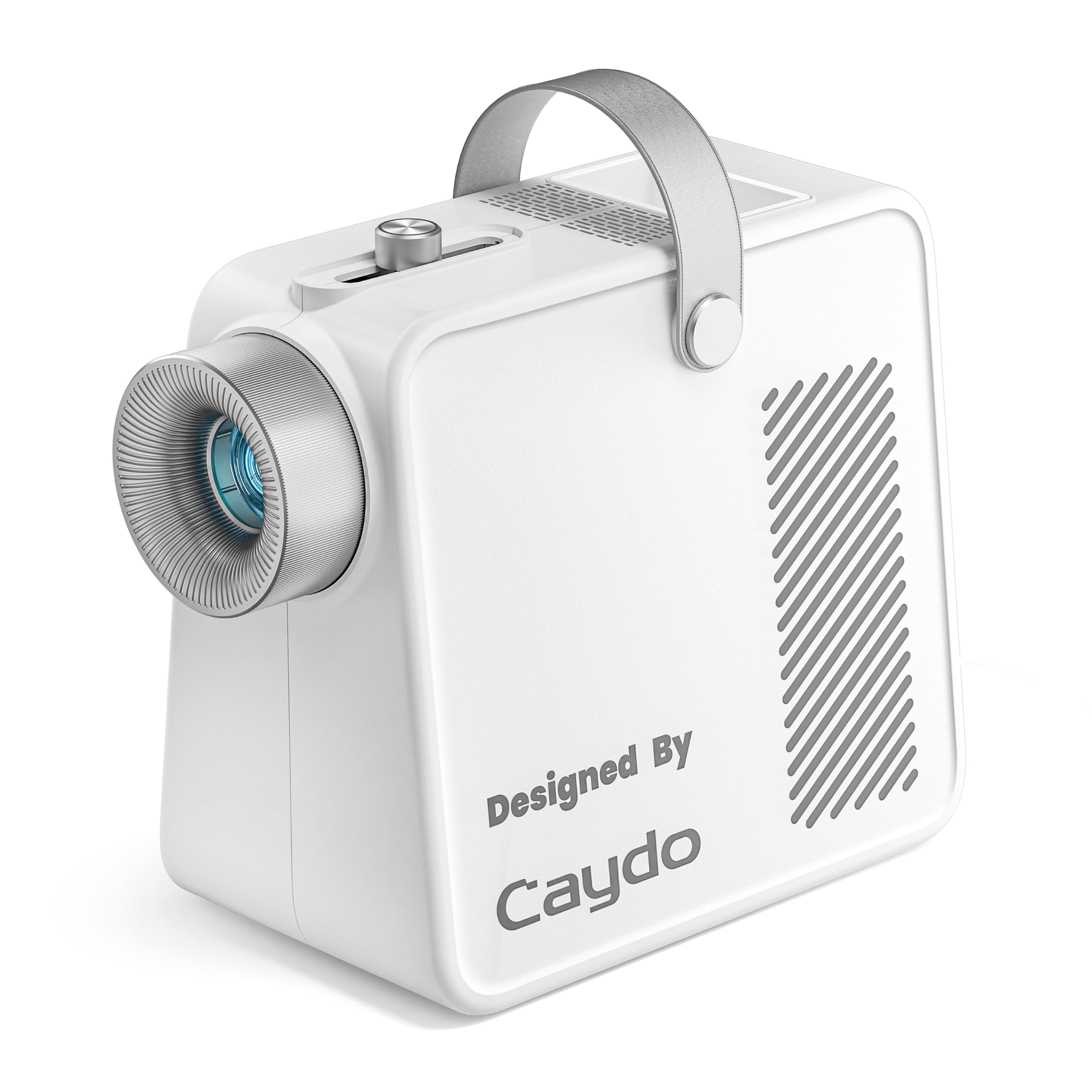
The Caydo S1 is the purest opaque projector in this list: no Wi-Fi, no Bluetooth, no app. You place a photo or sketch up to 5×5 inches on the base, slide the focus knob until the image is sharp, and trace. The 5000-lux LED pumps out enough brightness to make lines visible at 80 inches, and the 20,000-hour lifespan means you’ll likely never replace the bulb.
Built-in cord storage in the base and a front tray for brushes or markers keep the workspace organized. The non-slip feet hold the unit steady on a table, and the built-in handle makes it easy to move from studio to living room. The smooth sliding focus knob lets you go from blur to sharp in about two seconds — far less fiddly than screw-style adjusters.
A few users note that the LED light may not be replaceable, which is a concern if the unit lasts beyond its rated hours. The 5×5-inch copy area is standard for this class, but some users find it small for projects that require large portions of a reference. In dim ambient light, the image washes out quickly.
Why it’s great
- Pure optical — no digital lag, no app pairing
- 5000 lux brightness with 20,000-hour LED life
- Built-in cord storage and front tray for tools
Good to know
- LED light may not be user-replaceable
- 5×5-inch copy area limits some reference sizes
- Image contrast fades quickly in ambient light
5. Flycatcher smART Sketcher 2.0
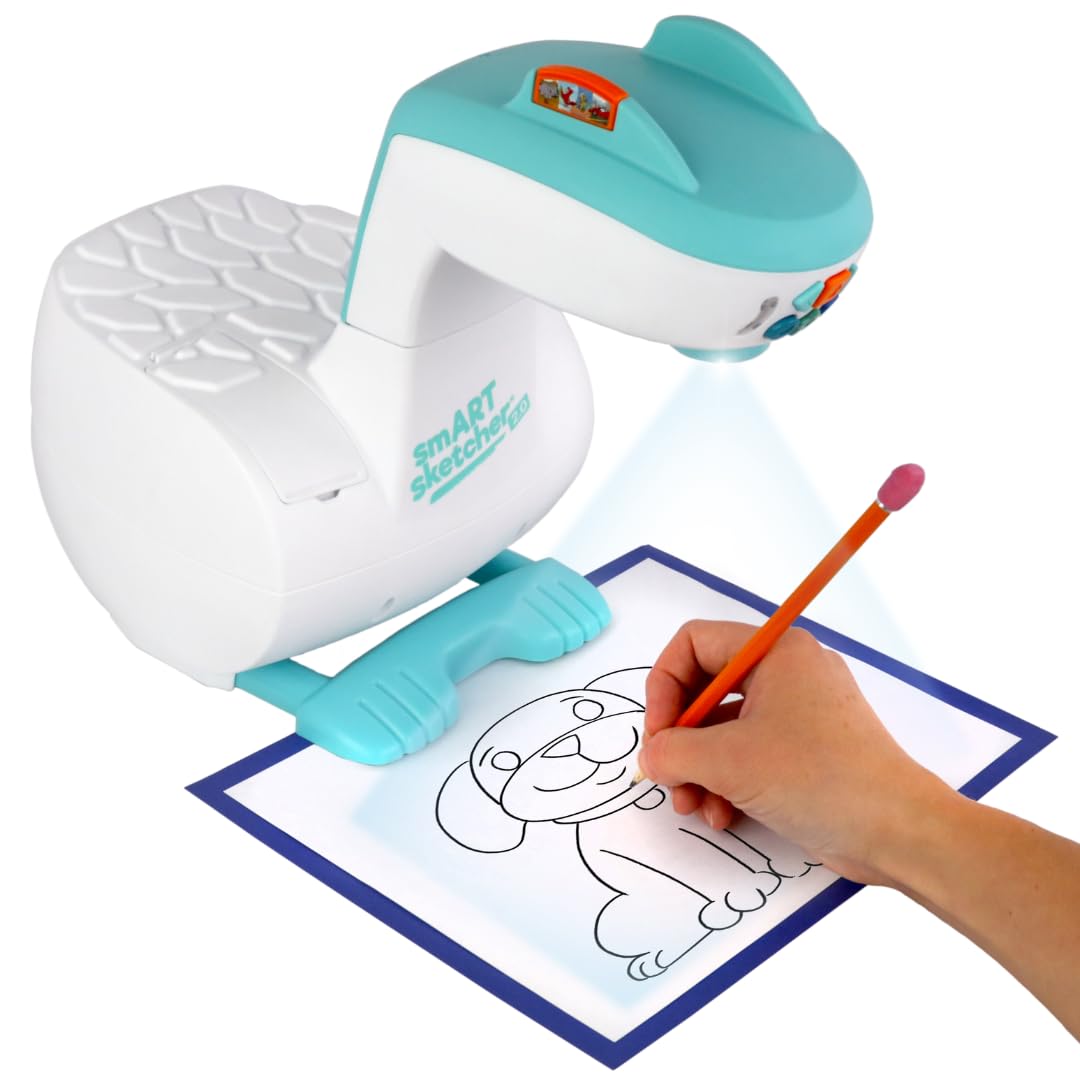
The smART Sketcher 2.0 is designed specifically as a learn-to-draw tool for children ages five and up. It projects images from 60 pre-loaded step-by-step drawing activities and supports Bluetooth connection to a phone or tablet app for custom photo tracing. The detachable projector head stores inside the base, making it portable for travel.
The app-based system lets kids snap a photo of anything — a pet, a toy, a landscape — edit it with filters and outlines, then project it for tracing. This builds hand-eye coordination and fine motor skills without requiring a parent to search for printable references. The step-by-step tutorial mode guides young artists through the drawing process one line at a time.
The unit runs on rechargeable lithium-ion battery, so there’s no cord to trip over during use. However, the projector burns through sketch paper quickly since the tracing mode encourages many attempts. The app connection can occasionally drop if the Bluetooth signal is weak, and the library of 60 images may feel limiting for older kids after a few weeks.
Why it’s great
- Step-by-step tutorials build drawing confidence in kids
- Bluetooth app lets you trace personal photos
- Portable design with detachable head and rechargeable battery
Good to know
- Uses a lot of sketch paper — no built-in eraser mode
- App connection can drop on weak Bluetooth
- Pre-loaded library may feel limited for older children
6. LUCY Mini Drawing Tool

The LUCY Mini is a reinvention of the camera lucida — the optical device Old Masters like Vermeer may have used. It’s a completely non-electronic tool: no batteries, no bulbs, no charging. A small prism reflects the image of whatever you place in front of the lens onto your paper, creating a ghost-like overlay you trace.
Unlike projectors, the LUCY works with three-dimensional objects, not just flat photos. You can set up a vase of flowers, a portrait model, or a landscape view and trace the optical projection directly onto your paper or canvas. It comes with one optical filter that offers two brightness levels, giving you some control in different lighting conditions.
The clamp attaches to desks, easels, or tabletops, and the unit is made from fiberglass-infused polycarbonate with shatterproof optics. However, setting it up takes practice — the reflected image requires specific lighting on the subject and a dark background behind your paper. Some users find the frequent recalibration frustrating for long sessions.
Why it’s great
- Works with live 3D subjects — not just flat images
- Zero power needed — use it anywhere
- USA-made with shatterproof optics and fiberglass build
Good to know
- Setup is finicky — requires specific lighting conditions
- Needs frequent recalibration during use
- Not ideal for tracing purely from flat photos
7. GIKUCNZL Drawing Projector
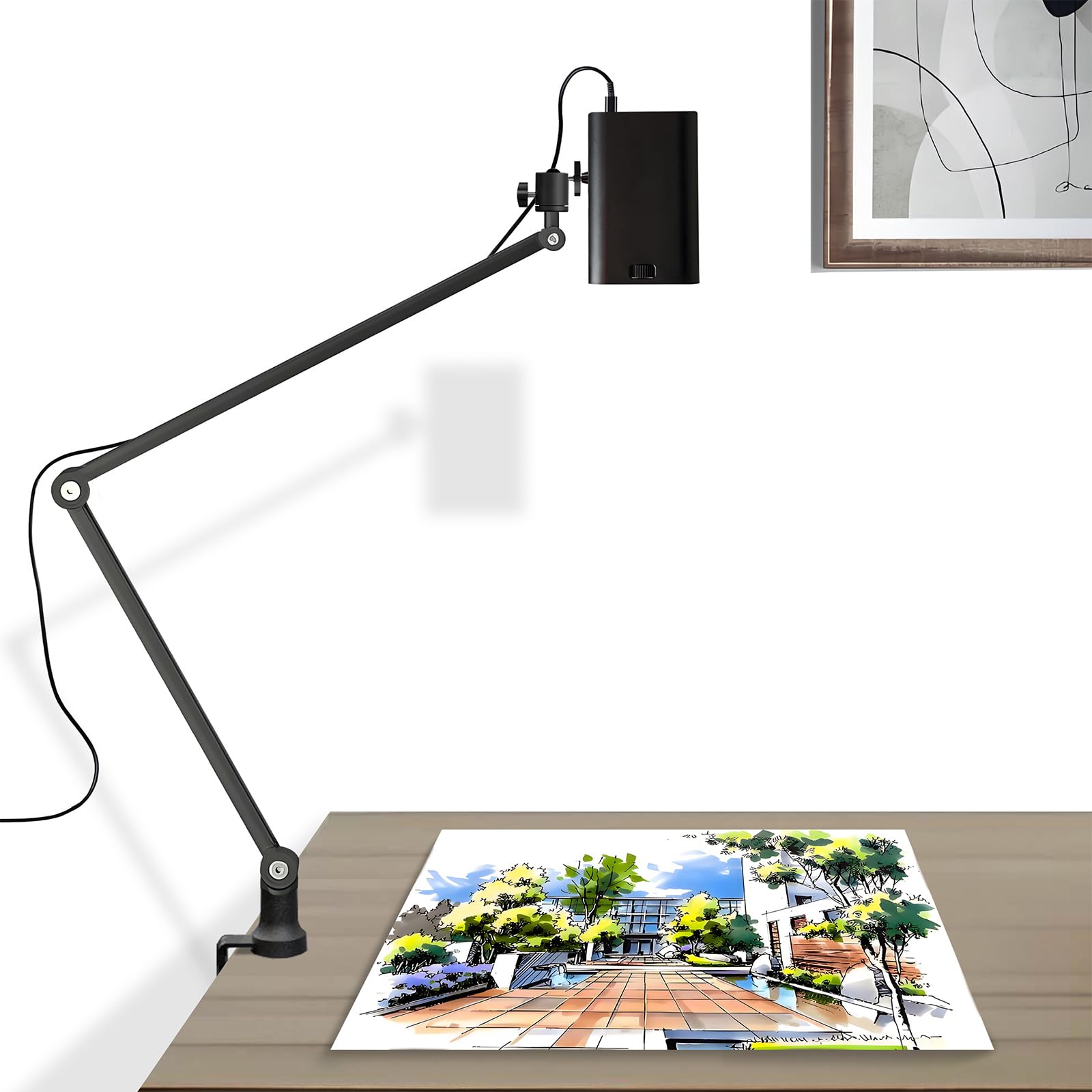
This projector from GIKUCNZL tries to serve two audiences: artists who need a tracing rig and home users who want a movie projector. It offers 1280×720 native resolution with 4K support, an adjustable boom stand that extends to 34 inches, and wireless screen mirroring from smartphones, tablets, and laptops.
The included stand rotates 360 degrees and provides stability at various angles, making it easier to project downward onto a desk or upward onto a wall. The USB and HDMI inputs accept flash drives and cable connections, and the remote control lets you navigate menu options without walking back to the unit. For the price, the brightness is decent in a dark room.
Users report that the resolution drops noticeably when projecting larger than about 40 inches, making fine lines fuzzy. The instructions are poorly translated, and the setup process can be slow. For serious tracing work, the 720p native chip struggles to match the clarity of 1080p or dedicated optical units.
Why it’s great
- Adjustable boom stand for versatile angles and heights
- Wireless mirroring from phone or tablet
- Dual-purpose — works for art and home movies
Good to know
- 720p native resolution blurs on large projections
- Setup instructions are vague and poorly translated
- Not as sharp as 1080p or opaque alternatives for fine line work
FAQ
Can I use an opaque projector with a reference larger than 5×5 inches?
Why do some projectors require complete darkness while others work in dim light?
What does 1080p native resolution mean for tracing fine pencil lines?
Final Thoughts: The Verdict
For most users, the art projector for tracing and enlargement winner is the Artograph Flare 100 because its native 1080p resolution and monopod arm deliver the sharpest tracing lines across the widest range of angles. If you want zero-digital simplicity and a classic optical workflow, grab the Caydo S1. And for a digital rig with built-in art software and autofocus, nothing beats the Caydo P1.