
Our readers keep the lights on and the weekend projects moving. As an Amazon Associate, I earn from qualifying purchases.
The jump to 1440p is the single biggest performance-per-dollar upgrade you can make: 78% more pixels than 1080p without asking your GPU to drive a full 4K panel. But the real divide today isn’t resolution — it’s panel DNA. Fast IPS still dominates the mid-range, while QD-OLED and WOLED have crashed the price barrier, pushing 240Hz and even 480Hz into reach. The wrong choice here means living with washed-out HDR, distracting ghosting, or text fringing that grates on your eyes every time you open a browser. This guide cuts through the spec sheet noise to match you with the monitor that actually fits your hardware, your room lighting, and your genre.
I’m Rikta — the founder and writer behind FitlyFast. I’ve spent over a decade analyzing display technology supply chains, panel yields, and real-world gaming benchmarks to separate genuine performance leaps from marketing traction.
Whether you’re upgrading from a 1080p TN panel or building your first dedicated battlestation, choosing the wrong 1440p gaming monitor can cost you hundreds in lost visual fidelity and subpar motion handling that no software fix can recover.
How To Choose The Best 1440p Gaming Monitor
Every 1440p gaming monitor looks close on paper, but three fundamental specs separate the keepers from the return labels: panel type, refresh rate bandwidth, and adaptive sync compatibility. Your GPU generation and primary game genre should dictate every decision below.
Panel Technology: IPS vs. QD-OLED vs. WOLED
Standard IPS panels now push 180Hz with 1ms GtG and wide viewing angles, making them excellent for budget-conscious builders who play bright, fast-paced shooters. QD-OLED panels (used by Samsung, MSI, and ASUS) deliver near-infinite contrast, vibrant color volume up to 99% DCI-P3, and true HDR, but they come with lower peak brightness in well-lit rooms and a risk of burn-in over years of static HUD use. LG’s WOLED panels (found on the UltraGear 27GX790A and Sony INZONE M10S) offer better text clarity and anti-glare coatings, though their sub-pixel layout can still cause slight fringing on white backgrounds. If you play in a dark room and chase visual immersion, OLED wins. If you game in a bright office with overhead lights, a high-quality Fast IPS is the safer, brighter choice.
Refresh Rate vs. GPU Output
Chasing 240Hz or 480Hz is pointless if your GPU cannot consistently push those frame rates at QHD resolution. A mid-range card like the RTX 4070 or RX 7800 XT comfortably drives 120–165 FPS in most titles, making a 180Hz IPS or affordable 240Hz OLED the practical ceiling. Only an RTX 4090 or upcoming 5080-class GPU can sustain 360–480 FPS in competitive shooters like Valorant or Overwatch 2. Paying for 480Hz on a mid-range build means you will run the monitor at half its potential — a waste of OLED brightness and motion clarity. Always match the refresh rate to your realistic frame output, not the marketing number on the box.
Quick Comparison
On smaller screens, swipe sideways to see the full table.
| Model | Category | Best For | Key Spec | Amazon |
|---|---|---|---|---|
| Acer Predator X27U | QD-OLED | Budget OLED entry | 0.03ms GtG / 240Hz | Amazon |
| ASUS ROG XG27AQDMG | WOLED | Glossy HDR and clarity | Custom heatsink / 240Hz | Amazon |
| MSI MPG 271QRX | QD-OLED | 360Hz competitive play | 0.03ms GtG / 360Hz | Amazon |
| Samsung Odyssey G61SH | QD-OLED | Glare-free OLED gaming | OLED Safeguard / 240Hz | Amazon |
| LG 27GX790A | WOLED | 480Hz speed demon | DP 2.1 / 480Hz | Amazon |
| Sony INZONE M10S | WOLED | Tournament eSports | FPS Pro modes / 480Hz | Amazon |
| ASUS ROG XG27AQDMES | QD-OLED | OLED Care automation | Neo Proximity Sensor / 240Hz | Amazon |
| AOC Q27GAZDV | QD-OLED | Budget QD-OLED with KVM | 147% sRGB / 240Hz | Amazon |
| LG 27GR83Q | Fast IPS | High-refresh IPS | DCI-P3 95% / 240Hz | Amazon |
| Samsung Odyssey G50D | Fast IPS | Bright-room gaming | DisplayHDR 400 / 180Hz | Amazon |
| ASUS TUF VG32VQ1B | VA Curved | Budget 32-inch immersion | 3000:1 contrast / 165Hz | Amazon |
In‑Depth Reviews
1. Acer Predator X27U W1bmiipprx

The Acer Predator X27U shatters the price barrier for QD-OLED at 1440p. Its 26.5-inch WQHD panel delivers the hallmark infinite contrast ratio of OLED — blacks are genuinely black, and specular highlights in HDR scenes carry a pop that no IPS can match. The 0.03ms GtG response time eliminates perceptible ghosting entirely, making fast strafing and tracking in competitive shooters feel instant. Color volume reaches 99% DCI-P3 with Delta E<2 factory calibration, so the image looks accurate out of the box without fiddling with OSD sliders.
Gamers coming from VA or IPS often worry about OLED brightness. In a moderately lit room, the X27U’s peak brightness is sufficient — you will not need to squint, but a bright window behind your desk will wash out some detail. The build is mostly plastic, which keeps weight low for VESA mounting, though the stand wobbles slightly if you bump the desk during intense matches. The I/O includes two DisplayPort 1.4 and two HDMI 2.1 ports, supporting 240Hz over DP and full 4K 120Hz on consoles.
Image retention refresh routines run periodically — a non-issue during gameplay, but you will see a brief pixel cleaning prompt after extended sessions. For buyers who want the transformative image quality of QD-OLED without paying a premium, this monitor delivers the highest visual jump per dollar in the category right now.
Why it’s great
- Transformative QD-OLED contrast and color at a price that undercuts every other OLED option.
- Dual HDMI 2.1 ports let you switch between PC and console without re-cabling.
- 240Hz refresh rate with 0.03ms response eliminates motion blur for fast-paced genres.
Good to know
- Peak brightness is moderate; not ideal for brightly lit rooms with direct sunlight.
- Plastic build quality and stand can feel less premium than ASUS ROG or MSI options.
- Periodic panel refresh prompts may interrupt workflow if you use the monitor for productivity.
2. ASUS ROG Strix XG27AQDMG

The ASUS ROG Strix XG27AQDMG uses a third-generation WOLED panel with a glossy screen coating that makes a tangible difference in perceived clarity and color vibrancy. Unlike matte OLEDs that scatter ambient light and soften fine details, the glossy finish here delivers punchier highlights and deeper black levels in a controlled lighting environment. The custom heatsink design allows passive cooling — no fan noise — while ASUS OLED Care functions like pixel shift and screen saver actively reduce burn-in risk during long Genshin Impact or Destiny 2 sessions where static HUD elements linger.
Color accuracy reaches 99% DCI-P3 with Delta E<2 factory calibration, and the optional Uniform Brightness setting prevents luminance dips when large white windows appear — a common complaint on older OLED monitors. The anti-flicker technology minimizes VRR flicker during frame rate dips, which helps in games like Escape from Tarkov where scene complexity varies wildly. The OSD joystick and DisplayWidget Center software make adjustments immediate.
One limitation is the lack of built-in speakers — you will need external audio. The stand is sturdy with full ergonomic adjustment (height, tilt, swivel, pivot), and the 3-year warranty includes burn-in coverage, giving buyers confidence for long-term ownership. If you play in a dim or controlled room, the glossy WOLED here is the most vivid 1440p gaming monitor at this price.
Why it’s great
- Glossy WOLED coating delivers unmatched color pop and contrast in controlled lighting.
- Custom passive heatsink eliminates fan noise while protecting against burn-in.
- Uniform Brightness mode prevents luminance dimming during mixed-content use.
Good to know
- No built-in speakers require external audio setup.
- Glossy finish reflects overhead lights and windows; best for darker rooms.
- Pixel cleaning cycles can occasionally interrupt a session if you ignore prompts.
3. MSI MPG 271QRX QD-OLED

The MSI MPG 271QRX pushes the 1440p refresh rate ceiling to 360Hz, and it is not just a number — the combination of QD-OLED’s 0.03ms GtG response and the 360Hz scan rate produces motion clarity that feels almost CRT-like. In games like Valorant, Apex Legends, and CS2, tracking opponents at high velocity is perceptibly smoother than any 240Hz panel, even for players who do not consider themselves professionals. The QD-OLED panel covers the full DCI-P3 color space with Delta E≤2 accuracy, so HDR content looks rich without oversaturation.
MSI includes OLED Care 2.0 with a pixel shift and static image detection system, plus a built-in KVM switch that lets you control a PC and console with one mouse and keyboard. The HDMI 2.1 ports provide full 48Gbps bandwidth, supporting 360Hz at QHD over DisplayPort 1.4 with DSC. Build quality is solid — metal rear housing with a clean, RGB-free aesthetic that fits professional setups. The stand offers tilt, swivel, and height adjustment, though the range is slightly less than competitors like the ASUS ROG line.
Text clarity on QD-OLED is marginally softer than a high-end IPS due to the triangular sub-pixel arrangement, but MSI’s firmware reduces fringing noticeably compared to earlier Samsung panels. This monitor is the definitive choice for competitive players who demand the highest refresh rate without compromising HDR and color performance.
Why it’s great
- 360Hz refresh rate with 0.03ms response delivers the smoothest motion at 1440p.
- Built-in KVM switch simplifies multi-device workflows for streamers and hybrid workers.
- HDMI 2.1 full bandwidth supports 360Hz on next-gen GPUs and consoles.
Good to know
- QD-OLED text clarity is slightly less crisp than high-end IPS for reading.
- Stand adjustment range is more limited than ASUS ROG competitors.
- Requires a high-end GPU to consistently push 360 FPS at QHD resolution.
4. Samsung Odyssey OLED G6 (G61SH)

Samsung’s OLED G6 (G61SH) differentiates itself with a Glare-Free matte finish that reduces reflections more effectively than typical matte coatings. In a room with overhead lights or a window behind the viewer, this monitor maintains deeper blacks and better contrast than glossy OLEDs, which would otherwise wash out. The QD-OLED panel delivers 99% DCI-P3 color coverage and is Pantone Validated, meaning color-critical work like photo editing benefits from accurate skin tones and consistent hue reproduction.
The OLED Safeguard thermal modulation system actively manages panel temperature to prevent burn-in, and the 3-year warranty covers OLED burn-in — an important consideration for buyers who keep static taskbars or HUDs visible for hours. The 240Hz refresh rate and 0.03ms response time match the OLED competition, but the brightness maxes out around 400 nits, which is typical for this generation of QD-OLED. The ergonomic stand provides height, tilt, swivel, and pivot adjustment.
One quirk: the Pixel Refresh feature can cause the monitor to renegotiate EDID when powering off, which may rearrange your desktop icons in a dual-monitor setup. The workaround is to keep the monitor on a separate power strip that stays live. For buyers who game in a bright room and want OLED contrast without reflections, this is the best compromise available.
Why it’s great
- Glare-Free matte coating preserves black levels in bright ambient lighting.
- Pantone Validated color accuracy suits both gaming and creative work.
- 3-year warranty with burn-in coverage protects your investment.
Good to know
- Peak brightness is adequate but not class-leading for HDR highlights.
- Pixel Refresh feature can cause dual-monitor arrangement headaches.
- Text clarity is slightly softer than IPS due to QD-OLED sub-pixel layout.
5. LG 27GX790A-B UltraGear OLED

The LG 27GX790A is a 480Hz WOLED that redefines motion clarity at 1440p. The combination of 480Hz refresh rate and 0.03ms response time produces a pixel transition speed so fast that motion blur becomes nearly non-existent — every frame is a crisp, full-resolution snapshot. This makes a tangible difference in fast-twitch scenarios like tracking a strafing enemy in Valorant or leading a target in Call of Duty. The WOLED panel covers 98.5% DCI-P3 with a 1.5M:1 contrast ratio, delivering HDR that punches well above the DisplayHDR True Black 400 certification suggests.
Connectivity includes DisplayPort 2.1 (UHBR10) for high-bandwidth support and two HDMI 2.1 ports with full 48Gbps throughput. The DP 2.1 implementation is UHBR10, not UHBR13.5, meaning it still uses Display Stream Compression at 480Hz — functionally identical in quality but a point of contention for spec purists. The built-in anti-glare coating is effective at reducing reflections without introducing the graininess seen on some matte WOLEDs. The stand offers full ergonomic adjustment with height, tilt, swivel, and pivot controls, plus hexagonal RGB backlighting.
LG includes Dynamic Action Sync for input lag reduction, Black Stabilizer for dark scene visibility, and a 4-pole headphone jack with DTS Headphone:X for spatial audio. The 2-year limited warranty covers the OLED panel, but the lack of burn-in coverage beyond that standard means heavy static-use users should factor that in. For competitive gamers with a top-tier GPU, this monitor is the fastest 1440p screen available today.
Why it’s great
- 480Hz refresh rate delivers the smoothest motion available at QHD resolution.
- WOLED panel combines deep blacks with 98.5% DCI-P3 for stunning HDR.
- Full ergonomic stand and anti-glare coating suit long competitive sessions.
Good to know
- DP 2.1 is UHBR10, not full speed; uses DSC at 480Hz.
- 2-year warranty does not include additional burn-in coverage.
- Requires a flagship GPU to push 480 FPS at QHD consistently.
6. Sony INZONE M10S

The Sony INZONE M10S was co-developed with the Fnatic eSports team, and the Tournament Mode features reflect that collaboration. A dedicated 24.5-inch mode converts the 27-inch panel to a smaller 1:1 pixel mapping for players who prefer the tighter field of view used in LAN tournaments. FPS Pro and FPS Pro+ modes adjust contrast and gamma to highlight enemies hiding in dark corners without washing out bright areas. These are not gimmicks — they make a measurable difference in games like Rainbow Six Siege and Counter-Strike where split-second target acquisition decides rounds.
The 480Hz WOLED panel matches the LG 27GX790A in raw speed but adds a fan-less custom heatsink for passive cooling and long-term reliability. The low-profile stand has a 4mm thin base that frees up desk space for aggressive mouse movements, plus ±180° swivel for easy cable management. DisplayPort 2.1 (UHBR10) and dual HDMI 2.1 ports provide maximum bandwidth for current and next-gen GPUs. Sony includes a 3-year limited warranty with burn-in coverage, which is the best protection policy among all 480Hz OLED monitors.
The anti-glare coating is effective, and the matte finish does not exhibit the graininess seen on some earlier LG WOLED models. Color accuracy is factory-calibrated, and the OSD is responsive via the five-way joystick. The main drawback is the high price, which sits above most 480Hz competitors. For serious competitive players who want tournament-grade features and the best warranty, the INZONE M10S justifies its cost.
Why it’s great
- Tournament Mode with 24.5-inch mapping and FPS Pro contrast profiles is genuinely useful.
- 3-year warranty with burn-in coverage provides the best protection in the 480Hz class.
- Low-profile stand maximizes desk space for low-sensitivity aim styles.
Good to know
- Premium pricing sits above most 480Hz WOLED competitors.
- No built-in speakers; requires external audio.
- DP 2.1 implementation is UHBR10, not full bandwidth.
7. ASUS ROG Strix XG27AQDMES
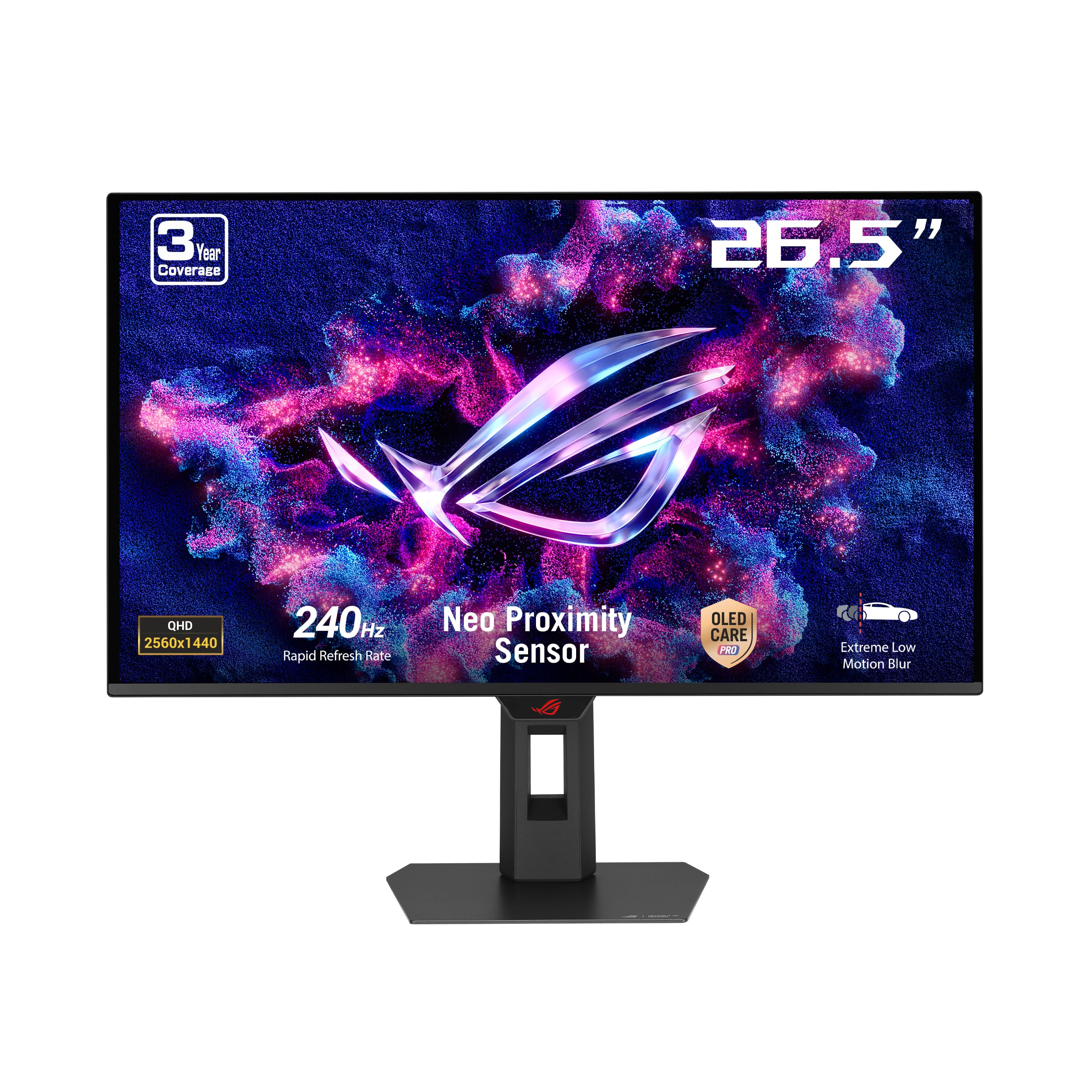
The ASUS ROG Strix XG27AQDMES is essentially the refined version of the XG27AQDMG with a focus on automated OLED longevity. The Neo Proximity Sensor detects when you step away from the desk and switches the screen to a black panel automatically — a feature that reduces static image burn-in risk during bathroom breaks or snack runs. ASUS OLED Care Pro bundles pixel shift, screen saver, and panel refresh into a single software suite accessible via the DisplayWidget Center app, eliminating the need to dig through the OSD.
The 27-inch QD-OLED panel delivers 99% DCI-P3 coverage, true 10-bit color, and Delta E<2 accuracy. At 240Hz with 0.03ms response, motion handling is top-tier, and the ROG Gaming A.I. features (like AI Crosshair and Sniper Zoom) add software-level advantages for casual competitive play. The stand provides full height, tilt, swivel, and pivot adjustment, and the build quality feels substantial with a metal-reinforced rear housing.
A notable omission is the lack of a USB hub or KVM switch — users with multiple devices will need to cable-swap. The OSD joystick is responsive, and the menu layout is intuitive. For buyers who prioritize OLED burn-in prevention and automation over raw connectivity, this is the smartest choice in the 240Hz QD-OLED segment.
Why it’s great
- Neo Proximity Sensor automatically darkens the screen when you leave, reducing burn-in risk.
- DisplayWidget Center software simplifies OLED Care and monitor tuning without OSD navigation.
- 240Hz QD-OLED delivers excellent motion clarity and color volume for competitive and immersive gaming.
Good to know
- No built-in USB hub or KVM for multi-device setups.
- OLED Care pop-ups can interrupt workflow if not configured.
- Premium pricing reflects automation features rather than raw performance gains.
8. AOC Q27GAZDV

The AOC Q27GAZDV brings QD-OLED to a price point that competes directly with high-end IPS monitors. Its 27-inch panel delivers 147% sRGB and 110% DCI-P3 color coverage, producing punchy, saturated visuals that make even older games feel remastered. The 240Hz refresh rate and 0.03ms response time are identical to far more expensive OLEDs, and the G-Sync Compatible certification ensures tear-free gameplay with NVIDIA GPUs.
Where AOC saves cost is in the build and accessories. The stand is functional with height, tilt, swivel, and pivot adjustment, but it feels less premium than ASUS or MSI options. The USB 3.2 hub provides convenient connectivity, but the HDMI 2.1 ports are limited to 144Hz at QHD — you need DisplayPort 1.4 with DSC to hit the full 240Hz. This is not a limitation in practice, but buyers should ensure their GPU has a DP 1.4 port. The OSD joystick is responsive, and the menu layout is straightforward.
There are no built-in speakers, and the plastic rear panel shows fingerprints easily. For the price, the trade-offs are minor compared to the transformative image quality leap from any LCD. If you want QD-OLED but cannot justify spending more, this is the most accessible entry point.
Why it’s great
- QD-OLED image quality at a price that undercuts the competition significantly.
- USB 3.2 hub provides convenient peripheral connectivity.
- Full ergonomic stand included despite the lower price point.
Good to know
- HDMI 2.1 limited to 144Hz; must use DisplayPort for full 240Hz.
- Plastic build feels less premium than competing OLED monitors.
- No built-in speakers require external audio solution.
9. LG 27GR83Q-B UltraGear

The LG 27GR83Q proves that Fast IPS still has a strong place in the 1440p market. Its 27-inch IPS panel delivers 240Hz refresh rate with 1ms GtG response times, making it a strong choice for competitive players who are not ready to pay the OLED premium. The DisplayHDR 400 certification with 95% DCI-P3 coverage provides good color saturation and contrast for an IPS panel, though highlights lack the punch of OLED. The real strength is motion handling: the 240Hz scan rate combined with LG’s Dynamic Action Sync minimizes input lag to competitive levels.
NVIDIA G-Sync Compatible and AMD FreeSync Premium certification ensure variable refresh rate works smoothly across GPUs. The stand is fully adjustable with height, tilt, swivel, and pivot, and the cable management clips are a nice touch for tidy builds. The 4-pole headphone jack with DTS Headphone:X provides spatial audio for competitive games without needing an external DAC. The OSD controls include Black Stabilizer and FPS Counter for in-game tuning.
IPS glow and backlight bleed are present at the corners, as expected for the technology, but uniformity is good for a unit in this price tier. The pixel response time is fast enough that most users will not notice overshoot even at the fastest overdrive setting. If your GPU cannot consistently push 240 FPS in your main titles, the LG 27GR83Q provides the same 240Hz smoothness at a lower cost than OLED alternatives.
Why it’s great
- 240Hz IPS delivers excellent motion clarity without OLED burn-in concerns.
- Fully adjustable stand and cable management support comfortable long sessions.
- G-Sync Compatible and FreeSync Premium support all GPU ecosystems.
Good to know
- IPS glow and backlight bleed are present, especially in dark scenes.
- HDR400 cannot compete with OLED for contrast and highlight detail.
- Some units report stuck pixels; check return policy carefully.
10. Samsung Odyssey G50D (LS32DG502ENXZA)

The Samsung Odyssey G50D offers a clean Fast IPS experience at a 32-inch scale that fills peripheral vision without the curve fatigue of VA panels. The 180Hz refresh rate and 1ms GtG response time are well-matched to mid-range GPUs like the RTX 4070, which typically delivers 100-160 FPS at QHD in demanding titles. The VESA DisplayHDR 400 certification improves highlight detail in supported games, though the 1000:1 native contrast ratio means blacks remain gray in dark scenes — standard for the technology.
G-Sync Compatible certification and AMD FreeSync support ensure tear-free gameplay with both major GPU brands. The stand is a highlight of this model — it offers height, tilt, swivel, and pivot adjustment with a solid metal base that does not wobble. Eye Saver Mode reduces blue light emission for long sessions, and Flicker-Free technology eliminates PWM dimming. The OSD is simple but functional, with brightness and volume controls accessible via the directional joystick.
Default color calibration is mediocre; whites can appear oversaturated with Adaptive Sync enabled, requiring manual adjustment in the OSD or GPU driver panel. The DisplayPort input had reported compatibility issues with some GPU ports, so HDMI is the safer default connection. For budget-conscious builders who want a large 32-inch 1440p screen with a high-quality stand, this is the best value option at this price tier.
Why it’s great
- 32-inch Fast IPS provides immersive screen space without curved panel drawbacks.
- Fully ergonomic stand with height, tilt, swivel, and pivot included at a great price.
- G-Sync Compatible and FreeSync support ensure smooth gameplay on any GPU.
Good to know
- Default color calibration requires manual adjustment for accurate whites.
- DisplayPort input may have compatibility issues with certain GPU models.
- IPS black levels cannot match VA or OLED for dark room gaming.
11. ASUS TUF VG32VQ1B
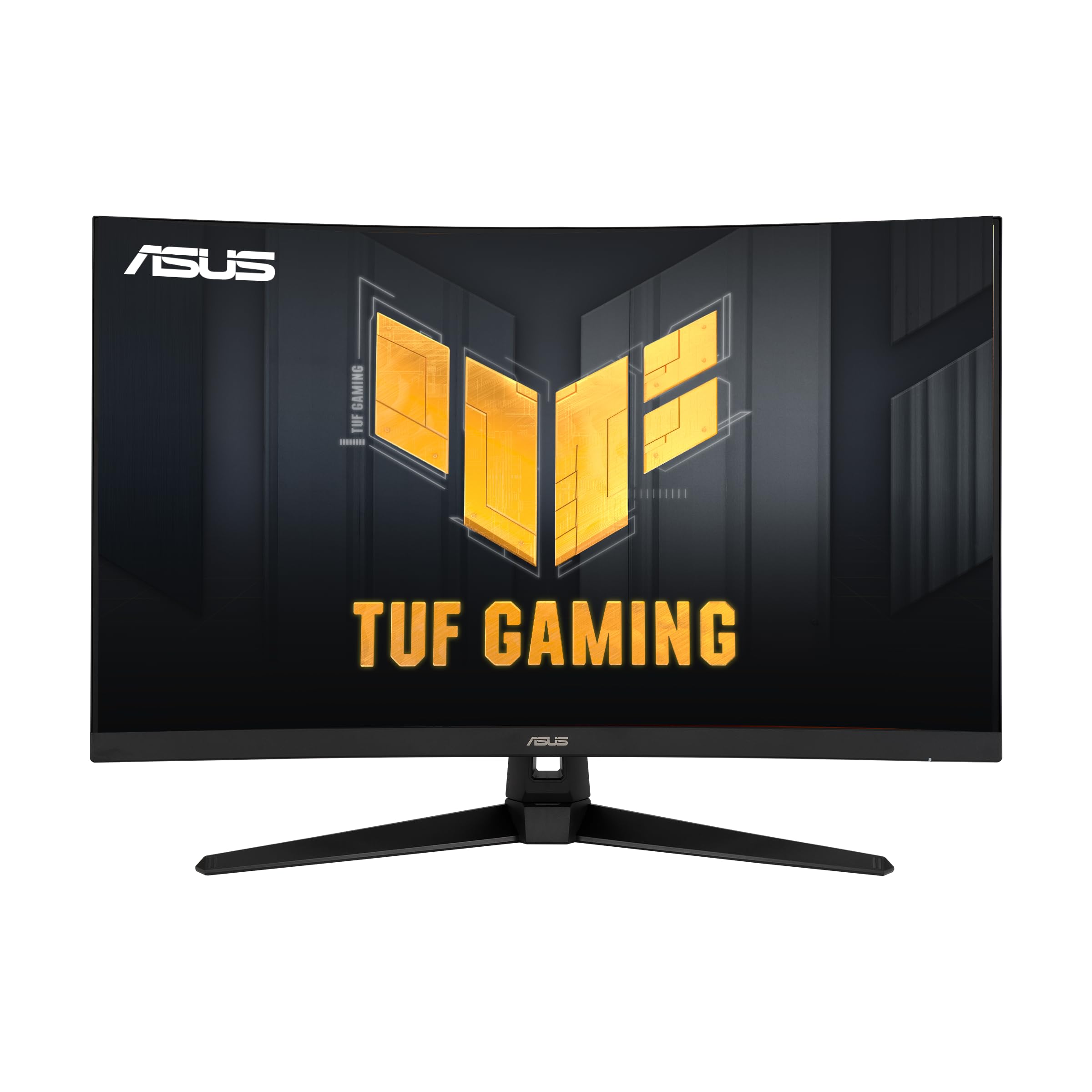
The ASUS TUF VG32VQ1B uses a 31.5-inch VA panel with a 1500R curvature and 3000:1 native contrast ratio, making it the best option on this list for deep black levels in a budget-friendly package. The 165Hz refresh rate (supports 144Hz) and 1ms MPRT response time with ELMB are adequate for mainstream gaming — playing Cyberpunk 2077, Elden Ring, or Forza Horizon 5 at high settings feels smooth and immersive. The FreeSync Premium certification ensures tear-free performance with AMD GPUs, though NVIDIA G-Sync is not officially supported.
The curved form factor wraps the image around your peripheral vision, which enhances immersion in single-player games and racing titles. Shadow Boost technology improves visibility in dark areas without blowing out bright spots, helpful for multiplayer games like Battlefield where enemies hide in shadowed corners. The built-in speakers are functional for casual use, and the VESA mount compatibility allows for easy arm mounting. The 3-month Adobe Creative Cloud subscription is a nice bonus for creative users.
VA panel weaknesses are present: black smearing in dark transitions is noticeable in high-contrast scenes, and off-angle viewing washes out contrast quickly. The HDR-10 support should not be mistaken for true HDR — peak brightness around 250 nits limits highlight impact. For buyers on a tight budget who prioritize deep blacks and a large curved screen over fast pixel response and HDR, this monitor delivers the best cinematic feel at the lowest cost.
Why it’s great
- 3000:1 contrast ratio delivers deep blacks superior to typical IPS panels.
- 31.5-inch 1500R curve provides immersive single-player and racing experiences.
- FreeSync Premium and ELMB combine for tear-free and blur-reduced motion at 165Hz.
Good to know
- VA black smearing in dark transitions is noticeable in fast-paced games.
- HDR-10 support is limited by 250-nit peak brightness; not true high dynamic range.
- Built-in speakers are adequate for casual use but lack bass and clarity.
FAQ
Do I need DisplayPort 1.4 or 2.1 for 240Hz at 1440p?
Will a 1440p monitor work with PS5 or Xbox Series X?
How does OLED burn-in affect 1440p gaming monitors long term?
Is 27 inches or 32 inches better for 1440p gaming?
Final Thoughts: The Verdict
For most users, the 1440p gaming monitor winner is the Acer Predator X27U because it delivers transformative QD-OLED contrast and color at a price that undercuts every other OLED option, making the visual upgrade over IPS impossible to ignore. If you want the highest motion clarity for competitive titles, grab the MSI MPG 271QRX for its 360Hz QD-OLED speed and KVM convenience. And for a bright-room-friendly IPS that won’t break your budget, nothing beats the fully adjustable Samsung Odyssey G50D at its price.