
Our readers keep the lights on and the weekend projects moving. As an Amazon Associate, I earn from qualifying purchases.
The line between “sketchpad” and “screen” has never been thinner. Whether you are a concept artist building worlds or a note-taker who prefers a stylus to a keyboard, the right Android drawing tablet replaces a backpack full of gear with a single slab of glass and metal. The challenge is separating the fine-art tools from the oversized phones.
I’m Rikta — the co-founder and writer behind FitlyFast. I’ve spent years analyzing pressure-sensitivity curves, display lamination techniques, and driver stability across every tablet ecosystem to find the tools that actually serve the creative hand.
There is no perfect one-size-fits-all device in this space, but the right choice depends on whether you want a tethered pen display or a fully portable studio. This guide breaks down the nine best models to help you find your ideal android drawing tablet.
How To Choose The Best Android Drawing Tablet
Before you sort through pressure levels and screen sizes, decide one thing: do you need a portable standalone like the XPPen Magic Drawing Pad, or are you fine keeping a HUION Kamvas 13 tethered to a laptop? That single decision determines your budget, your software options, and your mobility.
Standalone vs. Tethered
Standalone tablets run Android natively, so you can open Clip Studio Paint or ibisPaint X without a computer nearby. They are heavier and more expensive but fully mobile. Tethered pen displays like the XPPen Artist13.3 Pro V2 are lighter and cheaper because they rely on your PC for processing power. If you already own a decent laptop, a tethered display often delivers more screen real estate for less money.
Pressure Sensitivity and Pen Feel
The industry has moved from 4,096 levels to 8,192 and now 16,384 on the latest pens. A higher number allows finer gradations between light sketches and heavy strokes, but the pen tip texture and the screen’s surface friction matter just as much. The XPPen Magic Drawing Pad and the Wacom MovinkPad Pro 14 excel because their X3 Pro and Pro Pen 3 respectively combine high resolution with low initial activation force (IAF) around 2–3 grams.
Screen Quality: Lamination and Glare
Full-laminated screens eliminate the air gap between the glass and the LCD, reducing the offset between where the pen tip touches and where the ink appears (parallax). The HUION Kamvas 13 (Gen 3) and the HUION Kamvas Slate 11 both use full lamination with an anti-glare etched surface. Non-laminated displays feel floaty and imprecise, especially when you draw at an angle.
Color Accuracy and Resolution
For illustrators and designers, a color gamut of 99% sRGB or higher and a delta E under 2 ensures that what you see on screen matches the final print. The TCL NXTPAPER 14 uses a 2.4K display with a unique paper-like coating, while the Wacom MovinkPad Pro 14 offers 3K OLED with 100% DCI-P3 coverage for the truest blacks. Gamers and general users may not need OLED, but if color-critical work is your focus, prioritize gamut coverage over raw resolution.
Quick Comparison
On smaller screens, swipe sideways to see the full table.
| Model | Category | Best For | Key Spec | Amazon |
|---|---|---|---|---|
| Wacom MovinkPad Pro 14 | Standalone | Professional artists needing OLED color | 3K OLED, 12GB RAM, 8,192 pressure | Amazon |
| XPPen Magic Drawing Pad | Standalone | Artists wanting 16K pen, no tether | 16,384 pressure, 12.2″ 2K, 8GB RAM | Amazon |
| Wacom MovinkPad 11 | Standalone | Portable sketchbook replacement | 8,192 pressure, 1.3 lbs, 8GB RAM | Amazon |
| Samsung Galaxy Tab S10 FE | Standalone | General users + S Pen note-taking | 10.9″ 90Hz, S Pen, 8GB RAM | Amazon |
| HUION Kamvas Slate 11 | Standalone | Budget standalone drawing | 10.95″ 90Hz, 4,096 pressure, 8GB RAM | Amazon |
| TCL NXTPAPER 14 | Standalone | Eye-friendly reading + drawing | 14.3″ 2.4K paper-like, 10,000mAh | Amazon |
| Lenovo Idea Tab | Standalone | Student note-taking and study | 11″ 2.5K 90Hz, 8GB RAM, pen included | Amazon |
| HUION Kamvas 13 (Gen 3) | Tethered | Desktop studio on a budget | 16,384 pressure, 13.3″ AG glass, 99% sRGB | Amazon |
| XPPen Artist13.3 Pro V2 | Tethered | Versatile tethered drawing with dial | 16,384 pressure, 13.3″ full laminate, dial | Amazon |
In‑Depth Reviews
1. Wacom MovinkPad Pro 14

The Wacom MovinkPad Pro 14 is the current high-water mark for standalone Android drawing tablets. Wacom fitted a Snapdragon 8s Gen 3 chip with 12 GB of RAM and a 14-inch 3K OLED panel that covers 100% sRGB and DCI-P3, delivering true blacks and vivid color that no LCD can match. The battery-free Slim Pro Pen 3 offers 8,192 levels of pressure with a 2-gram initial activation force, and the anti-glare etched glass provides enough friction to feel like heavy-weight paper without wearing down nibs too fast.
Unlike the smaller MovinkPad 11, this Pro model runs Android 15 out of the box and includes a microSD slot for storage expansion beyond the 256 GB internal drive. It also works as a pen display when connected to a Windows or Mac laptop, giving you two machines in one. The build is thin and light at 1.6 pounds, making it genuinely portable despite the large screen.
The catch is the premium price, which lands it squarely in professional territory. Casual artists or students who don’t need OLED color accuracy may find better value in the XPPen Magic Drawing Pad. Wacom’s pre-installed apps (Clip Studio Paint with a 2-year license and Wacom Canvas) add immediate software value, and the Quick Draw feature launches your sketchbook with a long pen press — a thoughtful touch that mimics flipping open a physical pad.
Why it’s great
- Stunning 3K OLED with 100% DCI-P3
- 12 GB RAM + Snapdragon 8s Gen 3
- Battery-free Pro Pen 3 with 8,192 levels
- Works as standalone or tethered pen display
Good to know
- Premium cost puts it beyond casual budgets
- No included protective case
- Charging speed is moderate despite large battery
2. XPPen Magic Drawing Pad

The XPPen Magic Drawing Pad is the first standalone Android tablet to offer 16,384 pressure levels through its X3 Pro Slim stylus — double the resolution of most competitors. That sensitivity translates into more nuanced brushwork when you transition from light sketch lines to thick, heavy strokes. The 12.2-inch screen uses AG-etched glass with a 3:2 aspect ratio that mirrors an A4 sheet, and the 2160×1440 resolution keeps text and detail razor sharp.
Internally, 8 GB of RAM and a capable processor handle Clip Studio Paint and ibisPaint X with minimal lag, and the 256 GB storage (expandable to 1 TB via microSD) gives you room for high-res canvases. The 8,000 mAh battery lasts around 13 hours of continuous drawing, and the tablet weighs 599 grams — light enough to hold for long sessions without a desk. XPPen bundles a protective case, a half-glove, and replacement nibs in the box, which is a great value-add compared to the bare-bones packaging of some pricier models.
The tilt recognition is functional but not as refined as Wacom’s Pro Pen 3 implementation, and the Android 14 software support is locked — you cannot update the OS beyond version 14. Still, for the price, the Magic Drawing Pad delivers a near-flagship drawing experience that undercuts the Wacom MovinkPad by a comfortable margin while offering higher pressure sensitivity.
Why it’s great
- Industry-first 16,384 pressure levels
- Paper-like AG-etched glass, 3:2 aspect ratio
- Lightweight (599g) with 13-hour battery
- Includes case, glove, and nibs
Good to know
- No OS upgrades beyond Android 14
- Tilt recognition is decent but not premium
- Keyboard case trackpad is mediocre
3. Wacom MovinkPad 11

The Wacom MovinkPad 11 strips away all distractions and leaves you with a pure drawing surface that fits in a messenger bag. Weighing just 1.3 pounds with an 11-inch anti-glare etched glass display, this tablet is Wacom’s answer to the portable sketchbook. The battery-free Slim Pro Pen 3 offers the same 8,192 pressure levels found in the Pro 14, but the LCD panel is limited to a standard color gamut rather than the Pro’s OLED — a fair trade-off for the 30% lower price.
Android 14 runs smoothly on 8 GB of RAM and 128 GB of internal storage. The Quick Draw feature is excellent: you tap and hold the pen on the lock screen, and the Wacom Canvas app opens instantly, ready to sketch. The MovinkPad also supports alternative pens like the LAMY and STAEDTLER, so you are not locked into Wacom’s proprietary stylus ecosystem. The flattened matte finish on the glass provides just enough drag to feel natural without the squeaky resistance of some textured screen protectors.
The main downsides are the lack of a bundled case and the relatively slow charging speed. Serious illustrators who work with high-res files should consider the 12 GB RAM of the Pro 14, but for daily sketching, note-taking, and comic work, the MovinkPad 11 is the most portable dedicated art tablet you can buy.
Why it’s great
- Ultra-light 1.3 lb design
- Battery-free Pro Pen 3 with 8,192 levels
- Excellent palm rejection
- Quick Draw instant sketch launch
Good to know
- No case included
- Charging is slow
- Processor lags with heavy brush effects
4. Samsung Galaxy Tab S10 FE
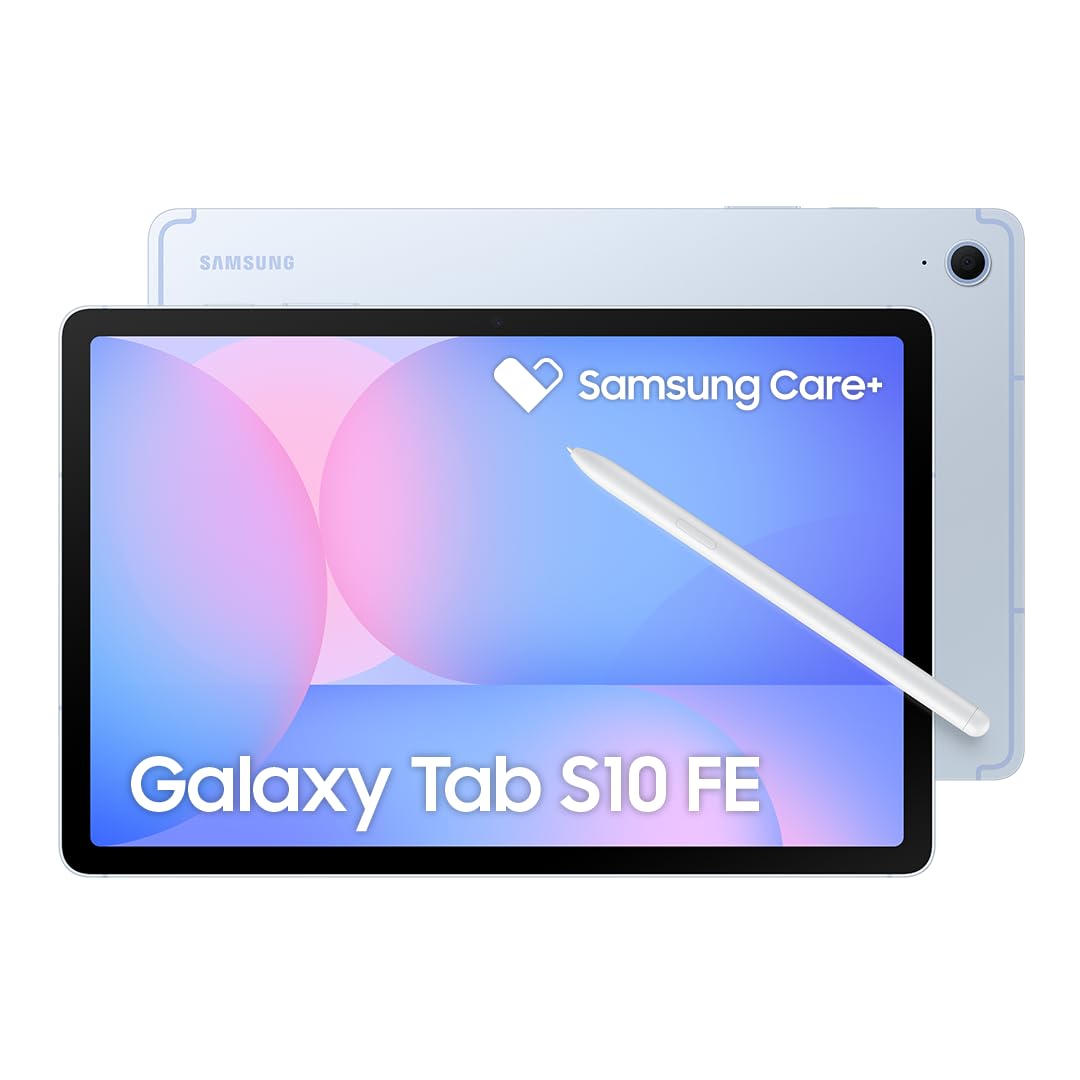
The Samsung Galaxy Tab S10 FE is the only mainstream Android tablet in this list that doubles as a general-purpose device. It is less specialized for art than the XPPen or HUION offerings, but the included S Pen works seamlessly for note-taking, PDF markup, and casual sketching. The 10.9-inch 90Hz IPS LCD runs at 2304×1440 resolution, and the Exynos 1580 chip paired with 8 GB of RAM handles multitasking across drawing apps, web browsing, and video streaming without stuttering.
The S Pen does not require charging or pairing, and it attaches magnetically to the back of the tablet. Samsung’s One UI 7 on top of Android 15 offers excellent note-taking apps like Samsung Notes, and the 8,000 mAh battery delivers up to 20 hours of mixed use. The Tab S10 FE also has a dedicated microSD slot and a 25W fast charger included in the bundle. It is a more versatile device than any dedicated drawing tablet, but the S Pen’s pressure sensitivity maxes out at 4,096 levels, and the screen is not fully laminated, so you will notice more parallax compared to the HUION Kamvas Slate 11.
The international model reviewed here lacks a domestic warranty and does not support cellular networks — it is Wi-Fi only. If you want a tablet that handles school, work, and light illustration in one package, the Tab S10 FE is a strong contender. But if your primary use is digital art, the dedicated drawing tablets below offer better pen feel and lower parallax for the same or less money.
Why it’s great
- Versatile: drawing, notes, streaming
- Long 20-hour battery life
- S Pen is included and magnetic
- microSD expansion and fast charging
Good to know
- 4,096 pressure sensitivity — lower than dedicated tablets
- Screen not fully laminated; more parallax
- International model, limited warranty
5. TCL NXTPAPER 14

The TCL NXTPAPER 14 prioritizes eye comfort without sacrificing a large canvas. Its 14.3-inch 2.4K display uses TCL’s NXTPAPER 3.0 technology with an anti-glare coating, blue light reduction, and DC dimming to minimize eye strain over long drawing and reading sessions. The screen switches between three modes — vibrant Regular, true e-paper-like Ink Paper, and muted Color Paper — via a dedicated hardware key. The 4096-pressure-level T-PEN stylus works well for sketching and note-taking, though it falls short of the 16K pens found on the XPPen and HUION devices.
Under the hood, the MediaTek Helio G99 processor, 8 GB RAM (plus 8 GB of virtual expandable memory), and 256 GB of internal storage handle Clip Studio Paint and ibisPaint X at moderate canvas sizes. The 10,000 mAh battery supports 33W fast charging, and the tablet supports reverse charging for your phone. Musicians and sheet music users are especially fond of this tablet because the large, anti-glare screen is perfect for digital sheet music and works reliably with Bluetooth foot pedals for page turning.
The T-PEN requires USB-C charging — it is not battery-free like the Wacom or Samsung pens. There is also no microSD slot, no headphone jack, and the speakers are merely adequate. But for the price, the NXTPAPER 14 delivers a huge, eye-friendly screen that is equally at home with digital art, reading, and sheet music, making it one of the most versatile entries on this list.
Why it’s great
- Large 14.3″ anti-glare display with eye comfort
- Three display modes for different tasks
- Massive 10,000 mAh battery
- Excellent value for size and features
Good to know
- T-PEN needs charging (not battery-free)
- No microSD, no headphone jack
- Speakers are only average
6. HUION Kamvas Slate 11

The HUION Kamvas Slate 11 is an all-in-one Android 14 standalone tablet that does not require a computer. Its 10.95-inch 1920×1200 full-laminated display uses nano-etched anti-glare glass to reduce parallax and provide a paper-like drawing surface. The 90Hz refresh rate makes scrolling and brush previews feel fluid, and the 99% sRGB color gamut ensures your colors look accurate when you export. The included H-Pencil offers 4,096 levels of pressure sensitivity and 60° tilt recognition, which is adequate for most illustration work but noticeably less sensitive than the 16K pens on the HUION Kamvas 13 or XPPen Magic Drawing Pad.
Performance is driven by an 8-core CPU with 8 GB of RAM and 128 GB of internal storage (expandable to 1 TB). The tablet comes pre-installed with Clip Studio Paint and ibisPaint X, including a 3-month trial membership, so you can start creating immediately. The 8,000 mAh battery lasts a full day of mixed use, and the aluminum back gives the Slate 11 a premium feel that belies its price point. The leather folio case in the box is functional but not premium — plan to upgrade if you want robust drop protection.
Customer reports note that the palm rejection can be inconsistent, occasionally causing choppy strokes, and some units have arrived with screen defects, so purchasing an extended warranty is wise. For the price, however, the Kamvas Slate 11 offers the most reliable standalone drawing experience from a brand that traditionally dominated the tethered display market, making it an excellent entry point for beginners and mobile artists.
Why it’s great
- Full-laminated anti-glare display
- Runs Android 14 with pre-installed drawing apps
- Expandable storage up to 1 TB
- Lightweight and portable
Good to know
- Palm rejection can be inconsistent
- Included case is mediocre
- Some units have quality control issues
7. Lenovo Idea Tab

The Lenovo Idea Tab is designed for students who need a capable note-taking device with drawing as a secondary function. The 11-inch 2.5K IPS display runs at a smooth 90Hz refresh rate, and the included Lenovo Tab Pen works with Google’s Circle to Search feature for instant lookups. The MediaTek Dimensity 6300 CPU with 8 GB of RAM provides snappy performance for productivity apps, PDF annotation, and light illustration in Clip Studio Paint — though it will lag on canvases larger than 3000×3000 pixels.
Lenovo bundles a soft folio case and the Tab Pen in the box, as well as pre-installed educational apps like Lenovo AI Note, Squid, Nebo, and MyScript Calculator. The 7,216 mAh battery delivers up to 12 hours of video playback, and the quad-speaker array with Dolby Atmos tuning makes it a solid media consumption device as well. The aluminum build feels sturdy, and the weight is manageable for propping on a desk or holding during a lecture.
The Tab Pen has no pressure sensitivity — it functions as a passive capacitive stylus — so it is not suitable for serious digital art. If your primary need is writing, not drawing, the Idea Tab offers excellent value. But artists who need pressure-sensitive input should look at the HUION Kamvas Slate 11 or the XPPen Magic Drawing Pad instead.
Why it’s great
- Vibrant 2.5K 90Hz display
- Bundled folio case and stylus
- Long battery life for all-day use
- Good multitasking for study apps
Good to know
- Stylus lacks pressure sensitivity
- Lags on large or complex canvases
- Not suitable for serious illustration
8. HUION Kamvas 13 (Gen 3)

The HUION Kamvas 13 (Gen 3) is a tethered pen display that must connect to a computer, but it offers the best drawing surface in its class. The 13.3-inch full-laminated screen features HUION’s Canvas Glass 2.0 with an anti-sparkle matte finish that reduces glare and provides a pleasant paper-like drag. The PenTech 4.0 stylus delivers 16,384 pressure levels with a 2-gram initial activation force, making it one of the most responsive pens in the sub- category. The dual dials and five programmable buttons on the side streamline your workflow in apps like Photoshop, Clip Studio Paint, and Krita.
Color accuracy is a highlight: the Kamvas 13 (Gen 3) covers 99% sRGB with a factory-calibrated delta E under 1.5. The included ST300 adjustable stand lets you tilt the screen from flat to 60 degrees, and the USB-C single-cable connection (if your device supports it) keeps your desk clean. The tablet weighs 2 pounds, making it easy to carry between workstations.
Because it is a pen display, not a standalone tablet, you need a computer with USB 3.1 DP1.2 support for Android connection. The 3-in-1 cable is a bit cumbersome, and full-featured USB-C cables are sold separately. The brightness is rated at 200 nits — adequate for dim rooms but difficult to see in bright ambient light. Still, for desktop artists who already own a laptop, the Kamvas 13 (Gen 3) delivers professional-grade pen performance at an entry-level price.
Why it’s great
- 16,384 pressure levels with 2g IAF
- Full-laminated anti-glare glass
- Factory-calibrated ΔE<1.5 color accuracy
- Dual dials and 5 programmable buttons
Good to know
- Must connect to a computer — not standalone
- Brightness is only 200 nits
- Full-featured USB-C cable sold separately
9. XPPen Artist13.3 Pro V2

The XPPen Artist13.3 Pro V2 competes directly with the HUION Kamvas 13 (Gen 3) and wins on color coverage and control layout. XPPen’s X3 Pro Smart Chip stylus reaches 16,384 pressure levels — matching HUION’s PenTech 4.0 — but the Artist13.3 Pro V2 displays a wider color gamut: 125% sRGB coverage ratio and 95% DCI-P3 coverage area, making it the stronger choice for color-critical illustration. The 13.3-inch full-laminated screen uses AG Film to reduce parallax and glare, and the IPS panel offers a 178° viewing angle.
The standout hardware feature is the Red Dial Quick Key combined with eight customizable shortcut buttons. The dial controls brush size, zoom, and canvas rotation without reaching for your keyboard, and the eight buttons handle frequently-used shortcuts. The included AC42 adjustable stand supports 90-degree tilt, which helps reduce neck strain during long sessions. XPPen bundles a foldable stand, a full-featured USB-C cable, a glove, and eight replacement nibs — a generous kit that ensures you have everything you need out of the box.
The driver stability has improved significantly over previous generations, though some users report a misalignment bug when using dual monitors at different resolutions — the workaround is setting both displays to 1920×1080. The Artist13.3 Pro V2 is a tethered pen display and requires a computer to function. For desktop artists who want the best color accuracy and shortcut customization in this price range, the XPPen Artist13.3 Pro V2 is the clear choice.
Why it’s great
- Best color gamut in class (125% sRGB)
- Red Dial + 8 shortcut keys for workflow
- Full lamination with AG film
- Generous included kit (stand, cable, glove, nibs)
Good to know
- Requires a computer to function
- Potential dual-monitor driver bug
- Pen can scratch screen — screen protector recommended
FAQ
Do I need a computer for an Android drawing tablet to work?
Is 4,096 pressure sensitivity enough for professional art?
Can I use Clip Studio Paint on any Android drawing tablet?
Final Thoughts: The Verdict
For most users, the android drawing tablet winner is the XPPen Magic Drawing Pad because it combines 16,384 pressure sensitivity with a true standalone Android experience at a price that undercuts Wacom’s premium offerings. If you want the highest color accuracy for professional print work, grab the Wacom MovinkPad Pro 14 with its 3K OLED display. And for a budget-friendly desktop setup that works with your existing laptop, nothing beats the value of the HUION Kamvas 13 (Gen 3) pen display.