
Our readers keep the lights on and the weekend projects moving. As an Amazon Associate, I earn from qualifying purchases.
A 21:9 ultrawide monitor fundamentally changes how you interact with your desktop. Standard 16:9 screens cram your workflow into a box, forcing constant alt-tabbing between windows. A 21:9 panel stretches your field of view wide enough to seat three full documents side-by-side or wrap a game’s peripheral vision directly into your sightline. The difference isn’t subtle—it’s a permanent upgrade to your daily screen relationship.
I’m Rikta — the co-founder and writer behind FitlyFast. I’ve analyzed over 300 display specifications across seven generations of ultrawide panels, cross-referencing real user reports with measurable specs like refresh rate latency, color gamut coverage, and adaptive sync compatibility to separate genuine performance from marketing claims.
After weeks of poring over technical data sheets, contrast ratios, and real-world feedback, this guide zeroes in on the models that actually deliver on their promises to help you find the true best 21:9 monitor for your specific setup and budget.
How To Choose The Best 21:9 Monitor
A good ultrawide monitor is a long-term investment. Rushing into a purchase without understanding panel type, refresh rate, and connectivity can leave you with a screen that fights your workflow instead of supporting it. Focus on these three pillars to make the right call.
Panel Technology: VA vs. IPS vs. OLED
VA panels dominate the mid-range ultrawide market because they deliver high native contrast ratios (3000:1 to 4000:1), producing deep blacks that make dark games and movies look rich. The trade-off is narrower viewing angles compared to IPS. IPS panels offer superior color accuracy and wider viewing angles, making them ideal for photo editing and color-critical work, but their black levels are weaker. OLED is the premium king: infinite contrast, instant pixel response, and inky blacks. However, OLED carries burn-in risk if you leave static UI elements on screen for hours daily, and it commands a steep price premium.
Refresh Rate and Adaptive Sync
For gaming, a 100Hz to 180Hz refresh rate is the sweet spot for 21:9 monitors in 2025. 240Hz exists but demands a very powerful graphics card to drive 3440×1440 at those speeds. Adaptive sync (FreeSync Premium or G-Sync Compatible) eliminates screen tearing by matching the monitor’s refresh rate to your GPU’s frame output. If you play competitive shooters, prioritize 144Hz or higher with low input lag. For productivity—spreadsheets, coding, writing—60Hz to 100Hz is perfectly adequate, and you can often save money by choosing a productivity-focused model.
Connectivity and Ergonomics
USB-C with power delivery is a game-changer for laptop users. A single cable carrying video, data, and up to 65W of charging keeps your desk clean and your workflow seamless. For desktop users, multiple HDMI 2.0 or DisplayPort 1.4 inputs allow you to connect a gaming PC and a console simultaneously. Do not ignore the stand. Height adjustment, tilt, and swivel are not luxuries—they prevent neck strain during long sessions. A monitor with a poor stand often forces you to buy a third-party arm, adding hidden cost.
Quick Comparison
On smaller screens, swipe sideways to see the full table.
| Model | Category | Best For | Key Spec | Amazon |
|---|---|---|---|---|
| Alienware AW3425DW | Premium OLED | Elite gaming & HDR media | QD-OLED, 240Hz, 0.03ms GtG | Amazon |
| LG 34G630A-B | High-Refresh VA | Competitive gaming | 240Hz, 1ms, DisplayHDR 400 | Amazon |
| Samsung Odyssey G7 G75F | Ultrawide 4K VA | High-res immersion | 5120×2160, 180Hz, HDR 600 | Amazon |
| ASUS TUF Gaming VG34VQ3B | Gaming VA | Fast-paced shooters | 180Hz, 1ms, ELMB SYNC | Amazon |
| LG 34G600A-B | Gaming VA | Smooth action & multitasking | 160Hz, 1ms MBR, 99% sRGB | Amazon |
| Dell S3425DW | Productivity VA | Office & casual gaming | 120Hz, USB-C 65W, 95% DCI-P3 | Amazon |
| Alienware AW3425DWM | Gaming VA | Budget gaming immersion | 180Hz, 1ms GtG, HDR 400 | Amazon |
| Philips 346E2CUAE | Productivity VA | USB-C laptop docking | 100Hz, USB-C PD, 121% sRGB | Amazon |
| Samsung ViewFinity S50GC | Productivity VA | Office & eye comfort | 100Hz, FreeSync, Ambient Light | Amazon |
| KTC H34S18S | Entry-Level VA | Budget ultrawide | 165Hz, 1ms, 1500R curve | Amazon |
| Dell U3818DW | Large Productivity IPS | Professional multitasking | 3840×1600, USB-C, KVM built-in | Amazon |
In‑Depth Reviews
1. Alienware 34 240Hz QD-OLED Curved Gaming Monitor (AW3425DW)

The Alienware AW3425DW is the benchmark for what a premium 21:9 monitor can deliver. Its QD-OLED panel produces an infinite contrast ratio—true blacks sit next to peak highlights without any blooming, and the 99.3% DCI-P3 coverage makes colors look vibrant and lifelike straight out of the box. The 240Hz refresh rate paired with a 0.03ms gray-to-gray response time eliminates motion blur entirely, giving competitive gamers a buttery-smooth visual feed. VESA DisplayHDR TrueBlack 400 certification means HDR content looks genuinely cinematic, with bright specular highlights that retain shadow detail.
The 1800R curve wraps the 34-inch screen around your peripheral vision without distorting straight lines, making it equally comfortable for spreadsheet grids and open-world games. Connectivity is solid with DisplayPort 1.4 and HDMI 2.1, and the stand offers full height, tilt, and swivel adjustment. The matte anti-glare coating handles bright room lights well, though the panel’s peak brightness in sustained SDR use is moderate at 250 nits—adequate for most indoor setups but not a sunlight-battling screen.
The only real hesitation is OLED burn-in risk. If you leave static taskbars or coding windows visible for eight hours daily, you may eventually see retention patterns. Alienware includes a pixel refresh routine and a three-year warranty that covers burn-in, which eases the concern significantly. For anyone wanting the absolute best image quality in a 21:9 format, this is the monitor to beat.
Why it’s great
- Infinite contrast with inky blacks and vibrant HDR
- 240Hz at 0.03ms response feels impossibly smooth
- Burn-in warranty provides peace of mind
Good to know
- Sustained SDR brightness is modest
- Risk of burn-in with heavy static content
2. LG 34G630A-B 34-Inch Ultragear WQHD Curved Gaming Monitor

The LG 34G630A-B takes everything great about the previous-generation 160Hz Ultragear and pushes the refresh ceiling to 240Hz. This VA panel delivers a 3000:1 native contrast ratio—deep blacks that make dark game environments feel atmospheric—while the 1ms GtG response time ensures fast-moving objects remain sharp. VESA DisplayHDR 400 certification brings respectable highlight brightness, and the 95% DCI-P3 color gamut covers the wide color space needed for modern game art direction. FreeSync Premium keeps the frame delivery tear-free across both AMD and G-Sync Compatible GPUs.
The 1800R curvature is less aggressive than the 1500R on some competitors, which makes the screen feel more natural for productivity tasks like coding or reading long articles. The stand is a highlight: full height, tilt, and swivel adjustment with a sturdy base that doesn’t wobble during intense mouse movements. Connectivity includes DisplayPort, dual HDMI, and a USB-C port with 15W power delivery—enough to keep a laptop charged during light use, though not enough for high-power workstations.
The built-in speakers are functional but unremarkable—adequate for system sounds and casual YouTube, but you will want dedicated speakers or a headset for gaming audio. The on-screen controls are managed through a single joystick at the bottom, which is intuitive once you learn the layout. For a mid-premium gaming 21:9 monitor that balances speed and color quality without jumping to OLED pricing, the 34G630A-B is a strong candidate.
Why it’s great
- 240Hz with strong VA contrast ratio
- Full ergonomic stand with height adjustment
- Good DCI-P3 color coverage for gaming
Good to know
- Built-in speakers are mediocre
- USB-C power delivery limited to 15W
3. Samsung 40″ Odyssey G7 (G75F) WUHD Curved Gaming Monitor

The Samsung Odyssey G7 G75F breaks the 34-inch mold with a 40-inch diagonal at a true ultrawide 21:9 aspect ratio. The resolution is a massive 5120×2160 (WUHD), giving you nearly 11 million pixels—significantly sharper than standard 3440×1440 panels. Text looks crisp, spreadsheets show more columns, and game worlds stretch across your entire desk. The 1000R curvature is the tightest on the market, wrapping the image around your field of view in a way that feels deeply immersive for racing and flight sims. VESA DisplayHDR 600 pushes peak brightness to 600 nits, delivering punchy highlights that standard HDR 400 screens can’t match.
The 180Hz refresh rate is fast enough for competitive gaming, and the 1ms GtG response time keeps ghosting in check. FreeSync Premium Pro adds HDR-specific adaptive sync, which maintains smoothness even when HDR is active. The VA panel provides a 3000:1 contrast ratio, so blacks are deep, and the anti-glare coating handles bright rooms well. The stand includes height, tilt, and swivel adjustments, but the base is large and takes up significant desk space.
The main limiting factor is the GPU requirement. Driving 5120×2160 at 180Hz in modern games requires a high-end card (RTX 4080 or equivalent), and even then, you may need to reduce settings in demanding titles. For productivity users, the extra horizontal resolution is a dream—you can stack three full browser windows side by side without scaling issues. If you want the widest, sharpest 21:9 experience and have the graphics power to feed it, the G75F is unmatched.
Why it’s great
- 5K ultrawide resolution is incredibly sharp
- HDR 600 provides bright, punchy highlights
- 1000R curve is deeply immersive
Good to know
- Requires a very powerful GPU for gaming
- Large base takes up desk space
4. ASUS TUF Gaming 34″ Ultra-Wide Curved Monitor (VG34VQ3B)

The ASUS TUF Gaming VG34VQ3B is engineered for competitive gamers who want high refresh rates without breaking into OLED pricing. The 180Hz refresh rate paired with a 1ms MPRT response time delivers exceptionally fluid motion, and ASUS’s Extreme Low Motion Blur (ELMB) SYNC technology combines backlight strobing with variable refresh rate—a rare feature that eliminates ghosting while keeping FreeSync Premium active. This means you get both sharp motion and tear-free gameplay simultaneously, which is a genuine advantage in fast-twitch shooters like Valorant or Overwatch.
The 1500R VA panel produces a 4000:1 static contrast ratio, one of the highest in this class, giving dark scenes real depth. The 90% DCI-P3 color gamut is decent but not class-leading—colors are vivid but slightly less saturated than premium competitors. The stand is the weakest link: it offers tilt adjustment only, no height or swivel, so you will likely want a VESA arm for proper ergonomic positioning. The built-in speakers are also poor, with thin, quiet audio that is borderline unusable for anything beyond system beeps.
On the positive side, the DisplayWidget Center software allows you to adjust OSD settings with a mouse instead of reaching for the monitor’s joystick, which is a nice quality-of-life feature. The connectivity includes DisplayPort 1.4, two HDMI 2.0 ports, and a USB hub. For gamers who prioritize raw motion clarity and have a desk setup that accommodates a third-party arm, the VG34VQ3B offers excellent performance per dollar.
Why it’s great
- ELMB SYNC combines strobing with VRR
- High 4000:1 contrast ratio
- DisplayWidget Center software control
Good to know
- Stand lacks height and swivel adjustment
- Built-in speakers are very weak
5. LG 34G600A-B 34-inch Ultragear WQHD Curved Gaming Monitor
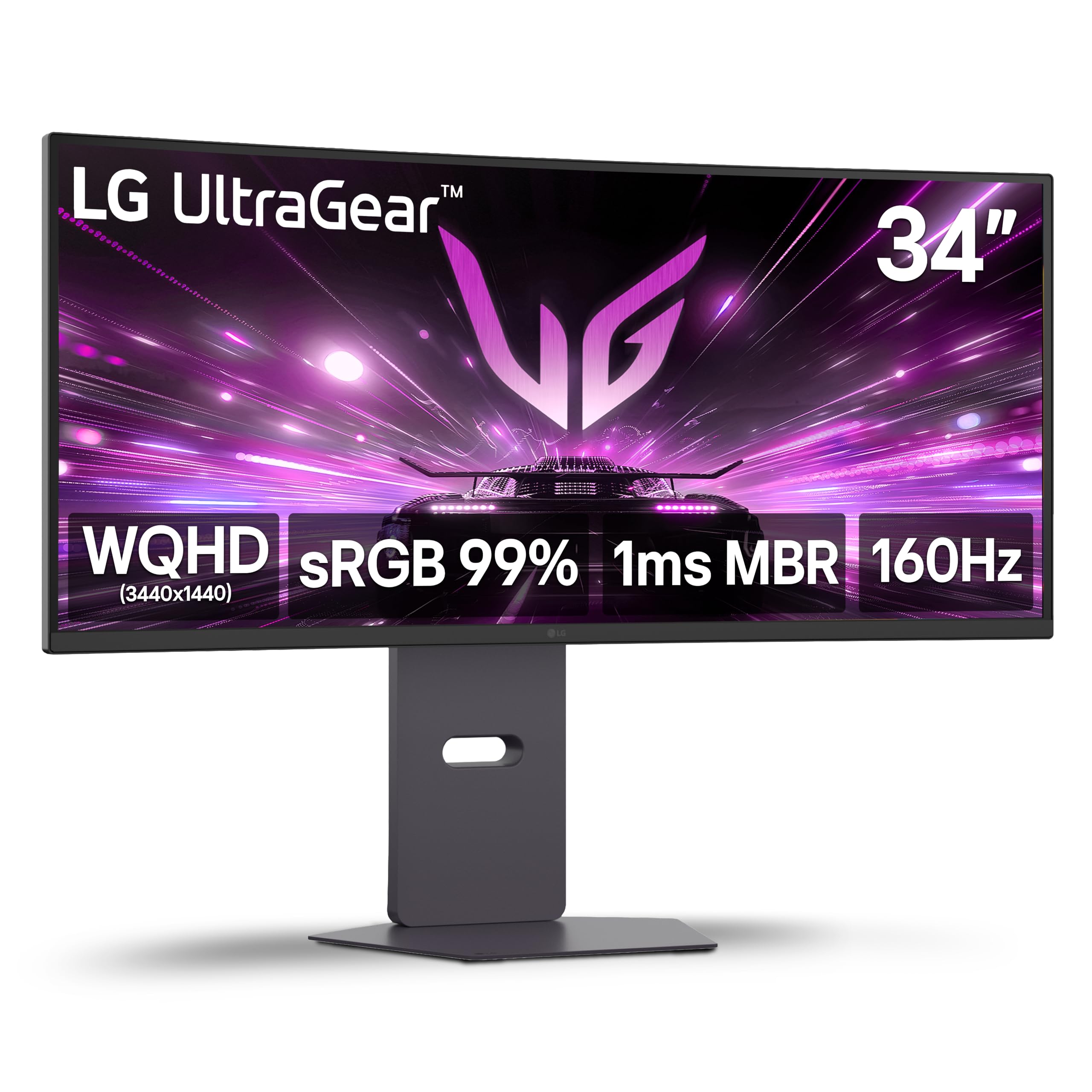
The LG 34G600A-B hits a rare sweet spot between gaming performance and productivity utility. The 160Hz refresh rate with 1ms Motion Blur Reduction keeps fast-paced gameplay crisp, while the 1800R VA panel delivers a 4000:1 contrast ratio, producing deep blacks and good shadow detail. The 99% sRGB coverage ensures accurate color reproduction for photo editing and design work, though the DCI-P3 coverage is limited. HDR10 support adds some extra vibrancy to compatible content, though it lacks the peak brightness for true HDR impact.
Built-in speakers with Waves MaxxAudio provide better-than-average monitor audio—still not a replacement for a dedicated system, but clear enough for casual viewing and game soundtracks. The stand offers full height, tilt, and swivel adjustment, and the build quality feels solid with minimal wobble. Connectivity includes DisplayPort, dual HDMI 2.0 ports, and a headphone jack. The Dynamic Action Sync and Black Stabilizer features are genuinely useful for spotting enemies in dark corners.
The HDMI ports are HDMI 2.0, not 2.1, which means console gamers are limited to lower refresh rates at this resolution. For PC users with a DisplayPort cable, the full 160Hz is accessible without issue. The on-screen display joystick is responsive and logically laid out. This monitor is an excellent choice for someone who wants a single ultrawide that handles work during the day and gaming at night without compromising either.
Why it’s great
- Good balance of 160Hz refresh and VA contrast
- Full ergonomic stand with height adjustment
- Usable built-in speakers with MaxxAudio
Good to know
- HDMI 2.0 limits console refresh rates
- HDR performance is modest
6. Dell 34 Plus USB-C Curved Monitor (S3425DW)

The Dell S3425DW is built for the professional who needs a clean, single-cable desk setup. The USB-C port delivers 65W of power delivery, which is enough to charge a MacBook Pro or Dell XPS while transmitting video and data simultaneously. The VA panel offers a 3000:1 contrast ratio and 99% sRGB / 95% DCI-P3 coverage, producing accurate, vibrant colors suitable for design work and video editing. The 120Hz refresh rate is a nice bonus—high enough for casual gaming and smooth scrolling, without the premium cost of a 180Hz gaming monitor.
Dell’s ComfortView Plus reduces blue light emissions to below 35% without washing out colors, making this a strong candidate for all-day work sessions. The integrated speakers are noticeably better than the previous generation, with more output power and deeper frequency response, though they still lack bass. The stand is fully adjustable with height, tilt, and swivel, and the assembly is tool-free. The bezel is thin and the mount is VESA-compatible, though the VESA recess is recessed about a quarter-inch, which may require longer screws or spacers with some arms.
The port selection is limited to one HDMI, one USB-C, and one USB-A upstream—there is no DisplayPort input. This is fine for a single laptop setup but restrictive for multi-device users. The lack of an included DisplayPort cable is also an oversight. For the professional who values eye comfort, desk simplicity, and color accuracy over raw gaming speed, the S3425DW delivers premium build quality at a reasonable price.
Why it’s great
- USB-C with 65W power delivery
- Excellent color coverage for productivity
- ComfortView Plus reduces eye strain
Good to know
- Limited to one HDMI and one USB-C input
- VESA mount requires spacer consideration
7. Alienware 34 Curved Gaming Monitor (AW3425DWM)

The Alienware AW3425DWM is the most accessible entry point into the brand’s ecosystem without sacrificing core gaming performance. The 180Hz refresh rate with a 1ms GtG response time provides smooth, responsive gameplay in fast-paced titles, and VESA DisplayHDR 400 brings decent highlight brightness to HDR content. The 1500R VA panel delivers a 3000:1 contrast ratio, so blacks are deep and shadow detail is visible. The 95% DCI-P3 coverage ensures vibrant, saturated colors that make game worlds look rich.
The stand is excellent—fully adjustable in height, tilt, and swivel, with a solid metal base that feels premium. The packaging includes both DisplayPort and HDMI cables, which is a thoughtful touch. The on-screen display is easy to navigate with a joystick control, and there are dedicated gaming presets (MOBA/RTS, FPS, RPG) that adjust color and response time profiles automatically. A console mode optimizes the signal for PlayStation or Xbox, and the hardware-based low blue light solution reduces eye strain without shifting colors yellow.
The panel is not OLED, so blacks are very good but not infinite, and there is some blooming visible in high-contrast HDR scenes. The lack of built-in speakers means you must provide external audio. The 3440×1440 resolution requires a solid graphics card to push 180Hz in modern games, but the monitor handles 120Hz easily with a mid-range GPU. For gamers who want Alienware quality and a high refresh rate without spending OLED money, this is the smart buy.
Why it’s great
- 180Hz with solid VA contrast ratio
- Excellent adjustable stand
- Console mode and low blue light included
Good to know
- No built-in speakers
- Requires strong GPU for full 180Hz
8. Philips 34 Inch UltraWide Curved Monitor (346E2CUAE)

The Philips 346E2CUAE is a productivity-first ultrawide that doubles as a laptop docking station. USB-C connectivity carries video, data, and power delivery simultaneously, allowing you to connect a MacBook or Windows laptop with a single cable that also charges the device. The 100Hz refresh rate and 1ms MPRT response time provide smooth scrolling and artifact-free motion, making this monitor competent for casual gaming as well. The 121% sRGB color gamut coverage is excellent for photo editing and design, producing accurate, life-like colors straight out of the box.
The 1500R VA panel offers good contrast and wide viewing angles, and the anti-glare coating reduces reflections in bright offices. The stand provides height, tilt, and swivel adjustment, and the build quality is solid with a clean, professional look. Built-in speakers are adequate for video calls and system audio but lack the power for immersive media consumption. Philips includes a 4-year advance replacement warranty, which is significantly better than the standard one-year coverage from most competitors.
The main caveat is the PBP/PIP functionality, which does not work with the USB-C input combined with HDMI—you need DisplayPort for the second source. Cable management is basic, with just a few plastic tabs on the stand. The 100Hz refresh rate is fine for most users but will feel limiting if you are coming from a 144Hz or higher monitor. For the professional who wants a single-cable ultrawide with great color and a long warranty, the 346E2CUAE is a compelling choice.
Why it’s great
- USB-C with power delivery for clean desk setup
- Wide 121% sRGB color gamut
- 4-year advance replacement warranty
Good to know
- PBP/PIP limited to specific input combos
- Basic cable management
9. Samsung 34″ ViewFinity S50GC Series Ultrawide QHD Monitor

The Samsung ViewFinity S50GC is built for the productivity user who spends 8+ hours in front of the screen. Its standout feature is the integrated ambient light sensor, which automatically adjusts brightness based on room lighting—no more blinding white screens in a dark room or washed-out displays in bright sunlight. Eye Saver Mode reduces blue light emissions, and the Flicker-Free technology eliminates PWM dimming, both of which reduce eye strain during long work sessions. The 100Hz refresh rate provides noticeably smoother cursor movement and scrolling compared to standard 60Hz monitors.
The 21:9 aspect ratio at 3440×1440 resolution gives you meaningful extra horizontal space for spreadsheet columns, code editors, or design timelines. The VA panel delivers a 3000:1 contrast ratio, so text is crisp and blacks have depth. The bezel is thin and the design is clean, making it a natural fit for a professional office environment. Connectivity includes two HDMI ports and a DisplayPort, plus a headphone jack. The stand offers tilt adjustment only, which is a limitation for ergonomic optimization.
The built-in speakers are present but poor—quiet and tinny, best reserved for system alerts. The monitor supports Picture-by-Picture (PBP) and Picture-in-Picture (PIP), allowing you to view two input sources simultaneously, which is useful for dual-computer workflows. Some users report configuration quirks with macOS, requiring third-party apps like BetterDisplay to achieve optimal scaling. For the office worker who prioritizes long-term eye health and wants an affordable ultrawide upgrade, the S50GC delivers where it counts.
Why it’s great
- Ambient light sensor auto-adjusts brightness
- Flicker-Free and low blue light for eye comfort
- 100Hz refresh improves daily workflow
Good to know
- Stand offers tilt only, no height adjustment
- Built-in speakers are very weak
10. KTC 34 inch Curved Ultrawide Gaming Monitor (H34S18S)

The KTC H34S18S is the most budget-friendly entry point to 21:9 ultrawide without resorting to outdated 1080p panels. It delivers a 165Hz refresh rate with 1ms MPRT response time, which is genuinely fast for the price bracket. The 1500R curved VA panel produces a 4000:1 contrast ratio, giving dark scenes real depth, and the 98% DCI-P3 color coverage ensures vibrant, saturated colors. The 3440×1440 resolution provides ample screen real estate for productivity and gaming.
The stand is the biggest surprise at this price point: full height, tilt, swivel, and even pivot adjustment, plus VESA compatibility for arm mounting. The back features RGB lighting that adds a gaming aesthetic, and the quick-release VESA system makes installation painless. Connectivity includes two DisplayPort 1.4 inputs and two HDMI 2.0 ports, plus a USB 2.0 port for firmware updates. Both FreeSync and G-Sync Compatible are supported, giving you adaptive sync regardless of GPU brand.
The trade-offs are visible in build quality and firmware polish. Some users report a 3-5 second wake-up lag when resuming from sleep, and the out-of-box color calibration tends toward washed-out—requiring manual adjustment for acceptable results. The on-screen menus are functional but less intuitive than premium brands. Customer support has mixed reviews. For the price-conscious buyer who is comfortable tweaking settings, the KTC H34S18S offers impressive specs at a fraction of the cost of established brands.
Why it’s great
- 165Hz with 1ms for under x price
- Full ergonomic stand with height adjustment
- Wide 98% DCI-P3 color coverage
Good to know
- Wake-up lag and sleep issues reported
- Out-of-box colors need manual tuning
11. Dell U-Series 38″ 4K UHD 1600p Ultra Wide Screen Monitor (U3818DW)

The Dell U3818DW is a professional-grade ultrawide that prioritizes screen real estate and connectivity over gaming speed. The 38-inch diagonal at 3840×1600 resolution gives you 25% more vertical pixels than standard 3440×1440 panels, allowing you to see more lines of code or rows in a spreadsheet without scrolling. The IPS panel delivers accurate, consistent color across the entire screen—99% sRGB coverage with factory calibration—making it a reliable tool for photographers, designers, and video editors who need color-critical workstations.
The built-in KVM switch is a highlight for multi-computer setups. You can control two PCs with a single keyboard and mouse, switching between them with the press of a button. USB-C connectivity with power delivery handles video, data, and charging over a single cable, keeping the desk clean. The stand is robust with height, tilt, and swivel adjustment, and the Infinity Edge bezel design minimizes distractions. The panel includes a factory calibration report in the box, confirming color accuracy out of the gate.
The 60Hz refresh rate is the clear limitation—fine for productivity and media consumption, but unsuitable for competitive gaming. The 1000:1 contrast ratio is typical for IPS, meaning blacks appear grayish in dark room viewing. Some users report sleep/wake compatibility quirks with MacBook Pro models, requiring manual display re-selection occasionally. This monitor is not for gamers, but for the professional who needs a massive, color-accurate canvas with seamless multi-device integration, the U3818DW remains a benchmark.
Why it’s great
- 38-inch diagonal with extra vertical resolution
- Built-in KVM for dual-PC workflows
- Factory-calibrated color accuracy
Good to know
- 60Hz refresh rate limits gaming
- IPS contrast ratio shows gray blacks in dark rooms
FAQ
Can my graphics card run a 3440×1440 21:9 monitor at high refresh rates?
Is a curved 21:9 monitor good for office work and coding?
What is the difference between 1500R and 1800R curvature on an ultrawide?
Should I buy an OLED ultrawide or a VA panel ultrawide for mixed use?
Does a 21:9 monitor work with consoles like PlayStation 5 or Xbox Series X?
Final Thoughts: The Verdict
For most users, the best 21:9 monitor winner is the Alienware AW3425DW because its QD-OLED panel combines infinite contrast, 240Hz smoothness, and vibrant HDR performance in a single package that works for both immersive gaming and media consumption. If you want the fastest competitive gaming experience without OLED concerns, grab the LG 34G630A-B for its 240Hz VA panel and excellent ergonomics. And for the professional who needs a massive color-accurate canvas with built-in KVM, nothing beats the Dell U3818DW.