
Our readers keep the lights on and the weekend projects moving. As an Amazon Associate, I earn from qualifying purchases.
Choosing a large gaming monitor means reconciling resolution, panel technology, and refresh rate into a single buy that will dominate your desk for years. The wrong choice leaves you either straining to see a pixelated mess on a massive screen or spending a fortune on raw specs that your GPU cannot feed.
I’m Rikta — the co-founder and writer behind FitlyFast. I’ve spent hundreds of hours analyzing hardware specifications, panel data, and real-world performance reports to find the monitors that actually deliver on their flashy marketing claims.
After diving deep into resolution scales, contrast ratios, and refresh-rate ceilings across the premium, mid-range, and budget tiers, I have assembled the definitive guide to the best 40 inch gaming monitor for every budget and play style.
How To Choose The Best 40 Inch Gaming Monitor
A 40-inch gaming monitor is a large investment, literally and figuratively. The panel size amplifies every flaw: low pixel density becomes obvious, motion blur is more distracting, and poor black levels ruin immersion. Understanding your priorities before buying prevents a costly mistake.
Resolution and Pixel Density
On a 40-inch screen, 2560 x 1440 (QHD) results in a low pixel-per-inch (PPI) count, making text appear soft and individual pixels visible. For this size, 3440 x 1440 is the bare minimum for acceptable clarity. WUHD (5120 x 2160) and 5K2K (5120 x 2160) deliver the sharpest image, rivaling smaller 4K monitors. Balance your GPU power: driving a 5K2K monitor at high frame rates requires a top-tier graphics card.
Panel Technology: VA, IPS, and OLED
VA panels offer the best native contrast (3000:1 to 5000:1), delivering deep blacks without blooming, but they suffer from slower response times and black-level smearing in dark scenes. IPS panels provide superior color accuracy and wide viewing angles, but their contrast ratio typically sits around 1000:1, producing grayish blacks in a dark room. QD-OLED panels combine near-infinite contrast, vibrant HDR, and sub-0.1ms response times, but carry a higher price and a theoretical burn-in risk that modern OLED Care features mitigate.
Refresh Rate and Adaptive Sync
While 60 Hz is fine for strategy games and media consumption, fast-paced shooters and racing sims benefit from 120 Hz, 180 Hz, or 240 Hz. Ensure your GPU can output enough frames: a 1440p ultrawide at 240 Hz requires far less horsepower than a 5K2K display at 120 Hz. Adaptive Sync (FreeSync or G-Sync Compatible) eliminates screen tearing without adding input lag. FreeSync Premium Pro adds HDR support and LFC (Low Framerate Compensation), while G-Sync Compatible requires a certified NVIDIA driver test.
Key Connector Check
HDMI 2.1 is essential for running 4K or 5K2K resolutions at 120 Hz natively; HDMI 2.0 caps out at 60 Hz at those resolutions. DisplayPort 1.4 supports higher bandwidth and is standard on high-refresh gaming monitors. USB-C with Power Delivery (65 W or 96 W) is a significant convenience for laptop gamers, allowing a single cable to transmit video, data, and charging. Thunderbolt 5, found on the LG 40U990A-W, offers even higher bandwidth for pro workflows.
Quick Comparison
On smaller screens, swipe sideways to see the full table.
| Model | Category | Best For | Key Spec | Amazon |
|---|---|---|---|---|
| Deco Gear 40″ Curved 5K2K Nano IPS | Ultrawide IPS | Productivity + Light Gaming | 5120×2160, 120 Hz | Amazon |
| Samsung Odyssey G7 40″ WUHD | VA Gaming | High Refresh 5K2K | 5120×2160, 180 Hz | Amazon |
| LG 45GX900A-B 45″ OLED | 8 | Immersive Racing/Sim | 3440×1440, 240 Hz, 800R | Amazon |
| LG UltraFine 40U990A-W 5K2K | Creator IPS | Pro Creative + Mac | 5120×2160, 120 Hz | Amazon |
| Dell UltraSharp U4025QW 40″ | Professional IPS | Office/Productivity Hub | 5120×2160, 120 Hz | Amazon |
| Alienware AW3425DW 34″ QD-OLED | Ultrawide OLED | Competitive HDR Gaming | 3440×1440, 240 Hz | Amazon |
| ASUS ROG XG34WCDG 34″ QD-OLED | Gaming OLED | Multi-Gen Gaming | 3440×1440, 175 Hz | Amazon |
| Samsung M7 43″ 4K Smart | Smart 4K | Hybrid Work/Streaming | 3840×2160, 60 Hz | Amazon |
| Alienware AW3425DWM 34″ VA | Budget Ultrawide | Entry-Level Ultrawide | 3440×1440, 180 Hz | Amazon |
| CRUA 32″ 4K 240Hz | Compact 4K | Color-Limited Desktop | 3840×2160, 240 Hz | Amazon |
| Gawfolk 45″ 5K2K 200Hz | Budget 5K2K | Maximum Width/Low Cost | 5120×1440, 200 Hz | Amazon |
In‑Depth Reviews
1. Samsung Odyssey G7 40″ WUHD (G75F)

Samsung’s 40-inch Odyssey G7 splits the difference between brute pixel-count and high refresh rate better than anything else in its class. The 5120 x 2160 WUHD resolution delivers a massive 21:9 canvas with a 3000:1 native contrast ratio from its VA panel, meaning deep blacks without the blooming that plagues IPS monitors. At 180 Hz with FreeSync Premium Pro, this panel is a rare sweet spot: the 5K2K pixel density keeps text razor-sharp, while the refresh rate is high enough to feel fluid without overwhelming a mid-range GPU like the RTX 4070 Ti.
VESA DisplayHDR 600 certification ensures it hits a peak luminance of 600 nits, which makes highlights in games like Cyberpunk 2077 genuinely punchy without washing out dark corners. The 1000R curvature is aggressive enough to pull your peripheral vision into the scene, but the stand is a bit bulky for shallow desks. Several customers noted that the HDR mode requires manual adjustment out of the box to avoid a washed-out look, but once dialed in, the color and contrast are excellent for a non-OLED panel.
The connectivity suite includes one HDMI 2.1 port and one DisplayPort 1.4, which is sufficient but not generous. A notable plus is the absence of any burn-in risk, making this a safer long-term choice for mixed use that includes productivity and web browsing alongside gaming. For a gamer who wants the sharp, spacious 5K2K view without jumping to OLED prices, this is the most balanced option on the market.
Why it’s great
- Rare combination of 5120×2160 resolution and 180 Hz refresh rate
- VA panel delivers deep, inky blacks with no bloom
- DisplayHDR 600 provides real highlight punch
- No burn-in risk, ideal for mixed-use gamers
Good to know
- HDR mode needs manual color adjustment out of box
- Stand base is large and may not fit all desks
- Only one HDMI 2.1 port
2. LG UltraFine 40U990A-W 5K2K
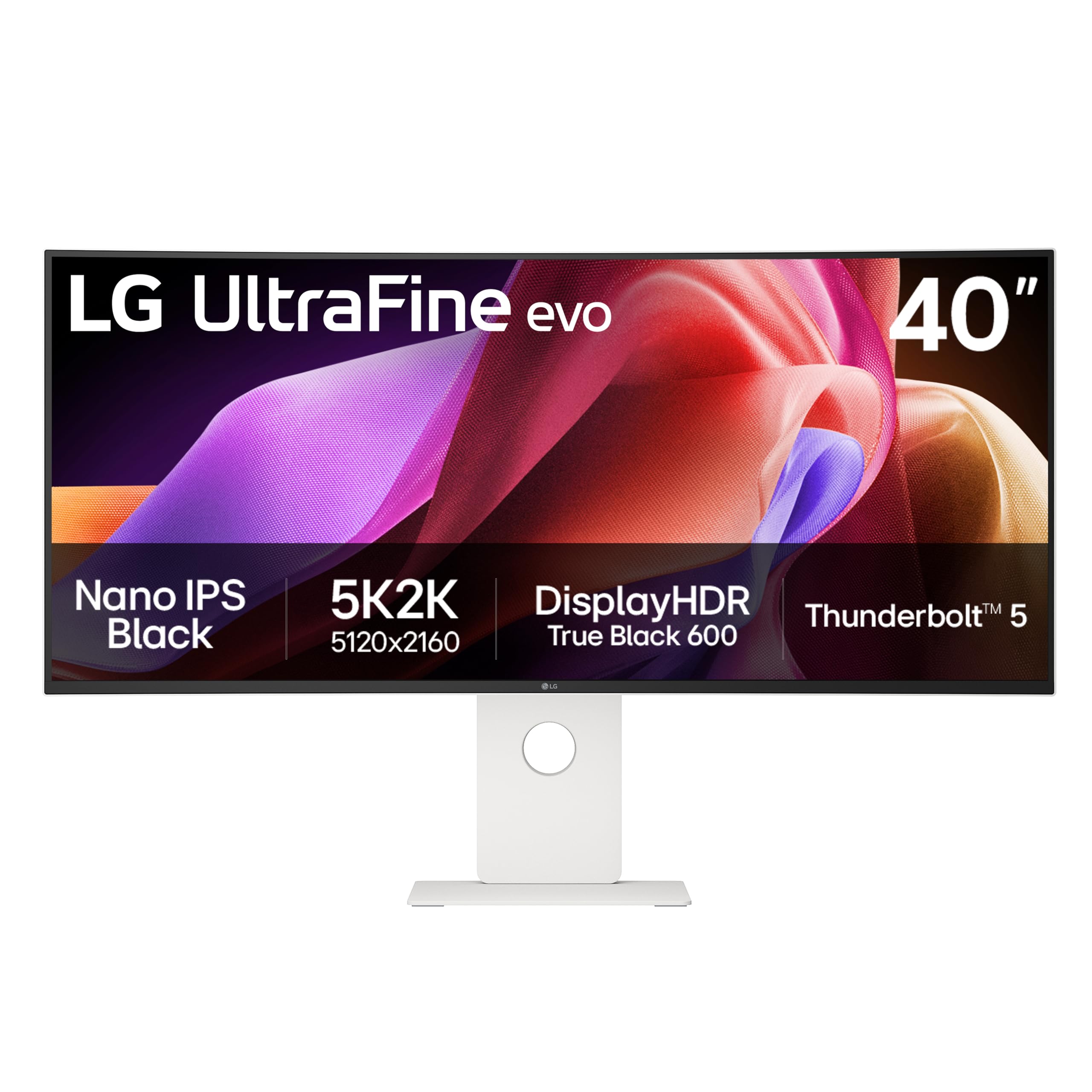
The LG UltraFine 40U990A-W is the world’s first 5K2K monitor with Thunderbolt 5, offering a staggering 80 Gbps of bandwidth that can drive the native 5120 x 2160 resolution at 120 Hz with a single cable while delivering 96 W of charging to a laptop. The Nano IPS Black panel achieves a 2000:1 contrast ratio, which is double conventional IPS, delivering noticeably deeper blacks while maintaining wide viewing angles and accurate color essential for video editing and photo work.
With 99% DCI-P3 coverage and VESA DisplayHDR 600 certification, this monitor is built for color-critical workflows. The 2500R curve is subtle, enough to reduce eye strain across the wide screen without distorting straight lines — a key requirement for architectural CAD or spreadsheet work. The built-in speakers are adequate for system audio but lack bass, and users report that the plastic build feels less premium than the price suggests.
The connectivity package is future-proof: dual HDMI 2.1, DisplayPort 2.1 (UHBR 13.5), and Thunderbolt 5 support daisy-chaining. Several early adopters flagged minor color uniformity issues on unit corners and unreliable sleep/wake behavior with PC. For a Mac-based creative professional who needs maximum resolution and color accuracy in a 40-inch package, this monitor is unmatched, but it requires careful quality control handling.
Why it’s great
- First monitor with Thunderbolt 5 for massive bandwidth
- Nano IPS Black yields 2000:1 contrast, far superior to standard IPS
- 5120×2160 at 120 Hz with single-cable simplicity
- 99% DCI-P3 and DisplayHDR 600
Good to know
- Some units have reported color uniformity problems
- Built-in speakers are weak
- Plastic chassis feels less premium than price implies
3. Dell UltraSharp U4025QW 40″

The Dell UltraSharp U4025QW is the reference monitor for the professional who wants one massive screen to replace a multi-monitor setup. Its 5120 x 2160 resolution on a 39.7-inch IPS Black panel delivers 2000:1 contrast, significantly better black levels than standard IPS, and the 120 Hz refresh rate makes it a viable light-gaming companion. The built-in KVM switch and Thunderbolt 4 hub with 140 W charging make it a true docking station replacement for a high-end laptop.
Text clarity is excellent thanks to the high pixel density, and the anti-glare coating is one of the best in class, reducing reflections without adding a grainy texture. The color accuracy out of box is very good, though the monitor covers 99% DCI-P3, and HDR 600 provides enough dynamic range for professional video review. The 2500R curve is subtle and comfortable for long coding sessions.
Several users have reported that the network KVM switching can be complex to configure and that the downward-facing ports are a hassle for cable management. The price is high, but for an all-in-one professional monitor that delivers top-tier productivity features and solid enough gaming specs, the U4025QW justifies its cost for those who live in spreadsheets and code editors.
Why it’s great
- Integrated Thunderbolt 4 KVM hub with 140W PD
- IPS Black panel for 2000:1 contrast ratio
- Excellent anti-glare coating for bright offices
- 120 Hz refresh for fluid productivity and light gaming
Good to know
- KVM network switching can be difficult to set up
- Downward-facing ports make cable management hard
- High price may be overkill for pure gaming
4. LG 45GX900A-B 45″ OLED

The LG 45GX900A-B is a dedicated gaming behemoth designed around an uncompromising 45-inch WQHD OLED panel with an 800R curvature that wraps around your field of view like a cockpit windshield. The 240 Hz refresh rate and 0.03 ms response time are among the fastest available, and the OLED infinite contrast ratio means every dark alley in a horror game is truly black, not gray. With 1300 nits peak brightness in small highlights, the HDR performance is breathtaking, provided the content supports it.
AMD FreeSync Premium Pro and G-Sync Compatibility ensure tear-free gameplay at any frame rate, and the anti-glare coating reduces reflections without sacrificing the deep blacks that make OLED special. The built-in speakers are decent but not competitive with a dedicated soundbar. The main compromise is the resolution: 3440 x 1440 on a 45-inch panel yields a lower pixel density (about 83 PPI), making text less sharp than the 5K2K monitors. For pure gaming immersion, this is a top-tier choice, but it’s less ideal for text-heavy professional use.
The LG’s OLED Care suite includes a 2-year warranty with burn-in coverage, which provides peace of mind. The large footprint and steep curve require a deep desk and an eye for positioning. For sim racers and flight sim enthusiasts who want the most immersive single-screen experience available, the 45GX900A-B is the definitive choice.
Why it’s great
- Aggressive 800R curve is unmatched for immersion
- 240 Hz + 0.03 ms makes motion impossibly clean
- OLED infinite contrast and 1300 nits peak HDR
- 2-year warranty with burn-in coverage
Good to know
- 3440×1440 at 45″ yields lower pixel density (~83 PPI)
- Text clarity is weaker for productivity tasks
- Requires a very deep desk due to 800R curve
5. Alienware AW3425DW 34″ QD-OLED

The Alienware AW3425DW brings a 34-inch QD-OLED panel to the ultrawide gaming arena, combining the company’s best-in-class build quality with Samsung’s most vibrant OLED technology. The 3440 x 1440 resolution on a 34-inch panel hits a sharp 110 PPI, making it ideal for both gaming and everyday desktop use. The 240 Hz refresh rate and 0.03 ms response time, combined with FreeSync Premium Pro and G-Sync Compatibility, make this monitor exceptionally responsive.
Color accuracy is outstanding with 99.3% DCI-P3 coverage and Delta E < 2 out of box, and the infinite contrast ratio produces HDR that feels three-dimensional. The Alienware OLED Care suite includes a pixel refresh cycle and a proximity sensor that dims the panel when you walk away, reducing burn-in risk. The 1800R curve is more relaxed than LG’s 800R, making it suitable for both gaming and productivity.
The glossy screen coating delivers incredible color saturation and sharpness, but it can reflect ambient light in bright rooms. Some users note that text clarity is slightly less sharp than a high-PPI IPS panel due to the OLED subpixel layout. For a premium, competitive-level gaming monitor that also handles creative work beautifully, the AW3425DW is a top contender.
Why it’s great
- 240 Hz QD-OLED with near-zero motion blur
- 99.3% DCI-P3, Delta E < 2 out of box
- Infinite contrast makes HDR pop
- Excellent build quality and multi-axis stand
Good to know
- Glossy screen can cause reflections in bright rooms
- OLED text clarity not as sharp as high-PPI IPS
- No built-in speakers
6. ASUS ROG XG34WCDG 34″ QD-OLED

The ASUS ROG XG34WCDG is a 34-inch QD-OLED monitor built around ASUS’s proprietary OLED Care Pro technology, which includes a Neo Proximity Sensor that automatically dims the screen when you step away. The 175 Hz refresh rate and 0.03 ms response time provide fluid gaming motion, while the infinite contrast ratio and VESA DisplayHDR True Black 400 certification deliver rich, lifelike HDR. The true 10-bit color panel covers 99.3% DCI-P3 with Delta E < 2 accuracy.
The DisplayWidget Center software allows you to adjust OLED care settings and game modes with a mouse, which is more convenient than fiddling with hard buttons. The 21:9 3440 x 1440 resolution hits a high PPI, and the 1800R curve is comfortable for mixed use. Users upgrading from an older IPS or VA monitor consistently report that the image quality is a dramatic leap forward, especially in dark scenes.
The main downside is the Neo Proximity Sensor, which some users report as too sensitive, triggering black screen shutdowns during normal use. Additionally, the Extreme Low Motion Blur (ELMB) function requires a DisplayPort connection, which is a limitation for laptops that only have HDMI. For gamers who want a feature-rich OLED with robust burn-in protection and excellent software support, this is a strong alternative to the Alienware.
Why it’s great
- OLED Care Pro with Neo Proximity Sensor for burn-in prevention
- Stunning QD-OLED image quality and HDR
- DisplayWidget Center software for mouse-controlled adjustments
- True 10-bit panel with great factory calibration
Good to know
- Auto sensor can be too sensitive and shut off screen
- ELMB only works via DisplayPort
- No built-in speakers
7. Samsung M7 43″ 4K Smart

The Samsung M7 is not a pure gaming monitor; it is a 43-inch 4K smart display that functions equally well as a productivity monitor and a TV for streaming. Its 5000:1 contrast ratio from the VA panel provides excellent blacks for media consumption, and the 60 Hz refresh rate is fine for narrative games and strategy titles, but not for competitive shooters. The built-in Samsung Gaming Hub offers cloud gaming without a PC or console, which is a unique flexible option.
The integrated Tizen smart platform provides direct access to Netflix, Prime Video, and YouTube, and the SolarCell Remote eliminates the need for disposable batteries. The USB-C port supports video input and up to 65 W charging, making it a convenient hub for a laptop. The monitor is lightweight and VESA mountable, and the included stand is functional if not premium.
The lack of a DisplayPort is a notable limitation for high-refresh gaming, and the 16:9 4K resolution at 43 inches yields a pixel density of about 103 PPI, which is acceptable but not as sharp as 5K2K alternatives. Several users have reported that the smart interface can be cumbersome for pure monitor use, with menus designed for a TV remote. For a home office that doubles as a secondary living room screen, the M7 is a versatile value, but it is a compromise for serious competitive gaming.
Why it’s great
- Built-in smart TV platform for streaming without a PC
- Samsung Gaming Hub for cloud gaming
- USB-C with 65W power delivery
- Excellent 5000:1 VA contrast for media
Good to know
- 60 Hz is a disadvantage for competitive gaming
- No DisplayPort, limiting high-refresh connections
- Smart TV interface can be clunky for monitor use
8. Alienware AW3425DWM 34″ VA

The Alienware AW3425DWM is a budget-friendly entry point into the ultrawide gaming monitor world, offering a 34-inch 3440 x 1440 VA panel with a 180 Hz refresh rate and 1 ms response time. The 3000:1 contrast ratio from the VA panel delivers deep blacks that make dark scenes in games like Elden Ring look rich and atmospheric. The 1500R curve is gentle enough for productivity but provides noticeable immersion in gaming.
This monitor supports AMD FreeSync Premium and VESA AdaptiveSync, ensuring smooth frame delivery within its range. The DCI-P3 95% color coverage and VESA DisplayHDR 400 certification are solid for the price bracket. The build quality is excellent, with a sturdy stand that includes height and tilt adjustment, and the monitor comes with both HDMI and DisplayPort cables.
The main limitation is that the HDR experience is modest at 400 nits — it’s usable but not as punchy as more expensive options. Some users note that non-OLED blacks are not as inky, and there is some visible bloom in high-contrast scenes. For a gamer who wants to experience ultrawide gaming without a large investment, the AW3425DWM is a reliable, well-built choice that punches above its price.
Why it’s great
- Excellent value for 34″ 3440×1440 at 180 Hz
- VA panel delivers good contrast for the price
- Best-in-class stand with height/tilt adjustment
- Includes HDMI and DP cables
Good to know
- HDR is limited by 400 nit peak brightness
- Some bloom in high-contrast scenes
- No built-in speakers
9. CRUA 32″ 4K 240Hz

The CRUA 32″ 4K gaming monitor is a high-spec, budget-friendly option that packs a 3840 x 2160 VA panel with a 240 Hz refresh rate into a white chassis. The 1500R curve provides a subtle immersion, and the 3000:1 contrast ratio ensures deep blacks. The inclusion of HDMI 2.1 means you can run the 4K panel at 240 Hz on a capable PC or at 120 Hz on a PS5 or Xbox Series X.
The monitor covers 120% sRGB and displays 1.07 billion colors via 8-bit + FRC, making it suitable for content consumption and light creative work. Built-in speakers are present, though they are basic and best replaced by dedicated speakers. The PIP/PBP features allow multitasking with two input sources simultaneously, which is useful for streamers or professionals.
The stand offers tilt adjustment but lacks height and swivel, and the menu system is controlled via a single joystick that can be confusing without an included remote. Some users report that the built-in speakers may not function out of box and require an external audio solution. For a gamer on a budget who wants a high-refresh 4K experience in a 32-inch format, the CRUA monitor offers exceptional value for the money.
Why it’s great
- 4K 240 Hz via HDMI 2.1 at a very competitive price
- VA panel provides 3000:1 contrast for deep blacks
- White color scheme stands out on a desk
- PIP/PBP mode for multi-device workflows
Good to know
- Stand lacks height and swivel adjustment
- OSD menu is confusing without a remote
- Built-in speakers are basic
10. Deco Gear 40″ Curved 5K2K Nano IPS
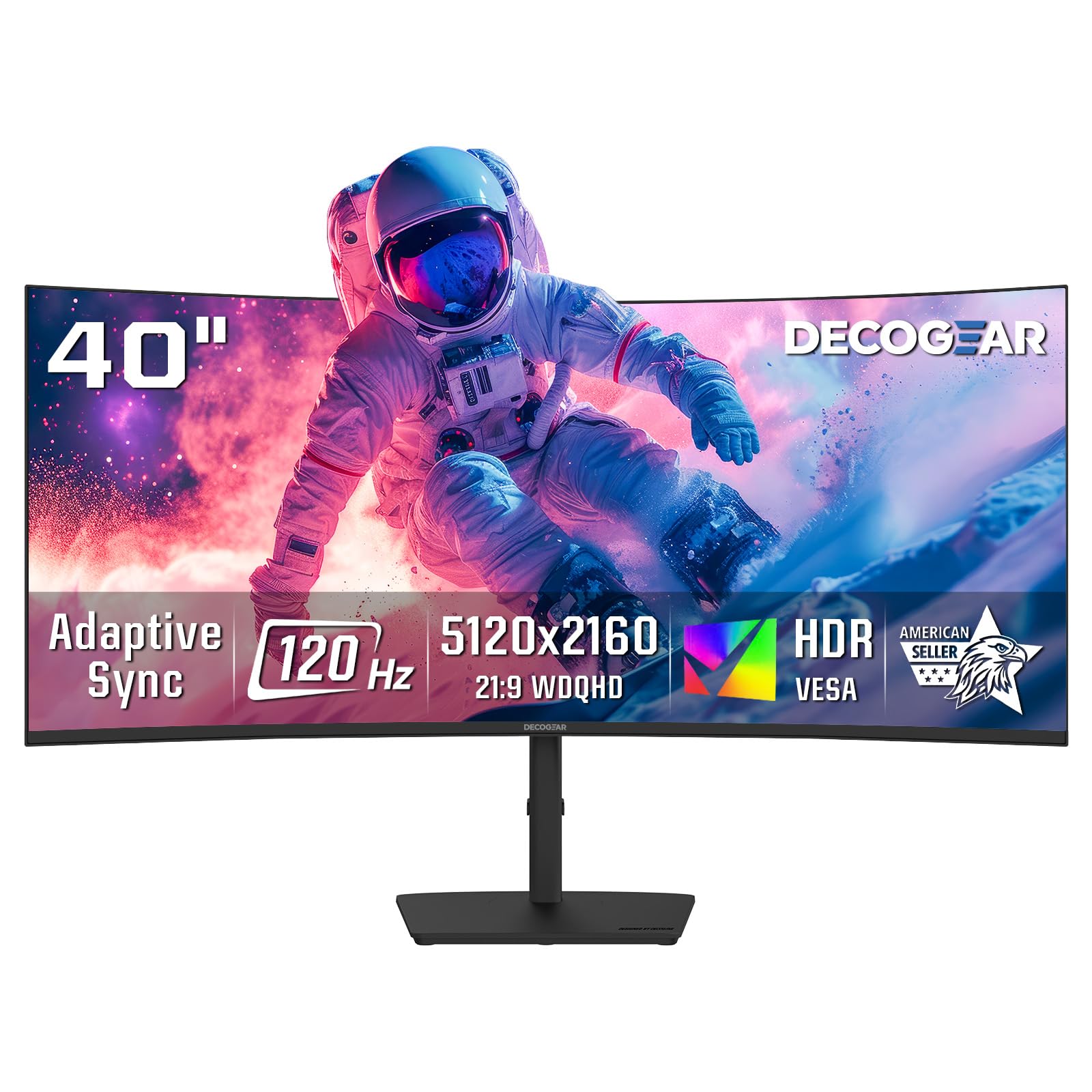
The Deco Gear 40″ Curved monitor delivers a 5120 x 2160 5K2K resolution on a Nano IPS panel, offering the high pixel density needed for sharp text and the wide color gamut (99% DCI-P3) required for creative work. The 2500R curve is gentle, reducing eye strain across the wide screen without distorting straight lines. The 120 Hz refresh rate, while not competitive-speed, is more than enough for immersive single-player gaming and provides a smooth desktop experience.
Connectivity is a strong point: the monitor includes a USB-C port with 65 W Power Delivery, plus four USB-A ports for peripherals, making it a functional hub for a laptop-centric desk. The built-in speakers are decent for conference calls and casual listening, but they lack bass for cinematic gaming. The stand offers tilt and swivel adjustments, though the single-button OSD control is clunky to navigate.
Some users have reported that the low 250 cd/m² brightness can make HDR content feel dim, and the overall contrast ratio of 2000:1, while good for IPS, does not rival VA or OLED blacks. For a professional or hybrid worker who wants a large, sharp screen for productivity and the ability to play games at a smooth 120 Hz, the Deco Gear is a compelling mid-range option.
Why it’s great
- 5120×2160 resolution provides excellent pixel density
- Nano IPS panel with 99% DCI-P3 for color accuracy
- USB-C with 65W PD and USB-A hub
- 120 Hz refresh for fluid productivity
Good to know
- Brightness is low at 250 cd/m² for HDR
- Single-button OSD is difficult to use
- Contrast is good for IPS, but not VA/OLED level
11. Gawfolk 45″ 5K2K 200Hz
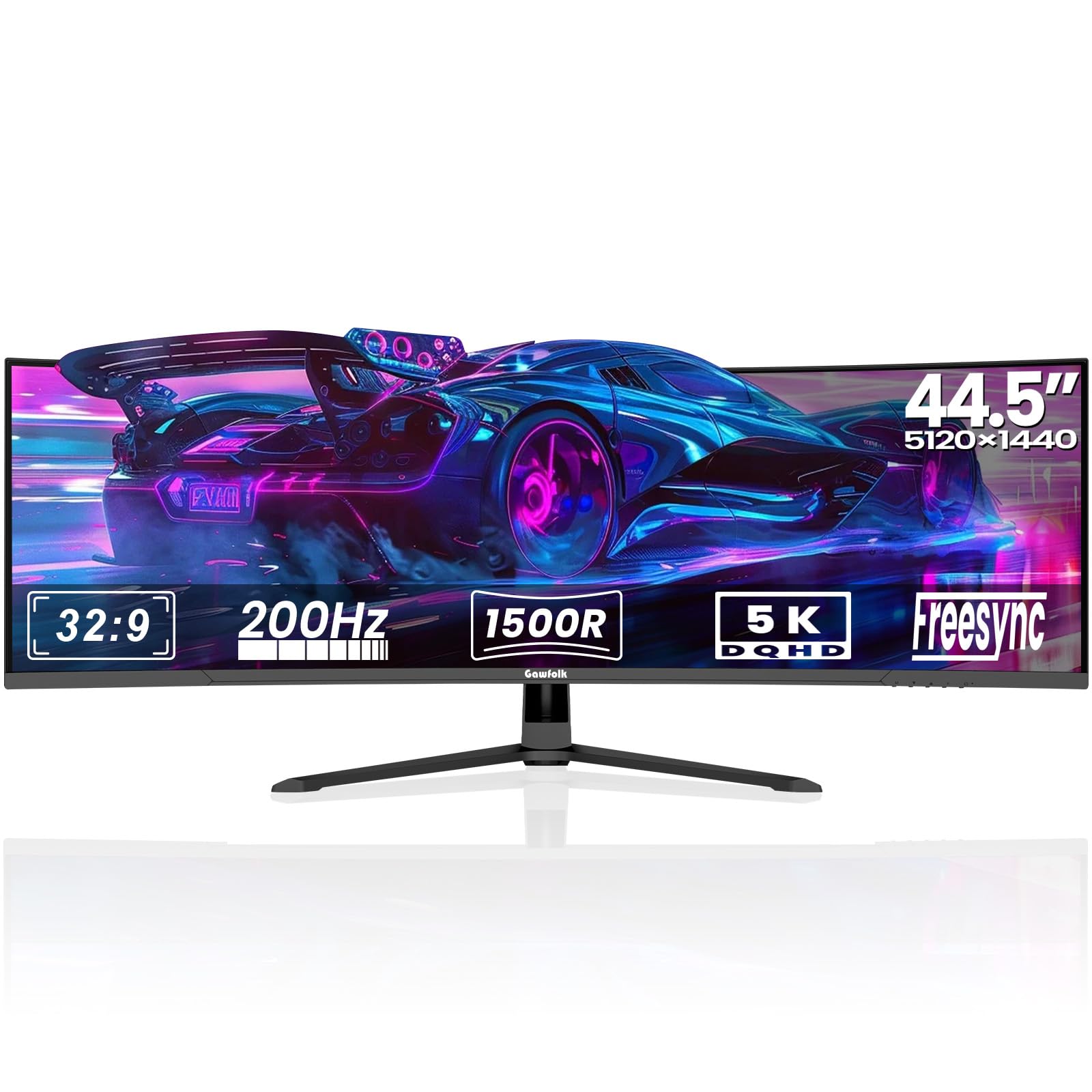
The Gawfolk 45″ Ultrawide monitor is a massive 32:9 super-ultrawide that offers a 5120 x 1440 resolution and a 200 Hz refresh rate for a price that undercuts every major brand. The VA panel provides a 3000:1 contrast ratio, delivering deeper blacks than IPS alternatives, and the 1500R curve helps manage the extreme width. This monitor is essentially two 24-inch QHD monitors side-by-side without a bezel, making it ideal for multitasking or immersive racing games.
Connectivity is generous with dual HDMI 2.1 ports and dual DisplayPort 1.4 inputs, alongside PIP/PBP modes that allow you to use two separate sources on the same screen. The built-in speakers are present but lack bass, and the ambient lighting on the rear panel adds a subtle aesthetic glow. The aluminum alloy base is sturdy, and the monitor is VESA mount compatible.
Reliability is a concern, as some users have reported random screen blackouts and ghosting after a few days of use. The whites can appear washed out, and the built-in speakers are poor. For a budget-focused gamer who wants maximum screen real estate and high refresh rates, the Gawfolk offers compelling specs on paper, but the quality control issues mean it is a gamble.
Why it’s great
- Massive 32:9 super-ultrawide at a low price
- 200 Hz refresh rate is high for the panel class
- Dual HDMI 2.1 and dual DP 1.4 ports
- PIP/PBP for multi-source workflows
Good to know
- Some units have reported screen cut-out and ghosting
- Whites can appear washed out
- Built-in speakers are poor
FAQ
Is a 40-inch monitor too big for competitive gaming?
What GPU do I need for a 5K2K 120 Hz monitor?
What is the difference between 1440p ultrawide and 4K on a 40-inch monitor?
Is burn-in still a risk on modern OLED gaming monitors?
Final Thoughts: The Verdict
For most users, the best 40 inch gaming monitor winner is the Samsung Odyssey G7 40″ WUHD because it delivers the sharp 5K2K resolution that makes the 40-inch size shine, combined with a 180 Hz refresh rate and deep VA contrast that avoids the burn-in concerns of OLED. If you want uncompromising HDR and speed, grab the LG 45GX900A-B 45″ OLED for its unmatched immersion. And for a professional-focused hybrid that doubles as a productivity hub, the Dell UltraSharp U4025QW is the definitive choice.