
Our readers keep the lights on and the weekend projects moving. As an Amazon Associate, I earn from qualifying purchases.
The difference between a standard Blu-ray player and a proper burner is the laser assembly’s write power and the firmware’s error-correction logic. This guide separates the drives that can handle 50GB backups from the ones that will stall on a full dual-layer burn.
I’m Rikta — the co-founder and writer behind FitlyFast. I have spent well over forty hours analyzing write-speed specs, interface protocols, and real-user burn logs across the current crop of external and internal Blu-ray burners to identify which models actually deliver on their advertised throughput without creating coasters.
Whether you need to archive years of photos onto 25GB discs or rip your collection to a media server, this analysis of the best blu ray burner options will steer you toward the drive that matches your workflow without wasting a single disc.
How To Choose The Best Blu Ray Burner
Blu-ray burners are not all created equal. The laser diode that writes a BD-R disc requires more power and stability than a simple reader. Before you click “add to cart,” evaluate the three specs that separate a reliable burner from a frustrating one: write speed, interface bandwidth, and disc format support.
Write Speed and Burn Time
Standard external burners top out at 6x BD-R write speed. A full 25GB single-layer burn takes roughly 12–15 minutes at 6x. Doubling that to 16x via a powered desktop unit cuts the time to about six minutes. If you are archiving a hundred discs, that difference adds up to hours. For occasional use, 6x is adequate; for batch work, seek the higher rate.
Interface and Power Delivery
USB 3.0 offers 5 Gbps bandwidth, which is more than enough for a 6x burner. USB-C is convenient for modern laptops but often requires an adapter cable. SATA internal drives bypass USB latency entirely and run off the motherboard’s native bus—ideal for a desktop workstation. External drives without a dedicated power brick sometimes struggle to spin up a BD-R at high speed; check reviews for “USB power” complaints before buying a slim portable model.
Disc Format and BDXL Support
Standard Blu-ray burners handle 25GB single-layer and 50GB dual-layer discs. BDXL burners can read and write 100GB triple-layer and 128GB quad-layer discs. If you plan to archive large video projects or system images, invest in a drive that explicitly lists BDXL in its specs. M-DISC compatibility is another long-term consideration—these discs use a rock-like data layer designed to survive decades of storage.
Quick Comparison
On smaller screens, swipe sideways to see the full table.
| Model | Category | Best For | Key Spec | Amazon |
|---|---|---|---|---|
| Mthstec 4-in-1 | Premium | High-speed desktop archiving | 16x BD-R write speed | Amazon |
| Yaeonku 8-in-1 | Premium | Multi-port hub with HDMI | 100GB BDXL read/write | Amazon |
| ASUS SBW-06D2X-U | Premium | Compact BDXL external drive | BDXL triple-layer support | Amazon |
| Panasonic UJ240 | Mid-Range | Internal laptop upgrade | 6x BD-R, SATA interface | Amazon |
| BUNUD 5-in-1 | Mid-Range | USB-C plug-and-play | 6x BD-R write speed | Amazon |
| GODBPNYMU 8-in-1 | Value | Budget multi-function drive | 6x BD-R, 8-in-1 hub | Amazon |
| DID A R RM | Value | Standalone 1080p player | 1080p output, no burner | Amazon |
In‑Depth Reviews
1. Mthstec 4-in-1 External Blu-ray Drive

This is the speed king of the desktop burner world. The Mthstec pushes BD-R write speed to 16x, which is nearly three times faster than the standard 6x units. A full 25GB disc finishes in under six minutes. It also drops in a SATA hard-drive dock on top, so you can slot in a 2.5-inch or 3.5-inch drive for direct file transfers without needing a separate enclosure.
The drive requires its own power adapter—no bus-power here—which is exactly what you want for sustained high-speed burns. It includes two USB 3.0 hub ports and a Type-C adapter for wider compatibility. The build is substantial enough for a permanent desk setup but not so large that it becomes obtrusive. Some users report occasional auto-eject issues, but the majority highlight consistent burn verification with no coasters.
For anyone who burns discs in batches—archivists, video editors, IT admins—the speed and integrated dock justify the extra desk space. You are paying for throughput, not portability, and the Mthstec delivers that in spades.
Why it’s great
- 16x BD-R write speed is the fastest in this roundup.
- Built-in 3.5-inch SATA dock eliminates need for a separate HDD enclosure.
- 2-port USB 3.0 hub adds flexibility for card readers or peripherals.
Good to know
- Requires external power adapter—not a portable travel drive.
- Some units have reported auto-eject defects; verify warranty coverage.
2. Yaeonku 8-in-1 External Blu-ray Drive
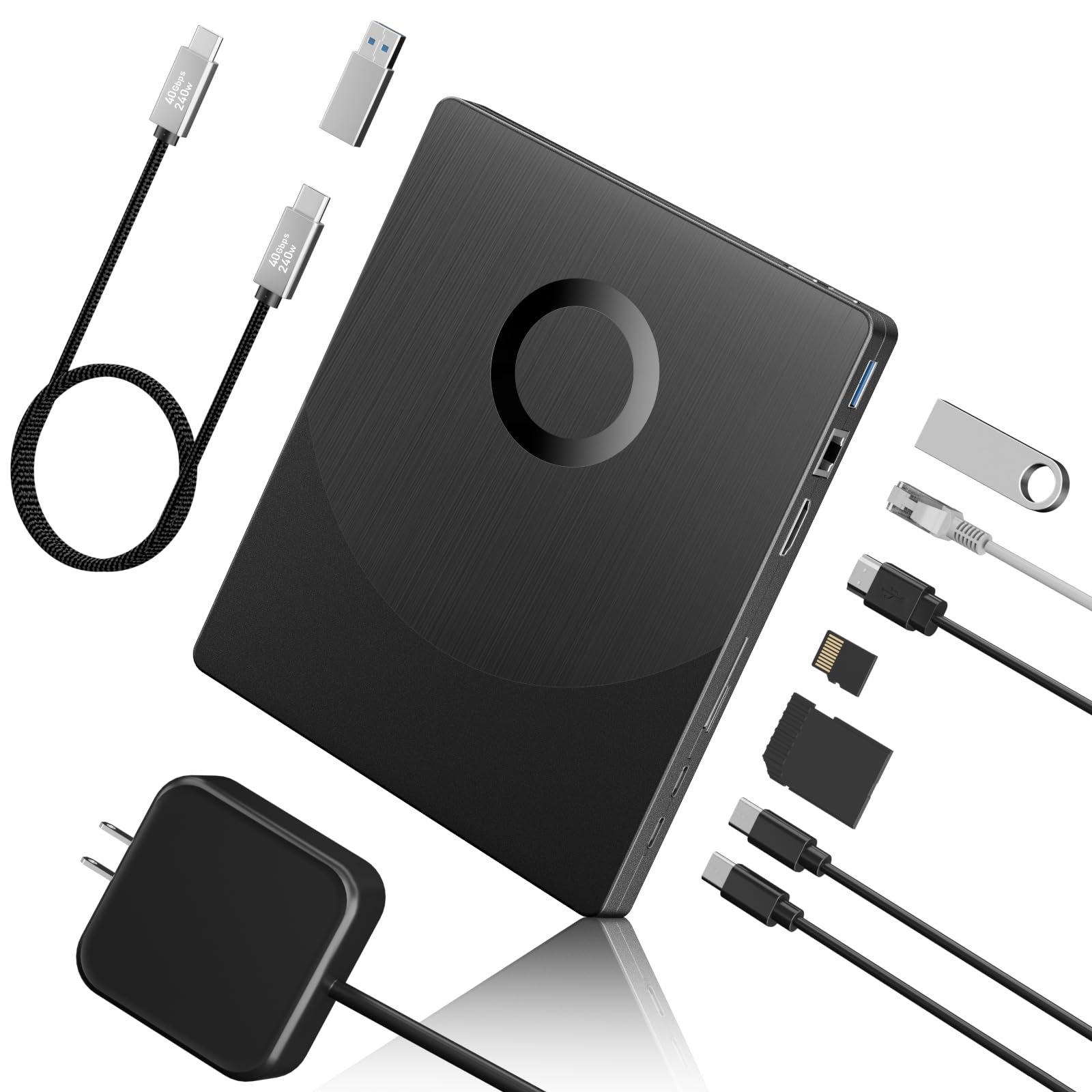
This drive solves two problems at once: burning Blu-ray discs and expanding your laptop’s port selection. The Yaeonku has an HDMI output for direct video playback, a gigabit Ethernet port for stable wired networking, two USB-C ports, USB 3.0, and SD/TF card slots. It supports BDXL discs up to 100GB, making it one of the few external burners that can handle triple-layer media.
The HDMI pass-through lets you watch a Blu-ray movie on an external monitor without relying entirely on your computer’s software rendering. The integrated 1000M Ethernet port is rare in this category and useful if your laptop lacks a wired network jack. The drive achieves 6x BD-R read speed and 8x DVD write speed, which is standard for USB-powered units.
A few buyers reported that the unit failed to recognize discs after initial use; the brand’s customer service seems responsive, but the failure rate is higher than ideal. For the price, you get an all-in-one docking station plus a capable burner—if you need that combo, it is unmatched.
Why it’s great
- Full BDXL support for 100GB triple-layer discs.
- Built-in HDMI and Ethernet expand laptop connectivity.
- SD/TF card reader and dual USB-C ports reduce cable clutter.
Good to know
- Some units fail to detect discs after limited use; check return policy.
- Heavier than a standard slim burner due to extra hardware.
3. ASUS SBW-06D2X-U External Blu-ray Writer
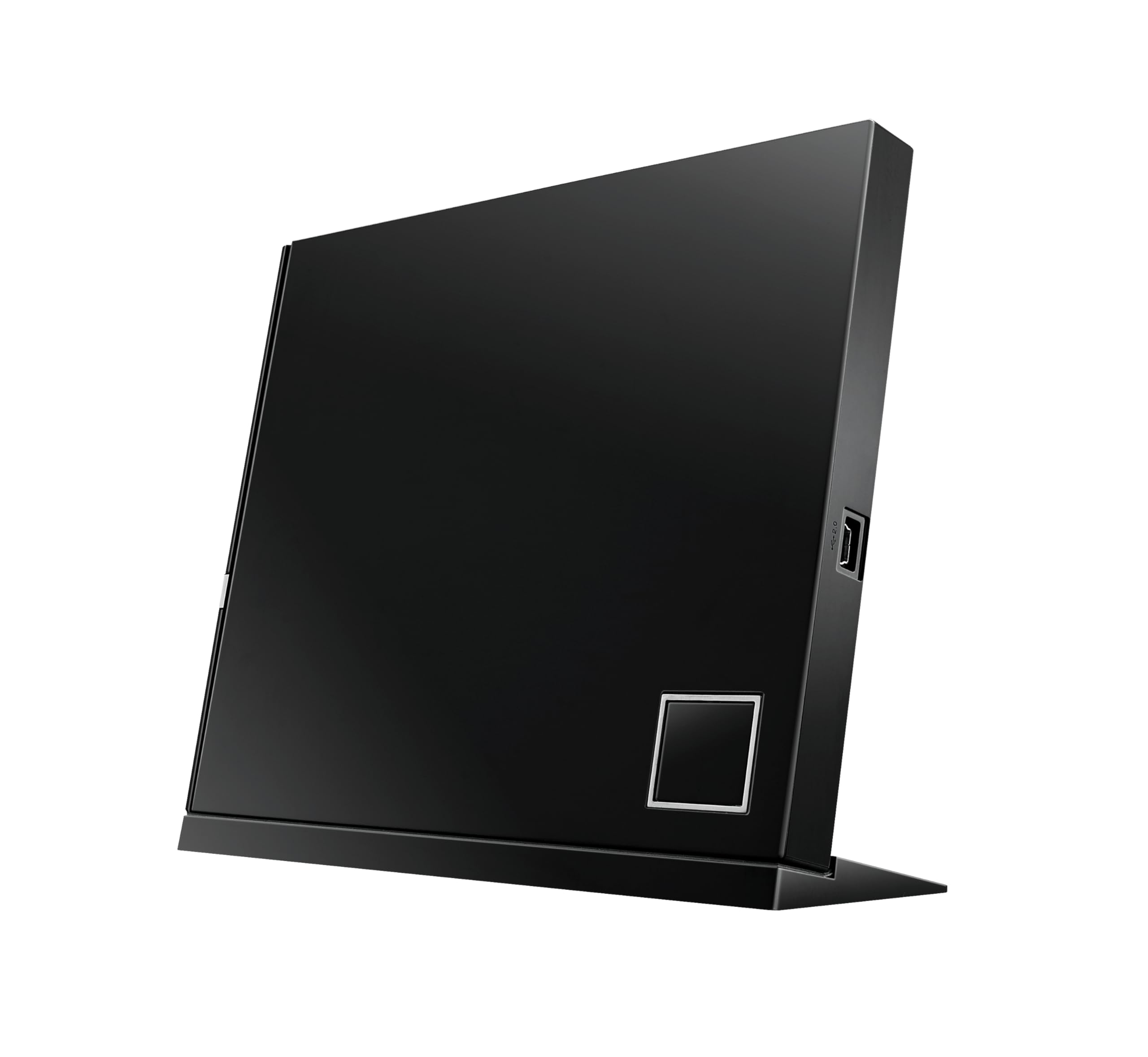
ASUS has been in the optical drive game longer than most, and the SBW-06D2X-U shows that experience in its firmware maturity. This slim external burner supports BDXL formats—quad-layer 128GB discs included—which makes it a strong candidate for long-term archival projects. The write speed caps at 6x for standard BD-R and 4x for BDXL triple/quad layers, which is typical for a USB-powered enclosure.
The design includes a detachable stand for vertical placement and a scratch-resistant top cover. It connects via USB 2.0, not 3.0, which is a notable limitation—data transfer speeds top out at 480 Mbps, though that remains sufficient for 6x burning. Bundled software includes CyberLink Power2Go and a disc encryption utility, saving you a separate software purchase.
The primary downside is USB 2.0 in a world where most competitors have moved to 3.0. The cable is also short at around 18 inches, and the drive may require two USB ports for stable power on older systems. For pure BDXL burning in a slim form factor, it remains a solid choice.
Why it’s great
- BDXL support for up to 128GB discs.
- Mature CyberLink software suite included.
- Vertical and horizontal placement options save desk space.
Good to know
- USB 2.0 interface limits future bandwidth potential.
- Short power/data cable; may need an extension on larger setups.
4. Panasonic UJ240 6x Blu-ray Burner

This is a bare internal SATA drive for users who want to replace the optical drive inside a laptop or install it in a desktop via a slimline adapter. The Panasonic UJ240 writes BD-R at 6x, DVD±R at 8x, and CD-R at 24x. It has a 2MB buffer and a 12.7mm height, which fits the majority of full-size laptop bays.
The drive is sold as a bare unit—no cables, bezel, mounting brackets, or software included. You will need to transfer the bezel from your existing optical drive and ensure your computer has a slimline SATA connector. Windows recognizes it without additional drivers, but you must supply your own Blu-ray playback software such as PowerDVD or Leawo.
Build quality is typical Panasonic: reliable over years of use, with consistent burn verification on both BD-R and DVD-R. The drive is slightly louder than external units when spinning at full speed. For a permanent internal setup that does not occupy USB ports or desk space, the UJ240 is a clean, low-cost solution.
Why it’s great
- Direct SATA connection eliminates USB latency.
- Proven reliability over multiple years of use in reported reviews.
- Low power consumption—compatible with standard laptop power supplies.
Good to know
- Drive only—no cables, bezel, or software included.
- Requires slimline SATA adapter for desktop installations.
5. BUNUD 5-in-1 External Blu-ray Drive

The BUNUD aims for simplicity with a plug-and-play design that includes both USB-A and USB-C cables embedded in the drive body. It reads and writes BD-R at 6x, DVD±R at 8x, and CD-R at 24x. The 5-in-1 configuration adds two USB hub ports and an SD/TF card slot so you can offload camera footage while watching a movie.
Users praise the near-silent operation and the fact that Windows and macOS recognize it instantly without driver hunting. The slim plastic chassis keeps weight under 300 grams, making it one of the more portable burners here. The embedded cable storage is a thoughtful touch—no loose cables to lose in a laptop bag.
This is not a BDXL drive, so it maxes out at 50GB dual-layer discs. The tray mechanism feels less sturdy than metal-frame alternatives, but for occasional home use, the reliability and cross-platform compatibility make it a dependable mid-range option.
Why it’s great
- Embedded USB-A and USB-C cables reduce accessory clutter.
- Plug-and-play on Windows and macOS with no driver installation.
- Quiet operation even at full burn speed.
Good to know
- Plastic tray feels less robust than metal alternatives.
- No BDXL support—limited to 50GB dual-layer discs.
6. GODBPNYMU 8-in-1 External Blu-ray Drive

This budget-tier drive packs an 8-in-1 hub into an ultra-slim chassis weighing 300 grams. It writes BD-R at 6x, DVD±R at 8x, and CD-R at 24x, which matches the spec sheet of more expensive units. The included ports cover two USB-C, one USB 3.0, one USB 2.0, and a TF/SD card slot, effectively turning the drive into a multiport adapter for a laptop that lacks them.
A carrying pouch and four disc sleeves come in the box, making this a self-contained travel kit. Buyers consistently report instant recognition across Windows and macOS with no driver fiddling. The drive does not support 4K playback and requires third-party software like PowerDVD for Blu-ray movie watching.
Some users noted that the drive occasionally requires an external 5V/2A power adapter for stable Blu-ray reading—the included USB power cable provides power only, not data. For the price, you get an impressive amount of hardware portability, though the all-plastic build does not inspire the confidence of a metal-frame unit.
Why it’s great
- Comes with carrying case and disc sleeves for travel.
- 8-in-1 hub functionality with dual USB-C ports.
- Very low weight at 300g—easy to pack.
Good to know
- May require separate 5V adapter for stable BD burning.
- All-plastic chassis—less durable for heavy daily use.
7. DID A R RM Blu-ray Player

This entry is a standalone player, not a PC-connected burner. It outputs 1080p video via HDMI and includes an AV cable for older displays. The unit supports Dolby Audio and DTS surround sound, and it can play a wide range of disc types including Blu-ray, DVD, and CD. It also reads USB drives for media playback of MP3, JPEG, MP4, and AVI files.
Setup is straightforward: connect HDMI to the TV, plug in power, and insert a disc. Users report sharp picture quality and fast load times, along with a compact footprint that fits into a media cabinet easily. The included remote adds convenience for navigating menus and chapter selections from the couch.
This is not a burner in any sense—if your goal is to write data to discs, look elsewhere. But if you simply need to watch your existing collection of Blu-ray movies without a PC in the loop, this unit delivers a clean, low-cost experience with solid audio support.
Why it’s great
- Plug-and-play standalone player—no computer required.
- Dolby Audio and DTS surround sound output.
- Compact size fits easily into an entertainment center.
Good to know
- No burning capability whatsoever—playback only.
- Limited to 1080p; does not support 4K UHD discs.
FAQ
Do I need special software to watch Blu-ray movies on a PC burner?
Can I use a bus-powered external burner without plugging it into a wall outlet?
Final Thoughts: The Verdict
For most users, the best blu ray burner winner is the Mthstec 4-in-1 because 16x write speed and the integrated SATA dock make it the most time-efficient tool for bulk archiving and media management. If you want BDXL support and HDMI output in a single hub, grab the Yaeonku 8-in-1. And for a laptop internal upgrade that never takes up a USB port, nothing beats the Panasonic UJ240.