
Our readers keep the lights on and the weekend projects moving. As an Amazon Associate, I earn from qualifying purchases.
A 27-inch touch screen monitor promises a workstation that responds to a simple tap, swipe, or pinch — no mouse, no keyboard, just your fingers doing the work. The problem is that the category is flooded with panels that ghost, lag, or stop registering touches entirely after a few months. Separating the responsive, durable units from the disposable ones requires looking past marketing claims and digging into the actual touch controller, panel quality, and connectivity that makes or breaks the interactive experience.
I’m Rikta — the co-founder and writer behind FitlyFast. I’ve spent hundreds of hours researching the touch screen monitor space, analyzing spec sheets, customer feedback patterns, and real-world failure points to build this guide for serious buyers.
If you need a display that actually responds to every finger press without driver headaches or ghost touches, here is the definitive analysis for finding the best 27 inch touch screen monitor for your specific workflow.
How To Choose The Best 27 Inch Touch Screen Monitor
Selecting a touch monitor for a 27-inch panel means balancing resolution, touch accuracy, connectivity, and build quality. The wrong choice leaves you with a dead touch controller or a display that only works with specific operating systems. Here is what you need to check before buying.
Touch Technology — Projected Capacitive vs. Resistive
Every monitor on this list uses projected capacitive (PCAP) touch, the same technology found in smartphones. PCAP supports multi-finger gestures up to 10 points, responds to light touch, and does not require calibration. Resistive touch, found on older or budget panels, only registers one finger and requires pressure. For a 27-inch interface where you will be tapping, dragging, and pinching, PCAP is the only acceptable standard.
Resolution and Panel Type — More Pixels, Better Touch Precision
1080p is the entry point, but at 27 inches, individual pixels become visible at normal viewing distance. QHD (2560×1440) provides noticeably sharper text and finer touch targets, which matters for graphic work or dense software interfaces. IPS panels are non-negotiable — they maintain color accuracy and brightness across wide viewing angles, which is critical when the monitor is wall-mounted or used in a shared space.
Operating System Compatibility — The Number One Gotcha
Many touch monitors explicitly state they do not support MacOS. The touch controller driver simply does not exist for Apple’s desktop OS unless the manufacturer provides a special driver (ViewSonic’s vTouch is one example). Even within Windows, some touch controllers require a direct USB connection to specific chipset ports (USB 2.0 vs. 3.2) to register touches. Check the fine print on OS support before buying.
Connectivity and Mounting — USB-C DP-Alt Mode and VESA
USB-C with DisplayPort Alt Mode allows a single cable to carry video, touch data, and power, reducing cable clutter. If your laptop lacks USB-C DP-Alt, you will need separate HDMI and USB cables for touch. VESA mounting (typically 100x100mm or 75x75mm) is standard on most models but worth verifying — some curved or open-frame monitors use non-standard hole patterns.
Quick Comparison
On smaller screens, swipe sideways to see the full table.
| Model | Category | Best For | Key Spec | Amazon |
|---|---|---|---|---|
| ViewSonic TD2760 | Premium | Reliable daily touch with Mac/Windows | 50M:1 DCR, 10-point PCAP | Amazon |
| Elo 2702L | Commercial | Retail / high-traffic public kiosks | Edge Connect peripherals | Amazon |
| Dragon Touch TM27 (Calendar) | Digital Calendar | Family scheduling / chore charts | 27″ interactive touch planner | Amazon |
| Dragon Touch TM27 (Desk) | Digital Calendar | Family scheduling / photo frame | App sync + chore tracker | Amazon |
| GreenTouch Open Frame | Industrial | Kiosks / golf simulators / embedded | IP65 front, IK08 vandal-proof | Amazon |
| Pisichen 2K Curved | Mid-Range | Curved immersive touch | 2560×1440, 85Hz, 1500:1 | Amazon |
| Pisichen 2K White | Mid-Range | USB-C one-cable touch setup | QHD, 100Hz, USB-C DP-Alt | Amazon |
| FYHXele 27 | Value | Budget touch for Windows / Pi | 1080p 75Hz, FreeSync | Amazon |
| CUNPU 27 | Budget | Entry-level touch for business | FHD, 10-point, 100% sRGB | Amazon |
In‑Depth Reviews
1. ViewSonic TD2760

The ViewSonic TD2760 is the most reliable plug-and-play 27-inch touch monitor on the market. It uses a robust 10-point projected capacitive touch screen with a pressure-sensing layer that works reliably across multiple computers — reviewers are using it with HDMI switches to toggle between three Windows PCs and a Mac without driver conflicts. The 1080p VA panel delivers deep contrast (50M:1 dynamic) and anti-glare coating that makes it usable in bright retail or office environments.
The dual-hinge stand is genuinely heavy-duty, supporting height adjustment, tilt, and swivel with a large stable base. Connectivity is comprehensive: HDMI, DisplayPort, VGA, USB 3.1, and RS232 for POS systems. The included stylus works for rough note-taking in OneNote, though it is not fine-tip precise enough for detailed drawing. A critical detail: the touch controller works best with USB 2.0 ports — some users reported issues when plugged into USB 3.2 ports on Dell XPS machines.
The only compromises are the lack of left-right pivot (the base does not swivel horizontally without shims) and the large footprint of the stand. For serious users who need a touch monitor that works every day with minimal fuss, the TD2760 is the safest pick in the segment.
Why it’s great
- Reliable 10-point touch works with HDMI switches and multiple PCs
- Anti-glare VA panel with excellent contrast ratio
- Includes stylus, all cables, and RS232 for commercial use
Good to know
- Large base requires significant desk space
- No horizontal swivel adjustment without modification
- Touch reliability depends on using USB 2.0 ports
2. Elo 2702L

The Elo 2702L is a commercial-grade touch monitor built for environments where downtime is not an option — retail counters, restaurant POS systems, government lobbies, and bowling centers. The TouchPro PCAP technology delivers accurate multi-touch response with wide viewing angles and high light transmission, making the image crisp even in direct sunlight. The included stand is solid, and standard VESA mounting allows easy integration into custom kiosk builds.
Elo’s Edge Connect system is a differentiator — it allows you to attach peripherals like barcode readers, fingerprint scanners, and MSR units directly to the monitor without separate USB hubs. The 1080p IPS panel is bright and consistent, with anti-glare coating that reduces reflections in high-traffic areas. Real-world reviews from bowling centers and front desk staff confirm that the touch surface holds up to thousands of daily taps without degradation.
The premium price reflects genuine build quality and long-term reliability. The 2702L is overkill for a home office but essential for any business needing a touch screen that can survive the public.
Why it’s great
- Commercial-grade build with IP-rated front bezel
- Edge Connect peripheral system reduces cable clutter
- Bright IPS panel with anti-glare for high-traffic environments
Good to know
- Premium price that exceeds most home-office budgets
- No built-in speakers or camera
- Limited to 1080p resolution
3. Dragon Touch TM27 (Digital Calendar, Wall)
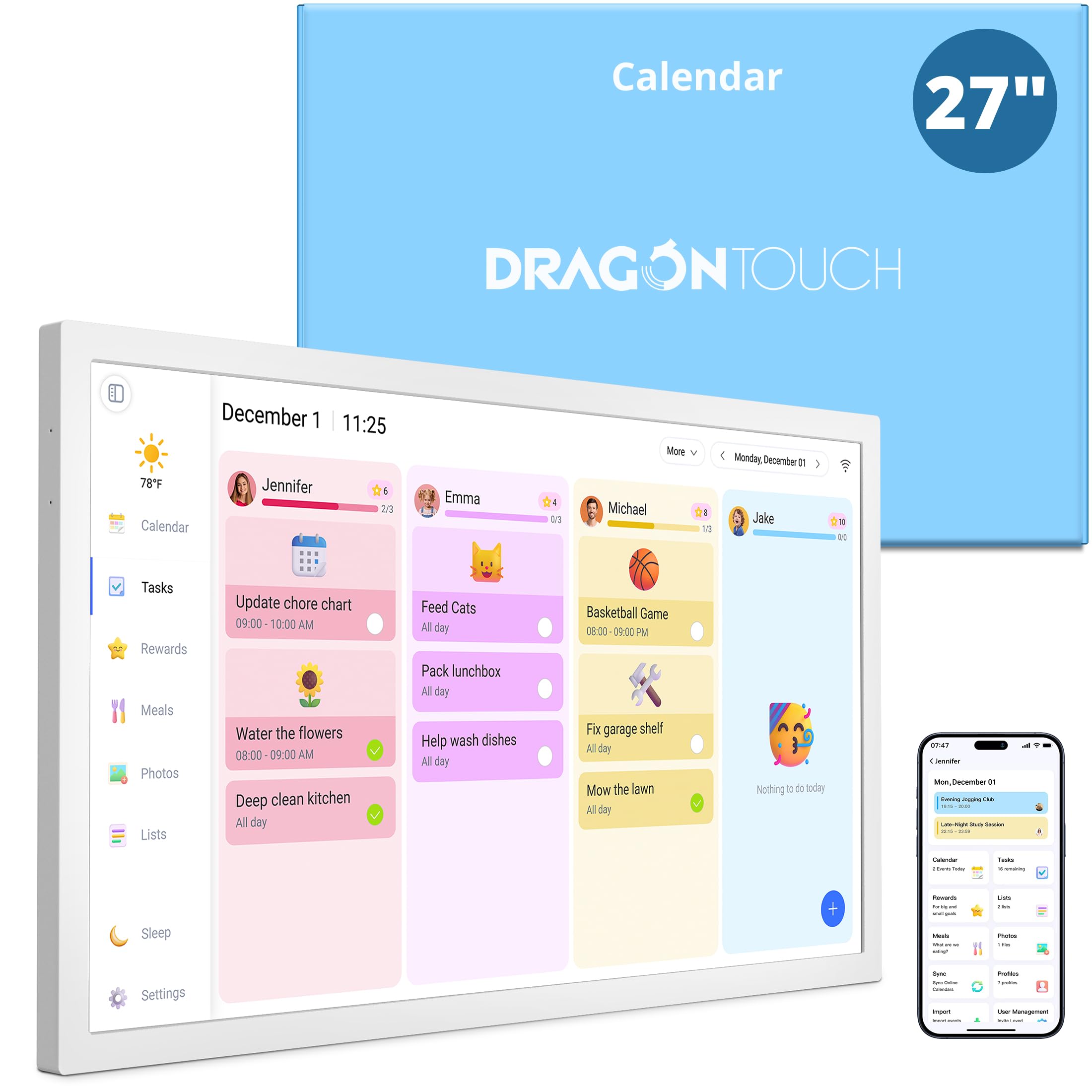
The Dragon Touch TM27 reimagines the 27-inch touch screen as a family command center rather than a traditional computer monitor. It is a dedicated digital calendar that syncs with Google Calendar and iCloud, displays monthly and weekly views, and acts as a chore chart with a reward system that actually motivates kids. The 10-point touch is responsive — parents report that children navigate it instinctively to check their tasks and claim reward stars.
The dual-purpose design is clever: in sleep mode, it functions as a 32GB digital photo frame, rotating through family photos. Setup is straightforward via the mobile app, and reviewers specifically praise the step-by-step video guides. Meal planning with auto-generated grocery lists and daily calendar sync from multiple family members eliminates duplicated appointments. The wall-mount design supports both horizontal and vertical orientation, and the included desk mount offers flexibility.
This is not a general-purpose touch monitor — it runs a proprietary software interface, not Windows or MacOS. If you need a traditional touch display for PC work, look elsewhere. But for family organization, it delivers a focused, high-quality experience that nothing else in this category matches.
Why it’s great
- Syncs multiple Google/Apple calendars into one unified interface
- Chore chart with reward stars motivates kids without nagging
- Doubles as a high-quality digital photo frame in sleep mode
Good to know
- Not a general-purpose computer monitor; proprietary OS only
- Touchscreen can occasionally misread light touches
- Requires wall or desk mount; no included stand for table use
4. Dragon Touch TM27 (Desk Calendar)
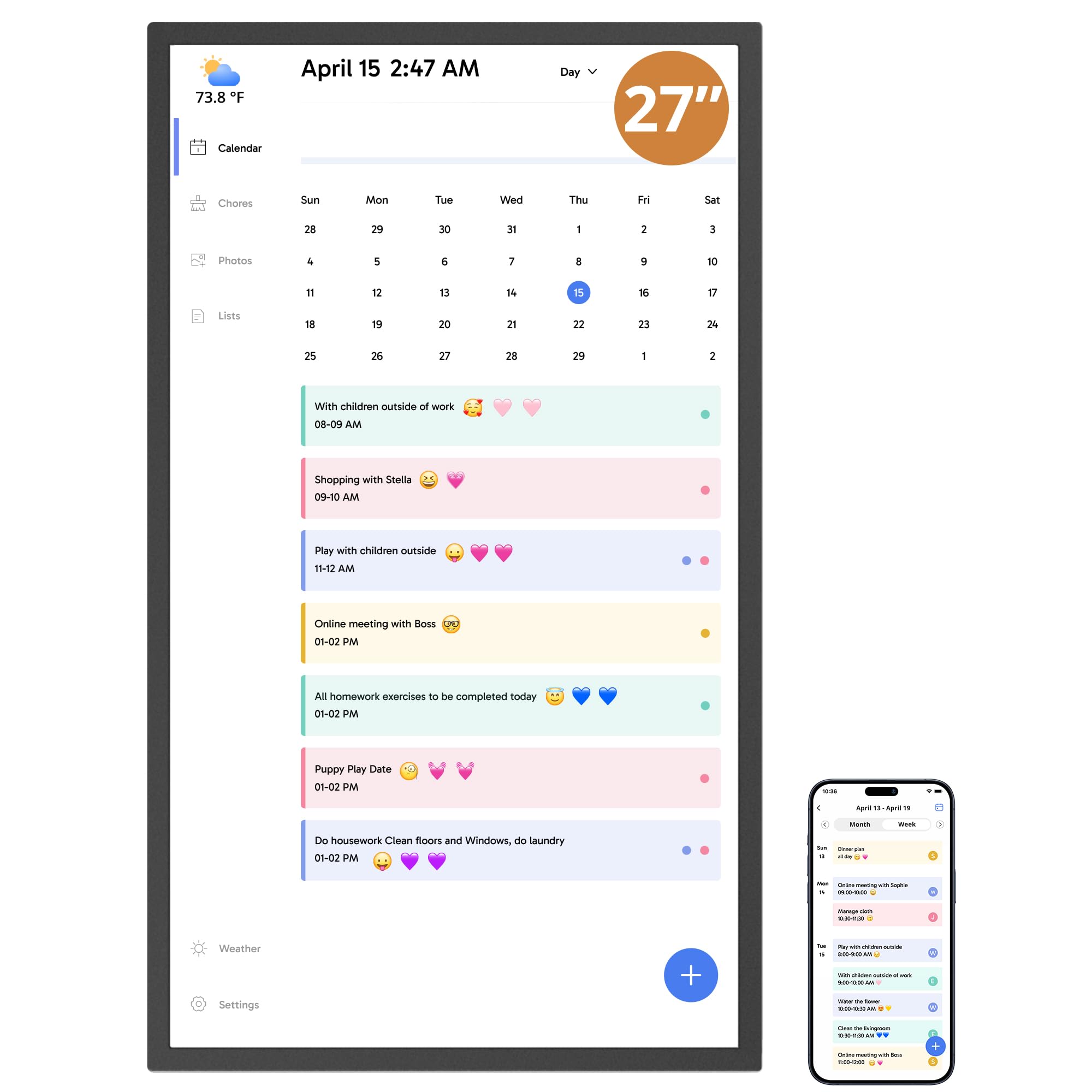
The desk version of the Dragon Touch TM27 shares the same 27-inch interactive touchscreen and calendar software as the wall model but is sold as a standalone unit for table placement. It serves the same core function — syncing family schedules, managing chore charts with reward tracking, and planning dinners with auto-grocery lists — but the packaging is optimized for those who prefer a desk-mounted display rather than drilling into walls.
Setup involves plugging in, connecting to Wi-Fi, and linking calendars through the mobile app. The app lets you manage schedules remotely, so parents can add appointments from work and see them appear on the home display immediately. The chore chart system assigns tasks to each family member with color coding, and children can check off completed items directly on the touchscreen. Reviewers note that the system dramatically reduces morning confusion and the “what’s for dinner” cycle.
The occasional touch misread (a light tap not registering) is the main minor complaint. Some users also report that initial setup of multiple calendar syncs took over an hour due to unclear instructions. For families who want a dedicated organization hub without the wall-mount commitment, this is the version to get.
Why it’s great
- Syncs iOS, Google, and other calendars automatically via the app
- Interactive chore chart with reward stars engages children
- Remote management lets parents update schedules from anywhere
Good to know
- Touchscreen may miss very light taps
- Calendar sync setup can be time-consuming initially
- Glare on the screen can be noticeable in bright rooms
5. GreenTouch Open Frame 27

The GreenTouch 27-inch open frame touch monitor is built for embedded applications — kiosks, golf simulators, industrial control panels, and interactive flight simulators. The projected capacitive touch surface uses a G+G (glass-on-glass) construction with a 3mm tempered cover glass rated IK08 for vandal resistance and IP65 on the front for water and dust protection. This is a monitor designed to be integrated into a custom enclosure, not placed on a desk.
Touch accuracy is excellent, with no lag and smooth multi-touch that reviewers using it in golf simulators say mirrors a 4K projector display perfectly. The interface options — HDMI, VGA, DVI, and audio — cover legacy and modern connections. The slim bezel and open frame design allow flush mounting into panels. The included remote control for OSD adjustments is functional, though the “A” and “M” buttons on some units arrived non-functional (users wired their own buttons as a workaround).
At 1080p resolution and 300 nits brightness, it is not the sharpest or brightest for general office use, but that is not its purpose. For commercial integrators or hobbyists building a custom interactive station, this is the most durable 27-inch touch panel available at its price tier.
Why it’s great
- IK08 vandal-proof glass with IP65 water-resistant front
- Smooth, lag-free 10-point touch for interactive kiosks
- Open frame design allows flush panel mounting
Good to know
- No front accessible buttons; all controls on back or remote
- Included remote may have non-functional buttons
- Not intended for desk use — needs custom enclosure
6. Pisichen 2K Curved Touchscreen
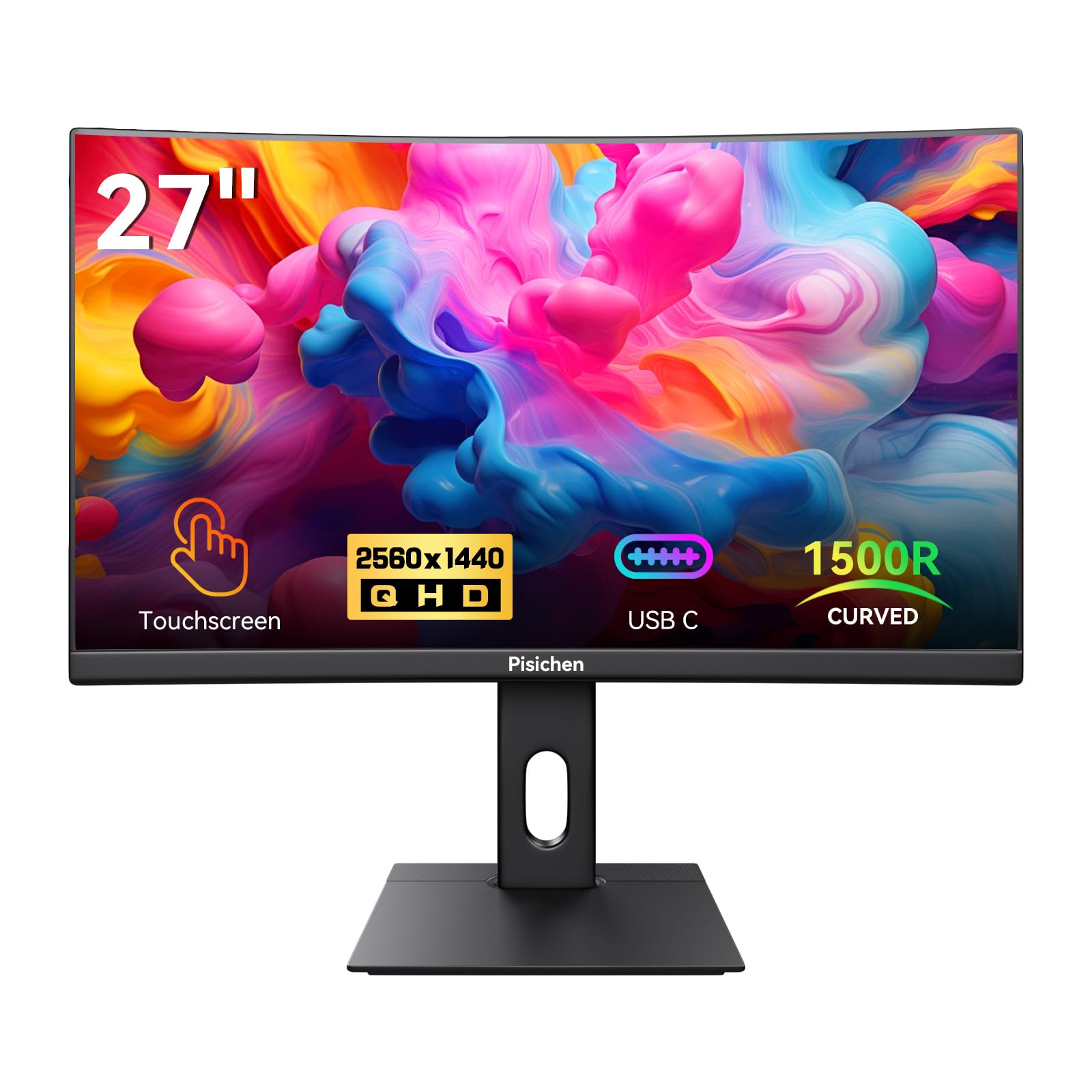
The Pisichen 2K curved touchscreen monitor is a rare combination — a 1500R curved VA panel with QHD resolution and a functional 10-point touch layer. The 2560×1440 resolution makes text and interface elements noticeably sharper than 1080p, which is genuinely useful when the display doubles as a touch input device. The 85Hz refresh rate and FreeSync support keep motion smooth during demos or light gaming.
Connectivity covers HDMI, DisplayPort, and USB-C with DP-Alt Mode, though reviewers report that the USB-C input was defective on some units (touch worked but video did not transmit). The curved design wraps around your peripheral vision, which is effective for workstation setups where you sit close. A few users encountered issues with the touch stand being too short for comfortable rotation and VESA holes measuring 75x75mm rather than the advertised 100x100mm.
The panel itself delivers vibrant colors with the advertised 99% sRGB coverage and good brightness. The built-in speakers are present but weak, suitable only for system sounds. At its price point, the value proposition is strong if the return policy gives you confidence — quality control seems inconsistent across units.
Why it’s great
- Rare QHD curved touch panel with 85Hz refresh
- 1500R curvature enhances immersion for single-user setups
- FreeSync support reduces tearing during interactive graphics
Good to know
- USB-C DP-Alt input may be defective on some units
- VESA holes are 75x75mm, not 100x100mm as listed
- Included stand is too short for ergonomic rotation
7. Pisichen 2K White Touchscreen
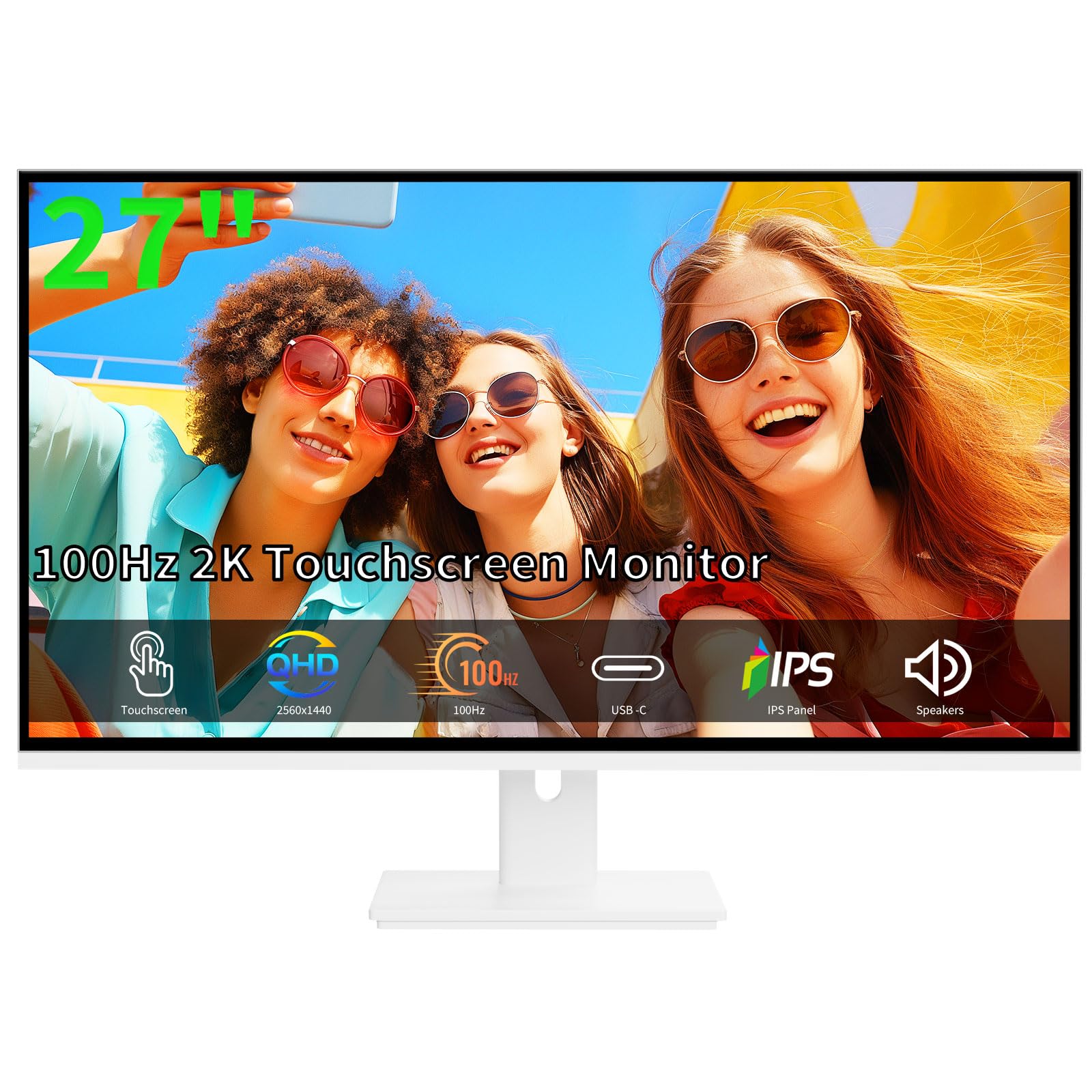
The Pisichen 2K white touchscreen monitor offers a unique aesthetic with its clean white chassis, making it a natural fit for minimalist studios, creative workspaces, or design-forward offices. The 2560×1440 IPS panel delivers sharp, vibrant visuals with 99% sRGB coverage and a 100Hz refresh rate that makes touch interactions feel fluid. The 10-point capacitive touch is accurate and responsive, handling swipes and multi-finger gestures without noticeable lag.
The standout feature is full-featured USB-C with DisplayPort Alt Mode, allowing a single cable to transmit video, touch data, and power to a compatible laptop — drastically simplifying desk cable management. Additional ports include HDMI and VGA for legacy devices. The slim bezel and integrated speakers (adequate for video calls) complete the package. The VESA mount compatibility (100x100mm) and tilt adjustment give flexibility for different desk setups.
Quality control is a concern — multiple reviews mention dead pixels arriving out of the box, and the return process requires an inspection period of nearly a month. If you get a good unit, it is an excellent mid-range touch monitor, but consider buying from a retailer with a generous return window.
Why it’s great
- USB-C DP-Alt mode for single-cable video, touch, and power
- QHD IPS panel with 100Hz for smooth touch interactions
- Sleek white design fits modern and creative workspaces
Good to know
- Dead pixel issues reported; return process is slow
- Built-in speakers are adequate but not loud
- White chassis shows dust and fingerprints easily
8. FYHXele 27 Touchscreen
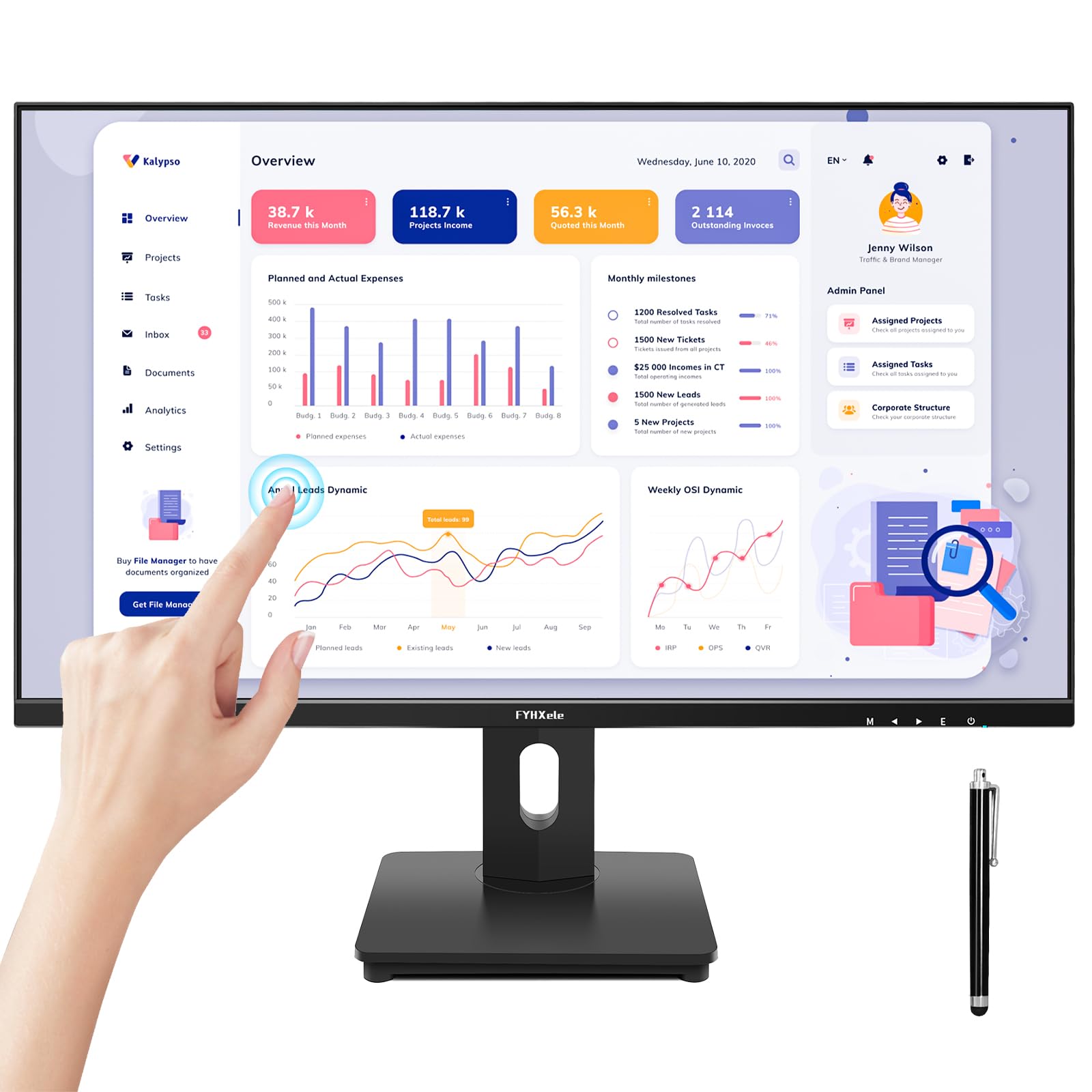
The FYHXele 27 delivers reliable 1080p touch functionality at a price point that undercuts most of the competition without feeling like a compromise in everyday use. The 10-point capacitive touch works plug-and-play with Windows, Linux, and Raspberry Pi — a rare level of OS support at this price. The touch is sensitive and accurate enough for golf simulator interfaces, digital signage, and general office tasks.
The 75Hz IPS panel with FreeSync provides smooth scrolling and casual gaming performance. Color reproduction is crisp and vibrant, covering 100% sRGB. Connectivity is comprehensive with HDMI, DisplayPort, and VGA inputs, plus a USB-A to USB-A cable (the less common connector required for touch). The VESA mount compatibility (100x100mm) and tilt stand give basic ergonomic adjustment.
Potential drawbacks: the touch function explicitly does not support MacOS, PS3/4/5, Switch, Xbox, or Steam Deck. The screen glass is glossy rather than matte, which can cause reflections in bright rooms. Some reviewers mention the included USB-A to USB-A cable is unusual and easy to lose. For Windows and Raspberry Pi users on a budget, this is the sweet spot.
Why it’s great
- Reliable plug-and-play touch for Windows, Linux, and Pi
- 100% sRGB IPS panel with vibrant colors out of the box
- VESA mountable with tilt adjustment for basic ergonomics
Good to know
- No MacOS or gaming console touch support
- Glossy screen surface reflects light in bright rooms
- USB-A to USB-A touch cable is uncommon and easy to lose
9. CUNPU 27 Touchscreen
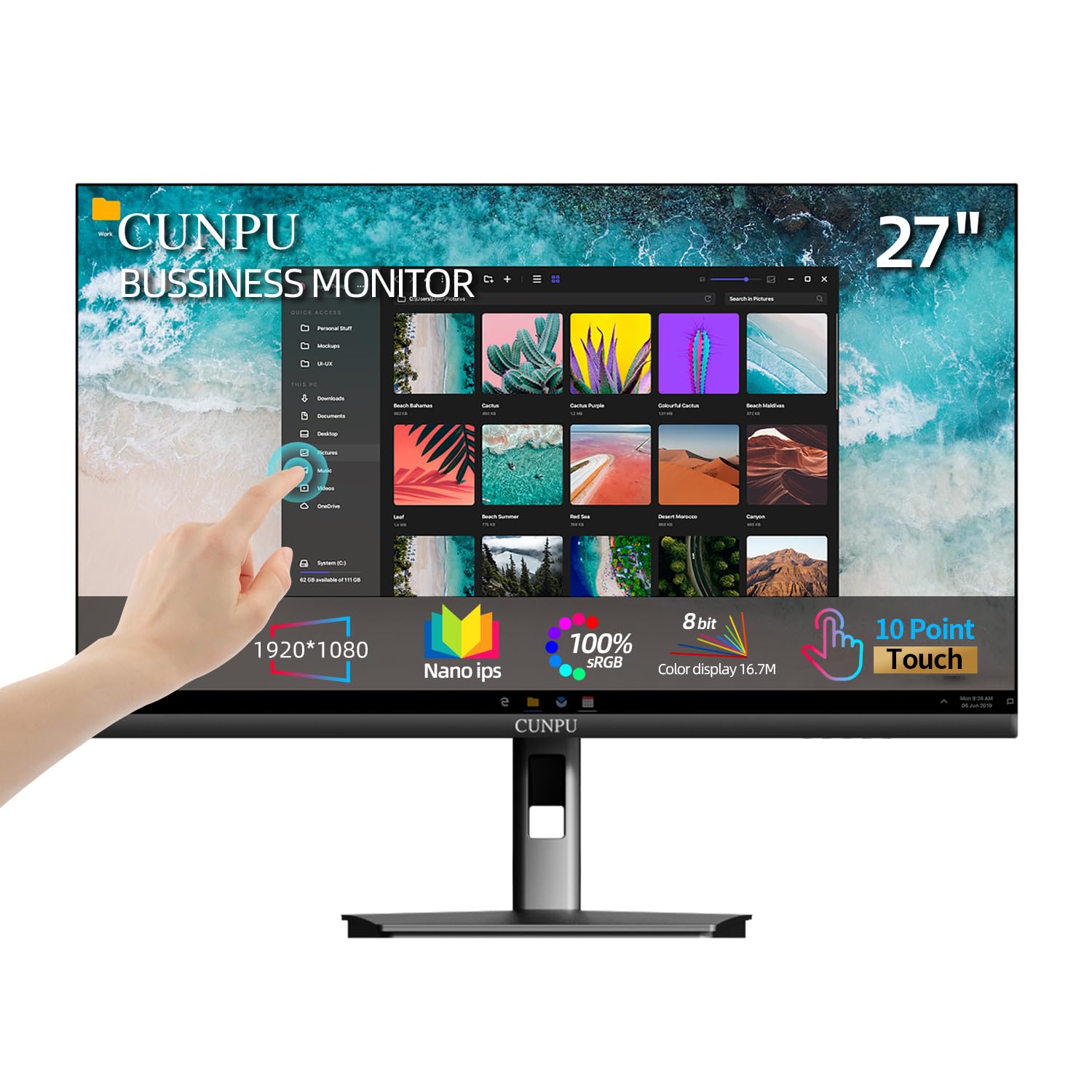
The CUNPU 27 is the entry-level option for buyers who need a 27-inch touch panel without spending for premium features. The 1080p IPS display with 100% sRGB coverage delivers colors that are accurate and vibrant for general office work, video viewing, and basic content interaction. The 10-point capacitive touch is functional — multiple reviewers report it works well for family organization boards wall-mounted in kitchens, controlling Google Calendar and YouTube with responsive taps.
The anti-glare coating and flicker-free backlight reduce eye strain during long sessions. Connectivity includes HDMI, VGA, and USB-B (the USB-B cable is required to activate the touch function). VESA mount compatibility (100x100mm) and tilt adjustment give basic placement flexibility. The included stand is functional but not premium-feeling.
The main concerns are durability and longevity. Several reviews report the touchscreen entering an unresponsive deep sleep state after about eight months of daily use, with no way to wake it. Others mention fragile construction and a sensitive HDMI port that flickers when the cable is jostled. For a bedroom setup or low-usage scenario where budget is the primary constraint, this works. For daily heavy use, consider spending more.
Why it’s great
- Lowest entry price for a 27-inch 10-point touch monitor
- 100% sRGB IPS panel with anti-glare coating
- VESA mountable with tilt adjustment
Good to know
- Reports of touchscreen becoming unresponsive after 8 months
- Fragile construction with sensitive HDMI port
- No MacOS touch support; Windows and Pi only
FAQ
Does a 27-inch touch screen monitor work with MacOS?
What is the difference between 10-point touch and single-touch?
Can I connect a 27-inch touch monitor to a gaming console?
Why does my touch monitor need two cables connected to my PC?
How do I know if a touch monitor is durable enough for public use?
Final Thoughts: The Verdict
For most users, the best 27 inch touch screen monitor winner is the ViewSonic TD2760 because it combines reliable 10-point PCAP touch with broad OS support (Windows and Mac), a heavy-duty ergonomic stand, and commercial-grade connectivity that works with HDMI switches and multi-computer setups. If you want a dedicated family organizer with chore tracking and photo frame features, grab the Dragon Touch TM27 Wall Calendar. And for custom kiosks or industrial environments where vandal-proof build and IP65 water resistance are required, nothing beats the GreenTouch Open Frame 27.