
Our readers keep the lights on and the weekend projects moving. As an Amazon Associate, I earn from qualifying purchases.
A big screen tablet is not a luxury—it is a necessity for anyone who has squinted at a 10-inch display while trying to read sheet music, edit a document, or watch a movie on a plane. The difference between a cramped portable screen and a spacious 12- to 15-inch canvas determines whether you feel productive or frustrated after a long session.
I’m Rikta — the co-founder and writer behind FitlyFast. I’ve spent hundreds of hours analyzing the specifications, customer feedback, and real-world performance metrics that separate a genuinely useful large-format tablet from a glorified photo frame.
Whether you need a digital music stand for rehearsals, a portable workstation for client meetings, or a cinema-grade display for streaming, finding the right big screen tablet comes down to matching screen size, processor, and battery life to your specific workflow.
How To Choose The Best Big Screen Tablet
A larger display is only an upgrade if it is matched with sufficient resolution, comfortable weight, and a battery that lasts through your day. Here are the three criteria that separate a great big screen tablet from one you will regret.
Screen Resolution and Aspect Ratio
A 15.6-inch display at 1080p offers the same pixel density as a smaller 10-inch 720p screen — acceptable for video but fuzzy for fine sheet music notation or dense PDFs. Look for 2K (2000×1200) or higher on displays over 12 inches, and pay attention to the aspect ratio: 16:9 is best for widescreen movies, while 16:10 or 4:3 gives you more vertical space for reading, note-taking, and displaying sheet music without constant scrolling.
Processor and RAM for Multitasking
A big screen invites you to run multiple apps side by side. The MediaTek Helio G99 (6nm) handles streaming, note-taking, and web browsing smoothly, while the Apple M2 or M4 and Snapdragon X Plus crush heavier creative workloads. For pure productivity or Windows-native software, a Surface Pro or Fusion5 Windows tablet is essential. Physical RAM should be at least 6GB — virtual RAM expansions are not a substitute for real hardware.
Battery Capacity and Charging Speed
Big screens consume more power. Look for a minimum 10,000 mAh battery for all-day use, but also check the charging wattage. A 10,000 mAh battery with 15W charging takes over three hours to refill, while 33W or 45W fast charging cuts that to under two hours. Real-world video playback estimates (not standby claims) are the only honest measure of battery performance.
Quick Comparison
On smaller screens, swipe sideways to see the full table.
| Model | Category | Best For | Key Spec | Amazon |
|---|---|---|---|---|
| Microsoft Surface Pro (2024) | 2-in-1 Laptop | Professional Productivity | 13″ Touchscreen / Snapdragon X Plus | Amazon |
| Samsung Galaxy Tab S11 Ultra | Android Premium | Ultra-Large AMOLED Viewing | 14.6″ AMOLED 2X / 11600 mAh | Amazon |
| Apple iPad Air 13-inch (M4) | iOS Premium | Creative Work & Photo Editing | 13″ Liquid Retina / M4 Chip | Amazon |
| Apple 2024 iPad Air 13-inch (M2 Renewed) | iOS Mid-Range | Premium iOS on a Budget | 13″ Liquid Retina / M2 Chip | Amazon |
| Samsung Galaxy Tab S10+ Plus | Android Premium | Note-Taking & AI Tools | 12.4″ AMOLED 2X / S Pen | Amazon |
| Fusion5 12″ 2K Windows 11 | Windows Tablet | Full Windows in a Tablet Form | 12″ 2K Display / 12GB DDR5 RAM | Amazon |
| TABWEE 12.2″ w/ Keyboard Bundle | Android Value | All-in-One Workstation Kit | 12.2″ 2.5K Display / 10000 mAh | Amazon |
| Lenovo Idea Tab Pro | Android Mid-Range | Student Productivity & Gaming | 12.7″ 3K LCD / 90Hz Refresh | Amazon |
| TCL NXTPAPER 14 | Android Specialty | Eye Comfort & Sheet Music | 14.3″ Paper-Like / 10000 mAh | Amazon |
| MESWAO 15.6 Inch | Android Budget | Maximum Screen on a Budget | 15.6″ 1080p / 12000 mAh | Amazon |
| HOOGEE 15.6 Inch | Android Budget | Large Display & Big Battery | 15.6″ 1080p / 12GB RAM | Amazon |
In‑Depth Reviews
1. Microsoft Surface Pro (2024)

The Microsoft Surface Pro (2024) redefines what a big screen tablet can do by running full Windows 11 on a Snapdragon X Plus chipset. This is not a scaled-down mobile OS — it runs Microsoft Office, Adobe Lightroom, and professional desktop software without workarounds. The 13-inch touchscreen display delivers sharp color reproduction, and the built-in kickstand allows you to shift from laptop mode to presentation mode in seconds, making it a genuine laptop replacement for professionals on the go.
The 16GB of RAM and 512GB SSD provide enough headroom for heavy multitasking, and the 14-hour battery life is the best we have seen in this category for a Windows device. Users report that the device stays cool and quiet even during extended use, and the thin metal chassis feels premium without adding significant weight. The detachable keyboard (sold separately) transforms the tablet into a full productivity machine, complete with a precise trackpad.
The main trade-off is the Snapdragon ARM architecture — some legacy x86 applications may not run or may require emulation. If you rely on niche Windows programs, verify compatibility before purchasing. For most professionals, students, and creative users who need a single device for both tablet-style note-taking and desktop-class work, this Surface Pro is the most versatile big screen tablet on the market.
Why it’s great
- Full Windows 11 with desktop-class app support
- Outstanding 14-hour battery life with fast 65W charging
- Built-in kickstand enables hands-free use at any angle
Good to know
- Keyboard sold separately — adds to total cost
- ARM processor may not support all legacy Windows software
- Display glare can be an issue in bright environments
2. Samsung Galaxy Tab S11 Ultra
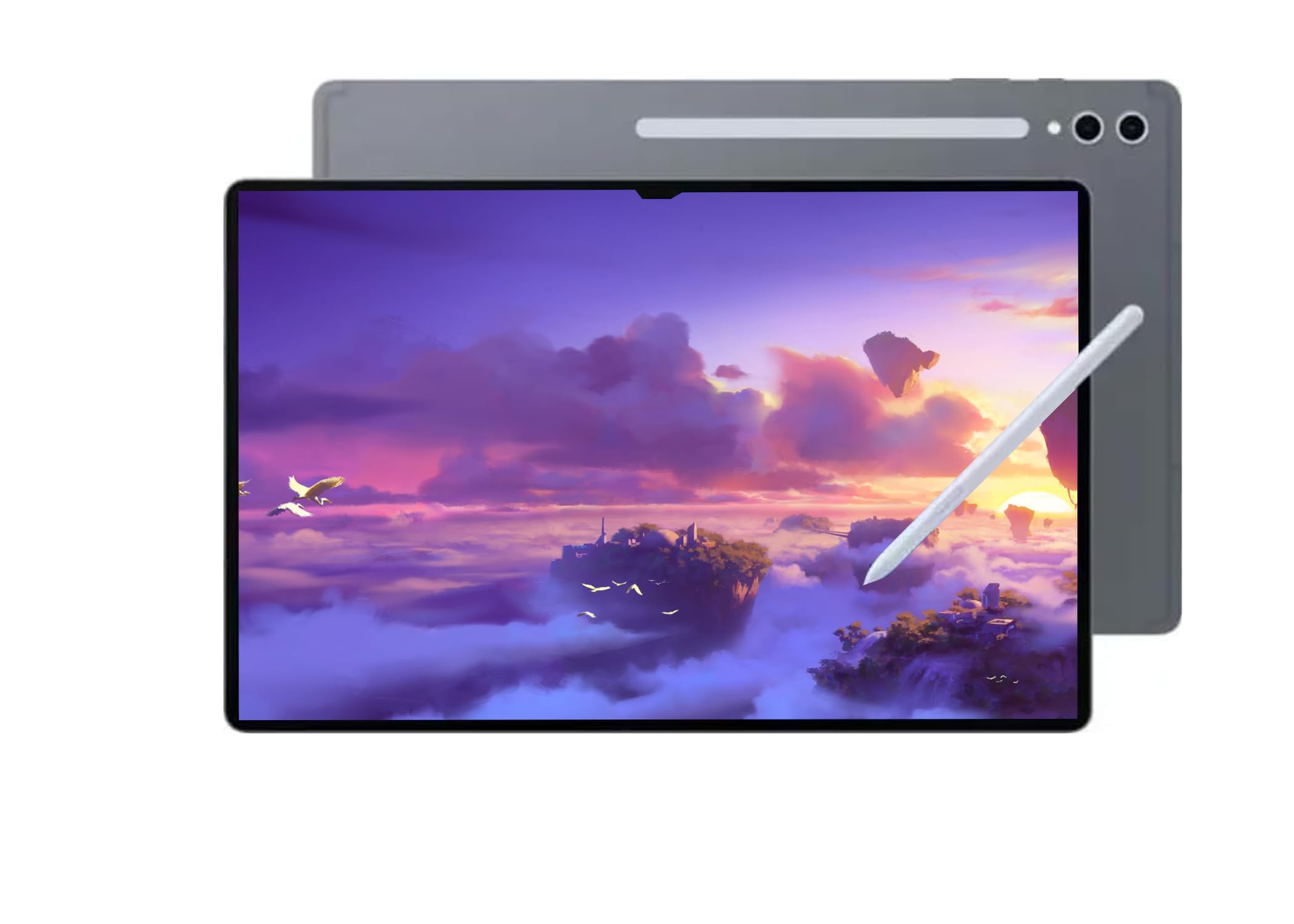
The Samsung Galaxy Tab S11 Ultra is the king of display real estate in this roundup, featuring a massive 14.6-inch Dynamic AMOLED 2X panel with a 120Hz anti-reflective coating. This screen is a visual powerhouse — colors are deep and vibrant, blacks are pure, and the anti-reflective layer makes it usable near windows or under studio lights. The 2960 x 1848 resolution ensures that even the smallest sheet music notation or CAD drawing remains razor-sharp.
Under the hood, the MediaTek Dimensity 9400+ processor and 12GB of RAM handle split-screen multitasking, video editing, and gaming without stutter. The 11,600 mAh battery delivers up to 16 hours of video playback, which is exceptional for a display this large. The included S Pen latches magnetically to the back and offers near-zero latency for note-taking, sketching, and annotation — a must-have for musicians, architects, and students.
Two critical caveats: this model is Wi-Fi only (no cellular) and carries no US warranty, as it is intended for the Latin American market. Users report that the device works perfectly in the US, but warranty claims must go through international channels. If you want the largest, most beautiful screen in the roundup and are comfortable with the warranty limitation, the Tab S11 Ultra is unmatched.
Why it’s great
- 14.6-inch AMOLED 2X display with 120Hz refresh rate
- 16-hour video playback battery life
- Included S Pen with magnetic attachment
Good to know
- No US warranty — international model only
- Wi-Fi only, no cellular data support
- Premium price point requires budget consideration
3. Apple iPad Air 13-inch (M4)
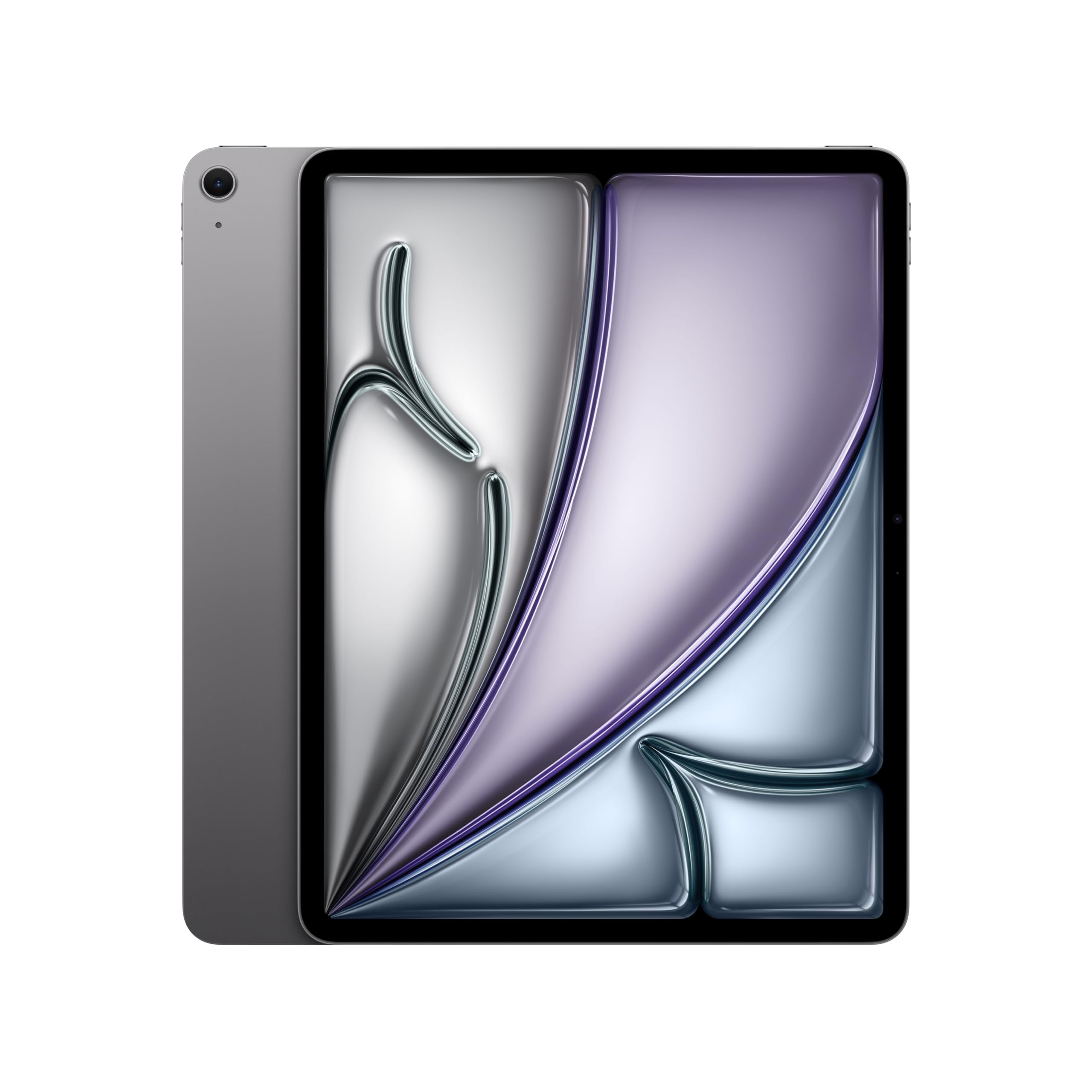
The Apple iPad Air 13-inch with the M4 chip is the most capable creative tablet in this lineup for macOS and iOS users. The 13-inch Liquid Retina display covers the DCI-P3 wide color gamut with True Tone, making it ideal for photo editing, digital painting, and color-critical design work. Users consistently praise the screen’s color accuracy and brightness, especially when used outdoors or in brightly lit studios.
The M4 chip delivers desktop-class performance — users report zero lag when editing 4K video in LumaFusion or running multiple creative apps simultaneously. The 12MP Center Stage front camera tracks your face during video calls, making it perfect for remote collaboration. With 256GB of storage, a full day of battery life, and Wi-Fi 7 connectivity, this iPad Air is built for demanding creative workflows without compromise.
The main limitation is the iPadOS ecosystem — if you need full desktop Windows software or Linux-native tools, you will face compatibility hurdles. The Apple Pencil Pro and Magic Keyboard are sold separately and add significant cost. For anyone already invested in the Apple ecosystem who needs a large, color-accurate canvas for creative work, this iPad Air is the definitive choice.
Why it’s great
- P3 wide color gamut display for accurate photo editing
- M4 chip handles 4K video and heavy multitasking with ease
- Ultra-wide 12MP Center Stage front camera for video calls
Good to know
- iPadOS limits full desktop software compatibility
- Apple Pencil and Magic Keyboard sold separately
- Premium category price point
4. Apple 2024 iPad Air 13-inch (M2 Renewed)

The renewed version of the 2024 iPad Air 13-inch with the M2 chip delivers nearly all the performance of the M4 model at a significantly lower entry point. The 13-inch Liquid Retina display (2732 x 2048) is identical to the current model in resolution and color quality, and the M2 chip still handles demanding tasks like video editing, 3D modeling, and multitasking without stutter.
Buyers purchasing from reputable sellers like Prime Mobility report units that look and function like new — no scratches, no battery degradation, and full accessory support. The 128GB storage is sufficient for most users, and the USB-C port (10 Gb/s) allows fast file transfers. FaceTime calls are crisp thanks to the 12MP landscape front camera, and the 10-hour battery life matches the new model.
The trade-off is that this is a previous-generation chip — the M4 offers better AI performance and slightly faster graphics. You also miss out on Wi-Fi 7 and the latest display technology. For budget-conscious Apple users who want a large iPad Air screen without paying full retail, this renewed model offers exceptional value.
Why it’s great
- Same 13-inch Liquid Retina display as current model
- M2 chip still handles heavy creative and productivity tasks
- Renewed units from reputable sellers often look brand new
Good to know
- Previous-generation M2 chip, not M4
- No Wi-Fi 7 support
- Charger and cable included, but no stylus or keyboard
5. Samsung Galaxy Tab S10+ Plus

The Samsung Galaxy Tab S10+ Plus strikes a near-perfect balance between screen size and portability with its 12.4-inch AMOLED 2X display. This is a display that makes reading, note-taking, and drawing a genuine pleasure — the 120Hz refresh rate makes scrolling feel fluid, and the colors are vibrant without being oversaturated. The included S Pen latches onto the back magnetically and offers a natural writing feel with minimal latency.
Galaxy AI tools are this tablet’s secret weapon. The Note Assist feature automatically transcribes and summarizes recorded lectures and meetings, while Sketch to Image transforms rough sketches into polished artwork. Users report using the S10+ as a second screen for their laptop via Samsung’s built-in second screen feature, which works seamlessly over Wi-Fi. The 10,090 mAh battery delivers 8-10 hours of mixed use, which is solid for a display this bright.
The MediaTek Dimensity 9300+ processor is fast enough for 95% of tasks, but heavy video editors or 3D modelers may notice it is slightly behind the M4 or Snapdragon X. The 512GB storage is generous, and the Moonstone Gray finish looks premium. If you prioritize note-taking, AI-enhanced productivity, and a brilliant display in a more portable size than 14 inches, the Tab S10+ is the best all-rounder.
Why it’s great
- 12.4-inch AMOLED 2X display with 120Hz refresh rate
- S Pen included with magnetic attachment and near-zero latency
- Galaxy AI tools for transcription, summarization, and sketching
Good to know
- Processor slightly less powerful than top-tier competitors
- No headphone jack — USB-C audio only
- Premium price range
6. Fusion5 12″ 2K Windows 11
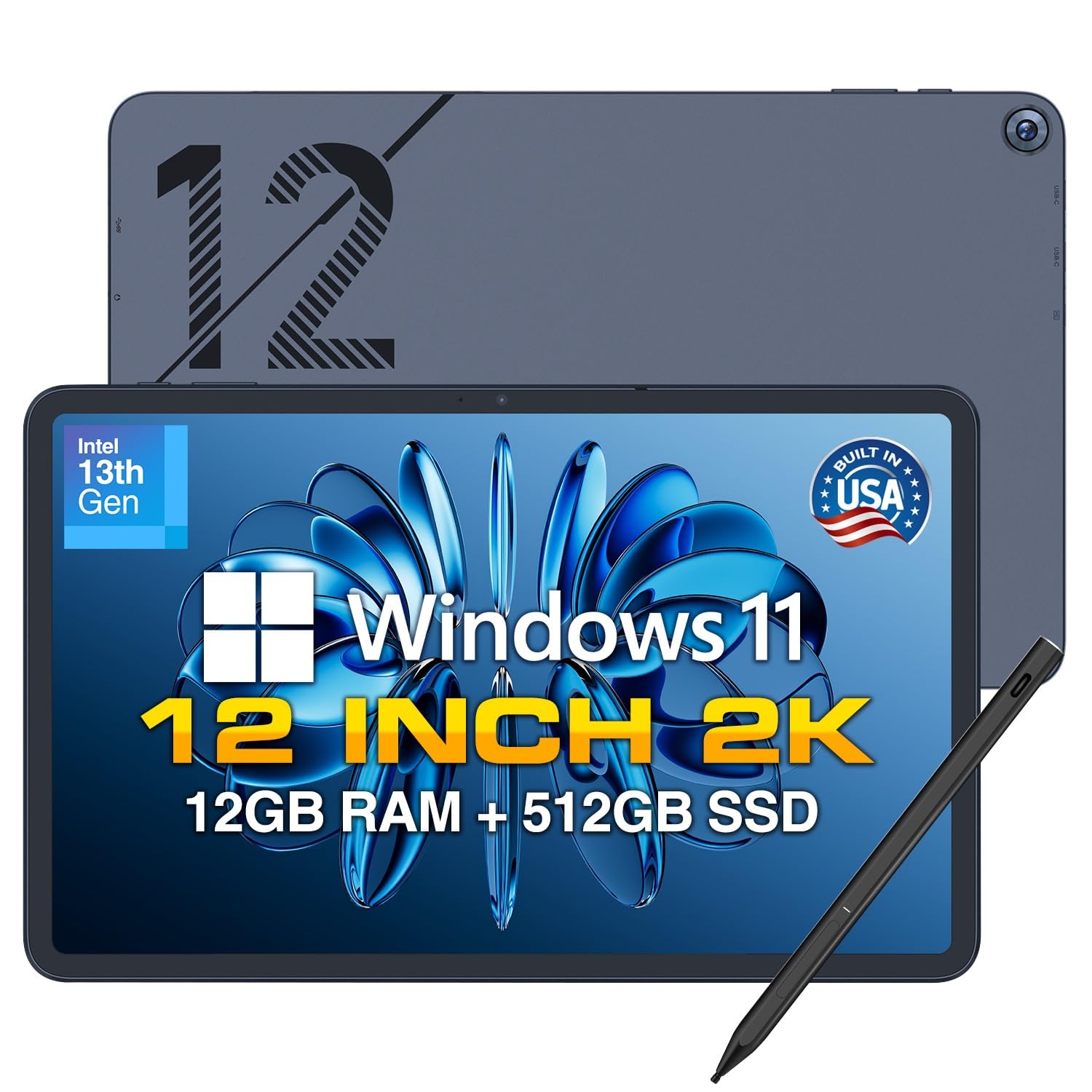
The Fusion5 Helios 12 is the most affordable full Windows 11 tablet in this roundup, and it earns its place by delivering a genuine desktop OS experience at a mid-range price. The 12-inch 2K touchscreen display (2000×1200) is sharp and bright, making it suitable for document work, web browsing, and streaming. The 16:10 aspect ratio provides extra vertical space for reading and editing, which is a clear advantage over 16:9 Windows tablets.
Assembled in Florida, this tablet features an Intel N100 quad-core processor with 12GB of DDR5 RAM and a 512GB SSD. For everyday productivity tasks — Word, Excel, Chrome with multiple tabs, PowerPoint presentations — it performs smoothly. The included stylus supports handwriting and annotation, and the built-in cooling fan prevents thermal throttling during extended use. Users highlight the fast charging via 36W USB-C PD and the versatility of having two full-function USB-C ports plus Micro HDMI.
The battery life of around 4 hours is the weakest point — this is not an all-day device by modern standards. The Bluetooth connectivity is reliable, but there is no cellular option. For users who absolutely need full Windows compatibility for software that does not run on Android or iPadOS, the Fusion5 offers the best balance of cost and capability.
Why it’s great
- Full Windows 11 with desktop-class app compatibility
- 12GB DDR5 RAM and 512GB SSD for solid multitasking
- Assembled in Florida with a metal chassis
Good to know
- Battery life is short at around 4 hours
- No cellular connectivity – Wi-Fi only
- Not suitable for heavy gaming or video editing
7. TABWEE 12.2″ with Keyboard Bundle
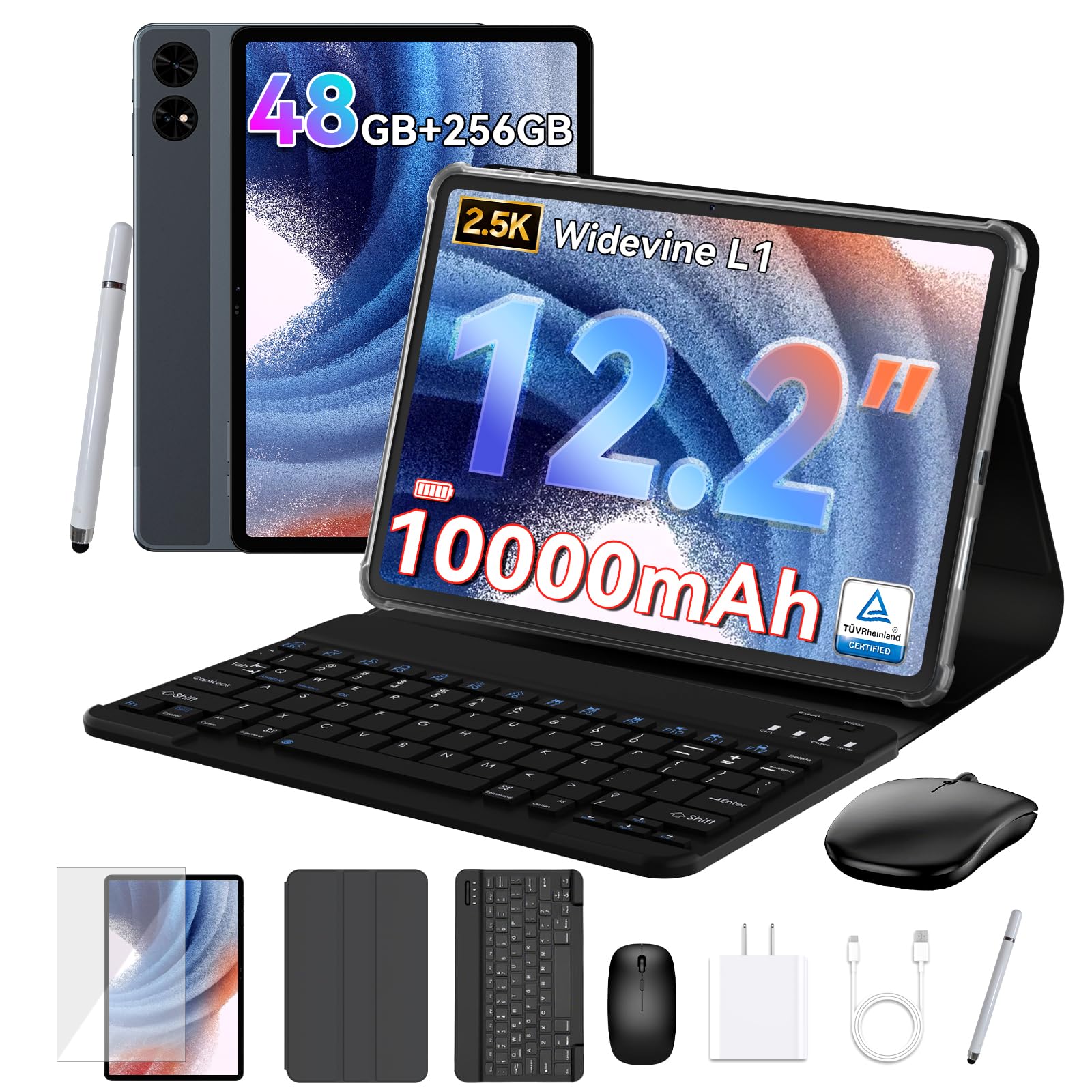
The TABWEE T60 comes as a complete workstation kit that includes a detachable keyboard, mouse, stylus, protective case, and tempered glass screen protector — everything you need to turn a tablet into a laptop replacement right out of the box. The 12.2-inch CSOT 2.5K display covers 99% of the sRGB gamut, making it suitable for graphic design, photo editing, and media consumption. The anti-glare coating reduces reflections, which is a rare and welcome feature for an Android tablet at this price.
The 12GB of physical RAM (plus 36GB of smart virtual expansion) and a 10,000 mAh battery make this a capable productivity machine for students and remote workers. The tablet runs Android 16 with Gemini AI integration, which assists with article summarization, translation, and workflow optimization. Users report smooth performance during split-screen use — running a PDF reader alongside a web browser and messaging app without lag.
The included keyboard and mouse are functional but feel budget-friendly compared to premium accessories. The 4-year warranty is a standout benefit that adds peace of mind. If you want a large-screen Android tablet that ships with every accessory you need for work and study, the TABWEE kit is an exceptional value.
Why it’s great
- Complete kit includes keyboard, mouse, stylus, and case
- 12.2-inch 2.5K anti-glare display with 99% sRGB
- Industry-leading 4-year warranty included
Good to know
- Included keyboard and mouse feel budget-level
- Battery life is average for the display size
- Processor is not suited for heavy gaming or 3D rendering
8. Lenovo Idea Tab Pro

The Lenovo Idea Tab Pro is built for students who need a big screen for studying and gaming without breaking into premium pricing territory. The 12.7-inch 3K LCD display (2944 x 1840) with a 90Hz refresh rate delivers a noticeably smoother experience compared to standard 60Hz tablets when scrolling through textbooks, annotating PDFs, or playing mobile games. The quad JBL speakers with Dolby Atmos support make media consumption genuinely enjoyable.
The MediaTek Dimensity 8300 processor handles multitasking well — users report running multiple Chrome tabs, a note-taking app, and a video lecture simultaneously without stutter. The included Tab Pen Plus supports Google’s Circle to Search feature, which lets you search any on-screen content by drawing a circle around it. This is a genuinely useful study tool for quickly looking up terms or concepts without leaving your reading app.
The 11-hour battery life is solid, but the tablet requires a specific 45W Lenovo charger for fast charging — standard USB-C chargers result in extremely slow top-ups. The LCD panel is excellent indoors but shows noticeable reflectivity outdoors. For students who want a large, high-resolution screen for note-taking, reading, and light gaming, the Idea Tab Pro delivers strong value.
Why it’s great
- 12.7-inch 3K display with smooth 90Hz refresh rate
- Included Tab Pen Plus with Circle to Search functionality
- Quad JBL speakers with Dolby Atmos for immersive audio
Good to know
- Requires a specific 45W Lenovo charger for fast charging
- LCD screen is reflective in outdoor or bright environments
- Some bloatware during initial setup
9. TCL NXTPAPER 14

The TCL NXTPAPER 14 redefines the big screen tablet experience for musicians, readers, and anyone who spends hours staring at a backlit display. The 14.3-inch paper-like screen uses NXTPAPER 3.0 technology with an anti-glare coating, blue light reduction, and DC dimming to create a viewing experience that genuinely resembles matte paper. The dedicated NXTPAPER key lets you toggle between Regular Mode (vibrant colors for video), Ink Paper Mode (e-paper texture for reading), and Color Paper Mode (soft tones for art and comics).
The 10,000 mAh battery delivers around 10 hours of real-world use, and the 33W fast charging refills the battery in roughly two hours. The MediaTek Helio G99 processor provides smooth performance for note-taking, sheet music display, and streaming. The included T-PEN stylus supports 4096 levels of pressure sensitivity, making it suitable for detailed annotation and digital art. The 256GB internal storage is generous, but there is no microSD card slot for expansion.
The 60Hz refresh rate is the main compromise — fast scrolling is less fluid compared to 90Hz or 120Hz competitors. The lack of an included wall charger is an inconvenience. For musicians who need a large, eye-friendly display for sheet music, readers who want a Kindle-like experience on a massive canvas, or anyone sensitive to eye strain, the NXTPAPER 14 is a category-defining device.
Why it’s great
- 14.3-inch NXTPAPER display with anti-glare and blue light reduction
- Three display modes for video, reading, and art
- Included 4096-level pressure stylus for annotation and drawing
Good to know
- 60Hz refresh rate — scrolling is less fluid than 90Hz models
- No wall charger included in the box
- No expandable storage — no microSD card slot
10. MESWAO 15.6 Inch
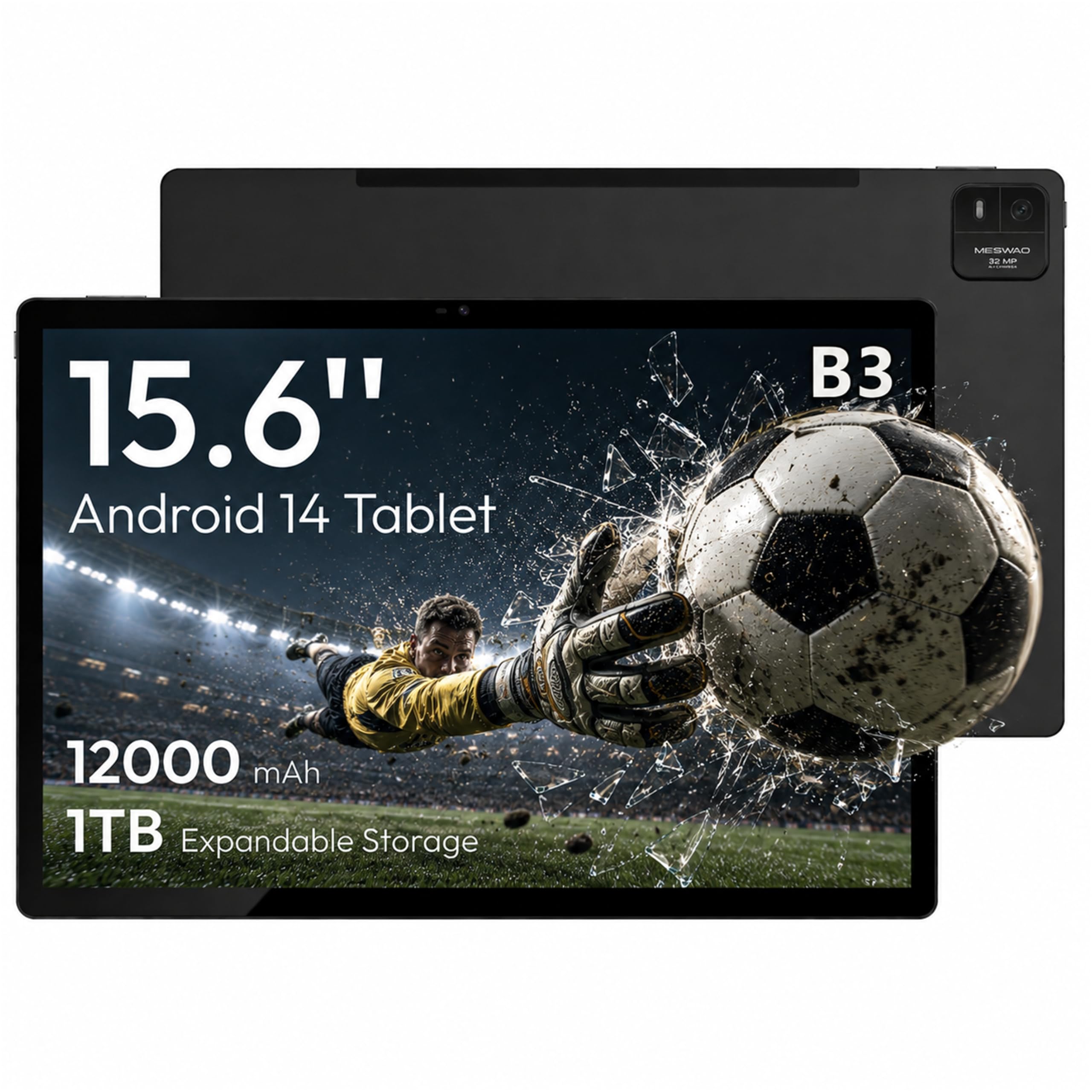
The MESWAO B3 delivers the largest display in this entire roundup — a full 15.6-inch 1080p IPS screen — at a budget-friendly price that undercuts most 12-inch tablets. The 16:9 aspect ratio makes it a perfect digital music stand for sheet music, which displays at a 1:1 scale. The 350-nit brightness is adequate for indoor use, and the 12,000 mAh battery provides up to 10.5 hours of video playback or a full day of browsing and reading.
The MediaTek Helio G99 processor and 6GB of physical RAM (not virtual expansion) provide smooth performance for streaming, web browsing, note-taking, and running music apps like MobileSheets. The included 32MP rear camera is surprisingly capable for document scanning, and the quad-speaker setup delivers rich, stereo sound suitable for video calls and media consumption. The 128GB internal storage is expandable up to 1TB via TF card, which is essential for large sheet music libraries or offline video collections.
The 1080p resolution on a 15.6-inch screen results in a lower pixel density — text and fine details are less sharp compared to 2K or 3K displays. The Bluetooth range is notably poor (about 15 feet) due to the metal chassis, which can be problematic for wireless peripherals. For musicians, seniors, or students who prioritize screen size above all else and work primarily in well-lit indoor environments, the MESWAO B3 is the most screen you can get for your money.
Why it’s great
- 15.6-inch 1080p IPS display — the largest in the roundup
- 12,000 mAh battery delivers all-day real-world use
- Expandable storage up to 1TB via TF card
Good to know
- 1080p resolution results in lower pixel density on a 15-inch screen
- Bluetooth range is limited to roughly 15 feet
- No included case or stylus
11. HOOGEE 15.6 Inch
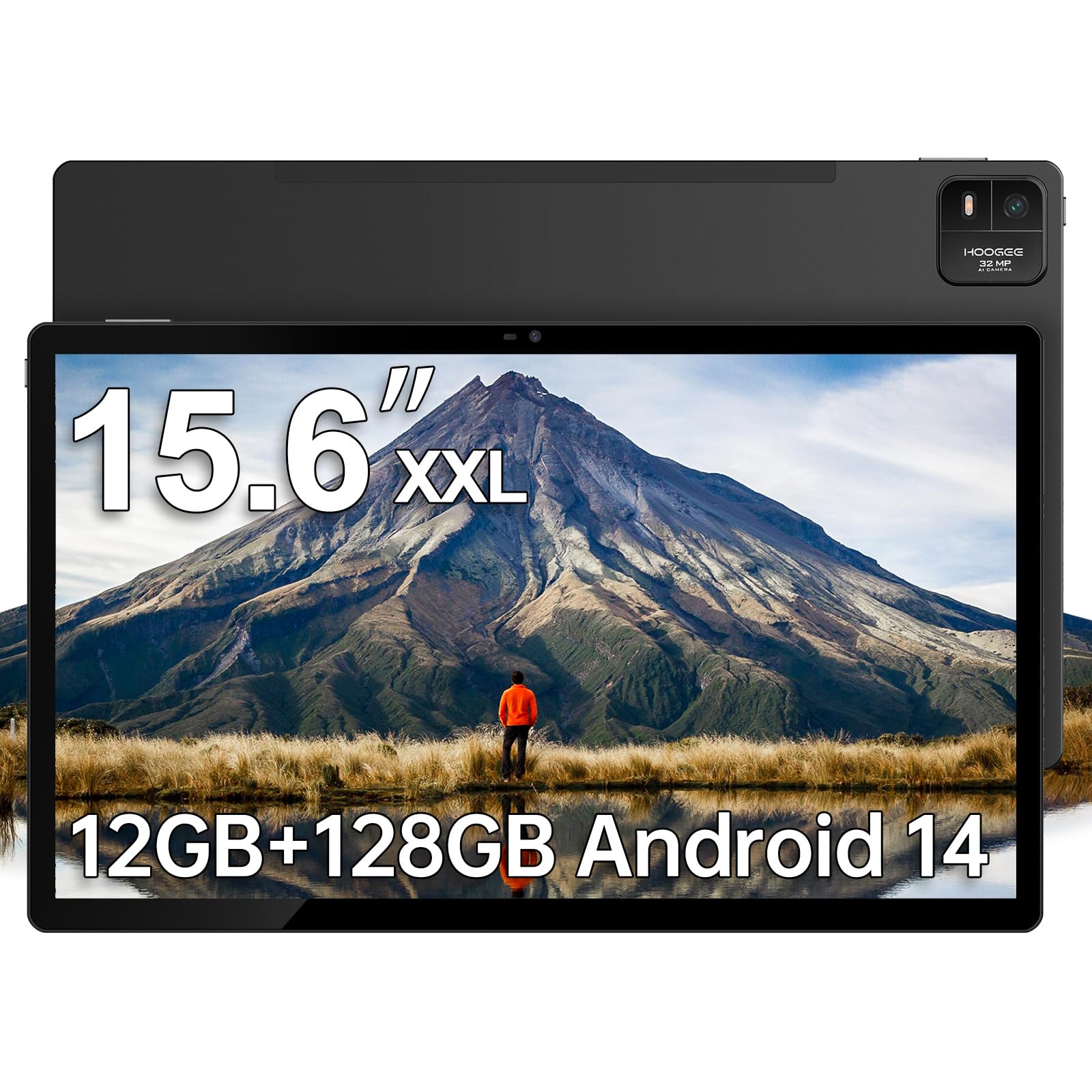
The HOOGEE 15.6 Inch tablet is another giant-screen option that targets the same use case as the MESWAO — maximum display area for sheet music, reading, and media consumption — but with double the RAM at a similar price. The 12GB of physical RAM (plus virtual expansion) provides noticeably more headroom for multitasking, allowing you to keep a dozen browser tabs, a PDF reader, and a video player all running simultaneously without slowdowns.
The 15.6-inch 1080p FHD display mirrors the same 16:9 aspect ratio and pixel density considerations as the MESWAO, but users specifically praise it for reading e-editions of print newspapers, where the large screen replicates the physical page size perfectly. The 12,000 mAh battery delivers around 10-11 hours of continuous use, and the 15W fast charge replenishes it gradually. The Helio G99 processor keeps Android 14 running smoothly, and the eye-care low blue light mode is a welcome addition for seniors and extended reading sessions.
Like the MESWAO, the 1080p resolution on a 15-inch screen means text is not as sharp as on higher-resolution smaller displays. The included power adapter is only 15W, so charging is not particularly fast. The tablet is heavy and less portable than smaller alternatives, but that is the trade-off for the massive screen real estate. For budget-conscious musicians, seniors, or readers who want the biggest possible display for the lowest cost, the HOOGEE is a solid contender.
Why it’s great
- 12GB of physical RAM provides strong multitasking performance
- 15.6-inch display is excellent for sheet music and newspaper e-editions
- 12,000 mAh battery with extended real-world battery life
Good to know
- 1080p resolution on 15 inches — text is less sharp than 2K displays
- Slow 15W charging — refills the battery slowly
- Heavy and less portable than smaller high-end tablets
FAQ
Can I use a 15.6-inch tablet as a digital music stand?
What is the difference between a 2-in-1 laptop and a big screen tablet?
Is a 14-inch tablet too big to hold comfortably?
Why do some big screen tablets skip microSD card slots?
Final Thoughts: The Verdict
For most users, the best big screen tablet is the Microsoft Surface Pro (2024) because it combines a 13-inch touchscreen with full Windows 11 compatibility and professional-grade performance. If you want the most stunning display and the largest screen possible, grab the Samsung Galaxy Tab S11 Ultra with its 14.6-inch AMOLED 2X panel. And for budget-conscious users who need a massive 15.6-inch canvas for sheet music or reading, nothing beats the MESWAO 15.6 Inch or the HOOGEE 15.6 Inch.