
Our readers keep the lights on and the weekend projects moving. As an Amazon Associate, I earn from qualifying purchases.
Specs are compiled from manufacturer listings and verified buyer reviews and can change over time — please confirm the key details on the product page before buying.
You want your processor to run cool without draining your wallet. These liquid coolers hit that balance, giving you the cooling power of an all-in-one (AIO) system—a sealed liquid cooling loop—for a budget-friendly price.
I’m Rikta — the founder and writer behind FitlyFast. This guide is built by comparing the manufacturers’ published specifications and the patterns across verified customer reviews, so you get each pick’s real strengths and trade-offs instead of marketing spin.
The best budget aio cooler for most builders balances effective cooling with quiet operation without forcing you to sacrifice other parts of your rig.
Our Picks at a Glance
How To Choose The Best Budget AIO Cooler
An AIO cooler moves heat away from your CPU using liquid instead of just metal fins and a fan. The main parts are a water block that sits on the processor, a radiator, and fans that blow air through that radiator to dump the heat outside your case.
Radiator Size Sets the Ceiling
The most common sizes are 240mm (holding two 120mm fans) and 360mm (holding three). A 360mm radiator has more surface area, so it can move more heat before the fans need to spin fast. A 240mm model is easier to fit in smaller cases and is usually enough for mid-range processors, while a 360mm shines with high-end chips that generate serious heat.
Noise Level Is a Real Spec
Manufacturers rate fan and pump noise in decibels (dBA). The difference between 23 dBA and 31.9 dBA is noticeable in a quiet room. Look for a cooler that lists a lower noise figure, but remember that the number is often measured at a specific fan speed, not always maximum.
Socket Compatibility Is Non-Negotiable
Your cooler must physically fit your motherboard’s CPU socket. Modern Intel sockets include LGA 1700 and the newer LGA 1851, while AMD uses AM4 and AM5. Most current coolers ship with brackets for all of these, but you should confirm before buying. A cooler that doesn’t fit is useless, no matter how well it performs.
Quick Comparison
| Model | Best For | Radiator Size | Noise Level | Air Flow | Amazon |
|---|---|---|---|---|---|
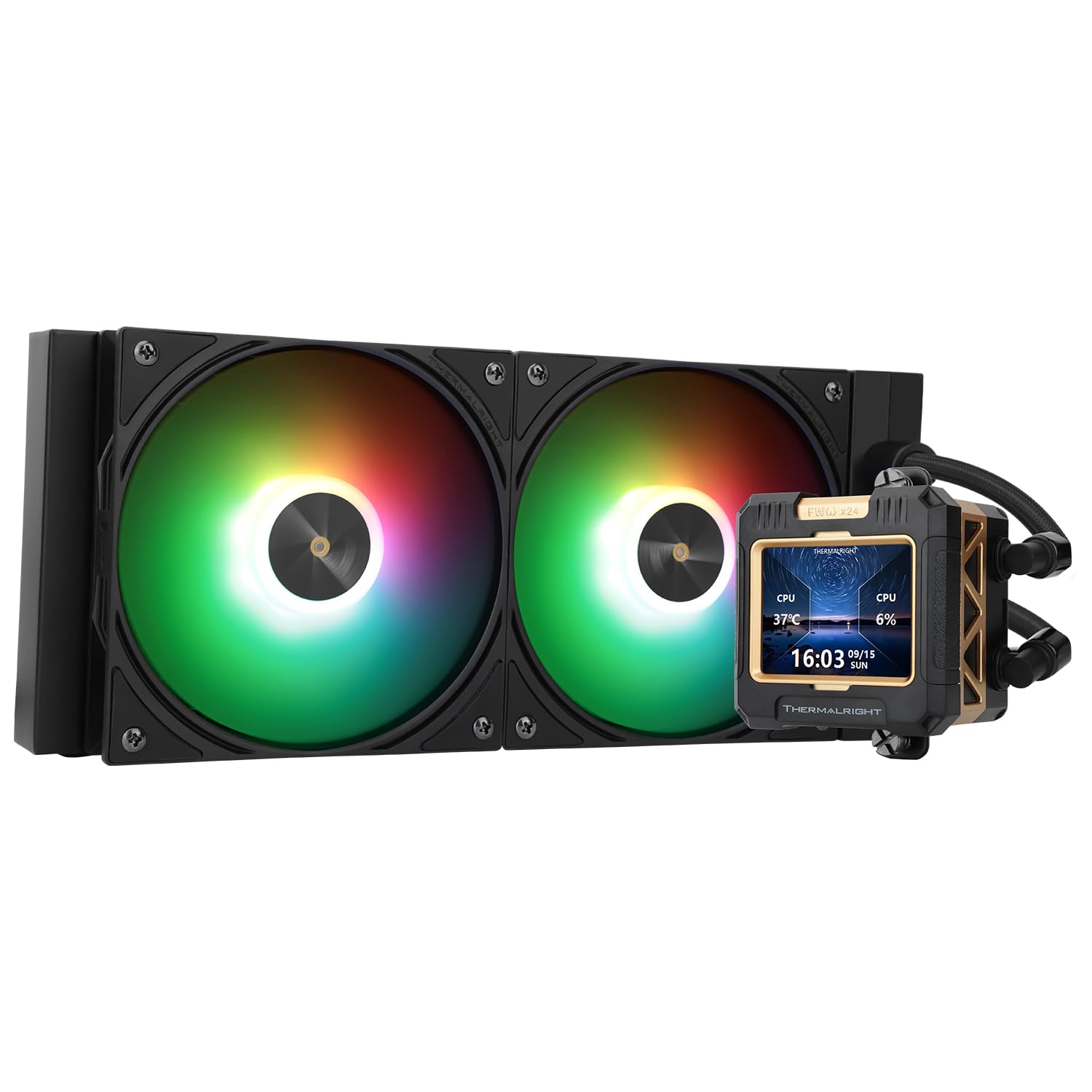
| Thermalright FW 240 Black ARGB V2★ Best Overall | LCD enthusiasts on a budget | 240mm | 23 db | — | Amazon |
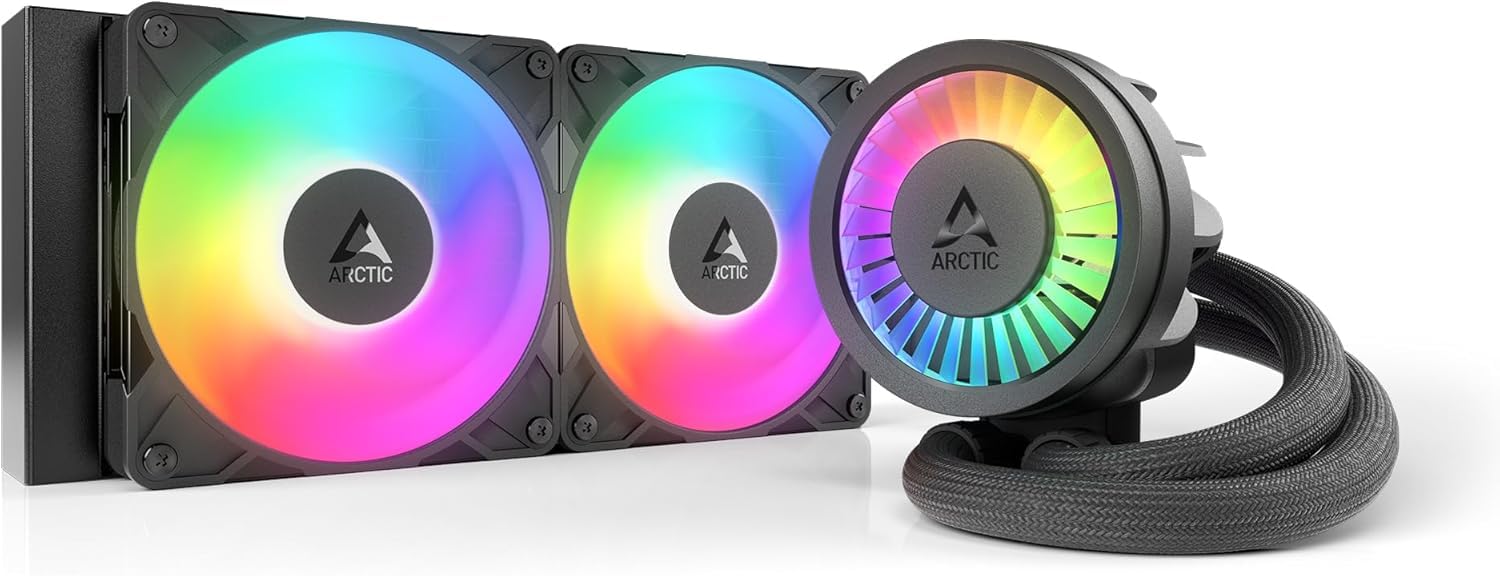
| ARCTIC Liquid Freezer III Pro 240Cooling Champ | Raw cooling performance | 240mm | — | 77 cfm | Amazon |
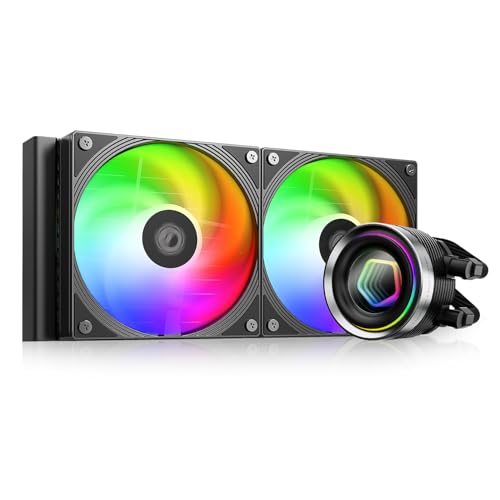
| ID-COOLING FX240 INFBest Looks | Infinity mirror aesthetics | 240mm | 27.2 db | 58 cfm | Amazon |
| Cooler Master 360L Core | Triple-fan 360mm cooling | 360mm | 27.2 db | 71.93 cfm | Amazon |
| MSI MAG Coreliquid A13 240 | MSI ecosystem builders | 240mm | — | 60.78 cfm | Amazon |
| Thermalright FW 360 White ARGB | White builds with LCD flair | 360mm | 23 db | 70.84 cfm | Amazon |
| CORSAIR Nautilus 240 RS | Reliable low-noise performance | 240mm | 20 db | — | Amazon |
| MSI MAG Coreliquid A13 360 | Serious heat, triple-fan setup | 360mm | 14.4 db | — | Amazon |
| NZXT Kraken Plus 240 | Fully customizable LCD screen | 240mm | 31.9 db | — | Amazon |
In‑Depth Reviews
1. Thermalright FW 240 Black ARGB V2
The 240mm AIO that delivers an LCD screen for less than rivals charge for bare metal.
You get a customizable IPS LCD screen with a 320 * 240 resolution on the pump, which is a feature usually reserved for coolers costing far more. Owners can upload any picture or GIF, and the display supports system screen projection, so your CPU temperature can be right there on the block. The display runs off a USB header on your motherboard, and the software comes from Thermalright’s official site.
Cooling comes from a 240-size all-black nano-painted aluminum fin radiator paired with two 120mm PWM fans hitting 2000 rpm. The pump itself spins up to 3000 rpm while the whole unit is rated at a quiet 23 db. On an i7-8700, Buyers report the CPU “cools perfectly.” and one loud build switched from a tower cooler and saw the system run cool enough that the liquid loop handles it with ease.
The mounting system is thorough, with the SS2 all-metal buckle covering AMD AM4/AM5 and a long list of Intel sockets from LGA1150 through LGA1700. Installation is friendly enough that first-time liquid cooler users manage it solo, and the kit even includes thermal paste. A few owners mention the included software can be a little finicky to set up, and one owner had to swap RGB RAM for non-RGB sticks to fit the radiator in a tight case.
Why it wins
- LCD screen with 320*240 resolution at a budget price
- Quiet 23 db operation with fans at 2000 rpm
- Covers AMD AM4/AM5 and Intel LGA1150 through LGA1700
Consider this
- Display software takes some learning to manage
- Check case clearance with tall RAM before ordering
The pick: Great for builders who want a flashy LCD without a premium price tag.
A note: If you hate tinkering with software, treat the display setup as a small project.
2. ARCTIC Liquid Freezer III Pro 240 A-RGB
The performance-focused 240mm cooler that punches far above its price class.
This cooler wins on raw cooling power. It moves 77 cfm (cubic feet per minute) of air—more than the ID-COOLING FX240 INF’s 58 cfm—so your CPU stays cooler under load. On a hot i7-13700KF, Customers note the thick radiator delivers -10°C versus a single-fan tower cooler., and Another owner measured a -30°C drop versus the stock air cooler on a Ryzen 9 3900., with no thermal throttling (automatic speed reduction to prevent overheating) even under heavy load.
ARCTIC packs in extras you rarely see at this level. A native offset mounting system shifts the cold plate toward the CPU’s hotspot for better heat transfer, and an integrated PWM-controlled VRM fan cools the voltage converters around the socket. The P12 PRO fans are more powerful and quieter than the older P12, especially at low speeds, and the radiator fan cables are routed through the hose sheathing so only one cable reaches the motherboard.
The catch is installation. Owners describe mounting it on AMD systems as easy in some cases, but several say it’s tricky, requiring you to remove the motherboard backplate and watch a YouTube guide rather than just plugging things in. Noise feedback is also split, with some calling it super quiet and others finding the fans pretty loud under load. At 1665 g it’s a hefty unit, so make sure your case has the clearance.
Real-world verdict: For raw thermal headroom on demanding chips, this is the strongest 240mm performer here, and owners running multiple machines with one going 6+ years back it for longevity.
3. ID-COOLING FX240 INF
The infinity mirror AIO that dresses up your rig with endless reflections.
This cooler’s defining feature is the infinity mirror design on the pump, where addressable RGB lighting creates an illusion of infinite depth. It’s a head-turner that gives a gaming PC a whole new look, and Owners say the CPU runs significantly cooler after installation.. It’s rated to handle a 300W TDP, so it’s built for gaming and high-performance systems, not just light office work.
Inside, a GEN 7 pump runs at 2900RPM±10%, and the upgraded 27mm thick radiator has 12 waterways plus a denser fin stack for better heat dissipation. The two 120mm fans push 58 cfm of airflow at a max noise of 27.2 db. They use daisy-chain connectors, so you link them together and run one cable, keeping your build tidy. The pump noise is noticeable against the Thermalright FW 240’s 23 db rating, but for the price, reviewers point out it works great.
Compatibility spans Intel LGA1851/1700/1200/115X and AMD AM5/AM4, with thermal paste included. One practical tip from a buyer: the fans ship pre-installed on the exhaust side, which caused overheating until flipped to intake, and the included thermal paste amount was thin so grabbing extra is wise. It’s cooled an i7-8700k for over 400 hours of use without issues.
The balance: You trade a bit of noise for a striking look and solid mid-range performance — ideal for aesthetics-first budget builders.
4. Cooler Master 360L Core

The triple-fan 360mm cooler that undercuts the premium crowd on price.
You pay about what a premium 240mm cooler costs, but you get a full 360mm radiator with three 120mm ARGB fans—more surface area means more cooling headroom. Shoppers say noticeably lower temperatures than their previous air coolers., with a Ryzen 9 staying cool and one buyer noting the CPU “never gets anywhere near too hot” even at max settings on a 5070ti.
The patented Gen S dual-chamber pump uses an improved copper base targeting heat spots more precisely while increasing water flow and pressure. Cooler Master includes CryoFuze thermal paste with thermal conductivity of 14W/mK, rated for temperatures from -50°C up to 250°C. The frosted fan blades enhance ARGB light dispersion, so the lighting looks vibrant and fully customizable.
Installation gets high marks for being straightforward, with one owner calling it “like 8 screws.” The airflow rating is 71.93 cfm with a max noise of 27.2 db, and fans spin to 1800 rpm. A few owners note AM4 socket fit can be hit-or-miss, and the cooler is physically longer than 360mm because of the return loop reservoirs on each end, so check your case dimensions first. It’s also light at just 1 kg.
Why it stands out
- 360mm radiator with 3x 120mm ARGB fans
- Premium CryoFuze paste with 14W/mK conductivity included
- Straightforward installation praised by owners
Watch out for
- Longer than standard 360mm due to end reservoirs
- Some report AM4 socket fit issues
Reach for it: You want 360mm-class cooling power without the big-brand markup.
Look elsewhere if: Your case has tight radiator clearance or you’re on an older AM4 board.
5. MSI MAG Coreliquid A13 240

The 240mm MSI cooler that keeps today’s hottest chips in check.
This AIO is LGA 1851 ready from the start, so it supports Intel’s newest socket alongside the older LGA 1700 and AMD AM5/AM4. At the heart is a high-performance pump running up to 3800 RPM with ceramic bearings, which owners say keeps a Ryzen 7800x3d under 65 degrees with zero audible fan or pump noise. An i7-14700kf stays cool without overclocking.
The split-flow radiator has an integrated three-phase pump that reduces motor resonance, and the evaporation-proof tubing is triple-layered netted plastic under reinforced mesh so the liquid stays sealed in the loop. The airflow rating is 60.78 cfm, delivered by dual 120mm ARGB PWM fans. Among the quietest options in this lineup, owners highlight the acoustics as a top strength.
Installation is straightforward — fans and pump plug into CPU_Fan and CPU_Pump headers, and it reports cleanly within MSI’s UEFI or MSI Center software. Build quality earns frequent praise from owners, though compatibility reports are mixed, with some noting issues on certain motherboards. At just 0.5 kg, it’s a featherweight that’s easy to mount in compact cases.
What to expect: A quiet, well-built 240mm that leans on a high-RPM pump for efficiency — a great fit if you’re building inside the MSI ecosystem.
6. Thermalright FW 360 White ARGB

The white 360mm with a magnetic LCD screen that’s a steal for its spec sheet.
This cooler pairs a 360mm radiator with a 2.4-inch magnet-absorbent IPS LCD screen on the pump, so you can attach or remove the display without tools. Owners of a Ryzen 7 7800X3D report idle temperatures around 31-41 degrees, and one calls it a budget alternative to a Corsair or NZXT unit, matching their cooling while costing a fraction.
The TL-P12W-S fans spin to 2000 rpm with S-FDB bearings rated for an industrial service life of up to 20,000 hours, the same bearing tech that prevents blade shake in vertical mounts. The pump operates at 3000RPM±10% with a noise rating of ≤23dBA, and the whole unit pushes 70.84 cfm of airflow. It supports system screen projection on the LCD, so temps, time, and date display live.
Compatibility includes AMD AM4/AM5 and Intel LGA1150 through LGA1700, each with the right mounting fasteners in the box. Owners describe installation as easy and the software as a bit clunky but functional, with one noting a minor bug where background images and temps don’t save until the app reopens. The 360mm radiator is larger at 397*120*52mm, so confirm your case has room for a triple-fan mount.
What stands out
- Magnetic 2.4-inch IPS LCD with GIF/video support
- S-FDB bearings rated to 20,000 hours
- Quiet 23 db rating with 360mm cooling
Keep in mind
- Display software can be glitchy until reopened
- Requires space for a 360mm radiator
Ideal for: White-themed builds wanting big cooling plus a flashy LCD without premium pricing.
The trade-off: You trade minor software quirks for a feature set that typically costs double.
7. CORSAIR Nautilus 240 RS

The whisper-quiet 240mm that prioritizes a calm, low-noise experience.
This is the quietest cooler in the lineup, with a low-noise pump rated at just 20 dBA and RS120 fans using CORSAIR AirGuide technology with Magnetic Dome bearings. Owners running an i9 13900k report it keeps the CPU below 80°C, and a Ryzen 9950 X3D stays at proper temps during gaming sessions. The non-RGB design looks clean with a matte finish that fits understated builds.
The convex cold plate is slightly bowed to make maximum contact with your CPU’s heat spreader, and thermal paste comes pre-applied in an tune pattern. RS fans generate the high static pressure needed to push air through the radiator fins, and the daisy-chain connections mean you run a single 4-pin PWM fan header for both fans, cutting cable clutter significantly.
Installation gets consistent praise for being easy, with spring screws for a secure mount. At 2.7 pounds it’s a substantial unit, so plan your case layout. One owner swapped the pre-applied paste for a premium alternative and saw temps drop from 55°C to 45°C at idle and 75°C to 65°C while gaming, so that’s an easy upgrade path. It’s compatible with Intel LGA 1851, LGA 1700, and AMD AM5/AM4.
Bottom line: The strongest choice for silence-focused builders who want proven reliability — and owners note it runs quieter at 50% fan speed than they expected.
8. MSI MAG Coreliquid A13 360

The 360mm MSI that posts the lowest noise figure on this list.
At just 14.4 db (decibels), this is the quietest cooler here, and owners confirm it’s quiet in practice. The high-performance pump runs up to 5200 RPM (revolutions per minute) with ceramic bearings, and Buyers report the CPU staying at 58°C during gaming.. One video editor dropped from 100°C throttling on an air cooler to a max of 85°C after switching, and It keeps a 5800X3D at max 75°C under stress with no throttling..
The split-flow radiator uses an integrated three-phase pump to cut motor resonance, and the 390mm tubes are triple-layered netted plastic for evaporation-proof operation. Three 120mm ARGB PWM fans come pre-installed, which saves significant setup time, and thermal paste is included. The design is compact and clean, with the pump block looking sleek inside the case.
Installation is mostly straightforward, though one owner found the adhesive on the copper base required a 30-minute cleanup before mounting, and another noted the MSI logo sits misaligned on AM4/AM5 brackets. The 360mm radiator needs a case with triple-fan support, and at 2 pounds it’s manageable. This pairs well with the MSI A13 240, but the 360 gives you 50% more radiator surface for high-heat chips.
Why pick this
- Lowest noise rating here at 14.4 db
- High-RPM 5200 pump with ceramic bearings
- Pre-installed fans cut setup time
Be aware
- Check the copper base for adhesive residue
- Requires space for a 360mm radiator
The pick: Best for high-end CPUs needing serious cooling in a case with room for a triple-fan radiator.
Consider: You’ll want a few extra minutes for install prep to avoid a sticky base.
9. NZXT Kraken Plus 240

The 240mm with a fully customizable LCD and smart fan control.
This NZXT cooler centers on a bright 1.54-inch square LCD screen that displays live system temps, animated GIFs, or web integrations like Spotify and YouTube, all controlled through NZXT CAM software. The Turbine pump is engineered for high flow and head pressure, delivering efficient low-noise cooling, and owners say a Ryzen 9 stays chilly with quiet operation. One reviewer noted it stopped CPU crashes and dropped temperatures dramatically.
The F120P fans use high static pressure to push air through the radiator, and Zero RPM Mode stops the fans completely at low loads for silent operation when your system is idle. Pre-applied thermal paste and a single breakout cable from the pump speed up installation and reduce cable clutter. Tool-free mounting brackets support the latest AMD and Intel sockets, including AM5 and LGA 1851.
At 4.5 pounds, it’s the heaviest 240mm here, so verify your case’s mounting plate strength. The noise rating of 31.9 db is the highest on this list, and some owners mention the pump can be audible at full speed, while others find it quiet — feedback is split. A few have experienced the pump stopping after weeks, requiring a CAM reinstall, though the broader feedback is positive. It comes with thermal paste included.
Who it’s for: You want deep LCD customization and smart fan behavior, and you accept a slightly noisier, heavier unit in exchange.
Understanding the Specs
Air Flow Capacity (cfm)
This number, measured in cubic feet per minute, tells you how much air the fans can move. A higher cfm means more air pushed through the radiator, which helps dissipate heat faster. Compare this within the same radiator size — a 77 cfm 240mm moves notably more air than a 58 cfm 240mm, which can matter for high-heat CPUs.
Noise Level (dBA)
This spec measures how loud the cooler gets, in decibels. It’s a logarithmic scale, so a jump from 20 dBA to 31.9 dBA isn’t small — it’s roughly four times louder to your ears. A 20 dBA cooler is near-silent in a quiet room, while 31.9 dBA is clearly audible. Lower is better if you’re noise-sensitive.
Maximum Rotational Speed (RPM)
This is how fast the fans or pump can spin, measured in revolutions per minute. A 3000 rpm pump circulates coolant faster than a 2900 rpm pump, which helps move heat away from the CPU. However, higher fan RPM often means more noise, so balance this against the dBA rating for your ideal setup.
Socket Compatibility
This tells you which CPUs the cooler physically fits. Modern Intel sockets are LGA 1700 and LGA 1851, while AMD uses AM4 and AM5. Most current coolers include brackets for all of these from the start, but older Intel sockets like LGA1150 require specific support. Always match this to your motherboard before buying.
FAQ
Will a 240mm AIO cooler fit in my PC case?
Is a 360mm radiator always better than a 240mm?
How do I know if an AIO cooler supports my CPU socket?
What does the noise level rating like 23 db actually mean?
Are ARGB fans on an AIO worth it?
How long does an AIO liquid cooler typically last?
Is a liquid cooler quieter than a standard air cooler?
What is the difference between a 240mm and a 360mm radiator?
Does an AIO cooler come with thermal paste pre-applied?
Can I use an AIO cooler with an AMD Ryzen 7 or Intel Core i7 processor?
Final Thoughts: The Verdict
For the majority of shoppers, the best budget aio cooler winner is the Thermalright FW 240 Black ARGB V2 because it bundles a 320*240 LCD screen, quiet 23 db operation, and broad socket support into one affordable package. If you want raw cooling muscle for a hot chip, grab the ARCTIC Liquid Freezer III Pro 240 with its 77 cfm airflow. And for a triple-fan 360mm setup at a value price, the Cooler Master 360L Core is the one to reach for.
How We Picked
We do not accept paid placement. Every pick is matched to a real buyer and a real use-case; we do not hands-on test units.
Sources & Methodology
Specifications: manufacturer listings and product documentation. Review insights: verified customer reviews, as of August 2026. Pricing: not shown on this page (it changes often); check the current price via the retailer link.
As an Amazon Associate, FitlyFast earns from qualifying purchases. This does not affect which products we feature.