
Our readers keep the lights on and the weekend projects moving. As an Amazon Associate, I earn from qualifying purchases.
Specs are compiled from manufacturer listings and verified buyer reviews and can change over time — please confirm the key details on the product page before buying.
Your laptop is your listing office. It carries the MLS database, the digital lockbox codes, the drone photos of that hillside property, and the video call with the out-of-state buyer — often all in the same hour, from the front seat of your car. Your laptop must run Google Maps, a CRM, and a 4K walkthrough video simultaneously without lag.
I’m Rikta — the founder and writer behind FitlyFast. This guide is built by comparing the manufacturers’ published specifications and the patterns across verified customer reviews, so you get each pick’s real strengths and trade-offs instead of marketing spin.
Find the ideal computer for real estate agents that juggles listing software, video tours, and client calls without missing a beat.
Our Picks at a Glance


How To Choose The Best Computer For Real Estate Agents
Your daily workflow demands more from a laptop than a typical office job. Juggling the property dashboard, e-signature app, photo editor, and video tour requires a laptop that won’t stall during client meetings. Prioritize these four specs when choosing your laptop.
Portability and build
You’ll haul this laptop through basements, stairwells, and parking garages daily. A sub-3.5-pound frame reduces shoulder fatigue after a full day of showings. A sturdy chassis withstands the jostling of car rides between properties.
Battery endurance
You’ll rarely have access to an outlet during an open house. A battery that lasts a full 8-hour workday, or better yet, up to 18 hours, means you can leave the charger in the car. Look for fast-charging support that tops you up during a quick coffee stop.
Screen clarity and brightness
You show homes to clients on your screen, often in bright rooms. A high-resolution display (like 2.8K or WUXGA) makes floor plans and photos crisp. A brighter panel, measured in nits, keeps the image viewable when sunlight pours in through the windows.
Memory and storage
Real estate work is multitasking. A machine with 16GB of RAM runs your browser, CRM, and photo editor comfortably, while 32GB lets you juggle dozens of tabs and heavy video files. Ample SSD storage (512GB to 1TB) holds your growing library of property media.
Quick Comparison
| Model | Best For | Display | Battery Life | Memory | Amazon |
|---|---|---|---|---|---|
| MacBook Air 15 (M5)★ Best Overall | Best Overall | 15.3-inch Liquid Retina | Up to 18 hours | 16GB | Amazon |
| Acer Aspire 14 AIBest Value | Best Value | 14-inch WUXGA | Up to 22 hours | 16GB | Amazon |
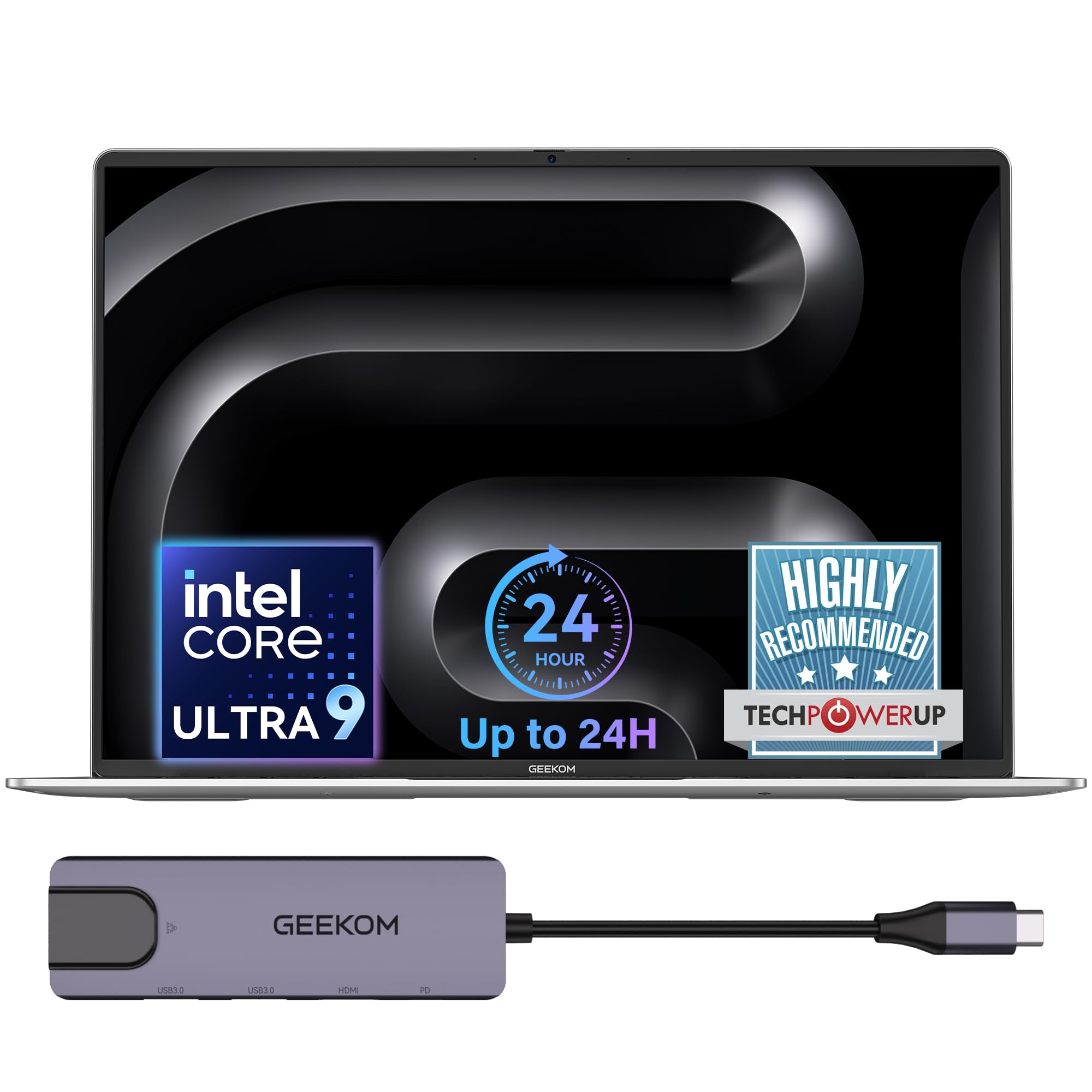
| GEEKOM GeekBook M16Power Flexible | Power Flexibility | 16-inch IPS 16:10 | Up to 24 hours | 16GB | Amazon |
| GEEKOM GeekBook X14 Pro | Featherlight Premium | 14-inch 2.8K OLED | Up to 16 hours | 16GB | Amazon |
| HP 255 G10 | Spreadsheet Power | 15.6-inch FHD | — | 32GB | Amazon |
| Acer Aspire FHD Touch | Touchscreen Versatility | 14-inch FHD+ Touch | — | 32GB | Amazon |
| HP Elite x360 1040 G11 | 2-in-1 Business | 14-inch 2.8K OLED Touch | — | 32GB | Amazon |
| Lenovo ThinkPad T14 | Frequent Travel | 14-inch FHD+ Touch | — | 32GB | Amazon |
| Dell 16 Plus | Big Screen Work | 16-inch QHD+ | — | 32GB | Amazon |
| Lenovo ThinkPad X1 Carbon | Ultra-Portable Flagship | 14-inch 2.8K OLED | Up to 15 hours | 32GB | Amazon |
| LG gram Pro 16 | Premium All-Rounder | 16-inch Display | Up to 27 hours | 32GB | Amazon |
In‑Depth Reviews
1. Apple MacBook Air 15-inch (M5 chip)
Our pick — over 4.5★ from 500+ verified ratings; the strongest balance of quality and price.
The featherlight powerhouse that stays cool and silent while you run your entire listing operation from a coffee shop.
The defining draw here is the 15.3-inch Liquid Retina display that supports 1 billion colors, so the photos of a sunset-view property look rich and true during a client sit-down. The M5 chip keeps everything fluid, and the crowd — a 4.8-star favorite across 500+ owners — lands on performance as the thing everyone raves about, with speed a close second.
You can leave the charger at home through a full day of open houses because this laptop runs up to 18 hours on a single charge. The 12MP Center Stage camera (a camera that automatically keeps you centered in the frame) ensures you stay in view during video walkthroughs, and the six-speaker system with Spatial Audio (a feature that creates a surround-sound effect) makes recorded property tours sound rich for buyers. At 3.32 pounds, buyers report it’s “much lighter than previous models makes for easier travel,” and that “battery life is exceptional, size is perfect for those who do a lot of different things” — the ideal companion for an agent who juggles showings and paperwork.
Connectivity covers your desk setup: two Thunderbolt 4 ports, MagSafe charging, and support for up to two external displays. The trade-off? It’s a premium investment, and the sleek Midnight finish picks up fingerprints, so keep a cloth in your bag. If you live inside Apple’s ecosystem and want to start an email on your iPhone and finish it on your Mac, this is the pick that makes that flow easy.
What wins owners over
- Exceptional display and speaker quality for showing media
- Silent, fanless design and lightweight travel frame
- Quick, easy setup from a previous Mac
The honest trade-offs
- Premium price tier for the M5 configuration
- Midnight finish shows fingerprints
- Lacks touchscreen for on-screen signing
Reach for this if: you want a premium, ultra-portable Mac with all-day battery that handles video tours and multitasking without a fan noise.
Look elsewhere if: you prefer a touchscreen with a stylus for digital signatures or need Windows-only real estate software.
2. Acer Aspire 14 AI Copilot+ PC
The budget-friendly workhorse that stretches a single charge across two days of light listing work.
You get a sharp 14-inch WUXGA 1920 x 1200 display (a high-resolution screen for crisp text and images) and an Intel Core Ultra 5 processor (a mid-range chip that handles everyday tasks smoothly) that owners mention is “great speed, display” and “not too heavy for a backpack” — exactly what an agent dragging gear between properties needs. The stand-out number is battery life: up to 22 hours under video playback settings, which outlasts far pricier machines on this list.
The aluminum chassis with a 180° lie-flat hinge lets you angle the screen to show a buyer the floor plan from across the table. New AI features like Recall (preview) help you locate past content with natural searches, and the AcerSense key on the backlit keyboard gives instant access to settings. Storage is a 512GB SSD with 16GB LPDDR5X memory, ample for a growing listing library.
The honest gap versus the MacBook above: a 45% color gamut means photos won’t look quite as vivid, and there’s no touchscreen or number pad, which spreadsheet-heavy agents will miss. Still, for a day of client meetings, video calls, and document editing, this is the value pick that handles “all that most people need” without the premium sticker.
Strongest angle: the 22-hour battery is the longest claimed here after the LG, making it a true multi-day workhorse for field agents.
Who it’s for: budget-conscious agents who want modern AI features and light portability over a premium display.
3. GEEKOM GeekBook M16
The desktop-grade performer that runs your video editing and heavy multitasking unplugged.
Where this GeekBook leaves the pack is sustained power: it holds up to 55W output on battery alone, so you can edit a property video or render a 3D floor plan with the charger left behind. The 16-inch 16:10 IPS display gives you extra vertical screen space for scrolling through listings, with a 90% screen-to-body ratio that keeps the frame slim.
The battery is a monster: 99.9Wh capacity supports up to 24 hours, and the 100W PD fast charger (20% smaller than standard adapters) adds hours of light office use in just a 10-minute top-up. The IceBlade 3.0 cooling system with dual fans keeps things quiet, with three performance modes — Silent 15W for focused writing, Balanced 40W for everyday tasks, and Performance 55W for heavy work. A fingerprint reader, DTS:X Ultra dual speakers, and a 5-in-1 docking station round out the package.
Buyers call it a “great value MacBook alternative” with “excellent battery life” and an easy setup. The catch? It’s a newer brand with a smaller review base, and an occasional unit has arrived with a minor cosmetic issue. But for an agent who shoots and edits their own listing videos, the raw power here is tough to top in this tier.
What wins people over: the combination of a huge 99.9Wh battery and desktop-level CPU performance in a slim aluminum body.
Fair caveat: as a newer laptop line, long-term reliability data is thinner than the established brands.
4. GEEKOM GeekBook X14 Pro
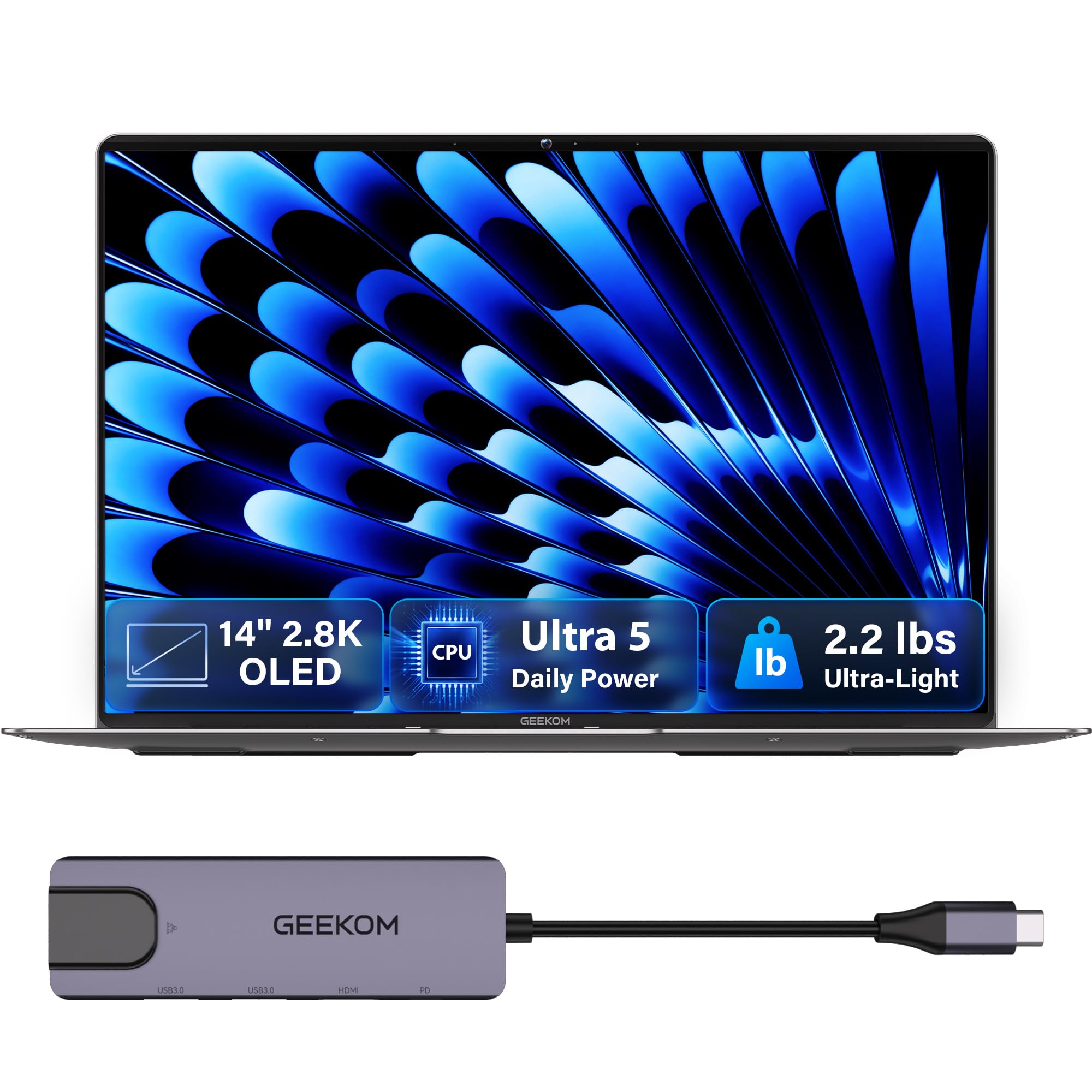
The ultra-thin travel companion with an OLED screen that makes every listing photo look magazine-ready.
At just 2.2 pounds and 0.23 inches thick, this is the lightest machine in the lineup — you’ll genuinely forget it’s in your bag while hiking up to a hilltop property. The 14-inch 2.8K OLED display with 100% DCI-P3 color makes drone shots and interior photos pop with true blacks and vibrant color, a real advantage when you’re pitching a premium listing to a client.
The 120Hz refresh rate keeps scrolling through listing feeds fluid, while up to 450 nits of brightness keeps the screen readable even in a sunlit room. A 72Wh battery delivers up to 16 hours, and the compact 65W GaN charger (about 30% smaller than typical adapters) fills it to 80% in about an hour. The magnesium alloy chassis with a 180° hinge, fingerprint open up, and a physical camera shutter for privacy checks every box for an on-the-go professional.
Buyers praise its speed, with an i5 Ultra processor able to “handle anything,” and note it runs cool. The mixed feedback centers on battery life (some want more) and a trackpad that isn’t the smoothest. For an agent who prioritizes portability and jaw-dropping screen quality for client presentations, this is the one to carry.
The travel wins
- 2.2 lbs and razor-thin for all-day carrying
- OLED panel with vivid, true-to-life color
- Fast 65W GaN charging to 80% in about an hour
Where it gives ground
- Battery life is rated 16 hours, less than the M16
- Trackpad feel draws mixed owner feedback
- No Windows Hello facial recognition
Pack this if: your day is defined by movement and you want the best screen-to-weight ratio for client pitches.
Think twice if: you need maximum battery over beauty or rely on face-login to open up quickly.
5. HP 255 G10 Business Laptop

The number-cruncher’s friend with a full numeric keypad for fast data entry between showings.
Real estate means endless spreadsheets — comparables, commission sheets, closing costs — and this HP is built for that with 32GB of RAM and a dedicated numeric keypad. The AMD Ryzen 7 7730U processor (8 cores, up to 4.5 GHz) powers through multiple applications simultaneously, while the 1TB PCIe SSD handles fast bootups and massive photo libraries.
The 15.6-inch FHD (1920 x 1080) IPS anti-glare display is comfortable for long stretches of document work, and customers note it’s lightweight, portable, and “great for working from home” with excellent WiFi speed. Windows 11 Pro brings enterprise-grade security with BitLocker encryption — a genuine plus when you’re holding client data on your drive.
The honest caveat: performance feedback is mixed, with some owners noting a short battery life (as low as 45-60 minutes for heavy video use) and a few reporting reliability issues after several months. This is a “keep it plugged in at your desk” machine rather than an all-day road warrior. If your work is mostly desk-bound number crunching, the 32GB RAM and numeric keypad make it a compelling value.
The case for it: class-leading RAM-to-price for spreadsheet work, plus a physical numeric keypad that speeds up data entry.
The honest fit: ideal for a desk-based agent who rarely works unplugged, not for a full-day showing schedule.
6. Acer Aspire FHD Touchscreen Laptop

The hands-on choice that lets you swipe, zoom, and sign listings directly on the screen.
The 14-inch touchscreen here is the defining feature — you can pinch-zoom into a property photo, swipe through a gallery during a client meeting, or sign a digital document with your finger instead of fumbling for a stylus. Under the hood, the Intel Core Ultra 7 258V processor with a dedicated NPU (47 TOPS) enables local AI features like background blur and auto-framing for your video calls, all running privately on the device.
With 32GB LPDDR5X RAM, this machine shrugs off dozens of browser tabs, multiple applications, and background processes without slowing down. The 1TB PCIe SSD provides near-instant boot times and ample storage for presentations, photos, and videos. At just 3.09 pounds and 0.7 inches thin, it slips into any bag for the commute between the office and a listing. An included 8-in-1 USB hub adds HDMI, USB-A, USB-C, SD card, and Ethernet ports, so you never need a dongle collection.
Buyers call it “absolutely quicker” than their previous laptops and praise it as “an amazing machine.” The catch? Some were disappointed that the included “Lifetime access to Microsoft 365” is the free online-only version, not the full desktop suite. For an agent who wants to interact with listings hands-on and keep a featherweight profile, this delivers.
Hands-on perks
- Touchscreen for natural photo zoom and e-signing
- 32GB RAM handles a full tab avalanche
- Included 8-in-1 hub for complete connectivity
Fair warnings
- Bundled Microsoft 365 is online-only, not full desktop
- Touchscreen adds a slight gloss that can reflect
Choose this if: you want a light, touch-native laptop for interactive client presentations and on-the-go productivity.
Pass if: you need a full desktop Office suite included or prefer a matte, non-touch panel.
7. HP Elite x360 1040 G11
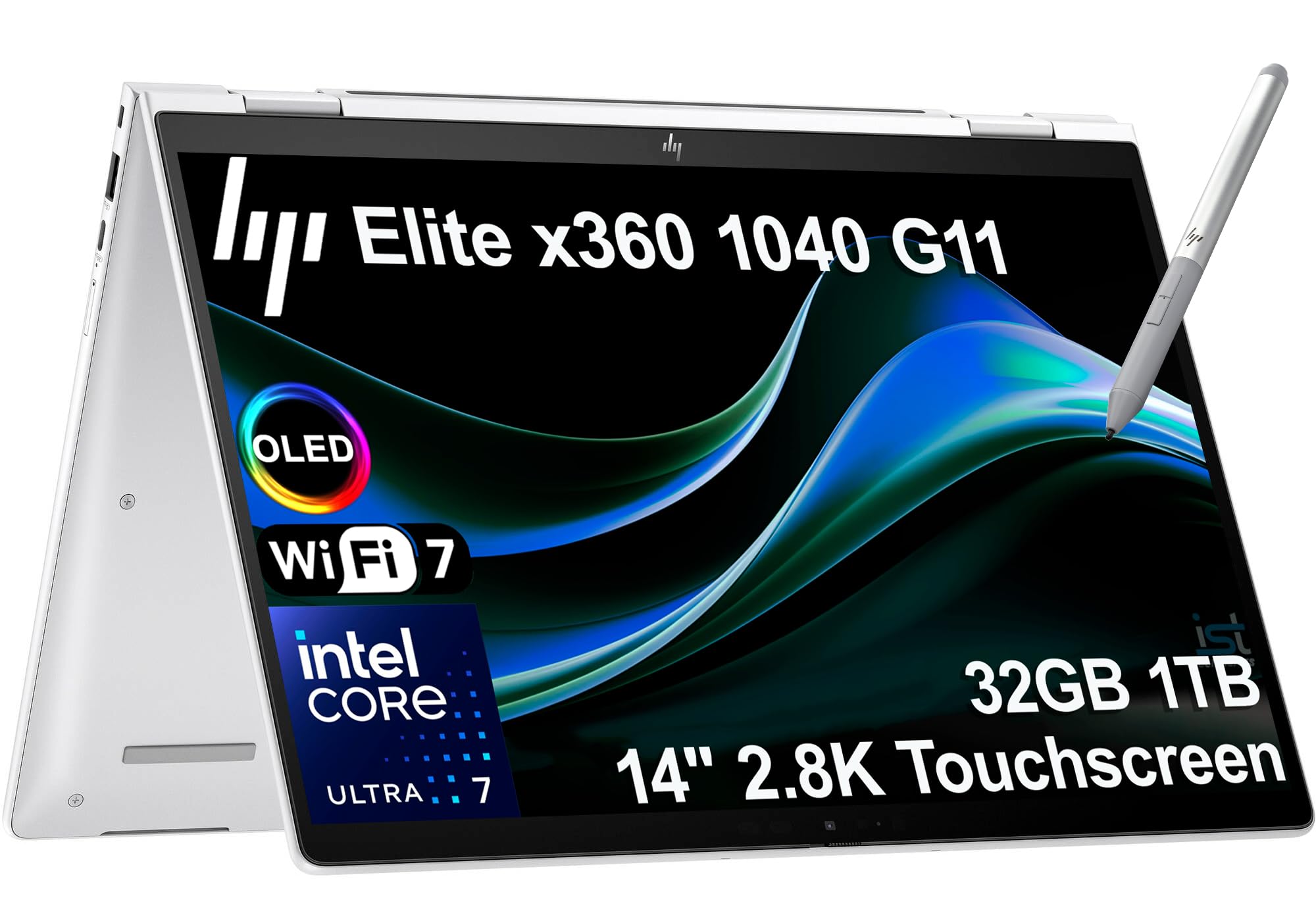
The fold-flat flex machine that becomes a tablet for showing listings in the field.
This 2-in-1 transforms through a 360-degree hinge: Laptop mode for paperwork, Tablet mode to hand to a client scrolling through photos, or Flip mode for hands-free video tours. The 14-inch 2.8K (2880 x 1800) OLED IPS touchscreen with 400 nits brightness and 100% sRGB makes even the most detailed floor plans look crisp and true.
Inside, the Intel Core Ultra 7 155H vPro (up to 4.8 GHz) with 16 cores powers through heavy multitasking, paired with 32GB DDR5 memory and a 1TB PCIe NVMe SSD. The 5MP IR webcam with a physical privacy shutter keeps video calls clear and secure, while quad stereo speakers tuned by Poly Studio Audio deliver spatial sound for recorded walkthroughs. It supports up to 3 external monitors via HDMI and Thunderbolt 4 ports at 4K 60Hz, giving you a full desktop setup when you return to the office.
Buyers praise it as a “perfect business” machine that “boots up super quick” with a “bright sharp screen.” The trade-off is a premium price and the fact that this unit has been resealed to upgrade the SSD (a storage drive that holds your files) — it carries a three-year warranty on the upgraded drive and one year from HP on the rest. For an agent who wants one device that does laptop, presentation, and tablet duty, this is a serious contender.
What wins people over: the versatility of a true 2-in-1 with a gorgeous OLED touch panel and enterprise-grade security.
Fair caveat: a premium price, and the resealed-for-upgrade history may give some buyers pause despite the warranties.
8. Lenovo ThinkPad T14 Business AI Laptop
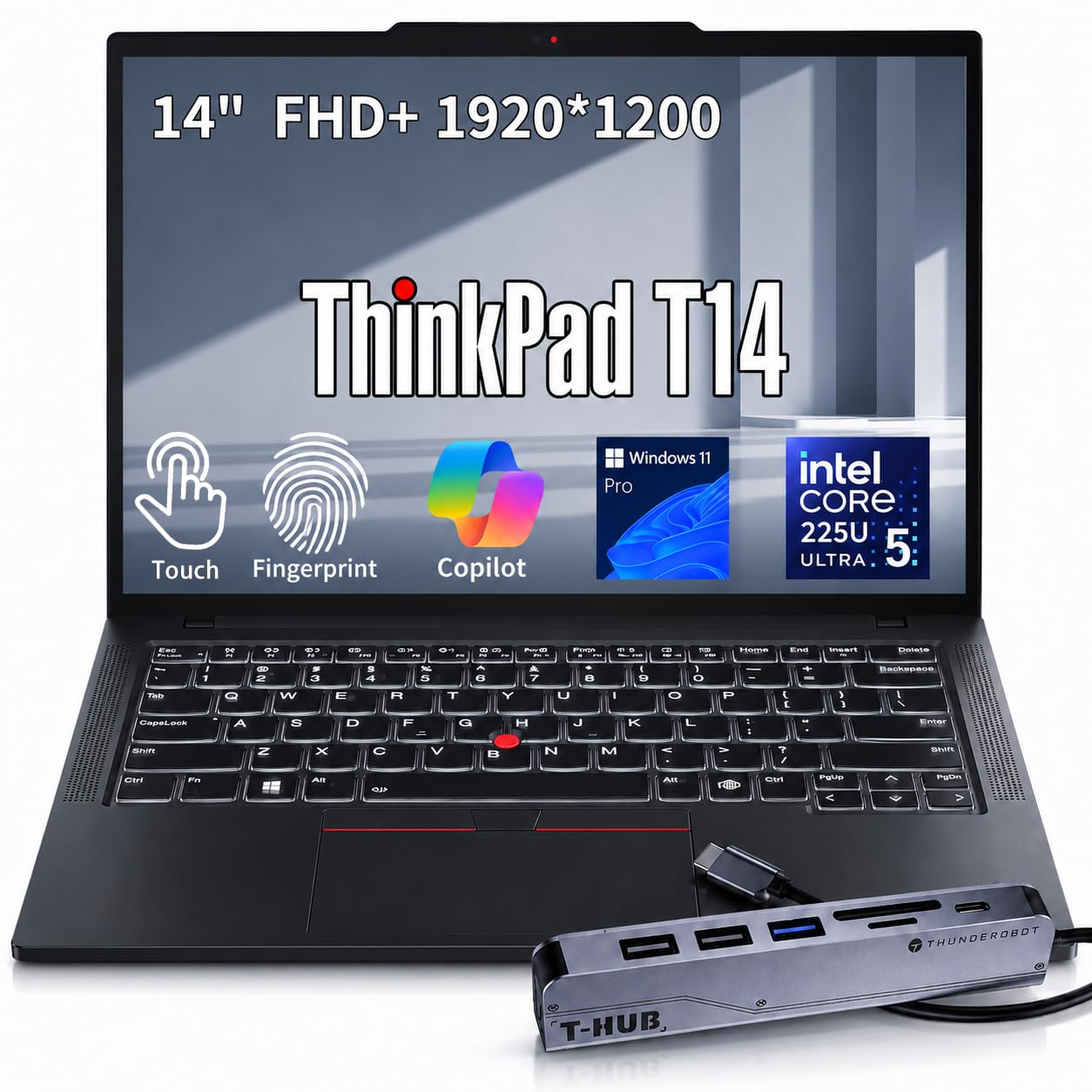
The airport-runway warrior that slips into a briefcase and survives a week of property tours.
Weighing just 3.22 pounds with a space-saving micro-border bezel, the T14 fits standard travel briefcases and reduces physical fatigue on long days — the kind of detail that matters when you’re catching flights between listing appointments. The 14-inch FHD+ (1920 x 1200) touchscreen responds to swift swipes and digital signatures, so you can capture a client’s e-signature on a purchase agreement right at the property.
Inside, the Intel Core Ultra 5 225U (up to 4.8 GHz) with 32GB DDR5 SODIMM memory and a 1TB PCIe M.2 SSD delivers smooth professional performance. The included 7-in-1 expansion hub lets you connect dual monitors, external drives, and peripherals simultaneously, transforming it into a full desktop workstation for intense presentation sessions. The backlit keyboard keeps typing precise in dimmed conference rooms and overnight flights.
Buyers praise it as an “amazing work from home laptop” that “handles everything she throws at it without slowing down” with “quick and easy” setup. The catch? Windows 11 Pro lacks a CD drive, which some legacy users miss, and the unit has been opened for an SSD upgrade (with a one-year coverage on the upgraded parts). For a frequent-flying agent who needs reliable performance in a compact frame, this is a trustworthy tool.
Road-warrior strengths
- 3.22 lbs with a briefcase-friendly micro-bezel
- 32GB RAM and 1TB SSD handle any workload
- Included 7-in-1 hub for desktop-style setups
Honest limitations
- No optical drive, which some users still want
- Resealed-for-upgrade packaging may raise questions
Ideal for: the hybrid agent who lives in airports and wants a light, reliable business workhorse with touch input.
Skip it for: a long battery-heavy day, as no runtime figure is stated in this configuration.
9. Dell 16 Plus Laptop

The desktop-class canvas for agents who live in complex data sheets and side-by-side windows.
The expansive 16:10 screen here is built for tackling complex data sheets and running multiple windows side by side — think your CRM dashboard next to a property PDF while you’re on a call. The Intel Core Ultra 9 288V (up to 5.1 GHz) with 32GB RAM delivers performance that owners say “handles multiple apps smoothly” with a “clear low-blue-light screen” that’s “easy on eyes for long spreadsheet work.”
The QHD+ resolution keeps listing photos sharp, and the FHD+ webcam makes video calls crisp with faster face recognition for secure Windows Hello login. The aluminum build underwent military-grade testing for durability, and the 1-year onsite service means a technician comes to you if an issue can’t be resolved remotely — a real peace-of-mind factor when your laptop is your livelihood. Buyers call it “fast, bright display, great for work/photos.”
The recurring gripe is port selection: only one USB port, no SD or microSD card reader, and a short spacebar that some typists find awkward. Plan on a USB hub (which many owners say is necessary) and possibly an external keyboard. For a desk-centric agent who wants maximum screen real estate for data-heavy work, this is a powerful choice.
Best feature: the big, bright QHD+ panel plus a fast Ultra 9 chip for easy multi-app multitasking.
The catch: minimal ports and no card reader — budget for a hub, and test the short spacebar.
10. Lenovo ThinkPad X1 Carbon Gen 13

The 2.17-pound flagship that feels like carrying a tablet but performs like a full workstation.
At just 2.17 lbs, this is Lenovo’s flagship ultra-premium AI business laptop, and it’s the lightest full-power option in this lineup alongside the GeekBook X14. The 14-inch 2.8K QHD+ OLED display with 500 nits brightness and 120Hz variable refresh rate delivers smooth, vibrant visuals — buyers call it an “amazing display” with “crisp vibrant screen” quality that makes property photos sing.
The Intel Core Ultra 7 258V (up to 4.8 GHz, 8 cores) with a dedicated 47 TOPS NPU handles local AI tasks and smooth multitasking, backed by 32GB DDR5 memory and a 1TB PCIe NVMe SSD. It’s built to MIL-STD-810H military-grade standards, so it survives the rigors of constant travel — a key reason one owner notes their previous X1 Carbon lasted 12 years. The 1080P FHD IR webcam supports facial recognition for instant login, plus a fingerprint reader for backup.
Connectivity is generous: 2x Thunderbolt 4 (a fast port for data and displays), 2x USB-A, HDMI 2.1, and a bundled 7-in-1 hub with an SD/TF card reader (a slot for memory cards). The trade-off? A premium price, and reliability gets mixed reviews — a small number report hardware issues, though the vast majority praise its performance for “day-to-day business use” with “good battery life.” For a top-tier agent who lives on the move and demands the lightest premium build, this is the gold standard.
Flagship appeal
- 2.17 lbs and military-grade tested for travel
- Brilliant 2.8K OLED with 500 nits brightness
- Full port suite plus bundled SD-card hub
Flagship caveats
- Premium pricing at the top of the range
- A vocal minority report reliability issues
- Only one USB-A port on the chassis
Buy it for: the absolute lightest premium build with a screen that impresses clients and endurance for constant travel.
Think twice if: budget is the priority or you’re wary of the occasional reported hardware issue.
11. LG gram Pro 16
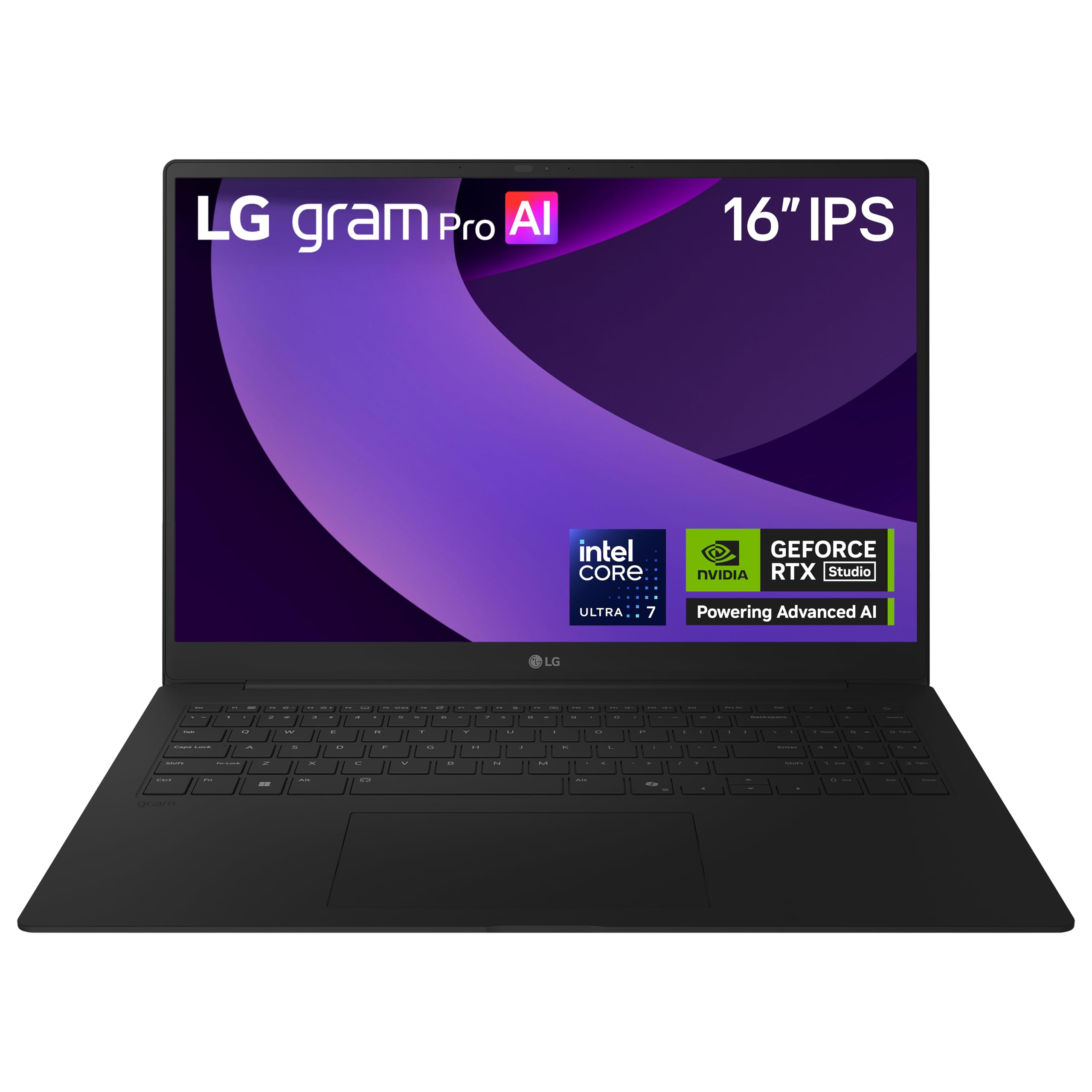
The featherweight titan with a 90Wh battery that outlasts a full week of showings on one charge cycle.
This is the battery king of the list: a 90Wh high-capacity battery delivers up to 27 hours of video playback, the longest runtime here by a wide margin. At 3 pounds and 0.6 inches thin, it packs desktop-class components into a frame that’s passed seven military-grade standards for durability — “very satisfied with how thin & light it is. Speed is amazing,” as one owner puts it.
Inside, the Intel Core Ultra 7 255H (up to 5.1 GHz) with 32GB DDR5 memory and a massive 2TB SSD gives you two terabytes of storage for your entire listing media library. The NVIDIA RTX 5050 GPU powers smooth gaming, fast rendering, and smart AI performance — more than enough to edit 4K property videos on the go. Four built-in speakers with Dolby Atmos deliver rich, powerful sound that makes recorded walkthroughs feel cinematic for buyers.
The gram AI blends on-device and cloud intelligence for document creation and data analysis, and LG gram Link connects the laptop with up to 10 devices across Android and iOS for easy file sharing. Buyers call it “a very much improved version” of the line and praise its “excellent speakers and display.” The honest caveats: a premium price, and one unverified owner claims the RTX 5050 (a graphics card) underperforms for gaming — a non-issue for real estate work. For an agent who wants the ultimate combination of portability, battery, and power, this is the complete package.
The complete package
- 27-hour battery dwarfs every other pick here
- 2TB SSD for a massive media library
- 3 lbs with dedicated RTX 5050 graphics
Premium trade-offs
- Highest price on this list
- RTX 5050 is not a dedicated gaming powerhouse
- Smaller review base than the MacBook
Pick this if: you want the ultimate road-warrior with class-leading battery, a 2TB library, and a stunning 16-inch display.
Skip it for: a tighter budget, or if you plan to use it primarily as a stationary desktop machine.
Understanding the Specs
Battery Life in Hours
This is measured in hours and tells you how long you can work away from a power outlet. Real estate days are unpredictable — a showing can run long, or you might sit in parking lot between appointments. A machine rated for 18 hours gives you a full day of heavy use with margin to spare, while a 27-hour rating like the LG gram Pro means you could go two workdays without charging. Always pair the hour rating with fast-charge support so a quick coffee stop tops you back up.
Display Resolution and Brightness
Resolution (like 1920 x 1080, 2880 x 1800, or 2.8K OLED) determines how sharp property photos and floor plans look on screen. Higher resolution means crisper detail when you zoom into a listing photo. Brightness, measured in nits, matters when you’re showing a screen in a sun-drenched living room — 400-500 nits keeps the image visible outdoors or near bright windows, while dimmer panels (250 nits) are best for indoor desk use.
RAM and Storage Capacity
RAM (measured in GB) controls how many apps and browser tabs you can run at once. Agents routinely juggle a CRM, email, photo editor, and video call simultaneously — 16GB handles the basics smoothly, while 32GB gives comfortable headroom for dozens of tabs and heavy files. Storage (measured in GB or TB) holds your listing photos, videos, and documents; a 512GB SSD is a good start, while 1TB to 2TB suits agents who shoot and store their own property media.
Weight and Portability
Weight, measured in pounds, directly affects how your shoulder feels after a day of showings. A 2.2-pound machine like the GeekBook X14 Pro disappears into a bag, while a 3.3-pound MacBook Air is still very carryable. Consider how you transport the laptop — in a handbag, backpack, or messenger bag — and match the weight to what you’re willing to carry up three flights of stairs to a walk-up listing.
FAQ
What is the most important spec for a real estate agent’s laptop?
Is 16GB or 32GB RAM better for real estate software?
Do I need a touchscreen laptop for real estate?
How many hours of battery life do I really need for a day of showings?
Is a MacBook Air or a Windows laptop better for real estate agents?
How much storage do I need for listing photos and videos?
What is a good screen size for showing listings to clients?
Do I need a dedicated graphics card for real estate work?
Are 2-in-1 laptops worth it for presenting to clients?
How durable does a laptop need to be for real estate travel?
Final Thoughts: The Verdict
For most agents, the computer for real estate agents winner is the Apple MacBook Air 15-inch because it blends a gorgeous 15.3-inch display, an 18-hour battery, and a silent fanless design into a 3.32-pound frame that travels easily. If you want touchscreen versatility and a lighter price, grab the Acer Aspire 14 AI with its 22-hour battery. And for the ultimate road warrior who needs all-day endurance and a 2TB media library, the LG gram Pro 16 with its 27-hour battery is the one to reach for.
How We Picked
We do not accept paid placement. Every pick is matched to a real buyer and a real use-case; we do not hands-on test units.
Sources & Methodology
Specifications: manufacturer listings and product documentation. Review insights: verified customer reviews, as of August 2026. Pricing: not shown on this page (it changes often); check the current price via the retailer link.
As an Amazon Associate, FitlyFast earns from qualifying purchases. This does not affect which products we feature.