
Our readers keep the lights on and the weekend projects moving. As an Amazon Associate, I earn from qualifying purchases.
Choppy, blurry video during a key presentation or live stream isn’t just annoying—it undermines your professionalism. The jump from a standard 30fps webcam to a true 60fps model is night and day; motion becomes fluid, gestures look natural, and your audience stops noticing the tech and starts listening to what you say. This guide cuts through the noise to find the cameras that actually deliver that buttery-smooth image without breaking the bank.
I’m Rikta — the co-founder and writer behind FitlyFast. I’ve spent years analyzing video hardware specifications, from sensor size and frame rate consistency to autofocus algorithms and low-light performance, so you don’t end up with a spec sheet that looks good but performs poorly.
After researching dozens of models and combing through verified buyer experiences, I’ve built this focused list of the best 1080p 60fps webcam options for streamers, remote workers, and creators who demand fluid, high-quality video every time they hit record.
How To Choose The Best 1080p 60fps Webcam
The shift to 60fps is more than a number; it transforms choppy motion into fluid, natural movement that makes your video look professional. But not every camera labeled “60fps” delivers consistent frame rates, especially in low light. Here’s what to prioritize to get real-world performance that matches the spec sheet.
Sensor Size & Low Light Performance
A larger sensor, typically a 1/2.55-inch or 1/2.8-inch CMOS, captures more light. This is critical because most webcams drop frames or get grainy when your room isn’t perfectly lit. A flagship-grade sensor like the IMX363 makes a massive difference in keeping video smooth at 60fps even with a desk lamp as your only light source.
Autofocus Capabilities
Phase Detection Autofocus (PDAF) is vastly superior to standard contrast-detect autofocus for webcams. PDAF locks onto your face instantly and prevents the nauseating “hunting” effect where the camera blurs in and out while you’re speaking. For presenting objects or leaning in and out of frame, this feature is essential for maintaining a sharp, professional image.
Microphone Array & AI Noise Reduction
Dual omnidirectional microphones with AI noise cancellation are the standard for quality. The best implementations filter out keyboard clicks, AC hum, and room echo without making your voice sound muffled or robotic. While no built-in webcam mic will replace a dedicated condenser microphone, a good array ensures your audience hears you clearly in meetings and streams without extra gear.
Quick Comparison
On smaller screens, swipe sideways to see the full table.
| Model | Category | Best For | Key Spec | Amazon |
|---|---|---|---|---|
| AOC AC410 4K | Streaming | Fluid 60fps with PDAF focus | 1/2.55″ IMX363 sensor | Amazon |
| UGREEN FineCam 4K | Content Creator | Vertical 9:16 streaming & balance | Sony sensor w/ Face AE | Amazon |
| Angetube 913 AI King | AI Conference | AI tracking & remote control | 10X digital zoom w/ HDR | Amazon |
| Logitech StreamCam | Renewed Pro | Streaming software integration | USB-C w/ Logitech Capture | Amazon |
| NexiGo N660P Gen 2 | Remote Work | Budget-friendly daily driver | Stereo noise reduction mic | Amazon |
| VisionTek VTWC40 | Value | Built-in ring light & classroom | Ring light w/ 96° FOV | Amazon |
| Krieer 4K HD | Entry Level | Budget pick with extras | Rotatable tripod & cover | Amazon |
In‑Depth Reviews
1. AOC AC410 4K Webcam
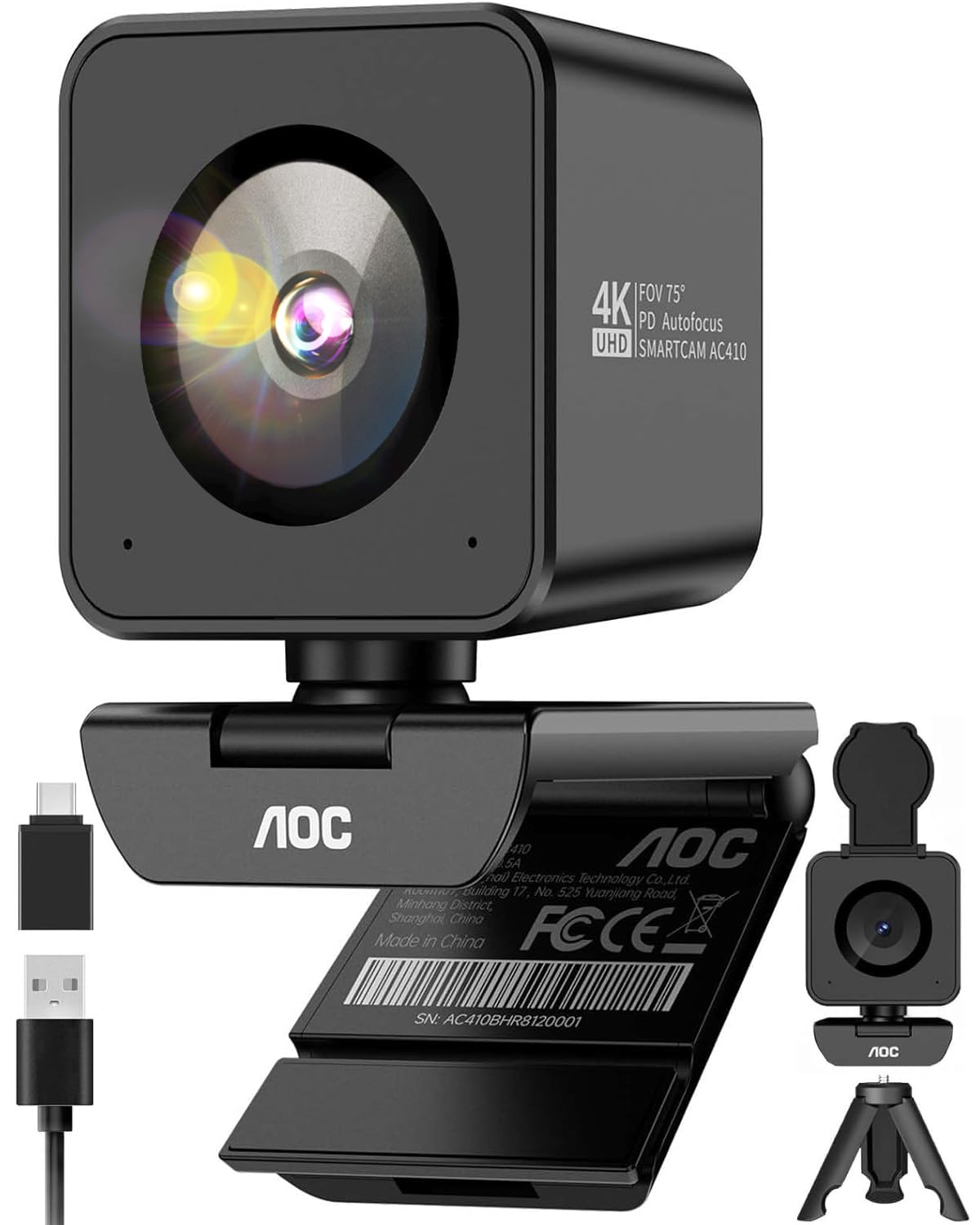
The AOC AC410 doesn’t just claim 1080p at 60fps—it delivers it via a flagship-grade IMX363 sensor and Phase Detection Autofocus (PDAF) that locks onto your face in under a second. This is the standout combination for streamers and professionals who want smooth motion without the grainy haze that plagues cheaper sensors. The 75-degree field of view is a deliberate choice, cropping out messy background clutter while keeping you perfectly framed in a distortion-free professional composition.
In real-world use, the PDAF system eliminates the distracting “focus hunting” that makes standard webcams look amateur. Moving an object close to the lens or leaning back is handled with instant clarity. The included mini tripod and USB-A to C adapter mean you’re ready out of the box, and the physical privacy cover adds a layer of zero-software security that every office user will appreciate.
Where the AOC truly shines is in value. You get a 4K-capable sensor that provides a clean 1080p 60fps signal with zero dropped frames, all at a surprisingly accessible price point. The blocky cube design can be slightly top-heavy on thin monitor bezels, but the included tripod solves that easily. For pure 60fps fluidity and sharp autofocus, this is the camera to beat.
Why it’s great
- IMX363 sensor delivers exceptional clarity at 1080p 60fps
- PDAF autofocus is snappy and silent with zero hunting
- Includes mini tripod, privacy cover, and USB-C adapter
Good to know
- Cube shape can wobble on ultra-thin laptop bezels
- No companion software for advanced adjustments
2. UGREEN FineCam 4K Webcam
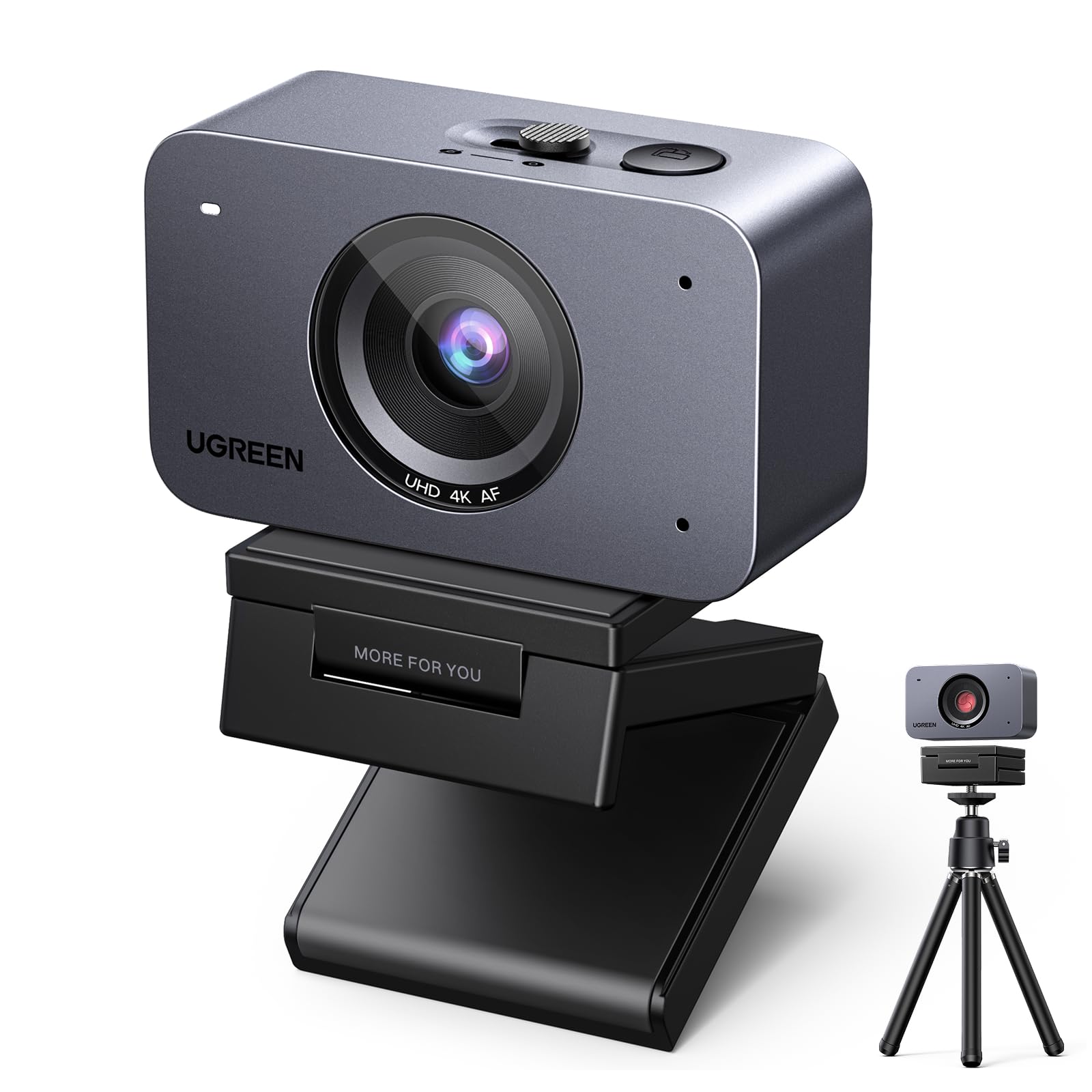
The UGREEN FineCam is purpose-built for content creators who need both horizontal streaming and vertical video for TikTok, Reels, and Shorts. The native 9:16 Portrait Mode lets you capture crisp vertical video at 2K 30fps without cropping—just rotate the camera body 90 degrees and you’re in the right aspect ratio for mobile platforms. The 1/2.55-inch Sony-class sensor handles low light competently, keeping your skin tones accurate and the image bright even with just ambient room lighting.
Face AE (Auto Exposure) is a standout feature here: it intelligently keeps your face properly exposed even when you’re sitting in front of a bright window or under harsh overhead lights. The dual AI noise-canceling microphones effectively suppress keyboard clicks and room echo, though they benefit from enabling voice clarity features in your OS. The magnetic monitor mount is clever but light—significant cable movement can shift the camera slightly during use.
For creators who switch between streaming, calls, and vertical content, the UGREEN eliminates the need for a separate camera setup. The autofocus is reliable though a bit slower than PDAF systems, and the included mini tripod offers flexible placement. It’s a versatile, polished tool that prioritizes image quality and workflow flexibility over raw speed.
Why it’s great
- Native 9:16 vertical mode for social media content
- Face AE keeps exposure perfect in tricky lighting
- Sony-class sensor provides clean, color-accurate video
Good to know
- Autofocus is slightly slower than PDAF competitors
- Light magnetic mount can shift if the cable is bumped
3. Angetube 913 AI King 4K Webcam
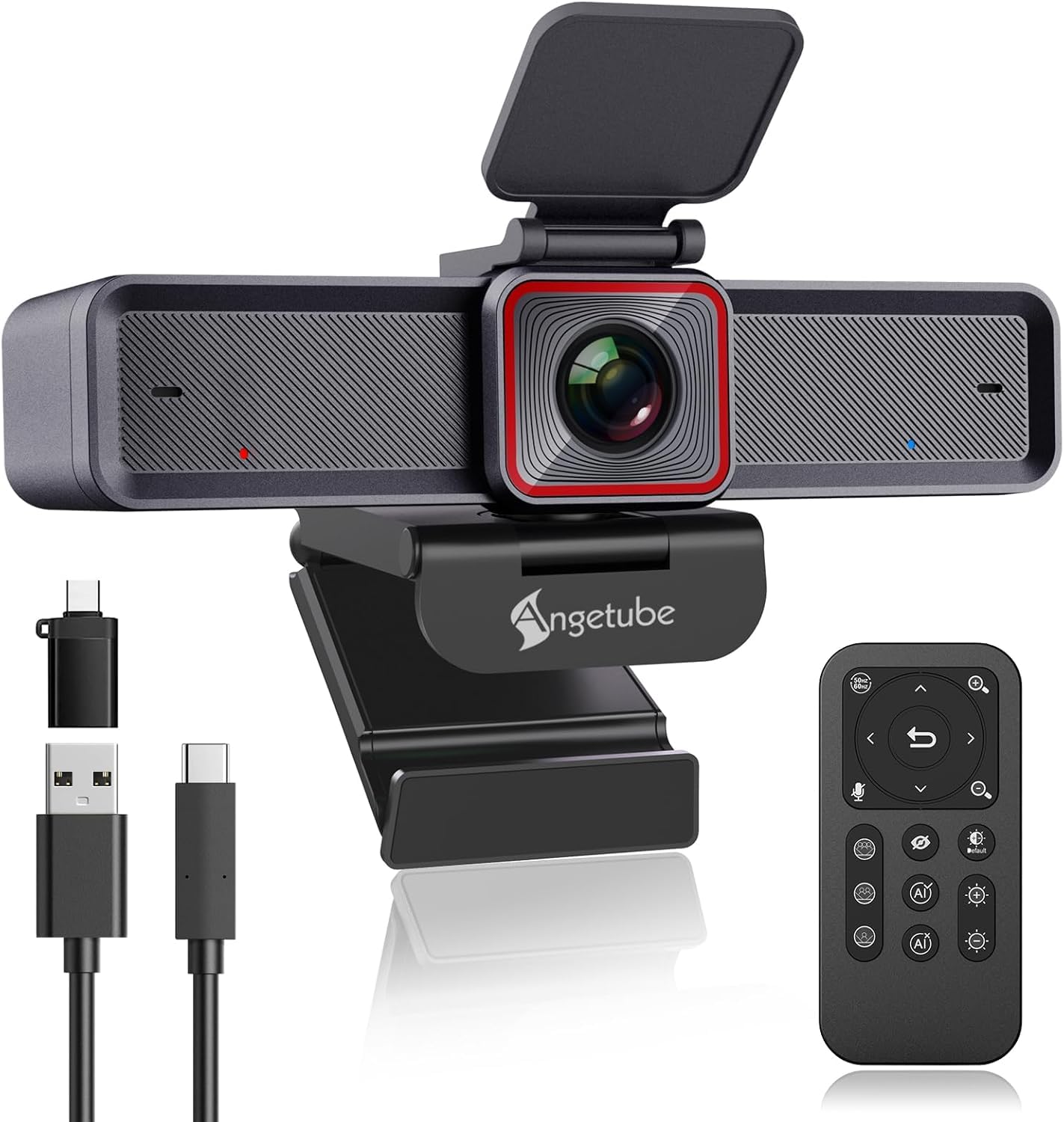
The Angetube 913 AI King redefines what a webcam can do with its AI-driven auto-framing and subject tracking. This is the camera for dynamic presenters who move around the room or for meeting rooms where participants shift positions. The intelligent framing automatically adjusts the composition to keep everyone in view, while the tracking mode follows a single person as they walk and gesture. The 1/2.8-inch sensor delivers excellent 4K at 30fps and smooth 1080p at 60fps with HDR balancing highlights and shadows.
The included 18-key RF remote control is a game-changer for presentations. You get 10X digital zoom, one-touch privacy mute, and the ability to switch between 75°, 85°, and 100° field of view—all without touching your computer. This is invaluable if you’re presenting on a work laptop with locked-down software permissions. The dual noise-canceling mics are surprisingly good, rivaling dedicated USB mics in clarity for conference room use.
While the AI tracking is impressive, it can lag slightly behind very fast-moving subjects like a playful toddler. The USB 3.0 connection ensures high-speed data transfer for the 4K stream, but you’ll need a USB-C port or adapter for full bandwidth. For professional meetings, collaborative streaming, or anyone who hates being tied to their desk, this webcam offers flexibility that no other consumer camera in this list can match.
Why it’s great
- AI tracking and intelligent framing for dynamic presenters
- RF remote control for zoom, FOV, and shutter
- Excellent HDR and noise-canceling microphones
Good to know
- AI tracking can lag with very fast movement
- Requires USB 3.0 for full 4K bandwidth
4. Logitech StreamCam (Renewed)

The Logitech StreamCam has been a benchmark for streaming quality since its release, and this renewed model offers the same 1080p 60fps performance at a budget-friendly price. The fast USB-C connection ensures a stable, high-bandwidth link that eliminates dropped frames during intense streaming sessions. The auto-framing feature keeps you centered in the shot as you move, and intelligent exposure adapts smoothly to changing lighting conditions without washing you out.
Logitech Capture software is a genuine advantage for streamers. It unlocks advanced controls for exposure, focus, and even lets you use the camera for split-screen or picture-in-picture effects without additional tools. The integrated microphone is surprisingly good for a compact unit, offering clear audio for live commentary on Twitch or YouTube. The monitor clip is simple but effective, though some users report it can dislodge on thinner laptops if bumped.
Being a renewed unit, there can be cosmetic wear or a slightly used cable, but the optical performance and sensor quality remain unchanged from a new unit. It’s compatible with OBS, XSplit, and Streamlabs OBS natively. For creators who want a proven, software-rich streaming camera without paying full retail, this is a smart, reliable bet.
Why it’s great
- Proven 1080p 60fps performance for streaming
- Full Logitech Capture software suite included
- Stable USB-C connection with autoframing
Good to know
- Renewed unit may have minor cosmetic wear
- Clip can detach easily from thin laptops
5. NexiGo N660P (Gen 2) Webcam
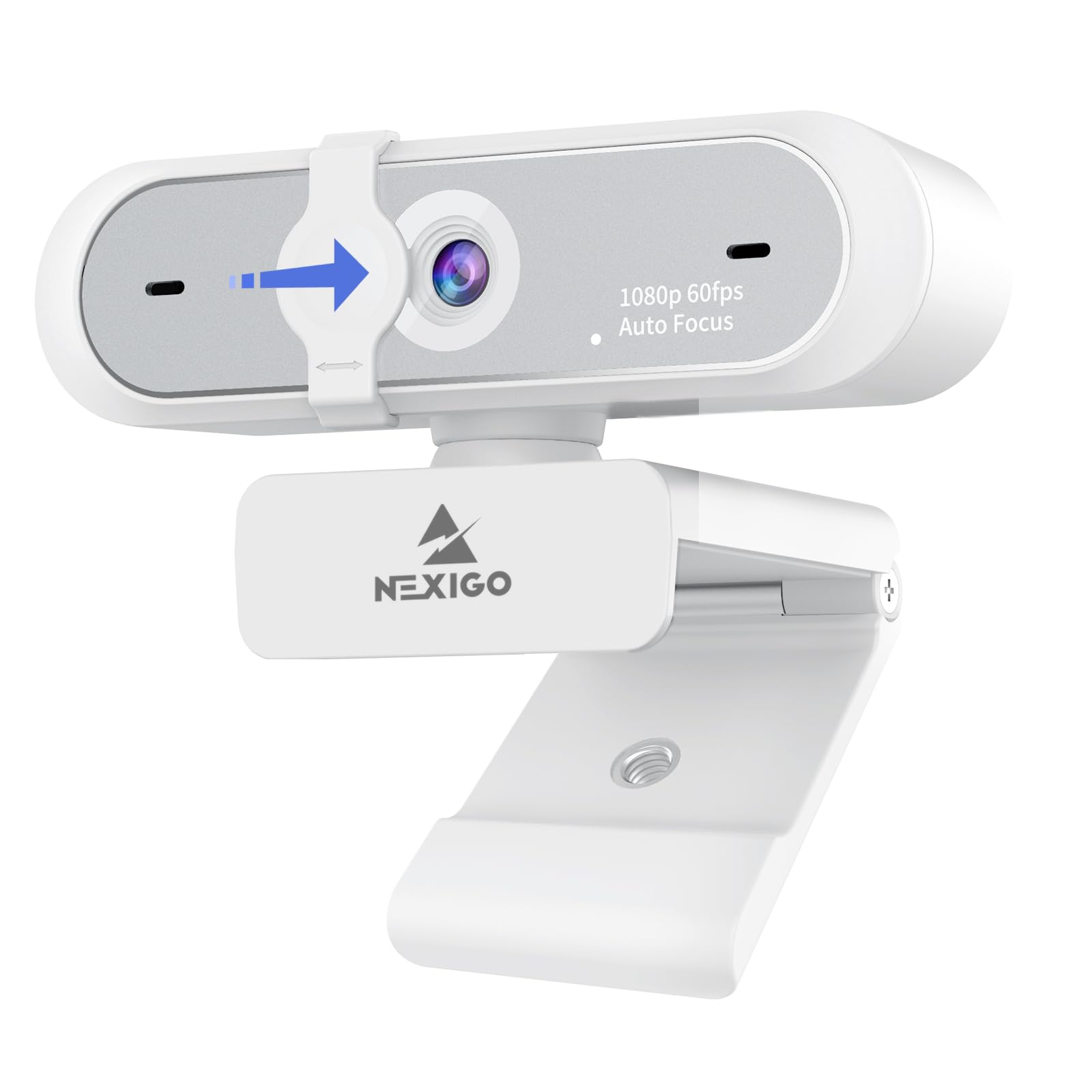
The NexiGo N660P Gen 2 is the daily driver for remote workers who need reliable 1080p 60fps video across Zoom, Teams, and Google Meet without complexity. The plug-and-play USB-A connection works with Windows, Mac, Linux, and Chrome OS without any driver downloads. The built-in stereo noise reduction microphone is clearly a step above the single-mic competitors, filtering out background hum and keyboard clatter to keep your voice front and center during long meeting days.
One differentiating feature is the companion software that gives you control over exposure, white balance, and other image parameters—uncommon in this price tier. This lets you dial in the perfect look for your specific room lighting rather than relying solely on the auto-exposure algorithm. The physical privacy shutter offers the same zero-software security you expect, and the 6.5-foot USB cable provides generous reach for desk setups.
The wide field of view can sometimes include too much background, and the lack of zoom control means you’ll need to physically adjust the camera or your setup to frame tighter. Some users report the image can appear slightly grainy in very dim conditions. However, for the price, the combination of software control, stereo mics, and consistent 60fps makes this an outstanding value for anyone spending long hours on video calls.
Why it’s great
- Companion software for manual exposure and white balance control
- Effective stereo noise reduction microphone
- Broad OS compatibility including Chrome OS and Linux
Good to know
- Wide FOV can show too much background clutter
- Slightly grainy in very low-light conditions
6. VisionTek VTWC40 Webcam
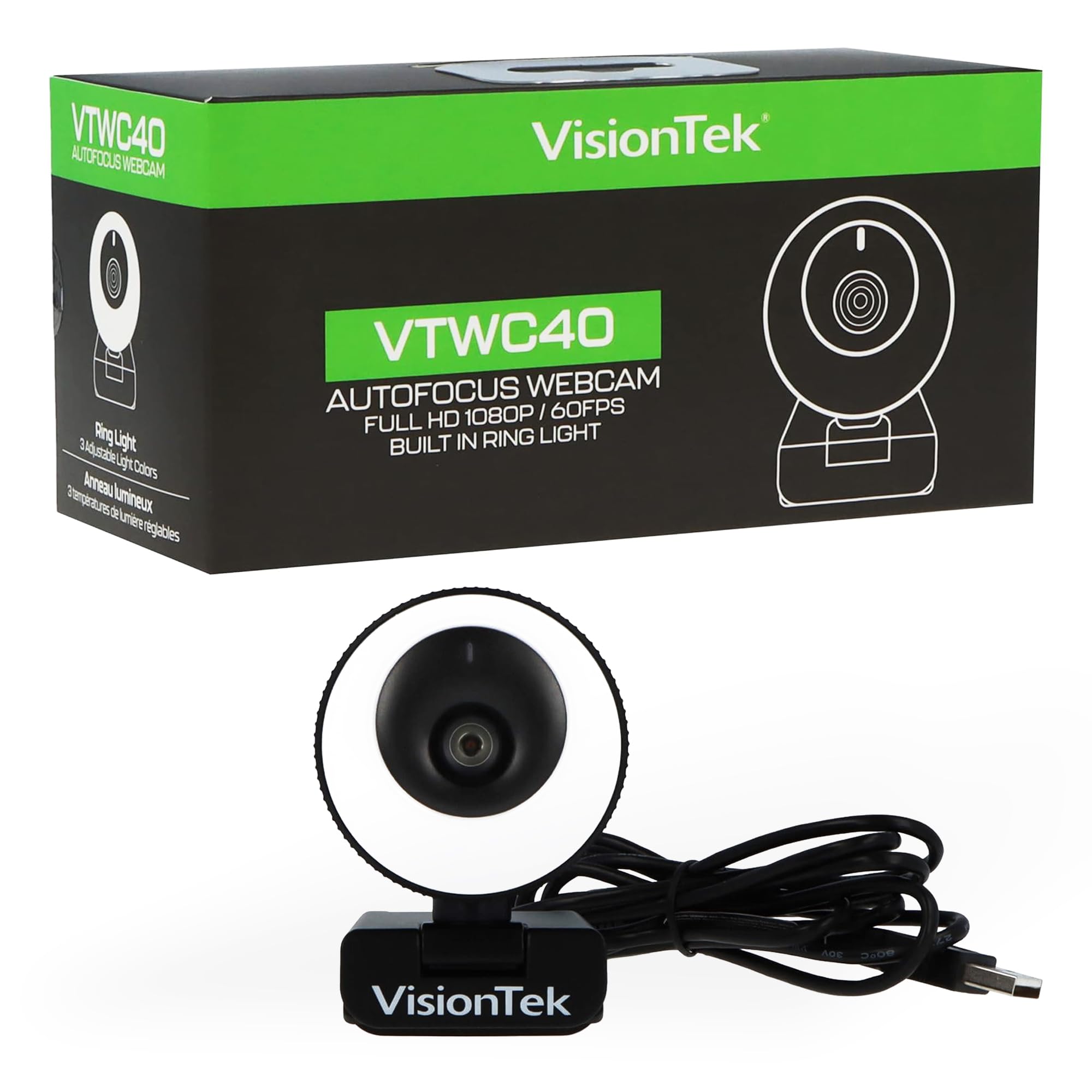
The VisionTek VTWC40 takes a direct approach to the most common webcam problem—bad lighting—by integrating a built-in ring light with two brightness settings. This is a practical solution for students, night-shift workers, or anyone who takes calls in a room without consistent overhead lighting. The 1080p autofocus lens with a 96-degree viewing angle captures a wide room view while keeping you sharp and in focus, and the ring light ensures your face is visible and well-lit even in a dark corner.
The dual digital omnidirectional microphones capture clear audio for classroom participation and video chats. Setup is truly plug-and-play with no software required, and the included privacy cover gives peace of mind. The camera is tripod-mountable, which is useful for top-down demos or if your monitor setup is unusual. The autofocus handles the typical talking-head distance well, though it can struggle with rapid movements or extreme close-ups.
The built-in light is effective but can be a bit harsh—it’s a ring light, not a softbox. The 96-degree FOV is wide, ideal for showing a whiteboard or a group, but may include more background than you want in a standalone call. For users who prioritize being seen clearly in any lighting over the most cinematic look, this is a practical, no-fuss solution that solves the fundamental problem of darkness.
Why it’s great
- Built-in ring light solves dark room illumination
- Wide 96° FOV perfect for group calls or whiteboards
- True plug-and-play with dual mics
Good to know
- Ring light can appear harsh on skin
- Autofocus struggles with rapid movements
7. Krieer 4K HD Webcam
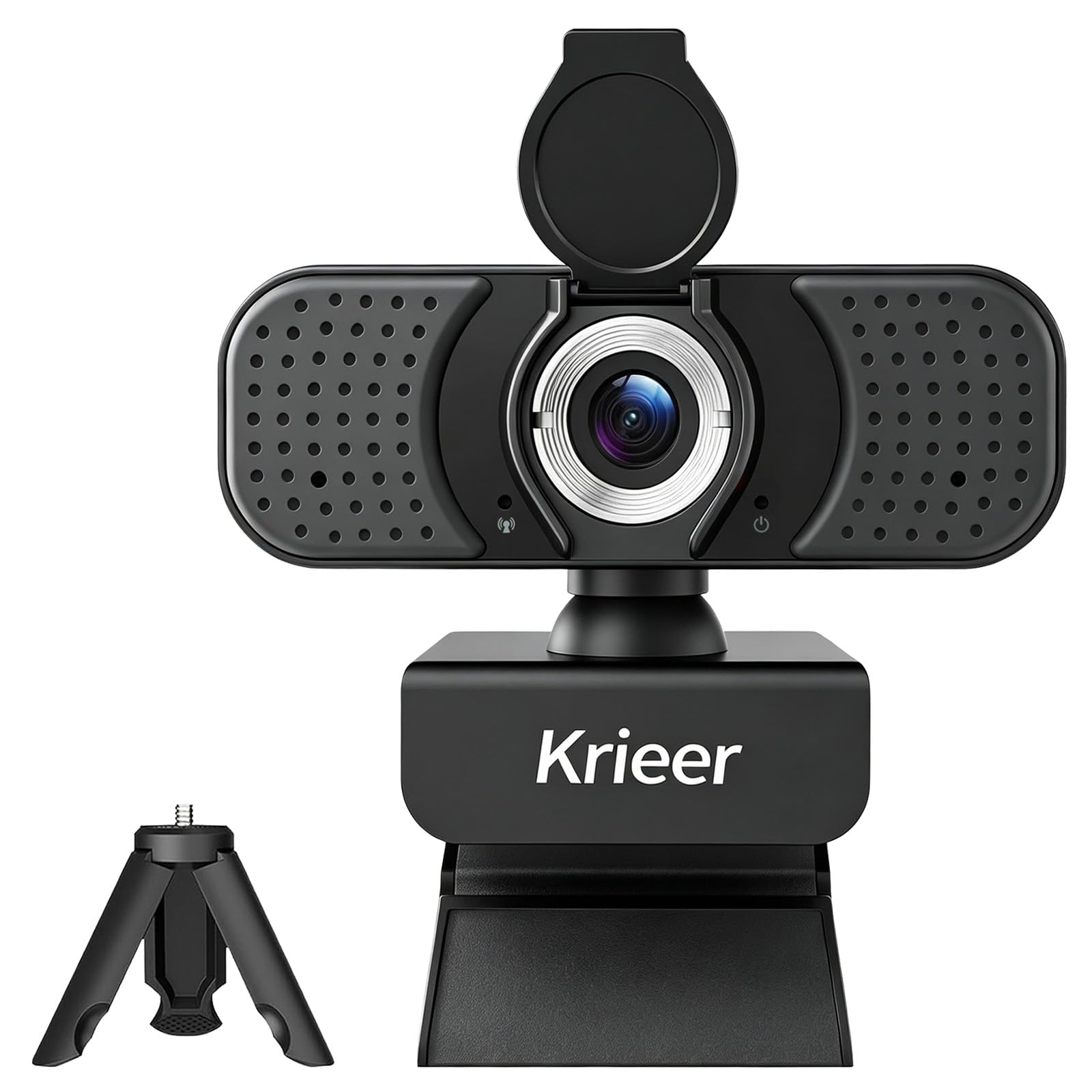
The Krieer 4K HD Webcam is the entry-level champion for those who need a functional, feature-packed camera without spending a lot. It offers true plug-and-play via USB-A, a physical privacy shutter, and a rotatable mini tripod and adjustable monitor clip for versatile positioning. The auto light correction works reasonably well in standard office lighting, preventing you from looking washed out or overly shadowed during calls.
The dual noise-reducing microphones handle fan hum and general room buzz effectively, making it suitable for open-plan offices or home environments with ambient noise. While it advertises 4K at 30fps, the real-world image at this price point is more reliable at 1080p, where it provides clear, usable video for Zoom, Teams, and OBS. The package is generous: you get a tripod, privacy cover, and all needed cables.
Where you feel the budget is in the image quality ceiling—while perfectly fine for daily meetings, it lacks the sharpness and low-light finesse of cameras with larger sensors. The 3-star reviews mention that the picture is “not great” in challenging lighting, so it’s best used in a well-lit room. For users on a tight budget who still want the basic benefits of a 1080p camera with great accessories, the Krieer delivers exactly what it promises.
Why it’s great
- Comes with rotatable tripod and monitor clip
- Physical privacy shutter included
- Plug-and-play with auto light correction
Good to know
- Image quality degrades noticeably in low light
- 4K mode is less reliable than 1080p output
FAQ
Is 1080p at 60fps better than 4K at 30fps for streaming?
Will a 1080p 60fps webcam work with my older laptop?
Do I need special software to get 60fps from my webcam?
Final Thoughts: The Verdict
For most users, the 1080p 60fps webcam winner is the AOC AC410 because its IMX363 sensor and PDAF autofocus deliver the smoothest, sharpest video at this spec. If you want native vertical streaming for social media, grab the UGREEN FineCam. And for AI-powered auto-tracking and remote control that transforms presentations, nothing beats the Angetube 913 AI King.