
Our readers keep the lights on and the weekend projects moving. As an Amazon Associate, I earn from qualifying purchases.
An 11-inch tablet occupies a sweet spot—it’s large enough to replace a laptop for note-taking, sketching, or streaming on a plane, yet small enough to hold in one hand on the couch. The challenge is that this size category spans everything from budget-focused models with dim screens to premium slates with AMOLED panels and flagship processors. Choosing wrong means living with slow app launches, a display that washes out in daylight, or a stylus that feels like a blunt stick on glass.
I’m Rikta — the co-founder and writer behind FitlyFast. I’ve spent countless hours dissecting display panel types, processor benchmarks, RAM configurations, and real-world battery tests to pinpoint exactly which 11-inch tablets deliver on their promises.
The goal of this guide is to help you find the absolute best 11 inch tablet for your specific routine, whether that means long study sessions, digital art, or just a smooth media experience.
How To Choose The Best 11 Inch Tablet
Not all 11-inch tablets are created equal. Some prioritize a vibrant, high-resolution display for media consumption, while others focus on stylus responsiveness for artists. The key is matching the internal specs to the tasks you do most frequently. Here is a breakdown of the three most important decision points.
Display Quality and Refresh Rate
The display is the part of the tablet you interact with 100% of the time. A 1920×1200 IPS panel is fine for web browsing and reading, but you’ll notice a significant upgrade moving to a 2.5K (2560×1600) resolution or a Dynamic AMOLED 2X panel, which offers true blacks and higher contrast. The refresh rate is equally critical—a 90Hz or 120Hz panel makes scrolling, handwriting, and navigating menus feel noticeably smoother than a standard 60Hz screen. For daytime outdoor use, look for brightness above 400 nits or an anti-glare etched glass finish.
Processor, RAM, and Real-World Performance
The processor determines whether your tablet feels snappy or sluggish after a year. A MediaTek Helio G99 handles everyday media, email, and light gaming well. For multitasking with multiple apps open—splitting the screen between a browser, a notes app, and a video call—aim for at least 8GB of RAM. Power users who edit photos, run demanding art programs, or want the fastest app loading times will want a Snapdragon 8 Gen 2 or an Apple M5 chip. The RAM number often listed on budget models is a combined total with virtual RAM, so focus on the physical RAM count.
Stylus Support and Accessories
If you plan to take handwritten notes or draw, check for stylus precision. A pen with 4096 pressure levels and good palm rejection feels natural on a matte paper-like screen. Some tablets include the stylus and a folio case in the box, which adds significant value. Others, like the iPad Pro, require you to buy the Apple Pencil separately, increasing the overall cost. The keyboard accessory is also worth considering—some bundles include a detachable keyboard that turns the tablet into a mini laptop for typing essays or emails.
Quick Comparison
On smaller screens, swipe sideways to see the full table.
| Model | Category | Best For | Key Spec | Amazon |
|---|---|---|---|---|
| Samsung Galaxy Tab S11 128GB | Premium | Flagship performance + S Pen | Dynamic AMOLED 2X, 2560×1600 | Amazon |
| Apple iPad Pro 11-inch M5 | Premium | Pro creative workflows | Ultra Retina XDR, M5 chip | Amazon |
| Samsung Galaxy Tab S9 11” 256GB | Premium | IP68 durability + AMOLED | Dynamic AMOLED 2X, 120Hz | Amazon |
| Wacom MovinkPad 11 | Specialty | Digital art & sketching | Anti-glare etched glass, 8192 levels | Amazon |
| Lenovo Idea Tab (128GB) | Mid-Range | Note-taking with included pen | 2.5K IPS, 90Hz, Dimensity 6300 | Amazon |
| Lenovo Idea Tab (256GB) | Mid-Range | Extended storage for students | 2.5K IPS, 90Hz, 256GB ROM | Amazon |
| AGM PAD P2 11 inch | Mid-Range | Rugged outdoor use | 90Hz, 480 nits, Helio G99 | Amazon |
| TCL NXTPAPER 11 Gen 2 | Value | Eye-comfort reading & art | NXTPAPER 4.0, 2K display | Amazon |
| Raemond Android 16 Tablet | Budget | Full accessory bundle | 1920×1200, 8000mAh, keyboard | Amazon |
In‑Depth Reviews
1. Samsung Galaxy Tab S11 128GB
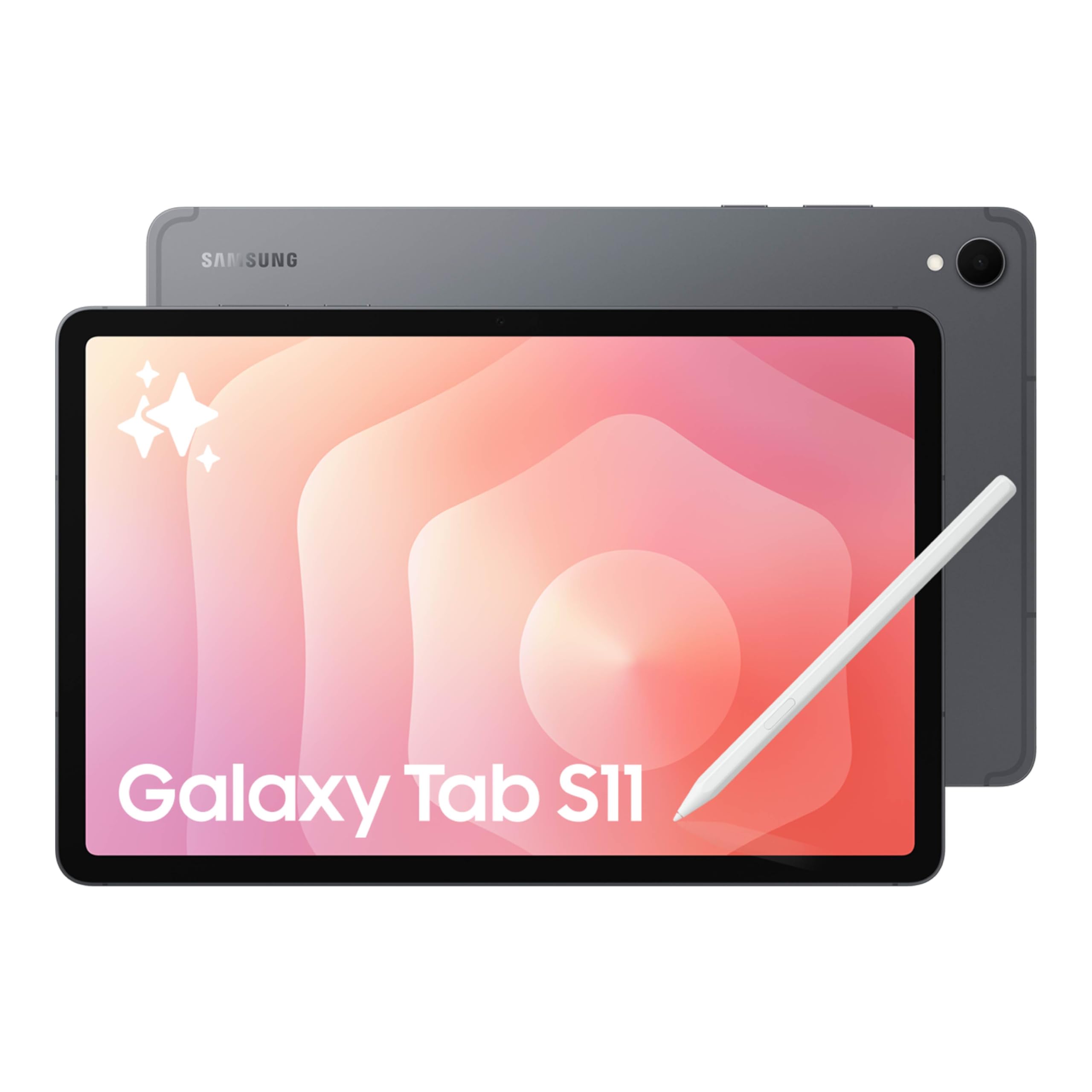
The Samsung Galaxy Tab S11 is the flagship Android tablet for 2025. It is powered by a MediaTek flagship-class processor with 12GB of RAM, making it one of the fastest 11-inch slates available. The standout feature is the Dynamic AMOLED 2X display, which delivers deep blacks, vibrant colors, and excellent contrast for both HDR streaming and creative work.
The included S Pen supports Drawing Assist and Note Assist through Galaxy AI, allowing you to convert rough sketches into cleaner digital images and automatically organize handwritten notes. The IP68 water and dust resistance means you can use this tablet in a coffee shop or by the pool without worry. Battery life is strong at 8400mAh, easily lasting a full day of mixed use.
Navigation is fluid thanks to the high refresh rate, though the display is 60Hz by default, requiring a manual switch to higher rates if available. The tablet is also very thin at 5.5mm, which gives it a premium feel but limits the internal speaker volume compared to thicker competitors. For professional productivity and entertainment, the Galaxy Tab S11 is the complete package.
Why it’s great
- Stunning AMOLED 2X display with deep contrast
- Powerful multitasking with 12GB RAM
- Includes S Pen with Galaxy AI features
- IP68 water and dust resistant
Good to know
- Price is in the premium tier
- Default refresh rate is 60Hz, must be manually changed
- Extremely thin build reduces speaker resonance
2. Apple iPad Pro 11-inch (M5)
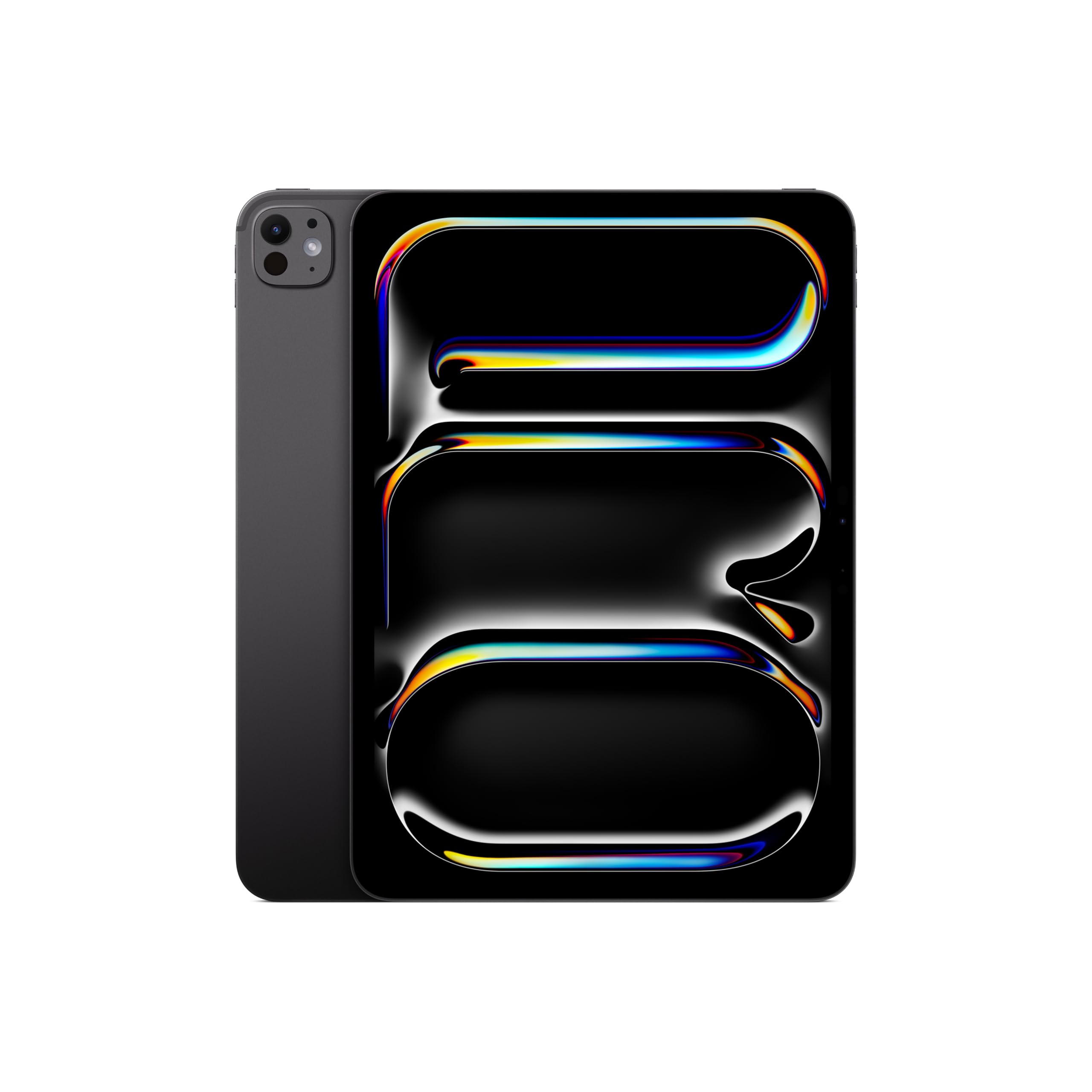
The Apple iPad Pro with the M5 chip is the most powerful 11-inch tablet you can buy. The Ultra Retina XDR display offers extreme brightness and contrast, making it ideal for HDR video editing, photo work, and reading in bright sunlight. The 12MP landscape camera with Center Stage ensures your face stays perfectly framed during video calls.
Performance is lightning fast, handling pro-level apps like Final Cut Pro, Adobe Lightroom, and multi-layer drawing in Procreate without any slowdown. The device supports the Apple Pencil Pro (sold separately) and the Magic Keyboard, turning it into a true laptop replacement. Build quality is exceptional, with a unibody aluminum chassis that feels dense and premium.
The iPadOS ecosystem offers the widest selection of tablet-optimized creative apps, making this the top choice for professionals. However, the accessories are expensive additions, and the M5’s power is overkill for anyone who only browses the web or streams video. If your workflow demands the absolute best, this is the slate to get.
Why it’s great
- M5 chip delivers desktop-class speed
- Ultra Retina XDR display is best-in-class
- Excellent camera system for video calls
- Thin and lightweight design
Good to know
- Premium price, especially with accessories
- Apple Pencil and keyboard sold separately
- iOS file management is less flexible than Android
3. Samsung Galaxy Tab S9 11” 256GB

The Galaxy Tab S9 is still a top-tier tablet, even as a previous generation model. It features a 120Hz Dynamic AMOLED 2X display, which makes for incredibly smooth scrolling and pen input. The Snapdragon 8 Gen 2 processor is powerful enough to run demanding games and heavy multitasking without breaking a sweat.
The inclusion of the S Pen in the box is a major plus—it feels like a real pen on the screen and supports Air Actions for remote control of presentations and media. The IP68 rating means this tablet is both water and dust resistant, a rare feature in any tablet, let alone one with a stylus. Build quality is premium, with an Armor Aluminum frame and ultra-slim bezels.
For users who want flagship features at a reduced cost compared to the Tab S11, the S9 is a smart purchase. It is fast, has a gorgeous screen, and Samsung promises a long software support window. The only downside is the aged design compared to the S11, but in terms of raw performance, this tablet is still a powerhouse.
Why it’s great
- 120Hz AMOLED display is buttery smooth
- Snapdragon 8 Gen 2 is still very fast
- S Pen included and works great for art
- IP68 water and dust resistant
Good to know
- More affordable than the latest flagship
- Design is a year older than Tab S11
- No charger included in the box
4. Wacom MovinkPad 11

The Wacom MovinkPad 11 is a dedicated drawing tablet that runs Android 14, meaning it functions as a standalone device—no computer needed. The anti-glare etched glass screen provides a paper-like texture that significantly improves the drawing experience compared to standard glossy tablets. The included Pro Pen 3 is battery-free and offers 8192 levels of pressure sensitivity, so every line variation is captured accurately.
The Quick Draw feature lets you tap and hold the pen on the screen to immediately launch the Wacom Canvas sketching app, capturing inspiration instantly. It comes with two years of Clip Studio Paint Debut, which is a premium art app for comics and illustration. The tablet is light at just 1.3 pounds, making it easy to carry in a bag like a sketchbook.
While the processor is not as fast as the flagship Samsung or Apple tablets, it runs drawing apps without freezing even on large files. The screen resolution and color accuracy are excellent for digital art. It also supports popular third-party pens like the LAMY and STAEDTLER styluses. If you are an artist who wants a distraction-free canvas, this is the best option.
Why it’s great
- Paper-like matte screen is great for drawing
- Battery-free pen with 8192 pressure levels
- Quick Draw feature for instant sketching
- Includes Clip Studio Paint Debut license
Good to know
- Processor lags on heavy multi-layer effects
- No case included
- No headphone jack
5. Lenovo Idea Tab 11 with Pen (128GB)
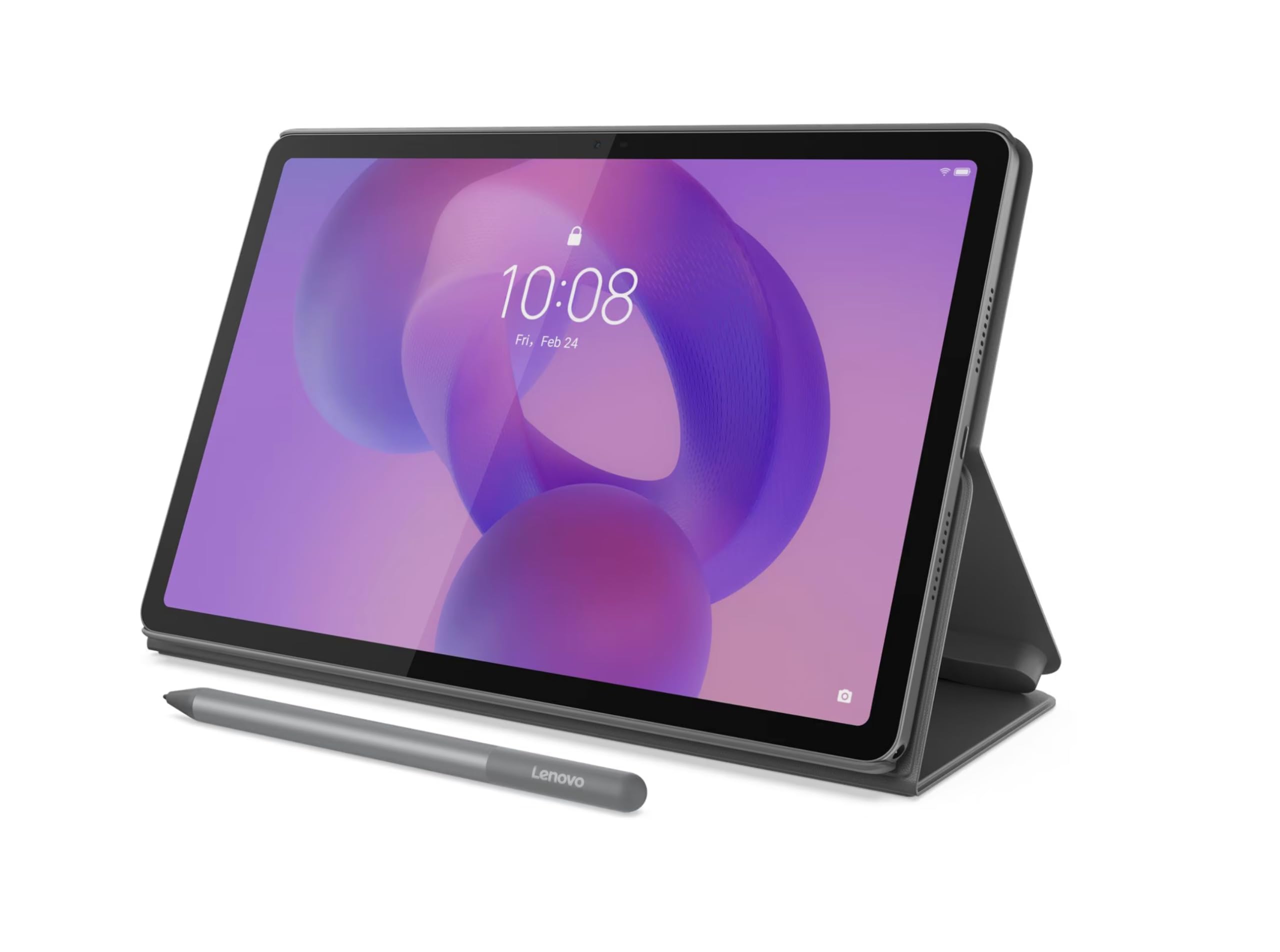
The Lenovo Idea Tab 11 delivers a premium-like experience for a mid-range price. The standout feature is its 11-inch 2.5K IPS display with a 90Hz refresh rate, which provides sharp text and smooth scrolling. The MediaTek Dimensity 6300 processor and 8GB of RAM handle everyday tasks like web browsing, note-taking, and streaming without stuttering.
Lenovo bundles the tablet with a stylus and a folio case in the box, which makes it a complete package for students or professionals who need to start working immediately. The included stylus is comfortable to hold and works well for handwriting and light sketching. The battery life is good, lasting through a full day of classes or work.
The 128GB of storage is sufficient for most users, and the 90Hz screen is a noticeable upgrade over standard 60Hz panels at this price. While the camera system is average, the display quality and performance make this an excellent value. For users looking for a well-rounded tablet that doesn’t break the bank, this is a top contender.
Why it’s great
- Sharp 2.5K display with 90Hz refresh rate
- Includes a functional stylus and folio case
- Smooth performance for daily tasks
- Great value for the price
Good to know
- Average camera quality
- Folio case is a bit flimsy
- Only 4GB of physical RAM in some configurations
6. Lenovo Idea Tab 256GB

This variant of the Lenovo Idea Tab offers 256GB of internal storage, making it the ideal choice for students who need to store large amounts of course materials, textbooks, and media. The 2.5K 90Hz IPS display is excellent for reading PDFs and writing notes with the included stylus. The display is also TÜV Rheinland Low Blue Light certified, which reduces eye fatigue during long study sessions.
The tablet is equipped with AI-powered learning tools like Lenovo AI Note, Squid, and MyScript Calculator, which help with organizing notes, solving equations, and converting handwriting to text. The quad Dolby Atmos-tuned speakers provide clear sound for watching lectures or listening to music. The MediaTek Dimensity 6300 processor keeps everything running smoothly.
The battery life is rated at up to 12 hours for video playback, meaning it can last through a full day of university classes. The build is solid, and the included folio case offers basic protection, though it could be sturdier. For students who need ample storage and a good writing experience, this large-capacity Lenovo tablet is a practical choice.
Why it’s great
- 256GB of storage for large media and files
- Excellent 2.5K 90Hz eye-care display
- AI note-taking and learning apps included
- Long 12-hour battery life
Good to know
- Included case is not very durable
- Charging speed depends on the brick used
- Not suited for heavy gaming
7. AGM PAD P2 11 inch

The AGM PAD P2 stands out for its rugged build quality. It is waterproof, drop-proof, and designed to survive rough handling, making it a great choice for outdoor enthusiasts, field workers, or families with younger children. The 11-inch Full HD IPS display runs at 90Hz and reaches 480 nits of brightness, which helps keep the screen readable even in direct sunlight.
Powering the tablet is the MediaTek Helio G99 processor paired with 16GB of combined RAM for smooth app performance. The 7850mAh battery provides a solid 10 hours of active use. It also includes a 50MP rear camera and an 8MP front camera, which are decent for scanning documents or taking quick photos in the field.
The tablet supports Widevine L1, so you can stream HD content from Netflix and other services. It also has GPS and compass for navigation. The bundled protective case is sturdy but can be difficult to remove. For anyone who needs a tablet that can take a beating, the AGM PAD P2 is a reliable choice that won’t let you down.
Why it’s great
- Rugged, waterproof, and drop-resistant
- 90Hz 480-nit display for outdoor use
- Decent performance with Helio G99
- Widevine L1 certified for HD streaming
Good to know
- Bundled case is heavy and hard to remove
- Limited third-party accessories
- No guaranteed system updates
8. TCL NXTPAPER 11 Gen 2
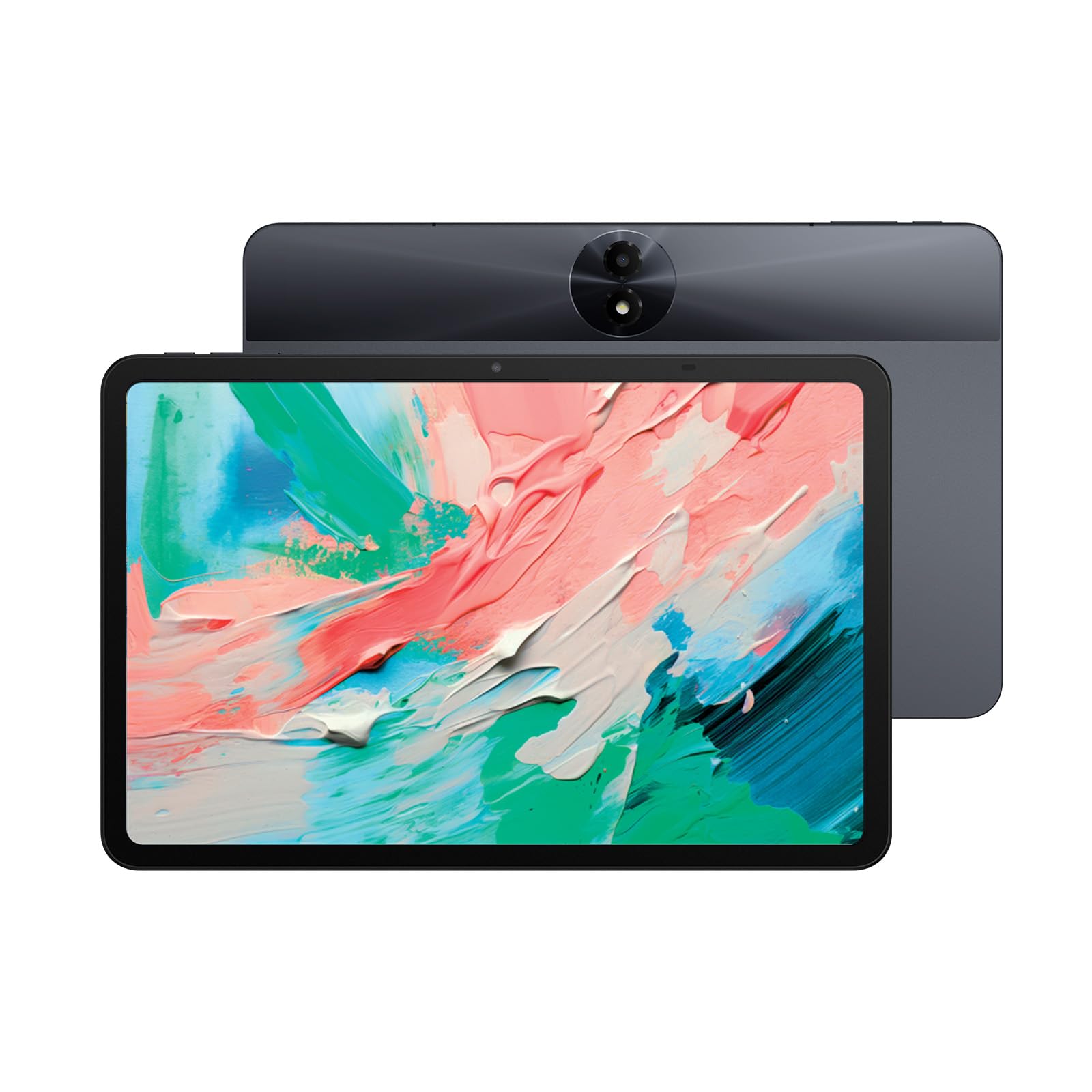
The TCL NXTPAPER 11 Gen 2 is designed for users who spend hours reading on a tablet. Its proprietary NXTPAPER 4.0 display uses a matte anti-glare coating with TÜV-certified low blue light and DC dimming, providing a paper-like viewing experience that significantly reduces eye strain. The display is also flicker-free, making it comfortable to use for long periods.
The tablet functions as a drawing pad and digital notebook, supporting a T-PEN stylus (sold separately) with 4096 pressure levels. It runs Android 15 with a custom UI that includes three display modes: Regular, Ink Paper (for reading), and Color Paper (for art). The MediaTek Helio G80 processor and 6GB+6GB RAM are sufficient for smooth daily tasks and note-taking.
One unique feature is the 8000mAh battery that supports reverse charging, allowing you to charge your phone or earbuds. The battery life is excellent, often lasting 2-3 days of moderate use. The main trade-offs are the mediocre speakers and the lack of a headphone jack, but for anyone who prioritizes eye health and reading comfort, this is a standout option.
Why it’s great
- Eye-comfort matte display reduces strain
- Excellent battery life with reverse charging
- Versatile display modes for reading and art
- Lightweight and slim design
Good to know
- Stylus is sold separately
- Speakers are mediocre
- No headphone jack
9. Raemond Android 16 Tablet

The Raemond Android 16 Tablet is the most affordable entry on this list, but it comes with a complete accessory bundle including a keyboard, mouse, and stylus. For users on a tight budget who need a tablet for basic tasks like email, document editing, and media viewing, this package offers everything needed to get started. The 11-inch 1920×1200 IPS display is decent for streaming video.
The tablet runs Android 16 with Gemini AI integration, which can summarize documents or translate text. The T7250 Octa-Core processor and 24GB of combined RAM (8+16) help with basic multitasking. The 8000mAh battery provides good battery life for a day of web browsing and note-taking. The 16MP rear camera and 8MP front camera are adequate for video calls and document scanning.
There are some trade-offs at this budget tier. The speakers are weak, the touch screen may require firmer taps initially, and the stylus is not very accurate. The included keyboard uses Bluetooth and may need occasional re-pairing. For someone who needs a low-cost device for simple schoolwork or media consumption and values the complete box, this is a practical starter tablet.
Why it’s great
- Includes keyboard, mouse, and stylus
- Large 8000mAh battery
- Runs Android 16 with Gemini AI
- Budget-friendly price point
Good to know
- Speakers are low in volume
- Stylus has poor accuracy
- Processor is not for heavy tasks
FAQ
Is a 90Hz display worth paying extra for?
Can I replace a laptop with an 11-inch tablet?
Which tablet is best for a student taking notes?
Final Thoughts: The Verdict
For most users, the best 11 inch tablet winner is the Samsung Galaxy Tab S11 because it offers the best all-around package of a gorgeous AMOLED display, powerful performance with 12GB RAM, and a full ecosystem with the S Pen. If you want a dedicated device for digital art with the best pen-on-paper feel, grab the Wacom MovinkPad 11. And for the best value for students who need a sharp screen and a bundle of accessories, nothing beats the Lenovo Idea Tab 11 with Pen.