
Our readers keep the lights on and the weekend projects moving. As an Amazon Associate, I earn from qualifying purchases.
If you need a compact monitor for a tight workspace, a second screen for side-by-side coding, or a reliable display for a dedicated workstation, the 20-inch category demands attention to panel type and refresh rate not specs you can assume are standard. The wrong choice means spending hours battling blurry text on a TN panel or dealing with ghosting during fast scrolling.
I’m Rikta — the co-founder and writer behind FitlyFast. I’ve spent many hours researching market data, analyzing customer reports, and comparing the concrete specs that separate a genuinely useful small monitor from a frustrating desk ornament.
This guide cuts through the noise to find the real performers in the best 20 inch pc monitor space, focusing on what actually matters for daily use and long-term reliability.
How To Choose The Best 20 Inch PC Monitor
Selecting a monitor under 22 inches is about balancing physical footprint with visual performance. The most common mistake buyers make is prioritizing screen size alone while ignoring the panel technology and refresh rate, which directly affect daily comfort and productivity.
Panel Type: IPS vs VA vs TN
IPS panels deliver wide 178° viewing angles and consistent color accuracy, making them ideal for shared workflows or when you lean in to read small text. VA panels offer a higher static contrast ratio (4000:1 is common), which produces deeper blacks for improved readability in dimmer environments. TN panels are cheaper but suffer from narrow viewing angles and washed-out colors — avoid these unless you are on an extremely tight budget for a non-critical secondary screen.
Refresh Rate and Response Time
Monitors in this range often default to 60Hz, but models with 100Hz or 120Hz provide noticeably smoother cursor movement and scrolling. This reduces eye fatigue during long document or coding sessions. A 1ms to 4ms response time ensures text does not blur during fast page scrolling, though for office use even a 4ms panel is perfectly serviceable.
Connectivity and Ergonomics
Modern laptops often require HDMI or DisplayPort; VGA-only monitors require an adapter that adds cost and complexity. Look for at least one HDMI port. A tilt-adjustable stand improves neck posture, and VESA mount compatibility lets you free up desk space with an arm.
Quick Comparison
On smaller screens, swipe sideways to see the full table.
| Model | Category | Best For | Key Spec | Amazon |
|---|---|---|---|---|
| ASUS VP227HF | Frameless IPS | Best Overall / Office Use | 100Hz / 1ms / 99% sRGB | Amazon |
| Lenovo L22-4e | IPS Office Monitor | Color-Conscious Work | 100Hz / 4ms / 99% sRGB | Amazon |
| ViewSonic VA2256-MHD | IPS Display | Reliable All-Rounder | 75Hz / IPS / FreeSync | Amazon |
| SANSUI ES-22X3AH | High Refresh VA | Smooth Scrolling | 120Hz / 4000:1 Contrast | Amazon |
| MSI PRO MP225V | VA Panel | Eye Care / Programming | 100Hz / 4000:1 Contrast | Amazon |
| Dell 20 E2020H | Business Monitor | Budget Office Setup | 60Hz / 1600×900 | Amazon |
| Dell E2016H | Entry Level | Basic Secondary Screen | 60Hz / 1600×900 | Amazon |
In‑Depth Reviews
1. ASUS VP227HF
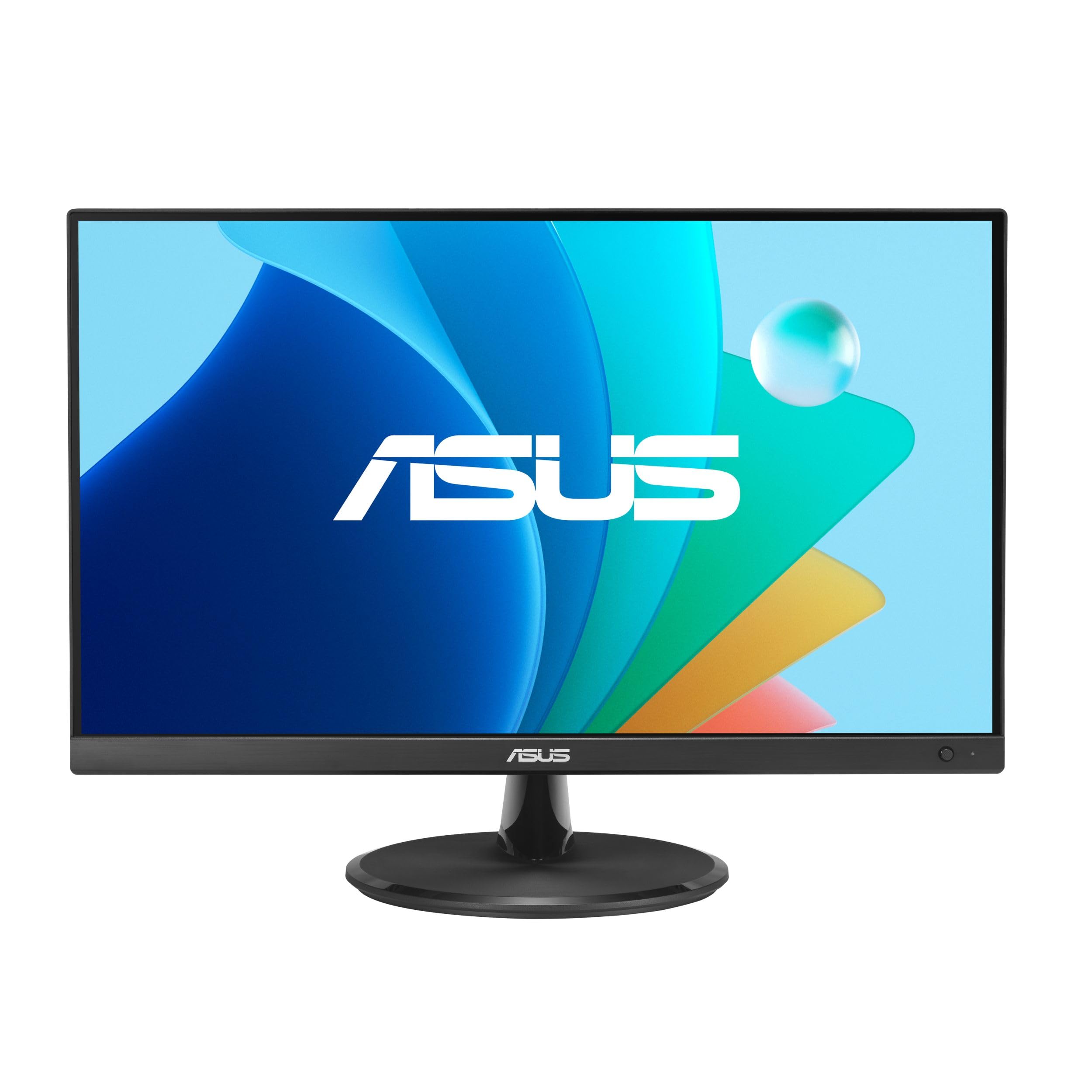
The ASUS VP227HF hits a sweet spot for the 20-inch category with a 21.45-inch viewable Full HD IPS panel that delivers a 4000:1 contrast ratio and a 100Hz refresh rate. The frameless design minimizes bezel distraction, making it an ideal match for multi-monitor setups or clutter-free desks. Its 1ms MPRT response time ensures scrolling through documents and web pages is free from ghosting.
This monitor includes HDMI and VGA inputs, and the ASUS DisplayWidget Center app lets you adjust brightness and blue light settings without reaching for physical buttons. The TÜV Rheinland-certified Flicker-Free and Low Blue Light technologies reduce eye fatigue during long work sessions, which matters for users spending eight-plus hours daily in front of the screen.
Across customer reports, the VP227HF earns praise for crisp resolution and straightforward plug-and-play setup. The included HDMI cable and VESA wall-mount compatibility add practical value, though the power cord can be delicate on some units. For a primary or secondary office display, this is the most balanced performer in the group.
Why it’s great
- Fast 100Hz refresh rate with 1ms MPRT for smooth visuals
- Excellent 99% sRGB color coverage for accurate text and images
- Frameless design fits seamlessly into multi-monitor arrangements
Good to know
- Quality control can vary — some units arrive with defective power cords
- Stand offers tilt only, no height adjustment
2. Lenovo L22-4e
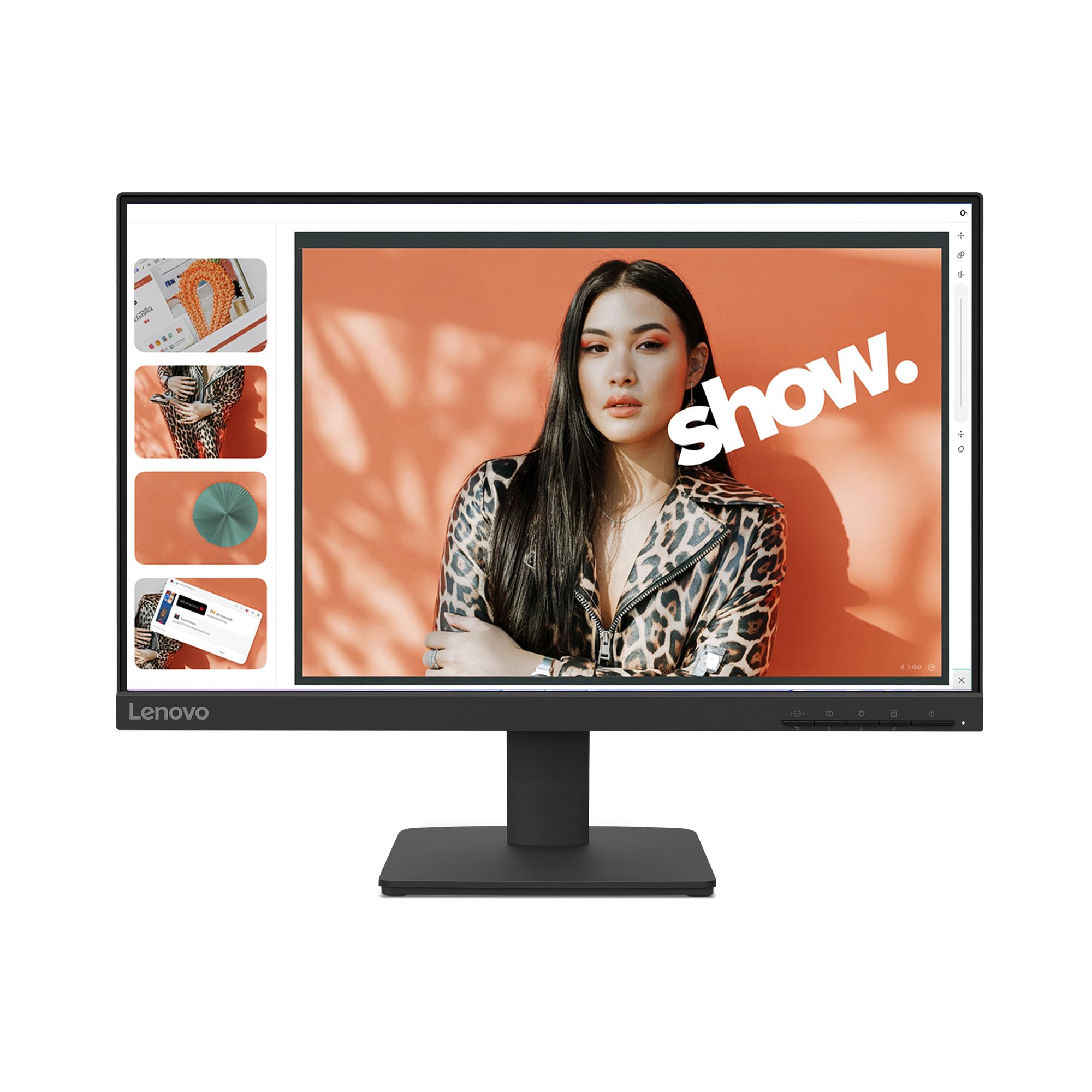
The Lenovo L22-4e uses an IPS panel that delivers 99% sRGB color gamut and a 1300:1 contrast ratio, providing consistent color accuracy from any 178° viewing angle. This makes it a strong candidate for photo editing, video editing, or any task where color fidelity matters. The 21.5-inch Full HD resolution keeps text sharp without forcing you to scale UI elements on a small screen.
A 100Hz refresh rate and 4ms response time in extreme mode give this monitor a responsive feel for everyday multitasking. The three-sided borderless design reduces visual clutter, and the tilt stand allows basic ergonomic adjustment. VESA mount compatibility is available for users who prefer an arm setup to reclaim desk space.
Customer feedback highlights the bright, clear display and easy assembly. Some users note the lack of built-in speakers, though this is typical for this size class. The packaging uses 100% recycled paper, which aligns with eco-conscious buyers. It works well as a secondary monitor for a laptop, as reviewers consistently report a sharp image for daily work tasks.
Why it’s great
- IPS panel provides wide 178° viewing angles with true color reproduction
- 99% sRGB coverage suits color-critical design work
- Eco-friendly packaging with minimal plastic waste
Good to know
- No built-in speakers despite some marketing confusion
- Stand only tilts — no height or pivot adjustment
3. ViewSonic VA2256-MHD

The ViewSonic VA2256-MHD is a 22-inch Full HD IPS monitor that operates at a 75Hz refresh rate with FreeSync support, delivering smooth frame rates for both office work and light gaming. The IPS panel ensures consistent colors and wide viewing angles, making shared screen sessions or collaborative reviews more comfortable. A 1000:1 contrast ratio and 250-nit brightness keep the display readable in typical indoor lighting.
Connectivity is a strong suit — this monitor includes HDMI, DisplayPort, and VGA inputs, covering nearly every desktop or laptop configuration without needing an adapter. Onboard presets for Game, Movie, Web, Text, and Mono let you switch the color profile to match your current task, and the Flicker-Free technology combined with a Blue Light Filter helps manage eye strain during long shifts.
Long-term reliability is a recurring theme in customer reviews, with several users reporting years of trouble-free operation across multiple units. The text appears sharp and colors look vibrant out of the box. The stand is basic with tilt-only adjustment, and the brightness is fine for indoor spaces but may struggle near a window. For a straightforward, durable monitor that does not demand a high outlay, this is a proven bet.
Why it’s great
- Triple-input connectivity (HDMI, DisplayPort, VGA) for maximum compatibility
- IPS panel delivers vivid colors and wide viewing angles
- FreeSync technology reduces screen tearing during casual gaming
Good to know
- Stand offers only tilt adjustment with no height or swivel
- 250 nits brightness is adequate but not exceptionally bright
4. SANSUI ES-22X3AH
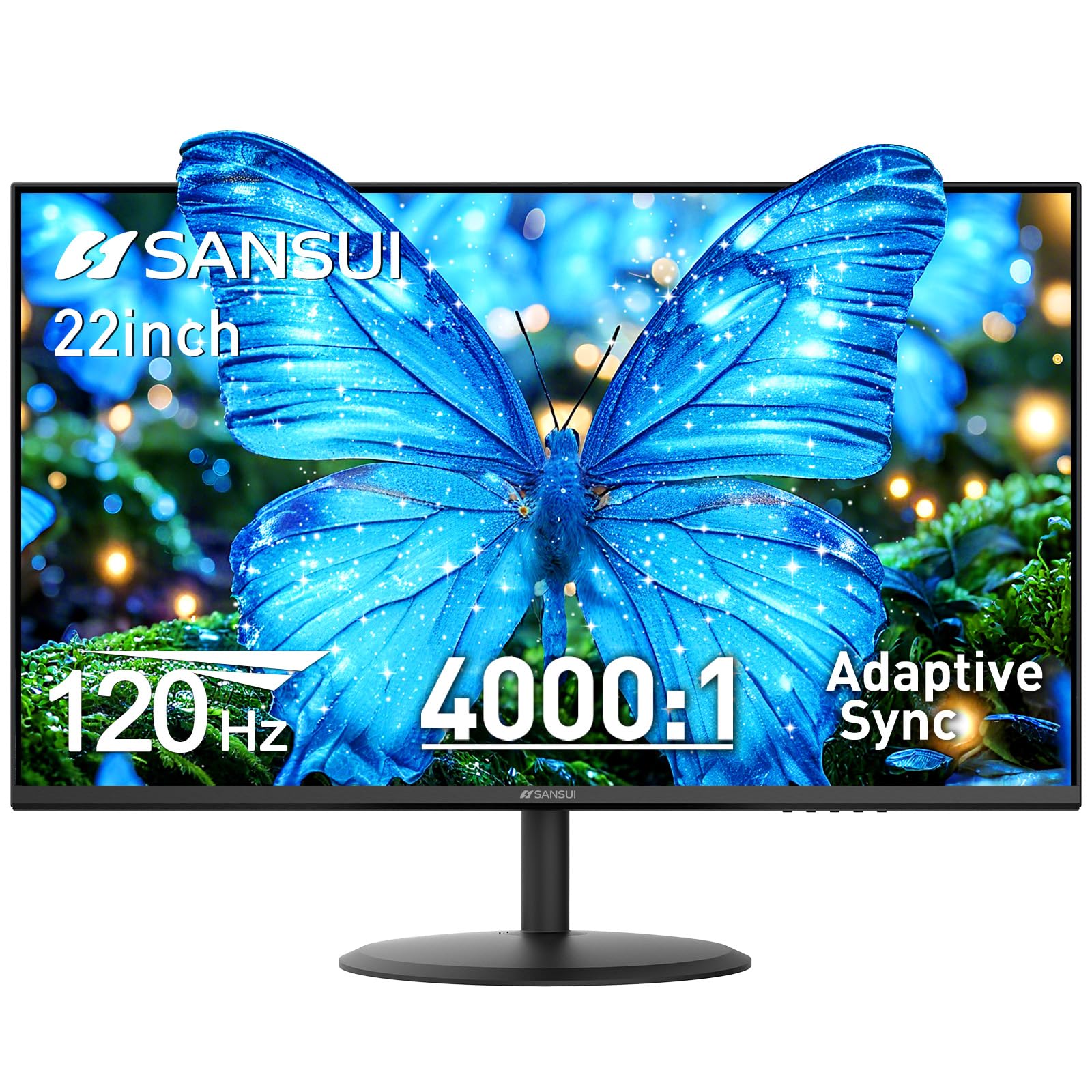
The SANSUI ES-22X3AH stands out in this category with a 120Hz refresh rate and a VA panel that delivers a 4000:1 static contrast ratio. The high contrast gives text and icons a crisp, deep appearance against dark backgrounds, which is especially noticeable when reading code or documents in a dimly lit room. The 22-inch Full HD resolution combines with HDR mode and 100% sRGB coverage for vibrant color reproduction in supported content.
Adaptive Sync technology minimizes motion blur during page scrolling and cursor movement, making the desktop feel more responsive than a standard 60Hz panel. Dual HDMI 1.4 ports support up to 120Hz input, and VESA 75×75 mm compatibility allows easy mounting. The anti-flicker and low blue light features are TÜV-certified, though the brand is less established than Dell or ASUS in the monitor space.
Customer reviews consistently praise the picture quality and value proposition, noting vibrant colors and easy assembly. Some users report that the included power cord feels flimsy and that the wall plug can come loose if bumped. The monitor lacks built-in speakers, which is common at this price point. For users who prioritize smooth scrolling and deep contrast, this is a compelling option.
Why it’s great
- 120Hz refresh rate provides noticeably smoother desktop navigation
- VA panel with 4000:1 contrast ratio delivers deep blacks and crisp text
- Dual HDMI ports allow easy switching between devices
Good to know
- Power cord and plug can feel cheap and may lose connection
- No built-in speakers or audio output jack
5. MSI PRO MP225V

The MSI PRO MP225V is a 21.45-inch Full HD monitor built around a VA panel with a 4000:1 static contrast ratio and a 100Hz refresh rate. The VA technology gives this display noticeably deeper blacks compared to IPS panels at the same price, making it a strong option for users working in lower-light environments or those who simply prefer text to pop on screen. The 1ms response time keeps motion clean during rapid scrolling.
MSI includes its EyesErgo technology with Anti-Flicker and Low Blue Light features, all TÜV certified for eye protection. A unique addition is the Eye-Q Check software, which guides you through a quick self-assessment to remind you to take breaks during long sessions. Connectivity covers HDMI and VGA, and VESA mount support is present for flexible positioning.
Customer feedback is mixed — while many users report excellent picture quality and easy setup for a secondary monitor, a few have experienced screen tearing or grainy images, which may indicate manufacturing variability. The 100Hz refresh rate works well with FreeSync, though some Intel GPU users report black screens at 100Hz. Despite this, the overwhelming majority of reviews rate this monitor highly for its contrast and color performance at a budget-friendly price.
Why it’s great
- 4000:1 VA contrast ratio delivers excellent text readability
- 100Hz refresh rate with Adaptive Sync for tear-free scrolling
- Eye-Q Check software helps manage screen time fatigue
Good to know
- Some units exhibit screen tearing or grainy image quality
- VGA connectivity only — no DisplayPort or second HDMI
6. Dell 20 E2020H

The Dell 20 E2020H uses a TN panel with a native resolution of 1600 x 900, making it one of the few true 20-inch monitors still in production. The TN technology means narrower viewing angles and less consistent color compared to IPS or VA alternatives, but this monitor targets basic office tasks where raw resolution and color accuracy are less critical. The 60Hz refresh rate is standard for entry-level work.
Dell includes ComfortView, a blue light reduction feature, and the monitor is ENERGY STAR and TCO certified with EPEAT Gold registration. The packaging is Styrofoam-free and uses recycled cardboard. Connectivity options include VGA and DisplayPort, but HDMI is not present — buyers should be prepared to purchase an adapter if their laptop lacks DisplayPort.
Customer reviews are generally positive for this model, with many users praising its small footprint and clear text for a secondary or server monitor. The 1600 x 900 resolution is adequate for document editing but will feel limited if you need to view wide spreadsheets or multiple windows side by side. The monitor performs reliably as a no-frills screen, but the TN panel and resolution cap make it a compromise compared to more modern options.
Why it’s great
- Compact 19.5-inch size fits extremely tight desk spaces
- ComfortView blue light filter is effective for reducing eye strain
- Energy-efficient design with eco-friendly packaging materials
Good to know
- TN panel offers poor off-angle viewing and washed-out colors
- 1600 x 900 resolution feels cramped for multitasking
- No HDMI port — requires VGA or DisplayPort connection
7. Dell E2016H

The Dell E2016H is a 20-inch LED-backlit monitor with a 1600 x 900 resolution and a TN panel. It is a direct predecessor to the E2020H and shares the same core limitations: narrow viewing angles, lower contrast, and a 60Hz refresh rate. This is a pure entry-level display designed for basic administrative tasks, call center work, or as a lightweight second screen where image quality is not a priority.
Connectivity is limited to DisplayPort and VGA, with no HDMI port included. The stand offers basic tilt, and VESA mounting is supported. The monitor ships with a DisplayPort cable and software drivers, but no VGA cable is included. The plastic build feels lighter than Dell’s higher-end business monitors, and the bezels are noticeably thicker than modern frameless designs.
Customer reviews are mixed — some users love the simple plug-and-view setup and find the image acceptable for basic use, while others complain about blurry text and poor assembly quality. One reviewer noted that the screen looked like a “3D movie without glasses,” indicating potential quality control issues. For the money, buyers can find better-specified monitors with IPS panels and Full HD resolution in the same size range.
Why it’s great
- Reliable Dell brand for basic business and office tasks
- Small footprint and lightweight for easy transport
- VESA mount compatible for space-saving setups
Good to know
- TN panel produces blurry text and discolored images off-angle
- No HDMI port limits modern laptop compatibility
- Some units suffer from screen blurriness or dead pixels
FAQ
Is a VA panel better than IPS for a 20-inch office monitor?
Can I use a 1600 x 900 monitor for coding and web development?
Do I need a 100Hz or 120Hz monitor for office use?
Why do some 20-inch monitors not come with an HDMI cable?
Final Thoughts: The Verdict
For most users, the best 20 inch pc monitor winner is the ASUS VP227HF because it combines a fast 100Hz IPS panel, premium 99% sRGB coverage, and a frameless design into a package that works perfectly as a primary office screen or a secondary monitor. If you want deeper contrast and silky-smooth scrolling, grab the SANSUI ES-22X3AH for its 120Hz VA panel with 4000:1 contrast. And for reliable color accuracy in a compact IPS panel, nothing beats the Lenovo L22-4e.