
Our readers keep the lights on and the weekend projects moving. As an Amazon Associate, I earn from qualifying purchases.
Choosing a 34-inch curved monitor means balancing the clean immersion of an ultrawide 21:9 workspace against specific needs: high refresh rates for competitive gaming, deep contrast for movie nights, or color accuracy for creative work. The panel technology you pick—be it VA, IPS, or QD-OLED—dictates the entire visual experience, from black levels and response times to viewing angles and text clarity.
I’m Rikta — the co-founder and writer behind FitlyFast. For this guide, I’ve spent hours dissecting the specs and market positioning of over a dozen models, from well-priced VA workhorses to premium QD-OLED gaming beasts, to help you match the perfect display to your actual use.
Whether you’re building a triple-task productivity station or a high-end battle station, this is the definitive breakdown of the best 34 inch curved monitor options available today, ranked by value and performance tier.
How To Choose The Best 34 Inch Curved Monitor
The first decision is your primary use case: pure productivity with a side of media, immersive single-player gaming and HDR content, or competitive multiplayer with a lightning-fast panel. Each path leads to a different sweet spot for key specs.
Panel Technology: VA, IPS, or QD-OLED
The panel locks in your contrast ratio and color depth. VA panels remain the entry-level champion, offering high static contrast ratios for deep blacks while keeping costs sensible. IPS-Black technology found on premium productivity monitors combines wide viewing angles with enhanced black levels. QD-OLED delivers true infinite contrast and the most vibrant color volume, but comes at a price premium and requires careful burn-in management.
Refresh Rate and Adaptive Sync
For desk use, a 100Hz panel provides a good smoothness upgrade over standard 60Hz monitors. Dedicated gamers should target 175Hz or 240Hz to match competitive response times. Adaptive Sync (FreeSync or G-Sync Compatible) is essential for stutter-free action—check that your graphics card ecosystem aligns with the monitor’s certification for optimal performance.
Curve Radius and Ergonomics
A gentler 1500R curve suits mixed use, wrapping around your peripheral vision without distorting straight lines for productivity. Aggressive 800R curves, common on OLED gaming monitors, offer an extremely immersive tunnel effect best for gaming and media, but can feel restrictive for spreadsheet work. Height-adjustable stands with tilt and swivel are a must for long sessions, while VESA mount compatibility opens up aftermarket arm options for a cleaner desk.
Quick Comparison
On smaller screens, swipe sideways to see the full table.
| Model | Category | Best For | Key Spec | Amazon |
|---|---|---|---|---|
| Samsung Odyssey OLED G8 G85SD | QD-OLED | Immersive Gaming & HDR | 175Hz / 0.03ms / Glare Free | Amazon |
| ASUS ROG Strix XG34WCDG | QD-OLED | Pro Gaming | 175Hz / 0.03ms / OLED Care | Amazon |
| Alienware AW3425DW | QD-OLED | Elite Gameplay | 240Hz / 0.03ms / True Black 400 | Amazon |
| LG UltraGear 34GS95QE | OLED | Competitive Edge | 240Hz / 0.03ms / 800R Curve | Amazon |
| Dell UltraSharp U4025QW | IPS-Black | Pro Creative Work | 120Hz / 5120×2160 / Thunderbolt | Amazon |
| ASUS TUF Gaming VG34WQML5A | Fast IPS | Value Speed Gaming | 250Hz / 0.5ms / ELMB Sync | Amazon |
| Amzfast AMZG34C8 Pro | VA | Budget Gaming | 240Hz / 1ms / Dual HDMI 2.1 | Amazon |
| Dell S3425DW | VA | All-Day Productivity | 120Hz / USB-C 65W / ComfortView | Amazon |
| LG 34SR60QC-W | VA | Work & Media Hub | 100Hz / webOS23 / AirPlay 2 | Amazon |
| Philips 34E1C5600HE | VA | Remote Work Solution | 100Hz / Webcam & USB-C Dock | Amazon |
| Samsung ViewFinity S50GC | VA | Versatile Value | 100Hz / HDR10 / Auto Brightness | Amazon |
In‑Depth Reviews
1. Samsung 34” Odyssey OLED G8 G85SD

The Samsung Odyssey OLED G8 G85SD delivers the most balanced package of pure image quality and smart features in the 34-inch category. Its QD-OLED panel offers near-infinite contrast with a 1,000,000:1 ratio, vivid color volume at 99% DCI-P3, and a glare-free coating that keeps black levels in bright rooms. The 175Hz refresh rate with 0.03ms response time covers fast-paced gaming while the Ultra-WQHD resolution keeps pixel density sharp for productivity.
This model doubles as a smart monitor, running Samsung’s Tizen OS for streaming apps and cloud gaming services like Xbox and Luna. It also features a thermal modulation system and auto-brightness detection to manage burn-in risk. The built-in speakers are serviceable for casual viewing, but serious audio work needs external speakers.
Connectivity covers DP 1.4, HDMI 2.1, and USB-C with Power Delivery. The silver metallic finish and slim profile fit a modern setup, though the stand is wide. At a price that often dips below premium competitors, it represents the best blend of HDR performance and daily usability.
Why it’s great
- Glare-Free QD-OLED with excellent black depth
- Smart TV features for direct streaming
- Competitive 175Hz and 0.03ms response
Good to know
- Stand has a large footprint
- Text may appear slightly softer than IPS
- Black crush may need calibration out-of-box
2. ASUS ROG Strix XG34WCDG

The ASUS ROG Strix XG34WCDG targets the enthusiast who demands both gorgeous QD-OLED colors and comprehensive burn-in protection. It features ASUS’s OLED Care Pro suite, including a neo proximity sensor that detects when you’re away and switches to a black screen to save the panel. The 34-inch panel delivers true 10-bit color with Delta E < 2 accuracy, making it one of the few gaming monitors suitable for photo editing work.
With 175Hz and a 0.03ms GtG response, the motion clarity is absolute. The included DisplayWidget Center software makes it easy to toggle OLED Care settings without digging into the on-screen display menu. The built-in ROG Gaming AI features, such as dynamic crosshair, add a layer for competitive players.
The stand has a striking sci-fi aesthetic with a carbon fiber-like texture, though it is large. Connectivity is solid with DP and HDMI 2.1, but note the lack of a USB-C port for laptop charging. The 3-year warranty includes burn-in coverage, which removes the biggest anxiety about going OLED for a primary monitor.
Why it’s great
- Best-in-class OLED burn-in protection
- Factory color calibration for creative work
- 3-year warranty with burn-in coverage
Good to know
- No USB-C power delivery
- Stand is bulky
- Rare reports of color cycling issue
3. Alienware AW3425DW

The Alienware AW3425DW is the premium pick for anyone who prioritizes fluidity above all else. Its 240Hz QD-OLED panel at 3440×1440 is certified for both FreeSync Premium Pro and G-Sync Compatible, making it the smoothest option for high-refresh gaming across GPU brands. The 1800R curve is more relaxed than the LG 800R model, wrapping around your view without distorting peripheral vision too much for general desktop use.
Color accuracy is excellent with 99.3% DCI-P3 coverage and a Delta E < 2, matching the ROG Strix for professional tasks. The VESA DisplayHDR TrueBlack 400 certification ensures deep blacks and impressive peak highlights for HDR content. The design includes Alienware’s signature Legend 2.0 aesthetic with RGB lighting on the stand, which may feel too gamer-coded for a quiet home office.
Connectivity includes DP, HDMI, and a USB hub, but it lacks USB-C with power delivery. The stand offers full ergonomics with height, tilt, and swivel. At a more accessible price point than the ASUS ROG, it is the best value entry into the 240Hz OLED club.
Why it’s great
- True 240Hz at WQHD resolution
- Excellent HDR performance with TrueBlack 400
- Strong value for premium QD-OLED
Good to know
- No USB-C input
- Text clarity may need tweaking
- OLED burn-in risk without proactive care
4. LG UltraGear 34GS95QE

The LG UltraGear 34GS95QE stands out for its aggressive 800R curve, the most dramatic among 34-inch WQHD options. This creates a near-visor-like immersion that pulls you into games and movies, particularly effective for flight sims and first-person shooters. The OLED panel matches the Alienware’s 240Hz and 0.03ms response time, but LG’s implementation includes an anti-glare low reflection coating that reduces distractions in bright rooms.
The contrast ratio is stunning at 1.5M:1, delivering true blacks that make the monitor’s bezel essentially disappear in dark scenes. It also supports both NVIDIA G-Sync and AMD FreeSync Premium Pro. The stand is chunky but fully adjustable, and the VESA mount is accessible for arm setups. The onboard menu control is a joystick on the back, which some users find uncomfortable to reach.
Text clarity, a common OLED weakness, is manageable with proper ClearType settings in Windows. The monitor includes automatic pixel cleaning after idle periods to protect against burn-in. It does not feature a USB hub with power delivery, relying instead on DP and HDMI 2.1 connections. Priced competitively for an OLED, this is the best choice for gamers who want the strongest curvature.
Why it’s great
- Most immersive 800R curve available
- True 240Hz with near-instant response
- Excellent anti-glare coating
Good to know
- Aggressive curve not for productivity
- Back-panel menu button is awkward
- No USB-C power delivery
5. Dell UltraSharp U4025QW

The Dell UltraSharp U4025QW redefines the ultrawide category with a 40-inch 5K2K (5120×2160) resolution, offering a staggering pixel density that makes 34-inch 1440p panels look coarse by comparison. This is the monitor for professionals who work in video editing, 3D modeling, or spreadsheets that span thousands of rows. The IPS-Black technology delivers a 2000:1 contrast ratio—much deeper than standard IPS—with consistent wide viewing angles.
The 120Hz refresh rate is a welcome upgrade over traditional 60Hz office monitors, smoothing out window dragging and scrolling. The built-in Thunderbolt 4 hub with 140W power delivery makes it a true one-cable solution for high-end laptops. The KVM switch and Ethernet port streamline multi-PC workflows, and the 600 nits brightness ensures visibility in bright offices.
This is not a gaming monitor. The 5ms response time and base FreeSync are adequate for casual play, but competitive gamers should look at OLED panels. The price is the highest in this roundup, reflecting the industrial-grade feature set. For the productivity professional who demands maximum screen real estate, this is the undisputed king.
Why it’s great
- Industry-leading 5K2K resolution
- Thunderbolt 4 with 140W charging
- Excellent color fidelity and brightness
Good to know
- Premium pricing
- Not suited for competitive gaming
- Ports face downward, hard to access
6. ASUS TUF Gaming VG34WQML5A
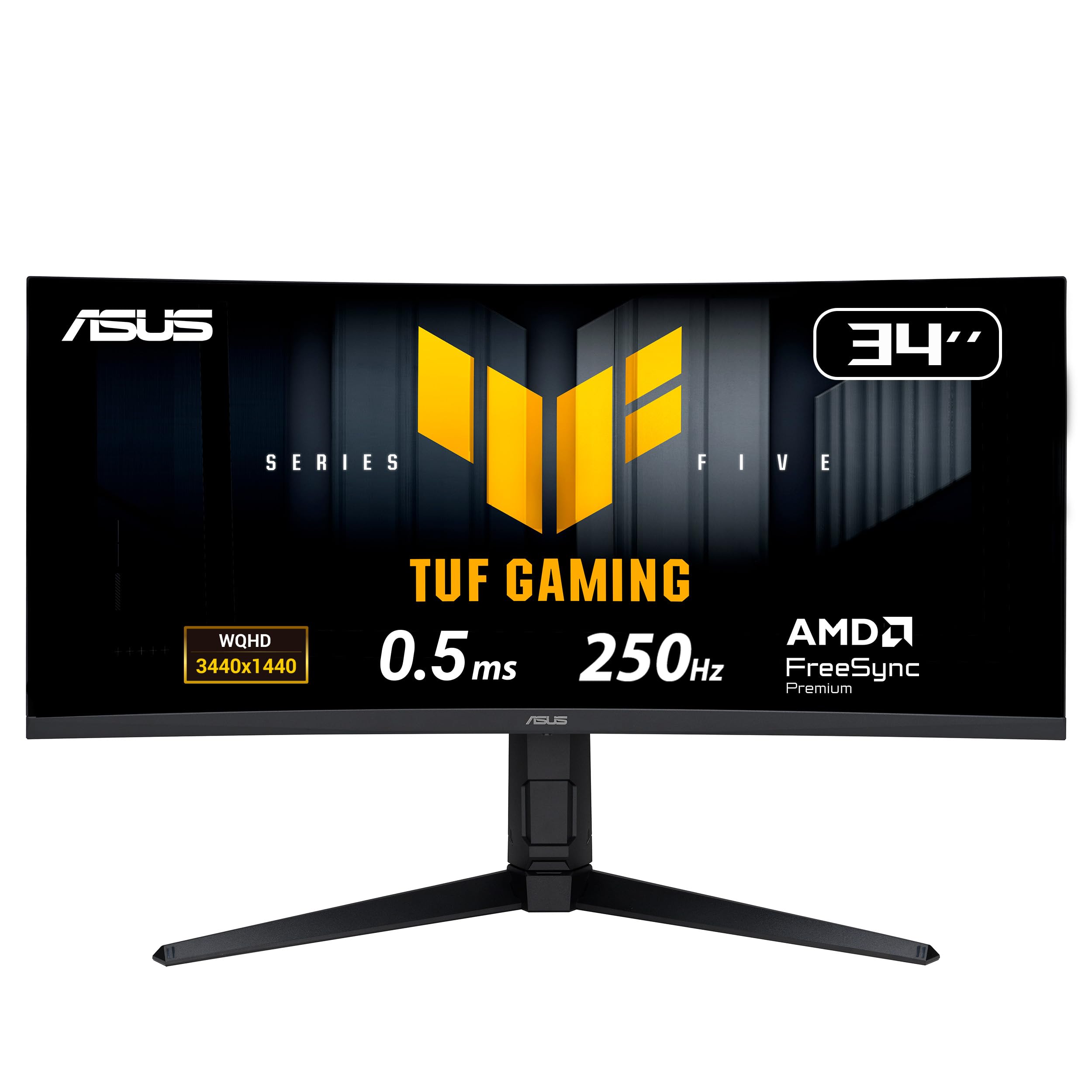
The ASUS TUF Gaming VG34WQML5A is the fastest non-OLED panel in this list, offering an overclockable 250Hz refresh rate on a FastIPS panel with a 0.5ms MPRT response time. This makes it a serious contender for competitive esports players who want extreme fluidity at a sensible price. The 1500R curve keeps the screen manageable for desktop tasks while delivering good wraparound effect.
It supports ASUS Extreme Low Motion Blur Sync (ELMB SYNC), which lets you use the blur-reduction feature alongside variable refresh rate for the cleanest motion possible. The VA-like 4000:1 contrast ratio is excellent for an IPS-type panel, providing solid black levels. The monitor also includes a DisplayWidget Center for easy settings and TUF Gaming AI features like dynamic crosshair.
Potential downsides include a stand that some users find wobbly, and the AI gaming features receiving mixed feedback. The monitor provides full ergonomic adjustments with height and swivel. It is a strong middle-ground choice that leapfrogs VA gaming monitors in response, but lags behind OLED panels in overall image depth.
Why it’s great
- Fastest 250Hz refresh for the category
- ELMB Sync for blur-free motion
- Good 4000:1 contrast ratio
Good to know
- Stand may feel unstable
- Some AI features are gimmicky
- Requires HDMI 2.1 for full speed
7. Amzfast 34 Inch Curved Monitor 240Hz
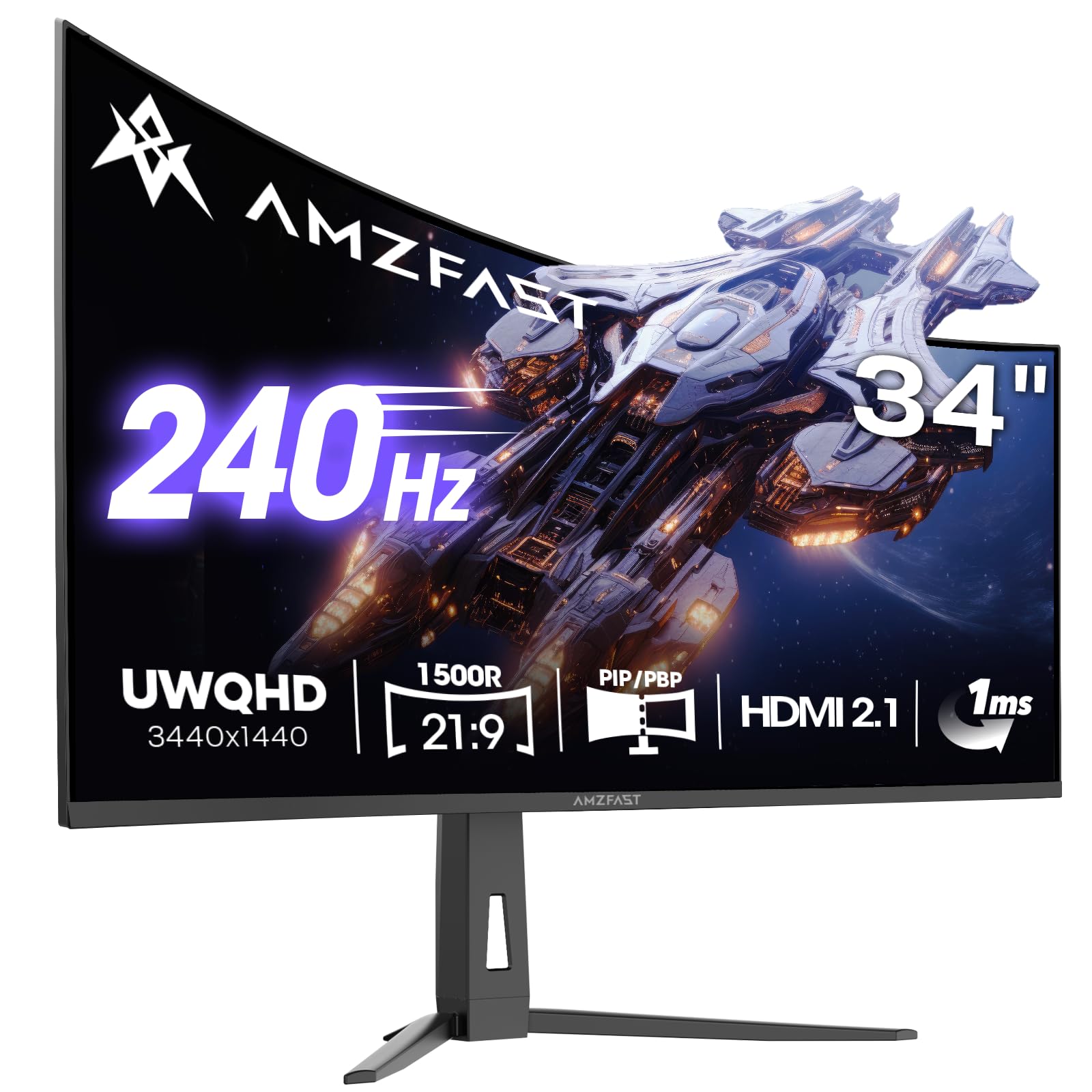
The Amzfast AMZG34C8 Pro is the ultimate budget-friendly entry for gamers who want a 240Hz ultrawide without spending a fortune. Using a VA panel with a 3000:1 contrast ratio, it delivers vibrant colors with 96% DCI-P3 coverage and HDR400 support. The 1500R curve provides good immersion, and the dual HDMI 2.1 ports allow full 240Hz bandwidth from modern consoles and PCs.
It includes AI gaming features like a sniper scope and crosshair overlay, plus PIP/PBP mode for multitasking. The stand provides height, swivel, and tilt adjustments, and the eye care features are TÜV Rheinland certified for reduced blue light. Early user feedback notes the monitor is excellent for its price tier, with good brightness and solid built-in speakers for a monitor.
Some users reported the stand pivot can feel loose or cause a slight tilt, and the HDR performance is entry-level despite the certification. The menu system is also less refined than premium brands. For the gamer on a strict budget who still wants high-refresh and ultrawide real estate, this delivers surprising performance.
Why it’s great
- 240Hz for a budget-friendly price
- Dual HDMI 2.1 inputs
- Vibrant VA panel with good color
Good to know
- Stand pivot quality is inconsistent
- HDR is basic, not cinematic
- Menu OSD is basic
8. Dell S3425DW

The Dell S3425DW is the ideal pick for the hybrid worker who spends eight hours on spreadsheets and then fires up a game or movie. Its VA panel offers a 3000:1 contrast ratio for good black depth, and the HDR readiness adds punch to supported content. The 120Hz refresh rate with FreeSync Premium provides noticeable smoothness improvements over standard monitors without being overkill.
The USB-C port supports 65W power delivery, allowing a single cable to handle video and laptop charging. Dell’s ComfortView Plus reduces blue light to under 35% without washing out colors, making it suitable for long work sessions. The clean ash-white design fits modern and professional environments, and the stand offers full height and tilt adjustment.
A potential limitation is the recessed VESA mount, which may require special hardware for aftermarket arms. The speakers have improved depth over the previous generation but still lack bass for serious media enjoyment. Overall, it is a balanced choice that won’t break the bank while covering office and leisure needs.
Why it’s great
- USB-C with 65W power delivery
- Excellent anti-blue light technology
- Great VA contrast and color
Good to know
- Limited to HDMI and USB-C, no DP
- VESA mount can be tricky
- Speakers lack bass
9. LG 34SR60QC-W

The LG 34SR60QC-W blurs the line between a computer monitor and a TV. Powered by LG’s webOS23, it provides built-in access to Netflix, Prime Video, Apple TV, Disney Plus, and over 300 free LG Channels without needing a separate PC. This makes it perfect for a home office or bedroom where you want one screen for work and entertainment.
The 34-inch VA panel delivers a 3000:1 contrast ratio and 99% sRGB coverage, offering decent color for standard office tasks and media consumption. The 1800R curve is gentle, making it a comfortable transition from a flat screen. AirPlay 2 support allows seamless casting from Apple devices, and the white chassis gives it a clean, residential look that fits non-desk environments.
The 100Hz refresh rate is sufficient for casual browsing and light gaming, but not for competitive play. It also lacks a USB-C port for laptop video and charging—relying on dual HDMI inputs. The included stand is tilt-only, so VESA mount is recommended for proper ergonomics. This is the best pick for someone who wants a simple, all-in-one ultrawide living room setup.
Why it’s great
- Built-in webOS with streaming apps
- Clean, modern design in white
- AirPlay 2 support for Apple devices
Good to know
- No USB-C input
- Only tilt adjustment on stand
- 100Hz limit for gaming
10. Philips 34E1C5600HE
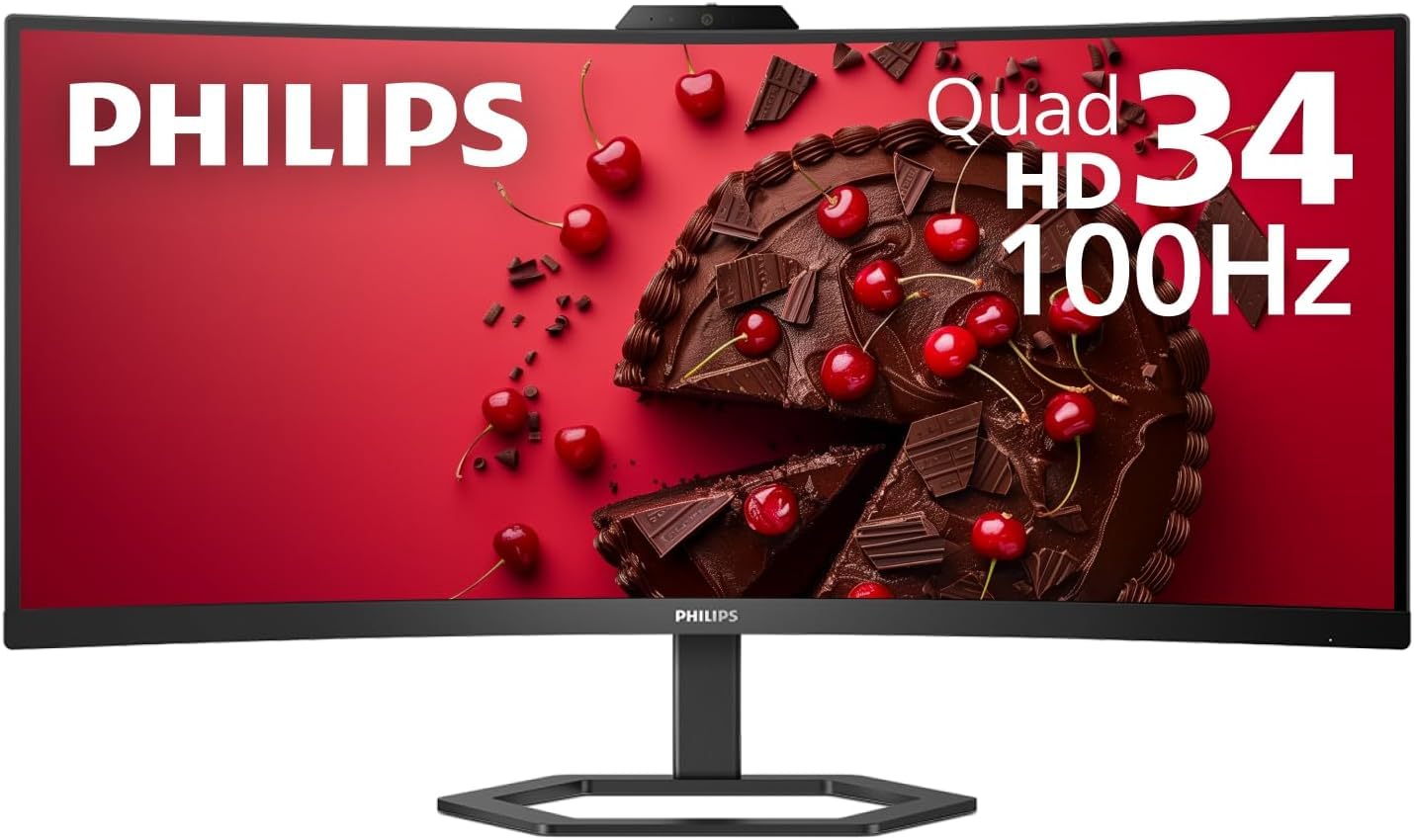
The Philips 34E1C5600HE is a specialized tool for the remote work professional who wants to clean up their desk. It features a built-in Windows Hello 5MP webcam with a noise-canceling microphone, USB-C docking with 65W power delivery, and stereo speakers. This turns the monitor into a single-cable hub for your laptop, handling video, data, charging, and video conferencing.
The 1500R curved VA panel provides a 3000:1 contrast ratio and over 123% sRGB coverage, offering vibrant and accurate colors. The 100Hz refresh rate is a nice upgrade for smoother scrolling during long document reviews. The built-in speakers and microphone are sufficient for meetings but audiophiles will want dedicated gear.
The primary limitation is the webcam quality, which some users described as mediocre compared to a dedicated logitech. The monitor arm cutout is also small, making VESA mounting more restrictive. For professionals who value simplicity and a clutter-free workspace over ultimate video quality, this monitor is a compelling package.
Why it’s great
- Integrated Windows Hello webcam
- USB-C with 65W laptop charging
- One-cable home office simplicity
Good to know
- Webcam quality is average
- External speaker recommended for audio
- Limited VESA arm compatibility
11. Samsung ViewFinity S50GC

The Samsung ViewFinity S50GC is the practical choice for users who simply need a large, affordable 34-inch ultrawide with decent performance. The auto brightness sensor is a thoughtful feature, adjusting the screen to match your room lighting throughout the day.
The 21:9 aspect ratio and thin bezel design maximize screen real estate for multitasking, and PIP/PBP support lets you connect two sources simultaneously. The stand is tilt-only, but the vesa mount is standard 100x100mm. It ships with both HDMI and DP cables, so you can plug in immediately.
The built-in speakers are weak and the stand can be wobbly, making a third-party arm a recommended upgrade. Some users reported configuration issues with Macs for higher refresh rates, often needing a custom resolution utility. For the pure budget-conscious buyer looking for a functional ultrawide step up from a basic monitor, this is a solid entry point.
Why it’s great
- Best value for a 34-inch ultrawide
- Auto brightness sensor reduces eye strain
- PIP/PBP for multi-source use
Good to know
- Stand is wobbly without mount
- Built-in speakers are poor
- Mac configuration may be tricky
FAQ
Is a VA panel good enough for gaming on a 34-inch curved monitor?
Do I need HDMI 2.1 for 240Hz at 3440×1440?
How do I protect an OLED ultrawide from burn-in?
Final Thoughts: The Verdict
For most users, the best 34 inch curved monitor winner is the Samsung Odyssey OLED G8 G85SD because it blends stunning QD-OLED picture quality with smart TV features and a competitive 175Hz refresh rate at a reasonable premium. If you want the ultimate immersion with the deepest curve and fastest 240Hz, grab the LG UltraGear 34GS95QE. And for double-screen productivity without compromise, nothing beats the 5K2K real estate and Thunderbolt hub of the Dell UltraSharp U4025QW.